Archive for ‘Paper Organizing’ Category
Paper Doll Carries On About Everyday Carry: What’s In Your Bag?
 Are you familiar with Everyday Carry? Yes, it sounds more like a branding title for a line of messenger bags than an entire movement that ranges from “the things you schlep each day” to a massive platform for self-identification. But it is both the latter and, to a less dangerous degree than some political affiliations, very much the former.
WHAT IS EVERYDAY CARRY (EDC)?
When I first heard of the term “everyday carry” about a decade ago, I was reading Kevin Kelly’s superb Cool Tools blog. The blog is really aptly named, as it’s a smörgasbord of, well, really cool — and usually inexpensive — tools for solving life’s problems. It’s like having a circle of really resourceful friends writing about their latest finds.
I’d happened upon the blog via one or another random newsletters that had mentioned Kelly’s “What’s In My Bag?” section of his blog, which often hinged on average people (or possibly semi-famous people I didn’t recognize) talking about their organizing-related products and systems.
The above term “bag” should be taken loosely. For example, a recent post by writer and photographer Nicole Harkin answered, “What’s In My Drawer,” with a variety of oddities in her kitchen drawer. Sometimes, the bag is a larger space, like Chris Askwith’s “What’s In My Workshop?”
And another subset of the kinds of cool tools list appearing on the blog would be “everday carry” pocket tools: small pens, tiny versions of flashlights, pocket knives, itty-bitty compasses and levels, pry bars, battery chargers, multitools, carabiners, S-biners, miniature lighters, and all manner of things that good scouts might carry to be prepared.
It seemed quaint when I first noticed these occasional posts, but the more I surfed the “technology bro” corners of the web over the years (as productivity and technology realms often overlap), the closer a look I got at some of the trends in this area.
A tech friend who spends a lot of time on his bike told me that outdoorsy types (already, a category of human unlikely to cross paths with indoorsy Paper Doll) who biked, hiked, camped, and did similar activities where bugs and crawling/biting things live, tended to hang out in online forums to talk about the stuff they “carried” daily.
As in, things they carried every day when they were taking the subway or getting cake in the break room or flying to conferences in Pittsburgh or Dubuque, generally indoors, where they had no need to start life-saving fires, send an SOS, or rig a floatation device out of their cargo pants!
In the summer of 2019, before the pandemic meant that we were all at home and didn’t need to carry anything a greater distance than from the couch to the kitchen, Vox‘s Stephen T. Wright (not to be confused with the comedian Stephen Wright, who would likely have a bizarre field day with the topic) wrote, Meet the Men Obsessed with Carrying All the Right Stuff.
For some people, EDC (as those in the know apparently call it) is all about being prepared for any and every eventuality, in a scoutmaster-approved manner. But for others, it can become a realm of competition; instead of buying the fanciest car or the newest phone, some folks seek out the teeniest, weeniest “thing” that can do the most stuff. Hence, for example, all the different types of multitools.
I’ll leave you to the Vox article to explore the EDC subcultures, which tends to be predominantly male, knife-heavy, and painted in black or camouflage-adjacent colors; less often, they are miniaturized and as geeky as possible. In some corners of the web, GQ-friendly stylings are also popular. If you want to explore the concept, you can visit:
- The @EverydayCarry Twitter Account
With a solid and versatile set of #EDC tools at his disposal, Adolfo can keep most of his bases covered on weekends without packing too much gear.https://t.co/g4cvteatpF pic.twitter.com/l8hkuxYiqJ
— Everyday Carry (@everydaycarry) March 11, 2022
- Everyday Carry review website
- Carryology Blog
- The Gear Journal
- Urban EDC Supply
- EDC Blog
- The Manual’s Beginner’s Guide to Everyday Carry
WHAT’S MISSING FROM THE EDC ARENA?
Over the past decade, I’ve seen the references to everyday carry expand to the point that many of the design and technology blogs and accounts I read have regular everyday carry features. What do they all have in common? I note three things:
- A focus on tiny metal objects
- A focus on efficiency and preparedness at all costs
- A focus on the needs (and wants) of dudes
Before you tell me that women need the same things on a daily basis as men, I’ll stop you. All of us who grew up on 1970s television shows, boys and girls, expected that at some point we’d have to save ourselves from quicksand. We were prepared equally. But for the reality of our modern lives?
Yes, men and women have similar survival needs for making it through a day of hiking or white water rafting. But a day in the workplace? A walk through a parking garage at night? Not so much.
How many men do you know who carry pepper spray, a rape whistle, or one of those doohickeys where you pull out a tab and a horrendous, high-pitched alarm goes off?
When you look around, whom do you generally see carrying diaper bags? Who is blowing the noses of tiny humans with their inexhaustible supply of tissues? Who is prepared for rest rooms that have no soap or toilet paper?
Who is carrying the aspirin and tummy meds, the bandaids, the emery boards (for snagged nails), the extra masks, not just for ourselves, but because they’re are more likely to be the guardians of not only their own kids, but their kids’ friends and even random strangers?
The not-dudes.
My point isn’t that the male-centric EDC communities are bad, just that the competitive, posturing nature of some sub-groups can be a bit silly.
Preparedness is good. There just don’t seem to be many communities where the people coming together to talk about women’s EDC needs are discussed.
That doesn’t mean there aren’t resources. I’ve gathered some EDC articles written especially for women. These pieces have great tips for hiding your cash (in places dude-thieves are definitely not going to look), dealing with hygiene emergencies, and protecting personal safety, as well as coping with the universal 21st-century problems like a dead phone battery or the need for an itty-bitty flashlight.
Primal Survivor’s Women’s EDC Checklist: 17 Survival Items to Carry Every Day
Pew Pew Tactical’s Best Everyday Carry (EDC) Items List For Women
Tactical.com’s EDC Gear Women Should Never Leave Home Without
Everyday Carry Experts’ These EDC Items Should Be In Any Woman’s Purse
WHAT ABOUT THE EVERYDAY EVERYDAY CARRY?
So, let’s move beyond the emergent and urgent needs of so-called everyday carry. What about the plain old quotidian things we actually need to carry?
I’ll be honest, I can’t figure out why Paper Mommy‘s purse is so heavy. She’s been searching for the perfect purse since the Eisenhower administration, and I’ve accompanied her on a variety of purse-shopping adventures, so I know her requirements for inside and outside zippered compartments, pockets, and divided sections. What I can’t figure out is why it weighs more than my friend’s toddler (when he’s wearing a full-on snowsuit and boots).
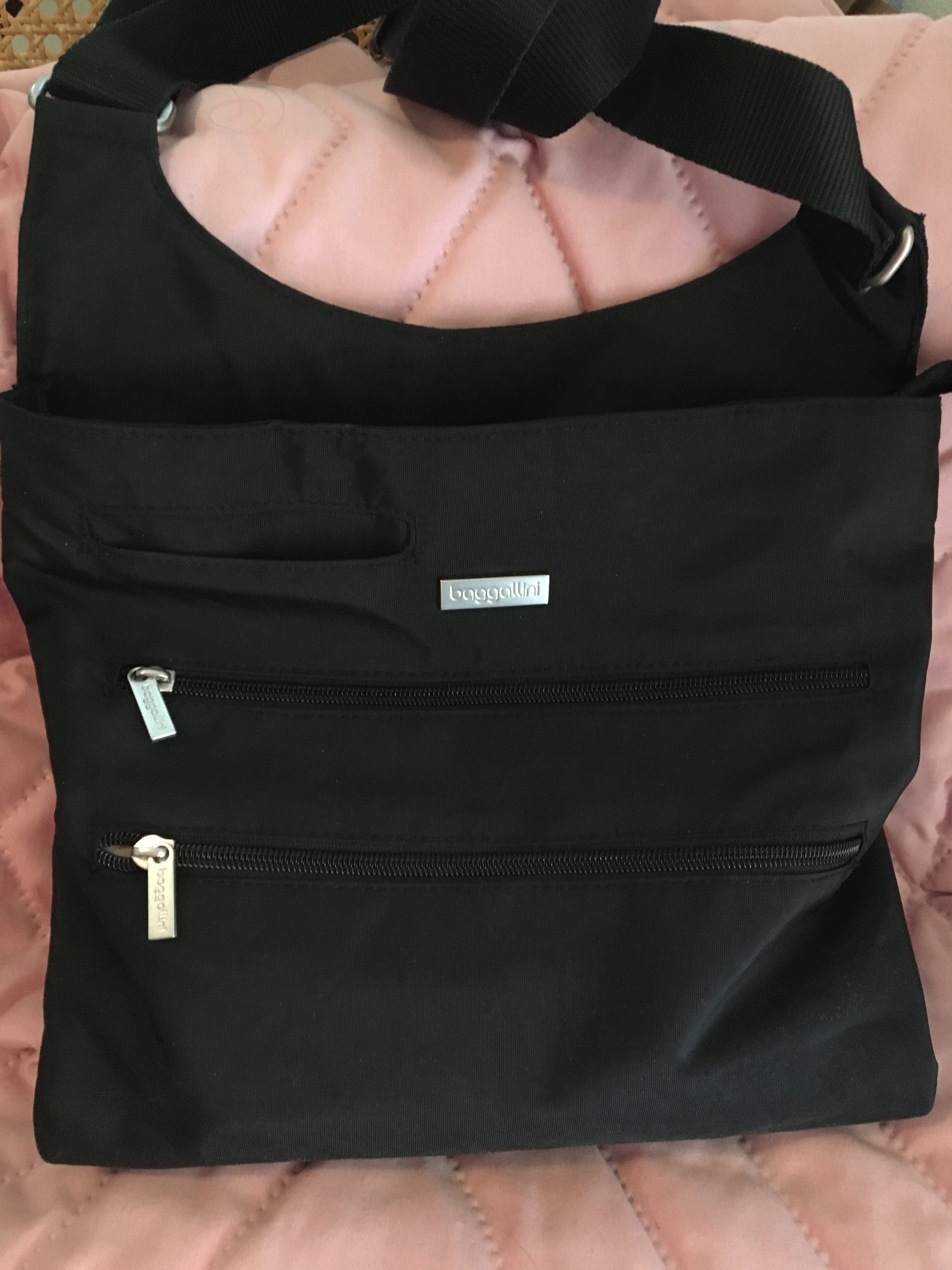
(After this Baggalini cross-body purse got me through two weeks in Italy, I realized that it was the ideal bag for everyday living. BTW, to nobody’s surprise, Paper Mommy picked it out.)
My own personal everyday carry is probably typical for a woman sans tiny humans, and doesn’t involve most of the things recommended in the articles above. I keep my phone charged, trust my car charger, and have my AAA card in my wallet and the app on my phone.
I probably can’t MacGyver much, but with the exception of the time Paper Mommy dropped her keys down the elevator shaft and we had to call upon the ingenuity of someone with rare Earth magnets and an approximation of a fishing pole, I’ve rarely needed much more to survive a typical day than the items in my purse, catalogued just now as:
- Cell phone
- Wallet
- Keys
- Business card case
- Compact (e.g., face powder, for the younger readers)
- 2 lipsticks
- Eyeglass case
- Hair scrunchie
- KN95 mask
- Stack of Starbucks gift cards (because people keep giving them to me as gifts and I almost never go there, so I give them to unhoused persons when it seems someone could really use a hot beverage or a meal)
- Individually-packaged antibacterial hand wipes (which I carried pre-pandemic)
- Tiny satin cosmetic bag for corralling hand sanitizer (and ensuring it doesn’t leak into my purse), ear buds for my phone, half a stack of pink Post-it® Notes, and a pen (so I don’t have to touch the pen at the reception desk in the doctor’s office or when signing a credit card slip).
My purse is a fairly light, but I’m no minimalist. I check a bag for every flight, and plan multiple outfits of every day of any vacation. When I was younger, I tried going out with just an ATM card and driver’s license tucked into my business card case, a lipstick in my pocket, and keys on a coiled bracelet. I felt naked.
WHAT ABOUT A PROFESSIONAL ORGANIZER’S EVERYDAY CARRY?
Ah, now there you’ve got me. My everyday carry for my in-person work with clients is a masterwork of precision. It’s the perfect combination of bag and contents.
When I first read Geralin Thomas‘ post ZÜCA Takes The Lug Out of Luggage, I was intrigued by her dazzling review ZÜCA‘s products. (Rolling suitcases with drawers and a built-in seat? Sign me up!)
The next time I saw Geralin, she was stopping traffic at the NAPO conference expo with her gorgeous ZÜCA Business Backpack.
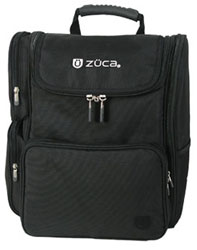
Within weeks, I owned one too, and it looks and works pretty much as it did 13 years ago. If anything (heaven forbid) ever happened to it, I’d get another one exactly like it without a second thought.
So, what makes the ZÜCA Business Backback so nifty as an everyday carry (for all my EDC essentials)?
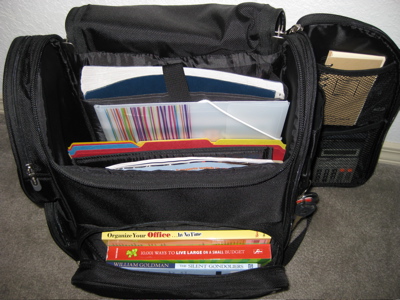
A lower-front zipped portion that, once unzipped, opens toward the user, like a glove compartment or an oven door. It’s suitable for small gadgets, but ideal for hardcover or paperback books you’ve selected to read on the plane or train. It’s also the perfect size and shape to stow your ticket, itinerary and other travel documents.
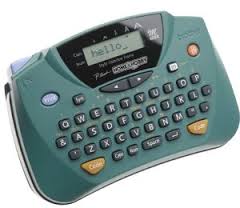
For my everyday carry, it’s stocked with my ancient Brother P-Touch PT-65 label-maker (20 years old and it keeps on ticking, but nowadays you’d want the PTD210) and some 12mm black-on-white label maker tape.
That compartment usually holds index cards and sticky notes for helping temporarily label client’s sorted paper piles, a small toiletry kit with a toothbrush, mini-toothpaste, and other hygiene tiems, and my Anker PowerCore5000 Portable Charger.
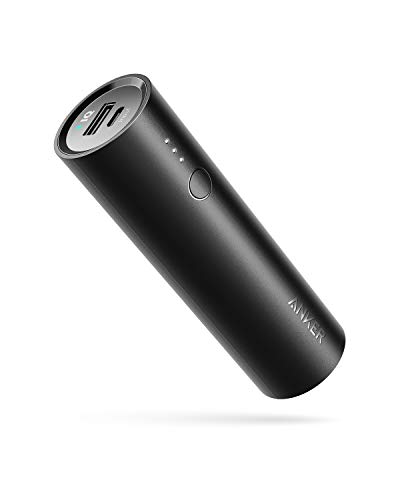
It’s about the size of a HoHo or Twinkie, comes in it’s own carrying case, and can charge my phone, tablet, or anything USB-ish. (Yes, one of these days, I’ll have to replace it with a USB-C charger, but today is not that day.) There’s usually a Nature Valley protein bar hidden away in there, as well. Organizing is hungry-making work!
Two side zipped compartments on the left (as you’re looking at at the bag; you can see the zippers in the first ZÜCA photo above) are ideal for multiple uses. For me, the lower, square compartment holds measuring tape, a mini-stapler and staple remover, paper clips, and other paper-specific organizing tools.
The upper compartment is cut on the diagonal. I used to use it for electronic cords and cables (now made unnecessary due to Bluetooth) so it houses my diabetes glucose meter, ensuring quick and easy access.
A right side “door” panel opens revealing oodles of space. The outer side has a mesh pocket suitable for a mini-umbrella or a bottle of water. The interior has two mesh compartments and is padded so you could use it for office essentials or for items that need a bit more TLC, like a stash of thumb drives or an external hard drive.
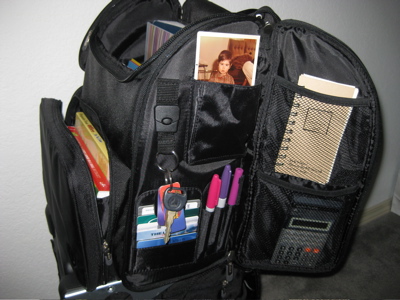
The side “wall” of the backpack, exposed by the opening of the “door” has compartments for pens as well as credit, loyalty, and identification cards. There’s a detachable keychain, so you never have to worry about losing keys in the dark recesses of the bag.
The interior is cordoned off into sections. From back to front, it has:
- A padded laptop sleeve—Suitable for a laptop or table, this section measures 10″ x 14″ x 2″ and is positioned firmly along the rear of the backback, so you’ve got no lumps or bumps against your spine. The padded sleeve also has a Velcro closure, so even if you stand on your head (or your backpack takes a tumble from the passenger seat to the floorboard of the car), your laptop should stay securely in place. I use this section for my iPad and Bluetooth keyboard, which is great when I’m helping clients organize documents in the cloud.
- A zippered mesh compartment on the front of the padded laptop sleeve, is a great way to hide away small documents like a passport or receipts. I use it for when clients give me “precious” items to research, like ancient photos or recently, a 1959 junior prom dance card!
- The middle interior portion is surprisingly wide enough to hold file folders “sideways,” as if they were within hanging folders. While I generally carry folders vertically in the backpack, it’s nice to have flexibility.
- There are padded sections attached to the interior front wall of the pack. While the width of these sections does not accommodate files in the normal fashion, they can easily be turned upright. They are also the perfect size to securely hold catalogs, magazines, legal pads, notebooks, and any other papers required by a mobile professional. I use the sections for my 7-ring Emily Ley paper daily planner (yes, I’m retro!),

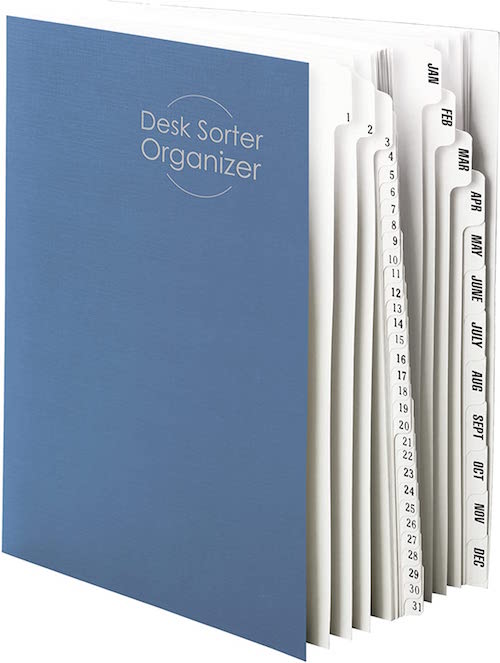
my tickler file,

and my purple (they call it “orchid”) Roaring Spring legal pads.

The ZÜCA Business Backpack is light and comfortable enough for everyday carry. It has padded shoulder straps as well as padded sections on the reverse for shoulder blade and ribcage comfort.
I’m a fan of the lean architecture and flat bottom, so that no matter how much it’s stuffed, it won’t fall over. If you’re planning on using it for travel, note that there’s a hard handle for carrying it (like a bucket of water) and horizontal straps to attach it to a rolling bag’s telescoped handle.
Obviously, this is the perfect everyday carry for me, a professional organizer who focuses on client’s paper and information. I will admit, I used to carry one nifty tool, a girly, purple, flowered hammer with lots of miniature screwdrivers nested in the handle (similar to this one).

However, when I reported for Grand Jury Duty, the courthouse guards deemed it a weapon and told me I could either return it to the car or toss it in their trash. It was over 95° that day and I was parked seven blocks from the courthouse. You do the math. I’ve yet to replace it. That was more than five years ago, and I haven’t needed it. Nor have I needed a multi-tool, pocket knife, pry bar, or miniature lighter. But my iPhone does have flashlight, compass, and level apps, and thus far, that’s been plenty.
While I work with all sorts of residential, home office, and business clients, I’m not doing packing for relocations or installing shelving units, as some of my other colleagues might do. For the best everyday carry options for that kind of work, you’ll want to visit the March Productivity and Organizing Blog Carnival, which will go live on Wednesday, March 16, 2022.
Do you have anything surprising in your everyday carry? What’s in your bag (or cargo pockets) that you can’t live without?
Paper Doll Shares Secrets from the Task Management & Time Blocking Summit 2022
What did you get done last week? Was it everything you wanted to accomplish? Did you use a paper calendar or a digital one? A task app or sticky notes? Do you have SMART goals? Am I freaking you out?
Longtime readers know that I seek out all types of continuing education, including each annual NAPO conference. After 2020’s conference was canceled, I was delighted to get to participate in a virtual version, as I told you about in Paper Doll Recaps the NAPO2021 Virtual Conference.
I’d also attended a productivity summit and the last two years of the Task Management and Time Blocking summits, and have spent the last several months preparing to attend the third, as I referenced in Struggling To Get Things Done? Paper Doll’s Advice & The Task Management & Time Blocking Virtual Summit 2022.
Readers, let me just tell you, last week from Thursday through Sunday, I was entirely geeked-out over all things related to task management, time blocking, scheduling, goal achievement.
And while we explored all manner of strategies, techniques, and tools for getting more done, there was definitely an undercurrent of something more valuable in this year’s conference. Over and over, there were presentations and videos that delved into examining the “why” of getting things done.

It would destroy your time management and mine if I shared every amazing detail, but even just the personal highlights are staggering. The summit was a combination of live presentations and panels as well as a series of about a dozen videos each day, and live (video) networking.
Out of the box, after the welcome, we began with a presentation from trainer and coach Jeff Whitmore about intentionality. Jeff talked about the reckoning we collectively saw, both with the onset of the pandemic and now, with the Great Resignation. We’re turning our backs on busy work, on “meetings that could have been emails,” and the experience of being buried in tasks for tasks’ sake, and turning to pondering what we really want — out of our careers, and more deeply, out of our lives.
In a theme that came up over and over during the conference, he talked about identifying the bigger picture of what you want in life and why, and focusing on tasks that drive those goals rather than letting all the competing sensory inputs of notifications and calls and emails determine what you do.
NOVELTY VS. THE FLATNESS OF TIME
The first morning continued with summit founder Francis Wade interviewing noted author, Laura Vanderkam, and her theme posited practical ways make life richer and more nuanced.
For me, Vanderkam’s interview was immediately reminiscent of what I talked about in Does Anybody Really Know What Time It Is? 5 Strategies to Cope With Pandemic Time Dilation in terms of the way our lives seem to sometimes be an endless slog from day to day. It’s Monday again. It’s time to cook dinner again. As I noted in the chat discussion, sometimes it seems like I look up, over and over, and I’m blowing my hair dry again.
Vanderkam’s research suggests that to get out of these ruts, we need more novelty, texture, and richness in our time and our tasks. To this, Francis quipped, “less skim milk, more milkshakes.” After a brief foray for praising Ben & Jerry’s Chunky Monkey, Vanderkam suggested one main tip for preventing the automating and routines that make for good task management from diluting the texture of our lives.
Vanderkam encouraged everyone to plan life in weeks, and to identify one “big adventure” (lasting perhaps half a weekend day) and one “little adventure” (lasting an hour) each week to introduce novelty. The purpose? As Vanderkam noted, “We don’t ask where did the time go when we remember where the time went.” Aha. Mindfulness!
As @LauraVanderkam noted, *We don't ask 'where did the time go?' when we remember where the time went.* Share on XVanderkam has been studying a wider array of methods for making a Chunky Monkey milkshake out of life. She conducted a nine-week research study with 150 people, having them track their time and studying their time satisfaction and time weariness before and after trying each of nine approaches, from the big and little adventures for making life more memorable to setting a fixed bedtime for yourself so you can “see how many hours the day really has in it.”
The results of Vanderkam’s research will be published in her forthcoming book, Tranquility by Tuesday: 9 Ways to Calm the Chaos and Make Time for What Matters.

GEEKING OUT WITH GTD
Another highlight of the summit was an Oxford-style debate on the proposition of whether the notion of organizing by contexts in David Allen’s seminal Getting Things Done is still valid. GTD methodology lets you conceptualize, and then act on, tasks depending on various features. And if this seems a little too “inside baseball” or geeky to you, I can only say that it was…and it was great. By ten minutes into the debate, I found myself shouting back at the screen (muted, of course) and adding lively comments to the chat.
Back in the early days of GTD, contexts were pretty much considered as where the next action could be done, or what equipment you’d need to perform it.
So, a context might have been “at the store,” or “on the phone” or “at my computer.” Thus, the question is, when all of your next actions — like buying pens on Amazon or having a phone conversation with a client or emailing or searching the web to get clarity on an issue — can be done with just one small piece of metal, glass, and plastic that fits in your pocket, do contexts still matter?

(with apologies to the guys for not catching a single one of them smiling!)
One team was Drs. Frank Buck and Joe Leondike; the other, Augusto Pinaud and Art Gelwicks. Always-unbiased Ray Sidney-Smith (host along with Augusto of my beloved Anything But Idle video podcast) served as the debate moderator. Sparks (politely) flew, but in the end, it came down to semantics and the notion of the evolution of David Allen’s philosophy. (And yes, we know the GTD debate panel was all guys, but I assure you, this was a matter of scheduling complexity. Women were invited to participate!)
My take? Yes, David Allen meant contexts to be more specific, but that was two decades ago. Now, tags (like you’d use in Evernote or Gmail) serve as your context. It’s not “computer” but “Amazon” or “LinkedIn,” the places you go (even if you’re only “going” with your fingertips) to perform a task that really matters.
Then again, I’m a proponent of the idea that whether you’re talking about Getting Things Done or KonMari, the Pomodoro Technique or even my own tickler files, hewing to the letter of any productivity or organizing law instead of empowering yourself to embrace the spirit of it is silly.
What matters is what works!
A NEW (TO ME) TIME BLOCKING METHODOLOGY
We tend to see the same systems and strategies repeated over and over: GTD, time blocking, the Eisenhower Matrix (urgent/important), the Pomodoro Technique, etc. But David Tedaldi of Morgen (one of the summit’s sponsors) introduced us to an approach that was brand new.
Tedaldi’s actual presentation was Tools for Time Management: Help or Hurdle? (which dovetailed nicely with my own presentation, on going “retro” to avoid the drawbacks of technology…of which, more later). As the founder of a company that developed a calendaring system for “professionals who manage multiple accounts, who want to schedule meetings faster, or need to keep track of tasks and appointments in a single, safe place,” he obviously believes in tech tools.
But he also acknowledged that using new tools fractures our time as we have to expend effort (and use our work time) to learn how to use these tools. But wasn’t what made the session memorable for me. Instead, that was Tedaldi talking about a new time management method that is simple, but with commitment, could be life-changing.
It’s called the 90-90-1 Method. (I initially misunderstood Tedaldi’s beautiful accent and thought it was the 1991 Method, and was imagining it had something to do with the Hubble telescope, C&C Music Factory’s “Gonna Make You Sweat” or Silence of the Lambs. Sadly, nope.)
Put forth by Robin Sharma in an 2014 post called You 2.0, the recommendation was to the point:
“For the next 90 days, devote the first 90 minutes of your work day to the one best opportunity in your life. Nothing else. Zero distractions. Just get that project done. Period.”
The 90-90-1 Method, per @RobinSharma: *For the next 90 days, devote the first 90 minutes of your work day to the one best opportunity in your life. Nothing else. Zero distractions. Just get that project done. Period.* Share on XWhat is your big, bold, audacious life goal? Want to write a book? Run a marathon? Show your child or spouse or friends that they are priorities in your life? Instead of making these things the sand that flows around the “big rocks” in your life, show up! For the next 90 days (which surely falls in line with the precepts of the popular book, The Twelve Week Year: Get More Done in 12 Weeks than Others Do in 12 Months), spend the first 90 minutes of your day focused on the ONE thing that you (claim) you care the most about.
Wow! (I know, right?)
PAPER DOLL TOOK A SPIN (OR THREE) ON THE DANCE FLOOR
Previously a panelist and moderator, I got to add presenter to my resume at this year’s event!
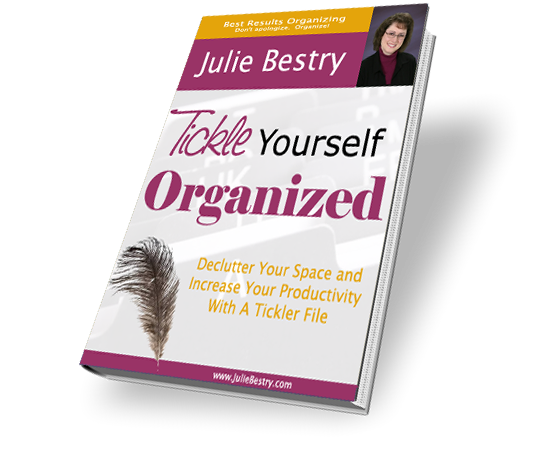
My video introduced attendees to the benefits and logistics of using a tickler file, based on my now-classic ebook, Tickle Yourself Organized.
But my real passion was asking people to consider the notion that as useful as digital calendars, automated scheduling software, and task management apps can be, technology isn’t always the best way to get a mental handle on what we need to do and prompt us to do it.
Think about time. Kids, people with ADHD and other neuro-diversities, and many other people have trouble conceptualizing the passage of time — how long is 15 minutes? What does an hour look like or feel like?
We used to be able to look at analog clocks and perceive, with the sweep of the minute and second hands, how we were getting closer to the top of the hour. With digital clocks, 10:01 or 11:47 just doesn’t feel tangible or real.
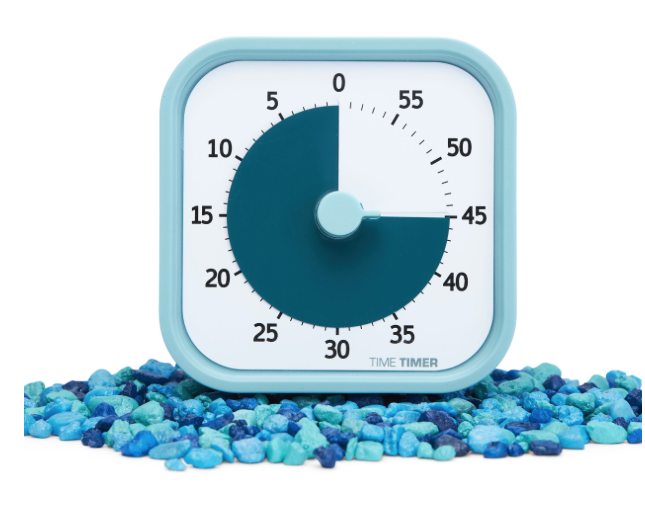
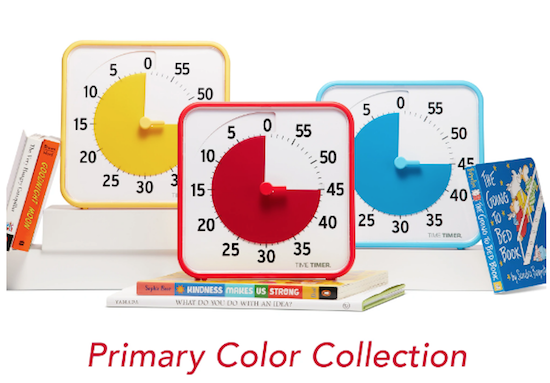
This is why Time Timer has proven so successful with students, non-traditional learners, and clients trying to be more productive. With them, you can see time. You can see the PASSAGE of time.
Research shows that something similar happens with handwriting notes vs. taking notes on a computer. When you’re trying to take notes in a class, if you’re typing, your instinct is to take a transcription of what the speaker is saying, word for word. The words come out of the speaker’s mouth, into your ears, and kind of bypass your brain & head to your fingers.
BUT, when you handwrite, your brain engages and picks out key phrases, identifies essential elements, and helps you translate the presentation into something you understand so that you could explain it to someone else. Going retro by hand-writing your notes gives you an advantage.
One of the 21st-century problems with task management and time blocking is that all of the technology makes our tasks feel too vague and intangible. For many of us, to get things done, we need our resources to be “grippy” or “sticky” or they cease to have a sense of urgency or importance; when we only see due dates or blocks of time TO do something, we lack essential nuance and context.
There’s no novelty or uniqueness in a one-line task in an app to trigger related memories or brainstorm tangential thoughts. When you enter a task in an app, it’s kind of like transcribing those lecture notes; it sort of bypasses your brain. (I think it’s one of the reasons that the more colorful, artistic Bullet Journal approaches became so popular.) Writing things down on paper, and manipulating the words and the paper, gets the brain engaged at a level you don’t see with digital apps.
By blending time management and time blocking skills with paper resources, we can have a hybrid system (analog and digital) that lifts the weight of worry off our shoulders. We can eliminate the fear that tasks will fall through the cracks, assure that we focus on starting work rather than just noting when it’s due, and replace a sense of overwhelm with one of empowerment. Enter the tickler file!
HAVE A LITTLE COMPASSION
I was also on a Q&A Panel moderated by Casey Moore, along with Olga C. Morrett of Mujer Cronopio. As counterpoint to reviewing my more tactical approach to organizing and time management, delightful Olga, a Venezuelan currently freezing her tushy off in Montreal, spoke expanded on her presentation, Compassion as the Key to Your Productivity.
Our lively panel closed out the summit on Saturday, and I think half of the time was spent with us riffing on points the other had made, not counting the unexpected tangent about Titanic, including the idea that plunging into your tasks without planning not only can put you at risk of drowning, but can endanger the mental health of those you love. And, of course, we all agreed that there was definitely room on that floating door for Rose and Jack.
But I really want to share two key concepts from Olga. First, she talked about how self-compassion is an antidote for perfectionism and noted that “The human experience is imperfect. We are entitled to fail. It’s part of the process.”
And, to show yourself compassion, start with looking at your calendar. What you put in your schedule shows how you distribute your resources: your investment of time, money, energy, and attention shows what you you really value. If you’re not investing in yourself but everyone else’s priorities, then you aren’t showing self-compassion.
ZZZZZZZZZZZZZZ
I also took my turn as a moderator on a panel entitled, Is Sleep On Your To-Do List? A Look at Time Management and Wellness. Sleep is necessary for us to be creative, strategic, productive, and neurologically healthy. Poor sleep wrecks productivity, but time management failures can destroy our ability to sleep.
I got to interview Dr. Emily Hokett, an academic sleep researcher and expert on achieving better sleep, and Casey Moore (see above, who was pinch-hitting for our colleague Lisa Mark, whose daughter had a baby the week before the summit–mazel tov!). We talked about how poor sleep effects everything from our stamina to our relationships, and covered a pillowcase full of tips about good sleep hygiene, blackout curtains, and the winning tip for me — getting enough sunlight so that your body can tell the difference between day and night.
THE KIDS ARE ALRIGHT!
Last year, we met four California high schoolers who came together to solve what they saw as serious problems in the time and task management app space. And they weren’t doing it for school credit or for money, but to help make people’s lives better!
Condution is an impressive open source app, and these young founders invite users and other coders to contribute. I tested the beta version last year, and it was as impressive as the guys themselves, and shockingly professional.
Only two of the four, Jack and Micah, made it to the summit. The other two were at SAT prep! Francis teasingly asked if they do normal teen things (oh, they do! Especially sports and music) and if they were on TikTok. (Nope). If you ever worry about the intentions and philosophy behind strides in the tech world, look no further than these young men. Here’s the video that started it all:
SO MUCH MORE
I’ve barely touched on the summit’s wise takeaways, which ensures there will be a lot to pepper in future posts. Eventually, we have to talk about task stacks from Trevor Lohrbeer, the founder of Day Optimizer. It simultaneously adds elements of gamification and diligence to the act of conquering your task list.
You can see a sneak preview of Danielle Hamlett‘s Willpower, Productivity, and Marshmallows, where she shared life-altering advice on how to amp up willpower.
And I don’t know where to begin with the insights shared by Amie Devero, but I’ll be pondering the Arrival Fallacy for a while, which is the false belief that once we “make it” — finish our tasks or attain our goal or reach our destination, we will reach some kind of everlasting happiness and be “done.” There is no inbox zero for all our life’s tasks.
At one point in the conference, Francis was hit with a bit of an epiphany about how all these sessions ostensibly about task and time management were about purpose and intention. When he extemporaneously said the following, I wrote is on a sticky note:
Task management is purpose conveyance.
ALL ACCESS PASS
If you’re bummed that you missed the summit, you can still get in on everything except the live networking. (I mean, I’m good, but I can’t help you time travel! Yet.)

Pick up a Premium, All-Access Pass (a $4700 value for $249) and you get a year of 24-7 access to all summit content, plus a digital copy of Francis’ book, Perfect Time-Based Productivity.
I leave you with four questions:
What big and little adventures will you add to your week to create novelty and make your life more milkshake and less skim milk?
What do you think of the 90-90-1 method?
Look at your calendar: are you showing yourself compassion?
Is your take management conveying your purpose?
Struggling To Get Things Done? Paper Doll’s Advice & The Task Management & Time Blocking Virtual Summit 2022
You have task lists. You have apps filled with task lists. You have alarms set to remind you to check your apps filled with task lists.
And yet, do you sometimes feel down in the dumps because you can’t achieve what you set out to do? If so, congratulations. That means you’re human. (No offense intended to my intergalactic readers, of course.)
The common parlance for solutions to getting things done is “time management,” but as you’ve heard me say often, we cannot manage our time, but only ourselves. Notwithstanding crying children, screaming bosses, and messed-up public transportation schedules, the inconvenient truth is that we really are the only ones in charge of what we do and when we do it.
Yes, there are consequences to us making the choices we do, but the key is that we’re controlling our reactions to the demands on our time. The minute we relinquish belief in our own control, we’re deciding the game is lost.
Thus, I see my role as one of explaining all of rules of the game, letting you know about the sneaky combatants trying to sabotage you (whether they’re in your own brain or out there in the world), and trying to arm you with mighty powers to vanquish whomever is trying to steal your time. (And yes, I realize this does seem to sound more like Dungeons & Dragons than time management.)
WHY WE CAN’T GET A HANDLE ON TASK and TIME MANAGEMENT?
There are a variety of reasons why people find it hard to accomplish important things.
Maybe We Don’t Know What’s Up
Sometimes, you’re unhappy with the way things are but you can’t really identify the problem and don’t know there’s a solution. (If that’s the case, Organize Away Frustration: Practice The Only Good Kind of “Intolerance” offers some guidance for both recognizing that there is a problem and locating a solution.)
Other times, you know what you need to accomplish and you do want to do it, or at least, you want to have done it. (In the words of Dorothy Parker, “I hate writing. I love having written.”)
Other times, you know what you need to accomplish and you do want to do it, or at least, you want to have done it. (In the words of Dorothy Parker, *I hate writing. I love having written.*) Share on XIn those cases, when your get-up-and-go has got-up-and-went, there can be a number of causes. Read on.
Maybe There’s a Pandemic Going On
Early in the pandemic, there were the shifting sands beneath our feet as we couldn’t quite get a handle on things, so I wrote Does Anybody Really Know What Time It Is? 5 Strategies to Cope With Pandemic Time Dilation.
In that post, I covered research that is still apt today, about how the pandemic caused us to lose our sense of routine. Even if you’re back to working in the office, you don’t know if your child’s school is going to be closed unexpectedly, if planned meetings will “go virtual,” or if something (anything!) will turn out as it was planned. Two years on, and we are absolutely not back to normal, whatever we used to think that meant.
We also examined the research showing that our brains turned mushy, largely due to lack of novelty (for the work-from-homers) and something related to allostatic load, where our bodies’ physiological reactions to emotional stress caused a build-up of stress hormones. So, we couldn’t get our bodies in gear with the energy needed to perform all of the regular life-and-work mental tasks.

Photo by Andrea Piacquadio from Pexels
And then our body clocks were out of whack because we weren’t sleeping (normally or otherwise), eating (normally or properly, and everyone’s move to drawstring waists seems to reflect that), we weren’t getting enough fresh air or sunlight, and we were getting too much blue light from our devices…which made it hard to sleep.
Guess what? We’re all still having trouble with these things, to one extent or another, two years on. We may have moved from the dining room to a bedroom turned into an office, or even back to our real offices. We’ve have moved on from Tiger King to Inventing Anna. But everyone is still having trouble with productivity!
In that post, I suggested strategies to cope with time dilation and get reconnected to time. If your task list means you barely have time to read this post, here’s a summary:
1) Put structure in your life.
Create daily rituals so you have a real sense of the start and end of your workday, and develop buffer habits so your brain gets the same benefits of a commute even if you’re walking around the block instead of driving to work while listening to your favorite podcast.
Time block to create boundaries in your day. (Of which, more later.) By blocking off specific times in your schedule for overarching categories (passive work projects, creative/active work projects, self-care, self-education, entertainment) you’re guaranteeing that there’s a place in your schedule for each. Knowing this gives you a sense of security, a system upon which you can depend.
2) Enhance novelty.
I offered up a laundry list of ways to boost novelty and get your brain making new synaptic connections. If every late winter slog through your day has been cold, grim, and not very novel, connecting with people you don’t normally speak with can spark enthusiasm for all sorts of things on your to-do list. It doesn’t matter whether that spark is a mild sense of competition with a former colleague or a stray comment you can build on to turn your work in a bold new direction.
In addition to new(ish) people, I suggested trying out different spaces, like working from a guest room or even moving furniture around to give you a new angle or a new vista.
3) Create vivid sensory clues for the passing of time!
At the time, I said:
Go Analog. Digital clocks don’t give you the same sense of the passage of time as old-school watches and clocks. Start by looking to see which of your digital clocks you can change to an analog appearance. Android phones allow you to change your lock screen from digital to analog easily. On the iPhone, the clock app iconis a working analog clock, but the lock screen stays digital. There are apps like FaceClock Analogue to give you a working clock, but they can’t be added to the lock screen.
I encouraged embracing the Time Timer and even hourglasses. The key? Shake up your relationship with time and make it more real.
4) Get what you know you need! I covered everything you needed to get enough of: daylight, sleep, exercise, and normalcy (including getting groomed and dressed). Judging from the people in PJs and slippers I see in the grocery store parking lot, I don’t think this can be said strongly enough.
5) Take a Technology Break – In some ways, this goes along with what I said about taking your view of time analog. Our dependence on technology takes us away from the reality of what we’re trying to do. Whenever possible, deal with the real and tangible.
Unplug when you can so you’re refreshed when you have to plug back into the matrix.
Oh, and in case you’re having trouble getting things done but feel like all of that stuff about the pandemic is old news, I invite you to read Rhymes With Brain: Languishing, Flow, and Building a Better Routine. The post dug deeply into brain-related changes you can make to get your mojo back in gear.
Maybe We’re Trying to Go It Alone
I mean, come on, any good D&D (or other tabletop game) player will tell you that you can’t go it alone. You need to forge partnerships. At the risk of pulling out every “maybe it was really the friends you met along the way” trope from TV and movies, getting support is essential.
There’s a reason they say, “If you want to go fast, go alone. If you want to go far, go together.”
To that end, if your obstacle to getting things accomplished is a lack of external motivation, then look no further than two now-classic Paper Doll posts:
Count on Accountability: 5 Productivity Support Solutions walks you through options for motivating yourself through accountability with friends and strangers, individuals and groups, random humans and paid professionals.
Flow and Faux (Accountability): Productivity, Focus, and Alex Trebek pushes your task management forward when you can’t (or don’t want to have) an actual person pushing you to get your lists checked off, but you do need some kind of push. This post offers up a deeper understanding of what doesn’t work about virtual support and what does, so you can benefit from a little artificial intelligence (or artificial environments) without finding yourself stranded in an uncanny valley.
Maybe Our Spaces (or Our Brains) are Too Loud
Jump five years into the past for this Paper Doll classic. 5 Keys to Focus, or What Lord Chesterfield Knew About Multitasking, is (shockingly) one of the shortest posts in my 15-year collection.
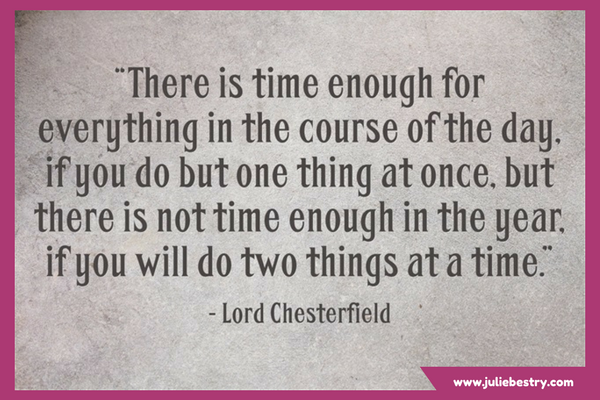
From decluttering your physical and digital workspaces to shushing the distractions out there (in the world) and in there (in your head), to actually scheduling time to get it all done (ahhhh, there’s that hint again), this post will help settle your mind and turn you away from the dangers of multitasking.
Maybe We’re Stuck in the Past
If you can’t seem to move forward and take action on your tasks, maybe something is pulling you back?
It’s not always about finding a different method of keeping your conveyor belt of task management moving. If you need something with a little more of a philosophical bent to get you to let go, try reading Emerson, Angelou, Ted Lasso, Tashlich & Zen Monks: Letting Go for a Fresh Start.
Maybe We Haven’t Found the Right Tool or Magic Solution Yet?
Ah, you know this one. The truth is, there are no magic wands. (I told you so in The Truth About Celebrity Organizers, Magic Wands, and the Reality of Professional Organizing.)
There are bad solutions, like the kinds you see advertised on social media. (If you only see ads for a solution to something in the organizing and time management world, but aren’t seeing any of your favorite expert bloggers talking about the solution, there’s probably a good reason for that.)
And there are good solutions applied badly (or at least inexpertly).
And there are stellar solutions that work if you commit to learning, tweaking, and making your own.
I’ve certainly advised readers on my share of time and task management options. In the blog post about time dilation, I talked about the Pomodoro Technique, which is great for taking baby steps toward starting (and completing) tasks and conquering procrastination.
Other times, the blog has delivered insight about cognitive or tangible tools for organizing or accomplishing tasks:
Checklists, Gantt Charts, and Kanban Boards – Organize Your Tasks
Project Management Tools To Get It Done in 2019
Playing With Blocks: Success Strategies for Time Blocking Productivity (and ooooh, that was a good one!)
And that last post is our long-awaited segue to what I especially want to share today — an opportunity for you to get some cutting-edge information from a gaggle of experts (myself included) on task management and time blocking.
THE TASK MANAGEMENT AND TIME BLOCKING VIRTUAL SUMMIT 2022
This all starts with my friend, colleague, fellow Cornell University alum — and, we were surprised to learn, former dorm-mate — Francis Wade, founder of 2Time Labs in Jamaica.
Francis operates in the field of “applied research in a world of increasing time demands.” (Sound familiar?) He’s also the author of Perfect Time-Based Productivity: How To Protect Your Mind As Time Demands Increase. (You can read more about the book here.)

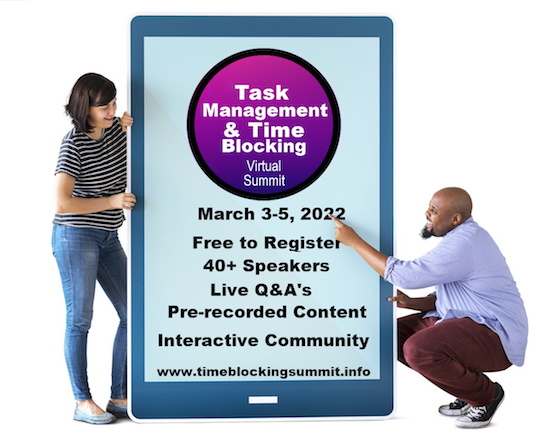
Way back in 2020 (pre-pandemic), Francis hosted the Time Blocking Summit, one of the first virtual time management and productivity summits I’d attended. Last year, it expanded in scope and depth and became the Task Management and Time Blocking Virtual Summit, and coming up soon is the third iteration, the Task Management and Time Blocking Virtual Summit 2022!
Registration gets you access to 40+ thought leaders and experts in the world of productivity, time and task management, wellness, and a variety of allied topics.
What Productivity Superstars Will Be Presenting?
I’m psyched to see that so many friends of the Paper Doll blog are set to participate, including returning speakers Ray Sidney-Smith, Dr. Frank Buck, Augusto Pinaud, and Art Gelwicks, as well as some NAPO colleagues I count as friends, including Casey Moore, Janice Russell, and Lisa Mark.
Also, I admit I’ll be fan-girling in my virtual seat when Laura Vanderkam, author of many productivity books, including 168 Hours: You Have More Time Than You Think and Off the Clock: Feel Less Busy While Getting More Done, is on the stage!

Oh, and to brag, Paper Doll will be on-stage, too! (Whoohoo!)
Last year, I participated as a panelist (talking about the future of time management) and moderated a Q&A panel. This year, I’m excited to be doing triple-duty!
I’ll be presenting my own session, Tickle Yourself Productive: Going Retro with Paper to Get and Stay Productive. But I’m also going to be moderating a panel on wellness, sleep, and productivity, and I’ll be panelist-ing to answer some deep and meaningful questions about my presentation.
What’s Going To Happen?
Held over three days (Thursday, March 3 through Saturday, March 5, 2022), the Task Management and Time Blocking Summit 2022 is delivering a number of different experiences for attendees, including:
- Pre-recorded video presentations — available 24/7 throughout the summit (so it won’t interrupt you getting your actual, already-scheduled tasks completed). Fresh content is will be added all day, between 8 a.m. and 7 p.m. EST, giving people around the planet a chance to watch something new whenever they want.
- Live, interactive sessions — There will be Q&A sessions, where moderators and attendees get to dig deeper and ask presenters questions about the pre-recorded presentations, but also panel discussions on all things intriguing and timey-wimey (to borrow from Doctor Who).
- GTD Track — This year, the summit is going to honor the 20th anniversary of the publication of David Allen’s Getting Things Done: The Art of Stress-Free Productivity with special content tackling the challenges many people encounter as obstacles to implementing GTD to greater success.

- Live Debate — My understanding is that some of the experts among us have been selected for an “Oxford-style” debate on a vital topic in the time management realm. Curious? You’ll just have to register and show up to see it in action!
- Online networking in a Zoom-like virtual ballroom (much like I described with last year’s NAPO virtual conference).
- App Discounts — Francis and his team will be inviting app developers to place their products in the summit store at a discount. I don’t have the secret details of the “who” and the “what” but last year, we had some pretty intriguing app developers share their wares. Keep your eyes open!
So, What Does It Cost?
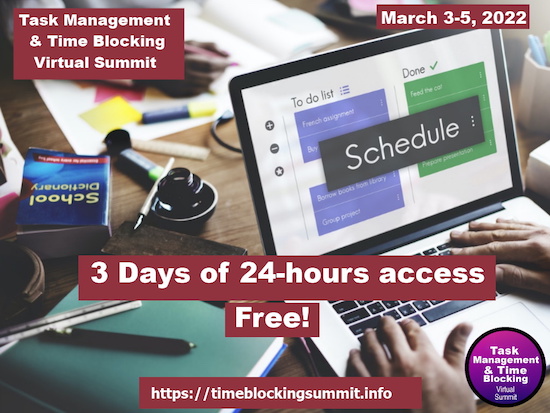
Free Registration for the Task Management and Time Blocking Summit 2022
If you register for the free event, you’ll be able to log in and view all of the summit content for 24 hours after release. Francis also puts together a nifty pre-Summit Workbook to review in advance and use to keep track of what you find compelling.
As a “thank you” for registering, Francis is making providing registrants a complimentary, digital copy of his first book, Bill’s Im-Perfect Time Management Adventure.
Premium All-Access Pass for the Task Management and Time Blocking Summit 2022
Anyone registering for the summit as a Premium, All-Access Pass holder (a $4700 value for $249) will also get a year of 24-7 access to all summit content, plus a digital copy of Francis’s second book that I referenced above, Perfect Time-Based Productivity.
But wait, there’s more! (I’ve always wanted to say that, along with “It’s a floor wax! It’s a dessert topping!) Francis gave me a coupon link for my readers, so if you buy the All-Access Pass before the summit using this super-secret-squirrel discount link, you can score a ticket for only $99.
If you do register and you watch my presentation, come to my panels, or see me in the networking events, please send me a “howdy!” And watch this space for a recap highlights in the weeks following this year’s summit.
Disclosure: Some of the links above are affiliate links, and I may get a small remuneration (at no additional cost to you) if you make a purchase after clicking through to the resulting pages. The opinions, as always, are my own. (Seriously, who else would claim them?) For more information regarding how Best Results Organizing handles affiliate links, please see the affiliate section of the site’s Privacy Policy.
Paper Doll’s Pop Culture Guide to Decluttering with Your Valentine
Happy Valentine’s Day. Today’s post is an updated reworking of a classic Paper Doll post from 2015.

When your Valentine presents you with a gift box, whether packaged in classic Tiffany Blue or wrapped in lopsided, awkwardly taped, Sunday comics pages, your heart warms. When love fills your heart, and a gift fills your outstretched hands, it’s the thought that counts.

Tiffany box photo by tommao wang on Unsplash
But other times, the people you love present you with clutter, like a pet presenting you with a previously-living mouse, and just the thought of it can add a layer of permafrost around the warmest of hearts.
As a professional organizer, I often work with clients whose efforts are not helped — or worse, are sabotaged — by their spouses or significant others. Here’s a sampling of tips to help encourage your sweetheart to join the organizing process without either of you being tempted toward tears or tantrums.
PURGE THE JUDGMENT AND TOSS THE GUILT
Start by remembering that disorganization isn’t a character flaw. It’s not a measure of your sweetie’s maturity, intellect, or innate worth. (And being organized isn’t a measure of these things either, any more than dancing or culinary skills.)
By and large, unless we’re discussing legal concerns, financial issues, or personal safety (where a disorganized kitchen turns into a case for Tyvek-suited folks from the Centers for Disease Control), organizing is rarely a matter of right vs. wrong, but one of effective vs. ineffective.
It’s just a mismatch between the skills and systems already in place and the ever-changing demands of the world, including your demands (ahem, expectations) of your loved one.
Making people feel guilty about their clutter doesn’t help — and indeed, it can hurt their self-esteem and the loving bonds you share. Instead, create a guilt-free environment in which both getting organized and being organized can be seen as beneficial, fun and easy.
CATEGORIZE THE PURPOSE: START SPEAKING THE SAME LANGUAGE
While this is a Valentine-y week, I think we can all agree that organizing is not a particularly romantic conversational topic. Short of sorting the candy box so that you get your caramels and your significant other gets all the cherry-filled bon-bons, talking about organizing is about as romantic as planning who will clean the bathroom and checking off expenses while filing your taxes.
While the organizing isn’t going to make anyone think “hubba hubba,” life once you are organized is more relaxed and enjoyable, and that is, obviously, more conducive to romance.
Moving forward depends on making sure you start from the same place. Perhaps you’re aware of The 5 Love Languages, starting with the book by Gary Chapman?
For example, you may know that your love language is “acts of service” and suspect your spouse’s love language is “words of affirmation.” Meanwhile, your honeybunny doesn’t have a clue about that and feels like Captain Picard relaying the Epic of Gilgamesh while trying to learn the metaphors of Tamarian before it’s too late.
As an aside, for those unfamiliar, Star Trek’s Tamarians spoke entirely in metaphors related to heroic archetypes. Meanwhile, references to this episode, Darmok, have become symbolic of all the memes that reference all the memes.
I saw these awhile back, more or less pointing out the same thing! pic.twitter.com/NpEWAv0G1n
— Dana McKiernan (@UnlikelyLass) October 24, 2020
My point? You’re going to have to get on the same page and tell your loved one that for the two of you to face the beast at Tanagra (a common foe) you’re going to have to become Darmok and Jalad at Tanagra (and work together).
Start by making sure you both understand what it means to be organized, and why it’s important to get organized.
For example, visual appeal just isn’t a huge motivator for many individuals. If someone is not already actively concerned with how things look, feeling pushed to declutter merely to make the house “pretty” is often a deal-breaker.
Instead of aesthetics, focus on the major tangible, temporal, and experiential benefits of getting organized. Discuss how some new skills and systems will help the family save money (which can be better spent on nifty items and meaningful experiences).
Show your sweetheart how the clutter of too many things in various locations (rather than in unified, categorized, even *labeled* storage) means it’s hard to find things, and how, when things are difficult to find, we tend to buy duplicates and triplicates.
Reflect upon how disorganization often means missing deadlines (for filing taxes, returning rented items, paying bills, etc.), thereby causing you to have to pay fines and fees, or pay higher prices when coupons or discounts have expired.
Explore how a few organizing tweaks may also save time. If cluttered possessions make it hard to find everything from a clean shirt to the phone charger to the invitation to a wedding you’re attending, it’s slowing you down, giving you, your spouse, and the family less time to focus on doing the things you actually enjoy.
If disorganization is causing you anxiety, explain that to your loved one, too, and approach it without blame. If you can clarify that cluttered paperwork and passwords for handling your finances makes you feel uneasy about the future, that shared clarity gives you a starting point for discussion.
Let your beloved know that you don’t see the time spent organizing as the goal, per se, but as a way to get to the goal of having more personal and family fun time.
Show your spouse or significant other the way organization (at home, at work, and for special events and activities) can reduce stress and increase overall productivity.
IDENTIFY THE CHALLENGES SO YOU CAN MAKE ORGANIZING EASIER
Once you’ve developed a common language and goals, brainstorm together how you can make the process easier. Ask your darling what makes participating in the current system difficult in the first place.
Obstacle #1: The Where
Does your sweetie leave a phone charger, wallet, keys, pocket change and clothing in little piles all over the kitchen, living room and bedroom? Does your dearie feel like there’s no place or space designated just for him or her?
Perhaps the solution is as simple as figuring out what spaces would be convenient for each (a valet hook inside the closet, a bowl and charging block on a table in the entry nook, above a drawer designated just for them) and declaring them official!
Are they putting things down instead of putting things away because they don’t want to be “made wrong” by storing something where they think you’ll say it doesn’t belong? Do they cringe at the prospect of feeling clueless or being corrected? (And can you acknowledge that, in pursuit of a more organized space at home, you have fallen into the habit of nagging parent instead of helpmate?)
Find ways to be equal partners, instead. Make decisions together, and then label the spaces so everyone feels empowered to put things away.
Ask your beloved if there are current storage areas that aren’t convenient — places where items are housed that don’t feel logical, or aren’t easily accessed — and rethink the placement. Perhaps the labels for the family filing system aren’t as intuitive as you think, leading to paperwork procrastination?
Everything should have a home, and if the storage place is conveniently located and labeled, it makes it easier to put things away.
Paint an outline of the tools that go on the pegboard in the garage to make it simpler to return them.
Work together to label family financial, legal and medical files, or label the edges of shelves in the linen closet so everyone knows where twin sheet sets should go.
If you or your sweetie is artistic, sketch a fun little map of where foods belong in the fridge or pantry and post it on the door.
Obstacle #2: The When
Is “when?” more of a problem than “where?” Does your spouse or significant other just not remember to do the tasks because of “clutter blindness?” If visual triggers don’t work, what about a cell phone alarm at certain times of the day, with ring tones of songs that are funny or keyed to the task at hand?
Is time more of an obstacle than memory? Build time into the family schedule (perhaps a nightly 15 minutes before dinner, or mid-morning on Saturdays) for everyone (kids and grownups who act like kids, alike), to tackle their organizing tasks and brainstorm solutions to frequent annoyances.
Obstacle #3: The How
Even when you agree on the destination, it’s easy for you and your special someone to disagree on the journey.
Perhaps one of you came from a background where each person was assigned a set of chores (possibly based on now-outdated gender expectations) while the other was taught to pay attention to all the undone tasks and address them immediately.
An un-filed bank statement? Groceries not put away? An empty toilet paper tube not replaced with a fresh roll? To your mind, whose job is this? This is such a common refrain that the TV show Everybody Loves Raymond created an entire episode over whose job it was to unpack and put away a suitcase.
The person who was trained to recognize unfinished tasks can easily become frustrated and (understandably) feel like they’re doing all the work, while the person who grew up with an expectation of only having to do “assigned” tasks may not understand that in an adult relationship, there is no parent or person in charge — that having to play that role is exhausting — and no one person should have to assign tasks to the other in an equal partnership.
For this kind of “how” problem, it’s helpful to circle back to the “same language” conversation, and study up on concepts like “mental load” and “emotional labor.” Consider reading articles or books on the topic, like Dr. Regina Lark and Judith Kolberg’s Emotional Labor: Why A Woman’s Work is Never Done and What To Do About It.

mental load involves too many of the “remembering to remember” tasks at the heart of getting and staying organized, keeping those lines of communication open is really important.
The “how” of organizing may present obstacles in a completely different way. As I discussed in Cross-Training for Families: Organize for All Eventualities, we and our significant others may have fallen into patterns such that we only know how to do “our own” tasks, making it unlikely we’ll share the load on chores we perceive as belonging to the other person.
It may be inertia, the learning curve associated with new material, a type of “job security,” or even a fear of higher expectations or being taken advantage of that can prevent us from engaging in cross-training. However, the only way to ensure that we have an egalitarian relationship when it comes to organizing responsibilities is when both grownups in the relationship know how to deliver on those responsibilities.
In that prior post, I focused on some key areas to start your cross-training: financial organizing, computer organizing, and estate planning. I’m not suggesting you spend your Valentine’s Day dinner talking about sorting the credit card bills or updating your wills. But maybe the day after the holiday, might you consider talking about how much you love one another and want to make your relationship more fun, more relaxed, and more fair?
MAKE IT FUN TO MAKE IT STICK
Research shows that we all have a limited amount of willpower, so instead of expecting one another to create and stick to new habits because they’re for the common good, you can also create incentives for sticking to the new game plan.
In The Princess Bride, Westley frequently acquiesced with a quiet “As you wish,” to Buttercup.

Once he was unmasked as the Dread Pirate Roberts (oops, spoiler!) and they were reunited, Buttercup (and we) learned that he wasn’t being passive-aggressive; it was his way of saying he loved her.
However, if your beloved thinks of organizing as a chore, and thus procrastinates on promised clutter-busting tasks, leading to resentment on both sides, find ways to make behavioral changes an adventure, a challenge, or a competition.
Appeal to the big kid inside and document successes with points or rewards. Encourage trying to beat a personal best. Consider a Seinfeldian “Don’t break the chain” effort at momentum. Just like companies have “152 days without an accident” to avoid safety violations, you could have a kitschy whiteboard in the house keeping track of how many days your household has gone without the kids being late for school, or you having to bug one another to unload the dishwasher or put away the laundry or pay the bills.
Once systems are in place, schedule organizing maintenance time daily and play funny music with silly lyrics to set the tone. If you have kids, you may have to listen to “We Don’t Talk About Bruno” for the millionth time (not that it’s much of a hassle), but if it’s just you and your sweetheart, fifteen minutes of 80s TV theme songs / 90’s TV theme songs or some Weird Al Yankovic should do the trick.
If there are household and organizing tasks your sweetheart just can’t stand, why not make a trade? Nobody says you always have to unload the dishwasher and your partner must balance the checkbook. Exchange the least-desirable tasks and you might both gain motivation in new areas.
ACCEPT DIFFERING STANDARDS
Sometimes, the organizing issues between sweethearts has less to do with overcoming obstacles and identifying incentives, and more to do with what’s behind that lack of communication.
In other words, some people prefer a lot of stuff around them, while others want a more streamlined or austere set-up. Your beloved’s dainty teacup collection is no less (and no more) worthy of consideration than your carefully curated 30-year-old Transformers action figures. But you have to agree on location, and keeping something on display comes with an obligation to care for it (and yes, that does mean dusting)!
If you come from a household where everything that wasn’t being used that minute was immediately put away, but your significant other comes from one with more relaxed, cozy standards, it’s unreasonable to expect the other person to bend to your desires all the time.
For areas where compromise isn’t acceptable to the partner who wants things to be more than functionally organized but also fit a very specific aesthetic, recognize that this is not your honey’s “flaw” for you to correct. If you want to keep seven decorative pillows on the bed, while your spouse only cares about the ones on which you lay your heads, re-evaluate how important it is for the other person to join your Pinterest-Perfect perspective.
In other words, work together to find a “win” that’s valid for everyone concerned. If the reason for organizing is more tangible and meaningful than “but the house looks so much nicer when it’s feng-shui-ed and organized,” then you never have to fear your darling’s resentment over couch cushions bubbling up into a loud, public reference to Doctor Who villains.

THINK OUTSIDE THE STORAGE BOX AND CONSIDER OUTSIDE RESOURCES
Have patience, and recognize that not everyone starts from the same place. It’s pointless to yell, “I shouldn’t have to tell you to do this!” or “You should know how to do this!” and it’s unreasonable to expect that everyone has the same skills of pattern recognition or ability to conceptualize abstract solutions. Similarly, there are areas where there are no rights and wrongs, but merely where couples have differing organizing styles and retrieval preferences.
You wouldn’t set your own arm if it were broken, would you? Unless you’re Amish (in which case, I’m surprised but delighted that you’re reading my blog), don’t expect people to be able to churn their own butter.
Convey to your significant other the idea of organizing as a combination of skill and training. Can’t we all use a little help with some things? If you’re having trouble working things out together, discuss getting a trainer for organizational fitness!
Engaging the services of a professional organizer allows both you and your beloved to benefit from the technical expertise of a neutral, judgment-free third party. A professional organizer can provide advice and solutions that neither of you might have even considered, allowing you to move forward as loving, equal partners. (One might even say, as Valentines.)
Visit the National Association of Professional Organizers to find someone who can help you and your sweetie find common ground for your organizing solutions. Neighbors to the north can check in with Professional Organizers in Canada.) And if you and/or your honey are dealing with more complex issues than situational disorganization, you may very well benefit from the guidance of the dedicated experts affiliated with the Institute for Challenging Disorganization.
Readers, unlike the TARDIS, your drawers and cabinets are not bigger on the inside. Only so much stuff can fit in so much space. But if you take this organizing advice to heart, there will always be enough space for you and the one you love.
Paper Doll’s 10-Minute Tasks to Make Difficult Moments Easier
Lately, I’ve been considering that it’s a bit ironic that February, the shortest month of the year, is National Time Management Month. We collectively assign the month with the fewest days to figure out how to achieve goals that would solve so many frustrations.
Wouldn’t a 31-day month be better for that?
A Necessary Caveat About “Time Management”
Time management, obviously, is a misnomer. We don’t really manage time, which is fixed. Every person gets the same 60 seconds every minute, the same 60 minutes every hour, the same 24 hours every day, and of course, 525,600 minutes in a year.
(With apologies to all of you who’d rather watch the Broadway version, linked above, than Glee‘s, but YouTube is really cracking down on music videos being played anywhere but their own platform.)
Rather, we must try to manage our attention, our energy, and our labor. Though we have the same amount of time, none of us has the exact same quality of our time, nor the same obligations.
The single, healthy, unencumbered twenty-something with a salaried office job has more (financial, as well as temporal) resources than the mom of two working multiple retail jobs, or the person going to school while taking care of an elderly parent, or the individual struggling to make it through these crazy times with a chronic illness, visible or invisible.
Often, when the media has articles on time-saving tasks, they fail to acknowledge the complexities of life. If you are beyond the juggling and are full-on struggling, we professional organizers and productivity consultants see you. And we know that when the you-know-what hits the fan, you’ve got limited energy and time to deal.
So, today’s post has ten-minute tasks (or projects that can be handled as a series of ten-minute tasks) that will make things easier for you and your family when things get “ouchie.”
Check and Update Your Beneficiaries
You don’t even have to do these all at once, though if your paperwork is already organized, it should only take you a couple minutes for each. Though the time investment is small, the ease of mind it will bring (both now, and in the future) is tremendous.
And yes, you can even consider these two separate tasks (the checking and the updating) so you can make two different checkmarks on your task list.
Pull out the file folders or head to your online accounts and check to see who you previously listed as your primary and secondary beneficiaries for any of the following you may have:
- life insurance policies
- annuities
- pension accounts
- Individual Retirement Accounts (IRAs)
- 401(k)s, 403(b)s, and other retirement accounts
- profit-sharing plans
- brokerage/investment accounts
Obviously, a beneficiary is someone who gets a benefit. When we’re looking at financial documents, beneficiaries are the people (or sometimes entities) that the account holder designates as the recipient of any assets in that account when the account holder eventually shuffles off this mortal coil. (I know, nobody likes to use the world “death” or think about it, but that’s why we have life insurance policies, wills, and similar accounts and documents — to make things easier when someone has passed away.)
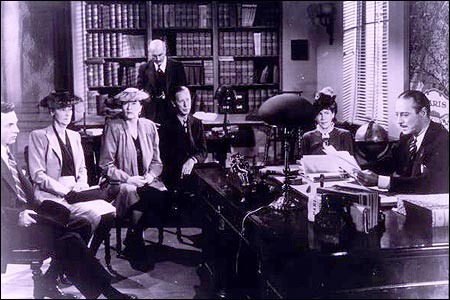
“The Reading of the Will” — central to any good murder mystery
In most cases, setting a beneficiary (and usually both a primary and secondary beneficiary) is part of the required paperwork. Some states (usually “community property states”) require you to list your spouse (if you have one) as your primary beneficiary for retirement and other accounts.
You may be wondering, if you have a will, why do you need to name beneficiaries? That’s a darned good question.
The main reason is that when a person dies, a will goes through “probate,” a legal process where the court in your jurisdiction supervises all the assets in your estate getting distributed hither and yon. Depending on the situation, it can be murky and complicated, and take a long time, which is pretty miserable if your people need those funds.
However, whenever you have a beneficiary set in your insurance policies and various financial accounts, that money can go straight to your intended recipient as soon as the insurance or financial institution gets proof that you are no longer among us. That usually just amounts to a certified copy of the death certificate and some proper ID.
If you set your beneficiaries for any of these accounts several years ago, you may have picked someone no longer appropriate — parents who are no longer living (or not able to manage their own finances), former spouses or significant others, or even friends who are not part of your active life anymore.
I went through the “check the beneficiaries” process with one client who was shocked to realize that she’d never gone back to revise the beneficiary on a small 401(k) plan she’d never bothered to roll over from a job decades earlier. (Note to readers: don’t do that. Roll over your retirement accounts so you don’t have to hope your former employers have stayed solvent and managed your funds properly.)
Imagine my client’s shock when she realized that her [expletive deleted], [expletive deleted]ing [expletive] of a [expletive deleting] ex-[expletive deleted] husband was still her beneficiary! Be assured it did not take her ten full seconds, let alone minutes, to get cracking on changing that beneficiary!
Imagine my client's shock when she realized that her *expletive deleted*, *expletive deleted*ing *expletive* of a *expletive deleted*ing ex-*expletive deleted* husband was still her beneficiary! Share on XIf you never set your beneficiaries before or your want or need to change them, you’ll need a few pieces of information, like their Social Security numbers, birth dates, and contact information (like phone numbers, email addresses, and mailing addresses).
EXTRA CREDIT: Here’s a time-saver so you don’t have to go through this entire process in the future:
- Create a spreadsheet (or even a handwritten note) with the first column listing all of your account names.
- Create a column and list all of the beneficiaries as they stand now.
- Create a column entitled “as of” and list today’s date.
- Any time you acquire a new policy, add a line to this list. Any time you revise a beneficiary, revise the spreadsheet.
This way, whenever you’re not sure whether you’ve updated your beneficiary, you’ll only have to look in one place.
EXTRA, EXTRA CREDIT: Checking your beneficiaries is easy and quick. Changing/updating them should be easy, but how quickly you can accomplish it depends on whether your insurance or financial institution will let you do this all online. But making this list is definitely easy and quick.
However, to take it a step further, fancy-up this spreadsheet with another ten-minute (or so) task.
Add columns for your account number, and the name, email address, and phone number of your insurance agents and financial brokers associated with each policy or account. Create a column to explain what kind of policy or account it is. And then make sure that someone you trust, like the person who has your Power of Attorney, has a copy or can access it when/if necessary.
Put Your Emergency Contacts On Ice
“Downtown Hospital Ambulance” by sponki25 is licensed under CC BY 2.0
In the early 2000s, first responders in the UK started suggesting that people list their “In Case of Emergency” contacts as “ICE” on their cell phones to make those contacts easy to locate. The idea quickly took hold in North America.
While first responders, themselves, generally don’t have the time (or authorization) to contact someone for you, nurses and hospital staff often do need to obtain important medical information when you are not able to provide it. That’s where your contacts come in.
As cell phones got fancier, the lock screens made accessing ICE contacts more difficult, but now, even if you are not able to respond, medical personnel may be able to use your thumb print access or facial recognition to get your emergency contact info.
But there’s something else you can quickly do to make sure your emergency contacts can, um, get contacted. Add your emergency contacts to your cell phone’s lock screen.
On an iPhone:
1) Go to the Medical ID screen. You can get there one of three ways:
- Long-press on the Health app icon. That will bring up a screen that looks like this:
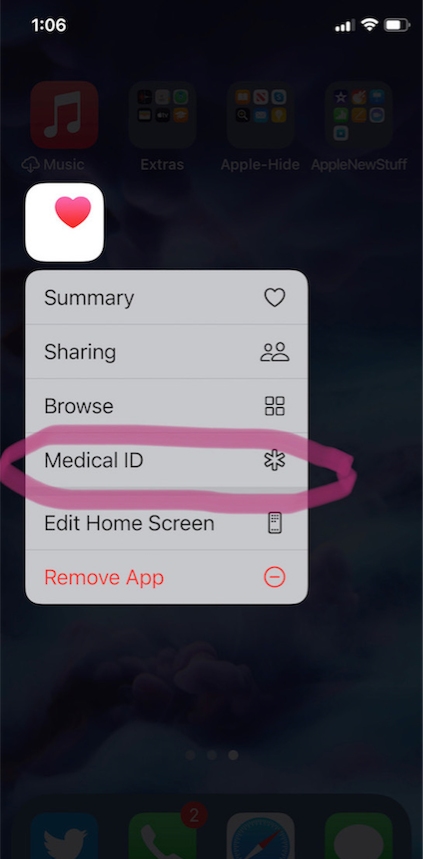
- You can also manually open the Health App by tapping on it, then on your profile image, and then selecting Medical ID.
- Or go to Settings, then Health, then Medical ID.
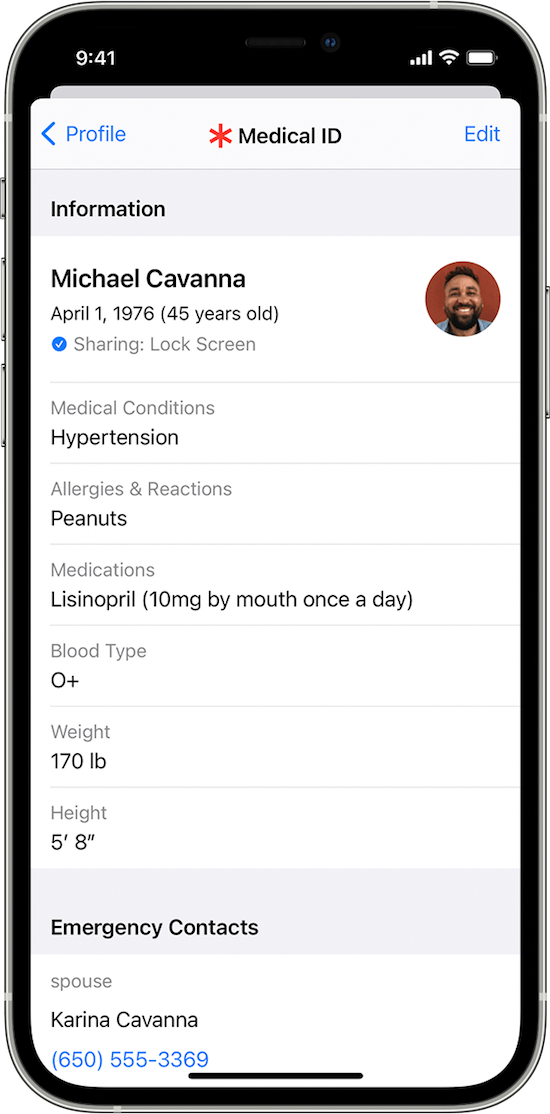
2) Tap Edit.
3) Fill in all the fields that you want, but if there’s nothing significant, it’s better to type “none” than to leave it blank (so that you’re not leaving anything open to interpretation). There are fields for medical conditions, allergies, medications, blood type, weight, height, and emergency contacts. (Bingo!)
At the top, there’s an option to put in your photo. Do that; it ensures that an emergency responder can verify this is your phone.
4) Choose a name and phone number (or two names and numbers) for your Emergency Contact(s). Be sure you select names/numbers that already exist in your contacts list.
5) Scroll down to the section for Emergency Access.
6) Enable “Show When Locked” and “Share During Emergency Call.”
7) Tap “Done” at the top right corner to save your info.
Now, go look at your lock screen. You should see the word “Emergency” in the lower left corner of your iPhone. If your phone is locked and someone taps that, they can see your emergency information but nothing else.
If you don’t see the word “Emergency” there, hold down your power button (or power and volume-down buttons) as if you were going to turn off your phone and you’ll see the Medical ID access. (I guess it all depends on which version of iOS you’re using.)
For more information about the iOS Medical ID, Apple has a detailed page of instructions and explanations.
Assuming you have a photo somewhere on your phone to add in the photo field, this can usually be completed in well under 10 minutes. (The only sticking point is if someone has many medications or allergies they have to list.)
On an Android Phone
Although Android phones do not have one default health-related app, you can easily show your emergency contacts on your lock screen in one of two ways.
Method #1
- Open your Settings app.
- Tap “User & Accounts” and then select “Emergency Information.”
- Tap “Info” and then “Edit information” to enter any medical information you want to store.
- Tap “Add Contact” to add a person from your contacts list. Note, you might have to click on “Contacts” first to be presented with the list
Method #2
Android phones will let owners put any message directly on the lock screen.
- Open your Settings app.
- Tap “Security & Location.”
- Tap “Settings” next to “Screen lock.”
- Tap “Lock screen message.”
- Type your primary emergency contact (and, if applicable, any medical conditions). You could type, “In Emergency, call Lin-Manuel Miranda” and his number. What? Can you think of someone more comforting to have around in an emergency? OK, maybe Stanley Tucci. Or Paper Mommy.
- Tap “Save.”
After you’ve set this up, your ICE information can be found by swiping upward on the lock screen and tapping EMERGENCY and then “Emergency information.”
Do An Inventory of Your Essential Documents
An emergency is the worst time to realize you have no idea where your important documents are. Do you know which of these documents you have and where you can find them?
- Birth Certificate
- Social Security card
- Marriage License and Certificate
- Divorce Degree
- Military Separation Papers
- Death Certificate
- Passport
- Durable Power of Attorney for Finances
- Healthcare Proxy or Durable Power of Attorney for Healthcare
- Living Will or Advanced Medical Directive
- Last Will and Testament
- Digital Will
- Driver’s License
- Voter Registration card
- Vaccination Record
- COVID Vaccinate Card
- Professional license(s)
- Other licenses
As with the beneficiaries section above, a great way to save time is to make a list (think of it as a treasure map) of where each of these documents are located. Use Excel or a Google spreadsheet and take note of what the document is and where it’s located (e.g., your family filing system, fireproof safe, safe deposit box, wallet, etc.).
EXTRA CREDIT: For good measure, for your passport, driver’s license, and any other licenses, take note of the expiration date.
And then for really good measure, put a reminder task in your phone to alert you one month before your any of these items expire to make sure you address renewals. (Give yourself a longer lead-time to renew your passport; also, as you’ve probably not been traveling out of the country in the last two years, you should check to make sure your passport hasn’t already expired.)
If you have a lot of documents, just do a few every day and you’ll be amazed at what a few ten-minute tasks can do to put your mind at ease.
EXTRA, EXTRA CREDIT: The Paper Doll archive has extensive information about what documents you should have and what to do if they’re missing. These posts are a great place to start.
How to Replace and Organize 7 Essential Government Documents
How to Create, Organize, and Safeguard 5 Essential Legal and Estate Documents
The Professor and Mary Ann: 8 Other Essential Documents You Need To Create
Protect and Organize Your COVID Vaccination Card
Paper Doll acknowledges that I write longer-than-typical blog posts. Feel free to consider reading each one to be a 10-minute task. But the knowledge you gain will contribute to your ability to use your time more efficiently. Because, the more you know, the better prepared you are for any eventuality.
Snap Some Photos to Take Key Information With You
Unlike the vital documents listed in the prior section, there are some pieces of information you are more likely to lack at the most inconvenient times.
Toy car accident image by Andrea Closier on Pixabay
For example, if you have an auto accident and the police or first responders won’t let you get back into your car for safety reasons, you wouldn’t be able to get your auto registration and car insurance paperwork out of your car. Yes, you’d have it at home, but that would slow everything down.
Or perhaps you need to fill a prescription at a different pharmacy from usual, perhaps when you’re on vacation, and they don’t already have your pharmaceutical company discount card on record.
Or maybe you’re unexpectedly with your spouse or child or senior parent in the emergency room, and the physicians want to know what medications, at what dosages, prescribed by what healthcare providers, the patient is taking. If that information is pinned to the fridge at home, but you came directly to the ER from somewhere else, that’s frustrating.
This is where the magic of modern cell phones (which we usually bemoan for the time they steal from us) comes in handy. Consider any of the following:
- auto registration form
- auto insurance card
- health insurance card
- homeowner’s insurance card
- pharmaceutical company discount cards
- handwritten instructions of how to get to a room or office you visit infrequently
- a list of the size/type of batteries and light bulbs you use for which items in your home so that you never again have to unscrew a light bulb just to know what voltage and whether you want a skinny-base or a fat-base bulb)
- etc., for whatever is important in your life.
You could snap all of these as photographs and store them in a photo album in your phone’s photo section. Name it “Remember” or “Vital” or whatever will catch your eye.
If you want to go to the effort of scanning the document and sending it to your phone, that’s fine, but iOS has created an easy option using the Notes app.
- Open a new or existing note.
- Tap the cute little camera icon.
- Tap “Scan Documents.”
- Focus your document, card, medicine label or whatever within your camera’s viewing area.
- Then you have two options:
- Let the auto-capture work its magic as the item comes into the viewfinder and auto-focuses, or
- Click the shutter button (or one of the volume buttons) to capture the scan
- Drag the corners of the scan to do any necessary adjustments.
- Tap “Keep Scan.”
- Scan more fiddly stuff to keep it handy or tape Save if you’re done.
From here, you can save the scan in your Notes or Files app in your phone itself, or upload it to a synced app, like Dropbox or Evernote:
As an all-Apple user, I don’t have an Android-specific scanning suggestion; if you do, please add your voice in the comments.
The next time a new insurance card or other piece of important information comes your way, take a snapshot or scan to ensure you’ll have whatever you might need when you are out and about.
As I often say, organizing can’t prevent all catastrophes, but it can make many of them less catastrophic. I hope these various ten(ish)-minute tasks will help ease many of the ickier moments in life for you.



Follow Me