Archive for ‘Paper Organizing’ Category
Cool and Colorful Desktop Solutions to Organize Your Workspace

June is odd. In much of the county, school has let out (or soon will) and both kids and teachers have been set free. New graduates are gearing up to start their first jobs, while some workplaces have started to shift to summer hours or half-day Fridays. It’s already in the 90°s for many of us, and mojo is in short supply, but the bulk of us aren’t getting summer vacation.
I have a short series coming up soon about lack of motivation, burnout, toxic productivity, productivity dysmorphia, and ways to beat the psychological obstacles to getting organized and staying inspired. But today, we’re going to look at something a little more lighthearted. Sometimes, a little retail therapy (even just via window shopping) can improve our moods and make us a bit more motivated to tackle our stuff, tasks, and spaces.
So, here are a few of the products I’ve seen lately that made me pause and go, “Hmmm.” Be sure to jump into the comments and let me know what you think!
MOFT INVISIBLE LAPTOP STAND
Sometimes, minimalist products can maximize results.
Whether you’re working at your desk at HQ, from your home office or kitchen table, on an airplane, at a picnic table in the sunshine, or in the corner coffee shop, the ergonomics of your workspace setup is important. When you have a permanent desk, it’s easy to arrange for a monitor riser so that your screen is at the right height, but portable risers can be heavy and inconvenient, and working while mobile can bring unexpected miseries. Wouldn’t it be nice to have something lightweight and easy to maneuver?
Enter Moft, maker of device accessories. They state, “Most productivity accessories are rigid, bulky and heavy-eeping you tied to a specific location. We wanted to create something flexible, functional, and non-intrusive that goes everywhere we go, allowing us to be productive anywhere life’s adventures take us.”
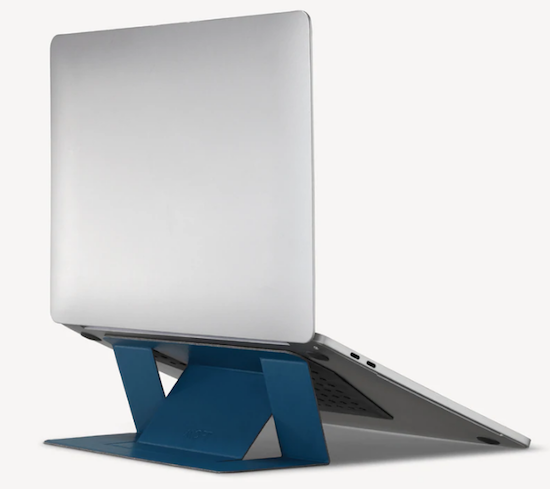
MOFT’s Invisible Laptop Stand is hard to describe but quick to impress. When flat and not in use, it’s ridiculously thin at only 0.1″ thick. It’s constructed out of “vegan” leather (didn’t we used to call that vinyl?) and heavy-duty fiberglass.
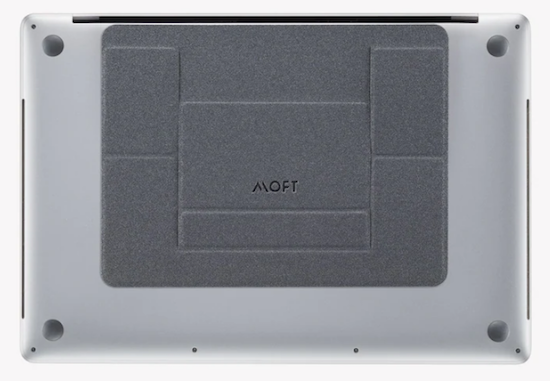
When flat, you’d barely notice it, but once attached to the bottom of your laptop (with residue-free adhesive) and adjusted to either of the two possible angles, the 3-ounce stand supports up to 18 pounds of laptop weight.
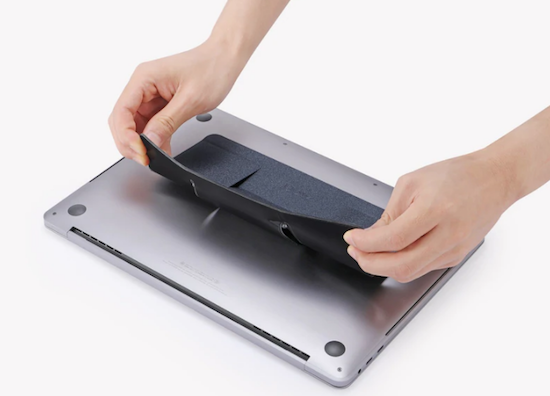
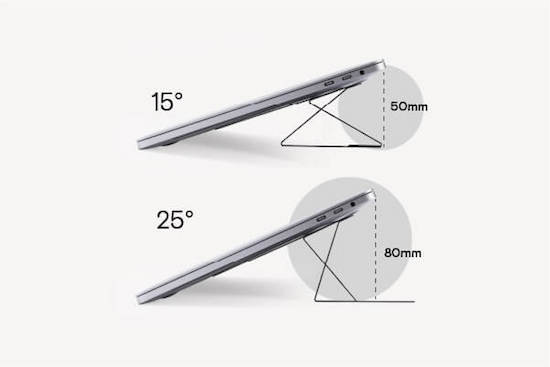
With built-in magnets, you can easily raise your laptop to the right height in a snap. There are two elevation angles to maximize your comfort. Use the “high-lifting” mode when you are sitting, and raise your laptop 3 inches (at a 25° angle); if you’re using a standing desk or working at a counter, consider the “low-lifting” mode of 2 inches to raise your laptop to a 15° angle.
Since it’s lightweight, portable, and (usually) attached to your laptop, there’s no need to create other space in your bag to accommodate it and you won’t have to worry you’ll forget or misplace it.
The Invisible Laptop Stand comes in Silver, Space Grey, Jean Grey (like the character from X-Men), Wanderlust Blue, Sunset Orange, Cool Grey, and Jet Black. (And yes, if you click through the photos at the site, you can see that all those greys really are different.) There are also limited-edition versions, sold two-for-the-price-of-one, in Pink (shown below) and Gold, sold only in the US.

The adhesive is residue-free and can be removed and reapplied (or attached to different computers) up to half a dozen times.
The MOFT Invisible Laptop Stand can be used with laptops measuring between 11.6″ and 15.6″. However, they don’t recommend using it with laptops that have vents on the bottom surface, as the stand would block airflow. For users with laptops with bottom vents, they recommend their non-adhesive version (available only in Silver and Space Grey). Because it doesn’t stick to the back (bottom) of your computer, setup in a twinge slower, but still easy, and works with computers measuring 11.6″ to 16″ (with the exception of 14″ MacBooks, which have little rubber feet).
The adhesive versions of the MOFT Invisible Laptop Stand are $24.99; the non-adhesive versions are $29.99. They are sold directly at the MOFT site; Amazon sells them at the same price, but has a very limited availability of colors.
For those using a multiple-device workspace, note that MOFT also makes stands for tablets and phones.
SPECTRUM WALL HANGER
Are you at the point in your year where you really wish you’d invested in a full-sized wall calendar for planning big-picture projects, but you can’t justify the expense of wasting half a year of calendar pages? Or, if you know there are undated wall calendars, you may be uninspired by them.
Poketo’s Spectrum Wall Planner may be just what you need to brighten your office and your mood.
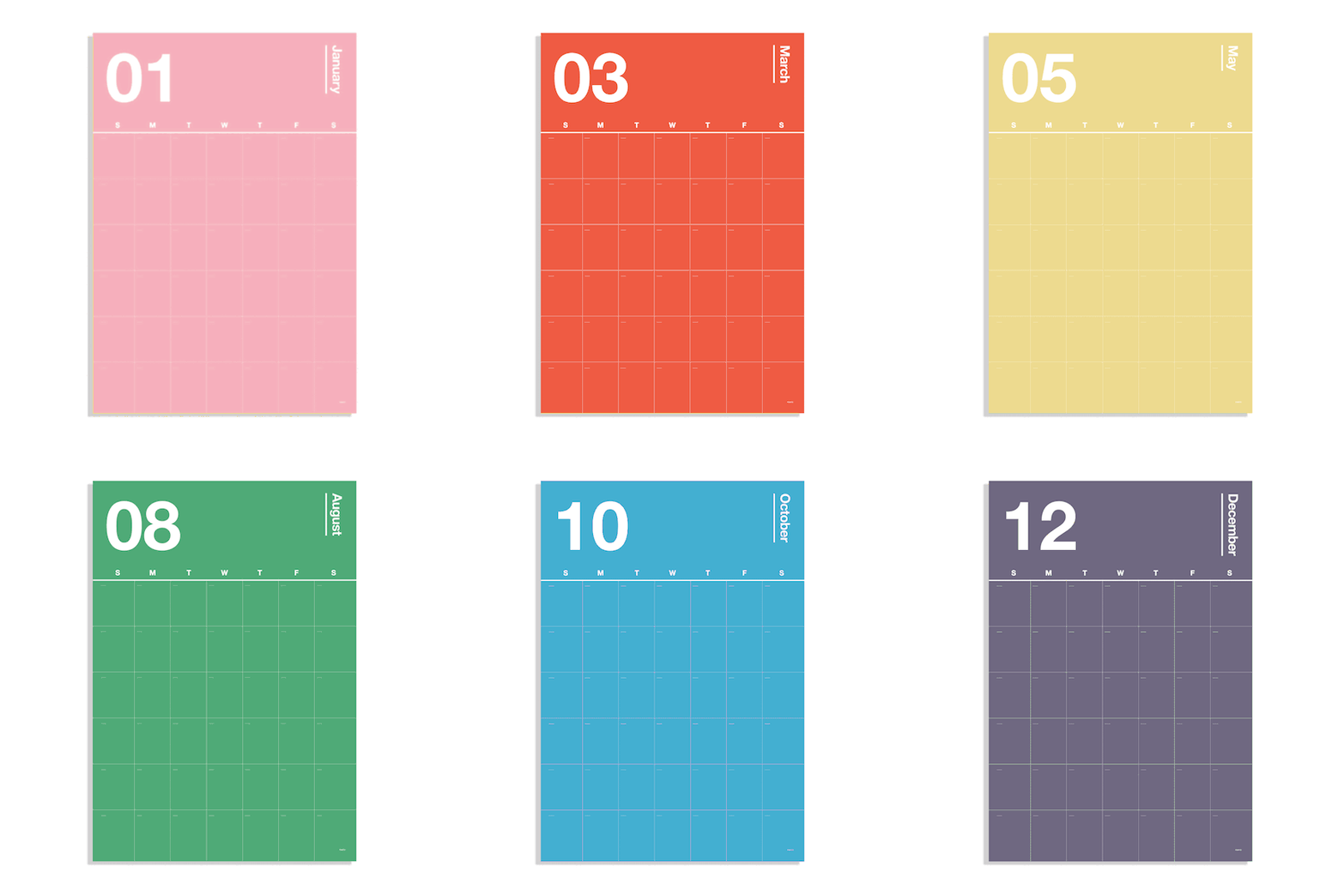
Each of the twelve pages in this poster-sized wall planner looks like it has made friends with the color schemes at Pantone. (Need a refresher? Read Ask Paper Doll: Should I Organize My Space and Time With Color?) The pages are undated, so you can start planning with your summer months and continue on through to next spring.
While I’d be inclined to post two months simultaneously (this month and next month), Poketo encourages users to decorate your walls with anywhere from 4-12 planner pages to make this a more powerful long-term planning tool. You can use any poster hangers or adhesives you have available, though they do sell an Acrylic Poster Hanger for $32. (At that price, obviously, hanging only one or two pages concurrently would make more sense that a 12-month set.)
The 12 monthly pages each measure 30.0″ x 20.6″ and are made of FSC-Certified tree-free paper to be gentler to the environment. (Unfortunately, the site does not reference whether the paper is made from stone or other materials.)
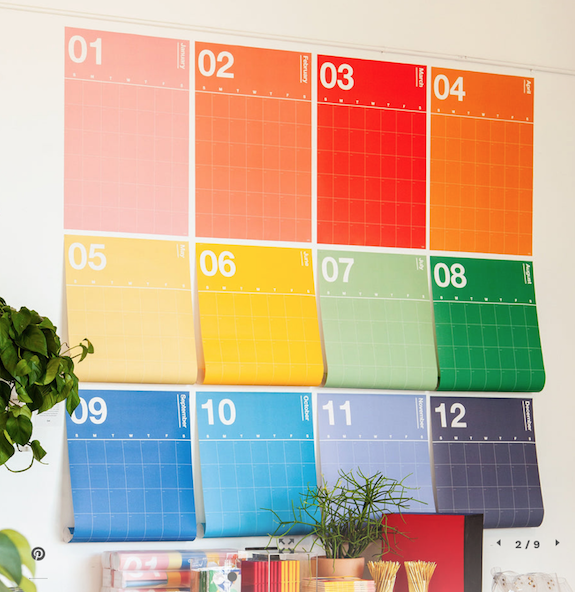
The Spectrum Wall Hanger is $48. (To be clear, this is not a reusable or dry-erase product; it’s one-and-done, so only invest if you’re craving bright colors to brighten your space.)
Poketo also carries a line of tree-free Geometric Sticky Notes in “Warm” and “Cool” tones for $8 per set to help theme or code your wall planner. The 5″ x 5″ notes sets come with 15 notes per shape and 60 notes per pad.

CABLE WRANGLER
Longtime readers of the Paper Doll blog know that I love magnetic things. Way back in 2014, I sang the praises of the MOS system in Paper Doll’s Cable Conundrums & the MOS: Magnetic Organization System.
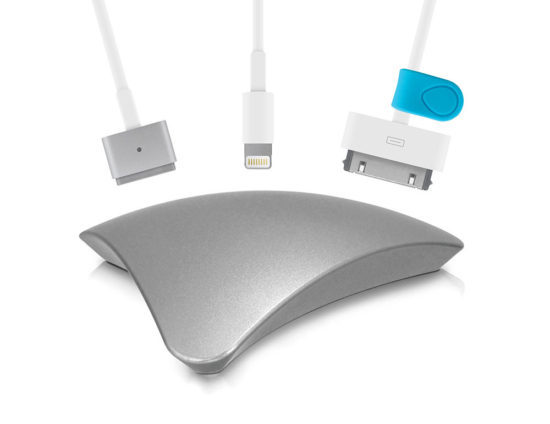
I still use two, a silver aluminum version at my desk to match my Mac products (now silver and purple) and a white plastic version at my bedside, to ensure that when I unplug a lightning (or other) cable from a device, I don’t have to go searching for where it’s squiggled itself away. I loved that it worked horizontally or vertically, and that the price was reasonable.
Sadly, the MOS is no more. Sewell, the company that originally manufactured it no longer lists it, and Amazon, Apple, and all of the other stores that offered it as a solution to cables and cords running amok show it to be unavailable. Sigh. However, while I preferred the triangular, space-age version, I have found a potential replacement in a more parallelogramatic, domed form (3.24″ along each side of the square base).
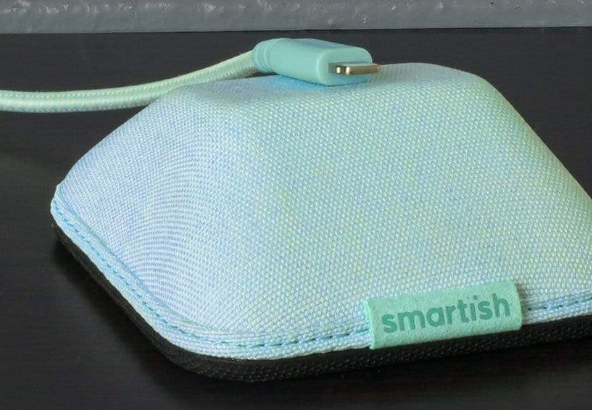
Smartish offers four colorful versions of the Cable Wrangler magnetic cord organizer, and it operates pretty much in the same way as MOS, but more colorfully.
The squat magnetic base is stable and sits neatly on a desk, kitchen counter, bedside table, or gaming station. It comes in one of four cloth-covered designer versions: No. 2 Pencil Grey, Lightly Toasted Beige, Teal Me More, and I’m Blushing. The grey is perfect for that back-to-school collegiate look, while the beige says, “Nancy Meyer-directed movie starring Diane Keaton or Meryl Streep, set on a California or New England beach,” or what GenZ and the Millennials are calling the “Coastal Grandmother” aesthetic. Of course, the pink-toned I’m Blushing was designed specifically for Paper Doll.
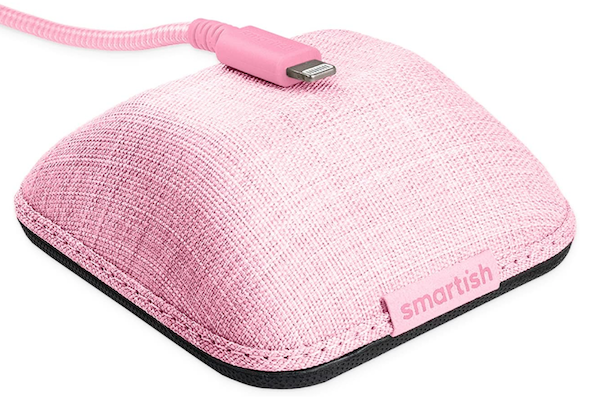
Cables stay put due to magnets, but if your particular cable isn’t feeling very “attractive” (that’s Smartish’s joke, if you don’t like it), you can use one of the three (included) magnetic “collars” (similar to the ones MOS had) to help improve the magnetic attraction and keep the cable stuck to the Wrangler. See it in action, below.
The Smartish Cable Wrangler is available at the Smartish site for $19.99, or with a 6-foot lightning cable and two-port wall charger for $39.99. For those who prefer to shop via Amazon Prime, all versions are $24.99. (Amazon also sells the Cable Wrangler with a cable and wall charger for $39.99.)
MUTESYNC: A MUTE BUTTON FOR YOUR VIDEO CALLS
“Hey, whoever’s dog is barking, can you mute yourself?”
“You’re on mute!”
“You’re still muted!”
Thanks to the pandemic, we’ve been in a Brady Bunch-boxed video conferencing mode since 2020, but doesn’t seem like any of us are getting much better at remembering to mute and un-mute. What we all need is the equivalent of that old Staples’ “Easy Button.”
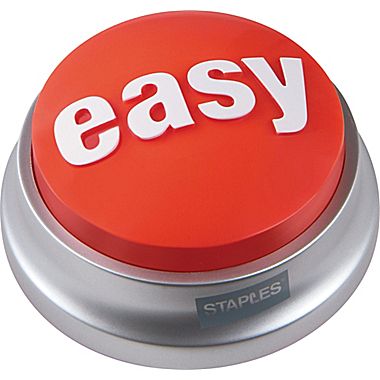
Well, the folks at MuteSync came up with exactly that, an Easy Button for muting/un-muting yourself and for prompting you to pay attention when you aren’t quick to do the right thing.
Instead of rushing your hand to the mouse or touch-screen to wake up the display, make your command icons visible, and click them to change your status, just tap the big, old button on your desk. BAM! MuteSync took their idea to Kickstarter, and it was a huge success! (I mean, of course it was. Seriously, how often do you say/hear “You’re on mute!” in a week?)
When you push the mute button (or even when you mute and unmute from your video meeting platform), the MuteSync mute button light changes! (And, duh, it mutes you.)
MuteSync buttons sync with Zoom, Google Meet, Microsoft Teams, Whereby and (with some hiccups) Discord; as of yet, there’s no love for Butter (my favorite under-appreciated video conferencing app).
Both Mac (from MacOS 10.10 (Yosemite) upward) and Windows (7.7 and above) are supported. Note that if you are using one of the conferencing platforms in the browser, MuteSync only supports Chrome and Brave, not Safari. Also, it does not work with phones or tablets, at least not yet. (But, honestly, finding the mute button on a phone or tablet is even harder, so they need to get on that!)
MuteSync requires the installation of a free, downloadable app, and the button connects to your computer (or hub) via an included USB-C cable.
Tapping the button toggles your mute on and off, and changes color to alert you (and anyone in your workspace) that you are muted (or, yikes!, not muted).
MuteSync users get the “Easy Button,” but also get an extra bonus, a free virtual mute button that lives in the menu bar at the top of the Mac or in the Windows system tray. The virtual button stays in sync with whatever’s going on with your conferencing platform, so if you’ve hit the mute button in Zoom, or tapped the MuteSync mute button, or even if the host has muted you (don’t worry, I’m sure she muted everyone but the speaker, so don’t take it personally!), the virtual button will work in lockstep.
The durable plastic MuteSync mute button is 2.4″ square and 0.4″ high, taking up minimal desk space. The bottom has a rubber pad to ensure that it grips the desk tightly and doesn’t go sliding around.
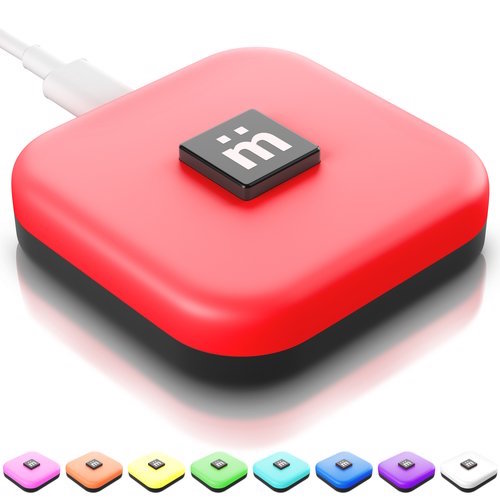
Because different people have different ideas of which colors mean on and off, you can customize the colors and brightness levels of the button’s eight LED light options.
You’ll still have to train your kids, your spouse who acts like a kid, and your exuberant pets so they understand which colors mean they should “shush”. And, if you’re like my peeps on my Friday night professional organizers call (you know who you are!), you may have to train your kitties to avoid stepping on the buttons when they think they’re the stars of the show.
Take a peek at the MuteSync video, and surf around the website, which has a variety of support videos and is written by folks with a fun, goofy sense of humor.
The MuteSync button is $49 at their website, as well as at Amazon.
While this is great for conferencing, I periodically have to record videos on Zoom, and I’ve got a horrible habit of narrating to myself (not-quite under my breath) when I have to switch from video to screen sharing, and when I have to pause in between steps. Yes, editing would allow me to deal with all of that, but I’m not always so technologically savvy (or inclined) with video editing; being able to quickly hit “mute” before before doing any fancy clicks would save me quite a bit of frustration.
What do you think? Could you use a portable, practically invisible, laptop stand? An attention-getting calendar? A fashion-forward cable organizer? An Easy Button to mute and un-mute your video calls?
Please share in the comments and let me know what you think, and what features or colors you wish had been included?
Ask Paper Doll: Do I Really Need A Safe Deposit Box?
This is part of a recurring series of Ask Paper Doll posts where you can get your burning organizing questions answered by Paper Doll, a 20-year veteran professional organizer and amateur goofball.
Dear Paper Doll:
I finally feel like a grown-up. I’ve read your blog long enough to know what papers I’m supposed to have. I’ve learned not to put things awaiting action on the front of the fridge, and how to put away my financial files. But my Boomer parents keep telling me that I should have a safe deposit box. Do I really need one? Can’t I just buy a home safe? And if I do need one, what should I put in it that I can’t just keep in my files or my wallet?
Signed,
Boxed-In About Adulting
First, I’m glad to know that readers are paying attention to the advice I give in posts like How to Create, Organize, and Safeguard 5 Essential Legal and Estate Documents and The Professor and Mary Ann: 8 Other Essential Documents You Need To Create. (And yes, trade in the fridge door for a Tickler File and you’ll be much more productive.) You have all the prerequisites for a degree in adulting, so consider this topic an elective.
Let’s start with the basics, whether you even need (or should want) a safe deposit box. This is one of those issues that depends on your life and lifestyle.
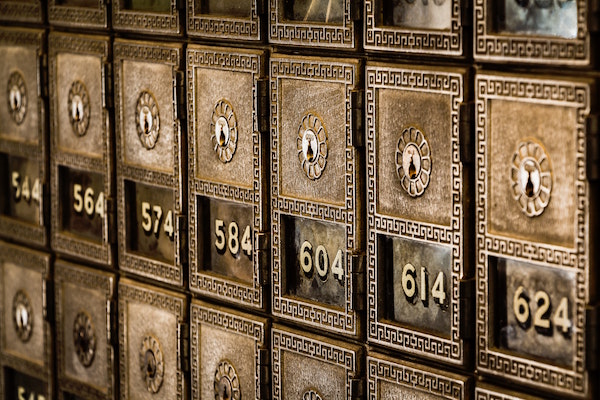
Safe Deposit Boxes Photo by Tim Evans on Unsplash
CONSIDER GETTING A SAFE DEPOSIT BOX IF:
You want a completely private location in which to store and review your documents or possessions.
You want to keep track of where your vital documents are located and want them all in one central location, perhaps because you change apartments or living situations (in the same community) with frequency and don’t want to worry about the safety of these items.
You want your loved ones to have easy access to important documents even if you are unavailable (traveling, ill, etc.) and have designated a Power of Attorney or have arranged to have a trusted co-renter of the box.
You want to protect your important documents (and possibly other possessions, such as fine jewelry, coin collections, medals, photographs, and written or photo/video home inventories for insurance purposes) from theft, fire, flood or natural disaster. But remember, you still have to insure valuables, and there’s no guarantee the bank won’t be burgled or burned down.
You have family heirlooms and precious documents that are too fragile or delicate to be left in the open in a home where children, pets, and circumstances could cause damage.
You are concerned that if a fireproof home safe is light enough for you to take with you during a disaster, it would also be portable enough for thieves to carry away into the night. Also, you recognize that they keys or combinations to home safes are much easier for thieves to crack than getting through brick-and-mortar bank security.
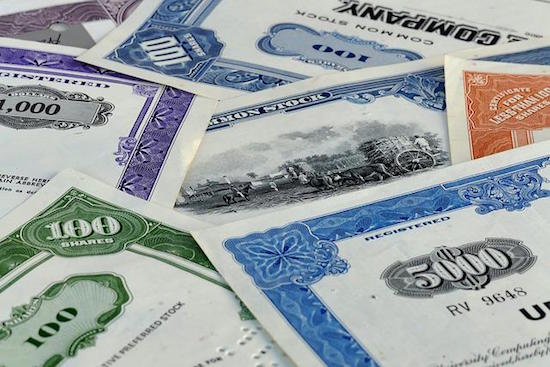
Stock Certificate Image by pictavio from Pixabay
So, maybe you’ve got stock certificates, Great Grandma’s diamond earrings, a collection of gold coins, or a bunch of rare baseball cards. Banks have video cameras and alarm systems, fire-protection and sprinkler systems, and high-tech locks; the vaults in which the safe deposit boxes are ensconced are reinforced and secured, designed to withstand not only bandits but natural disasters like wildfires, floods, tornadoes and hurricanes. Do you need or want that level of security?
SKIP GETTING A SAFE DEPOSIT BOX IF:
You relocate cities with frequency, whether due to work, family, academic, or volunteer obligations.
You aren’t sure you’ll be able to afford the ongoing safe deposit box rental prices. (Yes, you can just remove the items from box, but why start a system unless you’ve got a plan for keeping up with it?)
The main things you’d keep in a safe deposit box are things you might need to access quickly and urgently. Banks are closed on Sundays, most of Saturdays, evenings, and holidays. During the first year of COVID, many branches had limited hours, and some closed altogether, directing patrons elsewhere. You can cash a check at a bank branch down the street; you can’t retrieve items from your box at Branch A by going to Branch B.
You prefer to live off the grid and don’t want “The Man” to know where you are or what documents you possess.
The documents you’d keep in the safe deposit box would be copies, not originals, and you’re comfortable with scanning documents to the cloud or to a flash drive or hard drive. (If you’re not that worried about fire, flood or theft and have few vital documents and no collections, you may be willing to chance the cost of replacement fees.)
If any of these apply to you, a portable, fireproof, waterproof safe might satisfy your needs. However, as noted above, they can be stolen or safe-cracked. Be clear on your own situation.
WHAT YOU SHOULD/COULD KEEP IN A SAFE DEPOSIT BOX
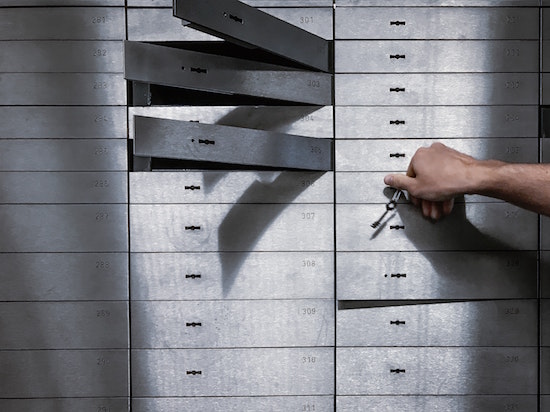
Silver Safe Deposit Boxes Photo by olieman.eth on Unsplash
Your safe deposit box is a good place to store difficult (but not necessarily impossible) to replace items that you don’t need to access often.
- VIPs — Keep the originals of your very important papers specific to someone’s status as a human, like: birth certificates, adoption papers, marriage licenses, divorce decrees, citizenship papers, and death certificates. Consider keeping your Social Security card in your safe deposit box, too. (Either way, never, ever keep your Social Security card in your wallet! If it’s stolen, it’s like losing a one million dollar bill in terms of the potential for identity theft.) These documents can be replaced, but not quickly or without cost.
- Military records and discharge papers — for example, DD 214s. These documents may be required when applying for post-military jobs and for getting veterans-related benefits. If you’re not job-hunting or the veteran has not just passed away, quick access isn’t likely to be needed and a safe deposit box is a great, secure location.
- Copies (but not the originals, and not the sole copies) of your will, Power of Attorney, and Healthcare Proxy (Medical Power of Attorney) documents.
- The deed to your house and any other property you own. Similarly, it can be helpful to store settlement papers, property and title surveys, and other real estate documents you don’t want to lose in a household kerfuffle.
- The titles to your vehicles, boats, planes, space shuttles, etc.
- Paper certificates for any stocks or bond you own, including US savings bonds. Most stocks and bonds are held electronically these days, so don’t worry if you don’t have the certificates. (Digital shares are called book-entry shares; they aren’t fancy and calligraphied, but it’s easier to keep track of them.)
- A printed or digital home inventory. This may be as simple as a spreadsheet or as detailed as a combination video and electronic documents. You’ll want multiple copies kept safe in case you need to file a claim with your homeowner’s or renter’s insurance policy.)
- Printed or digital copies of important documents for your business, including contracts and other vital records.
- Any documents you consider private and/or sensitive that you wouldn’t want your kids, neighbors, houseguests, cleaning service, or other random people to find. This could be copies of a deposition from a divorce, ugly correspondence you are keeping as legal proof, or anything that would make for a juicy Lifetime movie of the week.
- Jewelry and collectibles — BUT ONLY IF THEY ARE INSURED! The FDIC doesn’t insure the contents of your box; that’s your responsibility. Don’t plan on keeping your entire jewelry collection in a bank’s vault unless you are the queen of a small nation. Just store pieces you wear on very special occasions or those you’re saving for the next generation.
- Family keepsakes you want to protect from toddlers, pets, or other potentially damaging sources.
- Any other documents or small items that would be hard or expensive to replace, and for which the bank seems safer than your own living space.
- Hard drives and/or flash drives, with mountable backups of your computer or important data.
WHAT YOU SHOULD NEVER KEEP IN A SAFE DEPOSIT BOX

- Large amounts of cash — Sometimes, it’s all about the Benjamins, but not when you’re looking at a safe deposit box.
I get it; the bank already has tons of cash lying around, so why wouldn’t it be smart to keep all your money hanging with its little green friends? There are a few reasons.
First, your cash won’t be earning any interest, and even if we weren’t experiencing an inflationary period, you’re wasting the incredible opportunity value of compound interest!
Second, as I noted, safe deposit boxes can’t be accessed on weekends, holidays, or after hours, so you’ll be limited as to when you can lay your hands on your cash. If you’ve got this much cash and want to keep it so liquid that you’re not willing to invest it in stocks, bonds, mutual funds, CDs, or retirement funds, at least keep it in a savings or checking account you can access, 24/7, with a debit card or transfer from online banking!
Third, hard, cold cash (and any other assets) that you keep in a safe deposit box (rather than a bank account) won’t be protected by the Federal Deposit Insurance Corp., nor covered under FDIC rules. Deposit cash in your bank account and it’s insured up to $250,000 per depositor per bank. However, plunk cash into in your safe deposit box and it isn’t insured at all!
Yes, currency in your safe deposit box is less likely to catch on fire, get stolen, or be accidentally donated than if you stuffed it in your mattress. But there’s little worse you can keep in your box.
- Your will — What’s possibly worse that keeping cash in your safe deposit box? Keeping the only legal copy of your will. Unless you’ve arranged for a co-renter, someone with signature access to the box and who knows where the key is, your family will be out of luck if you pass away.
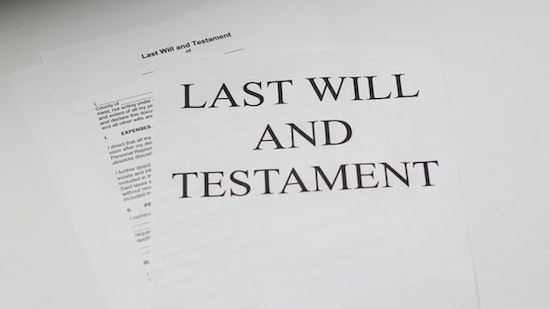
Last Will and Testament Photo by Melinda Gimpel on Unsplash
Your loved ones would have to secure a court order to access the will and other contents of the box, and that requires the costly services of an attorney. Your attorney should keep the official copy, and other copies can be kept on file at home, with your executor, and/or in the cloud. While we’re at it…
- Original, sole copies of vital documents that your family might need if you become incapacitated — If you’re the only person with access to your safe deposit box and you have not designated someone as having Power of Attorney (or stored the only existing copy of the Power of Attorney paperwork in the box), lack of access to originals of your living will/medical directives and other life or end-of-life instructions could create a nightmare.
- Your passport, if there’s ANY chance you’ll need it urgently — Do you (or might you) work for a company that will require you to go abroad on a moment’s notice? Are you an international spy? (OK, I know, you can’t tell me if you are.) You probably figure that you would know if you’d ever need your passport urgently.
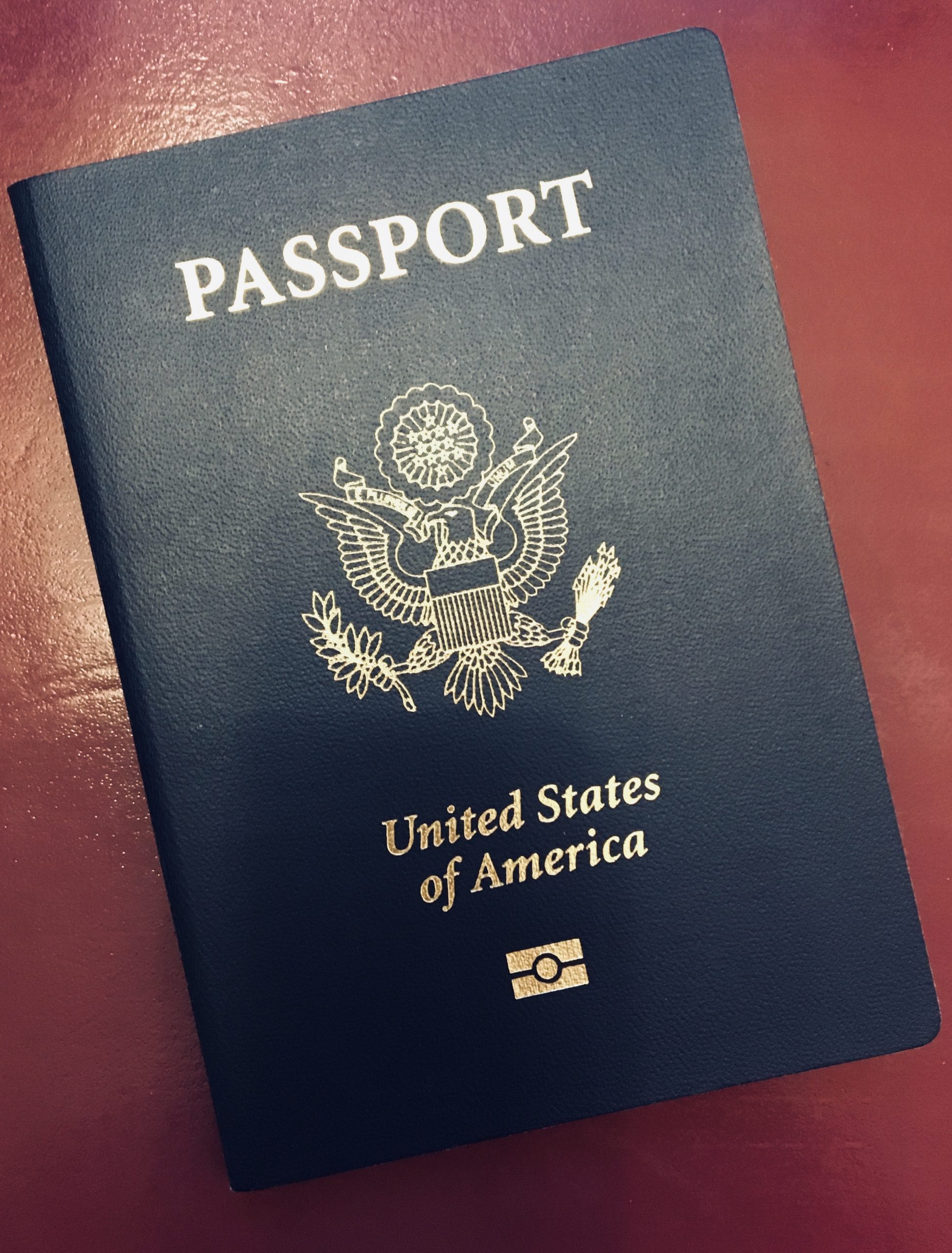
But trust Paper Doll; just because you’ve never needed your passport urgently in the past, doesn’t mean there aren’t a number of reasons you might in the future.
Back in February 2020, in Paper Doll on Narwhals, Fake News, and How To Get a REAL ID, I explained that by the 4th Quarter of 2020, everyone would need a REAL ID (driver’s license with star logo or a passport) to fly, or to enter federal buildings (to give testimony or participate in legal procedings in a federal courthouse) or nuclear facilities. (Hear that, Homer Simpson?)
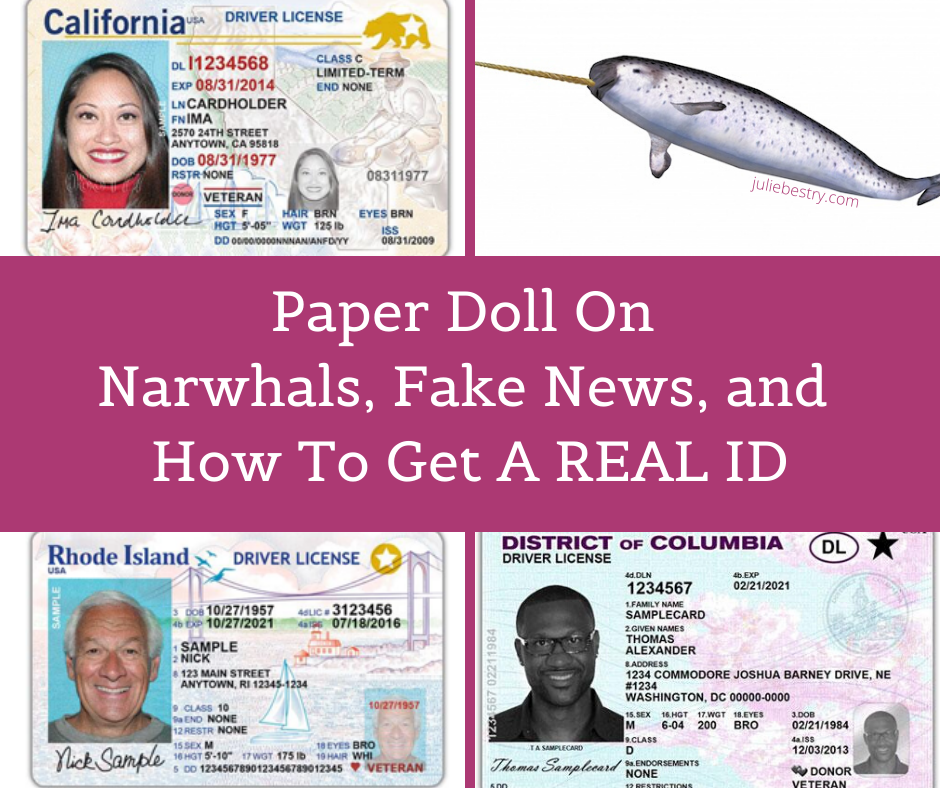
Due to COVID, that date has been pushed a few times, and is now rescheduled to May 3, 2023.
Maybe you’ve never used your passport before, or perhaps never used it without planning a trip 6 months in advance. But is it possible that you’ll have your wallet stolen the week before a domestic trip and your passport will be your only alternative?
Or might you need to enter a federal building (for perfectly legal, rational, wouldn’t-mind-being-seen-on-the-news-doing-so reasons)? Could an elderly relative get injured while on vacation in Europe or your college-age kid get sick while on Spring Break in Jamaica and you’d have to fly internationally at a moment’s notice? Consider the possibilities before putting your passport in the box.
- Uninsured valuables — Yes, your jewelry and collectibles are probably safer at the bank than in your rental apartment, house, or nursing home. But make sure you notify your insurance company so they attach a value-appropriate rider to your homeowner’s or renter’s policy.
- Spare keys — Dude! If you lock your keys in the car or lock yourself out of the house, it’s probably not going to be during banker’s hours! Think of the person you trust most in the world; now ask yourself if your mother (or MY mother) would trust that person. If you’d trust them to drive your car or babysit your kids, that’s a good indicator of someone to whom you can give a spare key.
- Anything illegal — You shouldn’t need Paper Doll to tell you this, but don’t put stolen goods, fireworks, drugs, toxic or hazardous substances, or anything that’s a no-go with the law.
HOW TO GET A SAFE DEPOSIT BOX
Before you rent a safe deposit box, figure out everything you’re going to want to keep in it. Gather everything up and lay it out someplace safe from the prying, sticky hands tiny humans (or furry friends), like on your dining table or in the guest room.
Knowing how much you have will help you determine how large a box to get. Rental rates of vary by size, as well as by bank or credit union, region of the country, and other factors, and can range from as little as $20 to several hundred dollars per year, so don’t “over-rent” on the space you need.
Box depths are standard (generally about 18-22 inches), but height and width dimensions vary. The smallest boxes are usually 3″ x 5″, but unless you have very few documents, you’d have to roll your papers to make them fit. Medium boxes range from 3″ x 10″ to 10″ x 10″. The largest safe deposit boxes in consumer banks and credit unions tend to be about 15″ x 15″, though larger specialty boxes can be arranged at banks that cater to clients who have large financial holdings.
Select a bank branch convenient to your home or work. Don’t quibble over a few dollars if you’ll have to schlep across town. Consider when you’ll want to access the box, either for retrieval or for putting items in.
Ask about policies and fees. What are the key replacement fees? Charges for drilling boxes if keys are lost? (Safe deposit box keys are TINY! Put them somewhere safe and where you’ll remember to find them!) Is there comfortable (or any) seating available in the vault, in case you need time to go through the contents of your box and need to sort documents?
Think carefully about whether you want to share access with a co-renter, like your your spouse, parent(s), adult child(ren), business partner(s) or friend(s). You can’t just designate someone as a co-owner and give them a key. They’ll have to sign the signature card and show photo ID both at the time of rental and to gain access.
Remember, if you don’t have a co-renter, your Power of Attorney designee can act on your behalf for financial and other urgent matters and can access the box for you, but PoA designations cease upon your death. Eventually, the executor of your will can gain access (depending on the probate and estate procedures of your state), but this can be a lengthy process. If your possessions and documents are relatively simple, you’re probably better off naming as co-renter someone (like Paper Mommy) in which you can place great trust.
Make an appointment to rent and “move into” your box. Be prepared to fill out some forms, sign a lease agreement, and pay for the initial rental term. Make sure co-renters are available to come to the appointment as well.
Bring your photo ID. Co-renters? Samesies!
Bring the items you wish to store. Before you leave the house or office, create an inventory list, and bring a copy of the list with you. As you place the items or documents in the box, check them off your list.
Take a photo of the items in the box. Take a photo and/or adjust your list whenever you add or remove documents or possessions.
Bring gallon-size zip-lock plastic bags for protecting items in case of floods or sprinkler system malfunctions. If your box is high enough, safeguard delicate non-flat items from water damage with plastic food containers. Put a your name and contact information inside the container so that items can be identified as yours in the aftermath of any disaster.

Keep your key somewhere safe and memorable.
Don’t be like my dad. When we emptied out his office, as I described in The Great Mesozoic Law Office Purge of 2015: A Professional Organizer’s Family Tale, we found an envelope with my father’s familiar scrawl in red ink: “This is the envelope for the key to Eva’s safe deposit box in Miami, which we closed.” Eva was Paper Mommy‘s mother; she died in 2001. He would never have been able to find the envelope if the key had been needed, but kept an empty envelope telling us where the key had been!
Even if someone unauthorized has your key, they won’t be able to access your safe deposit box, as proof of identification and signature is required in tandem with a key. Key loss, however, may require drilling of the box — and that can be pricey!
REMINDERS AND CONSIDERATIONS
Possessions can be damaged or stolen. Faulty sprinkler systems, actual fires, floods and yes, even bank robberies, can lead to loss or damage of your items. So maintain an inventory at home of the contents of your safe deposit box, just as you might keep a home inventory of your possessions in the box.
The contents of your box will NOT be available 24/7/365. There’s a reason they’re called bankers’ hours — generally 8a – 5p, Monday through Friday, with some wiggle room on Saturday mornings and occasional late Friday hours. Don’t put something in the box that you might need to access quickly or urgently.
Access to your safe deposit box can be frozen. The IRS can block your access if you’re in a dispute with them. If law enforcement officials (including the Department of Homeland Security) believe you and/or the contents of the box are related to illegal activity (drugs, guns, explosives, or stolen items), a court order can be issued to give law enforcement access to the contents of your box.
Your safe deposit box can be declared “abandoned” — If you stop paying your rental fee, don’t maintain communication with the bank, and nobody in your family or overseeing your estate knows you had a safe deposit box, the contents of the box will eventually be turned over to your state’s Unclaimed Property division. Make sure your loved ones or legal representatives know you have a box, where it is, and the location of the key.
How to Find, Organize, and Delete Your Online Accounts
The morning it was announced that Elon Musk was set to buy Twitter, the word “delete” started trending as account users angrily insisted they would delete their accounts if he took over. While it looks like that sale is on-hold indefinitely, being appalled at the leadership of an online platform is definitely not the only reason someone might want to close an online account.
Unfortunately, it’s neither easy nor convenient to close many kinds of accounts, so today we’re going to examine ways to organize that process.
But first, a history lesson.
BEFORE THE WEB WAS WORLDWIDE
Do you remember your first online account?
I’ve been online since before there was an internet, back in the mid-1980s when we were using USENET on heavy VT-100 terminal emulators with green writing on black screens.
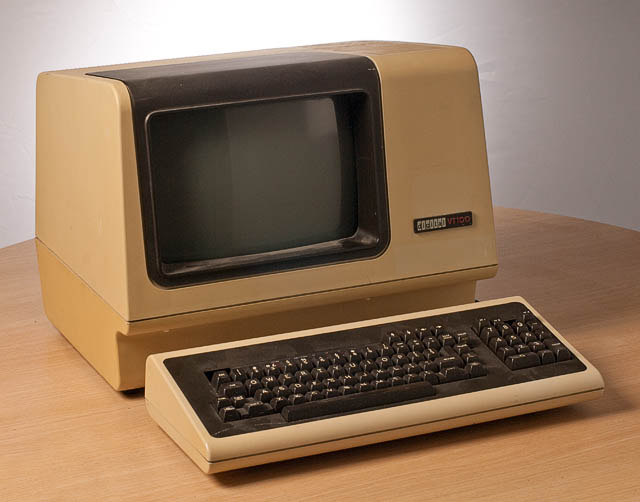
They were slow, cabled, and arranged in rows in grim computer rooms in various basements at my university. By the time I graduated, many students had their own computers, but there was still no internet, and Macintosh SEs were networked in those same dark basement rooms. (If you’re of a certain age, you can still hear those dot matrix printers, can’t you?)
In the 1990s, there came a sort of training wheels era of the internet: AOL and ubiquitous disks in the mail, Compuserv, Prodigy, Delphi, and GEnie (my preferred service provider). You’d warn everyone in your household to stay off the phone, dial-up your local provider number as your modem made that horrible series of screeches and bong-ba-bongs, and then you’d be connected to worldwide random strangers via text-only conversations in “rooms” on specific topics, at least until someone in the house picked up the phone and disconnected you.
HOW DID YOU LOSE TRACK OF SO MANY OLD ACCOUNTS?
None of this was the internet, per se. It was all just protoplasm for what was to come. At this point, you couldn’t bank, pay your bills, fill out a 1099 or sign a contract and return it online. And you definitely didn’t have to worry that someone would deliver a virus that took control of your computer and allows scam artists to demand hundreds of thousands of dollars in bitcoin (or any coin).
Back in the early days of the web, almost nobody except teenagers, new college grads, or an expanding breed of “computer guys” were online. People didn’t take passwords seriously, and while there were the same chain letters and hoaxes as in the real world, the internet didn’t seem like a dangerous place. Grandma (if she’d been at all interested in surfing, which she was not) had no fear of getting scammed.
This was either quaint or the Wild West, depending on your perspective.
People set up accounts, used them for weeks or months or years, and then abandoned them.
Eventually, we hit a new century. Mere months after I started Best Results Organizing in early 2002, someone introduced me to Ryze, a social network designed to connect entrepreneurs. it was less like LInkedIn and more content-rich. Through it, I met friends-of-the-blog Janet Barclay and Felicia Slattery, who were the first people I sought out when I landed at Twitter, six years later. It was at Ryze where I was given the opportunity to write proto-blog posts on organizing, which would become the inspiration for Paper Doll.
Depending on your age, MySpace either seems like something from ancient history or just a little bit ago. If your first online friend was Tom, you’re in the latter camp. Sigh.

Then there was Friendster, Live Journal, LinkedIn, Orkut, and in what future generations will surely consider having been the sign of an impending apocalypse, Facebook. Even that was 18 years ago. We were still three years away from the advent of iPhones, so nobody was trying to access these sites on their flip phones or Blackberries.
And that’s just social media. In the last two decades you’ve probably amassed hundreds, maybe even thousands of online accounts. There are also financial (banking and taxes and investment, oh, my!) accounts, utility accounts, university accounts, professional accounts.
If you want to read the online version of a newspaper or magazine, even one for which you pay to subscribe, you have to have an account.
Do you blog? You probably don’t have just one account to blog; you’ve got to have a WordPress.com account to have a WordPress.org set-up, and if you want to leave comments on other people’s blogs, you’ll want a Gravatar account (or something similar) to prove your identity. And then of course, you have a host account for the real estate on which your blog lives.
Do you shop? Do you read? Do you have insurance?
Have you ever left a review for a restaurant on Yelp or Tripadvisor? Do you fly or stay in hotels? You’ve got accounts!
WHAT’S WRONG WITH HAVING LOTS OF OLD ONLINE ACCOUNTS?
Over the past several decades, you’ve amassed lots and lots of accounts, and with them, passwords. And chances are fairly good that, at least in the beginning, you didn’t do a great job of making sure you used unique passwords.
It may seem like leaving old accounts in place does no harm. After all, it’s just cluttering up some company’s servers, not your computer, right? Wrong.
Deleting unused online accounts is an important strategy for protecting your online privacy and maintaining your security against any misuse of your data. Now, you might think that the bad guys are only interested in trying to hack your busy, important accounts, like Gmail or Amazon. But all those unpopular, semi-defunct, and mostly-dead platforms are prime targets for data breaches.
The bad guys figure (correctly) their hacks of unloved sites will be less noticeable. But then they have your private information that they can then use to pose as you to create new accounts or hack your other accounts.
If hackers know your username/password combination for Napster, they might try to get into your Spotify account and access your payment information. Millions or tens of millions of users of defunct platforms have this “abandoned” information left behind, just tempting online pirates.
So now what?
HOW TO GET RID OF OLD ONLINE ACCOUNTS
There are only three aspects of getting rid of your old accounts, but they can be persnickety.
1) Find your old and abandoned accounts.
This may not be easy, especially if you don’t use an online password manager or have a password book with all of your accounts. You may have created these accounts on computers you haven’t owned for years or decades, and you might have signed up with email addresses you haven’t checked since you could fit into those size 8 skinny jeans.
Treasure Map and Compass by Denise Jans on Unsplash
Here are some possible treasure maps to check for all your old, abandoned accounts:
- Look at the sites you’ve saved in your digital password manager, like LastPass, Dashlane, or OnePassword. Check spreadsheets or password notebooks you created, too. Highlight any old, unused accounts for deletion!
- Review saved logins on your computer. Yes, even though you’re probably not using the same device on which you originally set up accounts 10, 15, or 20 years ago, it’s possible that:
- your browser cache/history was copied over when you migrated computers,
- you received an email from one of these sites in recent years, asking you to read a privacy statement, and clicking on the button in the email took you to the site, and your password manager automatically logged you in, or
- you’ve had another reason to log in more recently than you recall.
If you use Safari, click the Safari menu and navigate to Preferences > Passwords; eyeball the site list for any accounts you’re ready to delete. On Chrome, click on the three dots in the upper right and navigate to Settings > Passwords. If you use Internet Explorer (seriously?), navigate from the top right menu to > Settings > View Advanced Settings > Manage passwords.
If you don’t keep your devices synced to the cloud, be sure to peek around at your phone and tablet browsers’ saved logins, too!
- Check your email. Did you ever create a folder or Gmail tag for “new accounts” or “passwords” or something similar? Go there, sort by sender (so you don’t have to see repeats) and take note of any accounts you definitely want to send to the great beyond.
- Check social media sites that authorize access for you. Twitter, Facebook, and Google let you authorize access to some sites; for example, you can log into Zoom via your Facebook account.
On Twitter, go to your settings and navigate to Account > Security and Account Access > Apps and Sessions > Connected Apps to see all accounts you’ve authorized.
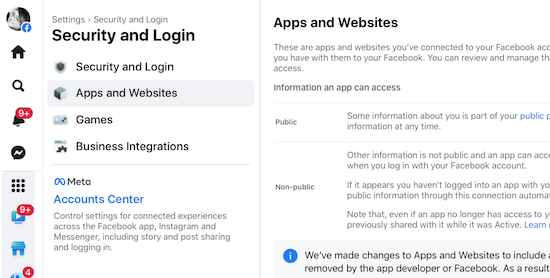
On Facebook, it gets tricky, because they’re always changing the locations of icons, but in general: Click on the icon with your face to get to your profile, and then navigate to Settings & Privacy (see the gear shift) > Settings > Security and Login > Apps and Websites. This will show a list of all the sites you’ve logged into via Facebook; the dates will indicate your last login and make it easier to identify sites to cancel.
On any Google page (like the search page, Gmail, or any of the apps), to get to the Permissions page, click the 3×3 grid icon near the top right corner and then navigate to Account (you’ll see your photo/avatar) > Security > Signing in with Google, and you’ll see any accounts you may want to delete.
Remember, even if you revoke access and don’t let Twitter, Facebook, or Google log into an account for you, that account still exists!
- Search the web for your name and any unique account/user names you’ve ever used. If every account name you’ve ever used is just Jane Smith, you might be out of luck. But if you’ve had a habit of using MotherOfDragons1985 or Hermione&Harry4eva, you may find links to your old account name on publicly accessible and indexed sites, like Reddit.
- Search for your username on privacy or security sites that specialize in showing when something has gone awry. For example, typing your email address into Haveibeenpwned.com (and no, that’s not a typo) or Avast’s Hackcheck will identify if your identity has ever been caught in a breach. If you used an old email address and a throwaway password 20 years ago and don’t use either anymore, you’re safe (and will know to delete that account). If you’ve been caught in a breach with active login credentials, get those changed!
2) Secure and export a copy of your data.
Not every platform or website will let you do this, but the big guys all have plans to help you retrieve-and-leave.
For example, Google Takeout backs up all of your Google-controlled accounts (including Gmail, YouTube comments and videos, calendar, photos, Google Drive items, etc.) into one massive but compressed file and lets you run away with it. (Note, you don’t have to delete your accounts to use Google Takeout, and you don’t have to “take out” all items; you can pick and choose bits of your data.) Takeout can be a little intimidating, so you might want to walk through this Livewire article, first.
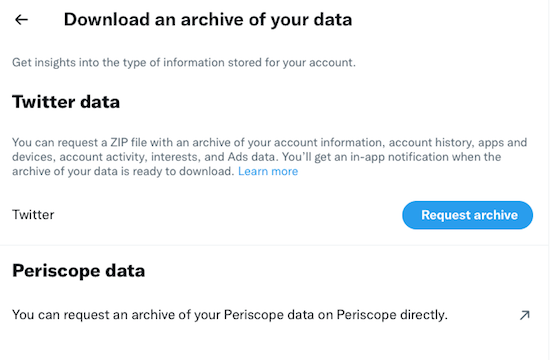
On Twitter, go to your settings, then navigate to Account > Download an Archive of Your Data > verify your password > secondarily verify your identify via a code sent to your email or phone. Once you ender the code, you’ll get this screen:
 Shockingly, Facebook is the easiest platform from which to export your data! Go to Facebook.com/settings and click “Download a copy of your Facebook data.” Then click “Download Archive.”
That’s all; depending how much data Facebook has collected about you, it may take quite a few minutes, but you’ll get an alert that will prompt you to (once again) click “Download Archive”, and a zip file will download to your computer. (You will be overwhelmed by just how much there is, but if you do delete your Facebook account, you may be glad you saved every contact, conversation, and stupid meme.)
Social media isn’t the only place you might want to export your data. Let’s say you use Mint to track all of your financial information to help you prepare your taxes. To retrieve your information, you can go to Trends, pick a custom range, and separately, under income and under expenses, export your data.
3) Delete your account.
Every account and website will have a different method for canceling your account. As you go through the process, make a list or spreadsheet of the accounts you’ve closed and the date you’ve done it. This will help you (or, in case of an unfortunate event, your loved ones) know where things stand with your accounts.
You can spend your time searching under each tab of a website to try to find out how to delete your account. Often, it’s useful to enter “How do I delete a [platform name] account?” in your favorite search engine. But this won’t necessarily help you if you’ve forgotten a site or account ever existed.
And the truth is, some sites are going to make it as hard as possible to delete your account. This isn’t negligence; it’s a purposeful deceptive design pattern.
TECH SOLUTIONS TO HELP YOU PURGE OLD ACCOUNTS
Online platforms make it super-easy to join a site or open an account, and pretty darned tough to escape.
If you’re feeling overwhelmed getting rid of accounts on your own, or even remembering what accounts to seek, there’s help.

AccountKiller — has been around since 2011, helping online netizens figure out how the heck to escape a website completely. They do this in two ways. First, anytime a straightforward way to delete an account is identified, it’s added to AccountKiller to provide step-by-step instructions to anyone who would like to use them.
Search AccountKiller for an account deletion guide (with links and instructions) via the search bar, or browse their 1300 available guides, broken down by “all,” “popular,” “whitelist,” or “blacklisted.”
Whitelisted platforms are those that make it relatively easy to close your account, sometimes just by clicking a “delete account” button; these sites are coded in white. Some platforms employ those dark patterns discussed in the video above, and you’ll probably have to call and run the gauntlet of phone trees and pushy phone reps in a process designed to make you give up before canceling; these platforms and sites appear in grey. Blacklisted sites make it difficult or impossible to delete your account, but AccountKiller may still be able to help you by providing an email address or direct contact number.
So, whether you want to cancel your Facebook, Amazon Music, Nextdoor, Shipt, or some random dating account, just use the search bar or click on the appropriate link. Up will pop a screen of instructions, which may include any of the following:
- the account information you might need to cancel — at a bare minimum, this should include the login credentials, but depending on the account you’re canceling, you may have to confirm other personal and financial information to prove your identity.
- the link(s) or navigational path to get to where you can cancel an account online; this might involve using settings on your account page, using a web form, emailing to request a cancelation, or conferring via web chat.
- a phone number you may have to call to cancel. (Again, this is designed for them to give you a hard sell or offer inducements to keep you from canceling, so be sure you know what you want the end result to be. Some sites, like SiriusXM will offer you huge discounts to stay; others might guilt-trip you.)
- the exact steps to follow (whether online or by phone) to cancel an account
- charges and phone numbers you may see on your credit card or bank account statement, because some of these companies can be sneaky!
- alternative names by which this particular account might be known.
If you can’t find instructions for canceling, you can click “Submit a Site” and their team will research an escape hatch.
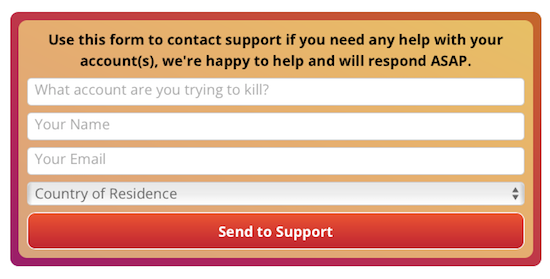
The AccountKiller team is made up of six diligent researchers and authors who just want to help people have better control over their digital privacy. There’s no charge to use AccountKiller; the site appears to be funded by pay-per-click advertising. The site is available in English, German, Dutch, and Spanish, though they ask that all request and site instruction submissions be sent in English.

Just Delete Account is a Just-the-Facts-Ma’am, multilingual account with one goal — finding you the instructions to cancel an account. The site uses a basic color scheme to help you see at a glance how annoying it’s going to be to cancel an account:
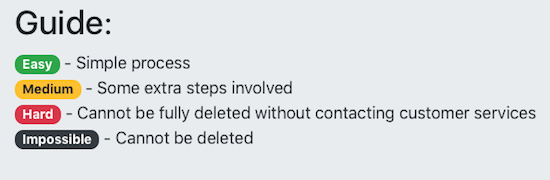
If you know the platform where you want to cancel an account, use the search bar. However, if you’re trying to remember all the possible accounts you’ve created, you can scroll down the main page for reminders. It’s just a massive grid of all types of online services with each cell of the grid in one of those four colors, above.
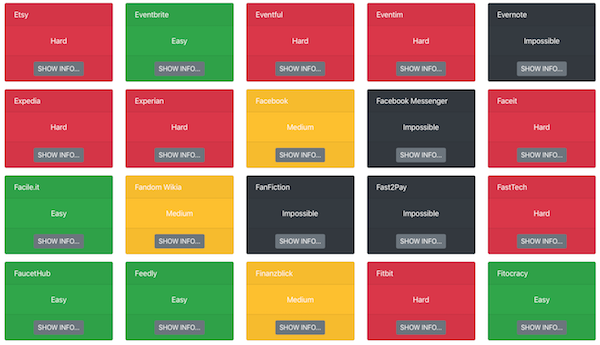
Note, sometimes when an account is marked “impossible,” it means that while you can’t delete an account, you can deactivate it. What’s the difference? All of your data still lives in the account unless you manually delete it before deactivating.
Other accounts are just persnickety. For Facebook messenger, if you logged in with your Facebook account, just delete that account; if you registered using your phone number, there’s no way to delete your account! FYI.
Alternatively, you can go to the All Services page and see a more bare bones list of all of your options. BoardGameGeek and Blue Apron make it easy; Blogger won’t ever let you cancel!
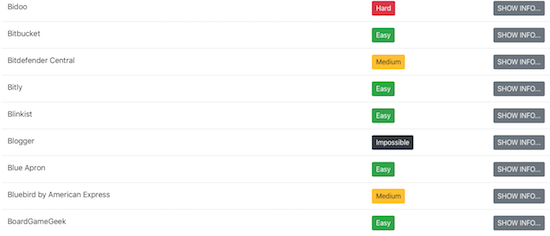
Note, neither AccountKiller nor Just Delete Account do anything of the account deletions for you, and they will not ask you for any personal information.
Have I convinced you to track down and delete your old, unused accounts?
Paper Doll Picks: Organizing and Productivity Podcasts
FINDING THE RIGHT EXPERTS
I’m often the most tech-savvy person my clients know. One lovely client in her eighties often greets me at the door and just hands me her iPhone. “There’s a devil in it,” she half-jokes, and she’s happy to relinquish it to me for what is usually an easy fix.
Conversely, my college friends, mostly guys, laugh at the idea of me being technological. On the phone, I once fretted over having possibly failed to install memory in my computer because it didn’t “click.” After an hour of various difficulties culminating in the uncertainty over installing the memory, I groused, “Shouldn’t it click? Y’know, like how after I put on my lipstick, I close my compact and it makes a satisfying click?!” They’re still teasing me about that apparently “non-techy” description.
There’s an old expression: In the land of the blind, the one-eyed man is king. Leaving aside the able-ist nature of the expression, I feel comfortable using this to explain that while some people feel that “a little knowledge is a dangerous thing,” I think that the more you know, the more you realize that you don’t know, and the more inspired you are to seek out experts.
As such, I’m starting a new feature, Paper Doll Picks, where I will occasionally provide links to bloggers, authors, and other experts to whom you can turn when you need a little extra help.
As a Certified Professional Organizer, I’m an organizing and productivity expert. As an Evernote Certified Expert (formerly Evernote Certified Consultant), I know more than your average user. And, as a former television executive and lifelong TV viewer, I can spot when an infinitesimally small clue (a cough, a camera shot resting an extra second on a wine glass, or a character’s lingering glance) means something and will be able to connect it with things that happen seven seasons later.
But in the kitchen, I’m a perpetual newbie and need to turn to Paper Mommy. (For a variety of life skills — cooking, addressing an invitation to an ambassador and spouse, medical stuff of all stripes, I turn to her. We call it Opening the Mommy Encyclopedia.)
Nobody is expected to know and be able to do everything. Sometimes, that other old rubric is important: it’s not what you know, but whom you know!
Today, I want to introduce (or re-introduce you) to some excellent podcasts and podcasters.
THE APPEAL OF PODCASTS
If you don’t listen to podcasts, stick with me here. I admit, I don’t listen as often as many people seem to do. But when you’re walking or working out, when you’re stuck in a doctor’s office waiting room or waiting for a much-delayed flight (as Paper Mommy is doing, just as I’m writing this), podcasts have distinct advantages.
They’re as informative as blog posts and articles, but you can take it in while doing other tasks. Every try reading a blog post in the bath? You can’t read an article while driving, and if your commute is by train, subway, or car, audio is far less marred by bumps. (You won’t get carsick listening to an organizing podcast, but watching text bounce up and down may not be good for your equilibrium.)
Another nifty advantage to podcasts is that you can control the speed at which you listen to (or watch) podcasts! I listen to almost everything on 1.25x speed because I’m an impatient person. When a speaker talks at “normal” speed, I feel like I’m being held captive by Dory in Finding Nemo when she’s speaking Whale. Sooooooooo slowwwwwwww!
Conversely, when I’m trying to listen to podcasts in Italian, the language I’ve been diligently studying for 4 years, the organic speed of language just zips right past me, and I only get a handful of words. By the time I realize I understood anything, they’re onto the next topic. Listening at .75x helps me make out the words without going into Dory mode.
ORGANIZING AND PRODUCTIVITY PODCASTS
These are a few of my favorite podcasts in the realm of organizing and productivity.
NAPO Stand Out Podcast

The NAPO Stand Out Podcast — This official podcast of the National Association of Productivity and Organizing Professionals began in 2018 with an interview of its first guest, my stellar and stylish colleague Geralin Thomas of Metropolitan Organizing. Now, it’s just a few shows away from its 100th episode.
The NAPO Stand Out podcast offers up compelling interviews with NAPO members and subject matter experts (like author Gretchen Rubin, friend-of-the-blog Allison Task, whom I interviewed in Paper Doll Interviews Life Coach, Author, and Kid-Schlepper Allison Task, and Indistractable author Nir Eyal).
For the first few years, the show was hosted by Sarah Karakaian of Nestrs. (You might know Sarah and her husband, a home improvement, design, staging, and short-term rental management team from HGTV, their Thanks for Visiting AirB&B podcast, or Instagram.)
Now, the podcast is hosted by Canadian professional organizer and TV personality Clare Kumar, an all-around cool chick with a laugh that can draw in even the grinchiest of grinches. Clare specializes in helping Highly Sensitive Persons (HSPs) optimize their professional performance, and she has her own podcast, Happy Space with Clare Kumar, all about helping HSPs find their own happy spaces.
The NAPO Stand Out podcast invites organizers, productivity experts, and anyone interested in these fields to listen in as guests share their successes, challenges, best practices, proven strategies, industry developments, and fabulous anecdotes.
Take a peek at the most recent episode, Discover Your Organizing Style, where Clare interviews Cass Aarssen about how her own struggles with clutter led her to create the Clutterbug Organizing Styles.
Watch and listen to past episodes through the archives at Apple Podcasts, Spotify, YouTube, Stitcher, and elsewhere.
Smead’s Keeping Your Organized Podcast

Smead’s Keeping You Organized — It still breaks my heart a bit that this magnificent video and audio podcast, hosted by John Hunt, is no longer being produced. It was an amazing podcast designed to provide all manner of practical and philosophical organizing and productivity information to viewers.
John is a delightful interviewer — you can see him being interviewed for an early episode of the NAPO Stand Out podcast, here — and all sorts of North American professional organizers got to share their expertise.
Happily, all 278 episodes of the show are still available, including the eight times I was the guest. You can listen or watch those here, or at the episode page:
041: Secrets to Organizing a Small Business
108: Fears that Keep You from Getting Organized
153: Paper vs. Digital Organizing Part 1
154: Paper vs. Digital Organizing Part 2
203: How to Get Organized When You Have an Extended or Chronic Illness – Part 1
204: How to Get Organized When You Have an Extended or Chronic Illness – Part 2
263: Essential Lists for Organized Travel – Part 1
264: Essential Lists for Organized Travel – Part 2
Sadly, all of my appearances were from before I had a decent video podcast background or lighting, so you may want to listen rather than watch (or risk being distracted by weird shadows and my often–weird hair).
The Productivity Lovers Podcast
The Productivity Lovers Podcast is hosted by two of my friends and colleagues, Certified Professional Organizers Cris Sgrott of Organizing Maniacs and Deb Lee of D. Allison Lee.
Both are organizers and productivity specialists; Cris is also a coach and speaker who specializes in senior move management and helping people with chronic disorganization and ADHD. Deb is a digital productivity coach and possesses one of the greatest analytical minds of anyone I know. (Deb’s my go-to for solving online platform kerfuffles, but also for making sense out of things that seem incomprehensible.)
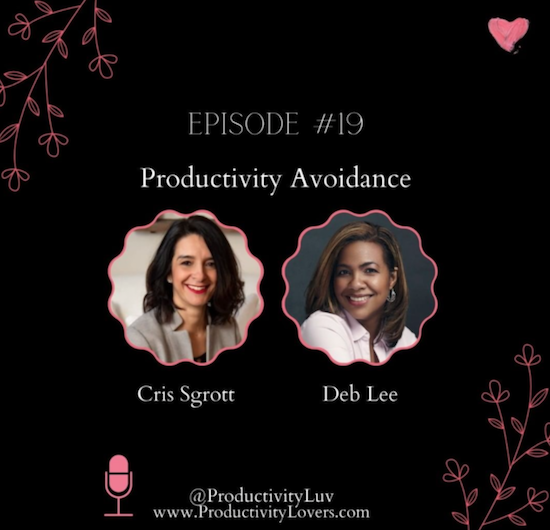
Launched one year into the pandemic, Cris and Deb’s podcast was a balm for any lonely organizer’s (and organizing client’s) soul. Listening along when I get my 10,000 daily Fitbit steps in or watching the video version as if I were Zooming with them, I often find myself talking back to these ladies, forgetting that I’m not really part of the conversation — because they are that warm, friendly, funny, and honest.
At least once an episode, I laugh at how they make one another laugh, with much of the humor coming from their mismatched productivity styles. Deb is all-digital; Cris is hybrid but leans into her love of paper planners. Cris calls herself a Hot Potato Productivity person, while Deb is super-focused.
Cris and Deb cover all sorts of productivity issues, from paper planners to Inbox Zero, the Pomodoro Technique to how organizing is portrayed in the media. Every episode is a lighthearted conversation between two friends, but the audience is never forgotten, as they invite our responses on their Facebook, Instagram, Twitter, and YouTube pages.
Come for the conversation, stay for the detailed show notes and discussion points. Pick from the audio versions via your favorite podcast app or on the episode page; watch for the video version on YouTube a week or two later. Here’s a recent episode, to give you a taste.
Organize Your Stuff
Organize Your Stuff — My colleague, buddy, and fellow mastermind group member, Maria White of Enuff With the Stuff hosts this podcast, which invites people from all points along the organizing spectrum to help them see possibilities.
While Maria has been on hiatus for a bit, there are 37 episodes covering topics ranging from “Do You Trello?” (yes, dear readers, I do!) and “Organized Adulting” to “Finally Accomplish Goals Using the 48 Week Achievement Guide” (with our fellow masterminder, Karen Sprinkle) to “Drastic Downsizing for Tiny Living” (for folks eager to learn more about living in a tiny house). Maria accents self-compassion and realistic approaches as she interviews industry experts and provides her insights and tips on organizing.
Organize Your Stuff is audio-only, so feel free to take it with you wherever you go, whether via Apple Podcasts, Spotify, Google Podcasts, or on the Organize Your Stuff episode page. Take a tiny taste of the show as we pull episode #14, Tickle Yourself Organized, out of the vault. As you may have guessed, she interviewed me, your own beloved Paper Doll!
Anything But Idle (and the Super-Friends)
Anything But Idle is hosted by Ray Sidney-Smith and Augusto Pinaud, and it would be one of my favorite podcasts even if these guys didn’t delight me by inviting me on the show on occasion.
Ray is the Ryan Seacrest of productivity podcasters; he’s everywhere! In addition to Anything But Idle, he currently hosts or has previously hosted oodles of productivity-adjacent podcasts, including:
- The ProductivityCast with Augusto and regular contributors Francis Wade (about whom I’ve written several times, including at Paper Doll Shares Secrets from the Task Management and Time Blocking Summit), and Art Gelwicks. The show explores personal productivity and includes interviews with experts, reviews of both the scientific literature and mainstream media takes on productivity, and looks at technology’s role in, and effects upon, achieving what you set out to do.
- Getting More Done with Evernote, where Ray talks about product updates, interviews Evernote experts (including staff of the big green elephant company), and answers submitted listener questions. The show has been on hiatus since last year, but Ray is re-launching soon, and I’m going to be a guest. Whoohoo!
- Productivity Book Group — This is a quarterly book club and podcast rolled into one, and the archives include episodes dating back to 2013. You could create an entire productivity-themed reading list from the archives of this show, read the books, and then listen to the associated episodes to augment your understanding. The show isn’t limited to professional productivity; one recent episode focused on Clea Shearer and Joanna Teplin’s The Home Edit.
- ProdPod — Dating back to 2011, this might be the one that started Ray’s podcasting empire. In under two minutes, each podcast explores a productivity-related topic, like minimalism, procrastination, burnout, or indecision.
While I am a Certified Evernote Expert, Ray lives and breathes Evernote, and is one of two people (fellow organizer Stacey Harmon is the other) to whom I turn when an Evernote issue makes my hair hurt.
But back to Anything But Idle!
Ray partners with Augusto Pinaud, a bilingual productivity and technology sweetie pie of the highest order. His company, Productivity Voice, is the umbrella over Augusto’s coaching services, books, and podcasting work. In addition to co-hosting Anything But Idle and the ProductivityCast with Ray, Augusto has hosted Connecting Invisible Dots, a limited-run podcast focused on looking at the big issues, like personal definitions of time, achieving focus, and understanding priorities.
Wow, and all those shows don’t even include all of the podcasts represented by Anything But Idle’s regular guests. (Sometimes I think I may be the only guest they’ve ever had who doesn’t have a podcast!)
Anything But Idle bills itself as the “Productivity News Podcast.” Every week, Ray and Augusto introduce productivity and technology stories in the news and discuss their relevance. Guests are given the opportunity to read (and think about) the articles and editorials in advance, so listeners are treated to a lively, informed discussion. This opens up the floodgates for really wide-reaching, unexpected, extemporaneous chat; as a guest, I’ve felt supported, and as a viewer or listener, I always feel entertained and better informed.
Each week also includes a round-robin opportunity for each person to present a technology or productivity resource. There’s always at least one thing (and usually many) to make you go “hmmmmm.”
You can watch the podcast live or catch up on past video versions of the episodes at the show’s YouTube page; the show is live at 6 p.m. EST most Monday nights. (Click “Set a Reminder” on the show page to make sure you don’t forget.) If you prefer audio versions, you can peruse the Anything But Idle episodes archive, or subscribe and listen on your favorite podcast app at Apple Podcasts, Google Podcasts, Android, Spotify, or Stitcher.

The most recent episode is up in all locations, but you might find it fun to watch their 100th episode. I was a guest, and a REALLY fun time was had by all.
Frank Buck: Productivity for Total Control & Peace of Mind

Frank Buck: Productivity for Total Control & Peace of Mind — Dr. Frank Buck is a longtime educator and educational administrator, as well as a fellow Evernote Certified Expert. (He’s also another familiar face on Ray and Augusto’s podcasts!) Frank is the author of several books, including the most recent, Get Organized Digitally! The Educator’s Guide to Time Management.

Frank’s podcast is full of warmth and patience, and you can see how his expertise as an educator informs everything he discusses on his podcast, now starting its fifth year.
Whether you’re a novice in technology who bemoans the devil in your iPhone, or a more advanced user of technology and productivity methods, Frank will make you feel at ease. From email to notetaking, task management to creative procrastination, digital tools to financial oversight, Frank’s short podcasts are charming and wise. (I’m going to be a guest on one of his upcoming shows and we had such a great conversation planning it that I imagine his biggest podcasting challenge will be getting me to shut up!)
Listen to Dr. Frank Buck’s most recent podcast episode (below) and all shows at the episode page, on Spotify, or at any of your favorite podcast platforms.
A Plethora of Podcasts
The podcasts above are just some of my favorites for listening to and watching, and for sharing with my clients. Others I’ve shared in the past include:
Penny Zenker, Positive Productivity Podcast — Penny focuses on leadership and productivity, and has had an amazing array of guests over the past several years. You can see my two episodes with Penny here:
- Boosting Productivity With Paper Planners Part I (Transcript)
- Boosting Productivity With Paper Planners Part II (Transcript)
The Productivityist — Mike Vardy needs no introduction; he’s been featured on the pages of the Paper Doll blog many times. With 421 shows completed, Mike is a veteran podcast host (and a popular guest), and he never talks down to his audience. You could grab one of those episodes and find compelling interviews and insightful commentary. You might want to start off with episode 418, where Mike interviews minimalism expert Joshua Becker on “Things That Matter.”
The Productivity Show by Asian Efficiency — Thanh Pham and (longtime friend-of-the-blog) Brooks Duncan host this popular podcast. I often find the episode titles to be provocative and fun, like “Are You a Jerk If You Use Calendly?” (to schedule appointments) or “Are GTD Contexts Useless? Is Productivity Hurting Young People?”
And if my own favorites aren’t enough, you might want to check out Feedspot’s list of the 35 Best Organizing and Decluttering Podcasts to Listen to in 2022, and their 60 Best Productivity Podcasts to Listen to in 2022.
Are you a podcast person? Do you have a favorite among the shows listed above? What organizing and productivity podcasts do you never miss? Please share in the comments!
If you do listen to podcasts, please remember to like, subscribe, and share, just like you comment on and share blogs (like this one!) on your social media feeds. Showing the love helps podcasters and bloggers grow their audiences, help more people, and (in the case of those with sponsors or advertisers), afford to keep going.
Also, why don’t I have a podcast?
Paper Doll Adds a Pop of Color with Bright & Sunny Office Supplies

It’s May!
“April showers bring May flowers,” or so goes the children’s nursery rhyme. (“And what do May flowers bring?” the riddle asks? Pilgrims, of course!) But seriously, folks…
After a long, dark winter, we can all use some springtime sunshine, not just outside our windows, but in our workspaces, as well. For the theory behind the power of color to improve our moods, I direct you to my January post, Ask Paper Doll: Should I Organize My Space and Time with Color?
In that post, I talked about the difference between organizing by color and organizing with color. As a refresher, the wisdom of organizing by color depends on whether categorizing by color makes sense, both in general and for you.
Clothes? Yes. Types of activities on your calendar? Sure, if that adds to your ability to perceive and think about tasks. Spices? Foods? Maybe not. Books? Paper Doll gave that a big, old h-e-double-hockey-sticks NO!
But organizing with color is different. If color improves your mood, lifts your spirits, helps your cognition so that you can differentiate between categories, or otherwise makes you feel like you can take on the world, then bring on the kaleidoscope. Taste the rainbow! (With apologies to our friends at Skittles.) Pull out the Crayolas.
Today is less about theory than practice. (That means fewer words, and more photos!) We’re going to look at some new and noteworthy ways to add color to your office supplies and make your May less “maybe” and your workdays more “heck, yeah!”
CAPTURE WITH COLOR: 3M MEETS PANTONE
3M Post-it® Notes Color Collections
I’m sure you’re thinking that Post-its are not new, and indeed, you’re right. They were invented in 1964 and found the full embrace of office-dwellers everywhere by the 1980s, but they are constantly coming out with new color schemes. For several decades, it was all about that original canary yellow. For the past decade, city-themes (like Cape Town, Rio de Janiero, Miami, Marrakesh, etc.) got their due.
Recently 3M partnered with the Pantone Color Institute (whose Very Peri we discussed in the aforementioned Ask Paper Doll post) to come up with nine updated color collections and two new color schemes. Collections include a panorama, from bright and bold colors to muted and neutral tones, all in the hopes of making your workspace more of a delight. Or more serene. Or otherwise make you feel a certain way other than, “Oh, man, I wish I didn’t have to work.”
Recognizing that these beloved sticky notes were no longer just filling a role in drab office cubicles where any pop of color would do, Post-it® and Pantone realized that with more and more people working from home, there was a hunger for colors that fit with home decor.
First, let’s look at the bright collections of notes. (Unless otherwise stated, this refers to the 5- or 6-packs of unlined 3″ x 3″ pads.)
SuperNova Neons — You’ll definite stay awake to finish your work with a color palette of Super Sticky notes featuring Acid Lime, Aqua Splash, Guava, Iris Infusion, and Tropical Pink. This collection comes with 6 pads per back (doubling up on one color), with 65 notes per pad.
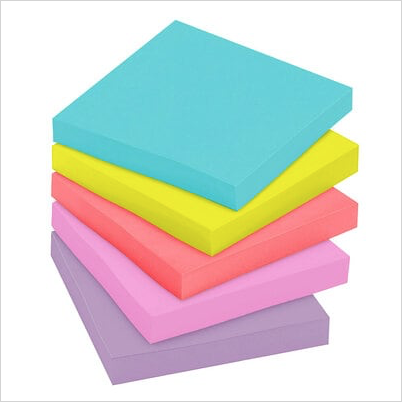
Energy Boost (a reworking of the original Rio collection) — These Super Sticky notes include Blue Paradise, Limeade, Sunnyside, Tropical Pink, and Vital Orange. They come 5 pads per pack, with 90 notes per pad.
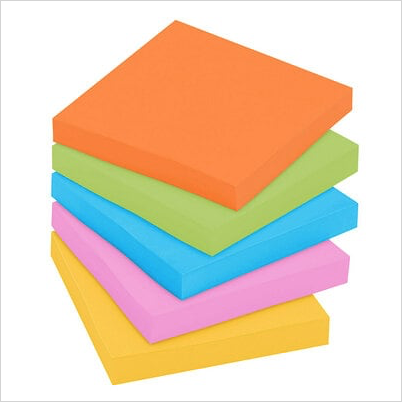
Poptimistic — This peppy collection mixes Acid Lime, Aqua Splash, Guava, Power Pink, and Vital Orange in 5 pack per pad, 100 note pads.
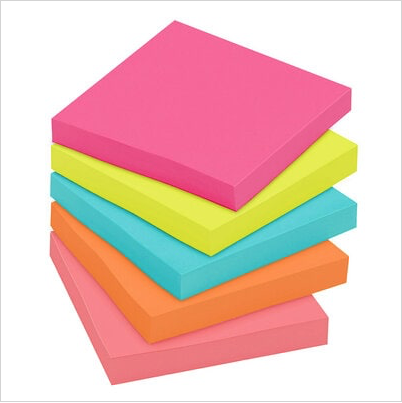
Floral Fantasy — The collection combines pads with Blue Paradise, Citron, Iris Infusion, Limeade, and Positively Pink for slightly softer brights. These are standard, not-Super Sticky, notes and come 5 pads per pack, 100 notes per pad.

Playful Primaries — Note, this Super Sticky collection has six colors: Blue Paradise, Candy Apple Red, Iris Infusion, Lucky Green, Sunnyside, and Vital Orange. It comes 6 pads per pack, 65 notes per pad.
Summer Joy — This Super Sticky collection includes Citron, Fresh Mint, Papaya Fizz, Power Pink, and Washed Denim. Expect 5 pads per pack, 90 notes per pad. Aren’t these hues just Popsicle-level refreshing?
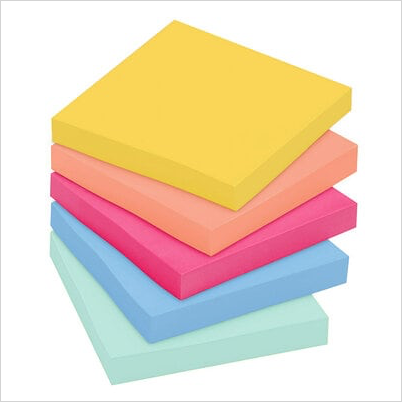
All of the above brights are 3″ x 3″ Post-it® Notes. Most collections also come in 4″ x 4″ lined versions, with 200 sheets per pad, 4″ x 6″ lined versions with 100 sheets per pad, and 12-packs of 1 3/8″ x 1 7/8″ notes; some (but not all) of these collections come in other sizes of multi-packs.
Perhaps the above brights aren’t your jam. If you’re back in the cacophony of an open floor plan office, or if vivid colors just don’t fit your carefully curated home office aesthetic, 3M and Pantone have kept you in mind. Check out their lovely, softly muted color schemes:
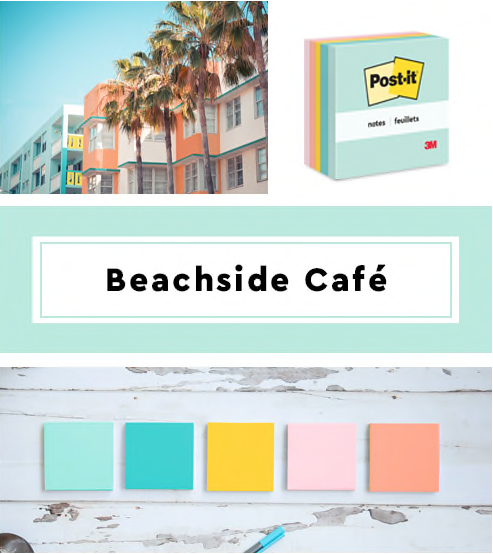
Beachside Café — This summery collection (a refresh of the former Marseille palette), includes Fresh Mint, Aqua Splash, Sunnyside, Papaya Fizz, and Pink Salt, so even if you can’t be on the beach, you can write on boat drink-themed notes. There are 6 pads per pack, with 100 notes per pad.
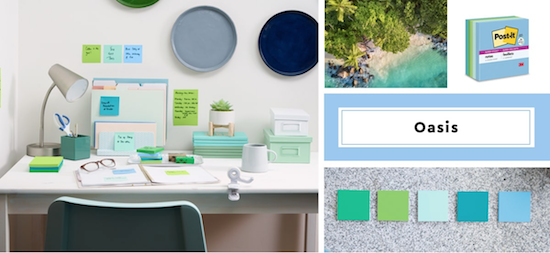
Oasis — This watery haven color palette includes Fresh Mint, Limeade, Lucky Green, Sea Glass, and Washed Denim. Each set includes 6 colored pads per pack, with 65 sheets per pad.
Sweet Sprinkles — This updated scheme includes Positively Pink, Pink Salt, Canary Yellow (the Post-It® that started them all!), Fresh Mint, and Moonstone. This collection is a greener version of the classic, made with 67% plant-based adhesive and 100% recycled material, so no new trees were used to make these sweet notes. Each set includes 6 colored pads per pack, with 75 sheets per pad.

Wanderlust Pastels — When you combine Pink Salt, Positively Pink, Orchid Frost, Soft Denim, Fresh Mint, and Pebble Grey, you get a soft, cozy color scheme that’s perfect for soothing frayed nerves (perhaps after too many Zoom calls?). This collection has 90 sheets per pad and 5 pads per pack, so one 5–pack will not get get you all of the colors; perhaps opt for a larger multi-pack.

Simply Serene — If you’re looking for something really Zen to take you out of the hubbub of working, this collection may be ideal for you. The colors are Onyx, Pink Salt, First Snow, Pebble Grey, and Washed Denim. (Picture the set of a Nancy Myers-directed movie with Meryl Streep and Diane Keaton.) Although the marketing shows a traditional 5-pad pack, it seems Simply Serene is only available in a smaller set. I’ve only been able to find this collection listed with 4 pads with 45 sheets per pad, and one pad with 35 sheets per pad. So, FYI, you’re getting more ambiance than value with this collection.
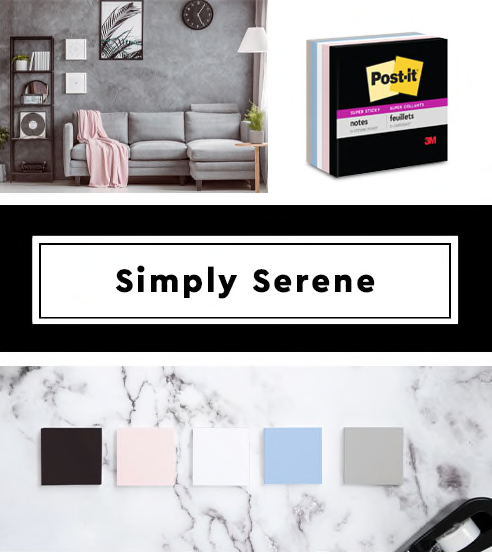
As with the brights, the softer collections all come in 3″ x 3″ notes, and all but the Simply Serene are available in 4″ x 4″ lined and 4″ x 6″ lined. Some also come in a variety of multi-packs. I have no explanation as to why pads-per-pack vary from 65 to 100, except that 3M knows it’s the belle of the sticky note ball.
All of the above Post-it® Notes are recyclable and 3M states that the paper is sourced from certified, renewable and responsibly managed forests. You should be able to find Post-It® products in all office supply stores, both brick & mortar and online. However, these eleven collections are new, so not all versions have made it to the shelves. I was able to find a pack of Supernova Neons at Amazon for $5.39 and a 12-pack of the Wanderlust collection for $18.54. (To aid your online searches, select the Post-It® brand checkbox on the left to keep generic versions from filling your search results.)
SMEAD POLY HANGING FOLDERS
The problem with traditional, Army-green hanging folders is that they are that depressing shade of green. Bleah. They aren’t bright enough to seem like they belong in nature (unless it’s nature buried under a winter’s worth of dead leaves and dirty snow).
As for quality, as long as you go with one of the trusted brands of hanging folders (generally Smead, Pendaflex, or Big Box-store branded versions), the paper quality is usually quite good. After years (OK, decades) of suffering wimpy hanging files that bent, broke, or bowed, I think we’re all delighted with modern hanging files, with stiffer plastic (vs. bendy metal) hanging rods.
And certainly, there’s no shortage of colorful hanging files out there. But I have to admit, I got a little excited when Smead launched its line of poly filing products.
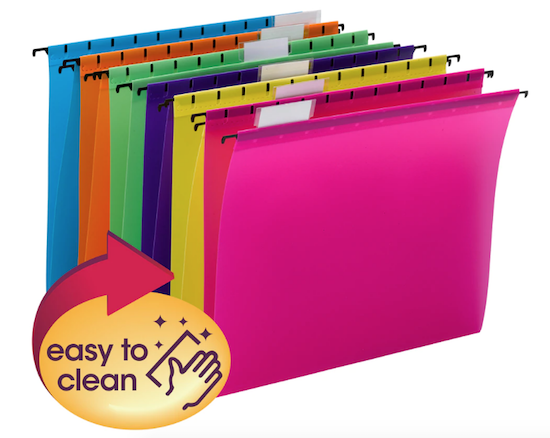
The acid-free and PVC-free Smead Poly Hanging Folders are letter-sized, measuring 11-3/4″ wide (not counting the hanging rods) by 10″ high. They come two color schemes: Bright Colors (fuchsia, yellow, purple, green, orange, and blue) or Primary Colors (red, yellow, green, and blue).
The durable poly hanging folders are tear-proof and water-resistant, both big plusses, especially if you tend to spill your coffee or overload your hanging files. If you’re a germaphobe (as I am) or a bit of a klutz (no comment), you may appreciate the fact that you can easily clean these hanging folders by wiping them with a damp towel or disinfecting wipe.
The coated rod tips are sturdy and slide smoothly across hanging rails in file drawers, crates, or desktop file boxes. Each set comes with clear tabs and the standard, replaceable white inserts, and can be re-positioned at the front or rear panels of the folders, depending on your preferences.
Whether you pick the Bright or Primary versions, a pack of twelve is $24.49 per pack from Smead or $21.05 from Amazon.
If I had my “druthers,” as they used to say, I’d love it if Smead would package these for purchase by individual colors; I’d rather be able to buy a dozen pink and a dozen purple poly hanging folders and none, ever, in orange.
SMEAD SUPERTAB® POLY FILE FOLDERS
Smead didn’t stop the poly train at the hanging file station; they’ve also expanded their popular (traditional-style) SuperTab® File Folders in a Smead SuperTab® Poly File Folder version.
Like the hanging files above, the durable poly material is tear-resistant, water-resistant, and super-easy to clean with a damp cloth or disinfecting wipe. Like the hanging folders, these are acid-free and PVC-free.
Compatible with any vertical or lateral filing system, in a filing drawer/cabinet, crate, or desktop file box, the 1/3-cut SuperTab® Poly File Folders measure 11.88″ wide by 10.5″ high.
The oversized SuperTab® has a 90% larger labeling area than traditional file folders, so you can use larger labels (whether labelmaker-printed or hand-written) and/or more text. (Disclaimer: I have never been huge fan of the SuperTab; I just don’t find it aesthetically pleasing, but I also don’t need my label text to be large, and (notwithstanding the length of my blog posts), I tend to label files with brevity. Your mileage may vary.)
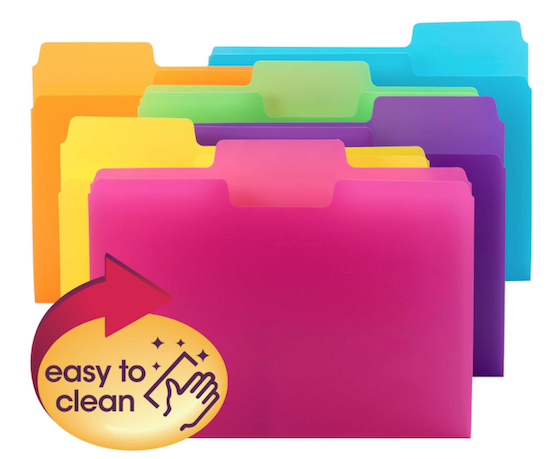
The SuperTab® Poly Folders come in two assorted color sets, Primary Colors (red, blue, yellow, and green) and Bright Colors (pink, yellow, purple, green, orange, and blue).
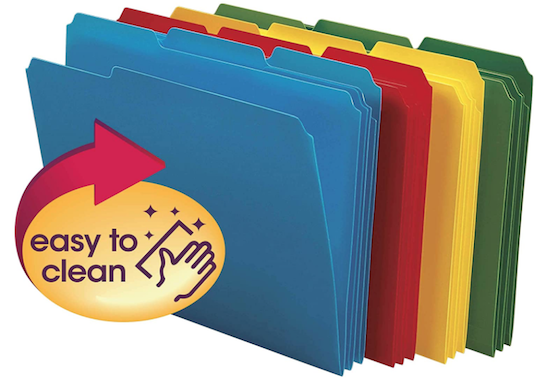
Smead sells the Bright version on their site for $19.03 for a set of 18) or the Primary set of 24 for $20.09; however, Amazon has a 24-box of the Brights for $18.49, but does not sell the Primary set at all.
In addition, Smead sells 24-packs of individual color packs for $20.09. Amazon sells 24-packs of all-red, all-yellow, and all-green SuperTab® Poly File Folders for $18.49, and mysteriously, a 24-pack of all-blue for only $12.59. I’m not sure if Smead thinks consumers find the bright blue boring, but it’s still better than Army-green!
There’s yet one more version of the SuperTab® Poly File Folders — a 25-pack (yes, 25, not 24) box of 1/3-cut, letter-sized, translucent folders with only the label portion colored (in red, orange, yellow, green, and blue).
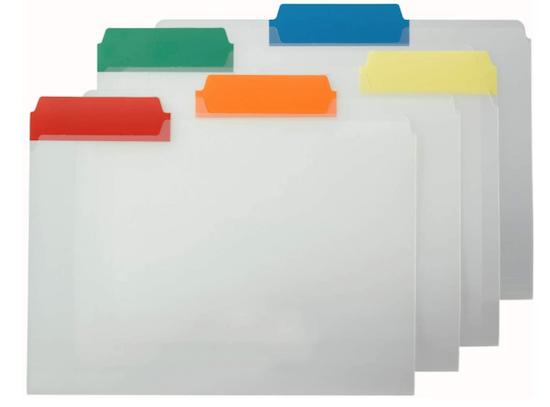
I prefer opaque folders so the contents remain unknown to casual passersby, but if you like this version, a 25-pack is $25.39 at Smead or $21.70 at Amazon.
A STICKIER DIVIDE AND CONQUER: REDI-TAG DIVDER STICKY NOTES
In general, I try to recommend actual name-brand Post-it® Notes because the 3M adhesives (regular, Super Sticky, or Extreme) offer a super adhesive, but sometimes, they just don’t make the product a client wants or needs.
Obviously, they make sticky notes, and they make all sorts of tabs, but I’ve had no luck finding the right kind of tabbed sticky note. (Their Noted by Post-it® brand does make a tabbed note that’s more like a cutesie to-do list, but it only has three tabbed positions and is not available in a multi-color set.)
So, with that in mind, I offer up the Redi-Tag Divider Sticky Notes. These six-position, tabbed, 4″ x 6″ ruled notes come in assorted neon colors. The notes are bound by color to allow the user to flip to the preferred hue to more easily maintain color-coded organizing system.
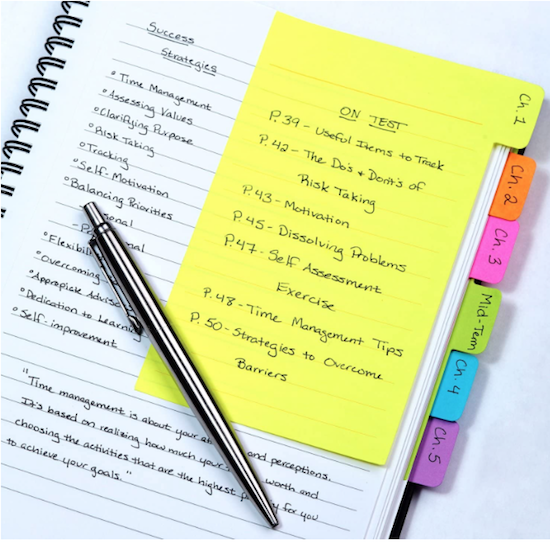
As you can see from the photo above, the notes are ideal for students, or anyone taking notes on a contract or book; the tabs let you find your notes easily, and you can color-code your categories. You can easily imagine a home chef writing notes on personalized variations and using the tabs to mark favorite recipes.
The product notes say that the Redi-Tag Diver Sticky Notes use “water-based, as opposed to chemical-based, adhesive,” but I don’t feel qualified to state how that might impact your use. However, at only $5.79 for a pack, this is a tabbed pop of color worth trying.
(And hey, 3M? I’d love to see you come out with a line of these!)
From Paper Doll HQ to your homes and offices, I hope you have a colorful, uplifting, organized, and healthy month of May!



Follow Me