Paper Doll
Pushing the Envelope: Small Solutions that Stick

Paper cuts. Buzzing mosquitos. Wallace Shawn. Sometimes, it’s the smallest things that are the most annoying. But as Nashville singer/musician (and pal) Andra Moran notes, it’s also the small things for which we can often be the most grateful.
If you’ve ever licked an envelope and then sounded like you just had root canal due to the blech-y taste in your mouth, then you know how important it is to have self-adhesive envelopes, one of the greatest envelope-related inventions of the last century. But y’know what? Sometimes even self-stick envelopes lack the sticktoitiveness (it’s a word! honest!) to get the job done and keep your mailings organized and safe.
Enter: Ampad DoubleSeal, bringing the belt-and-suspenders approach to packaging up your mail.

The DoubleSeal delivers exactly what it says. First, there’s a traditional gummed flap. Lick (or moisten with a sponge or wet napkin, as Paper Doll prefers), and then fold down the flap. Next, there’s a bit of adhesive tape built in to the rear of the envelope, below the flap. Peel the tape off and affix it over the seal of the flap as if it were one of those shiny Hallmark Gold Crown stickers you get when you buy a card. If my description wasn’t exciting enough for you, believe it or not, there’s a video:
There’s not much variety to add spice to your mailing life. The DoubleSeal comes only in one style: 24 lb. White “Wove” (but with a nice privacy design on the interior), 100 to a box. The envelopes are 4 1/8″ x 9 7/8″, making them the same height but a little wider than traditional #10 mailing envelopes. DoubleSeal is available from Staples.
The big question to Paper Doll‘s mind: why use a gummed flap at all? Why not just use an adhesive closure for the flap, just like with Ampad’s #10 peel & stick envelopes?
In addition to organizing the contents of your envelopes, sometimes it can be a relief to organize the envelopes themselves. It’s a petty annoyance, but have you ever noted that boxes of envelopes, particularly oft-used #10 envelopes, tend to topple over, inconveniently? And even if you keep the box on its side in the drawer, cheap envelope boxes tend to open, splaying envelopes across the inside of desk drawers. At a NAPO-Georgia meeting last year, one of our colleagues showcased an interesting little product that solves this problem.

Ascend Mailing Products, designed exclusively for Office Max, has created a book of envelopes!
Accordion-bound and perforated at the top of the flap, Ascend binds 36 “Peel-To-Seal” 24 lb. #10 security envelopes in one little book, keeping your envelopes tidy until you’re ready to use them. Is it the cure for the common cold? No, but it might stop some common cursing in offices where orderliness is preferred.
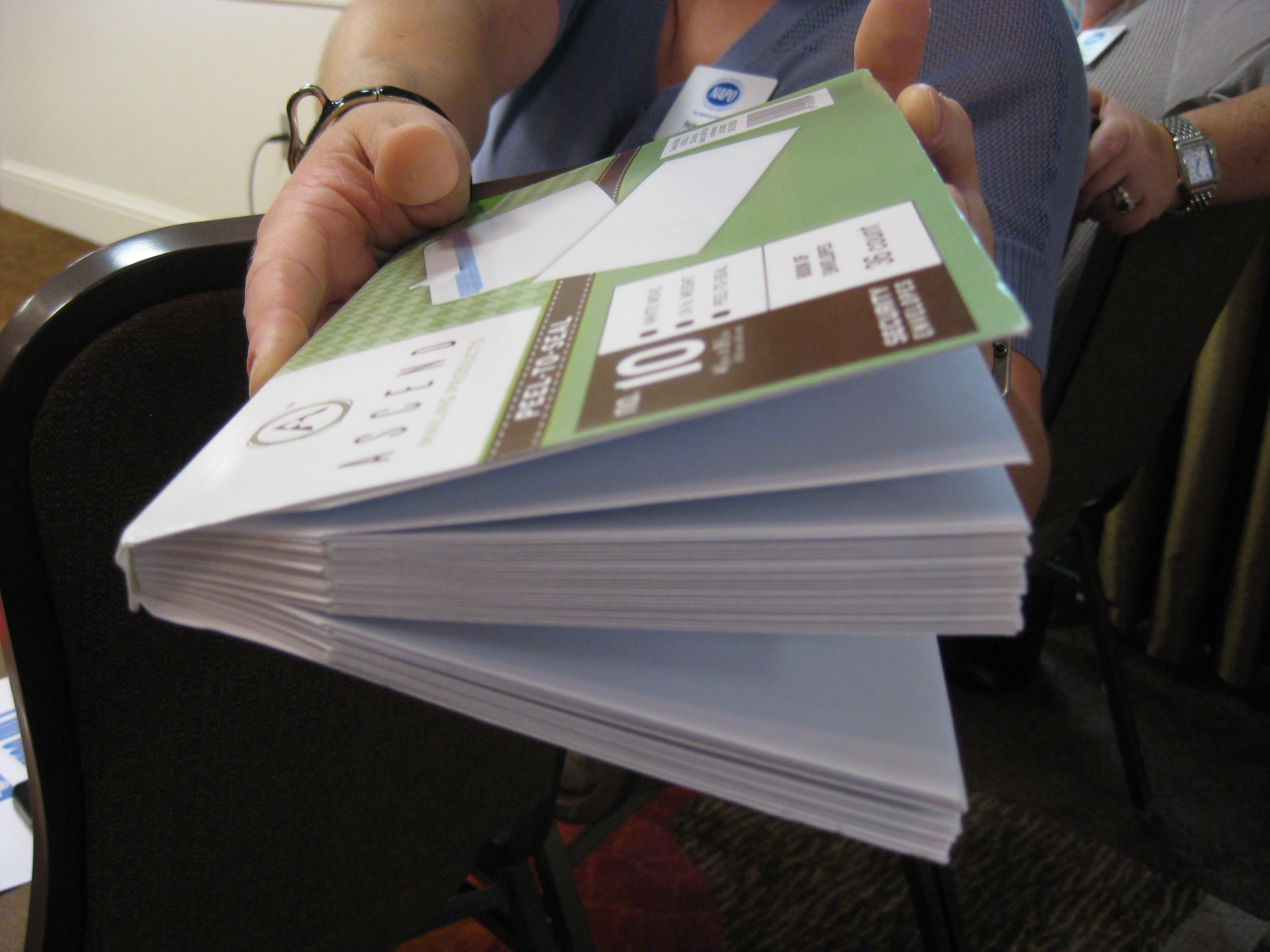
The book of envelopes doesn’t appear to be sold online at this time, but can still be found in some OfficeMax stores.
From Paper to the Cloud: Ampad Shot Note
For a while, Paper Doll kept getting asked the same question: Paper or Digital? Nowadays, that’s the wrong question. More and more, it’s not a question at all, because the answer is paper and digital. Hybrid solutions are becoming more common because people need to organize their information in multiple ways.
Last year, we looked at the Evernote Smart Notebook by Moleskine. On the outside, it was a cool paper notebook, designed for writing or sketching and helping you look like a hipster, but on the inside, it was magically connected to cyberspace. With the Smart Notebook, you added little stickers next to whatever you created, used your digital device to align and snap a photo, and the picture landed safely in your preferred Evernote folder, tagged appropriately because of each sticker’s flavor of magic fairy dust.

Today’s entry into the paper/cloud hybrid notebook arena, Esselte’s Ampad Shot Note, with the motto “From Handwritten to Handheld,” is a little less hipster than Moleskine and a little more corporate/classroom.
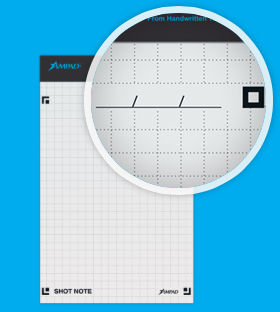
The Basics: Shot Note comes in seven varieties. Four are band-bound at the top, like a typical legal pad. The 5″ x 8″ writing pads are available in wide rule and dot graph formats (suitable for to-do lists and quick thoughts); the 8 1/2″ x 11 3/4″ writing pads also come in wide rule and dot graph (appropriate for class and meeting notes). All pads have a rigid 60 pt chipboard backing and 40 micro-perforated 22 lb. paper sheets. (The pages are not lined or dot-gridded on the reverse sides, unlike with traditional notepads.)
Two of the Shot Notes are spiral-bound for easy flipping of pages, but are also micro-perforated. The 9″ x 12″ blank sketch pad has an extra-sturdy 80 pt chipboard backing so the artist in you can be nimble. Each pad has 40 sheets of 50 lb. paper. The 9 1/2″ x 7 3/4″ writing notebook is medium ruled, with 40 sheets of 22 lb. paper and a rigid 60 pt chipboard backing. The sketch pad has the spiral at the top; the notebook is spiral-bound on the left side.
For a larger canvas to display your brilliance, there’s a 23 1/4″ x by 31″ blank easel pad with 25 perforated, self-adhesive, repositionable sheets of bleed-free 20 lb. paper.
All of the Shot Note varieties have corner markers to help you align the pages (of which, more later). Note, the corner markers are only on the “front” pages, so if you write on the reverse of the sheets, it’s no different from writing on a standard notepad.
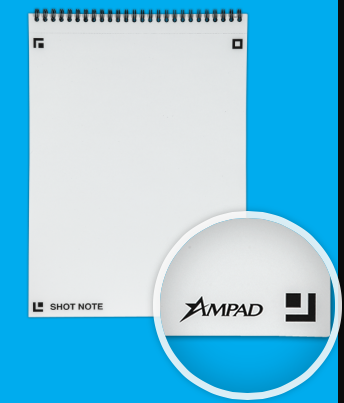
Each of the writing pads has markings in the upper right corner so that you can date your notes. (The sketch pads are undated.)
How Shot Note Works:
- Download the free Ampad Shot Note app for iOS or Android.
- Use the notebooks. Write notes, letters, sonnets. Doodle your name and your sweetie’s, or sketch the next architectural wonder.
- Snap a photo of your creation using the Ampad Shot Note app, aligning the four corners of the page with the app’s doohickey for recognizing the corners. This uploads your page to the app.
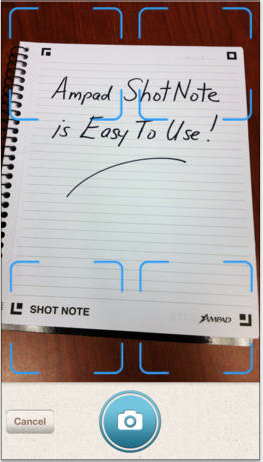 Name your file. Add a description and tags. The app will create a date- and time-stamp for you.
- Access and view the items you’ve captured. Search by name, tag or date/time-stamp.
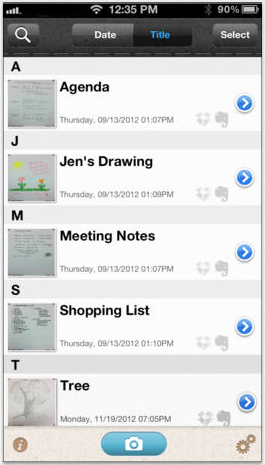 Share your items via email, Evernote, Dropbox, Twitter or message from your camera roll.
Why You Might Use the Shot Note Pads and App
You, like Paper Doll, may have a really shaky hand when it comes to snapping documents and pictures with a tablet. While an increasing number of digital devices have grid lines built into the camera apps to make it easier to shoot “straight,” some are easier to manage than others.
Your creativity only bursts forth when you set pen (or pencil) to paper. Maybe you get tongue-tied (finger-tied?) when you type, but really need to have a digital copy of what you create so can share with collaborators or clients.
Maybe you want to share a personal message for a love note or “good luck” blurb, and don’t want to sacrifice handwriting and personal doodles just to be able to have it received immediately.
What other things could you do with the Shot Note?
- Archive your children’s school projects and drawings.
- Share notes from class with your study group.
- Snap your grocery list and share it with your family so two (or more) of you can divide up zones of the supermarket and finish faster.
- Keep your originals safe at home (or at the office) when you’re traveling.
For more on how the Shot Note works, check out the spiffy little video.
Paper Doll‘s Thoughts: I was intrigued by the Shot Note when it debuted at the 2013 NAPO Conference last spring. I still think it’s neato, in the abstract, but there are some practical concerns. First, price. Available at Amazon, Staples and other office supply stores, the Shot Note regular pads lists between $6 and $10, which is pretty pricey for so few pages per pad, though Amazon carries them at a significant discount (a more reasonable $2-$4). The easel pad, listing from $70-$90 (yes, really!) and discounted at about half of that, is pretty darned expensive for 25 monster-sized sticky notes.
Beyond price, it’s not clear what the Shot Note can do that’s really special. Right now, it’s a camera app that nicely lines up the pages of utilitarian-looking notepads, and it’s decently integrated with the major productivity tools. But it strikes me that Evernote seems to have gotten much farther with integrating its camera app, and can even search handwriting as if it were text. Then again, Ampad is in the business of paper, not digital manipulation, so maybe it’s not fair to hold the two to the same standards.
I had one other thought. The Shot Note focuses on the written and the visually artistic, but Ampad could create a Shot Note side-spiral notebook of blank sheet music. I suspect that there are suitable apps for taking the uploaded, snapped, handwritten notes and allowing the paper and apps to make beautiful music together. (No charge for the idea, Ampad. Enjoy!)
Understanding Evernote: What, Why, and How
Don’t you hate falling behind the curve? You may hear a term (like net neutrality, or twerking, or whatever) once or twice and dismiss it, but then it seems like you wake up one day and everyone knows the intricate details of a subject except for you. Technology is the worst, because you get the sense that everyone knows the secret password for a new productivity clubhouse and you’re left out in the cold.
Nobody likes feeling left out, so I’d like to share the basics of Evernote, my favorite online notebook system. I’m by no means an expert, or even an ambassador. But I am a user, and it has helped me be more organized for my blogging, writing and presentations. So, if you’re feeling fuzzy on “What’s the what-what?” re: Evernote, or if you can “sort of” use it but don’t know how to explain it to someone else, this might be a good place to start.
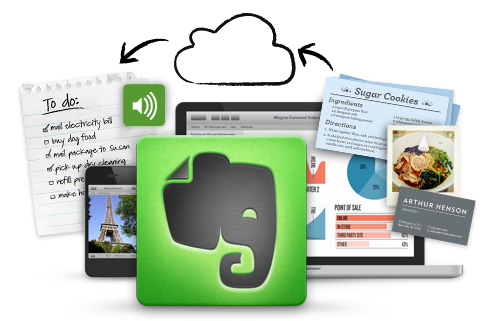
Evernote: The Basics
Evernote is a suite of digital products designed to help you collect, curate, find and keep track of all the information for your life and business.
The main Evernote app, Trunk (because an elephant never forgets), is designed for creating and “clipping” notes, just like you’d clip articles from the newspaper. Related notes can be grouped into notebooks. (Trunk is only one of many Evernote products designed to organize and master your information. For example, Evernote Hello is for contacts and integrates with Facebook and LinkedIn. Skitch lets you draw on photos and annotate notes. Penultimate is a handwriting app that enables you to devise mind maps, sketch, and create searchable written items.)
Evernote is free for up to 100,000 notes, 250 synchronized notebooks, 10,000 tags and 100 saved searches, and you can upload up to 60 MB of data per month at no charge. For $3.99/month or $34.99/year, a Plus account allows 1 GB of uploads per month; a Premium subscription for $7.99/month or $69.99 annually gives you 10GB/month in uploads. The paid versions provide offline access, an extra mobile security key, and searchable PDFs. Evernote Business is $14.99/user/month and has a wide variety of offerings for extensive collaboration and complex archiving. [Editor’s note: pricing and features change periodically; check Evernote’s Getting Started page for a full rundown of features and pricing.]
So What Constitutes a Note?
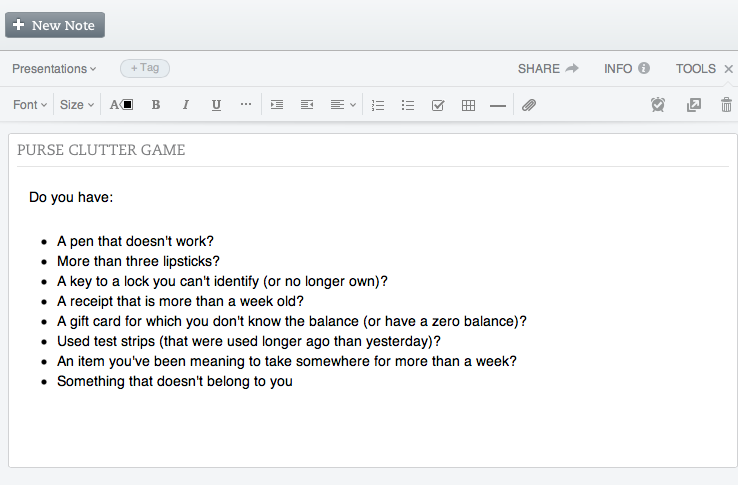
A note can be:
- clipped from an external source, like an entire web page or just an excerpt (like a sidebar or a caption), a photo or other captured image.
- formatted text that you create from inside the app. (Notes can have attachments appended to them, too.)
- recorded using your device’s built-in microphone and transcribed into text.
Evernote is available for: Windows, Mac, IOS (iPhone, iPad, etc.), Android, Windows Phone, Blackberry and Web OS. Everything you create can be synced and backed-up across all of your devices and in the cloud. Type it here, see it there.
Maybe you’re thinking, “But I already have bookmarks or favorites in my browser. And I already have Word or Google Drive. Why would I want Evernote?” It’s because Evernote is greater than the sum of its parts.
What Evernote Works Like
Bookmarks, but with superpowers: you can tag (label) notes, group them into notebooks, embed notes you’ve clipped into other notes you create and search by tags. The “clipper” is available for specific web browsers; if you don’t specify what you want clipped, it will clip the entire page. It also clips the URL, but with Evernote, even if the web page subsequently gets changed or deleted, you have a permanent record of what was there.

Notetaking software: You can type directly into a new or existing note as if it were a Word document, format it with bullets, bolding, italics, justification, etc. and then add photos, videos or whatever. Then, when it’s fully baked, turn your document into a blog post, a contract, a poster/flyer, client instructions, etc.
An extra, super-organized brain: Record voice memos. Take pictures with your phone or tablet and then edit or annotate them with other elements of the Evernote suite, like Skitch. Add geolocation tags to notes so you know where you were when you created them (so later, even if you don’t remember any tags, you can find everything you created while on vacation or at a conference). Send an email (or Tweet from Twitter) directly to your Evernote account. Imagine working on a project — instead of having a handful of status emails in your inbox, a dozen tweets, multiple drafts on your computer and in the cloud, and a final version on your desktop, Evernote keeps everything in one place.
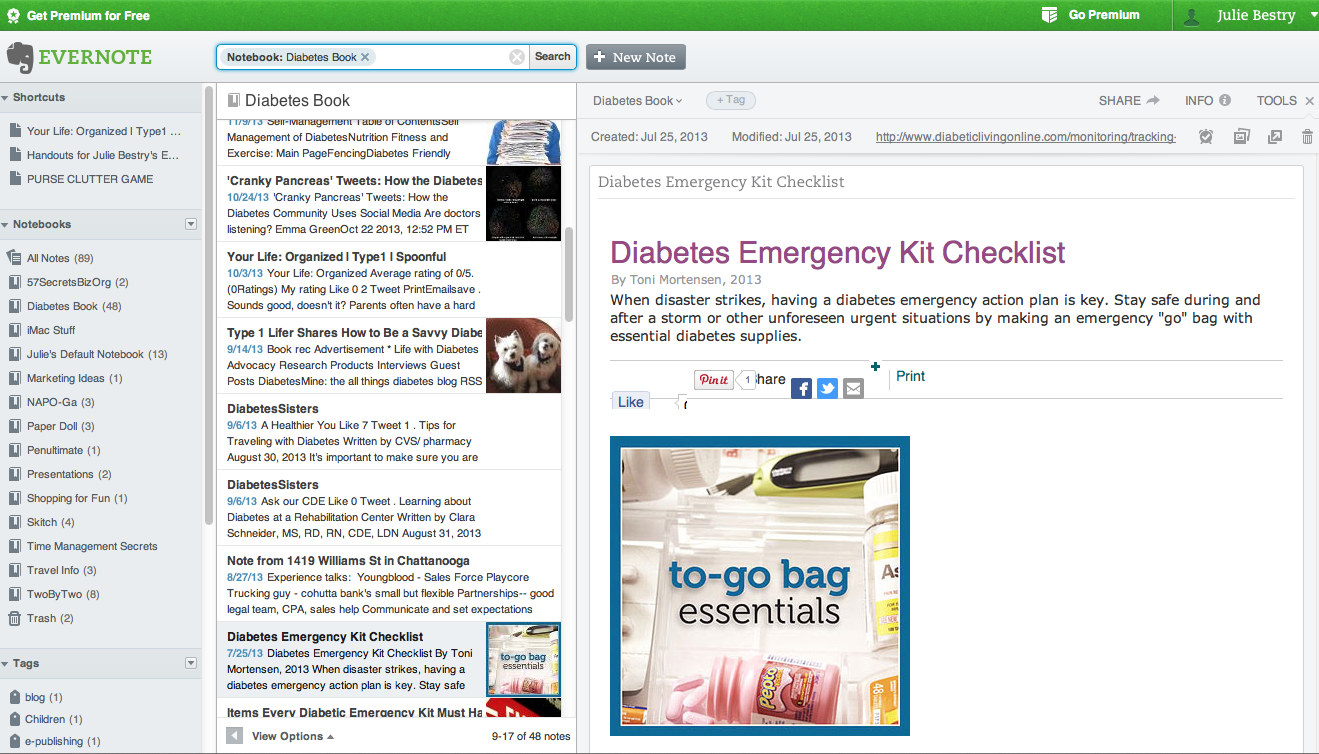
Google Drive or similar collaborative space. You can collaborate with others to create and update documents jointly.
So, instead of having everything you need in dark little pockets of your universe, Evernote brings them all together.
Get Started with Evernote
1) Create an account. This link will give you a free month at the Premium level, but the free account should suffice for most beginners. I suggest starting out on your computer, then moving to your mobile device. It’s easier to get the big picture on a big screen.
2) Download the software appropriate for your computer, and then download the app for your flavor of phone, tablet, etc.
3) Install the Evernote “clipper” in your computer’s browser – a bookmarklet that goes in your browser’s bookmark bar. When you’re on a page that you want to clip, click the elephant icon in your browser bar. (The log-in screen will pop up the first time.) If you only want to clip a portion of a page, highlight it. Evernote will save the page or portion, save the URL, let you add tags or comments, and prompt you to save the new note to your default folder or any specific folder you prefer.
4) Install a paid clipper icon on your phone or tablet, like EverClip. Or, you can install a free clipper in your mobile browser using these instructions to install a free clipper in your Safari bookmark bar (for IOS products).
For some reason, Evernote hasn’t yet created its own free mobile web clipper tool. However, if you’re willing to use the Dolphin Browser instead of on your iPad, iPhone or Android phone, you can try Dolphin’s free built-in web clipper.
[Editor’s Note, 1/25/2015: Android and iOS8+ device users can now share directly from their browsers to their Evernote accounts following the instructions on the Evernote blog, at How to Clip Web Content Into Evernote Using Android and iOS Devices.]
5) Start clipping and/or creating notes. Organize them. Retrieve them.
- Create a note as a clipping by using the web clipper.
- Create a note as text. Click “new note” (or the + sign, when mobile). Start typing, then format, add check boxes to make a checklist, insert whatever you want, and go wild.
- Create a note by snapping a photo. (We’ll cover more on this in an upcoming post on the cool relationship between Evernote and Post-it.)
- Create an audio note by clicking the microphone icon. Talk. (Lifehack‘s Steve Dotto explained the audio functions well in his recent My Five Favorite Evernote Features video.)
- Email a note to your personalized Evernote email address. (To find yours, log into your account and find your Account Info page. Evernote will show you “Email notes to:” and your default Evernote address. To send to a specific notebook, type an @ sign in front of the notebook’s name, like @BlogNotes. Add tags to emailed notes by typing a hashtag (#) in front of a tag you’ve previously created, like #paperorganizing in the email’s subject line. To do both, the subject line would be @BlogNotes #paperorganizing.
- Tweet a note to @myEN from the Twitter account associated with your Evernote account. (You do have to follow @myEN for it to work.)
- Drag and drop documents (to create notes) from your desktop to specific notebooks (in Safari, Chrome and various other browsers).
- Share a note or a notebook. Hover over the notebook and click on the down-arrow to see your sharing options.
- Geotag your notes. Click on the Atlas, and Evernote will show you what notes you’ve taken where. (Didn’t do a great job of labeling the receipt photos you snapped on your business trip to Duluth? Evernote will find them for you geographimagically!)
- Create shortcuts so notes you use all the time are easily and quickly accessible.
Evernote has a wide variety of other features. You can post links to notes in Twitter, Facebook and LinkedIn, turn your Evernote window into a full-screen presentation display (in the Premium version) mark up entire notes as PDFs and even create timed reminders related to your notes so you can maintain your productivity.
Now that you know the what, why and how, give Evernote a whirl, and be sure to check out the Evernote blog and Getting Started videos for a more thorough education. Welcome to the clubhouse!
My “Delegate Like A Boss” Interview: Encore on Monday, 2/3/14
Paper Doll readers, are you still feeling overwhelmed?
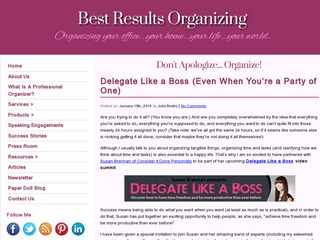
A few weeks ago, I told you about the Delegate Like a Boss video summit in which I was participating.
At the time, I said:
Are you trying to do it all? (You know you are.) And are you completely overwhelmed by the idea that everything you’re asked to do, everything you’re supposed to do, and everything you want to do can’t quite fit into those measly 24 hours assigned to you? (Take note: we’ve all got the same 24 hours, so if it seems like someone else is rocking getting it all done, consider that maybe they’re not doing it all themselves!)
(Read the original post to learn more.)
It was so much fun working with Susan Brennan of Consider It Done Personally to be part of her Delegate Like a Boss video summit. So I was REALLY excited when Susan informed me that my interview was a top-three favorite and will have an encore this Monday, February 3, 2014. So, if you missed it the first time around (or didn’t realize it was free, fun and fabulous), here’s your second chance. Just sign up at the Delegate Like a Boss link and you’ll be able to watch the encore.

See you there!
House of Doolittle: Doing Much for the Environment & Time Management (A Shoplet Review)
Periodically Paper Doll reviews new and established office supplies and accessories through the Shoplet Product Review Program. This week, we’ll be looking at two products from the House of Doolittle.
I must admit, although I’ve written about recycled products many times before, I was unfamiliar with House of Doolittle, a 95-year-old office supply company that makes 100% post-consumer paper products, including desk pads, appointment planners, wall calendars, laminated planners, non-dated planning supplies, and USA and international maps.
In 1988, House of Doolittle made the commitment to produce all of their products from recycled paper and materials, eventually converting to recycled cover materials and book wire, soy inks, and Processed Chlorine Free (PCF) and FSC-certified paper. All House of Doolittle products are manufactured in the United States.
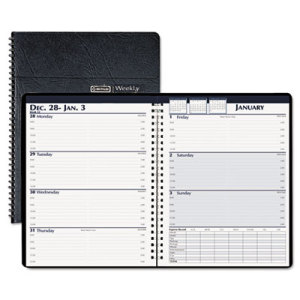
The House of Doolittle Weekly Expense Log Business Planner harkens back to a pre-app era when most professionals kept track of time and tasks using paper planners. Paper Doll, with one foot in the paper realm and the other in cyberspace, still maintains a paper planner, and can see the appeal of having a small, tangible planner where one can quickly schedule appointments, check information and log expenses without need for Wi-Fi or charged batteries.
The Basics: This 7″ x 10″ wire-bound planner uses the two-page-per week style, with Monday through Thursday blocks on the left-side page with lines for 8 a.m. to 5 p.m. standard workday appointments. The right-side page offers the same for Friday through Sunday, as well as a chart for keeping expense records for the week, with columns for Sunday through Saturday and rows for standard travel expenses (like meals, hotel, tips and parking) and typical weekly expenses (like postage, phone, entertainment, auto, gas and miscellaneous). The right-side page also has three small insets at the top, showing monthly calendars for the prior, current and next months.
The black leatherette cover is made of 50% recycled materials; the twin-loop wire binding is made from 90% recycled wire.

The Business Planner doesn’t skimp on extras. Trying hard not to be outdone by the whole of the internet, bonus pages include three-year holiday listings, area codes, time zones, toll-free numbers for airlines, car rental companies and hotels, air and driving mileage distances between major cities, weights and measures, metric conversions, recycling information, monthly birthstones/flowers and an annual anniversary gift list. (Whew!)
The Review: This type of planner is ideal for someone who needs to mark appointments and expenses but has relatively few notes to make regarding either. The space for each day is ample for charting the bare essentials (the who/where/why) of appointments, but with only two small rows for each hour, meeting notes are meant to be taken elsewhere.
Thus, it’s well-designed for what it’s meant to do, but professionals needing more robust planning pages would do well to upgrade from the weekly planner to a daily planner; those wanting House of Doolittle’s environmental commitment but seeking to schedule appointments more frequently than hourly might want to examine their Professional Hardcover Weekly Planner, with time frames on the quarter hour.
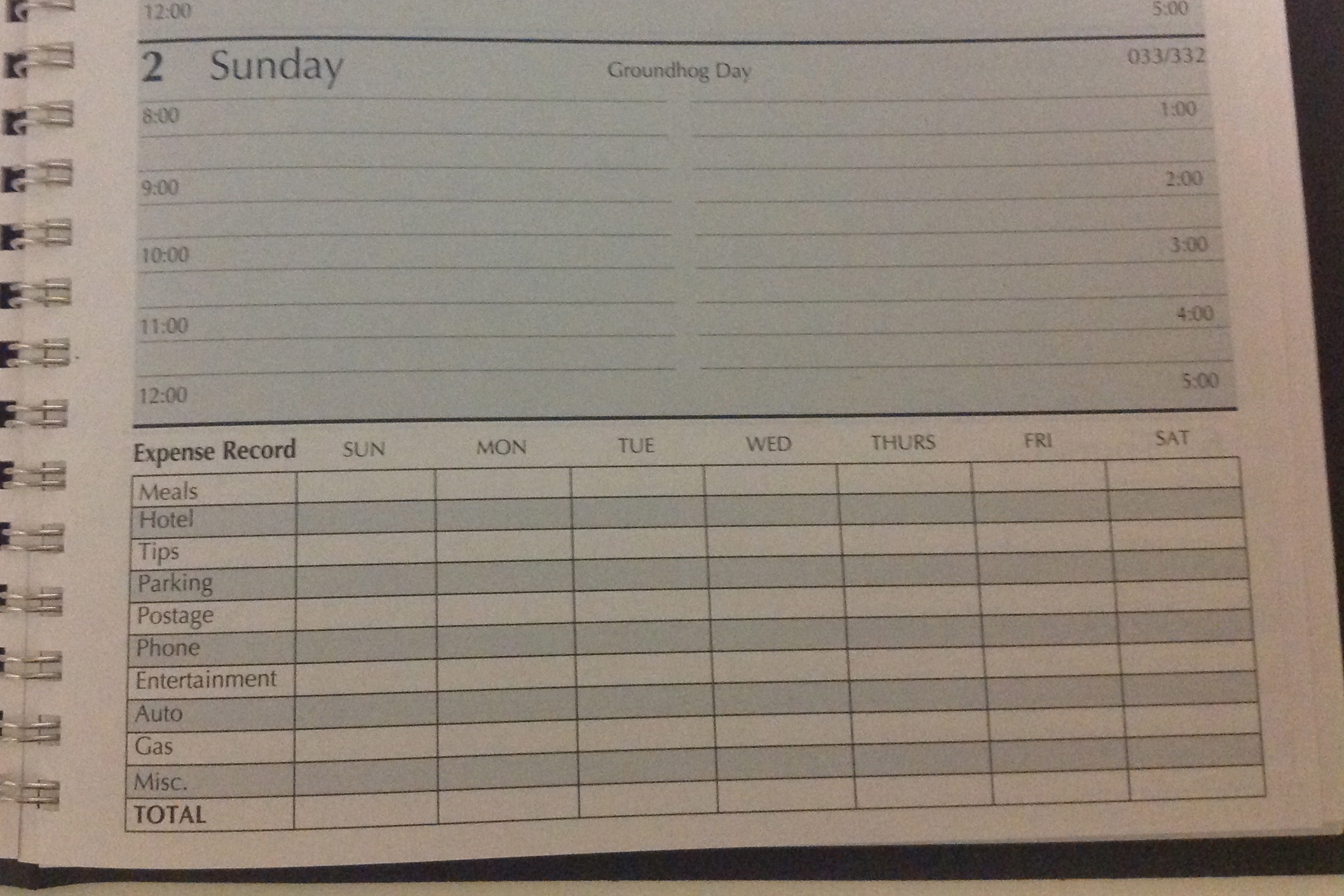
As a professional organizer, my biggest concern with the planner was the expense record section. Although the two-page spread for the calendar goes from Monday to Sunday, the expense section runs from Sunday to Saturday. Should the Sunday in the expense planner refer to the expenses from the prior page? Why don’t the days line up? It’s a small issue, and as long as the user sticks to the same recording method all the time, it’s not problematic, but it does seem confusing. Also, as with most paper expense planners, there’s only one slot per expense category per day, so you have to do your math first before recording anything, which may not be preferable.
The Business Planner runs about $17 at Shoplet for an individual planner, and is under $10 if you purchase in bulk.
The House of Doolittle 2014 Calendar is what Paper Doll used to call a desk blotter in ye olden days, and lets you view the whole month at one glance.
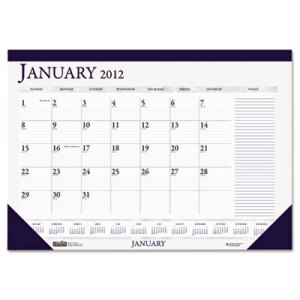 The Basics: The 18.5″ x 13″ January to December calendar, designed to be posted on a wall or used as a desk blotter, has a dark blue leatherette top-band and bottom corners to hold the pages in place. Each perforated page identifies the month, has squares for each weekday (Sunday through Saturday) with count-up/count down numbers (so you know you’ve got only 337 more days until 2015!) and twelve tiny monthly calendars at the bottom. There’s a wide section at the far right for jotting down notes, phone numbers and other incidentals.
The 2014 Calendar is made from 100% post-consumer paper and soy inks, and is made entirely in the USA.
The Review: When Paper Doll worked in television programming, having a desk pad calendar was indispensable for viewing the month at one shot and noting important events without having to look up from the desk. I’d forgotten how useful that was until I examined the House of Doolittle 2014 Calendar.
I think this calendar, which is smaller than the typical desk blotter by a handful of inches, would be perfect for kitchen desks, which tend to be cramped, and for students/bedroom desks, to maintain an eagle-eye view of when assignments and tests are scheduled. The only flaw I note is that the smaller pad size means that the squares for each day are reduced, and perhaps a bit cramped for those of us with sprawling handwriting. Nonetheless, it’s a spiffy little calendar for under $9 (under $6 if you buy in bulk).
Both the House of Doolittle Business Planner and 2014 Calendar, and many others HoD products, are available directly from Shoplet, which also maintains a colorful and often goofy blog about office supplies. Shoplet is also an excellent source for business promotional products, including promotional shirts. In addition to selling office supplies in North America, Shoplet is a purveyor of office stationery in the UK.
Disclosure: I received these products for review purposes only, and was given no monetary compensation. The opinions, as always, are my own. (Who else would claim them?) The planner and calendar will be donated to a Chattanooga-area non-profit.



Follow Me