Archive for ‘Time Management’ Category
Organize Your Life for More Reading Opportunities

If you love reading, summertime means finding a good beach read. Thanksgiving and the December holidays may mean finding books to read for when you finally escape the hubbub. And the darkest part of winter gives you a great excuse to snuggle up with a good book.
However, whether you’re a reader or just want to be one, chances are that you’ve found yourself too busy doing too many things (and probably things you like less than reading) such that you make it to the end of the year with more books on your TBR (To Be Read) pile than your already-read list. And you aren’t be alone.
The American Time Use Survey (ATUS), put out by the US Bureau of Labor Statistics, measures the amount of time people spend doing various activities, such as paid work, childcare, volunteering, and socializing. An analysis published this summer in iScience recently found a downward trend in reading for pleasure over the past 20 years.
In fact, per the New York Times:
Researchers from University College London and the University of Florida examined national data from 2003 to 2023 and found that the share of people who reported reading for pleasure on a given day fell to 16 percent in 2023 from a peak of 28 percent in 2004 — a drop of about 40 percent. It declined around 3 percent each year over those two decades.
I don’t think it’s because people don’t want to read; prior research found that during early stages of the COVID-19 pandemic, people spent significantly more money on recreational reading material than they had in 2019. Indeed, consumer spending on recreational reading went up almost 23% in 2020 and another 1.8 percent in 2021. When people have the time, they do read.
To borrow from an old phrase, the spirit (to read) is willing, but the flesh (of our eyeballs? of our tushies?) is weak.
People are busy — with work, parental obligations, sandwich-generation obligations to kids and parents, volunteering, and with anxiety over [Paper Doll waves her arms around, frantically] everything going on in the world. Studies, particularly from the pandemic era bear this out, as people living in households without children and people 75 and over read (for pleasure) significantly more than those in the middle categories.
So, as you make up your wish lists for Santa, I’m hoping this post will give you confidence that if you asks for books, you’ll have read them by this time next year.
HAVE BOOKS, WILL TRAVEL (OR SIT)
It’s easier to be inspired to do something specific than something vague. Start by figuring out your options.
Be a Book Collector
Walk around and gather up every unread book in your home. Use a laundry basket, if you have to, and drag everything to a central location. You may have enough for a bedside table, a bookshelf or an entire library, but once you’ve got these all together, divide them into three piles:
- books you’re excited to read now — They may be in your favorite genre, by an author you adore, or just books that if you had the time, you’d grab a hot cocoa and a blanket banish everyone while you read them.
- books you’re somewhat enthusiastic about, but daunted by — Maybe this is because the book is thick, the writing is complex — hello, 19th-century Russians — or you just don’t have the focus right now, but with some situational support, you could/would embrace the books.
- books you have no desire to read — These might be books that once appealed to you, or that were lent or given to you with great glee on the part of the person who loved it and felt it necessary to press it into the hands of everyone (no matter their tastes). You have this random internet stranger’s permission to move the book along (to a friend who is a voracious reader with varied tastes, to used book stores, or to Little Free Libraries).
You may have to rearrange your bookshelves a little, or create a reading shelf out of a deep windowsill or mantle or the back or far side of your desk (with the help of some sturdy bookends). This is where you will keep your To Be Read books. Put the most desirable books front and center so you’ll be more inclined to read them! (The more daunting books can go on a lower shelf for once you’ve tackled the ones with more sparkle.
No books at home? Visit your public library (in person, or digitally) to pick two books that get you excited. (If one fails to spark, you’ve got a backup.)
CREATE A READING ENVIRONMENT
Earlier this month in David Kadavy’s Love Mondays newsletter, in a piece entitled “Why I bought a $600 Lamp,” notes that while, “Lots of people with a scrolling habit would rather have a reading habit,” it’s hard to really break that habit of grabbing your phone to scroll (when you’re bored, when you’re anxious, when you are procrastinating doing something that will take you toward your goals).
Longtime readers have heard me say many times that developing an organized system for being productive, whether at home or in your workspace, requires eliminating friction; as Kadavy says, “you need to remove the resistance.”
Kadavy writes:
Invest in reading. Buy all the things that make reading comfortable, easy, even luxurious. I bought a $600 lamp, which was more than enough to get me to say, “Well, I spent all that money on this reading lamp…”
I’m not going to encourage you spend $600 on a reading lamp; I’d rather buy more books. But what could you more reasonably buy, make, rearrange, or otherwise revise in your environment to make reading more inviting?
What’s your resistance to reading, and how can you get rid of it?
Don’t assume that the space you’ve assigned yourself for reading, by default, is a good reading space. For example, I have a bonus room that the blueprints for my apartment designate as “the library.” There’s one overhead light, a door to the balcony, and a window. However, the door is mostly glass, so during cold months, it’s chilly, and during much of the rest of the year, it’s too hot and sunny. I never read in there.
Conversely, the outer “wall” of my kitchen cabinet that faces my carpeted dining room-turned-office has ideal lighting, and I often enjoy sitting on the floor with my back to that end of the kitchen. I’m similarly comfortable reading when sitting criss-cross-applesauce at my desk chair, turned 90° from my desk and computer.
What would make your reading environment more inviting?
- Seating — First, where are you comfortable sitting to read? Some people can dive into a book anywhere, while others need a squishy sofa or chair. Conduct an experiment, and every day for a week, pop into a different seating option in your home. You might be surprised to find reading comes naturally in an unexpected location, like the bottom of your steps or in your guest bedroom.
- Ambiance — Can you read in the middle of a coffeehouse or university library? Are you able to delve into a story while your kids are running circles around you? Or do you need to control the environment so that you can concentrate? There’s no right or wrong, but the more easily you can fall into your book, the more time you’ll spend reading rather than adjusting the variables.
- Lighting — I’m an overhead-lighting girlie. My mother and my sister can’t stand light from overhead, and prefer lamps. I have clients who prefer soft lighting, and have known a few who prefer to read in the dark with the adult equivalent of a night light.
Have you ever seen these LED neck lights? For under twenty dollars, you can get six levels of brightness and three different colors of light from a rechargeable, bendable light that fits around your neck!
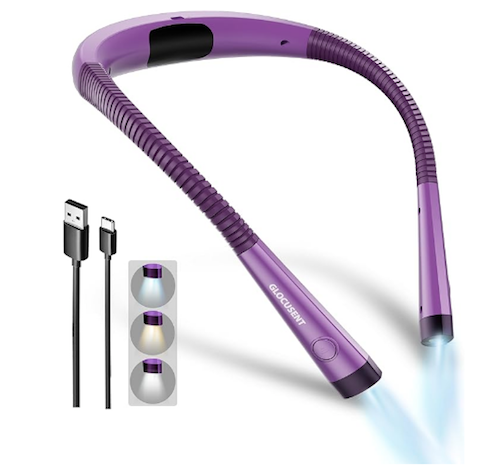
For readers with sensitive eyes, having a reading light that comes from your direction toward the book, is key, and more comfortable than the more traditional overhead approach of the descendants of clip-on Itty-Bitty Book Lights.

- Bookmarks — It may seem small, but an appealing bookmark might be exactly what you need to bring you back to your book. Sure, you can dog-ear a (non-library) book or use a CVS receipt to mark your page, but a bookmark that reflects your passion, whether it’s kittens or Doctor Who, fine art or a silly catch phrase, is likely to level up your reading experience, and motivate you to get back to your book.
- Beverages — Depending on your personal style, you may prefer to read in a snack-free environment or devour sweet or salty goodies while reading. Paper Doll does not judge. However, if you’re developing a cozy reading habitat, consider investing in a corded or cordless coffee (or tea) warmer.

DEVELOP A READING HABIT BY SYNCING TIME AND SPACE
In her recent piece, The 10-10-10 Plan for Reading 50 Books a Year, Laura Vanderkam suggested finding forty minutes per day to read, six days a week, to achieve 240 minutes (four hours) of reading per week, or possibly about an average-sized book each week.
Of course, finding forty minutes in your day — when you’ve got in-person meetings and Zooms and carpool leaves very little buffer space in your calendar — might seem impossible. Beyond the larger issue of time management, Vanderkam’s 10-10-20 approach says that in lieu of finding 40 consecutive minutes, get the same effect with smaller doses of reading time.
She suggests finding two ten-minute blocks you can comfortably commit to and put them on your schedule, and then add a 20-minute reading slot before bed.
If you feel that you truly don’t have forty minutes of potential reading time in your day, whether all at once or in chunks, I challenge you to set an alarm on your phone to remind you to put your phone down or on airplane mode for a fixed amount of time (say, a 25-minute Pomodoro), and set another alarm to let you know when your self-commitment is complete. Chances are good that you merely replaced doom scrolling with reading.
Scheduling the time is one thing; sticking to it is another. If you do all of your reading on an e-reader, or in an app on your phone, you’ve only got one thing to keep at hand. However, if you (like Paper Doll) prefer the heft of a traditional book, there are definitely ways to use those books to tempt you.
And if you’re never without a book, at least you never have that excuse for not being able to read.
- Keep a book in the kitchen and read while you wait for the coffee and your breakfast to be ready. (If the book is good, you’ll likely to continue to read while eating.
- Place a book on your vanity to read while you dry your hair. (Obviously, there are hygiene concerns with leaving a book in the bathroom, but having a book in one hand while drying your hair with the other not only evenly builds up the muscles in your arms, but it gives you something to do while you can’t listen to anything.)
- Tuck a book in your purse or work bag to read:
- on your commute (if you’re taking public transportation)
- in the driveway or parking lot (if you arrive at your appointment early, or — and here’s a nifty idea, to read when you return to your car before driving home or to your next location!)
- when someone (your doctor, the friend meeting you for lunch, etc.) is inevitably late
- Keep a book in the trunk of your car — Imagine you get a flat or some other vehicular annoyance and you won’t merely be waiting ten minutes, but perhaps an hour. A book you can dip in and out of — perhaps a collection of short stories or a memoir that doesn’t require that you recall details from chapter to chapter — is perfect.
- Stash a book under the crib, next to the changing table, or anywhere in your child’s room so whether you’re called to rock an infant or keep a toddler company until they nod off, you don’t have to count tiles on the ceiling. While we tend to sleep in the dark, it seems a lot of kids nod off in a soft glow, so you may find that you can read either a traditional book or a phone/e-reader.
- Keep a small stack of books for professional reading in your workspace. — Most of the above ideas are best used for fiction or light reading, but if you’re trying to keep up with reading in your professional life, you’re most likely to pay attention when you’re in your workspace. Put three books within reach of your desk. Use reading time as a transition: read for ten or fifteen minutes before you leave for lunch, or spend your last 15 minutes of the workday (or fifteen minutes after your work is done) to get ahead on reading professional journals or books. Read with tape flags or a highlighter nearby to capture important concepts.
- Load audiobooks and ebooks onto your phone so you can listen when you can’t look. (It’s hard to read print while folding laundry or walking on the treadmill.) I’m not going to get in the middle of the debate over whether listening counts as reading. But I will suggest you check your public library for access to audiobooks (and ebooks); even if you prefer reading text, if you’re stuck for a while without the book you want to read, catching up with a few audio (or virtual) chapters will keep your committed to your reading plan.
Yes, that’s a lot of different places to stash books. You don’t necessarily have to keep moving your books from place to place; you can keep a few different books at the ready in various places.
If you only read fiction, it may be difficult (or impossible) to read multiple books simultaneously, especially if they’re in the same genre. However, reading a novel before bed and a non-fiction book in small bites throughout the day may keep your brain sharp.
I generally read one fiction book and two non-fiction books concurrently, with each assigned a different “home.” It’s less like trying to keep the plots and characters of Grey’s Anatomy, Chicago Med, Doc, and Brilliant Minds all straight in your head, and more like keeping up with both The Diplomat and The Great British Bake-Off.
MOTIVATE YOURSELF TO READ MORE
Zig Before You Zag — You Don’t Have to Tackle Reading Head-On
One of my friends is an eager reader, but due to work has strayed from the habit. However, he really enjoys Shakespeare, and goes to monthly communal Shakespeare readings where participants take turns reading sections of the plays. While that counts as reading, it wasn’t helping him tackle his backlog.
Last year, I got him Shakespeare: The Man Who Pays the Rent, a memoir of sorts by Dame Judi Dench, where she regales the interviewer with tales of her decades of performing Shakespeare on stage.

The idea was that independently reading something easy and fun, but in the same neighborhood as his monthly group readings, made the leap easier.
If you plan to start reading books by a particular author (or on a non-fiction topic), try short stories or essays to whet your appetite. Be creative. If you want to carve out time to read a biography of the Founding Fathers, pay closer attention to who’s who and what they do in Hamilton, or musical grandpa, 1776!
If you haven’t read books with long chapters since college and feel wobbly, try picking books with short chapters. Ask your friendly librarian for some recommendations, or pick titles from 50 Books With Short Chapters at Keeping Up with the Penguins.
The key is that if you want to read, but aren’t feeling up to the task, it’s OK to find a back door. With classics, read a character description on Wikipedia. With modern books, read professional reviews, which are far less likely to reveal spoilers than reader reviews.
Give Yourself a Challenge
Just as with any habit you want to establish, sometimes you need to give yourself a push. I participate in the Goodreads Reading Challenge annually, setting a goal for how many books I’ll read each year. If I hit my goal, I increase it for the next year; if I fail, I set the same goal again. (I’ve been stuck at 39 books for a few year’s running.) I’m often reading three books concurrently, so my reading achievements lag for a while and then jump forward.
 Because I not only log, but review, each book after I complete it, it forces me to really think about what I’ve read. This makes it more likely that I will remember the book (for my own purposes and to recommend to friends), but it also makes the challenge more real to me.
Other reading challenges encourage not just volume of books read, but types. If you’re looking for a challenge that’s more, well, challenging to the diversity of your reading endeavors, check out The Candid Cover’s 2025 Reading Challenges: The Ultimate List.
The More (Readers), the Merrier
Join the Club
Joining a book club is one way to inspire you to invest more of your time in reading. In small groups, you may feel obligated to speak up and put your take on a book (perhaps one you didn’t like) on display; if you’re an introvert, you may find the whole idea distasteful. However, there are a variety of book club options that don’t require you to meet in person; these existed before 2020, but since the pandemic, online book clubs have proliferated.
Whether you prefer time travel or romantasy, classics or graphic novels, business books or psychology, there’s a group somewhere that’s reading and discussing what you like to read. Just use your favorite search engine (or AI, cough, if you must) to point you in the direction of a group — in person or virtual — up for discussing your preferred author or genre. Or try the suggestions in these articles:
The 15 Best Online Book Clubs to Join (Reedsy)
These Are the Best Online Book Clubs to Read More (Good Housekeeping)
What are the Best Free Online Book Clubs for Adults in 2025? (BookBrowse)
Read Along
Of course, not all book discussions are book clubs. You may want to look for something billed as a “read along.”
My favorite (classic) novelist is Jane Austen. I’ve read all of her novels (multiple times), but this year, I’ve participated in the Austen Connection’s Jane Austen Read Along in honor of 2025 being the 250th anniversary of Austen’s birth.
Janet Lewis Saidi (going by the non-de-plume Plain Jane), author of the recently released Jane Austen: The Original Romance Novelist, is our fearless leader.

We do “close reading” of a handful of chapters each week; we’re rounding out the year having just hit the middle of our final book, Persuasion. Plain Jane’s weekly essays are a lively mix of her personal wisdom, erudite academic resources, and pop culture references, and subject matter experts share wisdom on related topics and diverse perspectives.
In the comments section each week, we heartily discuss and debate everything from geography to the in-joke of “shrubberies,” from why every man seems to be Charles or Williams or Thomas to (and I have to admit I think I started the whole kerfuffle) which of Austen’s heroes and cads are the most, um, bed-able. (My take? In the novels, it’s Mr. Knightley from Emma. In the adaptations, it’s Colin Firth’s Mr. Darcy in 1995’s Pride and Prejudice.)
A read-along provides the benefits of an in-person book club, but doesn’t obligate you to pipe up. You can just, quite literally, read along, reading the book, the leader’s thoughts, and the comments. But you may find delight in eventually sharing your thoughts.
Shhhh, We’re Reading
Some people want company when they are reading, but don’t want to have to actually interact with anyone, or at least not interact about the book. Have you heard of the Silent Book Club, sometimes (not-so) jokingly called Introvert Happy Hour?
If grabbing ten minutes for yourself here-and-there makes you feel unproductive because you really crave serious reading time but the people in your life don’t respect your need for isolated reading time, Silent Book Club might be a better bet. From the site:
Silent Book Club is a global community of readers with 2,000 chapters in 60+ countries. There’s no assigned reading — it’s bring your own book.
More than a million members gather in person, online, and in destinations around the world to read together and swap stories. All readers are welcome!
Celebrating it’s tenth year, Silent Book Club gives you the opportunity to show up, socialize or not (with friends or strangers) for a bit, and then read for a solid block of time. I found three different groups within a dozen miles of my home!
Read more in the blog post, Highlights from 10 Years of Silent Book Club.
Over the last 18 years, Paper Doll has covered a variety of reading-related posts, including:
- 12 Ways to Organize Your Life to Read More — Part 1 (When, Where, What, With Whom)
- 12 Ways to Organize Your Life to Read More — Part 2 (Reading Lists, Challenges & Ice Cream Samples)
- Blending Libraries: How To Organize Books with Your Sweetheart
- A Professional Organizer’s Take on National Library Card Sign-up Month
- Organizing Your Reading Space for More Reading Time
- 12 Tips for Organizing Your Reading Time
- Ask Paper Doll: How And Where Can I Donate Lots of Books?
- Paper Doll To the Rescue: How To Save Wet Books & Documents
When was the last time you got lost (and found yourself) in a good book?
How to Stay Productive When It’s Too Darn Hot

The meteorologists tell us that we’re experiencing a heat dome. All I know is that my air conditioner is struggling and my brain is melting. I’ve debated with myself as to whether I really need to write this blog post or if I should just sit in a cool bubble bath.
Meanwhile, I can’t stop humming Cole Porter’s “It’s Too Darn Hot” from Kiss Me, Kate. The musical is a play-within-a-play; actors, backstage, lament that the environmental heat is keeping them from endeavoring toward romantic heat. (Nudge, nudge; wink, wink.)
WHY IT’S HARD TO STAY PRODUCTIVE WHEN IT’S HOT
It’s no surprise that when we’re uncomfortably warm, we get cranky. We perspire and our clothes stick to us. Our skin chafes and our hair sticks to our necks. We stick to our leather or vinyl car seats or desk chairs. Our mouths get dry, and those sharing our space (be they work peers or life partners) annoy us more.
But it’s not just mere crankiness and discomfort.
Hot weather is linked to everything icky from mild irritability to aggression, headaches and reduced motivation to decreased memory, focus, and cognition. It seems like productivity doesn’t stand a chance.
The Science Behind “It’s Too Darn Hot”
According to a 2018 study conducted at Harvard’s T.H. Chan School of Public Health, students in dorms without air conditioning during a heat wave performed significantly worse on cognitive tests than their peers who were able to (literally) chill out, and their reaction times were slower. Elementary school students (and their teachers) in hot classrooms suffer similarly.
Other studies, such as by Soloman Hsiang and Jesse Anttila-Hughes (who study economics and public policy), Joshua Graff Zivin and Matthew Neidell (in global policy and economic research), and Shin-ichi Tanabe, a professor of architecture at Waseda University in Tokyo (studying “thermal comfort”) found that for ever 1° degree rise in temperature beyond 77° degrees Fahrenheit (~25° Celsius), productivity dropped approximately 2%. Each used different measures and models, and the percentages ranged from 1.8% to 2.4″ celsius, but going with an average 2% seems pretty sound.
Over the course of the typical workday, this works out to thirty minutes less work completed — for ever single degree rise in temperature. (If you’re a peri-menopausal or menopausal woman, I suspect you, like I, think that productivity drop starts much lower than 77°; if you’re one of those people who is always complaining that it’s too cold with the air conditioning on in your office, I respectfully submit that today’s blog post may not be for you. As noted, heat makes one cranky!)
A study published in PLOS Medicine in 2018 found a correlation between high indoor temperatures and impaired working memory and decision-making, particularly for tasks that required focus or logic.
Long story short, being hot isn’t cool if you hope to get anything done.
In fact, researchers at the Helsinki University of Technology and Lawrence Berkeley National Laboratory found that the performance of people who work in offices (or what is now generally called “knowledge work”) peaks at around 71.6°F (22°C). So, being able to maintain a fairly cool (or at least tepid) and comfortable office temperature is key to our productivity.
Unfortunately, Mother Nature is on a warpath and doesn’t seem to care whether we get our work done.
Why Productivity Declines When We’re Having a Cruel Summer
We humans are like Goldilocks, built for the middle ground, and we prefer our porridge neither too hot nor too cold. Our bodies go into survival mode when we get hot. Our body’s integumentary system diverts resources from elsewhere and toward cooling ourselves such that:
- perspiration increases — Glands in our skin get stimulated by the sympathetic nervous system to produce sweat. (Yes, I know. “Horses sweat, men perspire, ladies glow.” But when it’s 94° outside, I’m glowing like a nuclear reactor. Feh.) As our perspiration evaporates, it carries heat away, effectively cooling us and lowering our body temperature.
- vasodilation occurs — This is a fancy way of saying that blood vessels in the middle layer of skin, the dermis, widen. It increases blood flow to the skin’s surface, so excess heat gets released (through radiation and convection, which makes it sound like our bodies are built out of spare microwave ovens).
Meanwhile, as this is going on, the hypothalamus serves as a bodily thermostat, controlling thermo-regulation. Thermoreceptors in the body send signals and triggers our systems to either dissipate heat (to keep us cool) or generate it (for those office dwellers who truly do find the A/C too strong) to keep our internal temperatures stable.
The problem? When it’s hot, all those resources used to cool us down leave our organs (including our brains) with less energy to keep things running. Uh, oh.
So it’s not surprising that when we’re hot, our executive function capabilities drop. That means less mental acuity and power for attention, working memory, planning and organization, task initiation, problem solving, metacognition (thinking about our thinking), time management, and so on.
To keep our bodies from feeling like burnt toast, our cognition departs. Next window, please!
Additionally, when we’re dehydrated, our ability to focus is severely limited.
Even a mild case of dehydration (defined as 1-2% loss in body weight from water) can cause headaches, impair our concentration, reduce our short-term memory, and crash our math skills.
Just in case the heat had already worn you out, I’d like to point out that productivity and organizing skills are dependent upon concentration, short-term memory, and (argh, sometimes even) math skills so that we can focus on what to do, prioritize tasks, recognize patterns, make qualitative decisions, and figure out what goes where.
When it’s too darn hot, our bodies do what they have to, and sometimes that means shutting down our means of production (that is, cognition and productivity). That doesn’t mean we can’t take our own actions to keep our goals from running off the rails, but we’re going to have to take some extra precautions to keep us from losing control during a cruel summer.
MODIFY YOUR SCHEDULE ON HOT DAYS
Be patient with yourself (and your colleagues and anyone you supervise) with regard to pace of productivity. If the heat is wearing you down and you’re not on an unrelenting deadline, move non-essential tasks to when Heat Miser isn’t trying to make you miserable.
(I dare you to not listen. Just don’t get up and dance. It’s too hot.)
Reorganize your workload so you tackle your highest priorities and deliverables but give yourself permission to let low-priority tasks wait a few days until the A/C (and your brain) is at full blast.
Time-shift your productivity. Embrace the Mediterranean and South American models and take a siesta. If possible, get your deep work done early in the morning and schedule light, less brain-intensive tasks during those hot midday hours. To get a handle on this international approach to dealing with steamy workdays, embrace the advice in my post Take a Break for Productivity — The International Perspective.
If you, like Paper Doll, are a night owl, see if you can schedule follow-up tasks (particularly those where you don’t have to interact with others) in the cooler evening hours. Save your admin, reading, email-checking, and light decluttering (avoiding the attic or garage) for after twilight.
Remember other breaks, too. The productivity strategies we’ve discussed at length at Paper Doll HQ over the years, like the Pomodoro Technique, or the approach discussed in Frogs, Tomatoes, and Bees: Time Techniques to Get Things Done, accent the importance of employing breaks to clear your head.
For more on these kinds of breaks, see Take a Break — How Breaks Improve Health and Productivity.
REDESIGN YOUR WORKSPACE TO BEAT THE HEAT…
If you work from home, consider working in the coolest room in your house. Get away from windows and trade that hot, bright midday sunlight for more subdued lighting.
Do the limbo, by which I mean, go lower!
Heat rises, so you may just find it cooler to get down on the floor to work. And when the atmosphere in your home is steamy, basements are often darker and cooler. If you don’t have a finished basement, it may lack the creature comforts you depend upon, but when the alternative is suffering while your A/C limps along to cope with the heat, you may not mind roughing it. Think of hanging out in the basement as similar to camping out, only with running water, a nearby fridge, and bathroom facilities.
Use blackout curtains (or at least pull down your shades and close your curtains). Position fans to create a cross-breeze — but either don’t point them directly at your workspace; otherwise, grab some coasters or cans from the kitchen to use as paperweights. If you have to chase your papers all over the room, you’re going to feel hot and bothered, not cool and collected.
OR, RELOCATE YOUR WORKSPACE TO WHERE IT’S COOLER
If your air conditioning has conked out or is on the way to its final reward, or if you never had an A/C to begin with, consider relocating your workspace elsewhere for the days the heat is oppressive. Some options include:
- the public library — Although you generally need a library card to check materials out, any member of the public can occupy table space and enjoy the air conditioning and rest room facilities of the public library.
- a college library — University libraries are more likely to limit access to current students, faculty, and staff. However, if you’re an alum, or if there’s a university (or perhaps a community college) nearby with more lenient policies, you may find a cool, quiet place (perhaps a carrel in the graduate student stacks) to focus for a few hours.
- a coffee house — Long before COVID drove people to work remotely from home, coffee houses were the in spot for creating your own remote office. Just be sure to buy food or beverages in exchange for that free Wi-Fi, and tip your servers.
- a cafeteria space — Massive stores like IKEA and Costco often have food courts or cafeterias. If you’ve got noise-canceling headphones, get yourself some gravlax or a hot dog, tuck yourself into a corner, cool down, and focus with an un-fried brain.
- a hotel lobby or business center — Most cities have hotel conference centers with lots of empty/unused space. Think of all the times you’ve been at a conference and tucked yourself away in a quiet corner to read or a make a call without schlepping all the way to your room.
- your local community center — Many community centers are remodeled schools with a variety of rooms, and most community centers have quiet spaces set aside for working or studying.
- a friend’s house — I’m not saying to descend on a friend’s house and take over her dining room or guest room. But if you’ve got friends who love you and they have the chilly air that you’re lacking, especially if they’ll be off to their offices, why not ask? You’d do the same for them, right?
- a co-working space — While co-working spaces likely won’t be free, you may be able to buy an inexpensive day pass. Google “co-working” and your geographic location, or check out and online directory, like CoWorker, Liquid Space, or Co-Working Cafe.
REDUCE YOUR TECH TO KEEP YOUR COOL
Digital devices are hot, hot, hot!
Have you ever noticed how your lap gets extraordinarily taosty when you’ve had your laptop balanced on your legs for a while? Have you ever touched the back of your desktop computer on a hot day? Yikes!
On days when the heat is excessive, use less electricity and feel less burnt out by making changes to how you use your computer and mobile devices:
- Dim your monitor’s brightness — The brighter your computer or phone, the more battery and energy your screen is using, and the more heat it may give off.
- Close unused browser tabs — Too many open tabs in your brain keeps you from working at top speed; the same goes for your browser. If that article has been sitting in an open tab on your computer for weeks, you’re probably never going to read it. If you’re not inclined to read it today, save it to Evernote, add a bookmark, or ask ChatGPT to summarize it for you.
- Unplug chargers and unnecessary lights and devices — They radiate heat and add to your discomfort during a heat wave.
- Unplug yourself — If you’re not on a deadline, go analog! Power down your laptop or desktop and grab a notebook. Obviously, you aren’t going to replace email with passing notes (across the country), but if you just need to write a draft or brainstorm, power down your tech. Conserve the energy — your devices’ and your own.
PRACTICE SELF-CARE WHEN THE TEMPERATURES RISE
You know that your car won’t work as well in extreme heat. You need to check the radiator, keep the fluids topped off, shade your windshield, maintain a fairly full gas tank. You need to take similar precautions to keep yourself running smoothly.
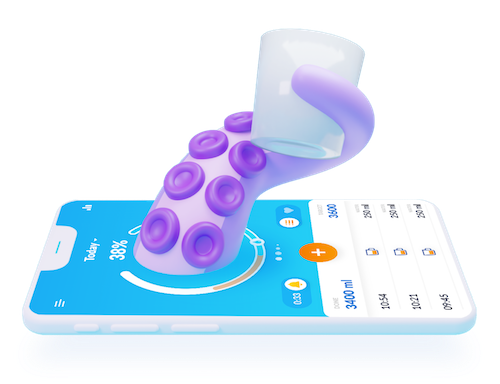
- Hydrate — Keep one of those recyclable bottles (whether it’s named Stanley or YETI or nicknamed George Clooney) on hand. Fill it with icy water (and not caffeinated beverages) to sip throughout the day. Use a visual water tracker (like a bottle with time markers) or try a hydration app to prompt you to drink more. Popular apps include WaterLlama, HydroCoach, and Waterful (which has a cute Octopus mascot — you hydrate to keep him (and yourself) healthy).
- Eat smaller meals more often, and focus on snacks with high water makeup, like salads and fruits (hello, watermelon!), and select lean proteins. Reduce excess sodium intake. A heavy meal full of fats, carbs, and sodium make us sloth-like and lethargic at any time of year. Add high temperatures, and the 3 o’clock slump becomes the all-afternoon crash-out.
- Nap —The more we are exposed to heat, the less time we spend sleeping, and the pejorative effects are stronger during heat waves (like this heat dome kerfuffle).
- Relax your dress code — No, don’t show up to Teams meetings or Zoom calls in your PJs. But switch out form-fitting clothes for looser cuts (and looser weaves) to let the air circulate around you.
- Brush your teeth — I mean, I hope you’re probably already brushing your teeth. But there’s something about a minty fresh mouth that helps cool your system down.
- Run your wrists under cold water or rest them on soft, squishy ice packs (like chilly wrist rests) while typing or reading.
- Consider a personal cooling tool device. — A few years ago, Paper Mommy bought me a bladeless neck fan and it directs a lovely (and not-too-noisy) breeze up under my hair, cooling my neck and head. (Readers: Don’t tell, but I’m running it right now!)

- Check in with others — on your team, in your neighborhood, in your family. Heat reduces our mental energy and sometimes capacity to take care of ourselves, so we need to do what we can to take care of one another. Heat can make us anxious, and connecting with others (and maybe stopping to take a Popsicle break with them) can help us feel less out of sorts.
In much of the country, temperatures are going to be in the 90s and even over 100° this week, and we’re only (officially) a few days into the summer. Productivity is important, but endangering your mental and physical health in the short term is a recipe for declining productivity in the mid- and long-term.
Pace yourself, relocate, use less tech, and take care of your body and your brain. The work will still be there when the temperature comes down.
How to Use Timers for Improved Productivity — Part 5: Hybrid Timers and Bonus Material
Depending on how you feel about timers, you’re either relieved or disappointed that we’ve come to the end the series, where thus far we’ve had:
- How to Use Timers for Improved Productivity and Focus — Part 1
- How to Use Timers for Improved Productivity and Focus — Part 2: Picking a Good Timer
- How to Use Timers for Improved Productivity and Focus — Part 3: Tangible Timers
- How to Use Timers for Improved Productivity and Focus — Part 4: Digital Timers
In the past four posts, I’ve offered up the why and how of using and selecting timers to meet your needs, aesthetically and psychologically, and to ensure your greater productivity. Today’s post wraps up with a combo platter.
First, literally, we’ll look at combination timers, those hybrid devices that offer both an analog and digital approach to letting you concentrate on your work without fear that you’ll forget to rest your eyes, roll your shoulders, or pick the kids up from school.
Second, because there are still so many more timers than we had a chance to explore, I’m piling up bonus resources of the tangible and digital sort.
Third, thanks to the generosity of the creator of one of the timers I already referenced, I can offer a little real-world review.
HYBRID TIMERS
We looked at tangible, physical timers which usually (but not always, in the case of the Focus Timer®) express time in an analog-only format. We also examined digital timers timers that were, themselves, digital (in a browser, website, software platform, or app) and which also displayed time digitally in numerals rather than in clock-like, analog time.
However, there are hybrid timers which combine features — they are tangible but with digital (or both digital and analog) display, and digital timers with some measure of an analog display.
Time Timer Watch
The Time Timer Watch takes everything appealing in traditional Time Timers (the Originals, Plus, Mods, Retro ECO, and more) we discussed in the third post in this series and incorporate it all into a wristwatch.
The Time Timer Watch displays time visually with a digital (that is, electronic) version of the red time disk, but also includes a digital (numerical) readout for the clock and countdown settings.
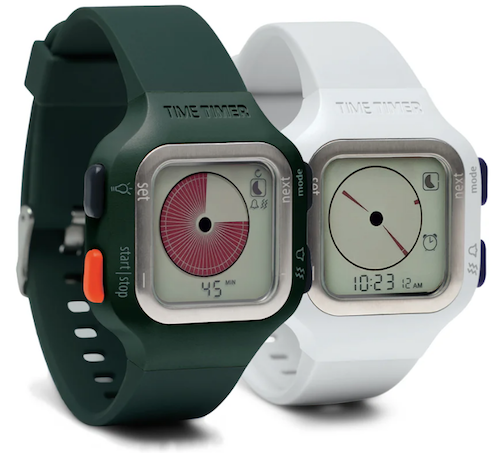
Whether for you or your child, the Time Timer Watch is a discreet and portable timer that helps keep daily routines on track. It supports efforts to maintain and increase focus, and improve independence and self-regulation. As Time Timer notes,
“Whether you depend on Time Timer products to overcome ADHD, Autism, or other cognitive variances, or you just want the look of a fun sporty watch that increases productivity, the Time Timer Watch is your solution. The sporty design makes this wrist-watch a great accessory for students, adults, athletes, teachers, and professionals, of any age or ability.”
The watch band is made of soft silicone in two circumference sizes matched to their color: white (5″ to 7.5″ for small) and dark green (5.5″ to 8.25″ for large), while the watch face is 1.5 inches. Mix and match different silicone band colors (Caribbean Blue, Sedona Orange, and Baltic Blue) to reflect your style.
Alternatively, you can carry the watch face in a silicon watch fob accessory; wear it like an 1890s robber baron on a watch chain, on a cord around your neck like an ID badge, or attach it to your backpack.
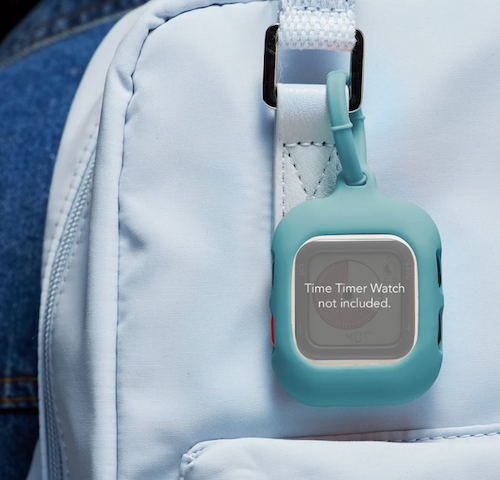
The Timer Timer watch uses a CR2032 (coin-style) battery and works in three different modes:
- Time Timer — Set an original 60-minute timer or a custom timer for up to 99 hours. (Think you’d never need a timer that long? Imagine counting down how many hours are left having to be nice to a visiting relative who sets your teeth on edge!) You can set an optional repeating alert for circumstances requiring a regular reminders, like to take medication, use the restroom, bring likely-to-wander attention back to the task, or soothe your way into a transition between tasks or modes.
- Clock — The watch has both analog and digital displays in 12- or 24-hour format. (Paper Doll readers know I always prefer an analog clock to a) help children reinforce an understanding of analog time and b) makes time visible and proportional in ways that digital time does not.
- Alarm — While timers give us backup for paying attention to the ebb and flow of our day, an alarm allows us to stop paying attention altogether. Leave it to Jeeves! So, rather than setting a duration of five minutes or 3 hours from now, you can set a time-of-day alarm. The optional alarm has multiple settings such that the alarm can be off, beep, vibrate silently, or beep and vibrate. Pick what works based on sound or tactile sensitivities or variances in hearing abilities.
The Timer Timer Watch is particularly ideal for school and testing situations because it’s not a smart device, isn’t connected to the internet, and can be used in silent mode. Set the visual timer to the duration of a testing session and don’t worry about knowing how much time is left or calculating the time difference.
Time Timer Twist
For years, I used to visit the Time Timer booth at NAPO conferences, praising the different devices but wishing for a small magnetic version. I recall being a little giddy when the Time Timer Twist finally made it’s debut, and it ties with the MOD for being my favorite (and the most stylish) Time Timer.
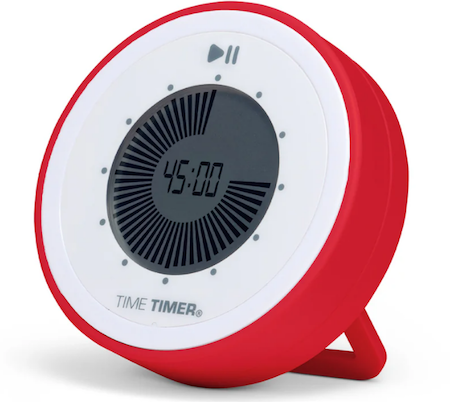
To set the timer on the Twist, turn the outer ring until you reach your desired time, all the way up to 90 minutes, and then push the play button. (Push again to pause.) The digital display shows as a black, self-diminishing, digital version of the traditional red analog disk, while the digital version of the time remaining counts down in the center.
Then just attach it any metal surface, like the kitchen fridge, a filing cabinet in your office, or a magnetic classroom whiteboard, per Time Timer:
At home, use the TWIST® for everything from helping kids’ morning and bedtime routines, timing homework and study sessions, or baking the perfect batch of cookies.
In the classroom, it’s great for timing tests and turn-taking exercises, timing group activities, and helping kids with special needs transition between activities.
In the office, use it to keep track of presentations, team-building activities, and more.
There’s a volume control switch so depending on your environment, you can opt for a silent, low, or high volume alert when your time is up.
Timer Timer Twist runs on one AAA battery and comes in four color schemes: Dreamsicle Orange, Lake Day Blue, Pale Shale Gray, and Original Red. If you love this version and don’t mind sticking with the Original Red, there’s even a Time Timer Twist with Kickstand that’s not only magnetic, but can stand at attention, giving the MOD some competition!
Four-Channel Professional Kitchen Timers
We’ve talked about the convenience of using your cell phone timer when making a complex meal. While it’s pretty far afield from the kinds of timers we’ve been looking at, four-channel commercial kitchen timers are ideal for restaurant kitchens — wanna film your own version of FX’s The Bear? — or in Brady Bunch-style households with big families or lots of housemates.
Digital 4-Channel Kitchen Timers are tangible but digital, and made of sturdy stainless steel with LED lights. Set each of four timers independently. The time mode lets you set in hours and minutes or minutes and seconds, ranging from zero (0000) to 99.59 hours or 0-99.59 minutes. Designed for a busy commercial (or home) kitchen, there’s a loud, high-decibel buzzer.

It’s electric and requires no programming, so it’s plug and play. Find a variety of four-channel digital timers on Amazon or at restaurant supply stores.
BONUS TIMER RESOURCES
I could write another 5-post series and still never hit all of the variety of tangible timers and apps available. Still, there are many that deserve consideration for one or more unique attributes.
Bonus Analog Timers
In the second post of this series, I wrote two potentially conflicting pieces of advice. You want a timer both does something different and is aesthetically appealing. Well, I’ve recently discovered two products that intrigue me by putting more weight on the latter than the former.
Singles Timer
First, I discovered Zone Denmark, a sort of Danish-designer version of IKEA. Reader, I covet them. Their Singles Timer, made of powder coated steel, doesn’t do anything different, but its compact design caught my eye.
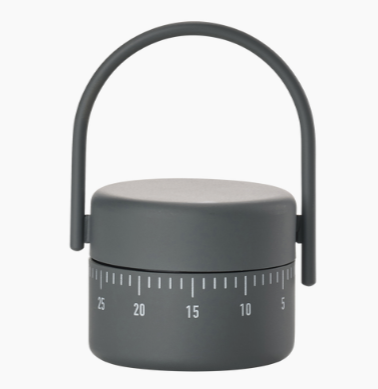
The Singles Timer is a squat cylinder measuring 3.5″ (8.9 cm) high and 2.13″ (5.4 cm) in diameter, and weighs 5.64 ounces. It comes in five colors: Black, Warm (light) Grey, Cool (darker) Grey, Lupine (a sort of violet) and Mud (beige). Turn the basket-like handle on top to set the timer, do your cooking (or whatever), and then carry your timer with you wherever you go.
The Singles Timer costs 25 Euros (about $28.47 US), plus shipping, and while it lacks the attributes necessary for someone needing a visual gauge of time, it’s just darned pretty, making it suitable as a simple household timer.
the dot
the dot wooden timer cube is a mix of ancient and modern, wood and metal and microchips, analog and digital. The base is a rounded block of wood measuring 3.54″D x 3.54″W x 0.98″H with a hole in the center (much like a toad-in-the-hole, egg-and-toast breakfast); affixed to the interior bottom is a metal bowl and suspended from the interior top is the string-and-ball mechanism that strikes the bowl to make it chime. However, the timer is set digitally on the outer top of the dot.
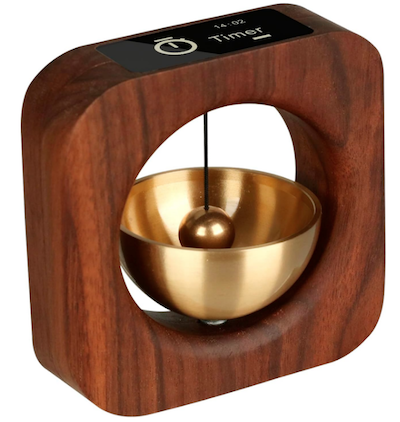
Thus, you have a digital LCD display for easy setting of the timer for meditation or deep work, but a mechanical chiming when the set time is up.
the dot uses one lithium polymer battery, which can be recharged with a USB-C charging cable. It’s a pricey at $80, but it’s an intriguing stylistic mix: yoga retreat-meets-corporate focus.
Bonus Digital Timers
Browser Timers
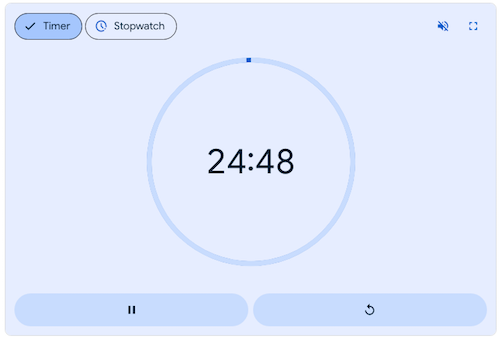
- Google Timer (browser-based) — Did you know that there’s a digital timer built into Google? The default is set for five minutes but you can customize for whatever time you need. Type your exact hour, minute, and second preference or use the pre-set buttons to bump up the time by :30, 1:00, or 5:00 increments. Opt to make the soothing blue background full-screen, mute or unmute the dingle-dingle alert chime, and start the timer. Pause and restart as you like. It’s right on Google, so it’s free.
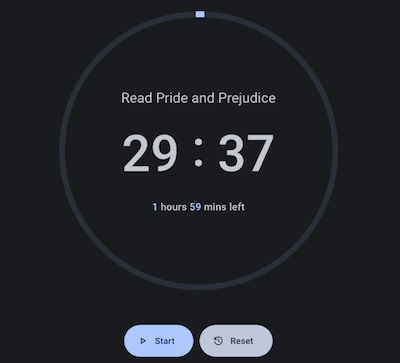
- Focus Hours (browser-based) — This similar browser-based solution is a step up from Google. Click the timer to slide out a settings panel to name your activity, identity daily start times for habits you want to promote, set (one of only two possible) alerts to ring when your focus time is up. Opt for night mode if you prefer, and when you’re ready, click start. Do ad hoc tasks or set up a roster of personal and business high-focus tasks. This free browser app has extensive statistics to let you track your focus by day, week, month, or year.
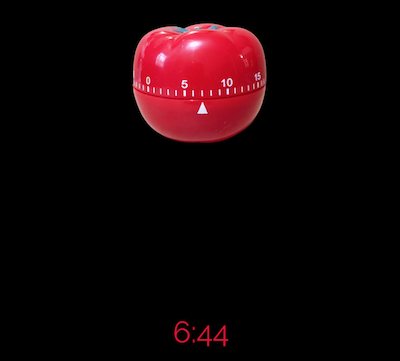
- Juicy Timer (browser-based) — Scroll down to set the time, hit start, and watch as a traditional kitchen tomato timer turns slowly, ticking down to zero, with a digital countdown below. The mid-range (not high or piercing) alert brings you out of focus and prompts a 5-minute break.
- Zorro Timer (browser-based web app) — This timer is both simple and pretty. Select an ambiance (forest ocean, rain, or café sounds, or “peace” with classical music), select your focus and break times, and just start working.
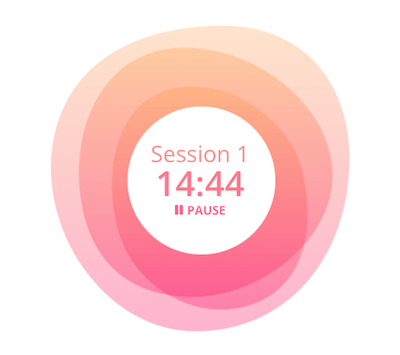
- Tomodoro (browser-based web app) — This customizable, open-source web app has beautiful background colors from which to choose. Set the times for focus and breaks, pick how many rounds/cycles you want to work; choose themes, accent colors, whether you want white noise and whether notifications should be silent or enabled. It supports Always-on-Top, or Picture-In-Picture (PIP) mode without having to install any other app, so you can focus on the work in your browser window without losing sight of the timer.
- Amazing Timer (web browser) — If you’re running an online workshop, interspersing chat with co-working, this is an alternative to a built-in timer in Zoom. Share your screen as Amazing Timer offers a simple countdown with a variety of beautiful, calming, customized backgrounds.

You may also want to take a peek at a few more appealing browser-based timers:
- Big Timer — This full-screen timer is in-your-face with large, white block-face numbers on a solid black screen. Adjust whether you want a sound when time’s up or at each of the final ten seconds (or no sound at all). The timer can also count up after the end (in case you want to know how much more time you took to finish your task). Make the timer full-screen, and have it auto-repeat (in case you want to violate the precepts of Pomodoro and not take breaks).
- Pomotastic — This customizable Pomodoro timer lets you choose literally any RBG colors, with themed colors for focus, short breaks, and long breaks
- Timer.OneClock.Net — Try scary red numbers on a black background, in case you want to feel like you’re deactivating a bomb. (Hey, some people prefer the stick to the carrot!)
- Timesets — Customizable Pomodoro timer has 5 color schemes and drag-and-drop focus and break options.
General Timer Apps
- Time Timer App — This free app is available for iOS through the App Store and for Android on the Google Play Store. It’s fully customizable: select colors, notifications, and multi-timer lists exactly as you like.
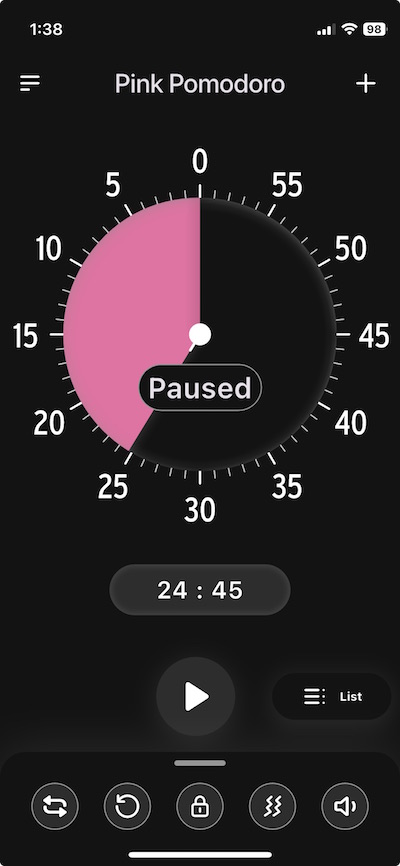
- Minidoro (iOS) — This super-customizable timer app is no-nonsense. Set sessions, breaks, goals, and cycles, color schemes and dark or light themes, sounds and notifications. It cycles through analog time rather than providing a full “slice” of time as with Time Timer. Unlike Time Timer’s app, Minidoro isn’t free; it’s $2.99.
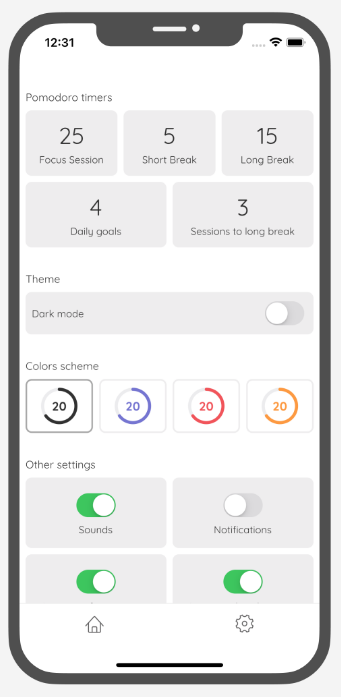
Digital Timer Apps for Wellness Experiences
- Tide (iPhone, iPad, Apple Watch, Android, Chrome) — Unrelated to the detergent of the same name (though it cleans the stress out of your brain), Tide is a mobile and browser app with an immersive timer and features to help you sleep, rest/relax, or meditate. Select a soundscape (like a Hawaiian beach, restaurant, rainforest, a mahjong parlor (!), dishwasher, typewriter, and hundreds more), meditations, or sleep stories. Whether you want to focus and do deep work or empty your mind, relax, and bliss out, Tide has a mode for what you need.
- Marshmallows (iOS) — This is more of a gamified timer, rewarding you with breaks of random lengths after each 25-minute Pomodoro focus session. The breaks range from 5-30 minutes, adding na element of excitement, anticipation, and pleasant uncertainty. (However, it’s not the best option if you’re on a tight turn-around schedule.) This intermittent reinforcement to keep you engaged and motivated is supposed to excite a level of curiosity and encourages focus so you’ll finish your session. The varied break times should reduce stress and burnout. (There’s also a social option to connect with and compete with friends.)
Work Productivity Timers Built Into Productivity Suites
- Focus To Do (Windows, Mac, Chrome extension, iOS, Android, Apple Watch) — This app blends Pomodoro timers with task management features. Create to-do lists, break down tasks into ever-smaller sub-tasks, and set progress reminders and due dates. Generate detailed statistics regarding your time use and the number of tasks completed so you can analyze and improve your productivity patterns. Focus To Do syncs across devices so you can access your timers, tasks, and stats from anywhere. It’s free; the Lifetime Premium level is $11.99.
- TogglTrack (Chrome extension, iOS, Android, Apple Watch) — The Pomodoro timer is just one part of a powerful time tracking and productivity suite for knowledge workers ranging from solopreneurs to small teams to enterprise-levels. It’s designed to track time spent on various projects and tasks, and it generates reports on how individuals and teams use their time, prompting deeper analysis.
- Traqq Pomodoro Timer (Mac, Windows, and Linux, and browser-based) — Traqq is a comprehensive time-tracking suite for solopreneurs, small businesses, teams, and large companies, monitoring how employees spend time on tasks, projects, and breaks. The Pomodoro Timer can be used independently in the browser; it defaults to 25 minutes with 5 minute breaks.
Combination Timers and Task Apps
There’s a proliferation of apps that combine a task function with timers to encourage focus, including:
- Blitzit (iOS, Android ) — There’s a free browser-based Pomodoro timer where you can customize the audio and ambiance, but the full app combines task lists and timers to help you track your focus through your pre-planned work schedule.
- FocusList (iPhone, AppleWatch, Mac) — This app combines a daily planner & Pomodoro focus timer app.
- Podor (Android) — This task app includes a timer, but is also designed to help you organize tasks with tags, access detailed statistical reports of your time use, and customize your experience to fit how you work.
- Pomotodo (iOS, Android, Mac, Windows, Chrome extension) — Designed as a time management app for creatives types, combining tasks and timers and making it easy to generate time sheets for billing after the work is completed.
Whew!
FOCUS TIMER® MINI REVIEW
You may recall that I wrote about the hourglass-shaped Focus Timer® in the third week of this series. Soon after I published, I heard from Dave Zuverink, the creator of the Focus Timer® (and before that, the creator of the SlimFold Wallet).
I’m always happy to hear from anyone mentioned in Paper Doll posts, but I was delighted when Dave asked if I would like to try the Focus Timer® in person and chat with him about it. I would, I did, and we did!
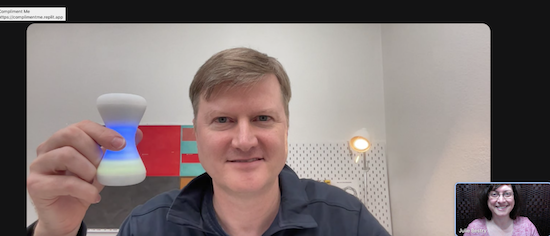
For details about the Focus Timer®, it’s worth going back to that prior post, but I wanted to tell you about my experience and what I learned from Dave.
First, it’s weird to say, but the Focus Timer®’s feels as soft and smooth as a chubby baby’s arm.
Second, it makes no rattling noises, unlike most tangible timers. Dave detailed the various iterations of this super-smooth hourglass timer. It turns out that it’s got a microchip inside; it’s like a little computer processor, always identifying in what direction you turn the timer.
I’d commented to Dave about the chime sound being so satisfying, and it turns out that’s because there’s an actual speaker/amplifier thingie inside, playing a recording of a real chime! (I nodded along as he explained how other timers — and devices like smoke detectors — have a “fisio” that makes a mechanical sound, which is certainly less calming at the end of a Pomodoro!)
Third, between using the Focus Timer® and talking to Dave, I realized that what I’d originally considered somewhat of a drawback was advantageous. It’s tangible, it’s visual, but it’s not analog. There’s no clock face, and there are no numbers. I’d seen that as missing something, but Dave noted that it was intentional so as not to take the user out of focus and to instead shut down the analytical part of the brain — in other words, enjoy the color rings and trust the eventual notification to do their thing.
Dave and I talked about his professional background in interaction design and the psychology of product design, and I shared my perspective as a professional organizer and productivity specialist. Now that I understand how much technology goes into the Focus Timer® and have used it several times (and can’t stop fiddling with it because it feels so nice), I see even better how this novel product brings something new and different to the time management realm.
In the original post, I shared the video for the recent launch of the Focus Timer® V2, but it’s worth watching the original Kickstarter video.
I’m still experimenting with the Focus Timer®, but have already fallen a little in love. It took me a little while (with the well-written and well-drawn directions) but now I can easily rotate the timer (as if it’s doing a fashion show): each turn yield a new time ring. I finally got a feel for how the individual rings (blue for minutes, yellow for ten minutes) work, so the timer counts up by 5 after 20 minutes and up by 10 after 60 minutes. Neato.
Over the past weeks, I’ve read comments and had conversations with readers who have a favorite timer and those who never use them, some who hyper-focus and others who are still seeking to overcome time blindness to focus.
Only you can know whether you need a visual timer or one that merely alerts you to end of a work session; only you can decide whether you need “feel” time by manipulating something tangible or whether a simple (or customized) browser or app timer is right for your needs.
Context matters. My iPhone suffices when I’m cooking, but I want a tangible timer when working with clients, particularly if “seeing” time is difficult for them. When I’m doing deep work, I want a visual timer, but my stress level determines how much I want to bother customizing an app or browser solution.
What doesn’t change is that no matter how precise our internal clock may (or may not) be, there are times when we want to outsource that ticking so that we can focus.
How to Use Timers for Improved Productivity and Focus — Part 4: Digital Timers
In the past three weeks, we’ve explored using timers to enhance focus, reduce hyper-focus, and get stuff done.
- How to Use Timers for Improved Productivity and Focus — Part 1
- How to Use Timers for Improved Productivity and Focus — Part 2: Picking a Good Timer
- How to Use Timers for Improved Productivity and Focus — Part 3: Tangible Timers
After establishing why (and in what situations) timers can boost productivity, we identified the general characteristics of a good timer and the customizable aspects supporting individuals in their unique tasks and projects.
Last week, we examined a wide variety of tangible timers, particularly those (like Time Timer and the Focus Timer® Visual Timer) that allow users to both see the passage of time (particularly with the benefit of showing analog time), and feel like they have some tactile control over manipulating time.
While children, people with ADHD and executive function disorders, and anyone who has difficulty identifying and recognizing time as it passes can benefit from those tangible timers, not everyone needs a physical timer, and while we can all benefit from seeing analog time, it’s not always essential for all.
If what you most need is to have a trusted alert so that you do not overrun your allotted time, digital timers will suffice, but they range from ultra-basic to fancy-schmancy.
DIGITAL TIMERS YOU ALREADY OWN
In the second post in this series, we looked at a long sequence of features that make a good timer, both for the project and the user. You may wish to review those concepts, but in general, you want a timer that is:
- simple to use
- does more than what you’re already able to do with your resources
- integrates, if applicable, with the tools you already have
- process-agnostic, so that you don’t have to use only fixed-durations that aren’t useful for your needs (in case you prefer the 52/17 technique to a standard 25/5 Pomodoro and break, for example)
- aesthetically pleasing, visually (if that matters to you)
- customizable for features such as volume and type of audio alert
- frictionless, because every obstacle to using a timer is an obstacle to your focus
Kitchens stoves have built-in timers, but if you’re in your back yard doing some weeding, at the coffee shop finishing up a presentation, conducting a meeting at the office (or online), taking a nap in your dorm room (or the comfy chairs at the library), or doing anything anyplace that is not your kitchen, you’ll need to possess some kind of timer more sophisticated than asking a patient friend to count one-Mississippi, two-Mississippi for minutes or hours on end and then shouting your name!
Your Built-In Device Timer
The fastest and simplest timer method is to use the one built into your phone. However, I’ve been surprised by how many people don’t know how to use their phone timers or at least all of the features available.
On iOS devices like iPhones or iPads, just open the Clock app on your home screen.
- Tap Timers, generally on the bottom of the Clock app interface.
- Hit the + sign to add a new timer.
- Set the duration by turning the number dials: a 25-minute Pomodoro to get work done, 14 minutes to cook your salmon, 38 minutes until you should check your laundry. Adjust the hours, minutes, and seconds as needed.
- Add a label if you tend to forget what the timer was for. This is helpful if you’re setting multiple timers to get all of the items you’re cooking for Thanksgiving dinner on the table simultaneously; one timer tells you when to baste the turkey, another to reheat the potatoes, and so on. If you’re apt to hyper-focus, labeling the timer PICK UP CHILDREN!!! may give you the boost you need not to snooze or ignore your timer.
- Add a song or sound to play when your time is up if pre-set alerts are too jangly for you. You might want a lilting tone to lift you gently out of hyper-focus or an energetic song to help you transition from your break to the next task.
- Tap Start. The timer will begin counting down. You can now look away and ignore it.
- If you need to pause the timer, because of an interruption, hit the pause icon (universally known among seniors as “the eleven”) and resume (by hitting the “play” triangle) when you’re ready.
When your time is up, the phone will send you a notification, even if you’re in another app.
You may notice that you have other timers in a “Recent” list. If you tend to use an official 25-minute Pomodoro and 5-minute break often, go ahead and create labels for them and keep them in your list; add and label any other frequently-used timers to save you time and effort the next time you want to quickly assign yourself a stop time.
If you want to quickly set a timer on your iPhone and you don’t mind setting it for multiples of 5-minute increments, head to the Control Center:
Alternatively, you can shout, “Hey, Siri, set a timer for 25 minutes” across the office to set a Pomodoro without the temptations inherent in holding a phone in your hand.
Your digital assistant is particularly useful in the kitchen if your hands are wet or you want to avoid touching your phone while cooking. If what’s in the oven isn’t quite ready, asking Siri to set the timer means I don’t have to hover or worry that if I turn to wash some dishes, I could completely forget that three minutes have passed.
Android devices operate much the same way, via the Clock app and using the Timer option. Android users generally set timer durations from a number pad (akin to making a call or using the calculator) rather than a dial, but set customized labels and adjust sounds as with iOS.
Android has the same pause/resume/cancel functions and you can keep multiple timers running concurrently.
You can use your Google Assistant by saying, “Hey Google, set a timer for 15 minutes.” Just be sure to enunciate a little better than than this internet sensation.
The main advantage of using your built-in device timer is that it’s easy-peasy lemon squeezy. Take ten seconds to set a timer by tapping or talking and you’re ready to get started. The obstacles are few and the countdown is simple.
The drawback of using your phone or device as a timer is that it presents an opportunity for distraction when you are setting the timers and again when you reach for the phone to stop the timer alert. If you experience phone addiction, you may wish to read:
- Global Day of Unplugging 2025: Phones and Apps to Reduce Phone Use and Improve Your Life
- Celebrate the Global Day of Unplugging (2024)
DEDICATED DIGITAL TIMERS FOR FOCUS AND PRODUCTIVITY
The next step up from your kitchen or built-in phone timer is a mobile app, desktop app, or browser-based app, and there are numerous options available. Few have any great functional advantages over the others, so it’s often a matter of picking which aesthetic or bonus features you prefer. Most will be marketed as Pomodoro timers, but that doesn’t mean you’ll be limited to 25 minute increments; it’s just branding.
Browser Based Timers
If you’ve got a phone, tablet, or computer, you’ve got an internet browser. Using a web-based timer in your browser means you don’t have to download anything. It’s best for when you are having trouble focusing, want a timer, but know that searching for an app to download will keep you from getting started. Wherever you are, even on a borrowed computer or in the public library, there’s a browser timer for you.
Pomodor
Pomodor is web-based. Just bring up the website and it’s already ready for you tap the play button to start your first (of up to four) Pomodoro timers. While the default is set for 25 minutes Pomodoros with 5-minute breaks, you can can adjust multiple aspects, including:
-
-
- work duration from 5-60 minutes
- short break duration for 1-5 minutes
- long break duration of 1-45 minutes (after four Pomodoro/short break cycles)
- how many rounds (or cycles) you want to do, from 1 to 15
- which of eight alert noises you prefer (all sounding very “iPhone circa 2009”)
-
There’s also a dark mode option, which I’ve employed, below.
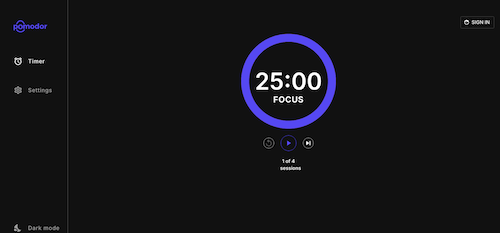
Pomodor is free. While you can create an account to preserve your settings or access your stats overview with charts to visualize which days of the week you were the most productive, it’s not required.
Pomodor’s few customizations means you won’t spend a lot of time futzing with the settings and can (or at least should) get right to work.
Focus Keeper
Focus Keeper is another free and easy-to-intuit web-based timer. Create an account with your email and a password, or Google or Apple ID, and when you log in you can create pre-set timers with labels for various types of activities (reading? meditation? blog writing?) and even have a daily schedule for time-blocked work.
When you’re logged in, just select or create a timer you wish to start, click “play” and start working; you can track your focus by the day, by times of the day, and by focused task-type.
If you don’t want to log in, just start with the default settings: a 25 minute focus setting, a 5 minute break setting, a 30-minute long break between cycles of four sessions and breaks. Turn the ticking (so much ticking!) on or off, and pause if necessary, but otherwise, as you get to work, the soothing “waves” at the bottom of the screen gets higher.
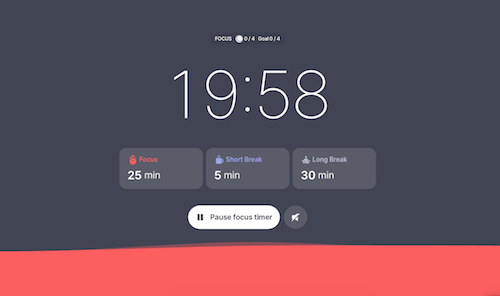
Focus Keeper is available on the web, as well as in iOS and Android versions.
Pomofocus
Pomofocus is another web-based timer that lets you access basic aspects for free. Without signing in, you can set the focus, short break, and long break timers, name the focus task, and select the number of Pomodoros and breaks — which need not be strict 25-minute Pomodoros — I set this up for a 52/17 round; you can also set the number of cycles before a long break.
You can also adjust the volume of the alert and the type of alert sound.
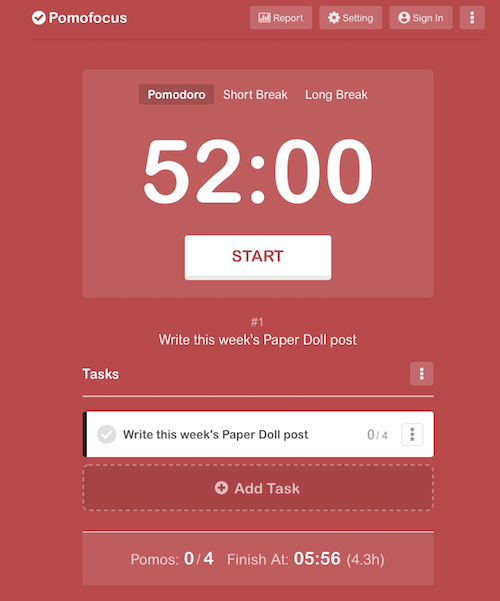
If you create an account and log in, you can use templates, access a summary detailing the number of hours you spent focused, the number of days you used Pomofocus, and how many days of a streak you amassed. (If you’re competitive, you can see how you rank against other Pomofocus users.)
Pomofocus is free, but the ad-free Premium plan gives you lets you add more projects and templates, view a yearly report, download reports, import tasks from Todoist, and connect to other apps. The Premium plan is $3/month, $18/year, or $54 for a lifetime plan.
Deep Work Depot — Want to focus on your deep work in the most bare bones way? Based on Cal Newport’s concept described in his book Deep Work, this timer emphasizes focusing without distraction on tasks that are cognitively demanding.

There are no bells, no whistles, and hardly any color or design. Set your focus and rest timer durations; turn the “Lo-Fi” music on or off.
(Lo-Fi, my aging GenX self has learned, refers to low-fidelity, a musical style that intentionally incorporates imperfections and a relaxed aesthetic. Now that I’ve experienced it with three different timers, I must admit it sounds like elevator music to me.)
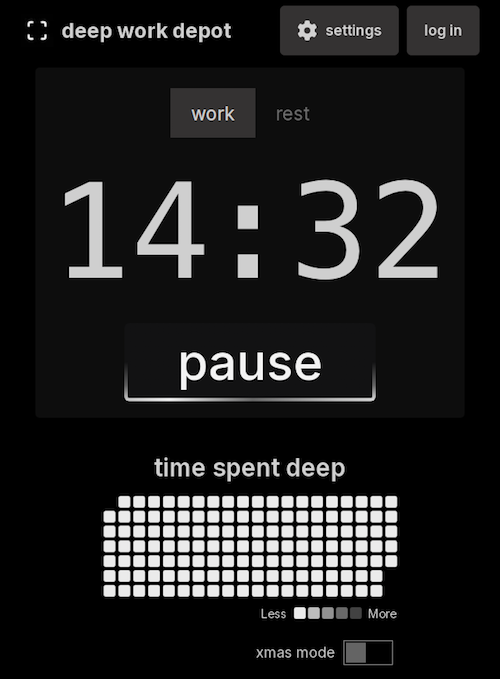
(Note: I’ve yet to figure out what Xmas mode does. The toggle turns green, but otherwise? Nada)
Similar to web-based timer apps, you may also want to explore browser-extension options, like:
- Marinara: Pomodoro® Assistant is a Chrome extension — Marinara creates a toolbar icon for the countdown timer. You can configure preferred work session times, and it offers both short breaks for between sessions and (configurable) longer intervals between cycles. There are 20+ audio alerts, and you can add ticking sounds if that’s your jam. Track your stats and history to gauge when you have been the most productive. You can also set automatic timers. It’s free.
- Momentum Dash is another Chrome extension — It combines a beautiful nature photo and motivational quote with a countdown timer, all on your browser’s “new tab” page. Set up your tasks, create different timer modes, add mantras, customize sounds, and show the number of days counting down to a deadline. The Plus version is $3.33/month and includes Spotify and YouTube sound integration, task app integrations, site blockers and more.
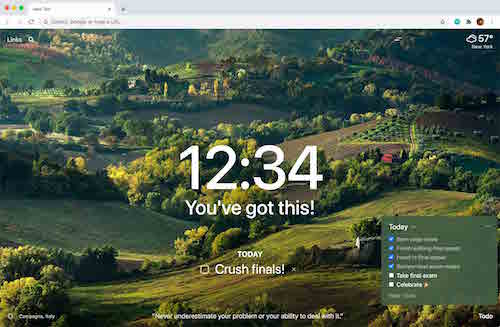
- Otto is yet another Chrome extension. — The free “core” features include unlimited Pomodoros, the ability to block an unlimited number of distracting websites, and the option to create 3 tasks, each up to 15 minutes in length. For real power, the Pro level (at $24/year for $59 for lifetime use) offers an unlimited number of tasks up to 60 minutes in length and other up-leveled features.
Integrated Timer Apps
Some timer apps and programs can integrate with software you’re already using. Note, timers at this level are less intuitive but do more heavy lifting than basic timers. If you are already using the software platforms with which these timers integrate, that goes in the win column, but if you aren’t already dependent on the multi-featured software programs, it’s oversell.
- FocusMode by Geekbot integrates with Slack, so whether you’re doing the corporate thing or are living the start-up dream inside your Slack channels, FocusMode can help you stay the course. Tell FocusMode what you’ll be working on and for how long; as the timer (silently) ticks down, all your notifications will be automatically switched off and Do Not Disturb will be activated. FocusMode is free.
- Pomodoro Tracker is similar to FocusMode and is designed to help you track your Pomodoro efforts while integrating with Slack. (But I think they missed an opportunity to call it Pomodoro Slacker.)
- Pomello is for followers of both Pomodoro and Kanban, as it integrates with Trello. The basic version is free, while the Pro version is $20/year and offers custom sounds, the ability to export your data, and lets you view Trello checklist items as focus tasks.
Timer Apps and Programs
Session
Session for MacOS and iOS for iPhone, iPad, and AppleWatch — For an Apple lover like myself, I’m intrigued that Session boasts so many features, even if it’s kind of kooky to spend real money on a digital timer. True, it’s not just a timer (but remember what I’ve said about not acquiring features you don’t already need!)
Session syncs across Apple devices, integrates with your calendar, lets you customize work and break timer lengths, offers a Mac menu bar app (so it floats atop other windows), and has nifty keyboard shortcuts and a notes section so you don’t have to go searching for information.
You can also see detailed analytics of your focused work efforts — and to boost that focus, the Mac version will block apps and websites. And if co-workers are the reason you can’t get work done? It integrates with Slack! Set a custom status when you start focusing so they’ll leave you alone. You can also have a visual as well as digital timer.
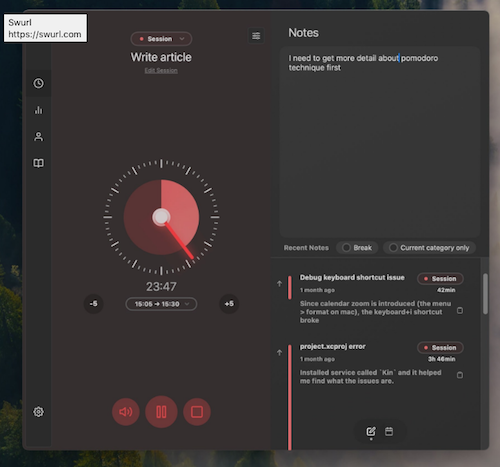
The free plan offers a unlimited basic Pomodoro timers, analytic data from your past two days working, and the ability to view your calendar from inside Session, but the paid versions (Pro Monthly at $4.99/month or or Pro Yearly at $39.99/year) offer all the fancy features, customizations, app and website blocking, automations, and other goodies.
After you set your focus intention and timer, Sessions gives you a meditative breathing exercise to prepare you for work. Ommmmm.
Flow
Flow is a clean, basic Mac and iOS timer. — At the free level, you get an interval-based timer with multiple duration options for your work and breaks, as well as statistics and graphs (synced to your iCloud account) to give you insight into your focus and work habits.
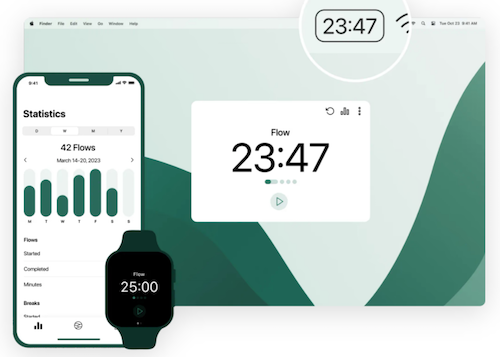
If you upgrade to the Pro level, Flow additionally offers a timer sync, more customizable duration and session cycle settings, the ability to customize your session title, advanced session controls, app and web blocking, Apple Calendar sync, and the ability to export your timer data, all for $1.49/month.
Forest is a fun timer for iOS and Android users, and has a Chrome extension for those seeking an in-browser option — Forest uses playful gamification, knowing your seems-like-a-pipe-dream hope of not getting distracted may need more than a buzzer to achieve success. The iOS version is $3.99; currently the Andoird version is ad-supported.
When you’re ready to focus, you “plant” a cartoon tree. As you continue working, the timer counts down and the tree on your screen grows in front of you (to the sound of calming forest audio, if you like).
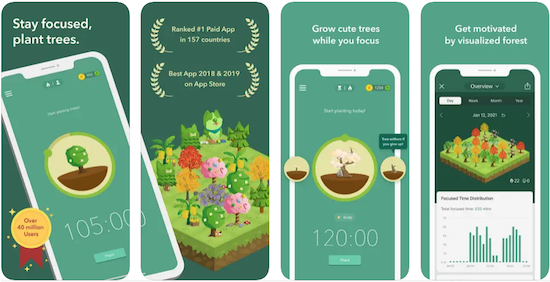
If you put yourself in Deep Focus Mode but then leave the app to do something else on your phone, your tree dies. (For Millennial readers who have just been reminded of your dearly departed Tamagotchis, I’m so sorry.)
With each focus session, you “complete” trees, and over the weeks and months using the app, you grow a forest. Yes, it’s cutesie, but Forest is not without serious analytics. Tag your focus sessions by categories, note trends, and can track when you’re most productive.
While Forest has charm, I imagine that if you’re tempted to watch your forest grow while you’re working rather than waiting until your rest break, your focus will suffer from distraction. But if you’ve got patience, you will be rewarded.
Bear Focus Timer
The Bear Focus Timer is silly. But sometimes we need something silly to keep us motivated, especially when we need longer breaks that we can take and more snacks than we have on hand. From the creator:
Tom is a friendly bear, except when you cannot concentrate. He will do his best to help you focus on something!
Just place your screen face down and focus on what you do.
A variety of white noise will help you focus more.
If you concentrate well, Tom will praise you.
You can change the session time in the settings.
You can reset the timer by pressing Tom’s belly button.
Please keep in mind that Tom can also enjoy fishing when you are focused.
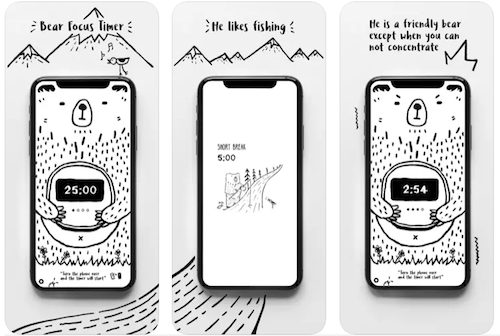
Customize your focus time, short and long breaks, the number of sessions, and the audio accompaniment…and hang out with Tom, the bear.
This iOS-only app is $1.99 in the App Store.
Moosti
Moosti is a gorgeous and deceptively simple timer; it’s fully compatible with iOS, macOS, watchOS, and visionOS. In addition to the traditional timer options, it sets a whole atmosphere with beautiful visual environments and Lo-Fi soundscapes.
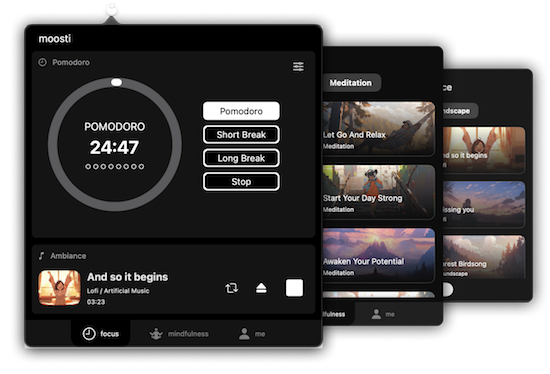
Moosti also offers breathing exercises and guided meditations to support focused work. Moosti is free, with in-app purchases.
The app stores are full of timer apps. If there’s an app that appeals to you (and costs nothing), experiment with it for at least a week; if it doesn’t float your boat, delete it before seeking a new timer.
Online Timers
LifeAt
My colleague Stephanie Denton has recommended LifeAt, a Pomodoro timer within an immersive experience for artificial accountability.
LifeAt blends a timer with virtual spaces, combining visual environments, ambiance, sounds, and musical integration.
The free 7-day trial includes 1,000+ focus video and image spaces, unlimited focus sounds & ambiance, online co-working communities, widgets (including task lists, a calendar, the Pomodoro timer, breathwork exercise, and more). The Pro version provides unlimited tasks and projects, a multi-calendar and task-to-calendar integration, and a daily planner. LifeAt Pro is $16/month, though when I signed up for the free account, it offered Pro at half off.
There are beautiful video landscapes, cozy fires, animated neighborhoods and more, so you have myriad options for finding your LifeAt “space” to set up your timer and features. My personal favorite is this window because, while I like looking at nature, I don’t even want to pretend to get too close.
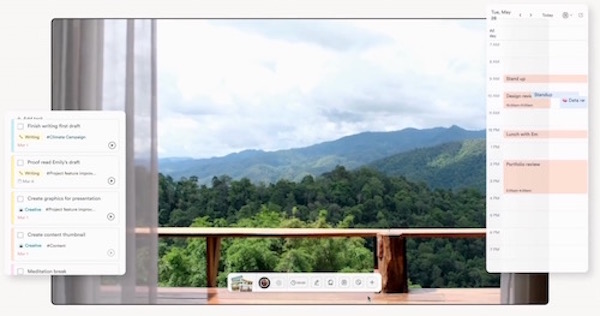 If creating a new environment is part of your focus routine, you might want to check out Flow and Faux (Accountability): Productivity, Focus, and Alex Trebek to see how you can incorporate timers and faux environments.
YouTube Channels with Timers
YouTube is awash with timer videos requiring no downloads or expense. (Most are designed for Pomodoros, so know that the time will not be customizable for your specific needs.)
Just use YouTube’s search bar for “focus timers” and “pomodoro” timers and you’ll get a variety of options like these, which will let you just jump in to a series of timed sessions. And yes, they all seem to be backed by Lo-Fi music. (Forewarned is forearmed, and wow, wouldn’t we be more productive if we had four arms!)
Believe it or not, this only touches on a small percentage of the more popular digital timers at your disposal. Next time, in the final installment of this series, we’ll finish up with hybrid timers that combine tangible, analog options with digital ones for special purposes. There will also be some special bonus material! Whoohoo!
Until then, which of these might you use or recommend to students, colleagues, or anyone else who faces focus obstacles? Would you grow a forest or press a bear’s belly button?
How to Use Timers for Improved Productivity and Focus — Part 3: Tangible Timers
So far in this series on using timers, we’ve focused on the “thinky” aspects.
- In How to Use Timers for Improved Productivity and Focus — Part 1, we looked at the the why of using timers and all of the situations in which they can boost productivity.
- Then, in How to Use Timers for Improved Productivity and Focus — Part 2: Picking a Good Timer we identified the general characteristics of a good timer and the specific, customizable aspects supporting individuals in their unique tasks and projects.
That was wordy stuff. Today, we get to start looking at the actual timers that can work their magic in helping you maintain focus, remember to take breaks, and avoid hyper-focusing. Today’s post is what I consider a “feast your eyes” post; read it in its entirety or just scroll through until you see a timer that appeals, and then explore all the salient details.
As we discussed previously, the timers you select should feel like they’re on your team, not like they’re monitoring you for a productivity parole board. They need to support all your functional, as well as aesthetic and emotional, needs. You don’t want — at least under most circumstances — to feel like you accidentally launched a countdown to self-destruction instead of a 25-minute Pomodoro focus session. Embrace a platform that works for you.
A timer should support your functional, as well as your aesthetic and emotional, needs. You don't want to feel like you accidentally launched a countdown to self-destruction instead of a 25-minute Pomodoro focus session. Embrace what… Share on XToday, we’ll focus on physical (primarily analog) timers; next week, we’ll examine digital and hybrid timers. But to begin, we’ll delve into the product line that has done the most to improve the understanding of the passage of time in schools, within the ADHD community, and among anyone seeking productivity support.
DISK-Y BEHAVIOR: TIME TIMER, THE BIG KAHUNA OF PRODUCTIVITY TIMERS
If you read Paper Doll or any productivity or organizing blogs, you probably already know quite a bit about Time Timer. The basics of this beloved product invented by Jan Rogers in 1994 are told in this video.
The key is that Time Timer was the first solution to the problem of time blindness, an undeveloped sense of the passage of time. As explained in ADHD Minds Are Trapped in Now (& Other Time Management Truths) in ADDitude Magazine, those experiencing time blindness are so ensconced in the present moment, in the “now” of things, that recall of the past and anticipation (and planning for) the future are difficult. Understandably, time blindness creates trouble in estimating how long a task will take.
My professional organizing business started in 2002, when Time Timer was still getting to be well known, so I feel as though we’ve “grown up” together. While almost every professional organizer has familiarity with Time Timer, I knew they’d made the “Big Time” when I walked into a Diabetes Sisters support group meeting. The moderator was almost giddy as she showed off the “cool timer” for making sure we’d hit all the planned activities on time.
Seeing Time
Over the years, I’ve been impressed with how this simple innovation has helped children and adults “see” the passage of time in ways they’d never been able to before.
In part, it’s because younger millennials and Gen Z have experienced digital clocks almost entirely to the exclusion of analog clocks. It’s no wonder that young people don’t know what “half past” or “a quarter ’til” mean!
Digital clocks are on their devices and computers, in their classrooms, and on electronic signs as they drive down the street. If you blink, you miss the minutes changing on a digital clock, and there’s no second hand “sweeping away” the seconds, as my kindergarten teacher explained it.
For many others, whether because of ADHD, executive function disorders, or just the complexities of living in the 21st century, they’ve never quite gotten the hang of how time “feels,” so they underestimate or overestimate how long a minute (or twenty) might take. If you don’t know how long a minute is, how can you envision how many you need for any given task?
The basic element of all of the physical Time Timers is two-fold:
- they display time in an analog manner
- a colored disk is set to the starting point of the timed period, and the visible area of the colored disk disappears (behind the face of the timer — it’s mechanical, not actually magic!) as time is “used up.”
It seems almost too simple, but users soon see that making time visible in this way calms the nerves and soothes the senses. Whether you’re doing a timed practice test or trying to finish a presentation for your client, you need only flick your eyes to the Time Timer to know how much time you have left.
There’s no need to calculate the math in your head as with a digital clock, and even from a distance (and even if you’re extremely nearsighted!), the flash of color slowly moving in a clockwise pattern is enough to signal if you have a lot or a little time left.
In this way, Time Timer delivers on its mission: it “fosters focus and provides clarity to individuals who struggle with visualizing time.”
Original Time Timers
The Original 8″ and Original 12″ versions with the crisp white background, black type, and red disk are for purists (and anyone who wants a variation on the old joke, “What’s black and white and re(a)d all over?”).
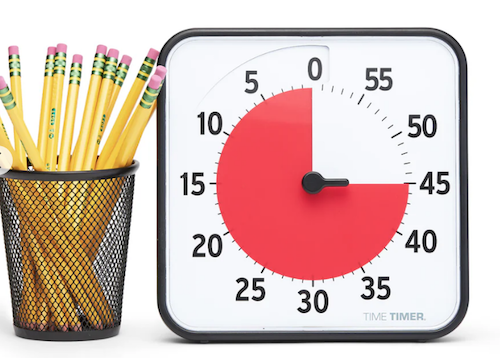
Both sizes are 60-minute timers, good for keeping a typical work or community meeting running without unraveling. Its operations are silent; with no ticking, the Originals are ideal for classrooms, open-plan offices, and for sound-sensitive users or spaces. The alert ding at the end of the set time is optional.
The no-nonsense style makes it appropriate for classrooms or office work, and it has both a magnetic backing and foldable feet, so you can choose the optimum display style for your needs. You’ll need two AA batteries to keep your Original Time Timers in lock-step with you, but it comes with a dry erase activity card to keep you on-task.
Teachers and homeschooling parents may want to opt for the Time Timer® Original 8” Learning Center Classroom Sets, with sets of three Original 8″ timers in either primary or secondary colors.
With all the same features as the other Originals, they add a pop of color, so if the minimalistic look and magnetic backing or table-top options appeal to you for your workplace, but you need to make your stylistic mark, this might be a good alternative.
The colored Learning Center versions also prevent you from feeling like you’ve fallen into a creepy, crooked-clock episode of Severance.
You can also amplify the Original 8″ with a Time Timer® Original 8” Visual Scheduler. Encircling the timer is a dry-erase board where you can add calendar/daypart information or time progress details.
Actual minutes are hidden. In addition to the drawn-on markings you can add, there are clips that mark where you have reached in the time allotted.
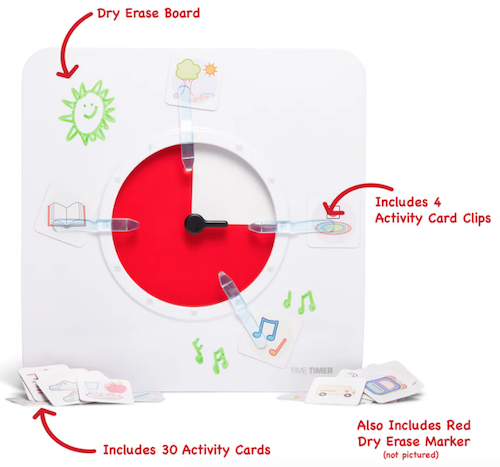
In the reverse portion, there are pockets for holding the clips, dry erase markers and other timer accessories.
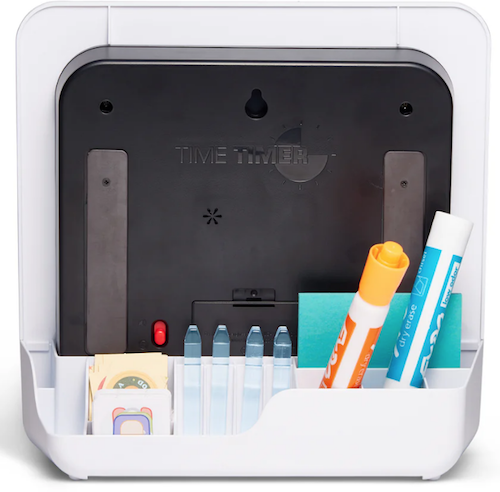
The Original Time Timers include access to the Time Timer apps, which we’ll review next time.
Time Timer Plus
In 2013, the line expanded to include Time Timer Plus, all of which stand upon their own and have handles to make them portable — as more than one client’s child has noticed, somewhat like a purse, or as my GenX clients have said, like a little boombox.
There are two versions of the 7.09″ x 1.7″ x 5.51″ Time Timer Plus 60-minute timers, with relatively serious faces (white backing/black type/red disk) like the Originals; the bodies come in either white or charcoal.
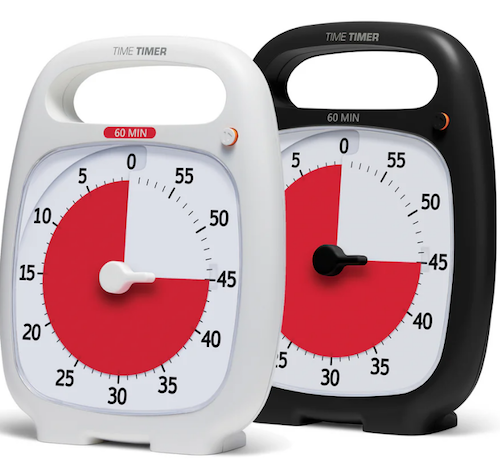
As with the originals, there’s no distracting ticking to interfere with focus, and there’s volume control for the alert, to assure that those who hyper-focus aren’t jarred into anxiety.
These were the first Time Timers I ever owned and used with clients. In addition to the features of the Original version, the timers in the Plus line are the only analog visual timer with a pause button (in the upper right).
The official rules of the Pomodoro Technique say that if your 25-minute Pomodoro is interrupted, you have to start counting from the beginning, but you’re a grownup and can make rules for yourself! If the interruption is worthy — your boss has a question, the school has a fire drill, etc. — hit that pause button, but do get back to what you were doing when you are able.
Over time, the company realized that different users might need different iterations. An hour is fairly long; five or ten minutes barely makes a dent. Thus, the colored part of the disk measuring just a handful of minutes would be hard to discern, especially for children or even someone learning to appreciate smaller increments of time, like while meditating or holding yoga positions. For them, 5-minute and 20-minute versions were created.
Conversely, sometimes an hour isn’t enough; if you’re taking timed practice tests or holding a multi-hour group workshop, a longer visual display of time is needed, so the Plus line added a 120-minute timer. All three additions to the Time Timer Plus family have more colorful disks.
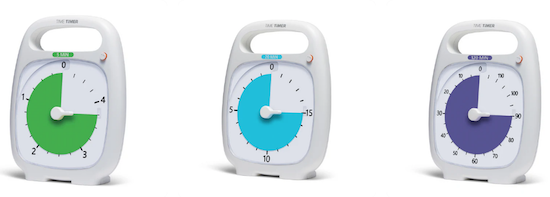
Time Timer Mod
The Original and Plus editions always served their purposes, but (especially early on) had a decidedly academic/industrial look about them. Some people felt that it gave off either a juvenile or sterile vibe; some of my adult clients said they feared it branded them as someone who needed help with time. (But c’mon, we all need help with time.)
As I noted last week, aesthetics can matter, and while most people wouldn’t consider timers as bearing a stigma, both the Original and the Plus line are rather “in your face” about their purpose. The Time Timer Mod line was the perfect response.
These 3.47″ square timers are just two inches deep, so you can use them anywhere: at home, in an office, working from a coffee house or library, even at the beach. They are small enough to throw into a backpack or purse, and to the uninitiated, they just look like little clocks. And a Time Timer Mod only requires one AA battery.
The standard Time Timer Mod – Home Edition Timers can measure up to 60 minutes and come in six designer colors accent colors coordinating with the timer disks: Lakeday Blue, Fern Green, Dreamsicle Orange, Pale Shale Gray, Peony Pink, and Cottonball White (with a burgundy disk). (Value packs of coordinating silicone “skins” are optional.)
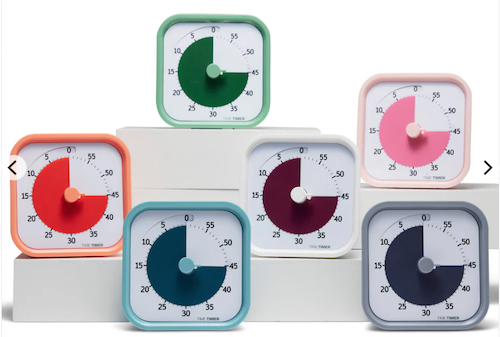
As some people (teenagers? college dudes? macho men in the workplace?) may want or need a timer with a harder-edged aesthetic to stay committed, Time Timer has a new Mod Home Metallic Edition in four different colors/styles that remind me of the eye shadow palettes popular in the 1980s:
- Metallic Midnight (midnight blue timer with gold disks)
- Metallic Indigo (dark purple-blue timer with a light purple disk)
- Metallic Forest (dark green timer with a metallic brown disk)
- Metallic Storm (dark blue timer with a pink frosted disk, the color of an eye shadow I suspect I currently own!)
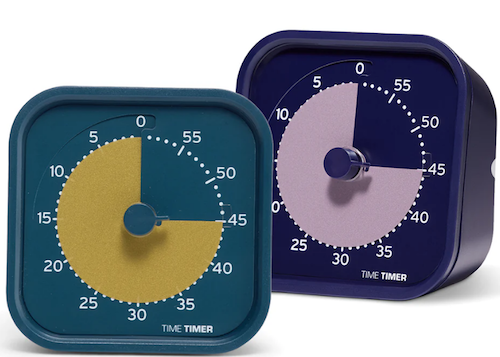
(These are more sparkly in person than they appear on screen.)
And for parents of kids needing something a little more generous with time measurement, the cheery Time Timer® MOD Home Edition Rainbow Wheel colorfully communicates time segmentation to children in five minute increments.
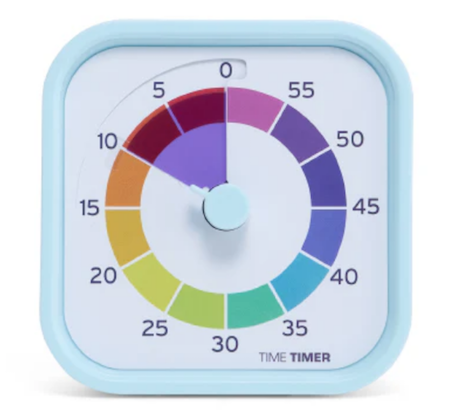
While the Home Editions are equally useful at home or work, the 60-minute Time Timer Mod Education Editions has more specific uses. They come in charcoal with the classic, highly visible red disks and optional silicone skins. However, when Time Timer spoke with educators and therapists, they learned of needs for shorter-duration and longer-timed options, so they created 10-minute (white with a yellow disk), 30-minute (white with an orange disk), and 120-minute (white with a purple disk) versions.
Time Timer RETRO Eco Edition
For those seeking a combination of productivity and sustainability, Timer Timer developed the RETRO Eco Edition. These 7.5″ square timers are smaller than the Original line and come in two styles, Green Land and Blue Water. They take one AA battery, like the MOD line, and come only in 60-minute versions. Their key appeal is how they are manufactured.
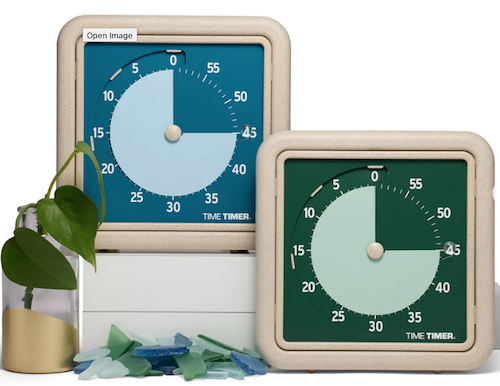
By combining a rice husk byproduct with their plastic, they’ve eliminated any unnecessary plastic pieces, reducing the overall plastic usage these timers by nearly half compared to similar timers. Additionally, 1% of the Time Timer RETRO Eco Edition sales go to their Time Timer® Making Time for Trees Initiative, a program committed to planting more trees and offsetting Time Timer’s carbon footprint. This version also eliminates the plastic lens, making it easier to repair a disk and yield a longer product life cycle.
Time Timer BRAILLE 8”
Closing out the physical Time Timers is the newest and most intriguing, the Time Timer Braille 8″, the first tactile, high-contrast, visual timer!
This innovative, empowering design allows both users with vision impairment and fully sighted users to use the same device simultaneously to monitor time use, stay productive, and support focus without hyper-focus. It’s suitable for classroom use, students taking tests or working on their own or in groups, and adult work or household projects. Like the MOD and RETRO lines, this 8-inch square timer takes one AA battery.
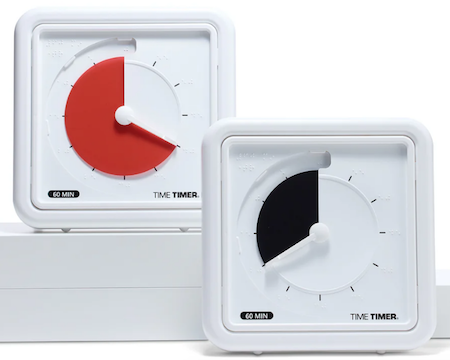
This timer combines their traditional disappearing disk with a tactile-set bar and Braille writing, so that vision-impaired users can set and track time themselves, by touch. The audible alert is optional.
While this is not the only Braille timer I’ve seen, Time Timer’s version offers the advantage of the high-contrast color differences (of the disk against the white background) for low-vision and fully-sighted users with Braille for vision-impaired users, something I’ve not found in other options.
[For current prices of Time Timer, please see the individual product pages linked.]
Time Timer has other products, ones which I would identify as hybrid, offering both an analog and digital approach to timers, and we’ll examine them in the next post.
Again, Time Timer is not the only timer manufacturere, but their wide variety of options make them the first line of productivity support for children and adults, at home, work, and play.
If, based on what I explained in the first two parts of this series, you to believe that you, your child, or someone with whom you work might benefit from a timer that unites the features of a tangible, visual, and analog timer with an optional, gentle (but non-customizable) alert, Time Timer should be your first stop.
OTHER PHYSICAL TIMERS
Lest this post feel like a commercial for Time Timer, there are a variety of other tangible timers worth considering, especially for those individuals most needing both:
- a timer with aesthetic appeal
- a physical timer, something that approximates a fidget toy
but not necessarily one with a visual approach to the passage of time.
Focus Timer® Visual Timer
You may recall that last week, I noted a primary problem with using an hourglass timer: it requires the user to “gauge what those collective grains of sand mean.” With a real hourglass, you must judge the ratio of sand above to what already passed down. A modernized version eliminates that problem.
The Focus Timer® Visual Timer has an adjustable hourglass design allowing you to set customized time measurements from one to 100 minutes.

Made of what the manufacturers call a “magic touch material,” this 3.75″ x 2″ timer has some appealing features:
- a “soothing” chime alert with three volume settings and a mute option (I put “soothing” in quotation marks because, as the video below shows, it’s a little high-pitched for my timer tastes.)
- ability to recharge via an included USB-C charging cable
- 10 hours of use before requiring charging
- 100 days of standby time
- a visual display such that horizontal blue rings are one minute each and yellow rings are 10 minutes each
It works by turning and “twisting” your fingers along the surface, much as you can operate your phone with drags, drops, taps, and pinches. Watch this video to appreciate how it works:
For the right user, this might be ideal for timing quiet reading and working stints, meditating, exercising, or other “gentle” activities, but not for large group meetings.
The Focus Timer® Visual Timer comes recommended by Gretchen Rubin, Cal Newport, Dan Ariely, and others in the productivity realm. It provides a beautiful visual display, making it (fairly) easy to judge the passage of time before the alert.
Note, compared to other timers, it’s a hefty $99 at Amazon or $89 at Focus Timer.
Moaas Timers
I’ve explored a number timers, and for those who don’t need a visual display of time passing but love that tactile, fidgety goodness of a timer they can hold and manipulate, Moaas has a variety of options.
The most basic are the Moaas Cube Timers, requiring two AA batteries. For about $15 at Amazon, these 2.6″ cubes come in violet, coral, mint green, white, and yellow.
Facets of the violet, white, and yellow cubes can be set for 5, 15, 30, and 60 minutes; the mint green version may be set for 1, 3, 5, and 10 minutes, while the coral’s settings are for 10, 30, 50, and 60 minutes.
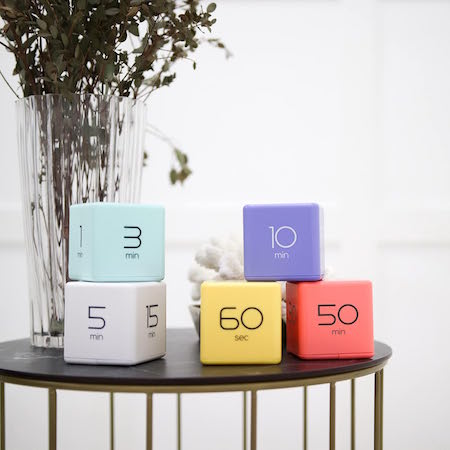
To operate, just turn the timer so that the side with the number faces up and the timer starts counting immediately.
A red light blinks while the timer is in use, which can either be comforting or annoying, depending on how blinking lights impact your focus. Adjust the alarm volume between low and high with a switch; another flicked switch turns off the timer completely.
These very basic timers will suffice for timing exercising, studying, cooking or taking a nap, but I suspect they may be a little “low-rent.” While I don’t have a Mooas cube timer, I do own a fairly ancient, battery-operated, 2.25″ Datexx Time Cube that appears to be much the same. The interior weight that identifies which timer specification has been turned upright (and similar to what Mooas uses) rattles and the whole mechanism lacks the “fun” I expected from a fiddly version.
That said, Mooas has a variety of timer upgrades that may appeal to those who want a timer that looks cute and is fun to handle. The Multi-Cube Timer Clock combines a digital clock readout with pre-set timed facets on the cube. These 2.56″ square cubes come in two versions:
- 5, 15, 30, and 60 minutes in white for $18.90 at Amazon
- 1, 3, 5, and 10 minutes in mint green for about $17 at Amazon

While the Mooas shows them as also coming in yellow, coral, and grey, those do not seem to be sold currently.
Mooas’ Multi-Hexagon Clock Timers are cool to look at and offer similar fidget-worthy features in a hexagonal style, but Amazon has marked as a “frequently returned item,” which is somewhat concerning. As always, function should be a higher priority than aesthetics, even when aesthetic appeal is needed to encourage commitment to timer use.
Happily, there’s no such warning on the 2.24″D x 1.84″W x 2.24″H Mooas Dodecagon Time Ball Rechargeable Mini Timers, which come with eleven different pre-sets: 1, 3, 5, 10, 15, 20, 25, 30, 45, 60, and 90-minute timers and three colors: sand peach, blue, and white. Charge the timers with an included USB-C charger.

There are three alarm modes: sound, vibration, and silent, and it sells for about $25 on Amazon.
I suspect that this small, fiddly timer may appeal best to teenagers and gamers.
Similarly styled cube, hexagonal, and multi-sided timers can be found all over Amazon and in Big Box stores and dollar stores. This $38 TickTime Pomorodo Cube, which is not a cube at all but a hexagon, comes in blue, black, or white; has pause and resume modes, and the adjustable sound can be silenced or replaced with only vibration.
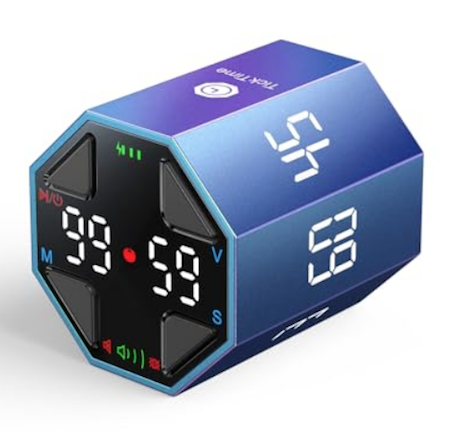
Mechanical Timers
Finally, remember that the simpler your physical timer is — if it requires no fiddling, no batteries, and no instruction manuals — the more likely you will be to use it.
If you don’t struggle with time blindness and don’t need to see the passage of time, and if you can accept (and won’t be startled by) a ding, a mechanical timer may be your best, first, and least expensive option.
If that’s a traditional pomodoro tomato timer, so be it.

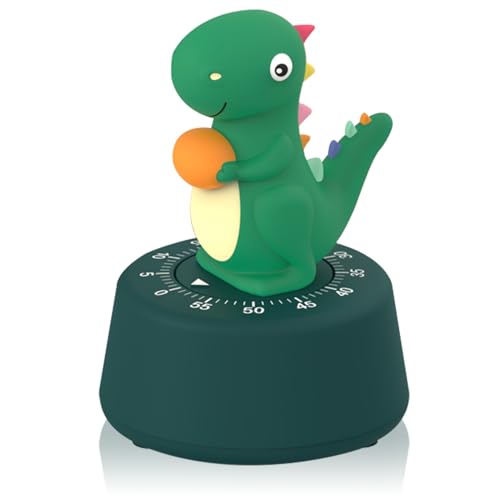
As always, the best solution for any productivity strategy is the one you’ll actually use.
Until then, do you have a tangible timer you love? Did one in this post tickle your fancy? Please let me know in the comments.
Affiliate Disclosure: Some of the links above are affiliate links, and I may get a small remuneration (at no additional cost to you) if you make a purchase after clicking through to the resulting pages. The opinions, as always, are my own. (Seriously, who else would claim them?)



Follow Me