Archive for ‘Productivity’ Category
Paper Doll Helps You Get By With a Little Help From Her (Brilliant) Friends

I love sharing my expertise and research with you about a wide variety of topics, from getting more (of the right things) done to conquering toxic productivity to accessing and organizing vital documents.
Although I’m a generalist in my professional organizing practice, I specialize in blogging about organizing paper and information and boosting productivity. But that doesn’t mean that’s all you want to hear about. After all, man (and woman) cannot live by bread alone. We also need cheese. (In Paper Doll‘s case, lots and lots of cheese.)
As a Certified Professional Organizer®, member of NAPO, and Evernote Certified Expert, I get to hobnob with other likeminded specialists, learn from them, and share their knowledge with you. Today, I’ve got a cornucopia of resources for making your life, family, and world run a little more smoothly.
LATE, LOST & LAGGING: UNDERSTANDING ADHD & EXECUTIVE FUNCTIONING
October is ADHD Awareness Month.
As recently as a few decades ago, people lacked a clear understanding of ADHD. If they thought about it at all, they considered it as something that only impacted little boys, that it was about being rambunctious and intentionally (or rebelliously) inattentive, and that it was something people grew out of. It was rarely acknowledged as something that impacted women and girls, and most people, if they considered it at all, thought it was something kids grew out of.
Now, we know more. We know that ADHD is a brain-based disorder, a neurological condition that affects people across all ages, genders, and socio-economic and cultural areas. (It’s diagnosed two-to-three times more often in boys than girls, but that may be because the expression of ADHD in girls can be less disruptive, which says more about socialization norms and pressures than it does about ADHD.)
ADHD impacts the lives people across all levels of education and intelligence. Willful ignorance about ADHD expresses itself in all levels of education and intelligence, as well.
I once worked with a client for whom her late-in-life diagnosed ADHD had caused distress throughout her life, and the emotional abuse inflicted on her by her physician spouse, who refused to “believe” in ADHD, was both eye-opening and frustrating as we tried to implement solutions. (Yes, Dr. Shouty-Dude, ADHD is real, and no, you can’t “conquer” it by having more “diligence” and “willpower.” Grrrr.)
If you or someone you know has ADHD or other challenges with executive functioning, ADHD Awareness Month is a great opportunity to learn more, and I’ve got a great webinar resource for you.
My NAPO colleague, ADHD Student Coach Leslie Josel of Order Out of Chaos, is one of my absolute go-to experts when I have a question about ADHD and executive function.
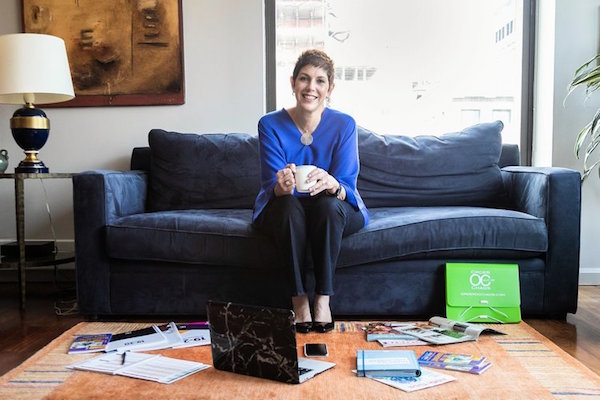
If Leslie’s name sounds familiar (and it should), it may be from the post Paper Doll Peeks Behind the Curtain with Superstar Coach, Author & Speaker Leslie Josel, where we talked about her multi-award-winning Academic Planner: A Tool for Time Management, which is celebrating its tenth anniversary,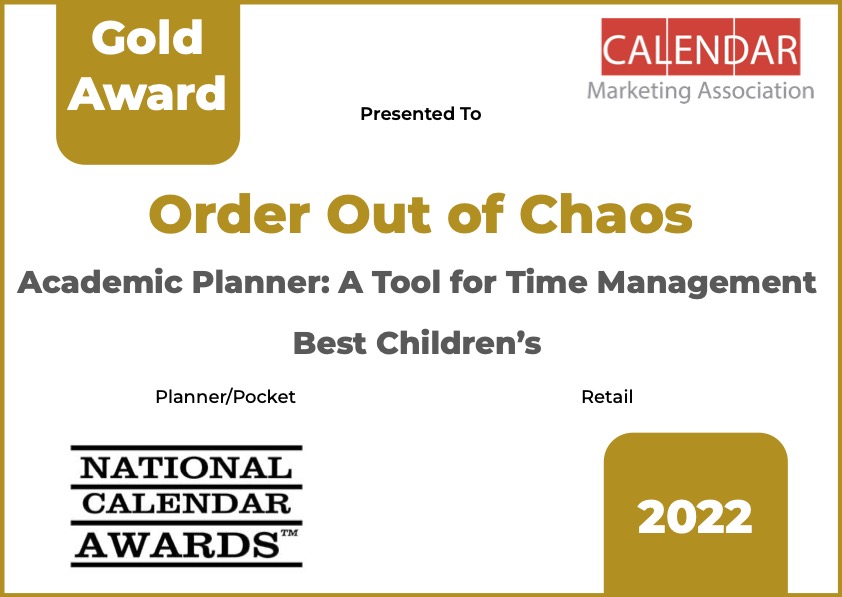
and her book, How to Do It Now Because It’s Not Going Away: An Expert Guide to Getting Stuff Done, which helps middle school, high school, and college students overcome academic procrastination and better manage manage time and study skills.

On Monday, October 24, 2022 at 7 p.m. EST, Leslie is going to be interviewed by another of my go-to NAPO colleagues, fellow Certified Evernote Expert Kimberly Purcell of Amethyst Productivity. Kimberly is an Evernote consultant and trainer for personal and business use, and is stellar at knowing the right questions to achieve the best results. I can’t wait to see what she asks Leslie.

Leslie and Kimberly will be talking about some of the pillars of executive function, including time management, memory, focus, and effort. Leslie will also be sharing the differences between ADHD and other obstacles to executive function.
The webinar, entitled Late, Lost & Lagging: Understanding ADHD & Executive Functioning, is free to attend, and is sponsored by
LESLIE JOSEL’S MASTER CLASS SERIES FOR PARENTS
Sometimes, the news isn’t just about my friends, but about friends of my friends. In fact, Leslie has two upcoming master class events that might be up your alley if you’re a parent (or grandparent) trying to create some order in your family or someone’s academic life.
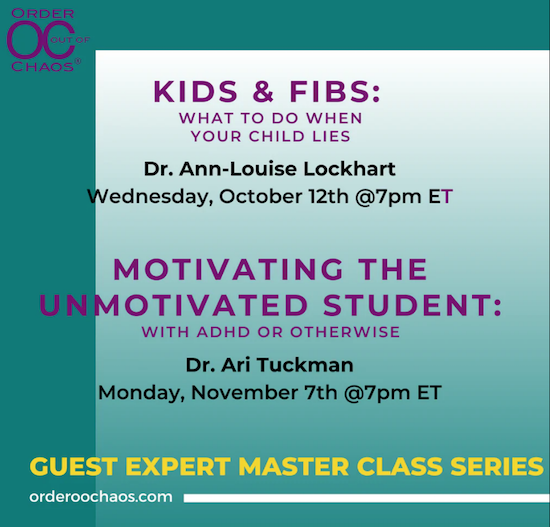
In the first webinar, Leslie will be presenting the wisdom of Dr. Ann-Louise Lockhart in Kids & Fibs: What to Do When Your Child Lies. Dr. Lockhart is a leading expert in pediatric psychology and a parenting coach. Here’s a bit of the description of the event from Leslie’s site:
All children lie. Especially those with weak Executive Functions and ADHD. Some lie because they are testing limits and boundaries, others because their “developing” brains lead to impulsive or inappropriate decision-making. And then there are those children who find lying easier than doing the task or chore they are being asked to do.
There are many reasons and theories behind lying behaviors. But what we do know for sure is that parents feel very hurt or angry, and tend to take the lying personally. Or they are confused and want to correct the behavior immediately.
In this 1-hour online master class, Dr. Ann-Louise Lockhart, pediatric psychologist, and a parenting coach, will discuss the three reasons why children fib. She’ll explain how the most important step to remedy dishonest behavior is to address the underlying reasons behind it. She’ll also show parents how they can dig deeper to discover what’s driving their child’s decision to lie and offer tools to promote future truth-telling. Practical strategies will be discussed along with real-life examples to help parents effectively manage their child’s behavior.
This webinar is Wednesday, October 12, 2022, at 7 p.m. EST. Register at: Kids & Fibs: What to Do When Your Child Lies; the master class, on its own, is $29.99.
I’m particularly excited about Leslie’s November virtual master class Motivating the Unmotivated Student: With ADHD or Otherwise with Dr. Ari Tuckman. Longtime readers of the blog have seen me buzz about the brilliant programs Dr. Tuckman has put on at NAPO conferences over the years. I can honestly say that the bulk of my true understanding of how to help my clients with ADHD and executive function disorders came from attending presentations by Dr. Tuckman.
Topics covered in this virtual master class include:
- Why many teens struggle with motivation — and especially those with ADHD and executive dysfunction.
- Understanding how attention gets hijacked and why prevention is more effective than willpower.
- How to “feel the future” more in order to increase motivation in the present so your student actually uses these strategies.
(As a side note to my Certified Professional Organizer colleagues, this seems like an ideal class for getting continuing education units toward our CPO® recertifications.)
Leslie’s master class with Dr. Ari Tuckman is November 7, 2022 at 7 p.m. EST. Sign up for Motivating the Unmotivated Student: With ADHD or Otherwise on its own for $29.99.
If both tickle your fancy, click here to register for Leslie’s master classes with both Drs. Lockhart and Tuckman, and you can save 10%.
It’s not necessary to join either webinar live, as Leslie will send links to the replay the following day, and you’ll have one week to watch. However, you’re urged to act quickly, as there are limited virtual seats available, and only the first 1000 participants are able to register. (FYI: Leslie’s master classes and webinars tend to sell out.)
HOW TO CONQUER CLUTTER WORKSHOP
Friend of the blog, NAPO colleague, and fellow lover-of-purple Linda Samuels, CPO-CD®, CVOP® of Oh, So Organized also has a big event this month. Linda is a past president of the Institute for Challenging Disorganization, an expert in chronic disorganization, and a coach extraordinaire.

She also has amazing empathy, warmth, and insight into the human condition, as evidenced by her blog, The Other Side of Organized, which shares a title with her now-classic book, The Other Side of Organized: Finding Balance Between Chaos and Perfection.

Later this month, Linda is delivering a workshop entitled How to Conquer Clutter: Understanding the Where, Why & What.
This lively virtual workshop is designed for those who are overwhelmed by clutter. Given that clutter can adversely affect levels of anxiety, as well as the quality of a person’s interpersonal relationships, sleep, and ability to focus, a little guidance can go a long way. A little buffer in your space is surprisingly effective in giving you room to breathe!
In Linda’s one-hour workshop, attendees will discover the truth about where clutter really comes from (and no, it’s not the Clutter Fairy), why it’s so hard to let go of possessions, and what you can do to reverse the clutter trend.
Linda says that you will come away from the workshop with at least one powerful and actionable strategy to use immediately to reduce your clutter. Attendees will have the opportunity ask questions and discuss their organizational and clutter-related challenges.
Linda’s How to Conquer Clutter: Understanding the Where, Why & What Workshop is scheduled for Thursday, October 20, 2022 at 7 p.m. EST and costs $59.
Be sure to register by Monday, October 17, 2022 at 6:00 p.m. to ensure your participation. This live workshop will be presented via Zoom; within 48 hours after registering, you will receive an email with the Zoom link and handout. I’m willing to bet something in that email will be purple.
MY LIST SIMPLIFIED JOURNAL
This last item is neither a webinar nor a master class nor a workshop. It’s something you can hold in your hands and make your own.
My List Simplified is yet another brainchild from my NAPO colleagues and friends from my own NAPO-Georgia chapter, Diane Quintana, CPO®, CPO-CD® and Jonda Beattie, M. Ed.

I’ve previously blogged about their various ventures, like their stellar book, Filled Up and Overflowing: What to do When Life Events, Chronic Disorganization, or Hoarding Go Overboard,

and their children’s books, Suzie’s Messy Room and Benji’s Messy Room. We discussed Diane and Jonda’s Organize Your Home 10 Minutes at a Time Deck of Cards in Paper Doll Models the Spring 2021 Organizing Products.
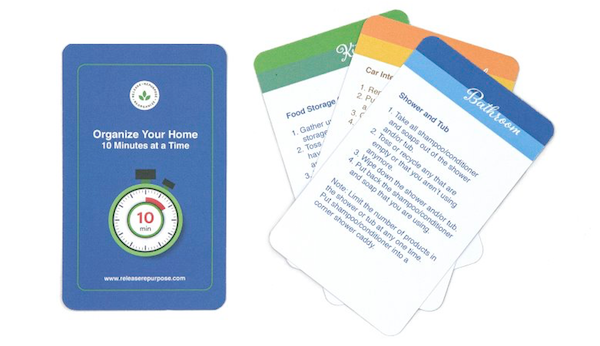
Their newest collaboration is a journal called My List Simplified.
As experienced professional organizers, Diane and Jonda recognize that people often have oodles of scribbled paper notes cluttering their desks, reminding them of phone calls to be returned, cards and emails to write, errands to run, and so on.
Clients inclined to rid themselves of little bits of paper by going digital might select an app or online platform to rid themselves of the mess. But Diane and Jonda (and I, and most organizers) know that there are still many, many people who are both comforted by, and more efficient with, paper solutions. For them, the business partners have created a journal to capture and corral all these lists, plans, and ideas in one place.
My List Simplified is a spiral-bound, lay-flat, undated journal with solutions that work for those who best comprehend a paper environment. There are a number of features for simplifying information and making it easy to retrieve without bogging users down in a system that might be too complicated to maintain.
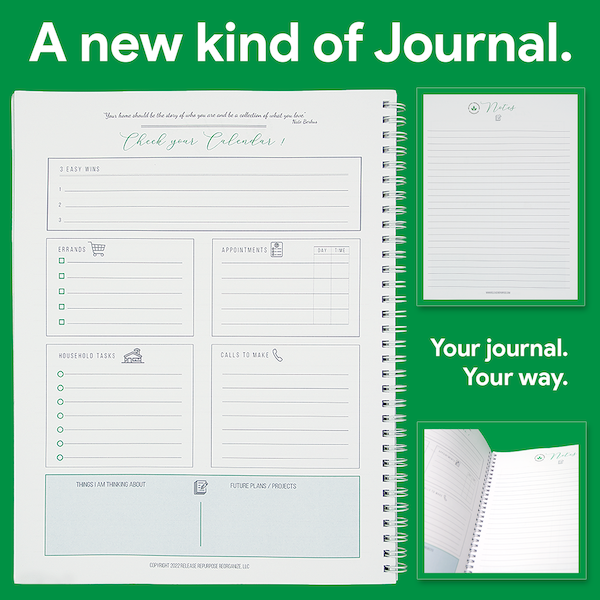
Use the left-side Check Your Calendar page to capture the various lists you’d otherwise keep on (too many) scraps of paper. This page starts with an inspirational quote and a place to specify the date (of which, more later), and includes small sections for:
- 3 quick wins
- Errands
- Appointments
- Household tasks
- Calls to make
- “Things I am thinking about”
- Future plans/projects
Facing the Check Your Calendar page on the opposite (right) side is a Notes page for capturing information on the fly, such as when you’re on the phone and someone is giving you directions or instructions. You can also use it to capture context related to any of the lists on the reverse page.
This journal is not so much for the person who would normally use a Franklin Planner or Planner Pad to keep every 15-minute block of life scheduled and annotated. Rather, it’s for the person who wants to transition from lots of little sticky notes and fluttering pieces of paper to a centralized system they can trust, but which will not overwhelm them.
My List Simplified would be a great resource for anyone planning a move or home remodeling/renovation project. If you’re juggling to-do items for any sort of major ongoing project and prefer a paper approach, this gives you space to collect, collate, and keep it all in front of your eyes. And if you’re trying to keep track of which service providers were called, what they promised, and when materials were due to be back in stock, here’s your central location.
They key difference of this journal is that it’s a flexible planner for those who need a want or need a little support, but don’t wish to be locked into a system. The journal is undated, so you can determine the date and day for each Calendar page. As Jonda and Diane say, it is a “forever journal.”
You might use it during the school year but not during the summers. You might only use it when you’re starting to feel overwhelmed by everything going on during the holidays or for the run up to a vacation.
As professional organizers and productivity specialists, we can get caught up in presenting clients with complex systems to cover all possible eventualities and forget that that’s not what everyone needs (or wants). This journal offers a more relaxed, flexible approach to keeping all of “this week’s” essentials in front of you, even if you only need it one week a month (or a season, or a year).
My List Simplified has 114 pages measuring 8 1/2″ x 11″ and is made in the United States. It costs $25 at Diane and Jonda’s collaborative Release*Repurpose*Reorganize site.
If you have any questions about the webinar, master classes, workshop, or journal above, please contact my genius friends directly. In ease case, their names are linked to their own sites. Happy October!
Organizing A Fresh Start: Catalysts for Success
[Editor’s note: This post originally appeared on September 26, 2022. Rosh Hashanah will not be until October 2 in 2024, and changes each year, as the holiday is dependent upon a lunar calendar. The remainder of the content of this post is still accurate.]
As I go to press on this post, it’s about to be Rosh Hashanah, the Jewish New Year. (We’re going into the year 5783, though as the old joke goes, I’ll be writing 5782 on my checks for weeks.)
What I always liked about the idea of the Jewish New Year was the opportunity for a fresh start. Sure, in Western culture, we already have one (in either August or September, depending on your part of the country) with the beginning of a new school year. That always brings new clothes (and the jettisoning of old ones), new school supplies (especially brand new crayons and notebooks), and new opportunities.

Apples & Honey photo by Igal Ness on Unsplash
One of those opportunities, especially as we all got older (moving from elementary school to middle school, or middle school to high school) was that we could create ourselves anew, be seen as a different kind of person.
Let’s say you’d had a reputation as a goody two-shoes; you could make yourself over as a bit of a rebel. A ne’er-do-well punk could become an athlete lettering in varsity track. An academic washout could study a trade, and a beauty school dropout could rejoin the old gang. (Any resemblance to the plot of Grease is purely coincidental.)
But if you found yourself slipping back into old habits (messy lockers, messy friendships, messy study habits), the clean slate of a new year in the guise of a millennia-old religious and cultural tradition sure could be appealing. And if the start of the school year didn’t keep you on the straight-and-narrow toward a more perfect version of you? Well, Rosh Hashanah offered another shot.
And if that didn’t work, well, the new calendar year was only another 90 days or so away.
FRESH STARTS FOR THE NEW YEAR(S)
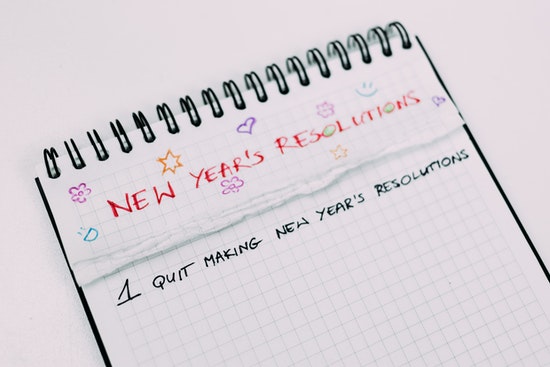
The best known annual fresh start is January 1st; worldwide, people explore New Year’s resolutions, to various degrees of success. Indeed, because of the difficulty of maintaining adherence to wholesale changes in one’s self, I often encourage alternatives to resolution making, like having goals, themes, phrases, or words of the year, such as those I wrote about in:
Review & Renew for 2022: Resolutions, Goals, and Words of the Year
Organize Your Life: The Truth About Resolutions, Goals, Habits, and Words of the Year
That said, some people still hold to the idea of making big changes when there’s a marker on the calendar to do so. If that’s you, I recommend reading what my colleagues and I have had to say at:
Join The Resolution Revolution
New Year’s Resolutions: Professional Organizers Blog Carnival
And, of course, your annual fresh starts aren’t limited to the new calendar year, new school year, or Rosh Hashanah. Worldwide, particularly in East and Southeast Asian nations and cultures, there are numerous religious and cultural new year’s observations, and you could choose any of those to give yourself a burst of inspiration.
Because lunar calendars (similar to the ones that make the Jewish holidays like Rosh Hashanah and Hanukkah bounce around the Gregorian calendar) are measured differently from what we use, these holidays don’t sync up to January first, nor do they fall on the same Gregorian calendar date each year.

These include:
- Chinese New Year — between late January and mid-February
- Lunar New Year (in Vietnam and other Southeast Asian nations) — between late January and mid-February
- Seollal (Korean New Year) — January or February, on the second new moon after the winter solstice
- Tết Nguyên Đán/Spring Festival/Lunar New Year/Vietnamese Lunar New Year — late January to mid-February
- Nyepi (Balinese New Year) — March
- Nowruz (Persian/Iranian New Year) — between March 19th and 22nd
- Aluth Avurudda (Sinhalese New Year) — April 13th or 14th
- Puthandu (Tamil New Year) — follows the spring equinox and generally falls on April 14th
- Willkakuti (Andean and Amazonian New Year) — June 21st
- Mayan Aboriginal New Year — mid-July
- Diwali (Marwari and Gujarati New Year Day) — mid-October to mid-November
- Raʼs as-Sanah al-Hijrīyah (Islamic New Year) — early July to late August
- Australian Aboriginal Murador New Year
As you can see, there are year-round “New Year’s” observations, if you’re looking to get a bit of institutional support for your new beginnings.
The meanings behind these holidays are as varied as the cultures from which they derive. Some focus on joy and celebration, others on introspection and focused self-improvement. The point is not to suggest that you necessarily observe religious or cultural New Year’s holidays or festivals, and certainly nobody should indulge in cultural appropriation.
Rather, consider these as inspirational opportunities to forgive yourself for any backsliding, identify ways you can tweak your efforts, and give yourself a motivational pep-talk.
FRESH STARTS EVERY QUARTER
If you work in the corporate world, you’re probably used to buzzwords about splitting the year into quarters. “Let’s ramp this up in 2Q!” or “We’re looking at projections for fourth quarter.” The year is carved into four 12/13ish week quarters with new collaborative goals structured into that temporal space.
Indeed, Brian Moran’s best-selling book and website, The 12-Week Year, is focused on the idea of setting shorter-term goals quarterly instead of annually. Rather than trying to transform yourself in a binary way, from “not this” yesterday to “this” today, this program posits that there’s an advantage to carving the year up into shorter 3-month blocks vs. trying to make changes on an annual basis.

If you’ve only got 12 weeks, there’s less likelihood that you’ll get complacent — it’s like having a book report due every week instead of just one term paper at the end of the semester — and more chance that your sense of urgency (and thus, motivation) will increase.
Is your inspiration to make life changes based a little more in the earth and sky than the boardroom and stock exchange? You might be motivated to make changes according to the equinoxes (in March and September) and solstices (in June and December).
Feng shui consultant (and promoter of all things organized) Dana Claudat of The Tao of Dana has a great weekly email newsletter and videos that may help you focus on the types of changes you’d like to make and the environmental support to do so.
FRESH STARTS EVERY MONTH
Although there are cultural inclinations toward inspiring fresh starts annually, these are not the only opportunities. In the UK and parts of North America, there’s a superstition that saying “rabbit rabbit,” or “rabbit, rabbit, rabbit,” or “rabbit, rabbit, white rabbit” upon arising on the first day of the month will bring good luck. (One imagines that this is, at the very least, luckier than attaching a rabbit’s foot to a keychain…at least for the rabbits)
There’s also a tradition in many English-speaking nations, including throughout the UK, Ireland, Australia, New Zealand and South Africa, for children to say “a pinch and a punch for the first of the month.”
The point isn’t necessarily to start acting like kids, but to recognize that the start of a new month, the flipping of the old paper calendar page, is worthy of notice. As they say, the days are long but the years are short. Taking notice of the passage of time is a superior way to value your time and make, if not resolutions, and least decisions regarding how you’ll use time mto serve your values.
As they say, the days are long but the years are short. Taking notice of the passage of time is a superior way to value your time and make decisions on how you'll use it. Share on XA new month, like a new year, offers an opportunity for a reset.
A FRESH START EACH DAY
Of course, you can make a fresh start every day. Every time you go to sleep at night, you are giving yourself the chance to reverse the humbling mistakes of the prior day and start anew.
And heck, you aren’t even stuck with a crummy day once it begins. As I wrote in Organize To Reverse a Bad Day, there are proven techniques for turning around a bad day (or one where you’ve failed to be your best self) and accomplishing more of what you want.
But you already knew that.
You know that each day is an opportunity to begin a new (good) habit or break an old (bad) one; intellectually, you know that you don’t need the permission of the calendar to commit to putting all appointments into your planner or hanging up your clothes or putting away your files before you leave the office.
You are absolutely aware that you don’t need to wait until a new calendar month or new fiscal quarter to stop yelling at your kids or start flossing your teeth more regularly.
But it helps, doesn’t it, to feel like you’re part of something bigger, a global effort to make positive changes? Certainly that’s why New Year’s resolutions have been effectively made (if not so effectively kept) for so long. Everyone joins together on December 31st to put that resolution energy out into the world, but by mid-January most people are struggling, all on their own, to stick with their goals.
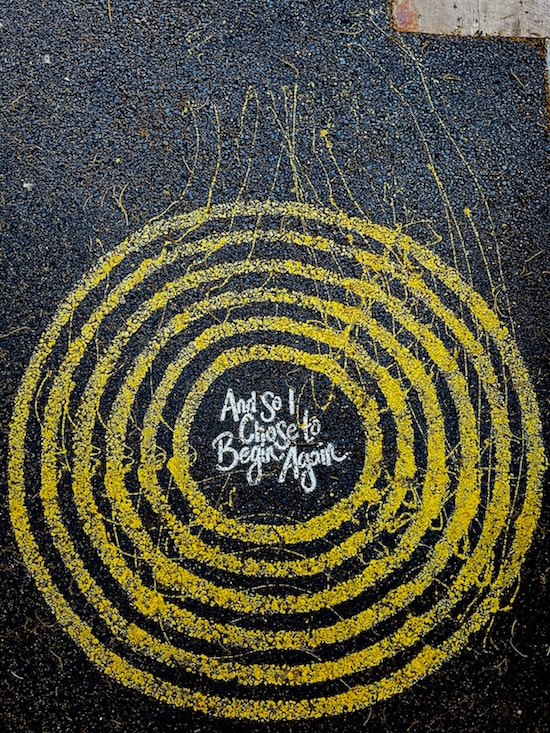
“And So I Choose to Begin Again” Photo by Jon Tyson on Unsplash
STEPS TO KEEP YOUR FRESH START FROM SPOILING
Appeal to all, or least most, of your senses. (I’m sure someone who knows more about essential oils or fragrances can suggest what scent might inspire creating and maintaining changes. If this is your area of expertise, please weigh in down in the comments.)
Start with signage.
The more you see a message, the more you’re likely to embrace it. If you’ve got a theme word or phrase for the year (or the month), post it where you can see it — on your fridge, the bathroom mirror, a sticky note in the center of your steering wheel, or wherever it will grab your attention.
Create inspiring images.
If you’re more visual than linguistic, create a vision board (showing the change you’d like to see in the world) as one that represents the change you wish be in the world.
If, like me, you’re not particularly adept at collage-making and vision boards, see if you can find one photo that represents what you’re trying to achieve — an organized bedroom, an office that you’ve left behind at the end of the day, a better effort at self-care — and post that where you can see it at transition points during your day.
When you’re focused, you may not be thinking about your goals, but when you transition, moving between tasks, between rooms, or between stages of your day, those images will resonate.
Sing out loud. Sing out strong.
Pick an empowering song, one that makes you feel like you can conquer anything, or create a whole playlist of them. Making a big change, or a series of small ones, may be easier if you’ve got your own personal theme song. Some that I really like (but which may include some salty language) include:
Roar by Katy Perry
Good As Hell by Lizzo
RESPECT by Aretha Franklin
Stronger (What Doesn’t Kill You) by Kelly Clarkson
It’s My Life by Bon Jovi
Confident by Demi Lovato
Fight Song by Rachel Platten
Unstoppable by Sia
And, for an amazing take on this song, check out Sri Lanken singer and cover artist Sandaru Sathsara’s version of Unstoppable. It’s not glitzy or glossy, but it’s motivating in it’s raw vocal and visual power.
For more motivation, check out these lists of songs that might hit the right note:
- 30+ Songs About New Beginnings & Change
- 18 Songs About New Beginnings and Starting Over
- 25 Empowerment Anthems
- 15 Empowering Songs to Blast Every Morning
- 55 Best Women Empowerment Songs For A Girl Power Playlist
Set the stage for success.
Whatever aspects of your life you are trying to change, whether they’re physical, temporal, psychological, or interpersonal, the world around you can offer support. Want to exercise more and know that you’ll never have the energy at the end of the day? Lay out your exercise clothes across the room and then put your alarm clock on top of the pile to make your morning work for you. (Give last month’s Do (Not) Be Alarmed: Paper Doll’s Wake-Up Advice for Productivity a peek for good measure.)
If you want to make 20 cold calls for your business, design an environment that makes it easy and motivating. Create a one-sheet with the points you want to make, and before you leave the office each day, lay it on your desk so it’s the first thing you see every morning. One of my clients used to keep a box of dominos by his desk, and each time he’d made a sales call, he’d stack a domino on his desk, just beyond reach. Seeing that small stack pile up over the course of the month would motivate him; a sort of “domino effect” akin to Jerry Seinfeld’s “don’t break the chain” advice.
Be willing to start small…and keep going.
From Mark Twain, who said that, “Continuous improvement is better than delayed perfection” to productivity expert Brian Tracy, who advises us to “Practice the philosophy of continuous improvement. Get a little bit better every single day,” the experts recognize that we’re not going to get where we want to be by magic or overnight success.

James Clear’s Atomic Habits tells us that starting small, super-small, on the atomic level, and making itty-bitty, teeny-weeny changes and achieving incremental improvement is the key to getting where we want to go. Our fresh start doesn’t have to be a big step, it just has to be a step that we actually take.
What are you waiting for? pic.twitter.com/QF7wRXhGwf
— Junhan Chin | Visual Designer (@junhanchin) June 27, 2022
Count on accountability.
When you want to create a fresh start and accomplish your goals, you don’t have to try to achieve things on your own. Check out two now-classic Paper Doll posts on the subject of accountability:
Count on Accountability: 5 Productivity Support Solutions
Flow and Faux (Accountability): Productivity, Focus, and Alex Trebek
Block time for success.
If we wait to feel like doing something, we’ll be waiting forever. As you’ve heard me say time and again, action precedes motivation. The way to take action, so you can get started and achieve enough success to feel motivated is to block time in your schedule. That means that you need to have a calendar, and you have to abide by what it tells you to do.
Action precedes motivation. The way to take action, so you can get started and achieve enough success to feel motivated, is to block time on your schedule. Share on XDon’t like being bossed around? Remember, you’re the one who told your calendar what to tell you! Don’t fight with the calendar; thank Past You for wanting what’s best for Current You. For some thoughts on how to block time in your schedule, start with:
Playing With Blocks: Success Strategies for Time Blocking Productivity
While you’re at it, much of the advice I offered in this summer’s 5-part series on conquering toxic productivity is helpful for making changes the right way. Work your way through the ideas at:
Toxic Productivity, Part 4: Find the Flip Side of Productivity Hacks
to develop good habits, use the Pomodoro Technique and the Pareto Principle, and focus on momentum rather than perfection.
Borrow from the wisdom of others.
Getting a fresh start means jettisoning the weight (but not the lessons) of everything that’s come before. Look through the quotes below and find one or two that resonate with you. Post your favorite on your lock screen or your computer’s desktop wallpaper to prompt you to embrace fresh starts and keep working on the transformative changes you find meaningful.
Getting a fresh start means jettisoning the weight (but not the lessons) of everything that's come before. Share on X“Getting over a painful experience is much like crossing monkey bars. You have to let go at some point in order to move forward.” ~ C.S. Lewis
“Forgiveness says you are given another chance to make a new beginning.” ~ Desmond Tutu
(This includes forgiving yourself. Every moment is a chance to be a “you” that is more congruent with your values.)
“The first step towards getting somewhere is to decide you’re not going to stay where you are.” ~ J.P. Morgan
“Isn’t it nice to think that tomorrow is a new day with no mistakes in it yet?”
~
(Is there any character more of a perfectly imperfect role model for making fresh starts than Anne (with an E) of Anne of Green Gables?)
“Be willing to be a beginner every single morning.” ~
“Every moment is a fresh beginning.” ~ T. S. Elliot
Please let me know which of these quotes resonate with you, or if you have a quote about new beginnings that you like even better.
Are you struggling to make a fresh start on something, whether it’s related to organizing and productivity or some other area of your life? I hope you’ll give these tips a try.
L’shanah tova. Happy New Year!
Toxic Productivity Part 5: Technology and a Hungry Ghost
THE MANY TENDRILS OF TOXIC PRODUCTIVITY
I checked in with a friend the other day to see how her new job was going. Her company, an international conglomerate, had laid off several people over the past six months, including my friend, but also did some internal hiring. She’d been excited about getting the new job, but seemed blue when we spoke.
“I’ll be honest,” she told me, “if I hadn’t already worked for this company for years, I’d think I was incompetent. This is really hard.” My friend, a veteran of many, many promotions for merit, is definitely not incompetent. It turns out that only one person had ever held this position before, and was fired after being unable to keep up with the demands.
When I hear these stories from my clients, the first thing I do is get a sense of whether the problem is that someone needs more support or guidance at work. In terms of support, even though she’s at the same company, my friend’s work situation is different, and she’s no longer got the support of a team structure; rather, everyone is on his or her own, with no cross-training and no backup. The company still seems to have unreasonable expectations of how much can be humanly accomplished, as we discussed at the start of this series, in Toxic Productivity In the Workplace and What Comes Next.
Next, she and I talked about the Pareto Principle (AKA: the 80/20 Rule, which we discussed last week in Toxic Productivity, Part 4: Find the Flip Side of Productivity Hacks) and I asked my friend if she’d talked with her boss about priorities, and what the most important aspects of the job needed to be right now.
Remember, 80% of the success comes from 20% of the effort, so finding that 20% can eliminate a lot of the stress and busy-work, creating more mental energy to tackle other aspects of the work.
The Pareto Principle says 80% of the success comes from 20% of the effort, so finding that 20% can eliminate a lot of the stress and busy-work, creating more mental energy to tackle other aspects of the work. Share on XI pointed out that, as a valued employee, and as the second person to try to tackle this role, she might be in a position to (gently) point out these unreasonable expectations. (Yes, this is a touchy issue, but it’s the best way to determine if the problem is bad management practices or merely lack of corporate awareness of how many human-hours it takes to accomplish certain tasks.)
My friend then noted that a colleague of hers, another “island” unto himself in a position similar to herss, has been in his role for about a year and a half. Apparently, this guy regularly works until midnight and starts again before traditional work hours, and works through the weekends.
If you’ve been reading this series all the way through, you may agree with me that this is a sign that the worker has internalized the unsustainable expectations and toxic productivity demands of the company.
This isn’t just a problem for my friend’s co-worker. Yes, he’ll probably burn out, which will be bad for him. It’s bad for my friend (and everyone else at her level) because workers with families, non-work obligations and, y’know, lives, can’t reasonably live up to this automaton-like worker-bee behavior. Nor should they try. So, the worker who has internalized toxic productivity (and who may or may not have productivity dysmorphia), is contributing to the escalating expectations for unsustainable productivity throughout the division, even throughout the company!
In other words, he’s screwing over his colleagues, who are now left positioned between having inferiority complexes and developing productivity dysmorphia to compensate (thereby risking their own mental health, their relationships, and more) or having to leave the company feeling like failures, and the company will need to hire new workers and the cycle will begin again. Oy.
Such is the state of many modern workplaces. Terrifying, isn’t it?
And, as we have discussed over the last several weeks, a corporate structure isn’t necessary for this to take place. There’s a hustle culture out there for all of us who work on our own, solopreneurs and small business owners alike, who are cowed by common practices into believing that nothing we are doing is enough, and that we need to keep up with the Joneses (our colleagues or competitors, and not merely our neighbors) at all cost.
EMBRACE NEW VALUES AND PRINCIPLES
The drive to deliver — to produce — misses the point. I posit that as much as you may (or may not) enjoy creating, your purpose on the planet isn’t to produce documents or deliver services or create or to make money. Your purpose is to enjoy yourself and help the people you love enjoy themselves, too.
We’re here to be fulfilled, not to produce widgets, and if enough of us demand that we be treated (and treat others) as humans rather than producers, we might achieve this very thing.
This can feel like pretty hippy-dippy advice in 2022, but I stand by it.
So, first, let’s start with the wisdom high performance coach Sarah Arnold-Hall puts forth about results, not hours.
Let’s start valuing results created, not hours worked. pic.twitter.com/yebU0Zwrq8
— Sarah Arnold-Hall (@saraharnoldhall) May 13, 2022
Now, on its own, this could create a huge feedback loop into productivity toxicity. Produce more, create more, do more! Grrrr. Arrrrrgggh. But we’re not going to do that.
Instead, we’re going to bear in mind what we learned in Toxic Productivity Part 2: How to Change Your Mindset about the necessity of downtime. Those hours when we’re not working are as important as, if not more important than, the hours we are working.
The task-positive brain network, which we use to take all of our accumulated knowledge and turn it into something useful, helps us focus our attention, arrive at solutions to problems, and confidently make decisions. But we can’t do any of that if we don’t also make use of our default mode network, the way our brain blisses out and thinks about anything except the problem at hand when we’re sleeping, resting, relaxing, and enjoying our loved ones and life.
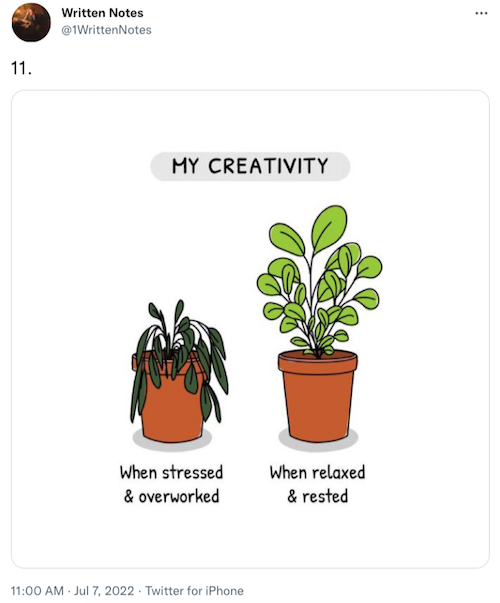
So, once you accept that success isn’t about the hours worked but the worth of what you’ve done in those hours, you have to pivot to understanding that more and more of your hours have to be given over to the downtime that allows you to create anything worthwhile. Recognizing the finitude of life is key to that attitude change. (Remember that when you get to the end of this post!)
So, what have we learned about healthy productivity?
- It’s not about spending all of your hours on work.
- To make the work you do accomplish valuable, you need to change your mindset and have more downtime.
- Downtime isn’t scrolling through TikTok or Netflix, but truly letting your brain rest and recover — through non-competitive exercise, better sleep, eschewing multitasking, increasing opportunities for a quiet mind, and asking yourself the essential questions about the life you’re currently living and how it compares to the one you truly want — as we discussed in Toxic Productivity Part 3: Get Off the To-Do List Hamster Wheel.
- We can use the same productivity tools designed to help us overcome procrastination and get more done to slow ourselves down to the speed of life. This includes embracing better and smaller (atomic) habits, using the Pareto Principle to focus on what’s truly worthy of being a priority, employing the Pomodoro Technique and block scheduling to focus our work time and ensure our break time.
— Liz Fosslien (@fosslien) June 23, 2022
What else can we do?
CONSIDER TECHNOLOGY’S ROLE
It’s easy to think that technology is essential to productivity. Look at how much more humanity accomplished after the Industrial Revolution vs. when we had an agrarian society. How much more could we accomplish with telephones than when we had to wait for the postal service or telegrams? Certainly we got much more accomplished once we added email to our resources, right? (cough, cough) And surely we’ve reached a pinnacle of productivity now that we have Slack and Asana?
Hopefully, you detected my sarcasm. Yes, technology yields vast improvements in our ability to communicate quickly (if not always clearly, as the multigenerational confusion over emoji and whether ending sentences with periods is an insult have proven), but all of these aspects of technology have led to the always-on misery we discussed at the beginning of the series. France gets it; most of Europe gets it. The US does not yet get it.
We have an inalienable right to disconnect, but it’s going to take all of us, together, to stand up and keep secure that right.
Communication technology is not the only problem.
Along with communication technology, these last few decades have seen a growth in productivity technology, from software and apps that help us brainstorm, assign ourselves (and others) tasks, and conquer our foibles and deficiencies in terms of procrastination, motivation, focus, capturing information, organizing our thoughts, collaborating on projects, and so on.
I am not a Luddite. I believe in the power of technology to make things easier, but sometimes we’re making the wrong things easier. Take collaboration. While Thomas Jefferson wrote the original draft of the Declaration of Independence, historians (including Pauline Maier in American Scripture: Making the Declaration of Independence) have shown how the handwritten edits suggested by the members of the Second Continental Congress became a complicated collaboration.
.jpg) In a document listing colonial grievances against the King George III, members of the Congress made Jefferson take out references to slavery and put in references to a Supreme Being (and fishing rights). The handwriting was that of Secretary Charles Thomson; he controlled the document’s additions, deletions, and revisions requested and/or demanded by the cacophony of voices representing 13 colonies.
In a document listing colonial grievances against the King George III, members of the Congress made Jefferson take out references to slavery and put in references to a Supreme Being (and fishing rights). The handwriting was that of Secretary Charles Thomson; he controlled the document’s additions, deletions, and revisions requested and/or demanded by the cacophony of voices representing 13 colonies.
Now imagine that same collaborative product in Microsoft Word’s Track Changes or Google Docs’ comment section. Now multiply the different voices and competing methods listed on this Wikipedia entry listing types of collaborative software. (I’ll wait while you scroll.) If you know how to be productive in one technology, you might still be flummoxed in another.
The number, variety, complexity, and interoperability (and lack thereof) of technology solutions can be overwhelming.
Have you ever heard about a new task app and wondered if it could be the solution to all of your troubles? Have you tried Todoist? Anydo? TeuxDeux? Remember the Milk? Things 3? Google Tasks? What about more complex productivity suites, like Basecamp? Trello? Clickup? Asana?
In case you were wondering if I’d suggest one app to rule them all, I’m afraid that’s not the case.
The truth is, the best productivity app is the one you’ll use. The one you’ll commit to learning, commit to using, and the one you won’t “cheat” on when another shiny app starts flirting.
The truth is, the best productivity app is the one you'll use. The one you'll commit to learning, commit to using, and the one you won't 'cheat' on when another shiny app starts flirting. Share on XUnfortunately, some productivity technology overwhelms even the most diligent users. This may be because the information we get out of our productivity technology is only as good as the information we put in, and we humans are already overwhelmed.
All of these apps, working at the speed of light (and life), can’t prioritize for us. We capture tasks with the click of a button, but we are so pressed for time (and productivity) that we fail to take the requisite moments to figure out what work has value and what is busywork.
So, are we supposed to get rid of technology altogether to combat toxic productivity?
Remember how I said I wasn’t a Luddite? Well, I’m not asking you to be one either. Chances are, if you work for a company that you don’t own, you’re stuck with some technology required by your workplace. But in the areas where you do have control over which types of technology you use, I often suggest that my clients put technology completely aside for a little while.
If you’ve got a task app or other tech that works well for you, stick with it. But if you feel beaten down and bruised by the very tech that’s supposed to keep your head above water, try slowing everything down.
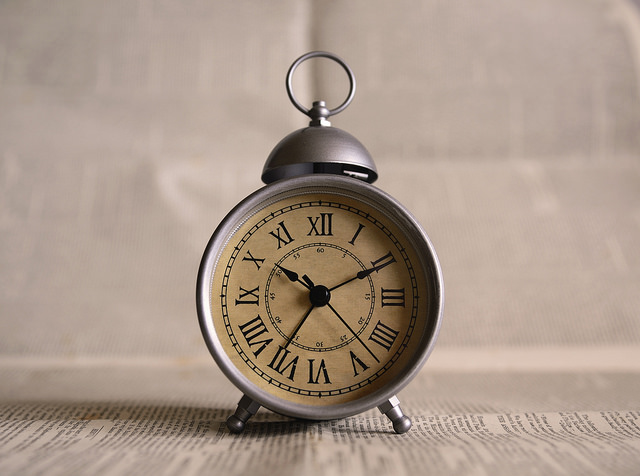
- Go analog with your time displays. Wear an analog watch, or set your fancy Apple Watch or Fitbit to display time in an analog manner. Do the same with the display for the clock app on your phone. Seeing time as it ticks by will help you appreciate the finitude of time and feel more in tune with how much you can reasonably accomplish in an hour or a day. (You might want to brush up on Back-to-School Solutions for the Space-Time Continuum for more ideas.)
- Opt for paper over tech to learn key productivity skills. I’m a Certified Evernote Expert, so I realize all of the excellent benefits of collating your clipped websites, inbound emails, saved articles, etc., digitally, tagging them, and organizing them into notebooks. But when you’re overwhelmed, sometimes having your resources, your printed instructions, and other task-triggering action paperwork right in front of you, without need for WiFi or even electricity, can help you slow down and focus without the buzz of the digital world.
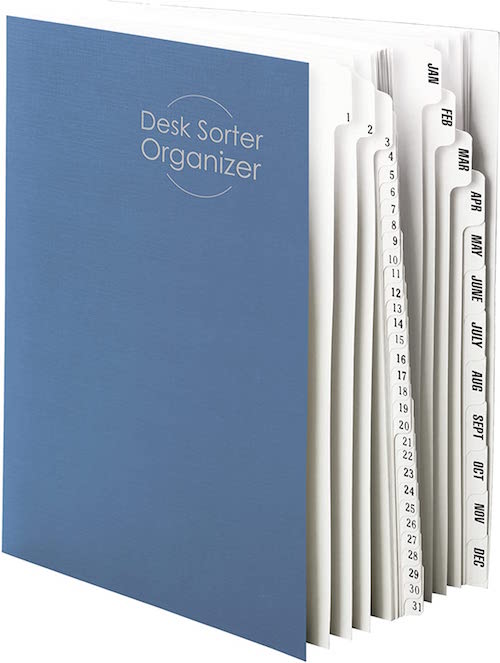
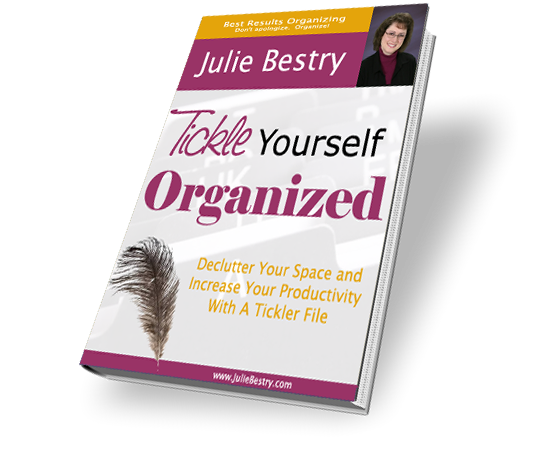
One of the many reasons I recommend tickler files for my overwhelmed clients is that learning the process of looking at task-triggering papers and making qualitative decisions (regarding priorities) and chronological decisions (regarding when you can reasonably accomplish specific tasks) is an essential skill for improving productivity in a healthy way. It’s the reason I wrote Tickle Yourself Organized.
- Consider bullet journaling. I’ll be honest, bullet journaling stresses me out. I understand that it’s not necessary to embrace the fancy, artistic designs some people use, but the very hands-on, tangible customization options overwhelm me, and the idea is to achieve healthy productivity by removing overwhelm. But I’m not you. Hundreds of thousands, perhaps millions, of people swear by bullet journaling for tracking tasks and other information. They can’t all be wrong.
PULL IT ALL TOGETHER AND HALT A HUNGRY GHOST
Hopefully, over this past month, you’ve come to recognize that not only are you not a robot, but that it’s unacceptable for anyone — your company, your clients, your mother-in-law, or you — to expect non-stop labor from you.
If machines don’t operate at 100%, why do we expect so much from ourselves?
— Junhan (@junhanchin) May 24, 2022
You’re a living, breathing human being. But you may have a ghost in your machine.
In Brad Stulberg‘s recent post The Constant Restlessness You Feel Has a Name, he describes how many of us experience a constant grind he calls “heroic individualism.”
Heroic individualism says that you will never have enough, be enough, or do enough. It is an endless gauntlet of more. While it may lead to decent short-term performance, long-term, it is a recipe for disaster. This is because long-term fulfillment depends upon things that are inherently inefficient and unproductive, at least on acute timescales.
Sound familiar?
When you look at the ten symptoms of heroic individualism that Stulberg lays out, some of it bears a striking resemblance to toxic productivity and Anna Codreo-Rado‘s perception of productivity dysmorphia, such as:
- Low-level anxiety and a sensation of always being rushed or in a hurry — if not physically, then mentally.
- Not always wanting to be on, but struggling to turn it off and not feeling good when you do.
- Feeling too busy, but also restless when you have open time and space.
- Successful by conventional standards, yet feeling like you’re never enough.
Stulberg’s describes the Buddhist concept of the hungry ghost:
The hungry ghost has an endless stomach. He keeps on eating, stuffing himself sick, but he never feels full. It’s a severe disorder.
The modern world that so many of us inhabit depends on the creation of hungry ghosts. But you, me, all of us can choose to opt out of this game. We don’t have to become hungry ghosts. We simply need to step back and reflect upon what it is that we actually want. Simple, sure. But not necessarily easy.
To combat this hungry ghost, this toxic productivity, this productivity dysmorphia, Stulberg recommends the concept of groundnessness.
His book, The Practice of Groundedness: A Transformative Path to Success That Feeds—Not Crushes—Your Soul, combines research from psychology, neuroscience, and sociology (as we looked at in the first three posts in this Toxic Productivity series), as well as religious and philosophical teachings from Buddhism, Taoism, and our old friend-of-Seneca, Stoicism.

The first of Stulberg’s five points of groundedness is having a realistic sense of where you’re starting on this journey, which I’d argue includes comprehending the role we play in letting toxic productivity into our institutions and our lives.
You can catch up on any part of the series here:
Toxic Productivity In the Workplace and What Comes Next
Toxic Productivity Part 2: How to Change Your Mindset
Toxic Productivity Part 3: Get Off the To-Do List Hamster Wheel
Toxic Productivity, Part 4: Find the Flip Side of Productivity Hacks
and for other perspectives on toxic productivity, you might wish to read:
What is toxic productivity? And 5 tips to overcome it (Trello)
When Doing is Your Undoing: Toxic Productivity (Psychology Today)
Put Avoiding Toxic Productivity At The Top Of Your To-Do List (Vogue UK)
Feeling Burnt Out? Meet Toxic Productivity & Grind Culture with Rest
Thank you for coming along on this five-week tour of how we (individually and as a society) are struggling with unsustainable expectations surrounding productivity. I hope you will share these (and other Paper Doll) posts with those whom you feel the material will help.
And if you’ll pardon my indulgence after putting 15,000 words into this topic, I’d like to share part of the lyrics of my favorite song, Viena by Billy Joel, which has some wise things to say about this topic.
Slow down, you crazy child
You’re so ambitious for a juvenile
But then if you’re so smart, well, tell me
Why are you still so afraid? Mm
Where’s the fire, what’s the hurry about?
You’d better cool it off before you burn it out
You’ve got so much to do
And only so many hours in a day
But you know that when the truth is told
That you can get what you want or you can just get old
You’re gonna kick off before you even get halfway through, ooh
When will you realize Vienna waits for you?
Toxic Productivity, Part 4: Find the Flip Side of Productivity Hacks
If you reside in the United States or Canada, you’re coming off the end of a long holiday weekend, an opportunity to rest, relax, and regenerate.
Do you feel relaxed? Or do you feel the itch to be accomplishing something on your to-do list? Do you feel that whatever you got done last week might not quite be enough, and that by taking an actual weekend off — not just two whole weekend days, but an extra holiday — you’re coasting? Cheating? If so, you definitely won’t be the only one.
PREVIOUSLY ON PAPER DOLL…
Throughout this series on toxic productivity, we’ve looked at what society can do to vanquish unsustainable expectations, how we can change our outlook and mindset, and what we can physically do to loosen the ropes with which we’ve bound ourselves. Before we go any further, I encourage you to catch up on the concepts and references we’ve looked at so far:
Toxic Productivity In the Workplace and What Comes Next
Toxic Productivity Part 2: How to Change Your Mindset
Toxic Productivity Part 3: Get Off the To-Do List Hamster Wheel
We can lobby for changes in societal expectations regarding excessive corporate demands on our productivity. We can read wisdom (and get therapy) to examine how we’ve internalized toxic belief systems and developed, as Anna Codrea-Rado calls it, productivity dysmorphia.
We can even recognize the finitude, or shortness, of life, and get off the hamster wheel by adding mindfulness and rest (in terms of non-competitive exercise) and more recuperative sleep, eliminating multitasking, and digging deeply to figure out what we want out of life and who we are.
But if none of that floats your boat, even if I’ve convinced you that toxic productivity is a danger to you, your loved ones, and society, these measures may just be too hard to incorporate in the life you’re already living. Trust me, I get it.
USING THE PRODUCTIVITY HACKS YOU KNOW AND LOVE
So, today, we’re going to look at the same productivity strategies, tactics, and “hacks” that are recommended to conquer lack of productivity — whether that’s a problem with procrastination, prioritization, or planning —and see if we can find ways to use them to stem the tide of toxic productivity.
Start At the Atomic Level
In James Clear‘s Atomic Habits, he posits that all of our outcomes — our productivity (for good or ill), our self-care, our financial state — are a “lagging result” of our habits. In other words, there’s a cumulative effect of what we do that, when repeated over and over, leads to where we’ve arrived.
To achieve what we want, Clear believes that we generally either try to change our habits in the wrong way, or we try to change the wrong things. Clear notes that we approach things in three ways:
- We try to change our outcomes (achieve more work, make more money, lose a certain amount of weight).
- We try to change our habits.
- We try to change our identities — including our belief systems, our views of the world, and our self-images.
Heady stuff. But it doesn’t work.
Clear’s approach is to flip the order and the magnitude of these strategies, and start by building identity-based habits, focusing on who we aspire to be (the non-smoker, the half-marathon runner, the person who can feel proud of their work output without working ourselves to death), and making itty-bitty, teeny-weeny changes at the atomic level (think of atoms, or even sub-atomic particles, not atomic as in “big boom bomb”).
To Clear’s mind, starting with these small steps helps you make the leap from “I’m the kind of person who wants be X” to “I am the kind of person who does X” to “I’m the type of person who is X.” (No, unfortunately, it will not help make Paper Doll a ballerina.)
From a productivity perspective, Clear builds on the now-famous research of Charles Duhigg in The Power of Habit: Why We Do What We Do in Life and Business.

That research focused on four stages: Cue, Craving, Response, and Reward. From a toxic productivity perspective, the cue may be some kind of request in our inbox or voicemail, or even seeing what one of our colleagues is doing, and feeling like we have to learn to emulate that behavior.
That feeling of “Ooooh, my successful colleague just started a YouTube channel and is getting all of this attention. I want to feel respected and admired, so I need to add videos to my repertoire of what I deliver to the world.”
The response in this case might be you buying video equipment, writing scripts, and pushing yourself beyond your capacity to start developing these videos, and the reward might be the sense of achievement of having completed it. You’ve satisfied that craving! Yay!
Wait, yay? Are you sure?
Rewards are supposed to teach us which cues and cravings will make us feel good. But remember what we said a few weeks ago about the hedonic treadmill, how you get used to a certain level of productivity and thus no longer feel any level of excitement or satisfaction? Time after time, your automatic process of building your habits may be contributing to your sense of productivity dysmorphia!
So, how can we use Clear’s ideas to help us create better habits that will separate ourselves from toxic productivity? Clear’s book is too packed with wisdom for me to cover its value in a blog post, but here are two methods to try, based on his teachings. His guidance is in bold type.
To embrace healthier habits that will get you away from the cues to keep working:
Make It Obvious — If you want to get in the habit of taking a walking break at lunch, put your lunch bag (or wallet) on top of your walking shoes.
Make It Attractive — Arrange to take a yoga class or go for an adult beverage (or ice cream, or an afternoon tea) with a good friend. Make taking a break social to remind you of when your life was fun. Then do fun stuff!
Make It Easy — Block time on your schedule for non-work things so nobody can steal your self-care by making a Calendly request for time that isn’t available. That person will never know that you’re not in some other “productive” meeting.
Make It Satisfying — Make those get-off-the-hamster-wheel experiences delightful; if you’re an introvert, don’t schedule social things that will steal your energy, and if you’re a hiker, don’t book a yoga class because it seems socially preferable. You do you, boo!
To break your bad (toxic) productivity habits and get off that hamster wheel of constantly feeling like your value depends on your output:
Make It Invisible — To reduce your exposure so you don’t experience the cues to constantly feel like you’re not doing enough, reduce your attention to requests when you don’t need to deal with them. Turn off your notifications unless you’re waiting for a particular response. Stop checking your email every 15 minutes; check it in the morning, right after lunch, and about an hour before the end of the day. Otherwise, focus on your priorities, not other people’s.
Yep, this is the same advice I’d give you if I were encouraging you to be more productive; the point isn’t to be less productive, per se, but to feel less driven by those cues to feel like your value equals your productivity!
Make It Unattractive — The point here is to re-adjust your mindset (as we discussed in the second post in this series). You want to accent the benefits and importance of avoiding the bad habits (of working through lunch, checking email when your kid is talking to you, etc.). Maybe a photo posting your last blood pressure test or the lyrics to Cats In the Cradle will remind you of what hyperfocusing on productivity costs you. (Wait, you don’t know that song? Grab a tissue!)
Make It Difficult — This is about increasing friction so it’s harder to work long hours and feel obligated to keep going when you’re completely wrung out. Set your computer to turn off every day at 5 (or 6 p.m., or 4:30 p.m.). Delete one-third to one-half of the available time slots from your appointment scheduling software. Prioritize yourself on the schedule (and see the time-blocking section, below).
Make It Unsatisfying — You know what makes you tick. Would the social cringe of failing to knock off work and go home (after you’d promised to do so) do the trick? For good or ill, the fear of disappointing your spouse might not be enough, but support from an accountability partner, someone without the guarantee of unconditional love? Could work!
Normally, we’d use accountability to get us working, but sometimes, having a body-double for the “last hour” of the day will ensure we shut down when we need to. If that’s the case for you, reread Count on Accountability: 5 Productivity Support Solutions for some key ways to get help honoring your goal to respect yourself, your time, and your value.
Two P’s Against One: Conquer Toxic Productivity With the Pareto Principle and the Pomodoro Technique
There are two popular strategies in the productivity realm we experts apply to help people not only achieve more, but more of the right thing. Sneakily, these two concepts can also help you get off that hedonic treadmill.
Let’s start with the Pareto Principle, which you might know as the 80/20 Rule. It comes from a theory of economics that says that 80% of outcomes come from 20% of causes, and it’s been found that 80% of successes come from 20% of efforts or sources. This is one of those weird concepts that while not always perfectly true, is surprisingly accurate.
Freelancers will find that 80% of their money comes from 20% of their client base. All those toys your kids are actually playing with (and the apps on your phone that you actually use)? About 20% of them are what’s yielding the most activity.
Use the Pareto Principle to figure out what of the work you’re doing is actually the vital work. The deep work (in the words of Cal Newport). The meaningful work. The work that appears in the Eisenhower Matrix’s “important and urgent” quadrant!
Look at your list of everything you accomplished today. Wait, you don’t know what you did?
You probably added “done” things to the to-do things so you could cross them off. But if not, look at your outbound emails, your calendar, your “recent documents” and “recent spreadsheets.” Going forward, you might track your time with an analog list on paper or software like Toggl or Rescue Time.
Look at everything you’re doing and measure the value — is it financially remunerative (does it pay?!), is it helping you grow professionally or personally, is it emotionally rewarding? It’s very likely you’ll find that the vast majority of your work’s value is coming from 20% (OK, or even 30% or 40%) of your output.
Use the Pareto Principle to give yourself permission (there’s another P-word!) to stop doing everything! With luck, you’ll be able to appreciate all that you have accomplished, focus less on what you didn’t complete, and eliminate a bit more of that productivity dysmorphia.
Same results. Different expectations. pic.twitter.com/fXbf6gY1AA
— Janis Ozolins (@OzolinsJanis) March 27, 2022
Next, let’s look at the Pomodoro Technique, developed by Francesco Cirillo. We’ve discussed this many times on the pages of Paper Doll, most recently in Does Anybody Really Know What Time It Is? 5 Strategies to Cope With Pandemic Time Dilation, but at it’s most reductive, you decide what you want to work on, you set a timer for 25 minutes, and you work on just that thing until the timer goes off. Then take a break.
This is another tactic we productivity gurus use to help clients get their butts in the chair; to conquer inertia, we encourage someone try just five minutes (on the treadmill, writing a blog post, studying a chapter), and more often than not, this is enough to get someone over the hump and keep the mojo going.
However, the Pomodoro Technique also works to dissipate toxic productivity because breaks are built in. In usual circumstances, the Pomodoro-er is thinking, “Sigh, OK, I have to do this. But in 25 minutes I get to take a break.” To the person who struggles to let go of their sense of worthiness being tied to their output, being forced to take a break is a real eye-opener! Permission to stop working is one thing; being required to stop is a much bigger deal!
For more on the Pomodoro Technique:
Take It From Someone Who Hates Productivity Hacks—the Pomodoro Technique Actually Works
Explore Being a Kid Again: See How Playing with Blocks Can Flummox Toxic Productivity
We’ve already talked a lot about time blocking. Your best bet is to review:
Playing With Blocks: Success Strategies for Time Blocking Productivity
Paper Doll Shares Secrets from the Task Management & Time Blocking Summit 2022
How to Use Block Scheduling to Revamp Your Workflow (Wired)
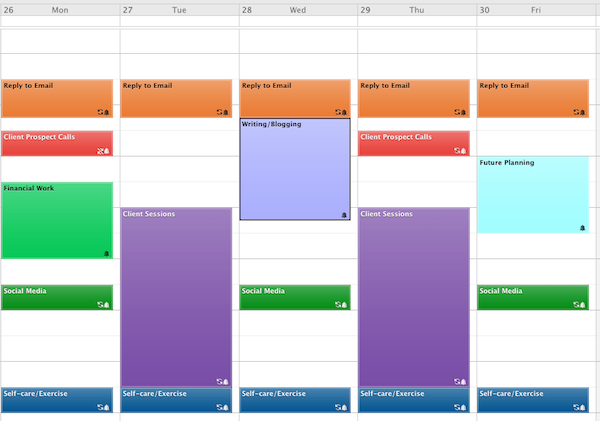
Usually, when we discuss time blocking, we’re trying to fit as much into our limited, valuable, time as possible, to make sure we create homes for all the work that’s necessary to do. But we’ve already established that not everything we’re doing is of equal value.
When we want to circumvent toxic productivity, reduce busy-ness in favorite of doing our most important work, and get a hearty mix of what we discussed back in the second week, we need to think about our brains!
In that post, I explained that using our central executive network (think: executive function, not CEOs), or task-positive brain network, activates to help us use our memories of previously-acquired information to comprehend new information, focus our attention, come up with solutions, and make decisions.
But our brains also need to operate in the default mode network — it’s what your brain is thinking about when nobody’s expecting anything from you.
What does that have to do with time blocking? Simple — block time to do all those things we talked about in Toxic Productivity Part 3: Get Off the To-Do List Hamster Wheel that turn active the brain off for a little while. Just blocking your time, without considering downtime, will let you get a lot done, maybe even the right stuff done, but it won’t reduce that drive to be “always on.”
In his July 3rd email, How to Be a Productivity Ninja author Graham Allcott talked three ways to use his attention: to create, to collaborate, and to chill.

When you block your time, “create” is going to be anything that achieves that deep work, that 20ish% of effort to yield the 80ish% of success. Allcott says, “When I’m in Create mode, my mindset is disciplined, closed and distraction-free.”
“Collaborate” is as you’d guess, all of those meetings and calls and emails, those Zooms and those moments you’re in shared documents. And it’s the collaboration (whether anticipated or unanticipated) that often steals the time we need to spend on the other two C’s.
And, obviously, “chill” is about engaging the default mode network by disengaging from the task-positive brain network.
When you put together your time blocks, be sure to consider all three elements. Balancing your creative and collaborative time with your chilling time will help your step off the hamster wheel and live a healthier, more fulfilled, and less toxic life.
Momentum matters more than perfection. pic.twitter.com/ju76b7gsqj
— Sarah Arnold-Hall (@saraharnoldhall) April 6, 2022
Give yourself a break. Give yourself some grace. Give yourself a more organized space, more planning time on the calendar, and more opportunities to “win” by not expecting so damned much of yourself.
With so much to consider regarding toxic productivity, there’s actually one more post to round out the series. We’ll be looking at how tools, whether analog or digital, can help or hinder us as we seek to reduce the toxicity of our productivity. And then we’ll close with a little philosophizing and sum up all we’ve discussed.
Until then, I hope you’ve found some of this helpful to reduce any of the unwelcome stress you may feel as you approach the second half of this year.
Toxic Productivity Part 3: Get Off the To-Do List Hamster Wheel
“Nothing is so insufferable to man as to be completely at rest…. He then feels his nothingness.”
~ Blaise Pascal, Pensées
Two weeks ago, in Toxic Productivity In the Workplace and What Comes Next, we looked at the external forces that drive unsustainable expectations and eventually burnout. We also examined what other industrialized nations have been doing to stem this dangerous trend.
Last week, in Toxic Productivity Part 2: How to Change Your Mindset, we examined productivity dysmorphia, the disconnect between objective achievements and our emotions about those accomplishments. When we experience productivity dysmorphia, the very act of pursuing productivity (to the neglect of all else) means we lose the ability to savor or enjoy what we have accomplished.
That second post focused on the ways to change our mindset about productivity. We examined how hedonic adaption gets us so used to our status as achievers, as worker bees, that eventually we will be unable to sustain that behavior and burn out. We reviewed the research that showed our brains require downtime and countered the many myths that exist about productivity.
Most importantly, we started a discussion regarding the role of work (and achievement, in general) in our identities, starting with Charlie Warzel and Anne Helen Petersen asking “Who would you be if work was no longer the axis of your life?” and considering the “finitude” of life (in the words of Oliver Burkeman and the Stoic philosophy of Seneca). We left off in contemplation that our value is not in what we do but in who we are — in being, not doing.
Today, we’re going to explore developing an appreciation of being over doing, seeing how our actions need not be achievements, per se, but can be experiences, valued solely for the potential delights they offer.
REVISITING FINITUDE: THE MACRO AND MICRO APPROACH
Our time on this rock is limited. A central tenet Burkeman’s 4000 Weeks: Time Management for Mortals is the ability to see the shortness of life, examine your goals and values, and maximize spending your time on what matters most. This isn’t some hippy-dippy philosophy that says that if we all stop worrying about work or making money, we’ll find ourselves in a vast utopia.
Rather, it notes that life is hard, life is short, and feeling like you only have a right to be here if you’re accomplishing things that make money — whether for your company or yourself (even, or especially, if you are your company) — leads to frittering away the most valuable commodity: life.
Tim Urban’s stellar Wait But Why blog broke ground in this arena. Allowing for a little more time on the planet than Burkeman, Urban posited that we might have 90 years of life, so 4680 weeks rather than 4000.
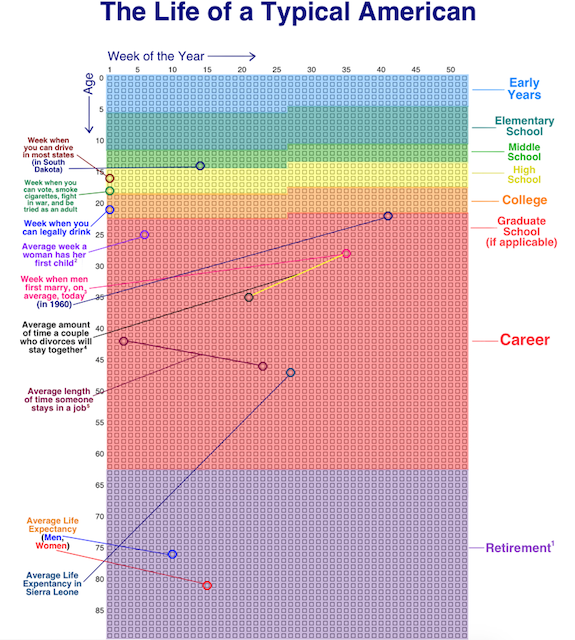
One of his most famous posts, back in 2014, urged readers: visualize your life in years, your life in months, your life in weeks, your life in number of remaining SuperBowls…to appreciate what you do with your time.
For example, I’ve got got 2860 of my weeks behind me. It’s tempting to use these kinds of visualizations for dismay; certainly they can lead to existential angst and even more productivity dysmorphia. “See?” one might yelp! “I have even less time to make the widgets! To earn the money!” And yet, as we’ve seen over the last two weeks, that attitude just leads to focusing more on the quantifiable value you create for others; we want to look at quality, not quantity.
But, we can still turn to Urban for guidance. As a follow-up to his macro look at the finitude of life, he developed a way to organize and examine our lives at the micro level in 100 Blocks a Day.
Inspired by Urban, nomadic programmer Jama of Notion Backups, has identified a way to pause and reflect, giving perspective on where you are, chronologically speaking, in your day (rather than in your life). Rectangles.app gives you a quick glance at how much of today has gone by, in ten minute increments, as of the point in your day when you click the link. Click later in the day, more boxes turn green.
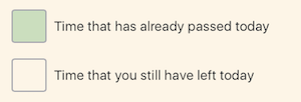
For example, when I visited and took this screenshot, I’d made it through 93 1/3 ten-minute blocks in my day.

When faced with how much of your day has passed and how much is left, you might have the following reactions:
- Yikes, I’d better get cracking! (A good motivation if you’ve been staring at social media or playing a video game for hours on end, for sure.)
- Yikes, I’ve been working and working, and I’ve only written 17 TPS reports and attended 5 hour-long meetings! (A likely sign of productivity dysmorphia creeping in around the edges.)
- Yikes, all I’ve done all day is work. I haven’t talked to anyone I love, I haven’t exercised or gotten any fresh air. I haven’t laughed. (And here’s where the magic might begin!)
If you’ve been experiencing signs of burnout due to toxic productivity, give this approach a try. Click on Rectangles and think about the day you’re having. Maybe even text the link to a friend, describe your day thus far, and get a reality check from someone who sees you more clearly.
HOW TO GET OFF THE HEDONIC TREADMILL & STOP KEEPING SCORE
If you’ve gotten this far in this blog series, you might recognize that you (or someone you care about) is experiencing signs of toxic productivity or productivity dysmorphia. If you have trouble valuing what you’ve already accomplished, and especially if you experience difficulty spending your time on anything you can’t point to as an accomplishment, this section is for you.
We aren’t going to begin by saying, “Stop doing so much work” because that’s too big a step. Instead, I’m going to ask you to review the forthcoming suggestions and pick one or two to try, and carve out time in your schedule for doing them. Consider, on your first day, taking two or three of those boxes above, and before they pass by and turn green, experiment. Walk. Nap, Meditate.
Take a Walk
Exercise is great for us — it clears our heads and lets us reset to that default mode network we learned about last week from Jay Dixit’s We’re Doing Downtime Wrong in NeuroLeadership.
Of course, not all exercise is equal. Yoga is supposed to be good for us because it’s (mostly) gentle on the body, it focuses on correct breathing techniques, it improves strength, balance, and flexibility, it eases pain and benefits cardiac health, it dissipates stress, and much more. But yoga’s particularly advantageous for drop-kicking toxic productivity because there’s no scorekeeping.
Yes, I suppose you might feel competitive with the person next to you in class (not that you have to take a class) who has a more fluid downward-facing dog than yours. But in general, completing a yoga class feels less like, “I am a valid person because I can check today’s yoga off my list” and more, “Wow, my neck is no longer making that clicky-sound when I turn to the right!”
Contrast this with golf, for example, famously called, “a good walk spoiled.” (And no, trivia buffs, Mark Twain didn’t say that. He died in 1910, but the first reference to it was in 1948. The originator is a mystery.) Golf, indeed any game that involves precision and scorekeeping, probably isn’t going to help decrease your sense of always chasing after the next accomplishment, the next win.
Let’s start by stopping. Let’s stop counting our steps and counting the filled rings. (I’m not saying you can’t monitor your health-based metrics, but try strapping your Fitbit to your ankle to keep yourself from obsessively checking your step count.)
The great thing about walking is that there’s very little else of a truly productive nature, in terms of output, at least, that can be done while walking. You can’t handwrite, and while you can type or dictate into your phone, anything more than the odd inspiration is going to slow your pace and then stop you altogether, either because you’ll have forgotten to walk or you’ll fall right into a fountain.

For your mental health, the best thing you can do is just walk and explore your thoughts. Of course, that can be scary. Sometimes, the basis of toxic productivity is that one keeps working to avoid one’s thoughts. (Therapy can really help with that. Nudge, nudge.)
If you’re truly uncomfortable being alone with your own thoughts, try listening to soothing music or, if you must, a podcast. But the idea of this particular exercise (no pun intended) is to ease you into the notion of being comfortable doing nothing that earns you gold stars, nothing to check of the list. Try to walk to just walk.
One resource that might help is 52 Ways to Walk: The Surprising Science of Walking for Wellness and Joy, One Week at a Time by Annabel Streets.

From walking for meditation to walking barefoot, from walking in the rain to “walking like a Pilgrim,” (which, one assumes, is different from The Bangle’s Walk Like an Egyptian), the book explores unusual ways to incorporate walking in your life, and bits of research to give you some why to go with your what.
For example, did you know that a study published in Brain Research found that walking regularly and varying your speed results in improved concentration? (Maybe you can encourage your kids to take walking breaks between study sessions! There’s the benefit of that default mode network again!)
The key is to add activity to your daily experiences. Toxic productivity and the resulting burnout comes from failing to nurture your whole self, leading you to only envision yourself as a means of production, no more than livestock or a machine. Investing in yourself as a full human being helps break apart that idea that you must contribute productively at all times to be of value at any time.
Investing in yourself as a full human being helps break apart that idea that you must contribute productively at all times to be of value at any time. Share on XEmbrace Sleep
Are you feeling like you’re “always on” and that sleep will just leave you further behind?
This may seem hypocritical for anyone who knows Paper Doll in the real world. I am a notoriously “bad” sleeper, if you want to be judgmental about it. For the better part of half a century, I’ve been going to sleep later and later, about when the roosters wake and the “time to make the doughnuts” guy meets himself at the door.
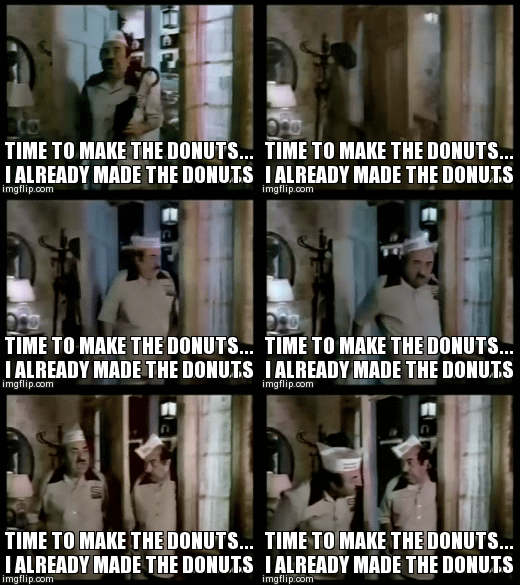
But although I have had a lifelong difficulty with getting to sleep, I am blessed with the ability to fall back asleep. And I’ve built my life (at least these last two decades) around working when my body clock makes me the most creative (afternoons with clients, late nights for writing) and getting all the sleep I want and need, just not at societally-approved times. I’ve accepted that my different sleeping patterns are atypical, and I would never sacrifice sleep in order to cross more tasks off my list.
Sleep is essential for our health. Did you know that getting poor sleep or not enough sleep leads to obesity? Sleep deprivation leads to higher levels of ghrelin (the hormone that tells your body when it’s time to eat) and lower levels of leptin (a horomone that regulates energy balance and inhibits hunger).
These levels are correlated with increased hunger, particularly with cravings for fat-dense and carbohydrate-dense foods. (Um, like doughnuts. Sorry about that.) And eating more of these kinds of foods increases the “neuronal reward pathways,” which can spur a sort of addictive response in the brain. (Note: I mean no disrespect and am not fat-shaming; I reference this solely for those concerned about dietary-related health.)
What the heck does this have to do with productivity or organizing or any of what this blog is about?
To be productive, we need to be able to disengage and re-set. There are many ways we accomplish this, but the brain depends upon sleep to flush toxins and achieve this re-set. The more sleep we lose due to “hustle culture” and the need to accomplish more and more, the less we can actually do. In 2011, a Harvard Medical School study found for the average worker, insomnia led to the loss of 11.3 days’ worth of productivity each year.
And the American Academy of Sleep Medicine found that “compared to those who regularly got 7 to 8 hours of sleep, those who reported getting 5 to 6 hours experienced 19 percent more productivity loss, and those who got less than 5 hours of sleep experienced 29 percent more productivity loss.”
It’s not just that lack of sleep makes us too loopy to grasp statistics or zoom through our work. It’s not just that missing our zzzzz cuts down on our to-do list checkboxes, but it makes us cranky and short-tempered with our bosses and clients, our friends and our loved ones.
And this isn’t a little thing. Chronic insomnia (whether it’s brought on by the stresses of toxic productivity or because we avoid sleep to keep working) is a risk factor for developing clinical depression and anxiety — and good luck trying to be productive when battling those!
So, getting adequate and high-quality sleep can not only help us be more productive; it can help us develop the mental health and physical stamina we need to support ourselves in crafting a life that places rest and life satisfaction on equal (if not higher) footing than constant productivity. A few highly recommended books on sleep include:
Why We Sleep: Unlocking the Power of Sleep and Dreams, by Matthew Walker, PhD.

The Sleep Solution: Why Your Sleep Is Broken and How to Fix It, by Dr. W. Chris Winter

And nighttime sleep isn’t the only kind of sleep to consider. Napping has value as well. I encourage you to peruse The Nap Ministry | Rest Is Resistance (both the blog and the forthcoming book) and consider that if you judge yourself for napping (or sleeping in general), that’s a good sign that you’re sinking into the trap of toxic productivity and undervaluing your health as you overvalue work tasks.

Stop Multitasking
We’ve talked about multitasking many times before, usually under the guise of eliminating the distractions that hurt our productivity. But multitasking can be tricky. In We’re Doing Downtime Wrong, Dixit identified common traps where multitasking detracts from mindfulness, which is another key to helping us both re-set our brains and get off the hamster wheel of feeling like we have to be always-on.
In Dixit’s words, “doing the dishes while listening to a true crime podcast” isn’t real downtime. Just do the dishes. Let your mind wander. Give yourself permission to just exist!
Shhhhhhhhhh
You may be wondering what quiet has to do with toxic productivity. Sure, we know that silence, or at least the absence of distracting noise, can improve our productivity. For example, a German study just prior to the pandemic proved that using noise-canceling headphones can improve focus, cognitive performance, and employee satisfaction in open-office environments.
We know that sound pollution distracts us; it keeps us from getting into the zone for deep work. But again, as with walking and other non-work tasks, we need to introduce more silence into our non-work time to normalize quiet and make the busy humming of accomplishment only one, but not the primary, experience of life.
Create opportunities in your life for a little more zen. Try driving with the radio off. (I know, it’s hard!) Consider dining without the TV on. Embrace quiet outside your body so you can hear what you need to tell yourself.
Ask the Hard Questions
Author Josh Kaufman has a blog post entitled 49 Questions to Improve Your Results. While that sure sounds like an invitation to more chase-your-tail productivity, the questions are a deep dive into self-analysis for improving your life satisfaction.
Kaufman organizes these questions under the following over-arching categories:
- Do I use my body optimally?
- Do I know what I want?
- What am I afraid of?
- Am I confident, relaxed, and productive?
- How do I perform best?
- What do I really need to be happy and fulfilled?
But don’t just read the ones I’ve bulleted above. I encourage you to read and think about the sub-questions Kaufman invites you to consider, from “What “states of being” do I want to experience each day?” to “What environment do I find most conducive to doing good work?” to “How often do I compare myself to my perceptions of other people?”
Questions like these may help develop a pathway out of any toxic tendencies.
Life is all about balance ⚖️ pic.twitter.com/hkWVCfE5Aq
— Product Hunt ? (@ProductHunt) June 17, 2022
Consider what a constant race for productivity is costing you
The more you’re caught up in toxic productivity, whether it’s pressed upon your by your work environment or you’ve developed productivity dysmorphia all on your own, it’s easy to make excuses. If you’re not continually productive, you might lose your job. You might lose your clients. You might lose your competitive edge.
But what else might you lose in this constant thrum of busy-ness?
In a recent newsletter, Graham Allcott wrote 10 Reasons To be Less Busy. It’s superb, and was one of the inspirations for me to look at toxic productivity on a larger scale. I encourage you to read the whole piece.
In the introduction to his list, where he acknowledged that our society makes that busy buzz of productivity into a badge of honor, Allcott noted:
The old saying is “if you want something done, ask a busy person”, but I’d add that if you want something done efficiently or with quality, then ask someone who is calm, focused and is good at saying “no”.
So let’s stop being busy. And let’s stop the glorification of busy, too. We need recognise what it really is – an inability to relax, an addiction to flattery or excitement, and an inability to make choices that make space for what matters.
Bam!
As with Burkeman’s Four Thousand Weeks, Allcott recognizes that life is fleeting and promising that you will slow down someday, when X occurs or Y is finished, is chasing your life away.
Just a few of my favorite bits from Allcott’s list are:
1. When you’re busy, you don’t see the bigger picture. That means that you’re missing opportunities or leaving easy wins on the table.
4. Being busy is the biggest cause of accidental unkindness.
5. Being busy doesn’t make you more productive. In fact it’s the opposite. The law of diminishing returns in knowledge work kicks in closer to 30 than 40 hours. Putting in more hours generally just means a lower average hourly return for your time. You’re far better off aiming for a well-rested and well-focused 30 hours than a frazzled 40+.
10. You don’t need to worry so much. You do enough. You are enough.
And then, with more wisdom per pound than in any newsletter I’ve read recently, Allcott asks you to ask yourself, “What difficult choices could I make this week, to unapologetically make space to be less busy and more me?”
In the next installment of this series, we’ll be looking at how we can take the advice, skills, and tools designed to make us more productive (in what often becomes a toxic way) and use them to our advantage in making us better at more life-affirming achievements.
Until then, can you see yourself employing any of these practices to slow down the speed of life? Please share your thoughts below.



Follow Me