Archive for ‘Paper Organizing’ Category
Paper Doll Surveys the (Paper) Landscape

Serendipity is an interesting thing. Last year, an unexpected project introduced me to a wide-format clipboard, and a little research into that novelty turned into a revelation about the option of landscape-oriented office supplies. At the time, I mentioned the relative rarity of landscape-formatted writing pads, sourced one, and promptly forgot about them.
Then, just this week, while trying to solve the conundrum of my favorite (and suddenly unavailable) purple legal pads, two different blogs would prove to be the inspiration for this post. But not because they were profiling pastels — because they talking about writing pads with landscape orientation.
Suddenly, that previously discovered line of landscape-orientation, Roaring Springs Wide LandscapePads, have become this week’s must-have office supply. They come in four varieties:
Standard
- 11″ x 9.5″, WHITE, college-ruled. Each pad includes 40 sheets of 20-pound, 30% post-consumer recycled paper per pad, with left-side margins. Micro-perforations at the top yield an 11″ x 8.5″ sheet. (Available singly or in two-pad packs.)
- 11″ x 9.5″, CANARY (yellow), college-ruled. Each pad includes 40 sheets of 20-pound, 30% post-consumer recycled paper per pad, with left-side margins. Mirco-perforations at the top yield an 11″ x 8.5″ sheet. (Available singly or in two-pad packs.)
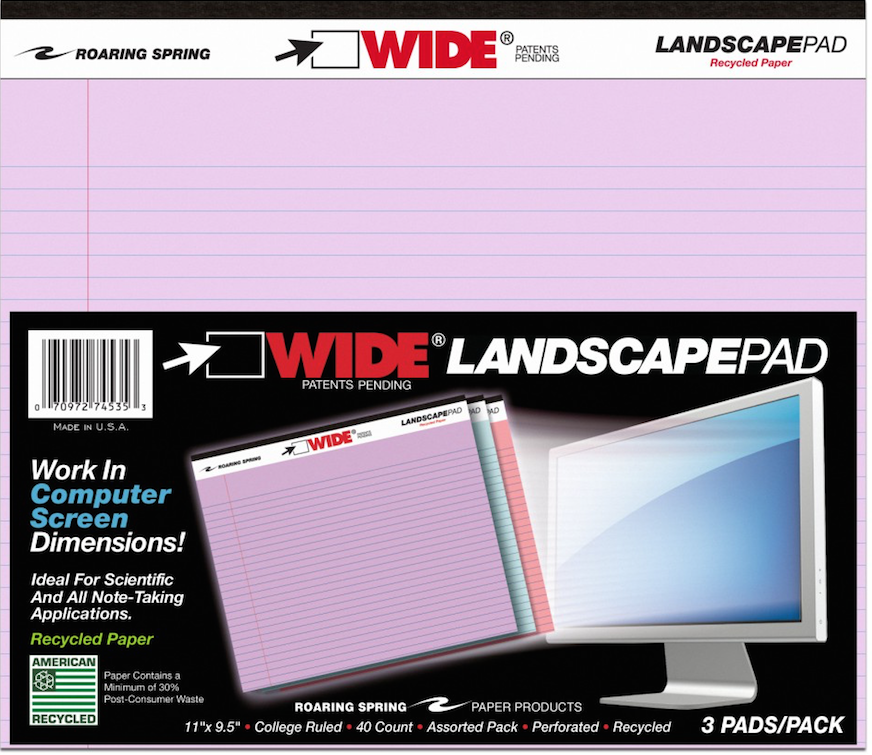
- 11″ x 9.5″, ASSORTED* PASTELS (orchid, pink and blue), college-ruled. Each pad includes 40 sheets of 15-pound 30% post-consumer recycled paper per pad, consumer recycled paper, with left-side margins. Micro-perforations at the top yield an 11″ x 8.5″ sheet. (Available in three-pad packs.)
Graph
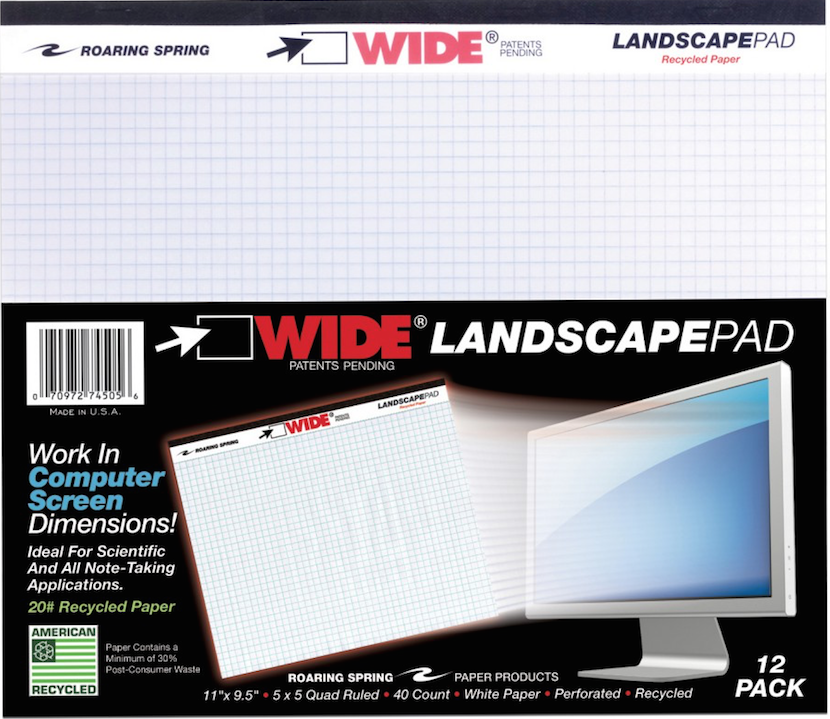
- 11″ x 9.5″, WHITE, gridded with 5×5 graph paper. Each pad includes 40 sheets of 20-pound, 30% post-consumer recycled paper per pad, with left-side margins and micro-perforations at the top. (Sold singly and in packs of two, four and six.)
Punched (for easy storage in traditional three-ring binders)
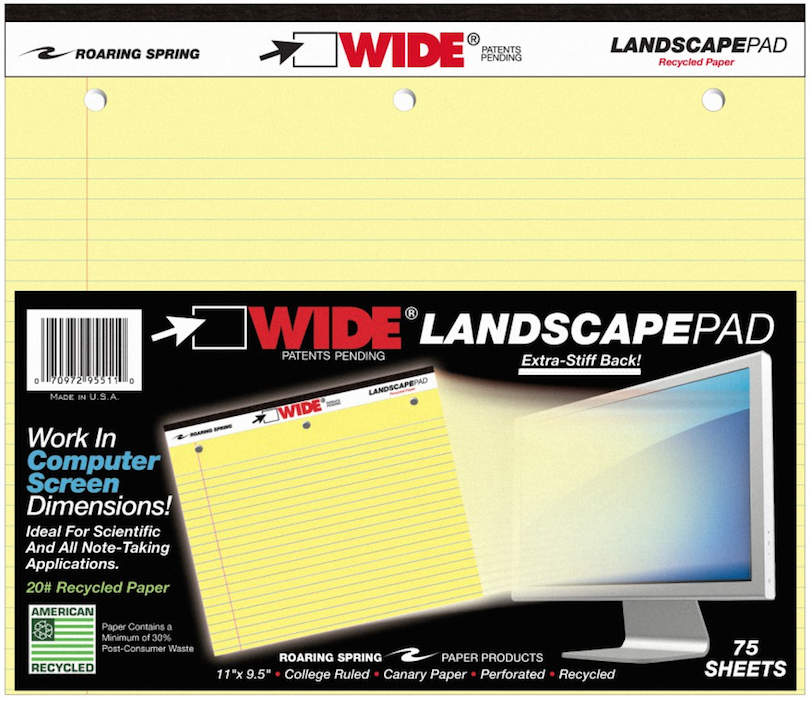
- 11″ x 9.5″, WHITE, college-ruled, three-hole-punched across the top. Each pad includes 75 sheets of 20-pound, 30% post-consumer recycled paper per pad, with left-side margins, backed by an extra-stiff 80-pt. chipboard backing. Mirco-perforations at the top yield an 11″ x 8.5″ sheet. (Sold in singly.)
- 11″ x 9.5″, CANARY (yellow), college-ruled, three-hole-punched across the top. Each pad includes 75 sheets of 20-pound, 30% post-consumer recycled paper per pad, with left-side margins, backed by an extra-stiff 80-pt. chipboard backing. Micro-perforations at the top yield an 11″ x 8.5″ sheet. (Sold singly.)
Junior
- 8″ x 6″, WHITE, college-ruled. Each pad includes 40 sheets of 20-pound, 30% post-consumer recycled paper per pad, with left-side margins. Micro-perforations at the top yield an 8″ x 5″ sheet. (Available as individual pads or in multi-packs.)
- 8″ x 6″, CANARY (yellow), college-ruled. Each pad includes 40 sheets of 20-pound, 30% post-consumer recycled paper per pad, with left-side margins. Micro-perforations at the top yield an 8″ x 5″ sheet. (Available as individual pads in multi-packs.)
- 8″ x 6″, ASSORTED* PASTELS (orchid, pink and blue), college-ruled. Each pad includes 40 sheets of 15-pound 30% post-consumer recycled paper per pad, consumer recycled paper, with left-side margins. Micro-perforations at the top yield an 8″ x 5″ sheet. (Available in three-pad assorted packs.)
*Note: Assorted pastel pads are listed on the website as 50 sheets/pad, but specifications and packaging verify they are 40 sheets/pad.
Roaring Springs Wide Landscape Pads are sold in office supply stores and on Amazon, and range from $5.28 for single pads to $13 for three-packs.
Thanks to Office Supply Geek for reminding me that these pads exist, and The Well-Appointed Desk, for inspiring me to dig more deeply.
OK, Landscape. But Why?
At first glance, landscape notepads may look a little funny to us — one client said she thought if legal pads were business suits, these landscape pads were more like crop tops. The question, though, is what can you do with them? In fact, Office Supply Geek‘s Brian Greene actually stated, “To be totally honest, after having them in my hands I still don’t really know what I’d do with them that I wouldn’t do with a regular legal pad.”
Well, Brian, that’s why Paper Doll is here!
Most of the time, when we hand-write, we are in portrait mode, and it usually makes sense. However, I can think of a sampling of reasons why we might want to have some side-to-side breathing room.
1) Notetaking — When we’re taking notes in a committee meeting or for class, we’re often creating a linear, outline-style set of notes. But, as we discussed when we reviewed the exceptional Cornell Notetaking Method, we need to make room for cues or other special attention-getting markings on the left side.
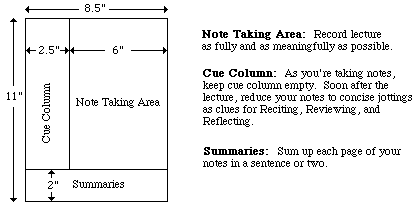
With traditional 8.5″ wide paper, that either reduces our notetaking space or forces us to write in the narrow margin, making it more likely that we’ll get inky smudges on that all-important cue-section. Landscape orientation provides more breathing room.
2) Ergonomics — Look at the available space on and around your desk. If your computer is in front of you, your keyboard is probably somewhere between elbow-and-wrist distance away, not leaving you very much space for alternating typed notes and handwritten notes. Because of that limited space, you may find you’re turning your traditional (portrait-orientation) notepad sideways, with the top to your left (unless you’re a southpaw). This lets you take written notes, but you’re probably twisting at the waist to do so. This is not sustainable or ergonomically friendly.
3) Expansive thought — When we take notes, journal, free-write, or craft letters, we’re often thinking linearly. It’s easy to follow a unidirectional flow of ideas, or paths, with a narrower piece of paper. When we’re on the computer, using Microsoft Word or any other word processing program, unless we’re using design features for creating signs or brochures, we echo that same tall/narrow format.
But what happens when we want to think more broadly (no pun intended)? When we’re on the computer, using a spreadsheet like Excel, we create multiple columns so that we can visualize information best seen side-by-side, like multiple fields in a record. But what’s the paper version? I can think of a number of times when I’ve been working with a client to brainstorm ideas in parallel (like how different departments will handle particular situations), and we end up turning a notepad sideways. The lines go the wrong way, and the content gets messy; it suffices, but it’s not optimum.
4) Mind mapping — Paper Doll is a fairly linear thinker, but when I’m trying to mind-map, or show the relationship between different processes, or do anything that’s more visual, I need more space. With some clients, we may choose mind mapping software or apps like MindNode or XMind, but we often find that an analog solution is faster and more immediate. Most often, we end up using multiple Post-It! Notes on a wall or window. That’s great when we’re in a house or office, but not so optimal when we’re in the field (even in a field), in a warehouse, or going mobile. That’s where these landscape notepads (and the aforementioned landscape clipboards) really come into their own.
5) Flow Charts — It might not be immediately apparent, but a number of law students have posted online comments regarding how landscape writing pads make it easier to visualize case-law timelines, precedents and conceptual flow. Scientists have also reported that wide-format paper helps conceptualize scientific reactions more clearly.
6) Computer/TV Screen Dimensions — Tablets and phones aside, we spend a lot of time looking at screens in landscape orientation, and sometimes we still need to make our analog notes approximate what we’re seeing, or make our digital notes approximate what we’d like to be seeing on the screen. Writing pads that parallel those dimensions are helpful.
Granted, web designers are more likely to use paper prototyping tools like the kind we discussed in Tech Planning on Paper: From Old-Fashioned to Cutting Edge, but the rest of us just need a good piece of paper that’s wider than it is tall.
Oh, but you ARE a web designer (or you play one on television)? Well, then, UI Stencils’ landscape-orientation Responsive Sketchpad may be just what you want.
Printed on both sides, the landscape-orientation, letter-sized pad is dot-gridded (150 PPI), includes fields for a project’s name, screen, date of work, and notes, as well as two device silhouettes on the front and three on the reverse.
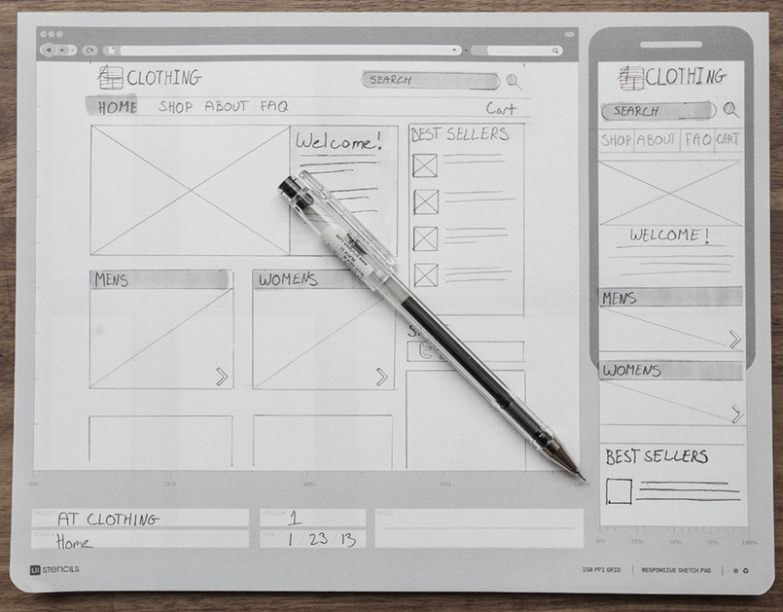
The Responsive Sketchpad comes 50 sheets/pad, with a cardboard backing and rounded bottom corners. It runs $12.95/pad and is available at discounted rates in three-packs, five-packs and with other UI Stencils’ sketchpads.
Upgrading the Landscape
The Roaring Springs Wide LandscapePads, as well as the more tech oriented UI Stencils’ Responsive Sketchpads, aren’t the haute couture of office supplies. You’ve got something to say, and you can get it down. Function is generally prioritized over form. The Roaring Springs pads are made of recycled paper, and the focus for all is in on utility rather than beauty.
As Ana Reinert pointed out in this week’s The Well-Appointed Desk’s “Ask the Desk” feature, there’s an assumption among notebook/notepad makers that landscape orientation is for the visual artists and not for the scribblers, writers, note-takers and wordsmiths. I think that’s short-sighted, and a bit of disappointment.
Ana’s post offered up some options for the individual who asked “the Desk” about finding attractive, non-black, fountain-pen-friendly landscape-oriented notebooks. Tall order! The Well-Appointed Desk covered a nice variety of these, but most of the options were for unlined sketchbook-type pages. For those of us looking for a wide spot in the road to make our (written) mark, the choices are limited. There are handmade options, of course, but whether we’re talking bespoke Etsy creations or fin Italian handcrafted leather bindings, veering from the ordinary is not inexpensive.
How limited are the choices? One of the only mid-range lined landscape-orientation notebooks I found was an intriguingly named Düller Croquis Note. It’s manufactured in Japan by I.D.E.A. Internationals, with a German name, as part of the Schreibwaren Kollektion. The website is only written in Japanese (the English-language URL yields an error), and the only English-language sales information I could find was through AAREVALO Ltd. in London!
The notebook contains recycled paper and a mysteriously unexplained “specially textured writing surface.” There’s a “practical pocket” on the back cover, and the notebook also comes in black or light grey.
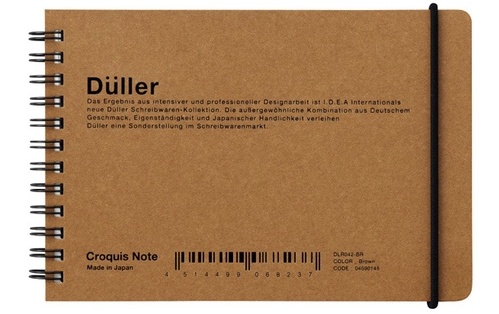 So, a Japanese company, selling a notebook described in German, is most easily accessed through a British stationery company’s online catalog? It shouldn’t have to be so hard!
It’s a little bit shocking that the go-to journal purveyor for hipsters, scholars, soccer moms and pundits, Moleskine, doesn’t have a single lined landscape-orientation journal or notebook. There really should be other widely available options aside from the Rhodia lined landscape Webnotebooks, with orange or black covers.
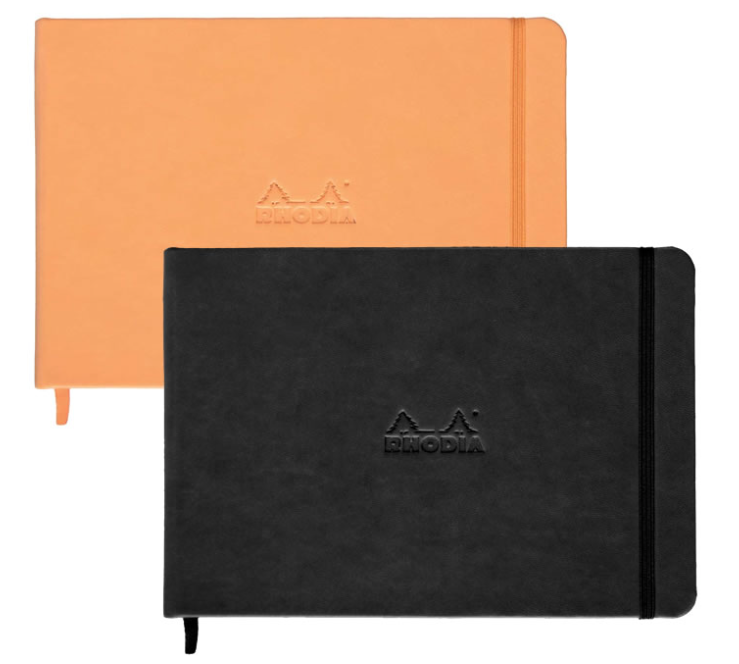
Paper Doll will be on the lookout (across the landscape, and over the horizon). Until then, I welcome your ideas for how you’d use landscape notepads and notebooks, and hope you will share your resources for finding lined landscape-orientation journals, notebooks and otherwise upscale writing pads.
Paper Doll Talks With Smead About Fear & Disorganization
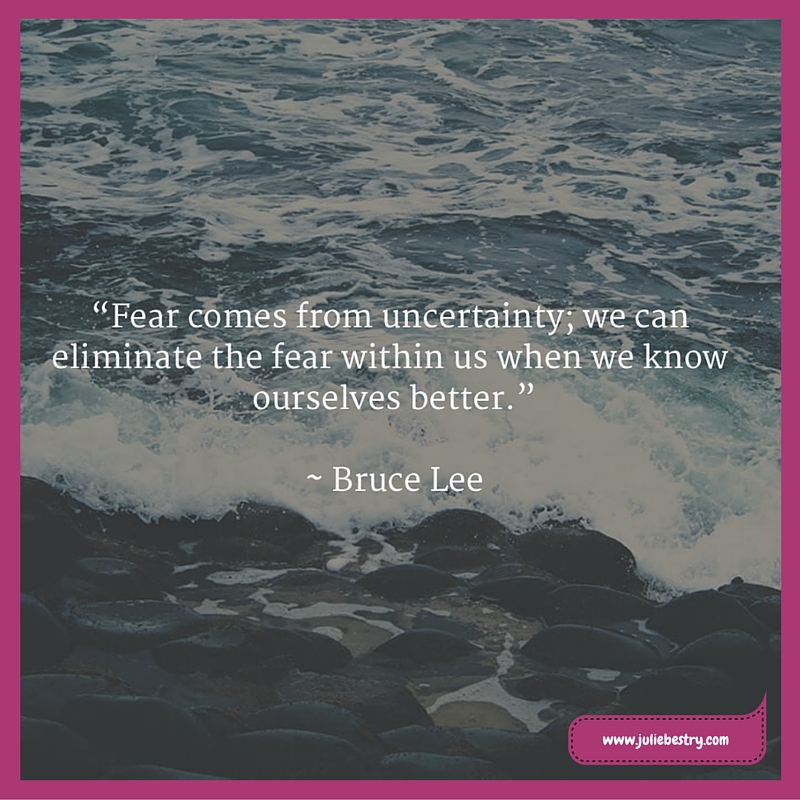
Getting organized can be scary.
Let that idea sink in. Usually, we talk about getting organized from the perspective of practical matters. What’s the most efficient technique? What’s products can streamline the process?
When we do talk about the psychology of getting organized, we’re often focusing on tips and tricks to get us motivated, to eliminate procrastination, or to keep us focused on a system, but we don’t necessarily dig into the idea that there are baseline fears, often unacknowledged, that prevent us from taking the steps we know will improve our lives.
This week, I sat down with John Hunt, host of Smead’s Keeping You Organized video podcast to record a show called “Fears That Keep You From Getting Organized.”
On the show, we talked about some of the fears — unspoken or even unrecognized — that cause us to back away from our organizing challenges without really considering the solutions available. Some of these include:
- Fear of discarding something — whether tangible or informational — because you worry that you might need someday. We call this the “just in case” fear.
- Fear of stifling your creativity
- Fear of potential emotional distress after discarding something
- Fear of losing personal or sentimental attachments to people and memories
- Fear of letting go of things upon which you’ve lavished money, time, or attention — otherwise known as the “sunk cost” fallacy
- Fear of the unknown
Of course, there are other fears that prevent us from achieving our organizing and productivity goals that we didn’t even get to, including:
- Fear of failure — “What if I spent time trying to create order and it turns out I can’t do it? Or I can’t maintain it?”
- Fear of success — “If I declutter and get more organized, people are going to expect more from me and heap more work and responsibilities on my shoulders.”
- Fear of loss of serendipity — “Right now, I’m delighted and surprised when I spend hours searching for something I can’t find, but come across something under a pile that I was looking for last week, or six months ago.”
There are all kinds of fears. I believe that when we acknowledge our fears, we’re taking the first step toward recognizing that we have control over whether to give in to the inertia of fear or break through and empower ourselves for change. I’d love to hear your thoughts on fear and disorganization.
Check out the above video, or if you prefer, you can listen to the audio version of the Smead podcast.
R-E-S-P-E-C-T: The Organizing Secret for Working At Home
As recently as a decade ago, if you said you worked from SoHo, you’d be telling people your office was in lower Manhattan in New York City, South of Houston Street. Now, SoHo is an even more fashionable address — six steps away from the coffee maker and five steps from the front door. The SoHo of the Small Office/Home Office movement means that more and more people, whether entrepreneurial in their own businesses or teleworking for companies owned by others, are cutting their commutes (and their overhead) to work where they live.
If you’ve spent much of your career in traditional workplaces, you know how precarious the balance of interpersonal respect can be. You’ve observed the disrespect shown in shared spaces: the guy who heats up his tuna casserole in the break room, scorches the popcorn, and never makes a fresh pot of a coffee; the gal who pops her gum or taps her pen incessantly; the dude who wears headphones but hums along to his personal soundtrack; and all the people who hover in your doorway to converse as if there were an invisible water cooler drawing them near.
The appeal of a home office can seem revelatory by comparison, but it’s much harder to draw boundaries (for yourself and others) in a home office than a traditional work setting. Free of a taskmaster, it’s easy to sabotage yourself and disrespect the value of your work time. It’s vital to respect your own professionalism by setting firm boundaries, and make certain others respect them as well. Rather than stifling you, these boundaries free you to pursue your entrepreneurial dreams.
If you follow the words of the Queen of Soul and demand a little R-E-S-P-E-C-T (from yourself and others), you’ll be better able to achieve your goals.
RESPECT YOURSELF
Start with the right headspace. Try to awaken and get started at the same time each day. If your day begins by getting others out the door, you can still aim to get yourself “to the office” at a set time. Shower, groom yourself, and get dressed – you may not be on a video call, but you will see yourself in the mirror. Reflect an outward professional attitude and you’ll feel it inwardly.
Delineate the start and end of the workday. Create rituals to make the distinction. Leave the house via the front door and re-enter through a side “office” entrance. Drive to a coffee house, even when there’s perfectly good (and free) coffee in the house, and return with hot java and fresh mojo.
Be just as firm about stopping work and returning to your life and family. End the workday with a closing ritual, whether it’s a field trip to the bank or a call with your accountability buddy to set the next day’s goals.
Differentiate your schedule. Improve workflow by scheduling creative time during high-energy, uninterruptible periods, and plan low-intensity tasks during transition/buffer periods.
Remember to block time for each type of activity. Then, if your schedule goes awry (a flat tire on the way to the bank, a school nurse’s call about a sick child), a lower-priority block on any given day can be bumped or rescheduled to make room for the higher-priority category.
Control how and when you interact with others. Unexpected inbound calls can be a huge distraction. Avoid temptation by letting voicemail screen your calls during your work hours. Return personal calls during personal time. (Yes, you can have personal time during your workday, but if you plan those breaks, you run less of a risk of letting a personal conversation obliterate time you need to be spending on projects.)
Scheduling phone conversations may seem inflexible, but it can help you focus and avoid the tendency to be overly casual about your time. If you can plan for specific conversations, you’ll feel better prepared when talking with prospective clients, strategic partners, vendors, and members of the media. You will boost your self-confidence and your ability to put yourself forward as an expert.
Let technology be your gatekeeper. Social networking and web surfing offer the water cooler chat and novelty that’s missing from a home office, but it’s easy for five minutes of reward time to turn into an all-afternoon distraction. Curtail excess web surfing and block specific time-wasting sites from your browser with programs and extensions like:
- Keep Me Out
- Minutes Please
- Productivity Owl (Chrome)
- Leechblock (Firefox)
- Stay Focused (Chrome)
Freedom, Self Control (Mac), and Cold Turkey (Windows) work system-wide, so you can’t cheat by selecting a different browser.
If you’re not really sure where or how your online time disappears, Rescue Time can give you a handle on your digital habits.
Know your stimuli style. Some professionals find that “social” white noise aids in focus. If your work is portable, and the atmosphere of a public place isn’t overstimulating, work “off-site” as long as you’re productive. If the visual and olfactory stimulation of a coffee house or park is too intense, stay home and use a white noise app to create more soothing sensory inputs over which you have greater control. Check out some of the options at 11 Ways To Organized Your Focus With Ambient Noise.
Banish clutter. Many of the posts at Paper Doll talk about paper clutter, but organizing your work-related materials is only part of the process of respecting yourself and your space.
Children’s toys and your own hobby paraphernalia are distractions, even if you don’t consciously recognize them as such. Your office needs to put you in a serious, work-oriented mode. That doesn’t mean your surroundings can’t be colorful, decorative and cheery, but your space has to support your work ethic. Consider how you might scale back decorations if you shared your office with a work partner to help you identify where you might pare down the knick-knacks.
Track your successes. Solo work can be isolating. It’s easy to ruminate on shortcomings and give short shrift to small victories. Keep copies of emails of praise, bookmark congratulatory tweets, and save letters of gratitude from clients. Take a bow, and then save it all for the days when you’re feeling low to remind yourself of when you faced a challenge but pushed through!
TEACH OTHERS TO RESPECT YOU
Respecting yourself is the first step to professional success in the home office, but it’s not always easy to convince others to show you the respect you deserve.
Identify “allowed” interrupters. If your kids are at home when you’re working, assign “key personnel,” and make it a rule that only the babysitter, your spouse, or your eldest child can come to you with “issues.” (Obviously, if the absolute only time you’re able to work is during your toddler’s nap-time or you’re the only grownup home with tiny humans 24/7, all bets are off. Paper Doll salutes you.)
Schedule office hours – If your kids are old enough to not require active supervision, or your spouse or babysitter is present, schedule breaks between work sessions to address concerns and questions. But barring real emergencies (involving blood, smoke, or overflowing washing machines), limit breaks to brief designated periods, like the last ten minutes of each hour.
Think your family can’t handle this because it feels too artificial? Teachers are less prone to allow wheedled exceptions than parents, and children abide by schoolhouse rules every day. Be firm, and teach them how to recognize when things are truly urgent and/or important. Of course, this lesson is easier to impart when the tiny humans are not so tiny (or if your spouse is generally adept at impersonating an adult).
Train family members to be solution-oriented. Just as you’d do with staffers in the office, when your peeps come to you during office hours with problems, expect them to offer alternative solutions. This is quite possibly the best training you can give your kids for succeeding in the professional world.
Make your workspace less inviting. Make a clear demarcation between office and home space, just as you separate the time in your schedule. Your office is adult space; deter your kids from playing on your computer by any means necessary. If your children aren’t old enough to entertain themselves, avoid scheduling your work hours during their active playtime, and supervise them in their play areas, not your workspace. Write, email, and return phone calls during their sleep/nap times, but when they need your attention, give it completely and save work for when you can focus. Multitasking is always detrimental, and kids know when you’re not prioritizing them.
Of course, if it’s your significant other who has trouble being left unattended, dissuade hovering by giving loving a embrace and a specific promise of what you will do together (eat dinner, chat about the insurance bill, snuggle) and when. Then be sure to follow through.

Deal with Gladys Kravitz. If in-person interruptions come from lonely neighbors or chatty pals, you’ll need to do more than strictly employing Caller ID and staying away from the windows. Role-play common interruptions with your accountability buddy until you can react with aplomb.
Organize your defenses with body language. Answer the doorbell with the phone in your hand, as if you’re on a call; if you’re a stickler for honesty, consider your task list and recognize that you might be about to place a call. Right? Of course.
Stand firmly in the doorway, hold your phone and perhaps a file folder, smile apologetically, and explain that you’re in the middle of a work project and are on deadline. Suggest they can call after dinner. Do NOT let the person in unless it’s an emergency. (Gossip isn’t an emergency unless it’s celebrity gossip and you’re a gossip columnist.)
Speak like a professional. Let friends and neighbors know that your office being comfortably situated doesn’t limit how seriously you take your career. Help them see that you are serious. If someone implies your work is a hobby, or that you have more flexibility because you don’t have a “real” job, smile if you must, but speak pointedly about tax deductions, returns-on-investment, and how office space rental pricing would cut into profits. Bore them, if necessary. Worried their feelings will be hurt? Ask yourself if they’d be willing to pay your bills if you didn’t make your revenue target this quarter.
Stick to your guns. Know how to respond when others have stepped on your toes. Whether it’s your mother or your neighbor or your kids, their unwillingness to recognize your business as “real” is merely an excuse for not getting things done. You have to train others to respect your boundaries. R-E-S-P-E-C-T.
If you take your business, your priorities, your time, and your space seriously, and lead by example, your family, friends, colleagues, and clients will do so as well.
~~~
Portions of this post were taken from my book, 57 Secrets for Organizing Your Small Business. While it is currently out of distribution, I hope to have a second edition available in the near future.
Organizing Your Writing for NaNoWriMo and More
November is National Novel Writing Month, affectionately known as NaNoWriMo. This annual project/contest gives writers (and aspiring writers) the opportunity to be part of a collective push to focus creative energies on an endeavor they might otherwise put off until “someday” (a date notoriously absent from the calendar).
As the NaNoWriMo site explains, “On November 1, participants begin working towards the goal of writing a 50,000-word novel by 11:59 PM on November 30. Valuing enthusiasm, determination, and a deadline, NaNoWriMo is for anyone who has ever thought about writing a novel.” The official program includes social mechanisms for sharing your progress, and badges for participation, writing, and even “to celebrate the peaks and valleys of your personal creative journey.”
-

- National Novel Writing Month
-
- National Non-Fiction Writing Month
-
- National Academic Writing Month
Not a budding novelist? No problem. There are a few different November writing programs for non-fiction, including author/coach Nina Amir’s Write Nonfiction in November, called NaNonFiWriMo. It can be used to write one long non-fiction project, or, as she describes in this article for Writer’s Digest, you could also write 30 blog posts, essays or articles. If you’re a professor or an academic researcher who really needs to publish (and not perish), there’s Academic Writing Month, created by Dr. Charlotte Frost and run through PhD2Published.
The key element of NaNoWriMo and most of its sister programs is that it’s about eliminating all of the things that keep writers — the experienced and aspiring kinds — from actually writing: procrastination, self-criticism, and fear. The writing period in November is just that, for writing — there’s no editing. It’s just about putting your tush in the chair (or, I suppose, your feet in front of the standing desk).
The idea of organizing for a writing project may not seem like an apt comparison to typical organizing jobs. Usually, our goal is to take the chaos of a closet or a desktop and create order. We remove excess, sort the essentials, and group items so they are functional, accessible, and hopefully, somewhat aesthetically pleasing. Applying organizing principles to writing involves similar skills. Yes, the blank piece of paper (or blank screen) is daunting, but think of it as an already-cleared guest room or newly acquired shelving unit. You can clear all the clutter (of characters, plotlines, research, etc.) from your head, and start arranging them in ways that provide order.
This post will look at some strategies for organizing your research and planning resources, overcoming procrastination and writer’s block, and maintaining motivation.
CREATING YOUR ROAD MAP
NaNoWriMo has a variety of resources available for fiction writers, including the basics of getting started writing and ideas on the nuts and bolts of the fiction-writing process, covering characters and backstories, plot development and conflict, and setting and world-building. Academic Writing Month has a participant toolkit and an accountability spreadsheet.
Beyond planning to participate in a writing contest or program, you need to plan your writing. Saying you want to “write a book” or even a blog post, without preparation, has little more validity than deciding you want to be an astronaut. Think of it like going on a trip. Whether you use a gas station map or Grandpa’s hand-written directions or Siri’s intriguingly articulated GPS, you need guideposts to make sure you are on the right path. Depending on your writing project, you might start by creating documents to support your work:
Fiction
- character breakdown
- genealogy chart or Venn diagram of relationships between characters
- major plot points or events
- list of conflicts and their resolutions
- list of problems you’ve not yet figured out how to solve
Non-Fiction
- major concepts or themes
- sub-topics
- hypotheses to be tested or hypothetical questions needing answers
- brainstormed list of blog, article or chapter titles
- links or locations of digital or hard-copy references
Make sure this material is easily accessible to you in whatever format you like best. You might prefer to put together a three-ring notebook with dividers and pages for each resource element, so if you need to be mobile and write in different locations, your resources can go with you. If you’re visual and tactile, you might turn a wall, mirror or door into a planning board with Post-It Notes. (Use your digital device to snap a photo each day and keep that information accessible from anywhere.)
Prefer more tech? As someone who thinks linearly, I used Workflowy’s outline format to write 57 Secrets for Organizing Your Small Business. (Read more about Workflowy in the classic Paper Doll post, Don’t Be Listless…Be Listy (And Happy!) With Workflowy.)
Almost every lover of Evernote expounds on the possibilities of writing a book using Evernote. This recent blog post from Digital Inspiration shows how my beloved Trello‘s card system would work for writing a book. The web is full of recommendations for apps for planning and writing for NaNoWriMo:
5 Best Productivity Apps for NaNoWriMo
NaNoWriMo: The Best Writing Apps and Accessories for iPhone and iPad!
The Big Thread of Writers’ Mobile Apps
The Best Apps To Write, Plan & Plot Your NaNoWriMo Novel
Prepare for NaNoWriMo with Evernote
SETTING THE STAGE
Plan when you are going to write. Have you never, ever been able to go to a 6 a.m. exercise class? Don’t imagine you’ll be any more enticed to leave your warm bed to write. Think about when you are usually the most motivated, most creative, and most clear-thinking, and block time on the calendar as a fixed appointment each day as a firm commitment. Then consider a Plan B time period as a contingency for days when no matter how committed you are, emergencies force you to break your stride. Having a back-up in place means you won’t be tempted to argue with yourself or break the chain.
Do your Hokey Pokey. Assemble your resources before your appointed writing time. Need eleven sharpened Number 2 pencils? Require your coffee in your World’s Best Writer mug? Gotta shake yourself about? Great, but remember to schedule time to accomplish all of your pre-writing rituals so that nothing cuts into your writing time.
Save the environment. Personally, I can’t concentrate when I’m warm, but research shows that knowledge workers are half as productive when the thermostat is set at 68° as at 77°. Know what temperature works best for you.
Watch the ergonomics of your set-up, and avail yourself of the best task lighting so you aren’t dependent on ambient light. Reread my post 11 Ways To Organize Your Focus With Ambient Noise so you can minimize auditory distractions.
Create your theme song. Go through your music collection for songs that inspire you to greatness. Set an alarm to have your cell phone play a motivating anthem a few minutes before your posterior needs to be in the chair. Try the theme from Rocky, Rachel Platten’s Fight Song, Queen’s We Will Rock You, Jon Bon Jovi’s It’s My Life, or whatever puts you in an “I Can Do It” mode.
Make the world go away. Chances are good that you won’t have more than half an hour or an hour to dedicate to writing most days — your family and friends and telemarketers can wait. Close the door, set your instant messaging status to unavailable and set your phone to Do Not Disturb. (Just remember to reverse the process as the final ritual when you’re done writing for the day.)
Write. When the planned time arrives, grab your pen and your keyboard and start writing. Don’t wait for motivation.
OVERCOMING WRITER’S BLOCK
I wrote an entire chapter on conquering writer’s block in my book, but I have two favorite tips that always work for me, and my clients report that if they actually sit in the chair instead of making phone calls or surfing the net or doing other busy work, the words will come.
Write to an imaginary pen pal. Sometimes, you know too much about a topic to get a handle on where to start. Begin with “Dear Buddy/Pal/George Clooney, I am trying to write my [article, book, etc.]. It’s generally about [overarching idea]. I’m trying to bring together [list one to five major categories or concerns]. For example…” and then just free-write and talk about the subject. Don’t worry about grammar or fret about logical connections. Just concentrate on creating understanding. Because it’s not the monumental THING (the book, project, etc.) that’s at stake here, but merely telling a random someone about the thing, so that omnipresent fear of failure — what usually keeps our brains in a tizzy — dissipates. And remember, your word count in this email or letter counts towards your 50,000 words!
Do nothing. Seriously. A whole LOT of nothing. Set a timer for 30 minutes (or a 25-minute pomodoro, if that’s your style), and block all distracting stimuli. Face a blank pad or empty screen, but don’t write. You may have to sit on your hands, but do not, under any circumstances, write. You have no idea how slowly time passes when you’re staring at nothing, forbidden to create. Your thoughts may wander a bit, but by the end of the half-hour, your brain will be fairly bursting with ideas and you’ll be chomping at the bit to start writing. If your writing time is severely limited and this option would mean no word count for the day, you can reduce the “nothing” time by half, but the longer you have to sit, squirming, the more likely you’ll break through your block.
TRACKING YOUR PROGRESS
NaNoWriMo and related programs are more for the push to get something down on paper without the paralysis of self-analysis or editing, so the focus is on word count (and just doing it) more than anything else. Certainly, not all of your writing projects will be centered on quantity vs. quality, but there’s always something motivating about knowing where you stand in relationship to your goals.
Count your words. Almost all word processing programs have a word count generator. For example, Microsoft Word automatically counts the number of pages and words in your document and displays them on the status bar at the bottom of the workspace. If you put your cursor at the end of the page, it will show you how many words, total, you’ve written. If you put the cursor at any given point, it will tell you the word count from the beginning (of the document or section) to that point. As you type, the word count will increase; as you erase or self-edit, the word count will decrease. (But you’re supposed to be writing, not editing!)
If you prefer to just have a word count for a particular paragraph or section, highlight that section and right-click (on Mac, Control-Click) to get a word count for that portion only. If you prefer, you can insert the word count in your document. (For Mac, use Insert>Field>Document Information>NumWords.) Similarly, in Google Docs, select Word Count under the Tools menu.
Each type of word processing or writing program will have its own word count generator, so check your help menu. Of course, if you’re using a bare bones program or even a blank email page, you can always copy and paste what you’ve written into a free online word count program like Wordcounter or WordCountTool or WordCounterTool. Just be sure to copy (and not cut) your words, and aim to do your counts after you’ve already spent your allotted time on writing.
Track your word count. As with your choice of writing implement or resource format, how you track is less important than that you do track. Knowing what you’ve done helps motivate what you will do in the future.
Productivity genius Dave Seah created a free template for a downloadable NaNoWriMo Word Counting Calendar. (Dave also makes a 12-month word-counting calendar, so keep your eyes on his inspiring site.)
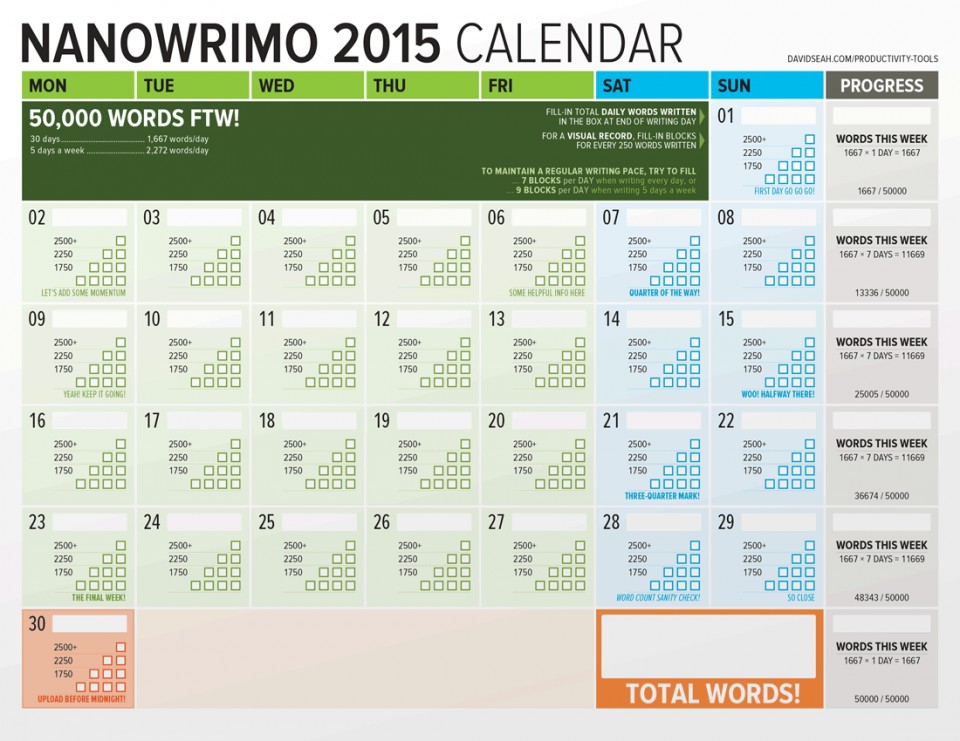
©2015 Dave Seah, Investigative Designer
Share your word count. Make it your Twitter name for the day. Post it as a Facebook status. Put it in the subject line or signature of your non-work emails.
MAINTAINING MOTIVATION
We tend to be good (sometimes, too good) at fulfilling our obligations to others but fall down on giving our own goals and needs the same respect. If outside pressure and validation motivates you, go with it. (This may not be the time to castigate yourself for how much you care about other people’s opinions.)
Get an accountability buddy. This may be another author, or it just might be a friend or colleague who is uplifting, supportive, and generally has a good sense of stick-to-it-ive-ness. Set an alarm (or ask your buddy to do so) to ensure a daily check-in via phone, text, or email to not only discuss successes, but also challenges. Brainstorm together how you can conquer difficulties.
I once spent days trying to solve a problem with a chapter I was writing. I called my colleague Deb Lee about an unrelated project, but mentioned the cognitive obstacle I was having in finding an angle for the chapter. I’m not sure Deb had a chance to exhale before I started spitting ideas at her, and by the end of the five-minute “conversation,” the problem was solved — without Deb ever getting to say a word. (She’s just THAT good!) Sometimes, when my brain is clogged, I just pull up her photo on the screen and the thoughts flow.
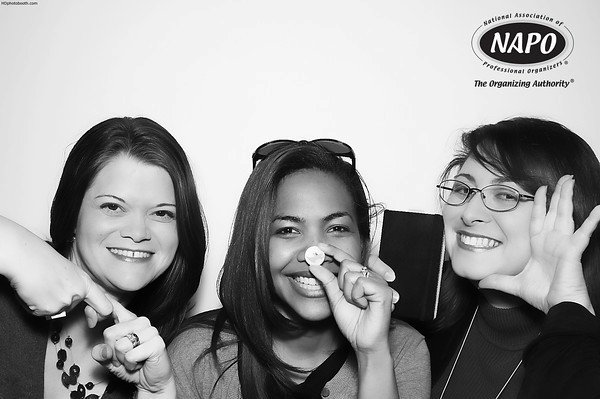 Brandie Kajino, Deb Lee & moi at the NAPO Conference 2011, acting out social media platforms.
Make a public commitment. Use social media to let your friends and colleagues know that you’re participating in NaNoWriMo or a similar writing project. Join the online forums and communities for your writing projects — a quick Googling should find the right group for your particular genre or field.
Most people will cheer you on and provide support. But, as with the Deb example above, sometimes it’s just the idea of someone that gives you what you need.
Use your down time (not your writing time) to embrace support. NaNoWriMo has official coaches tweeting inspiration from the NaNoWriMo Twitter account, and there’s even a recorded video of the prep webinar to give you a boost of motivation.
Post your WHY. Outside motivation is fine, but as with any organizing project, nothing can have lasting success unless the motivation comes from inside. Maybe you want fame and fortune. Perhaps you need publishing citations to ascend the professional ladder. Or it’s possible you just want to know you can do it. All of those reasons are good enough if they are YOUR reasons for doing it.
GOOD LUCK. GOOD WRITING!
50,000 words. That sounds like a lot. But 1666 words per day, or maybe a little more if you plan to skip Turkey Day? Well, obviously the Paper Doll blog is non-fiction, but as you may have noticed, my posts tend to run fairly long, and often far exceed that number. This ridiculously long post is 2500 words, and I wrote it in one sitting, counting research!
You can do it. Organize yourself for a fabulous month of writing!
The Great Mesozoic Law Office Purge of 2015: A Professional Organizer’s Family Tale
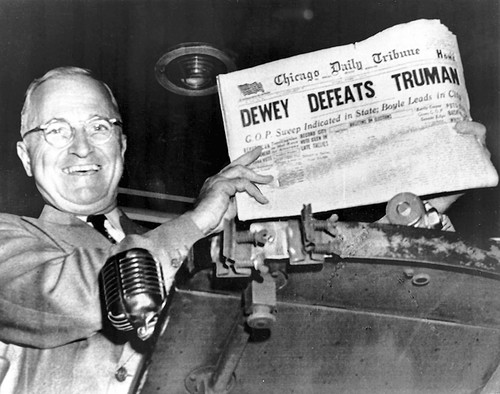
Longtime readers of Paper Doll may have noticed that I’ve been on hiatus for much of the summer. It began in early July, when I embarked on what I detailed to my Facebook friends as The Great Mesozoic Law Office Purge of 2015. My father, a retired attorney and judge, didn’t really walk with dinosaurs, but he began his practice of law just about when Harry Truman struck this pose:
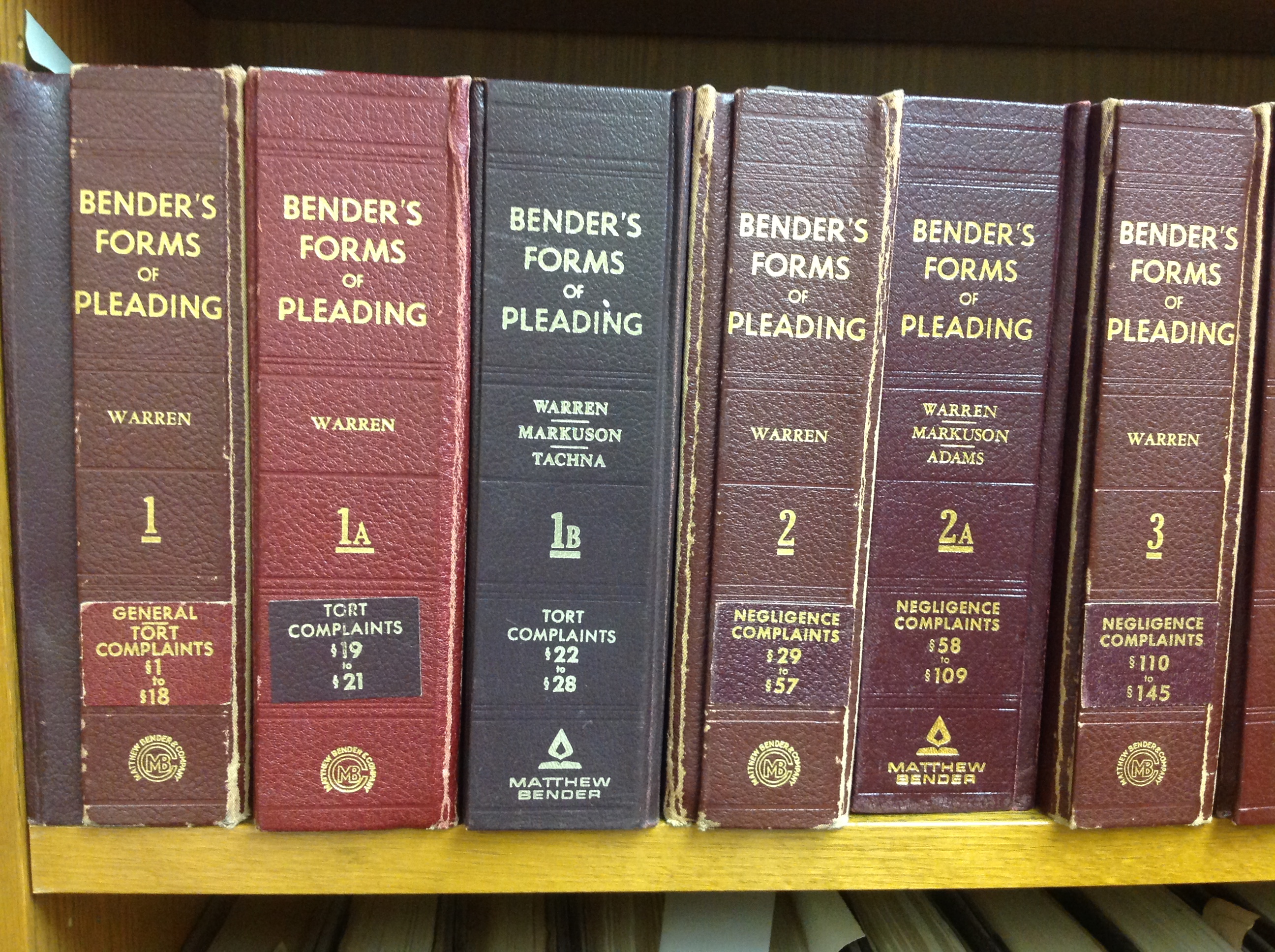
 In his 90’s now, my father had not visited his law office in a few years and it was time to close it down. For about 45 years, my father was part of a downtown law firm. I can recall the scent of leather and old paper, the hum of the IBM Selectric typewriters and the mammoth floor-to-ceiling library. Some time after I left graduate school and moved out of state, that old law firm broke up and my father moved to his own suburban office suite. With him went a (still huge) subset of the books, and all of his case files dating back to 1948. And, honestly, every piece of paper he had ever touched.
With a mind for law but not for organizing or time management, The Judge (as he’s still generally known) was always the antithesis of Paper Mommy, at whose knee my organizing skills were first learned. With a revolving door of secretaries (much like Murphy Brown’s experience), the next two and a half decades did not see an improvement of his solo organizational skills or systems.
THE PROJECT
Prior to my arrival, my mother and sister had reduced the clutter somewhat, discarding office supply catalogs from 1987 and various DOS manuals. (The office never did transition past Windows 3.1.) Still, after months of labor on Paper Mommy‘s part, this was the sight to which I arrived:
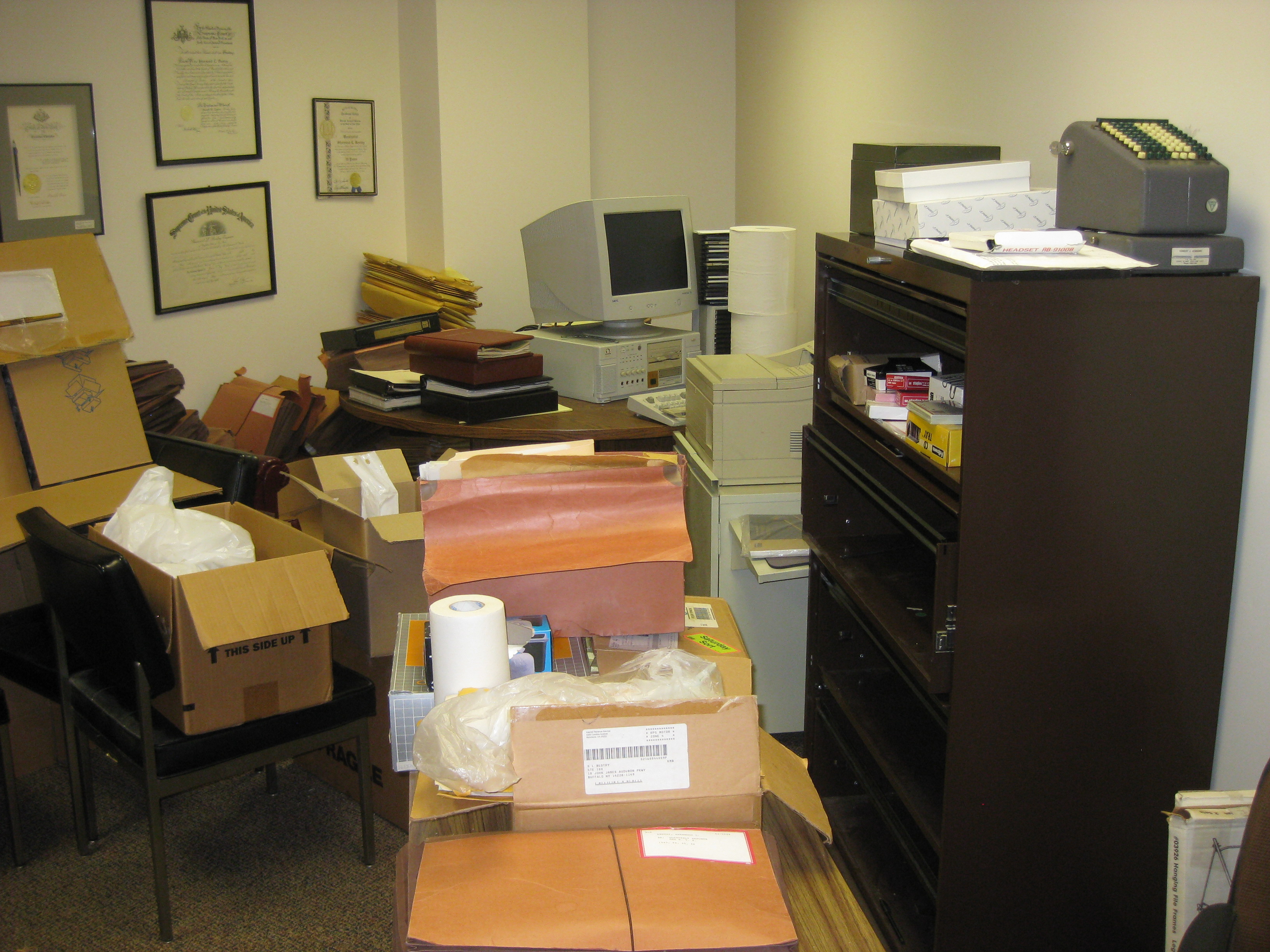
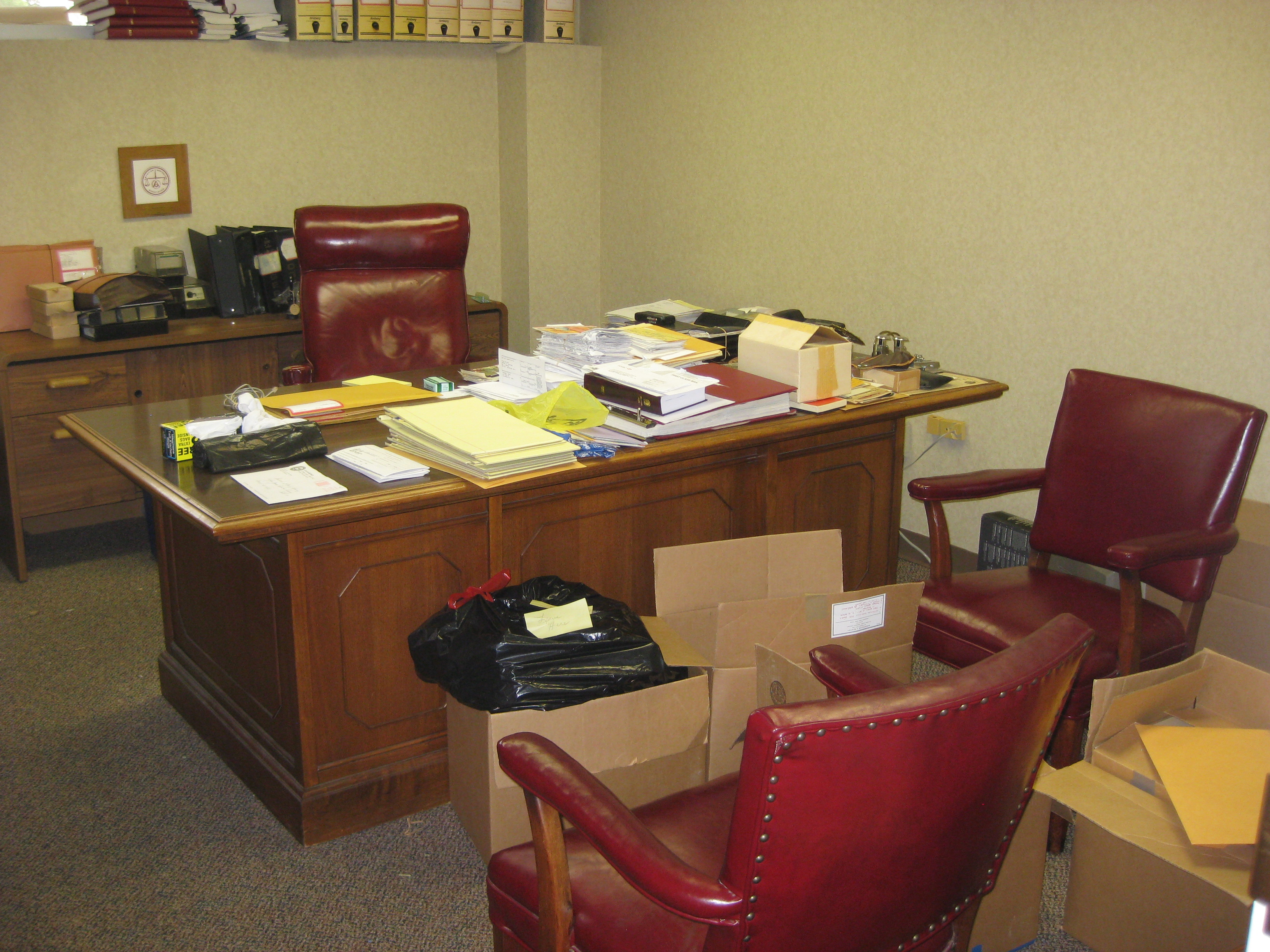
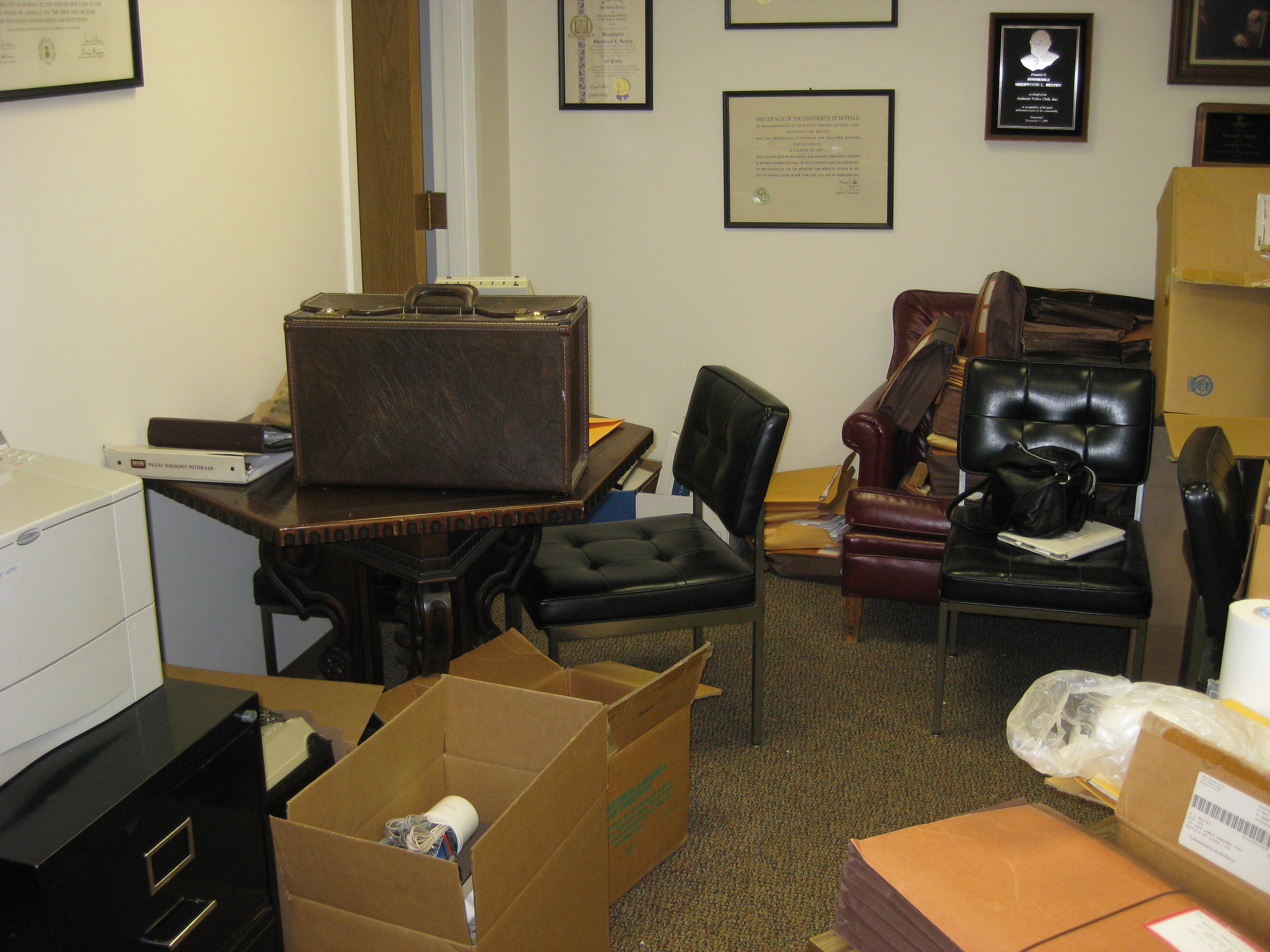
That door back at the far left leads to a file room containing the majority of the 63 completely filled file drawers in the office.
I counted four printers, none much smaller than a VW Microbus, and not one of them was actually hooked up to a computer. That was not much of a hinderance, as the word around the office was that neither of the two computers had worked in many years. There were also two electric typewriters, a step up from the old Mad Men-style Selectrics: one circa 1980, and one portable (likely Paper Doll‘s from college). There was also a photocopier the size of my first dorm room taking up most of the middle of that file room.
Over the course of my time back home, we plowed through the various rooms, identifying items essential to keep for legal, financial, or sentimental reasons, and reducing clutter to four major categories:
- Charitable donations
- Recycling
- Trash
- Shredding
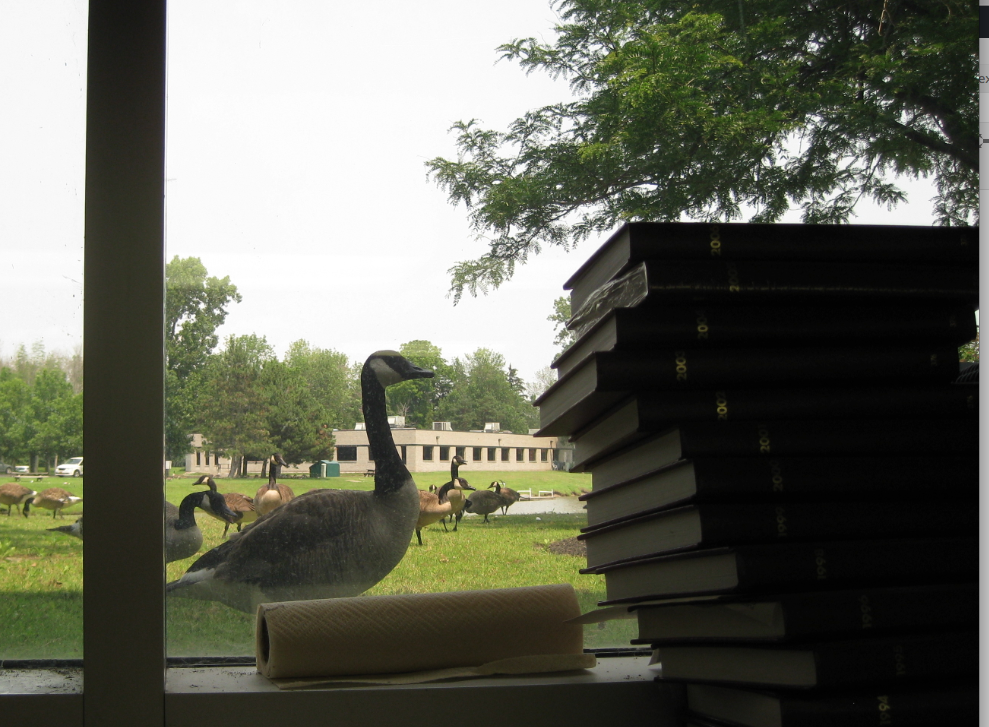
I can’t say we whistled while we worked, but my mother and I chummily shouted questions and guidance back and forth across the rooms. Other occupants of the building often wandered by and peeked in, not shocked by the clutter (about which they knew) but by the steady progress. Even outsiders expressed some curiosity:
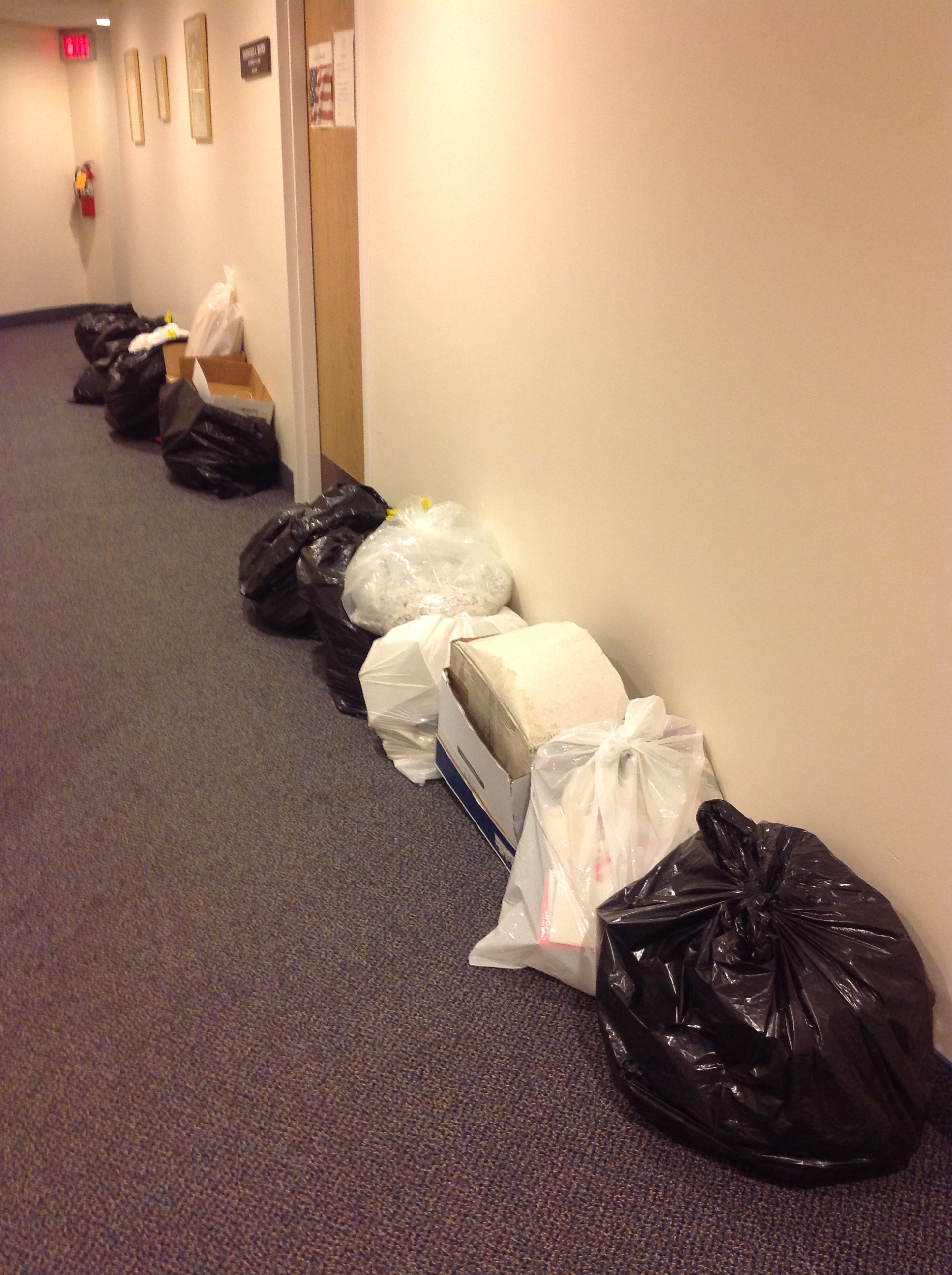
Each day, the hallway filled with satisfying piles of trash bags which magically disappeared overnight.
Each day, as we inhaled the stale air of the Eisenhower era, we forged onward. As with my organizing clients, I tried to give my mother the interesting folders to peruse. Meanwhile, I focused on the Zen-like plodding (of opening each and every file in most of those 63 file drawers) to identify which documents were not exactly as labeled, and to verify whether they could be shredded.
UNEARTHED “TREASURES”
Over the course of week, amid the legal research, pleadings, real estate purchases, and wills of people who have long since gone off to their great reward, we found the expected and the mysterious. Dozens of identically-sized, never-opened boxes of tax-preparation instruction booklets created a faux-brick wall. Long before Costco, my father bought in bulk, and there were boxes and piles of hundreds of pristine yellow legal pads. You may recall a Paper Doll post from earlier in the summer about how terrible most after-market hanging file rails are. Well, we found boxes of them, both used and never opened.
My sister implored me to be sure to find some items worthy of Antiques Road Show. That, sadly, did not happen. Outside of legal paperwork, we found the same kinds of materials that I see in my clients’ homes and offices, things that seemed important when they tucked them away, but not so valuable many years later. Stacks of New York City hotel stationery, bound in a small portfolio, were covered with cramped notes from a bar exam prep course in 1948. This newspaper regaled the activities in our suburb, circa 1975, for the septquicentennial. (Did you even know that was a thing?)
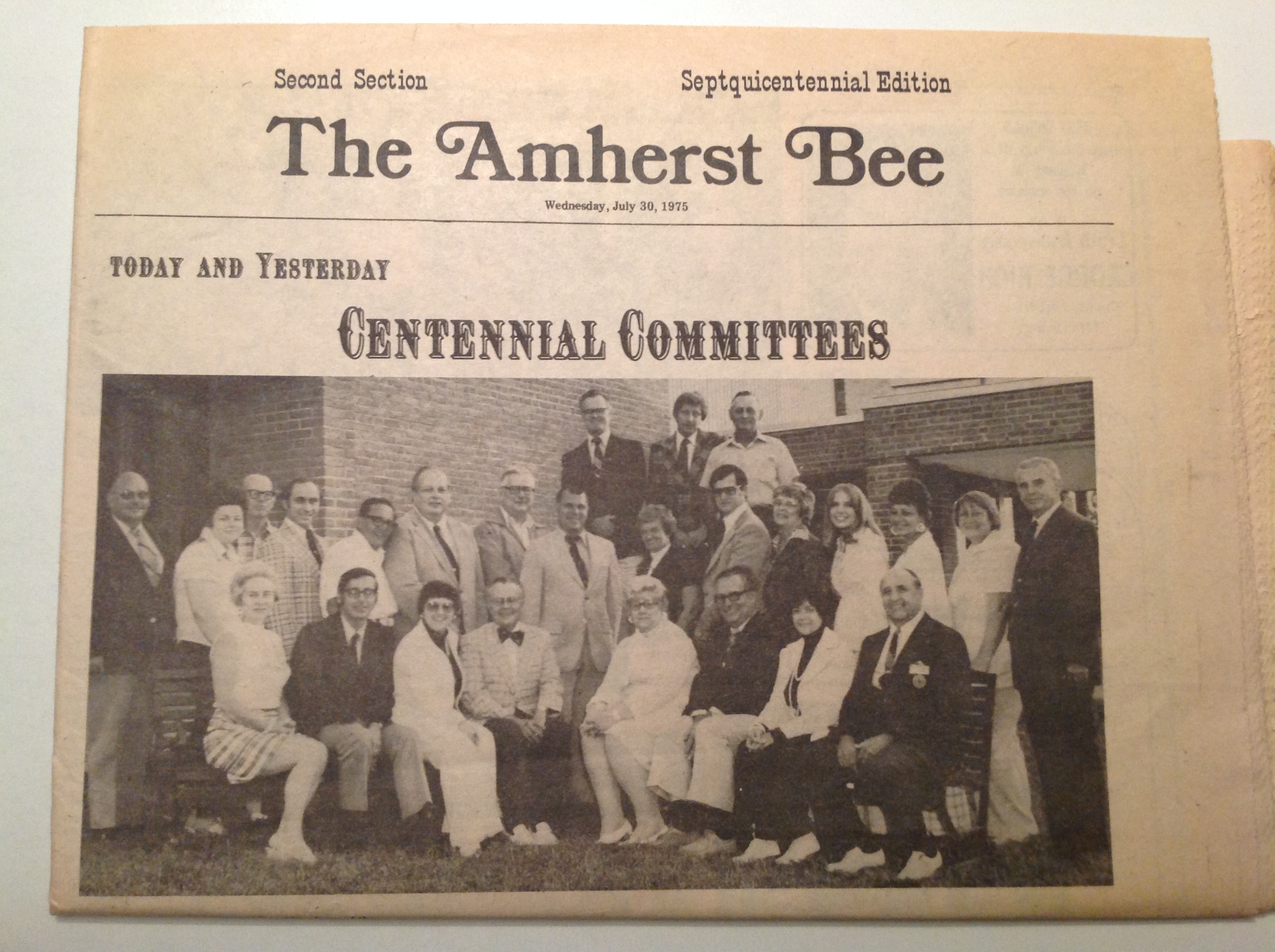
No one in our family, or in our circle of friends, or anyone we could identify, was mentioned. This is the kind of thing about which a client might squirm. “Someone might want it some day.” Perhaps. But we are not curators of a museum for long-gone strangers, and we did not have the space to take on these kinds of obligations.
We also found a sealed envelope with a key to my (maternal) grandmother’s safe deposit box in Florida. She died in 2001, but we knew the box had been cleared out and closed long before that. My father labeled the sealed envelope holding the key, “Key to E’s safe deposit box that has been closed. This key is useless.”
As one does.
I must admit, we did find some nifty items. The first mystery was this vintage “1945 British Buttner Smoking Pipe Steel Tool w/Hardened Ground Edges,” as eBay described it. We didn’t know what it was at the time, and might never have guessed without the help of Google and friends on social media, as I’d never seen my father smoke a pipe.
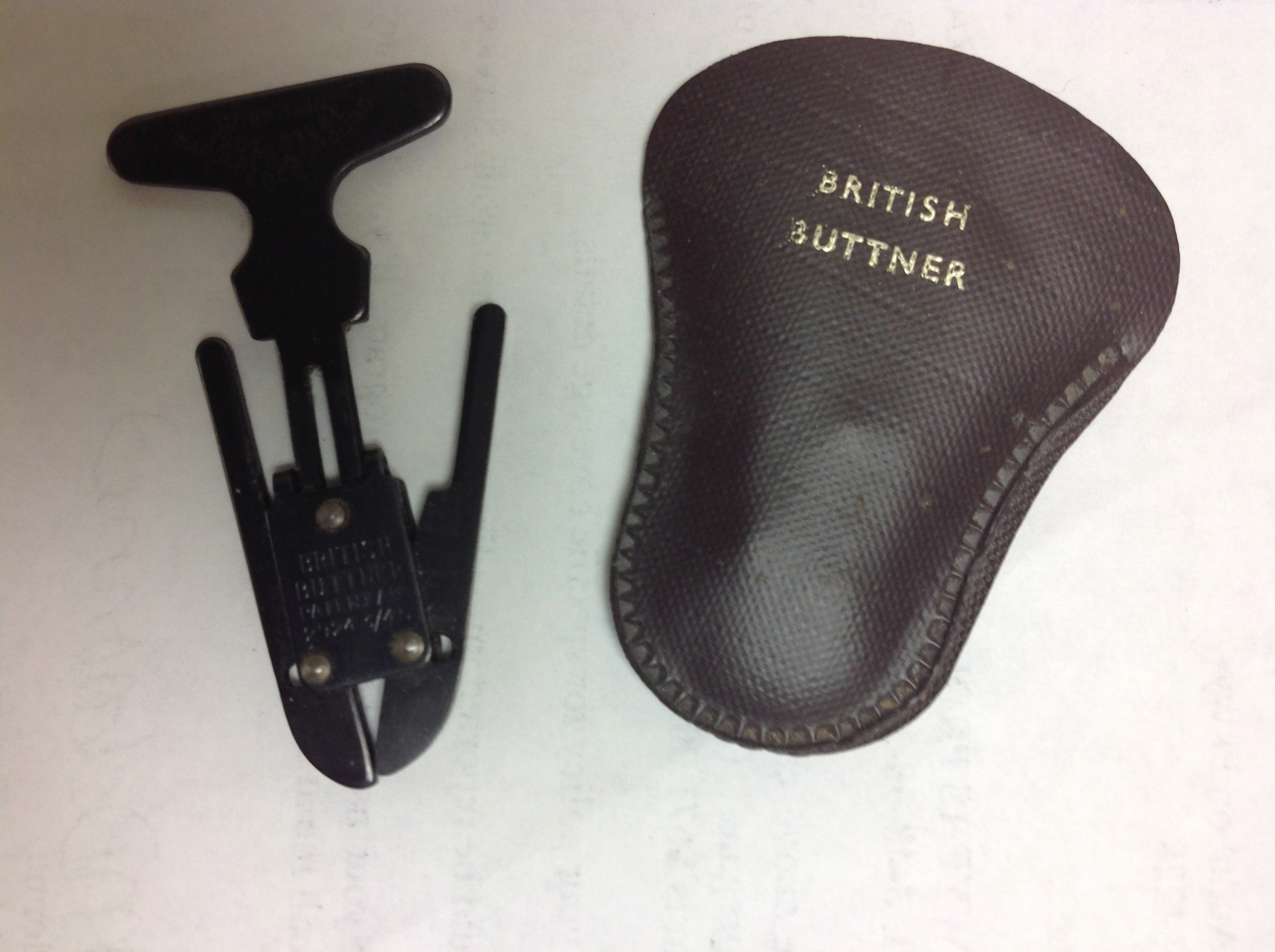
Another conundrum was this little machine. Think you know what it is? Not so fast!
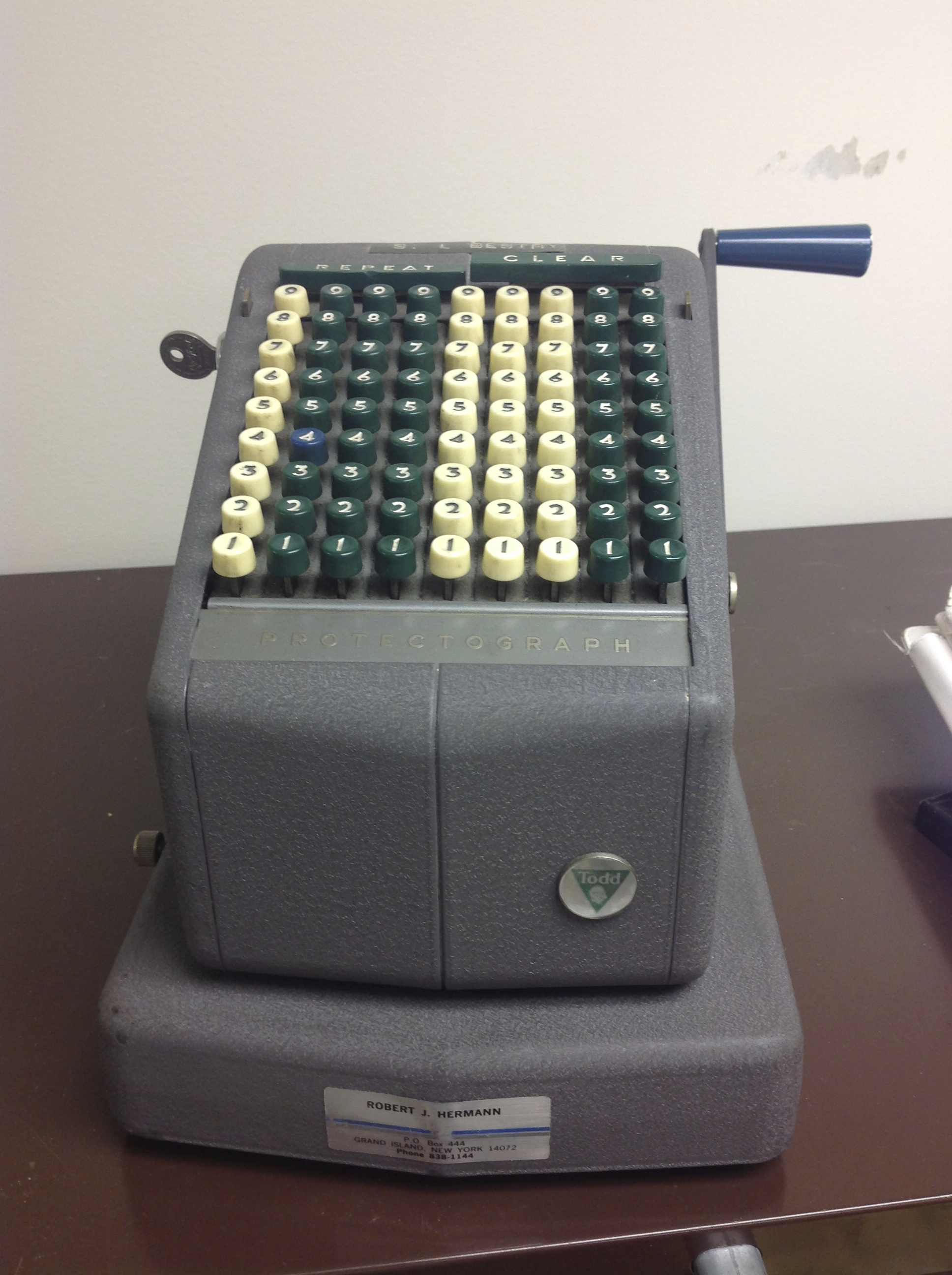
Nope, it’s not an adding machine, in case that’s what you were thinking. A Protectograph is a check-writing machine, and was used long before online banking or Quicken-linked printers.
Intriguing, but a little research showed that these long-kept items had no significant financial value. Indeed, the greatest appeal of anything in The Purge was one of my father’s (many) box-style leather briefcases, which looked like old-fashioned suitcases. We’d set them out in the hallway with the trash, as they were broken and bruised, but a young man in the building was delighted to carry one off, intending to carve it into a retro-style stereo case. One man’s trash is indeed another’s treasure.
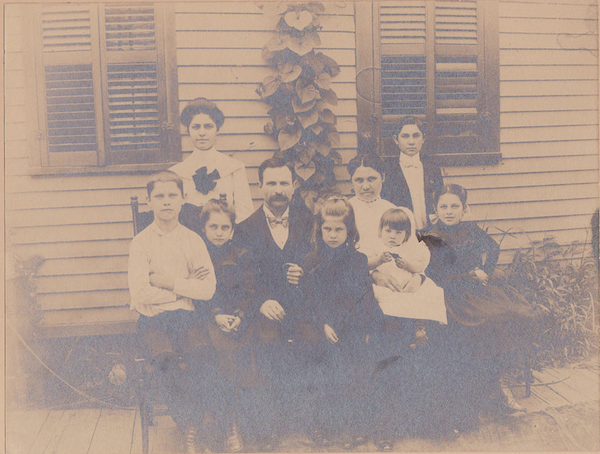
Perhaps the most exciting thing to be unearthed during this process was personal rather than tangible. A small stack of letters on onionskin paper, sandwiched between 1970s medical bills, contained an interesting mid-1950s correspondence between my father and a Rochester, New York school district. From those letters, I learned that my paternal grandfather’s first and last names were not originally what I had believed them to be, and I learned the names of both sets of my paternal great-grandparents, people about whom I’d previously known, literally, nothing.
Entirely coincidentally, upon returning from the trip, I was contacted a distant cousin, a family genealogist, who was able to provide two photos of my grandfather. This one, circa 1890, shows him on the right.
Standing on the far right in the next photo, taken a few years later, he appears to be an extra from Downton Abbey.
ENTERTAINMENT VALUE
When I work with organizing clients, we often find unexpected amusement amid the daily labor. This project was no exception.
To get the first set of large boxes of donations out to the car, Kim, the building manager, and Ed, a nice gentleman from an office upstairs, helped me maneuver a large rolling cart. We got it down the ramp, but just as we made it to the parking lot, a front wheel fell off. Ed and I held it up while Kim tried to put it back on. We rolled perhaps 10 feet, and one of the back wheels fell off. Then, after the car got loaded and we started rolling back to the building, the front cart handle fell off, leaving it largely unmaneuverable and me looking for Candid Camera.
However, the big Lucy & Ethel moment came when Paper Mommy and I were taking boxes to the car for another round of donations. After the rolling cart disaster, I opted to carry the heavy box, as my mother was certain she could carry the smaller, lighter box as well as her purse. Unfortunately, when the elevator came, she dropped her key ring containing her house and car keys down the elevator shaft, between the hall and the elevator.
Eventually, the same Ed of the leper-like rolling cart tale, attached some super-strong magnets to the bottom of a metal pole, and when that wasn’t long enough, Kelly, a woman in the building, taped her Apple lightning cable to it. I held open the elevator, Ed held the flashlight and went fishing with the pole, cable, and magnets, Kelli scooped the keys up as they got close to floor level…and my mother prayed.
LESSONS LEARNED
Certainly I wasn’t surprised by the organizing challenges of the Great Mesozoic Law Office Purge of 2015. I practically wrote the book on it. (Oh, wait, I did write the book on it. But don’t buy the used copy on Amazon for a marked-up zillion dollars; wait for the second edition.) None of these tactics should come as a surprise to readers of this blog, let’s review a few of the basics.
Keep personal and business paperwork separate. A few posts to help you start might include:
Business:
Paper Doll Gives You the Business (Files) — Part 1
Paper Doll Gives You The Business (Files) — Part 2: Reference Papers
Paper Doll Shares the Gospel: Creating A Business Bible
Personal:
Family Filing—As easy as (eating) pie
Financial Filing—Scrapbooking snapshots of your money’s life
Mom, why is there a receipt stuffed in the turkey?
I Fought the Law…and the Paperwork Won!
Patient: “Doctor, it hurts when I do this.” Doctor: “Then don’t do that!”
Paper Dolls Live In Paper Households
I Hope Nobody Ever Writes a Nasty Tell-All Called “Paper Doll Dearest”!
Have a system for separating papers into categories. The alphabet may be a great organizing principle around which to file things by name, but it doesn’t work particularly well for active projects and research in progress.
Label your files accurately. Start with How To Avoid Paper Management Mistakes–Part 3: Libel of Labels.
Anticipate acquisitions and develop a plan for periodic purging of active files. Peek at How To Avoid Paper Management Mistakes–Part 2: Fat Vs. Skinny Jeans to get started.
If you run out of room for files, the alternatives are to reduce the number of files (or papers in the files) or create space for archived documents. Trust Paper Doll, a couch is not a superior choice.
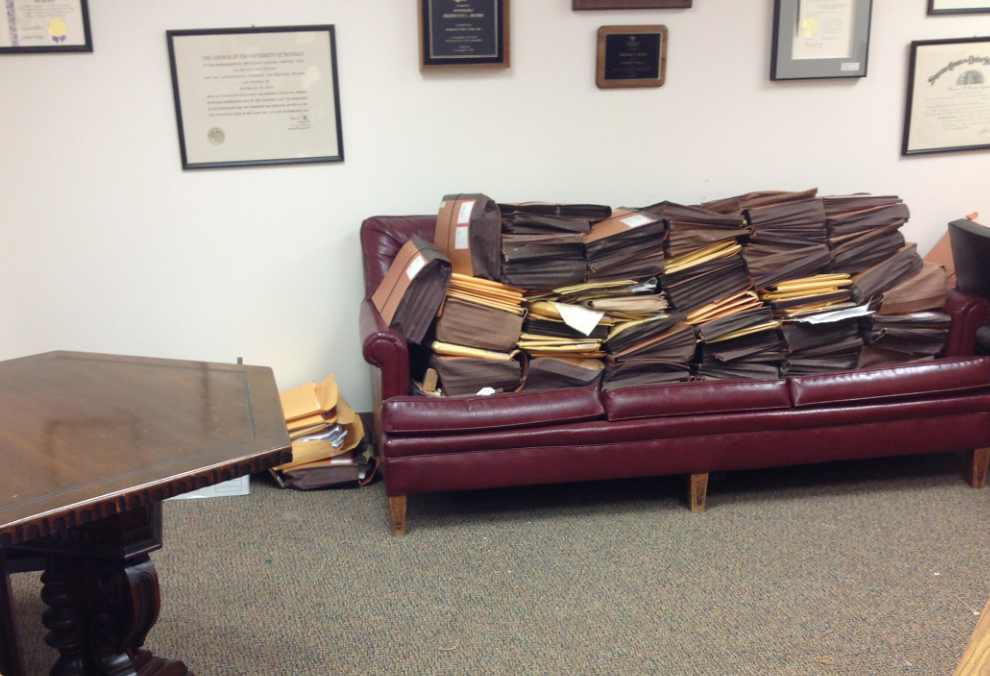
Schedule time regularly to review your possessions and purge items that are not necessary. (Labeling an envelope, “This key is useless” isn’t ideal.)
Don’t keep your system a secret. My father had created a three-page letter for my mother, carefully detailing where important documents could be found. In 1979. While many of the files were in the same cabinets, the cabinets (remember those 63 file drawers?) were not in the same order, nor in the same rooms, nor in the same building they had been. We can only hope the important papers that were in “a big, black metal safe” in the old building were retrieved before relocating, but we will never know for sure.
Document your important papers and their locations, and make sure your loved ones (or co-workers, or other appropriate parties, including your future self) knows what is where. Get some guidance from The Ultimate Treasure Map: Creating A Document Inventory.
The Great Mesozoic Law Office Purge of 2015 is only one of the reasons for this summer’s blog hiatus; you’ll be hearing about other, more exciting projects in the near future. For now, thank you for your patience, for your emails, and for your ongoing readership.
And seriously, don’t drop your keys down an elevator shaft.



Follow Me