Archive for ‘Paper Organizing’ Category
Noteworthy Notebooks (Part 3): More Erasable & Reusable Notebooks
Last week, in Noteworthy Notebooks (Part 2): The Big Names in Erasable Notebooks, I talked about some of the advantages of a hybrid notebook to organize your notes, one where you can write on paper (or a paper-like substance), digitize what you’ve created, and erase it. It helps the environment and gives you the one-two punch of creating ideas or art without tangible clutter.
But a conversation with my colleague Seana Turner in the comments section reminded me of another advantage I hadn’t considered including: perfectionist procrastination and the problem with fancy notebooks!
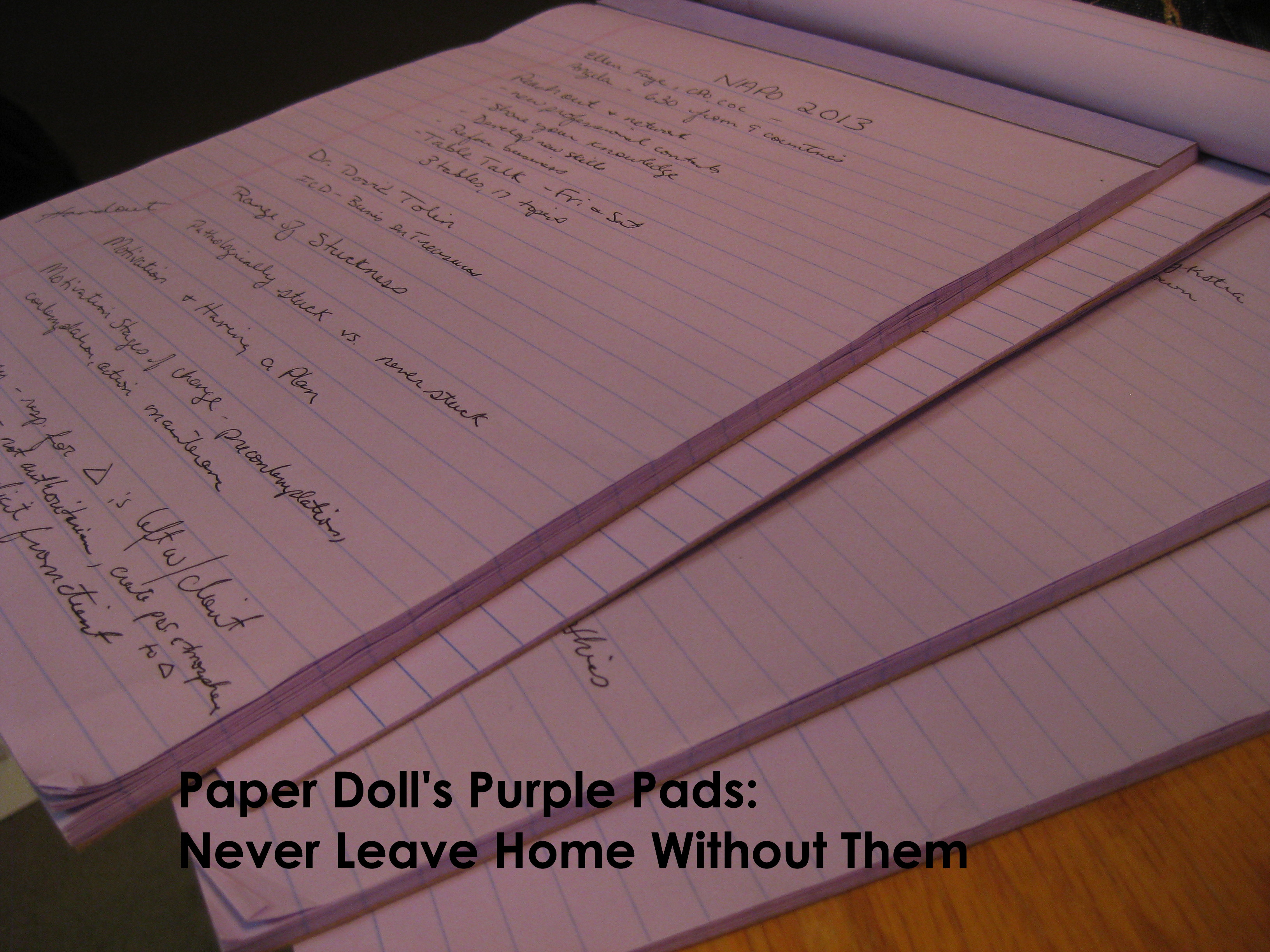
I’ve spoken before about my beloved purple legal pads. While I’m not helping the environment, the legal pads I use aren’t too fancy. I’m never afraid to mess up a page with a scribble, a splotch, or a stupid idea. The same isn’t true (for me, and for many people) when it comes to gorgeous, sumptuous notebooks.
Seven years ago, in Notions on Notebooks: Organize Your Paper Picks, I talked about some key points to consider when selecting notebooks: price (and branding), portability, binding, paper quality, lines (or dots, or graphs, or none), and color. I also pointed out:
CAVEAT: Over the years, I’ve had many clients who loved the sensory delights of fancy-schmancy notebooks: the colors, the materials, the bindings. They haunted bookstores and stationers and gift shops and bought them giddily, as if they were guilty pleasures. But they never used them. Why? For the same reason we save the “good” china for a special occasion and never wear that perfect outfit because the event doesn’t live up to the dream occasion we imagined when we bought it.
Could you dare write “broccoli, Lemon Pledge, dental floss” in a $52 leather-bound, crimson notebook? If not, either stick to manhandling those sexy notebooks in the stores (but skip buying them) or purchase notebooks with fancier covers but replaceable inner workings. Switch out the paper parts of the notebooks when you’ve filled them with brilliance or drivel, but keep your signature-style colors and fabrics on display as you desire.
Noteworthy Notebooks (Part 3): More Erasable & Reusable Notebooks Share on XSo, perhaps, the erasable Rocketbook and Wipebook notebooks we discussed last week offer that solution, an opportunity to create temporarily without fear of sullying a notebook. While last week we covered the big names in erasable, reusable notebooks, there’s too much of a bounty not to discuss other options.
SORA REUSABLE PLANNER
SORA, created by the Toronto-based IPPINKA team of designers, is a multi-sectional, customizable, reusable planner that features removable whiteboard pages. Like many of the modern products in Paper Doll’s Noteworthy Notebook series, SORA began with crowdsourcing via a Kickstarter. Although the campaign only started in Fall 2020, SORA is already a star.
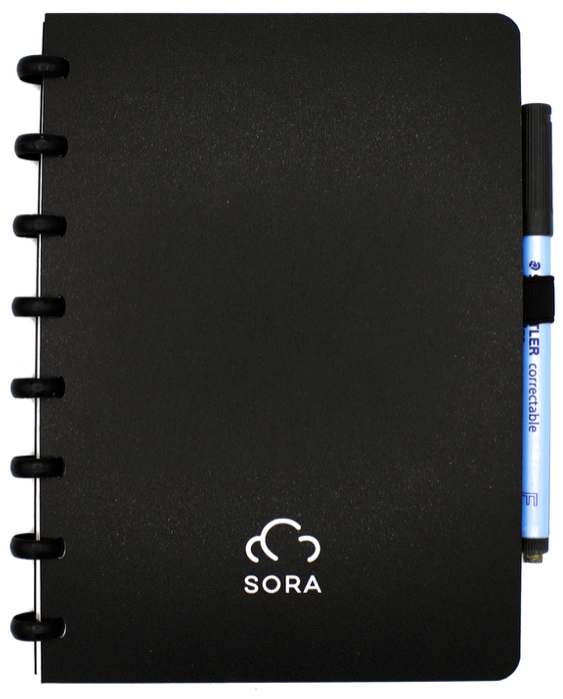
Note merely a blank notebook, SORA was designed to work as a planner to help improve and simplify professional and personal life with “whiteboard pages that stimulate goal-oriented and idea-driven scheduling over and over again.”
Each notebook comes with one Staedtler Lumocolor® correctable 305 F Dry Erase Pen in black, which can be erased using the pen’s built-in eraser, a tissue and a little bit of pressure, a damp cloth, or EXPO whiteboard cleaner. (So, unlike last week’s discussion, no microwave oven is necessary!)
SORA is formatted as an A5 (UK/European) notebook measuring 8.27″ x 5.83″. Its thin, flexible pages mimic traditional paper, and the notebook comes with 30 erasable whiteboard planner and tracker pages:
- Yearly Planner – This erasable planner lets you see your entire year so you can plan well in advance. The planner is undated for maximum flexibility.
- Two Monthly Planners – Two erasable planner spreads enable you to plan both the current and upcoming month, viewing recent past accomplishments and planning going forward. These planners are undated.
- Weekly Planners – Two erasable, undated, weekly planner spreads let you envision and organize essential events and tasks for the current and forthcoming week.
- Wellness Trackers – SORA’s two wellness tracker pages let you select two different health and fitness goals to improve. More water and more steps? More cardio sessions and a greater variety of vegetables? Strength training sessions and meditation? You pick!
- Habits Trackers – With five habit trackers, SORA help you track your professional and personal habits and make sure that you “don’t break the chain.”
- Blank, Lined, Dot-Grid Pages – It’s not really a notebook unless there’s a place to write and draw, so SORA includes 6 pages each of blank, lined, and dot-grid pages.
[Paper Doll’s suggestion: I’d prefer three weekly and monthly planner spreads to allow you to refer to the prior, current, and upcoming weeks and months so you could flip forward and backward.]
Aside from erasability, the key feature of SORA is that the arrangement of the pages is completely customizable, so you can rearrange the pages to suit your needs.
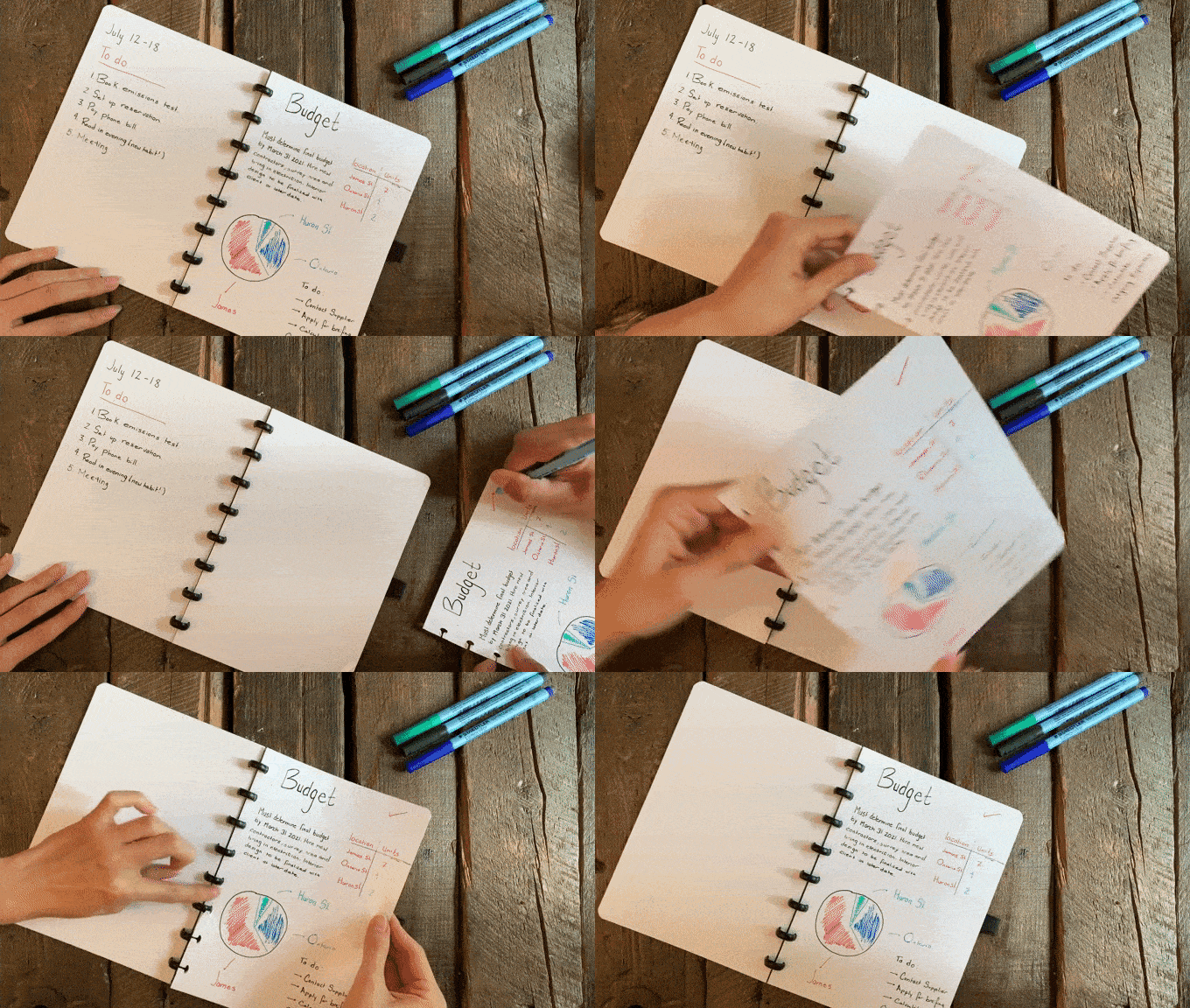
SORA uses eight 16mm binding discs, similar to what we saw when we discussed customizable notebooks like the Ampad Versa Crossover and the Sorta. So, instead of perforated notepad pages you can only use once, twist-prone wire binding, or loose sheets bound in bulky three-ring binders, SORA’s disc system lets you use the notebook open, or folded back on itself at any page to minimize desk space used.
SORA’s pages are waterproof and smudge-proof, so the notes won’t smush or accidentally erase like a typical dry-erase marker would.
The individual pages are removable, so they are camera-ready if you want to scan your pages and upload them to your preferred cloud service. (Unlike the notebooks we discussed last week, SORA doesn’t have a proprietary app.)
You can purchase a SORA notebook planner for $34 directly from the official site.
nuka ETERNAL STATIONERY
Ukrainian creators Katya Michalko and Nikita Vladykin, aged 17, joined by Eugene Shylo, aged 20, developed something novel with nuka Eternal Stationery. Rather than creating yet another whiteboard notebook with an erasable pen, they went back to basics and invented a better pencil and paper!
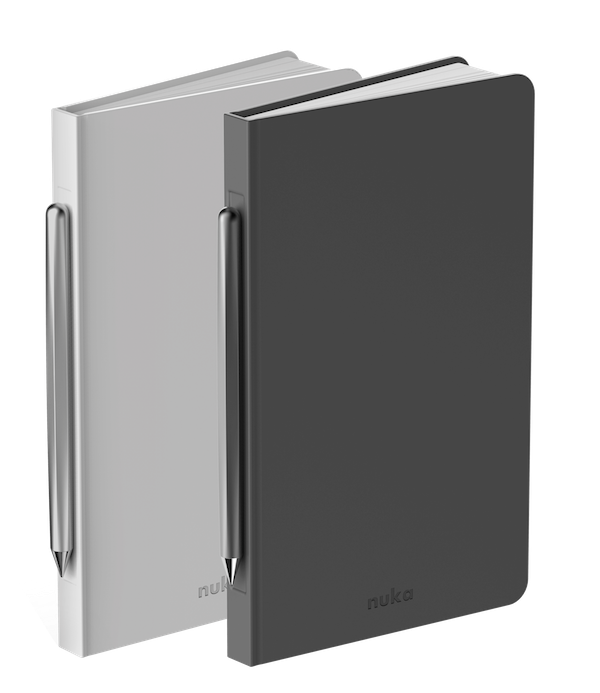
It all started with, you guessed it, a crowdfunding campaign. They began last spring, and though the community embraced their little vision quickly, everything from COVID to Chinese New Year to international manufacturing kerfuffles slowed down the process. But funders received their orders in April 2021, and soon the nuka Eternal Stationery (AKA: notebook) will soon be available for traditional purchase, too.
Let’s start with the nuka pencil. This is not your Grandpa’s old #2. The nuka pencil seems like an ordinary pencil, but it never needs to be sharpened and there are no inserts like with a mechanical pencil.
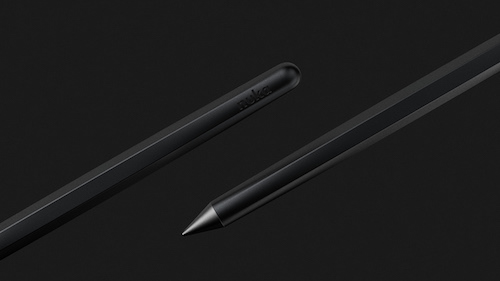
Instead, the six-inch nuka pencil writes with a metal alloy tip which oxidizes polypropylene paper. According to the nuka team, this technology makes pencil inkless (but also, y’know, graphite-less), eliminating any concern of about ink blobs, smudged writing, or wearing what you’ve written on your cuff or the sides of your hands.
Oh, and the pencil is magnetic. That’ll be important a bit later.
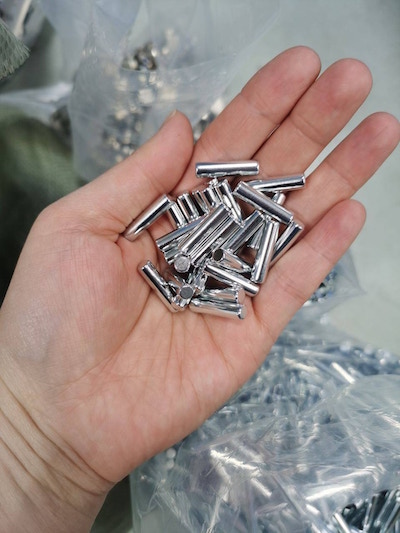
Next, there are 96 sheets of “virtually indestructible” paper in the 8″ x 5″ notebook. The paper is water-resistant and sturdy. You can’t tear it, and you definitely won’t rough it up by erasing too hard. And yes, you can erase the pages.
Although the team hasn’t explained how they’ve done it, or what by secret process they’ve developed it, the pages are waterproof, so even if tiny humans (or furry friends) spill all of your coffee onto your notebook, you needn’t fear losing your million dollar idea or key dialogue for your novel. Your writing also won’t fade over time. All the team has said (and remember, Ukrainian is their first language) is, “We don’t use traditional materials as timber neither for notebook, nor pencil. That definitely helps to save our planet resources.”
But nuka IS a rewritable notebook. Erase small portions with any ordinary eraser, but you can eliminate a whole page by wiping it with a bit of hand sanitizer. (Given the past year, you probably have a LOT of that!)
Although you should use the pencil, the nuka team did research how other writing implements interact, and they report, “Out of the 200 writing instruments we used to test the notebook’s ability to be wiped off, only two types of instruments proved to be difficult; gel pens and permanent markers. While you can use these instruments on the notebook, you might not be able to remove them at all afterwards.”
The silicone cover over the bound pages of the notebook has space for a magnet in the spine, so you’ll never lose your fancy-pants nuka pencil because it’s always attached to the notebook! (Just don’t take it into an MRI machine!)
Finally, there’s the forthcoming nuka app to help you digitize and synchronize your notes across any smart devices so that even when your notebook isn’t at hand, or after you’ve erased something previously uploaded, your works of genius can be retrieved from the cloud.
The combination nuka eternal stationery (notebook and pen) sold for $69 during the crowdfunding stage; watch their social media to see when it’s available for traditional purchase. (And watch this video. It’s fun!)
INFINITY NOTEBOOKS
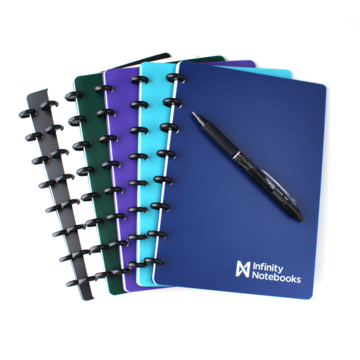
For something a little more down to earth, there’s the Canadian Infinity Notebooks.
First, Infinity Notebooks are durable. The pages are made from a long-lasting polyester paper. The company claims the covers and the pages are highly tear-resistant and completely waterproof, and pages are designed to be added or removed “thousands of times” without damage.
Next, like everything in this category, the notebooks are reusable. Write or draw in your Infinity Notebook using any of the following supported writing utensils:
• Pilot FriXion Pens (You’ll recall these from the last post.)
• Uniball R:E Pens
• Pilot FriXion Highlighters (Wait, did you know there were erasable highlighters?)
• Pilot FriXion Stamps (Like fun little analog emoji for erasable notebooks.)
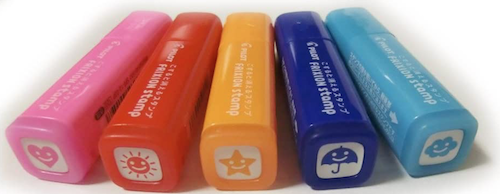
[The website notes that: Pilot FriXion Markers can also be used with the Infinity Notebook, and while they erase well, they are not recommended because the ink takes longer to dry and is prone to smudging.]
Whichever of the supported writing/marking solutions you choose, the ink will bond with the paper to stay put, but will erase cleanly with a damp cloth or paper towel. You can also use the eraser that comes with the pens, which lets you make small, incremental corrections without risking erasing a larger area of your work.
Next, Infinity Notebooks are customizable. We’ll be talking more about customizable notebooks next time, but, like the SORA described above, the Infinity Notebooks use disc binding so that you can add, remove, or move pages or sections to wherever you want.
You can also swap covers and pages, so while you only have to carry one notebook to class, you could return to your desk and move each class’s notes to one dedicated to a specific course. Or, you can just designate different sections of your notebook for planning and goal-setting, journaling, task lists, etc., and move pages accordingly.
In addition, because Infinity Notebooks are compatible with most popular discbound systems, you can use accessories and features from other product lines, like planners, trackers, calendars, sticky notes, tape flags, and more. (The company also plans on expanding its own line of discbound products to accessorize the Infinity Notebooks.)
Currently, the Infinity Notebook only comes in Executive size, measuring 8.5″ x 6″. There are six choices of colors for the poly covers: Par Blue, Black, Azure, Forest, Purple, and White.
Each notebook includes eight black binding discs, the two poly covers, 30 ruled pages (15 sheets), 6 checklist pages (3 sheets) and 4 mini checklist pages (2 sheets). Each also comes with one Pilot FriXion pen and use and care instructions.
The Infinity Notebook is $36 on the website; packs of 5 additional pages (in either ruled, checklist, or mini-checklist) are $7.99. They also sell the fun Frixion stamps, imported from Japan, for $3.99 each.
(HOMESTEC/GUYUCOM/NEWYES) SMART NOTEBOOK
Maybe you want to explore erasable notebooks at a lower price point, in case you don’t like the experience?
I’ve found that three different companies are marketing the same “Smart Notebook,” with identical marketing copy (complete with the same grammatical quirks) so whether it’s Homestec, Guyucom, or NEWYES, you’ll find the same product, available in five different sizes, for between $10 and $14. In fact, if you look at the Amazon page for the Standard B5 (UK/EURO sizing)/6.9″ x 9.8″ version of the Homestec Reusable Smart Notebook and scroll down to the graphics that compare the other sizes, you’ll see NEWYes referred to in the chart.
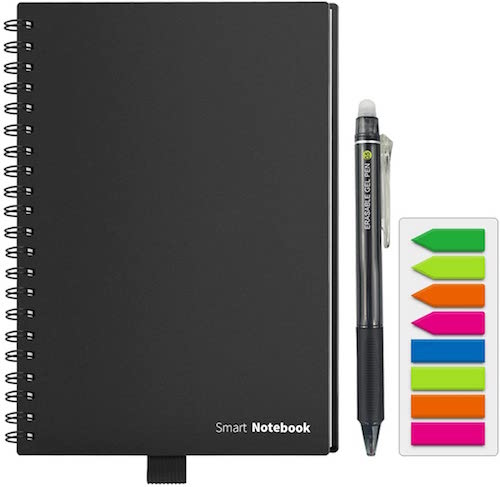
There’s no reference to what, if anything, makes the paper special, which makes me wonder if it’s just standard paper. It simply references using NEWYES erasable pens, for which you should allow 15 seconds for the ink to dry, after which you can erase using the eraser that comes with your erasable pen, a damp cloth, or a hot hair dryer! (Well, at least it’s not another microwave oven!)
After writing and before erasing, they recommend downloading and using either of two apps, the NEWYES Note or CamScanner, to send notes to Google Drive, Dropbox, Evernote, Box, OneNote, iCloud, and email, either as PDFs or jpegs.
The marketing copy claims that each notebook can be reused over 500 times. Interestingly, these warn not to use your notebook in the sun or when it’s above 140° F/60° C (yikes!), or the ink may disappear.
Why do I get the sense that this will become some kind of reverse-invisible-ink plotline on a sitcom?
This version of the notebook has a black cover with wire-O binding and comes with 7 planning pages, 30 lined pages, and 30 dot-grid pages, as well as one NEWYES-branded erasable pen, and a set of colorful adhesive indexing tape flags for bookmarking or noting important pages, all for $13.58.
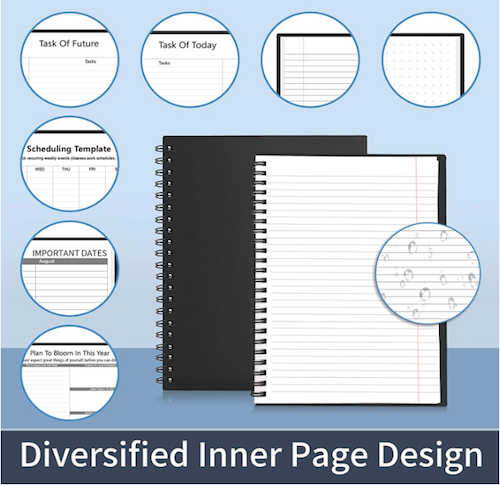
There are three other main sizes of the SMART notebook (no matter the branding):
- Letter Size (11.2″ x 8.7″) with a black or navy blue cover, 2 NEWYES reusable pens, and 1 set ofcolorful adhesive indexing tape flags
- Notebook Memo Size (6.7″ x 4.2″) with a black cover, 1 NEWYES reusable pen, and 1 set of colorful adhesive indexing tape flags
- Notebook “Standard” Size A5 (9.1″ x 6.9″) with a black cover, 1 NEWYES reusable pen, and 1 set of colorful adhesive indexing tape flags
All of the above versions are designed primarily for notetaking; there’s also an A6 (6.7″ x 4.2″) sketchpad version with 40 lined pages and 40 dot-grid pages for $11.88.
All blogs and videos I’ve found reference that you can replace the NEWYES pen with a Pilot FriXion erasable pen.
OUTLIERS NOTEBOOK
Finally, after reviewing many erasable notebook options, I came across, well, an outlier. In fact, the Outliers Notebook. The web site says that the design team formed in United States, but all of the employees are in Turkey; the headquarters in Delaware is a virtual office but all the prices are in Euros.
The notebooks come in three sizes: Executive and Standard Outliers notebooks both measure 8.66″ x 5.9″, and the Pocket version is 5.5″ x 3.54″. The Executive comes with either a faux-leather or cloth cover, magnetic closure, and 224 pages of 80 gsm acid-free paper; in addition to blank or ruled options (you can’t mix them in one notebook), there’s an annual planner and habit and goal trackers.
The Standard Outliers version offers the same features as the Executive, but with a cloth cover. The Pocket version is only 191 pages, has an elastic closure. (It appears to have a cloth cover.) Cover colors include black, dark grey, light grey, red, navy, purple, light grey, orange, and green.
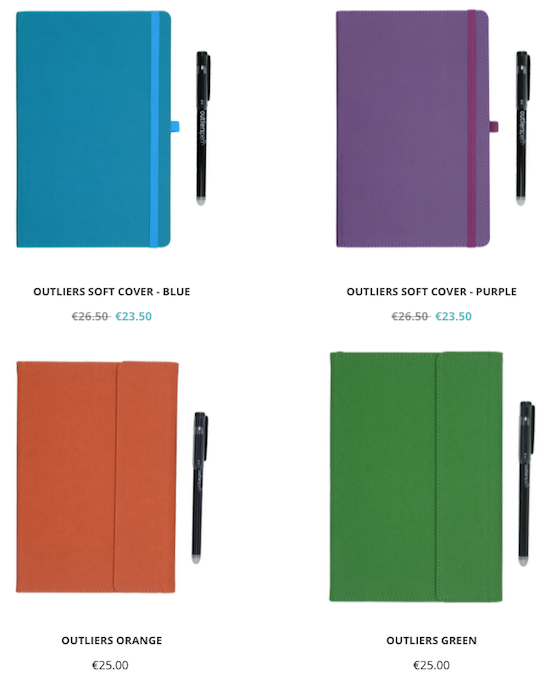
Each notebook comes with a proprietary Outliers pen.
Aaaaand because you knew there had to be one more, Outliers recommends erasing the notebook in a microwave oven. No microwave? That’s OK, they say; you can use your hair dryer. They also warn, “Notes on your Outliers Notebook disappear at 60°C and come back at -10°C. Unless you leave your notebook in environments that are either too cold or too hot for long periods of time, your notes will be safe and previously erased notes will not return.”
I’m thinking this will also show up in the sit-com!
However, taking us all the way back to the concerns about the original Rocketbook Wave we discussed last week, they say, “You can erase your notebook in the microwave for an indefinite number of times; however, the notebook should ideally be reused up to a maximum of 5 times due to natural wear and tear that may occur through usage.” So, it’s not super reusable, but just a little reusable!
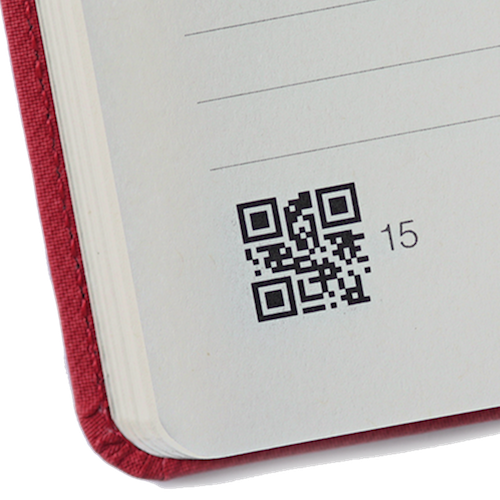
Each page of the Outliers notebook contains QR codes that indicate the page numbers. Outliers (iOS and Android) apps include QR code scanners, which read the QR codes, recognize page numbers and automatically index all your pages in the correct order as PDFs. Users can add keywords to digitized notes and search within the Outlier app, and of course, share via email or to cloud services.
Outliers claims superior image processing by augmenting the page resolution, stabilizing the brightness, and providing automatic perspective corrections by detecting the scanned page area, no matter the angles from which you shoot.
Outliers Notebooks can be purchased directly from their site, but again, please note that pricing is in Euros. The Executive versions are 28 and 26.5 Euros (faux leather and cloth versions), the Standard Outlier is 25 Euros, and the Pocket version is 18 Euros. (That’s about $34, $32.23, $30.40, and $21.88, respectively, as of the writing of this blog.) If any of our Paper Doll readers in the EU are up for sampling this option, please report back on your experience.
Next week, we’ll move on to a new category, notebooks you can customize and truly make your own. Until then, if you’ve missed anything, you can catch up at:
Noteworthy Notebooks (Part 1): Re-Surveying the Landscape
Noteworthy Notebooks (Part 2): The Big Names in Erasable Notebooks
Noteworthy Notebooks (Part 2): The Big Names in Erasable Notebooks
CHILD’S PLAY
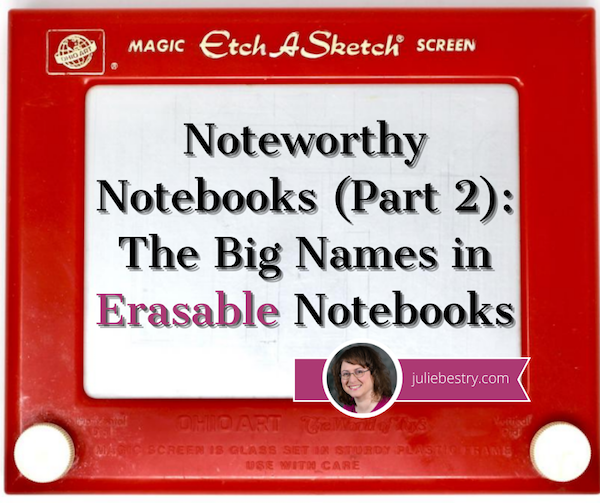
Do you remember the Etch A Sketch? Invented 61 years ago, the iconic red tablet (long before iPads) was shaped to look a bit like a flat-screen TV (long before flat-screen TVs), but required no electricity, batteries, or WiFi (which is good, because the internet hadn’t been invented yet, either). By turning the horizontal and vertical knobs (designed to look like old-time TV knobs) you could create words. (Sorta.) You could make art!
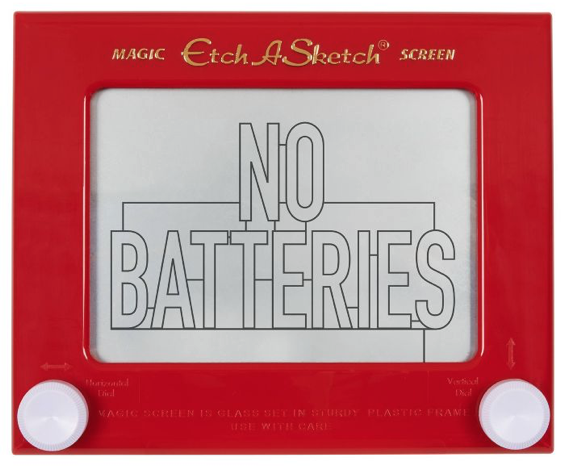
Granted, most of it didn’t look particularly artistic, but you got to be creative, and when you were done and ready to create a new masterpiece, you just shook the entire Etch A Sketch and the whole screen was erased, and you could start fresh. (If only life worked that way!)
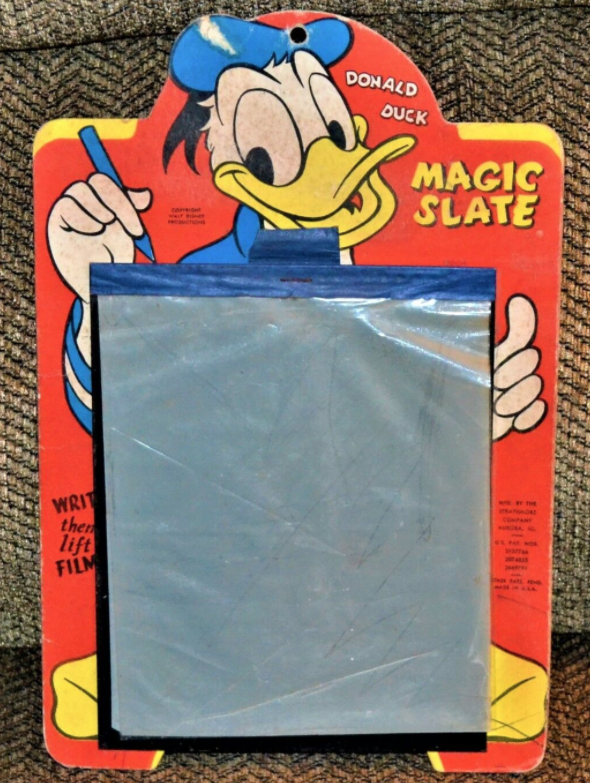
There was another toy, less iconic, but no less common. You may not know the name Magic Slate, but I bet you had one. As it dates back to the 1920s, I bet your grandparents even had one! On top of a stiff cardboard backing, there was a black slate, and atop that, a sheet of plastic. Using a stylus, you could draw or write; to erase, just lift up the sheet of plastic, and your Magic Slate was ready for you to start anew.
A few years ago, some savvy designers realized that while we like all of the features of computers, tablets, cell phones, and the internet, we also really like to write and draw by hand. And while the newest tablets offer some of those features, writing and drawing on glass just doesn’t feel the same as drawing on paper.
So, one after another, a series of designers came up with notebooks that are somewhat (more or less, depending on the product) like writing or drawing on paper, but you can erase what you’ve created.
No, you don’t have to write in pencil (and fill your desk with erasure crumbles). And yes, you can retain your content and still use your notebooks over and over. And you can be gentle to the environment by not requiring whole forests to be cut down. The natural grandchild of the Etch A Sketch and Magic Screen are erasable notebooks.
ROCKETBOOK
If the Etch A Sketch represented the early and mid-20th century, Rocketbook‘s wide variety of fancy-schmancy, modern, erasable, reusable notebooks are the future. (In fact, when Rocketbook went on the TV show Shark Tank, they described their products as they do in all their videos, explaining that they make “notebooks for the future” with sustainability in mind.)
The initial Rocketbook was the Wave, a crowdfunded spiral-bound notebook that appeared on the scene in 2015. You could write on the pages with any of the colorful Pilot FriXion erasable pens, and fill every page, edge-to-edge and top-to-bottom.
Once your notebook was full, instead of buying a new one, as you’d do with paper notebooks, you could capture the contents of the Wave by scanning it with the special Rocketbook app. Tiny icons at the bottom of each page directed the app to send your creations to the cloud, and specifically to the right service in the cloud, like Dropbox, Google Drive, Evernote, OneNote, or even to email. Done scanning? You’d just erase the contents by putting the Wave in the microwave.
Yes, in the microwave. (Hence the Rocketbook Wave.) When the logo on the cover turned from blue to white, you knew the notebook was erased.
Weird. I mean, everyone thought that was weird. I had a small microwave oven, and the first time I saw the notebook, I realized that while the Wave would fit inside my microwave, the design would make it hard to get INTO my microwave without rolling or folding it. Plus, I had some serious hygiene concerns with putting something one carted around all day into the same device where I cooked my food. (OK, where I boiled water and made popcorn, but still…)
Also, each of the notebook’s 80 pages could be erased only five times. FIVE times? I tried to recall how many pages of transcription-like notes I took in college classes, how many pages of notes I take during a client session, and how many I write in almost any educational setting. At that rate, I’d be buying new Waves every month or two. That might be sustainable for the rainforests, but not for me!
Bit by bit, people embraced Rocketbook’s Wave, and I enjoyed seeing it up-close at NAPO conferences when my colleagues would take notes, but my love for the environment and for gadgets was not as profound as my love for keeping food and non-food things in separate realms, and my dismay over the limited number of uses.
(I also wish I’d asked where they were finding microwave ovens at the conference hotel; I take almost a full legal pad of notes during a three-day conference. Were they uploading, erasing, and starting over every day? Inquiring minds…)
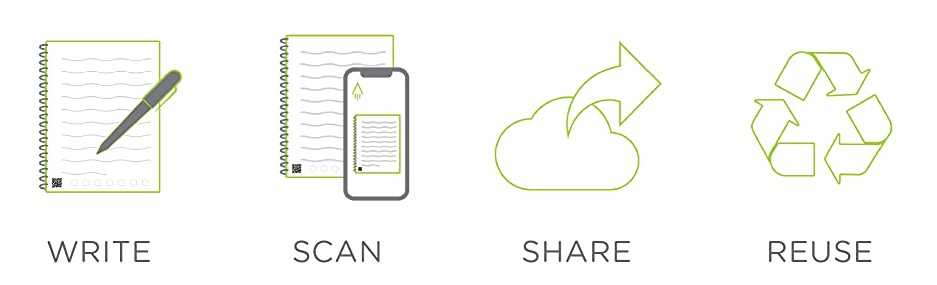
Rocketbook, however, wasn’t worried about naysayers like Paper Doll, and continued to expand the product line and make some of the most goofily entertaining office supply promotional videos on the market. As they went along, everything they invented with their accent on creating notebooks “for the future” focused on four key attributes of their products: write, scan, share, reuse:
Next came Rocketbook Everlast, which was later renamed Core, as it serves as the core of the Rocketbook lineup. The pages of the spiral notebook were created from a polyester composite rather than wood, but still felt like paper, and while marks made with the Pilot FriXion erasable pens would stay smudge-free, entire pages could be erased with the wipe of a damp cloth. The Core is “infinitely” erasable, they say, and while I’m not sure anyone can test that claim, infinity is definitely a higher number than five.
As with the original Wave, the Rocketbook app lets you scan the page using the QR code at the bottom, and whichever of the tiny icons you select will direct the app to send your work to be stored at the right cloud storage site. iCloud, Slack, and Box were added to the original options.
Note: the icons on the bottom page are generic: Rocketbook’s logo, diamond, apple, bell, shamrock, star and horseshoe. You configure each icon to link to whichever service you prefer, so as Rocketbook’s integrations grow, so do your options.
Another cool features: if you hand-write hashtags (# marks) around the title of your page at the top, it will transcribe your handwritten note as text to create as the title of the document.
The Rocketbook universe (see what I did there?) continues to expand. Among the erasable notebooks, there are:
- Wave, the original Rocketbook, comes in two sizes, Standard (8.5″ x 9.5″) and Executive Size: (6″ x 8.9″), each with 80 dot-grid pages on acid-free, fine-grain paper, with a blue cover. The left-side spiral binding is polypropylene. Each page can be erased five times by microwaving. $27 for the Standard, $25 for the Executive, directly from Rocketbook, or $21 for the Standard and $27 for the Executive at Amazon.
- Core (formerly Everlast), comes in two sizes, Letter (8.5″ x 11″ with 32 pages) and Executive (6″ x 8.9″ with 36 pages) in either dot-grid or lined formats. The covers come in eight colors: Infinity Black, Atomic Red, Midnight Blue, Neptune Teal, Beacons Orange, Deep Space Grey, Terrestrial Green, and Scarlet Sky, and the left-side spiral binding is polypropylene. A microfiber cloth is included, and all pages can be erased by wiping with a damp cloth. The Letter size is $34 and the Executive is $32 at Rocketbook, or for $28 and $24, respectively, on Amazon.
- Fusion looks like the Core from the outside, coming in the Letter and Executive sizes, with the same eight cover color options and connects to the same cloud services. But Fusion takes the Rocketbook a step beyond with formatting . The 42-page Fusion uses seven different page templates: task list, weekly planner, monthly calendar, idea list, plain, lined and dot-grid pages, and an ORK goal template (with space for objectives, key results, an action plan, and reflections). The Letter size is $37 and the Executive is $35 at Rocketbook with similar pricing at Amazon.
- Panda Planner is a Rocketbook extension of the popular Panda Planner line of happiness-inspiring personal planners. The exterior features are similar to the Core (though it’s only available in Infinity Black, Neptune Teal, Midnight Blue, and Scarlet Sky), and it comes in Letter (32 pages) and Executive (36 pages) sizes. Instead of the Rocketbook logo, the Rocketbook Panda Planners bear the panda head logo. Pages include undated monthly, weekly, and daily templates to organize your tasks and appointments, and goal and motivation templates for “building happiness.” Like the Fusion, the Rocketbook Panda Planner is priced at $37 for the Letter size and $35 for the Executive, at both Rocketbook and Amazon.
- Matrix comes in only one format, the 32-page Letter size (8.5″ x 11″) with cover colors including Infinity Black, Midnight Blue, Neptune Teal, Deep Space Grey, Terrestrial Green, and Scarlet Sky. Instead of dot-grid or lined, the Matrix uses a graph pattern specifically designed for STEM classes and technical note-taking. In addition to 30 graph pattern pages, the Matrix includes a scientific index page to track and improve organization, imperial and metric rulers for field measurements, and a place to label the 1/4” square units. The Matrix runs $24 at Rocketbook and on Amazon. (There’s no word as to whether Neo and Morpheus will help you with your STEM homework in the Matrix. I suspect that will cost extra.)
All of the versions of the Rocketbook referenced so far have the spiral binding on the left side. Although Rocketbook has not (yet) created any landscape formatted notebooks, they offer two options with the spiral binding at the top:
- Rocketbook Flip is billed as “the galaxy’s first ambidextrous notebook,” and it’s definitely a boon to lefties with the spiral running along the top. The covers come in Infinity Black, Midnight Blue, Neptune Teal, Deep Space Grey, Terrestrial Green, and Scarlet Sky, and the pages themselves do double-duty, as each page is formatted with lines on the front and a dot-grid on the back. (A version with blank pages is also available.) Like the Core, it comes in Letter (8.5″ x 11″ with 32 pages) and Executive (6″ x 8.9″ with 36 pages) and runs $34 for Letter and $32 for Executive at Rocketbook and $30 and $27, respectively, on Amazon.
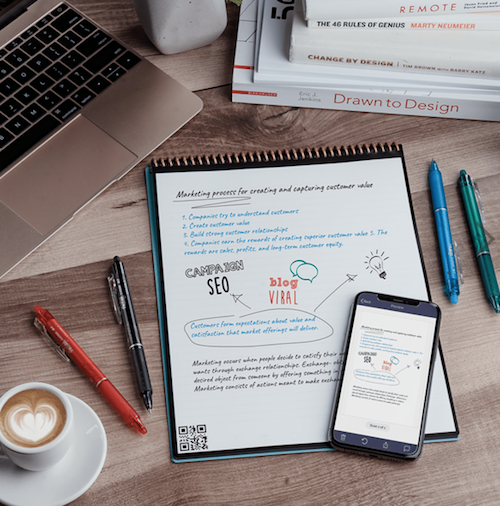
- Rocketbook Mini takes the Flip and shrinks it down to 3.5″ x 5.5″ to fit easily in a purse or pocket. As with the Flip, the spiral binding runs across the top, and the cover comes in Infinity Black, Midnight Blue, Neptune Teal, Deep Space Grey, Terrestrial Green, and Scarlet Sky. The Mini is 48 dot-grid pages, and costs $16 at Rocketbook and a little less on Amazon.
All versions of the Rockebook come up a Pilot FriXion erasable pen, and all versions except the Wave come with a grey microfiber cloth.
And now, there’s a new product on the horizon, the Axis, which has just completed its Kickstarter campaign. Because the Axis has some special features beyond reusability, we’ll be returning to it in a few weeks when we cover customizable notebooks.
While Rocketbook is the biggest name in erasable notebooks, it’s definitely not alone.
WIPEBOOK
Wipebook imagines its products as a blending of traditional notebooks with whiteboards, but instead of using erasable pens, Wipebook’s works with either correctable markers or dry-erase markers. But we’ll get to that in a moment.
Instead of focusing on notetaking, we’re supposed to consider Wipebook notebooks as the ultimate reusable whiteboard notebook for brainstorming on-the-go. You can write or draw, make temporary notes and squiggles, and then erase without wasting paper. In fact, they have a nice little motto: “Go ahead and make a mistake. Nothing should be permanent.” To that end, they’ve upgraded their pages to a new hypergloss film designed to make erasing and reusing an even smoother process.
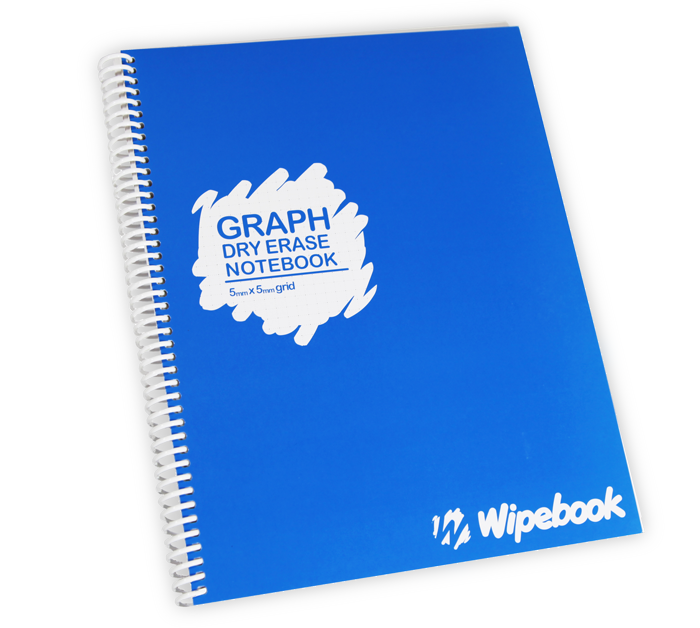
Every Wipebook contains 32 graph, ruled or blank 8 1/2″ x 11″ pages. The ruled notebook has a green cover; the graph version’s cover is blue, and the one with blank pages is red. There’s nothing fancy to look at, but the focus is on the use.
Depending on the longevity you need for your doodles and masterpieces, Wipebook recommends two options. First, they like Staedtler Lumocolor correctable markers as they won’t smudge on the hypergloss pages, but the ink can be removed with the integrated erasers (for a small area) or a dry cloth, either when you’re finished, or to correct mistakes. They come in two styles, fine and medium tip, and unlike traditional dry-erase markers (which you can also use), they provide a more semi-permanent solution.

If you choose to use dry-erase markers, you can wipe the ink off with your finger, a dry or damp cloth, or if it’s been a few weeks, a spritz of dry-erase cleaning solution. They recommend Expo Ultra Fine dry-erase markers.
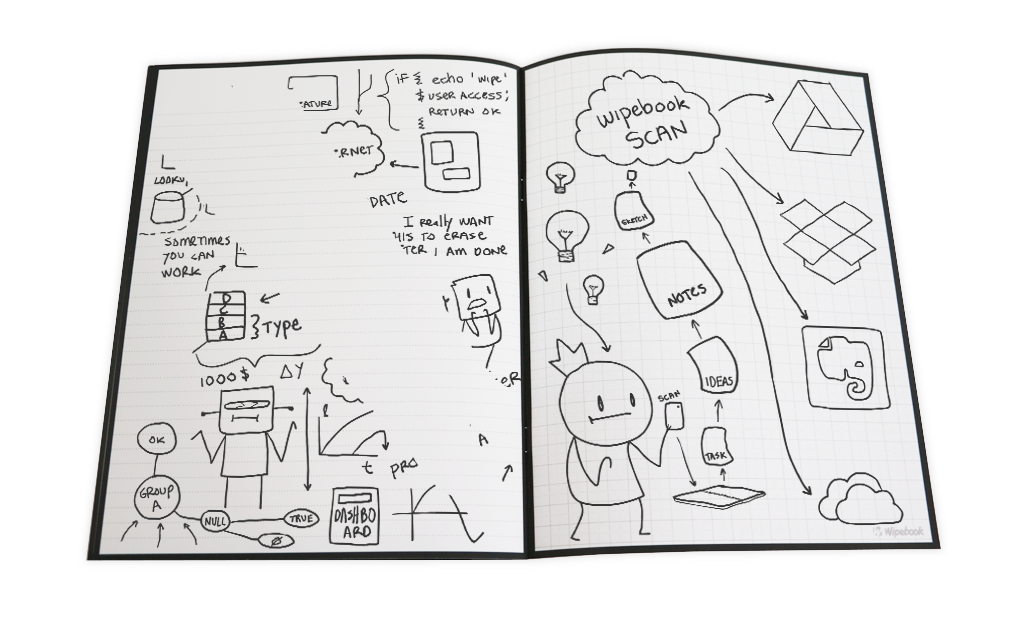
Wipebook has its own Wipebook Scan App, compatible with iOS or Android, so you can scan your creations and upload them to the cloud to Google Drive, Dropbox, Evernote or OneDrive. I should note that while the Android app’s rating is slightly below a 4 on a 5-point scale, the iOS app rating is only 1.5. User beware.
All versions of the original Wipebook are $29.99.
As with Rocketbook, Wipebook has developed fancier iterations:
- Wipebook Workbooks – Each workbook is just four pages (think: front and back cover and two internal pages) with one ruled, one graph, and two blank sheets, all 8.5″ x 11″.
A packet of 25 workbooks (say, for a classroom of students) is $49.99.
- Wipebook Pro is the next step up from the bare-bones Wipebook. It still measures 8.5″ x 11″, but has tanned faux-leather front and back covers with a lay-flat wire-O brass binding. It has 20 pages, which are ruled but with “non-intrusive” grey lines so as not to detract from the work, and comes with a correctible marker. The Pro runs $44.99.
- Mini Wipebook Pro applies a shrink-ray to the Pro, sizing it at at 5.8″ x 8.3″ (or A5 in UK/European terms) but otherwise offers all of the features of the Pro. It’s $39.99.
- Wipebook Pro+ is almost identical to the Pro, but has a black faux-leather cover and includes both graph and ruled pages (10 of each) and the cover has a pen-holder. It’s also $44.99.
- Mini Wipebook Pro+ shrinks the Pro+ down to 8.3″ x 5.8″ (again, A5 in UK/European terms) but otherwise has the same features as the Pro+ for $39.99.
- Pocket Wipebook Pro has the tanned faux-leather cover but the lay-flat wire-O brass binding runs across the top, like with an assignment notebook. The 20 pages (10 ruled, 10 graph) measure 6″ high x 2.5″ wide, has an attached penholder and comes with a correctible marker. The Pocket Wipebook Pro is $24.99.
JUST THE BEGINNING
While Rocketbook and Wipebook are the bigger names in the erasable notebook world, next week’s post has some real magic with a look at erasable options from around the globe. There’s a notebook that erases with a hairdryer instead of a damp or dry cloth, and an erasable planner with trackers for all your goals and customizable pages. There’s a notebook with an “eternal” pencil so you never have to buy another marker or pen. And there’s yet another notebook that thinks that we want to erase our notebooks in the microwave.
If you missed last week’s post, you can catch up on Noteworthy Notebooks (Part 1): Re-Surveying the Landscape. Next time, we’ll be looking at more intriguing reusable notebooks, and later in the series, customizable, indestructible, and just plain quirky notebooks, all designed to help you find a solution to organize your information in ways that meet your needs and preferences. See you next time!
Noteworthy Notebooks (Part 1): Re-Surveying the Landscape
Portrait vs. Landscape. Vertical vs. Horizontal. Uppy-downy vs. sidey-sidey. While most aspects of organizing are equal opportunity, paper organizing products tend to take sides.
For example, when it comes to most of the paper filing topics we discuss here at Paper Doll HQ, the horizontal view is the norm. Think tabbed folders, hanging files, filing cabinet drawers. Certainly, we look at a lot of vertical organizing solutions at the macro level, but while we file vertically, the products, themselves, generally have a horizontal, or landscape layout.
It’s a real rarity when we look at vertical filing solutions; in fact, we haven’t done it since New Smead Organized-Up Folders Stand At Attention in 2013! (Moreover, other than the main Smead products reviewed, the other items referenced in that post have gone the way of the dodo!)
Conversely, when we talk about organizing our actual writing, it’s the portrait, vertical, uppy-downy approach that gets most of the love. That’s why my 2014 off-ramp post Surveying the Landscape: Around the World with Horizontal Office Supplies was so unusual. I had to hunt for non-filing related paper products in a landscape-orientation.
Indeed, almost every office supply in that post is a riff on a clipboard, and even then, many of the options were only available in Europe and Asia. (Granted, there were some really cool products in that post, like the waterproof clipboard that created a little raincoat to let you keep your papers collected and dry in inclement weather.)
The only thing close to a notebook I found to include in that post was Roaring Spring’s line of 11″ x 9.5″ landscape notepads (available in multiple colors of lined or white graph format).
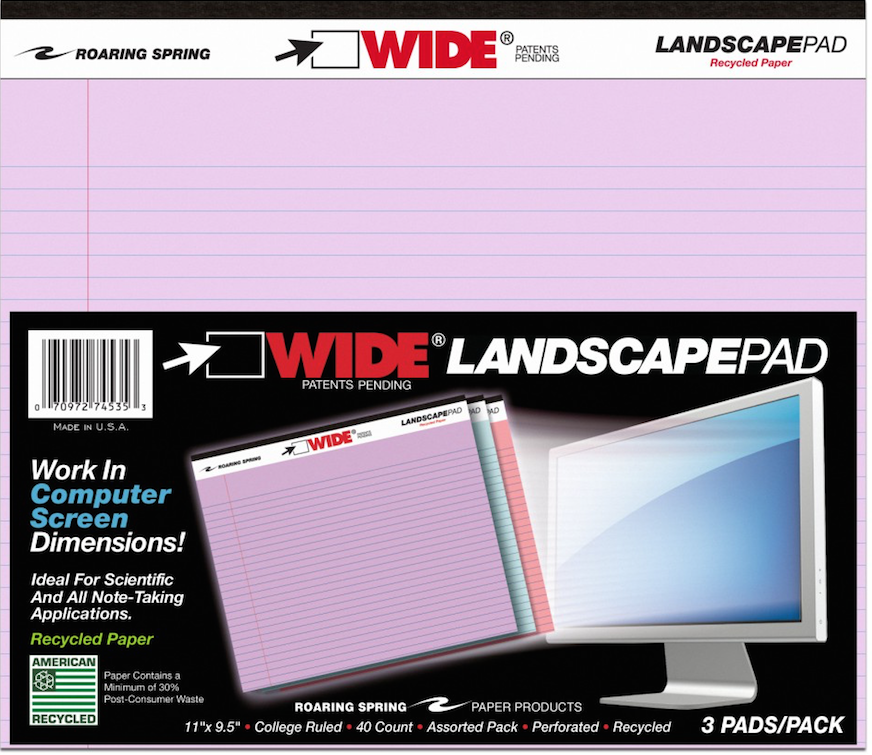
A year later, in 2015, I finally dug deep (or shall I say, wide?) into the topic of landscape-orientation notebooks and notepads in Paper Doll Surveys the (Paper) Landscape, where again, those Roaring Spring notepads took center stage. Beyond those and some special prototyping notebooks for web designers, all I found was a notebook sold in Japan with German marketing copy and the Rhodia Webnotebook sketching journal.
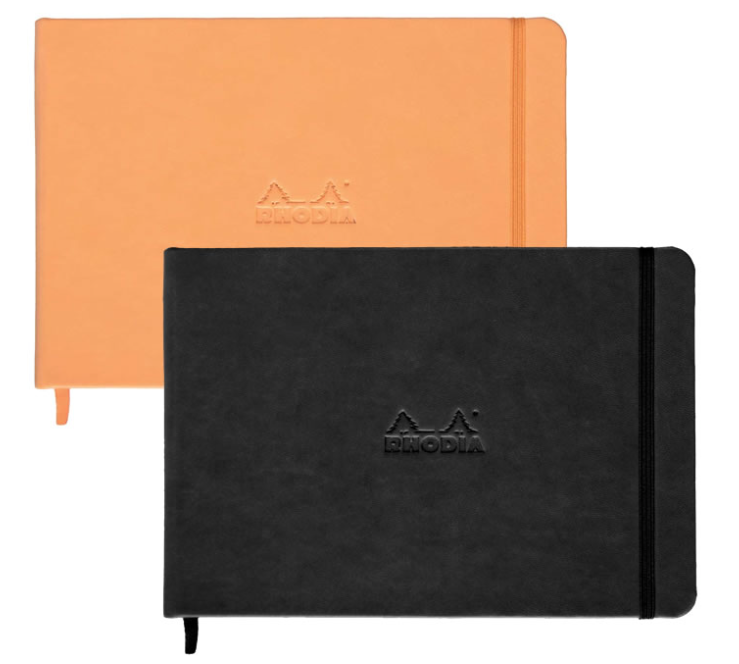
Even then, landscape is seen as primarily for creating landscapes – for drawing, designing, sketching.
At the time, I tried to explain why I thought landscape notebooks were important. (Imagine that I’ve inserted one of those wiggly sit-com flash-back effects here.)
OK, Landscape. But Why?
Most of the time, when we hand-write, we are in portrait mode, and it usually makes sense. However, I can think of a sampling of reasons why we might want to have some side-to-side breathing room.
Most notebooks are portrait, but a landscape orientation has six significant advantages: for notetaking, ergonomics, room for expansive thought, to do mind-mapping and flow charts, and to emulate TV/computer screen dimensions. Share on X1) Notetaking – When we’re taking notes in a committee meeting or for class, we’re often creating a linear, outline-style set of notes. But, as we discussed when we reviewed the exceptional Cornell Notetaking Method, we need to make room for cues or other special attention-getting markings on the left side.
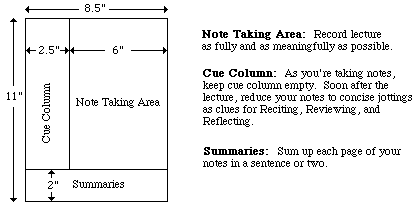
With traditional 8.5″ wide paper, that either reduces our notetaking space or forces us to write in the narrow margin, making it more likely that we’ll get inky smudges on that all-important cue-section. Landscape orientation provides more breathing room.
2) Ergonomics – Look at the available space on and around your desk. If your computer is in front of you, your keyboard is probably somewhere between elbow-and-wrist distance away, not leaving you very much space for alternating typed notes and handwritten notes. Because of that limited space, you may find you’re turning your traditional (portrait-orientation) notepad sideways, with the top to your left (unless you’re a southpaw). This lets you take written notes, but you’re probably twisting at the waist to do so. This is not sustainable or ergonomically friendly.
3) Expansive thought – When we take notes, journal, free-write, or craft letters, we’re often thinking linearly. It’s easy to follow a unidirectional flow of ideas, or paths, with a narrower piece of paper. When we’re on the computer, using Microsoft Word or any other word processing program, unless we’re using design features for creating signs or brochures, we echo that same tall/narrow format.
But what happens when we want to think more broadly (no pun intended)? When we’re on the computer, using a spreadsheet like Excel, we create multiple columns so that we can visualize information best seen side-by-side, like multiple fields in a record. But what’s the paper version? I can think of a number of times when I’ve been working with a client to brainstorm ideas in parallel (like how different departments will handle particular situations), and we end up turning a notepad sideways. The lines go the wrong way, and the content gets messy; it suffices, but it’s not optimum.
4) Mind mapping – Paper Doll is a fairly linear thinker, but when I’m trying to mind-map, or show the relationship between different processes, or do anything that’s more visual, I need more space. With some clients, we may choose mind mapping software or apps like MindNode or XMind, but we often find that an analog solution is faster and more immediate. Most often, we end up using multiple Post-It! Notes on a wall or window. That’s great when we’re in a house or office, but not so optimal when we’re in the field (even in a field), in a warehouse, or going mobile. That’s where these landscape notepads (and the aforementioned landscape clipboards) really come into their own.
5) Flow Charts – It might not be immediately apparent, but a number of law students have posted online comments regarding how landscape writing pads make it easier to visualize case-law timelines, precedents, and conceptual flow. Scientists have also reported that wide-format paper helps conceptualize scientific reactions more clearly.
6) Computer/TV Screen Dimensions – Tablets and phones aside, we spend a lot of time looking at screens in landscape orientation, and sometimes we still need to make our analog notes approximate what we’re seeing, or make our digital notes approximate what we’d like to be seeing on the screen. Writing pads that parallel those dimensions are helpful.
So, What’s New on the Landscape Landscape?
If, other than sketchbooks, it was hard to find a landscape notebook six and seven years ago, how do you think it’s going now for those who want to apply a wide-angle lens to their analog writing?
PANOBOOK
Well, newer on the topic is the Panobook, which I discussed in 2019 in Organizing the Shape of Notebooks to Come: Panobook, Triangle, and Sidekick as part of a look at oddly-shaped notebooks. It works for all of the reasons listed above, but particularly with regard to fitting nicely between your body and the keyboard.
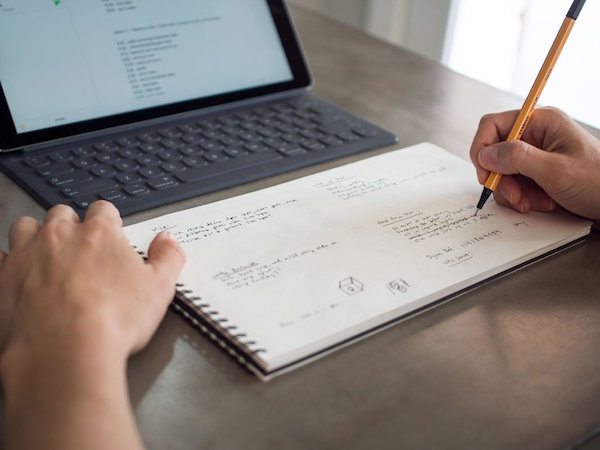
At the time, I noted the difficulty of using your computer and a notebook at the same time, especially when space is at a premium:
If you want to take notes, maybe you can scroll (I mean, slide) your body to the left or right, or you may have to swivel in your seat to use the left side of the desk (or the right side, if you’re left-handed) to take notes. Unless your arms are long (and your eyesight so pristine that your monitor is very far away), there’s just not that much writing space in front of you. (And I’m pretty sure you don’t want a notebook poking into your tummy.)
Panobook measures 160 mm x 288 mm (6.53″ x 11.34″) and is designed to sit squarely in front of your keyboard. It’s made of high-quality (70 lb) paper and meant to perform with a variety of writing instruments and inks without causing bleed-through or smudging.
The front and back covers of Panobook are made of rigid black chipboard, and the whole thing is bound with sturdy black Wire-O (AKA: Twin Loop) spirals measuring 12.7 mm (0.5″) in diameter, so the Panobook sits flat when opened without the cover smacking back into place or bending, as you get with perfect bound notebooks or glued notepads.
Each notebook contains 50 sheets (100 pages). Neither blank nor lined, the Panobook has a subtle dot pattern with grid spacing at 5 mm (0.20″), so you can use it for writing, drawing, or laying out charts. For web interface design or storyboarding, there are guide markers to aid in drawing three rectangles on the page, and edge guides to divide each page and provide cues for layout.
Each Panobook comes with a slip case to make it easy to label the spines with the notebook’s content and start and end dates so you can catalog them together on a shelf.
Panobook is available directly from Studio Neat for $20/notebook for one or two; they’re discounted to $19/notebook when you purchase three to eleven, or to $18 if you buy a dozen.
BetterBook
In June 2020, a group of young designers from Amsterdam called orangered life teamed up and launched BetterBook, a landscape notebook campaign on Kickstarter that really got the attention of the crowdsourcing, uh, crowd. (It successfully moved to IndieGogo for expansion.)
Used to sharing their ideas by passing around their notebooks in the office, they needed a better pandemic-friendly solution as they worked from home, still designing with analog notebooks.
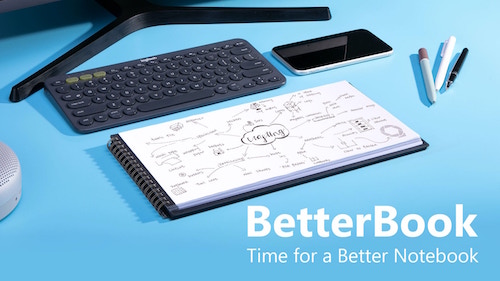
The orangered life team saw their BetterBook creation as having four distinct advantages over the typical notebook:
- Content is sharable – The BetterBook is an analog notebook, but the team figured out how to improve digital capturing and scanning. Each page of the notebook had a 0.5 cm black border on the left and right sides; the notebook’s covers extend beyond the pages, creating a 1 cm border at the top and bottom of each page; the border frames each shot perfectly, so your phone or scanner apps can capture each scan quickly and easily without delays, mistakes, or kerfuffles. (I wish checks were designed this way; it would improve the mobile deposit process.) Create, point, shoot, share!
- Scanned images display better – Because the BetterBook uses an 18:9 ratio, the format matches both mobile phones and computer widescreen monitors perfectly. So, because captured images are designed to fit screens perfectly, there’s no letterboxing effect – no black borders on the top and bottom of the screen, and there’s no pinching and zooming necessary, which often causes a loss of finer details.
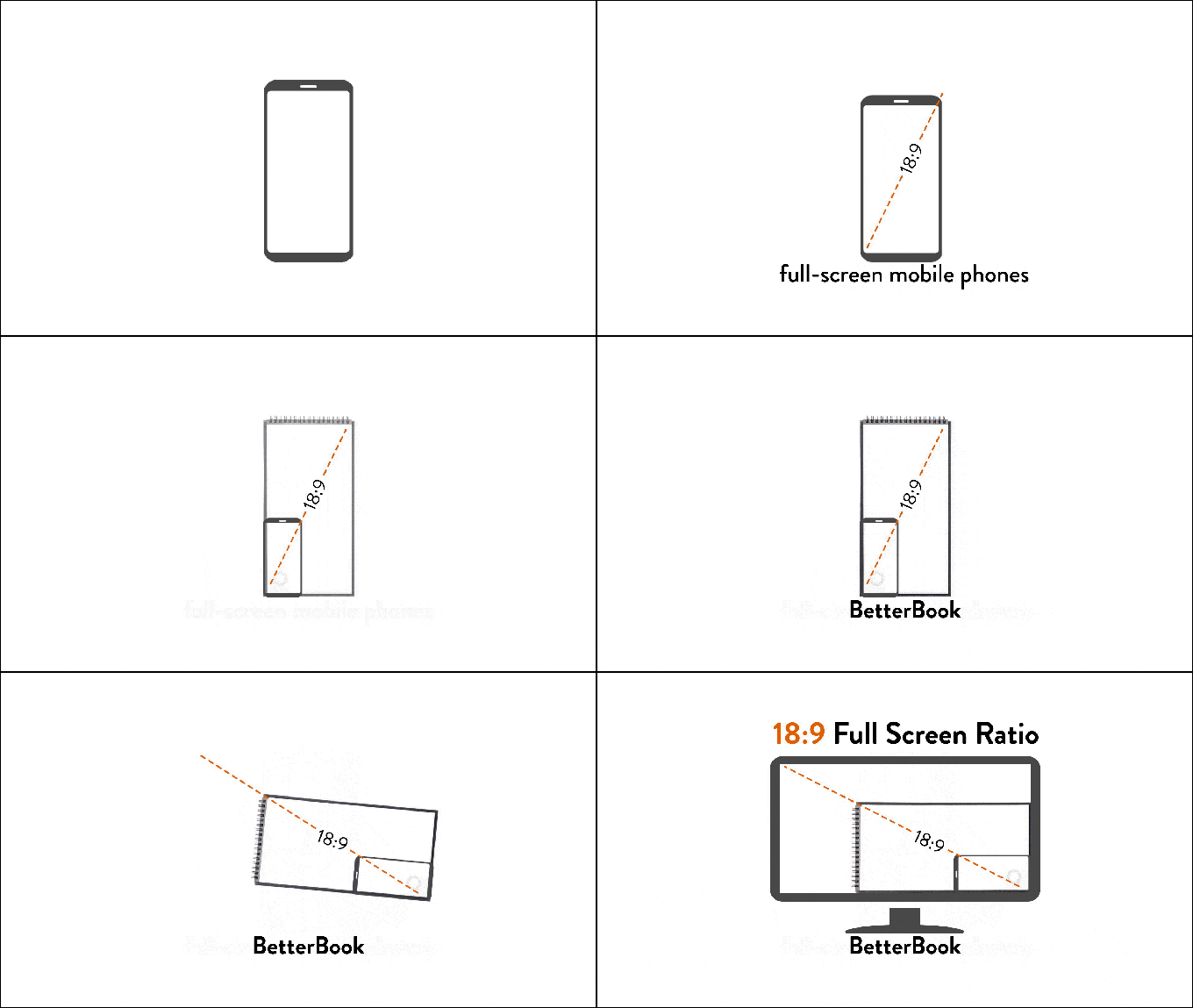
- It fits on your desk just below the keyboard – The Betterbook comes in two sizes: the Desk Notebook measures 310 mm (12.2″) x 160 mm (6.3″) and the Pocket Notebook (for when you’re back to working in coffee houses again) measures 130 mm (5.12″) x 70 mm (2.76″).
- There’s a built-in note organizating and time management doodad – In the bottom right corner of each page, there’s a subtle grey symbol designed to help you organize your work. The tiny spaces let you note deadlines, reference edits, or add anything you need to help categorize your important information.
The Betterbook has three acid-free, fine-grain paper options: blank, lined grid, or dotted grid. Both the Desk and Pocket sizes have 40 sheets (80 pages).
The BetterBook team sees its product serving designers, artists, (board/tabletop) gamers, and workers in creative industries. They also promote it for writers and students, though the lack of lines may make it difficult for some writers to get used to.
You can purchase BetterBook via Indigogo for $31 for one book or $79 for a set of three.
Write Notepads & Co.’s Landscape Notebook
Chris Rothe, a third-generation bookbinder at Baltimore-based Write Notepads & Co. has a plan to “make notebooks cool again.” (Paper Doll has always thought notebooks were cool. Paper Doll is unwilling to entertain the thought that not everyone thinks she’s cool.)
So, @WritePads wants to make notebooks cool again. Paper Doll has *always* thought notebooks were cool. (Paper Doll is unwilling to entertain the thought that not everyone thinks she's cool.) Share on XThe company makes a variety of deluxe notebooks – in the United States – using environmentally-friendly materials like vegetable-based inks and premium cover stocks and paper. And yes, they make a landscape notebook inventively called: Landscape Notebook.
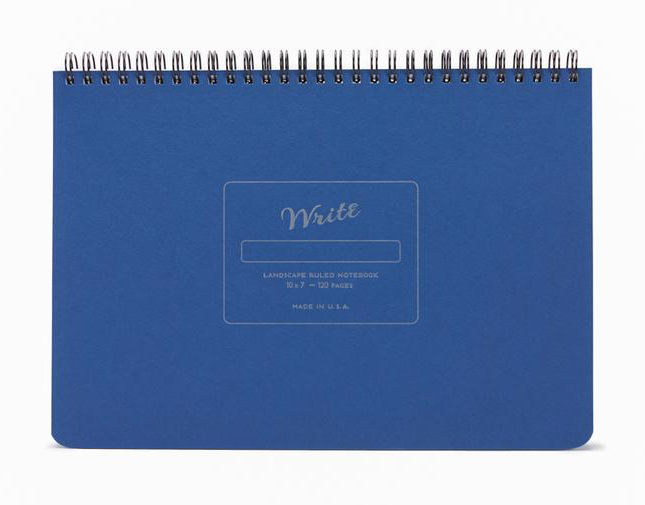
I’ll be honest, there aren’t a lot of fancy doodads here, but in some ways, that’s the charm of this notebook. The 10″ wide, 7″- high, 1/2″-thick, 15-ounce notebook is just really on-target in simple but essential ways.
The sheets are made with heavy, smooth, uncoated 70-pound paper stock, so the pages resist ink bleeding through or feathering across the page. (Nobody wants runaway ink!)
Each notebook’s 60 sheets/120 pages are lined at 1/4″ spacing using soy-based inks to create subtle, unobtrusive lines.
The covers are durable. The top is made from 10″ x 7″ board cover stock, with letterpress impression detailing. Because the back cover is also sturdy (and though it’s not stated, it appears to be chipboard), you can write while standing or during walk-and-talk meetings. Write Notepads & Co. offers matte gold embossed monogramming in 30 point font. (While 3-letter monogramming for a notebook like this strikes me as pretentious, your landscape mileage may vary.)
The durable double-wire binding allows the notebook to lay flat on any work surface. The binding is at the top (unlike with the Panobook and Betterbook), which means under normal use, the wiring runs parallel to your keyboard or desktop. The company sees this as a plus, as lefties are constant finding the length of their forearms pressed against the binding with typical notebooks. I’m inclined to agree, though some people may find it hard to type with their wrists stretched over/across a horizontal binding. (Share your thoughts in the comments section.)
The Write Notepads Landscape Notebooks come in five cover colors: Black, Red, Blue, Pistachio (light green), and Kraft (brown) and cost $20/notebook, with a 15% discount if you purchase 10+ and 25% discount for 50+. Shipping is free on all orders of $60 or more. Monogramming is $10.
Write Notepads & Co. also has a landscape orientation weekly planner.
Landscape Notebook
Obviously, unique naming is not a high priority in the landscape notebook field. Two years ago, Xavier Neyo launched a Kickstarter for a landscape notebook option. He called it Landscape Notebook. OK, then!
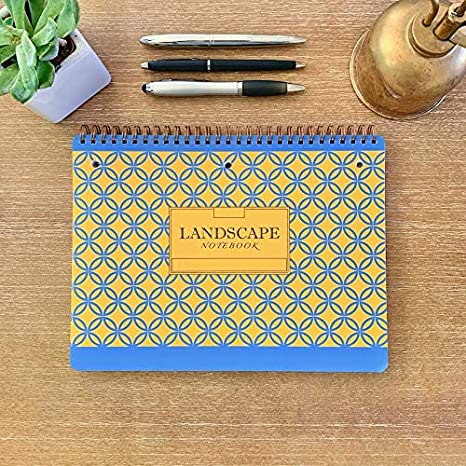
As crowdsourcing campaigns go, it was pretty casual: a low-fi video and list of three reasons Neyo was passionate about creating a landscape notebook. He felt that there should be notebooks to match the orientation of chalkboards and whiteboards so that notes taken in class or a meeting should be able to better match what’s written by the instructor or meeting leader.
Neyo also pointed out that narrow notebooks waste even more space with wide left-side margins; his notebook would be wider and the usable space would be more expansive, with minimal margins. And he was miffed about notebooks with flimsy back covers.
Flash forward (imagine the whooshing noise) to today, and Neyo has his own website and version 2 of his Landscape Notebook has debuted:
- The Landscape Notebook measures 10″ x 7.5″.
- The 80 sheets (160 pages) are college ruled.
- It has double-loop spiral binding along the top (he refers to it as O-ring, but it appears to be Wire-O) and it has a stiff back cover.
- There are three simple cover designs: solid navy blue with yellow accents, solid light blue with white accents, or a yellow and blue pattern.
- The pages are perforated slightly below the spiral binding; below that, each page is three-hole punched, eliminating any activation energy for getting your papers filed away once you tear them off the notebook.
- Each page is lightly marked with page divider indicators at the top margin to make it each for creating two, three, or five columns or sections.
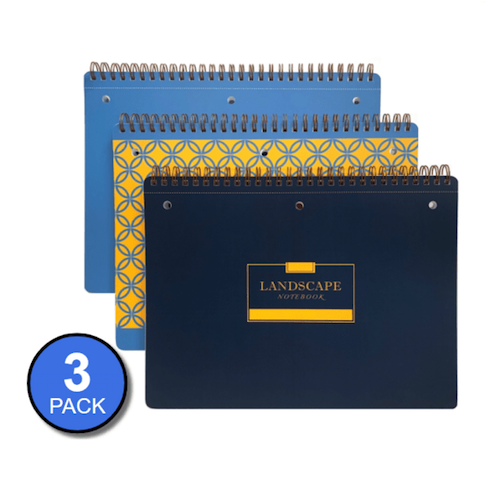
Neyo’s Landscape Notebook is available from his website: 3 notebooks for $24, 12 for $84, or 48 for $288. The site says the Landscape Notebooks are also available on Amazon, where there are priced slightly lower, but are currently out of stock.
This is the first (and least techie) of a short series on innovations in notebooks. Be sure to pop back next week to see what’s new in erasable, reusable, customizable, and even magnetic notebooks!
The Boo-Hoo Box: Organizing Painful Clutter
This post was originally published on May 17, 2021. It has been updated as of August 21, 2022.
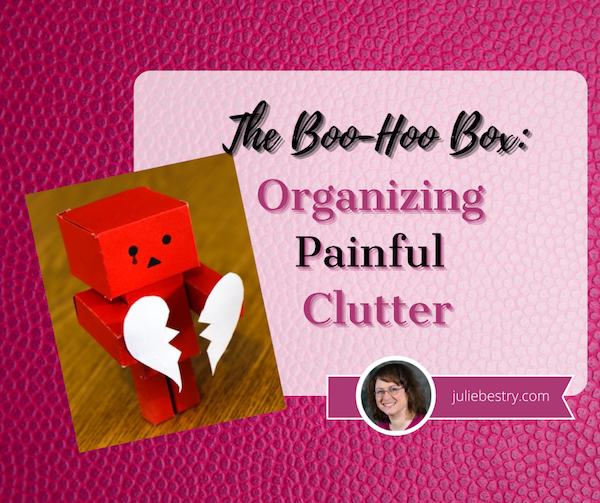
Red Amazon Danbow on Brown Wooden Surface by burak kostak from Pexels
As you read organizing blogs, it may seem as though all of the advice is the same, about reducing clutter and then organizing what remains. However, it’s important to recognize that not all clutter is the same.
CATEGORIES OF CLUTTER
Understanding the different types of clutter gives us good insight into the different reasons we keep things, but also helps develop different strategies for managing that clutter. When working with my organizing clients, we tend to identify six different kinds of clutter.
- Practical clutter — These are things that are useful, in and of themselves, like clothing, bedding, or kitchen implements. It’s not that we don’t need these things, but we generally don’t need so many (black skirts, frying pans) and we need to let go when specific items no longer suit our needs.
- Informational clutter — We keep documents and clippings, whether on paper or digitally, because we believe the information is valuable. The problem is that we rarely go back to consider how valuable something is now vs. when we acquired it, and we tend not to think about whether it might be better to eliminate outdated information, digitize it, or access the information anew via the internet to reduce the bulk.
- Identity clutter — Sometimes, the clutter we keep is an excess of items that we feel help define us. Our clutter may not be useful (in a practical sense) but we perceive it as useful for defining who we are or who we wish to be seen as. Our clutter might say, “I’m the kind of person who runs marathons [or wins spelling bees or bakes from scratch].”
- Aspirational clutter — This type of clutter accounts for all of the items in your space which support hobbies you tell yourself that you are going to take up, but never really do. Whether you are saving a closet full of fancy papers and Cricut gadgets for the day when you finally decide to become a scrapbooker or amass shelves of books on the topic of How To [train championship Greyhounds, write a novel, become a successful crypo-tocurrency miner], there comes a point when you’ve got to recognize that you have an excess of items supporting a life you don’t really lead.
- Nostalgic clutter — Nostalgia is defined as “a sentimental longing or wistful affection for the past, typically for a period or place with happy personal associations.” Obviously, life is made better by the things that truly remind us of happy (or happier) times, but an excess of nostalgic emblems of our past can fill up our homes in the present and prevent us from having space in our lives to make a future. Sometimes, we just have to take photos of those ancient macaroni art projects and discard the originals, letting them crumble in peace.
An excess of nostalgic emblems of our past can fill up our homes in the present and prevent us from having space in our lives to make a future. Share on X - Painful or sad clutter — This category encompasses things that remind us of bad times or bad people.
Break-Up Photo by Kelly Sikkema on Unsplash
Today, we’re going to look at that final category and how to make letting go easier.
It may seem odd that anyone would hold onto things that make them unhappy. Sometimes, they’re keeping things that are unpleasant but necessary to maintain (for legal or other reasons), but far more often, we professional organizers find clients keeping things that just plain make them feel bad.
KNOW WHEN TO ELIMINATE PAINFUL CLUTTER
Early in my career, I worked with a client who was trying hard to regain control of her life after a variety of disappointments and challenges. We’d made it through her closets, cabinets, and practical storage areas and were working through her home office easily until we encountered personal papers. At that point, we hit a wall.
This is why most professional organizers will encourage you to start with practical items and those with no sentimental attachment; it’s important to build up decluttering and decision-making skills first before attempting to let go of possessions that are fraught with the weight of personal history. For this client, the emotional clutter took the form of a series of letters written by her mother.
These letters were unpleasant, unkind, and to my eye (and according to the client) filled with claims that were patently untrue. My client had done a remarkable job developing emotional strength and stamina to reject emotional abuse from earlier in her life. Intellectually, she wanted to let these items go. Emotionally, she could not bring herself to do it.
It’s not my role as an organizer to make decisions for clients; rather, I present my expertise and advice and try to support them in the ways they most need in order to reach their stated goals.
Getting Ready to Let Go
So, first, we talked about how and when she “used” the letters. She noted that she used to read the letters far too often, in effect abusing herself by becoming a sort of Groundhog Day postal carrier, re-delivering the anger and unkindness to herself. She felt she’d “gotten better” in recent times, only looking at them when her self-esteem was at its lowest. Of course, that’s when they could do the most damage!
Therapy Photo by cottonbro from Pexels
Second, I encouraged her to discuss the letters with a therapist. Although my client has shared much of her prior history in counseling, she had not shared the specific content: the ugly words, threats, and heart-wrenching claims. After several sessions, my client felt relieved because a trained mental health professional was able to disabuse her of the idea that the letters held any more truth than a scary Stephen King novel.
Finally, we talked together about why she thought she was keeping the letters. (She touched on this in therapy, but we found some different angles.)
It’s very common that when we have a tangible reminder that someone has hurt us, we hold on to it as proof. Somewhere deep inside us, we may feel that letting go of the proof is absolving the person of responsibility for what they’ve done.
It’s not true.
Letting go of your college boyfriend’s tacky breakup letter won’t absolve him of the pain he caused you. But it will set you free from the cycle of pain you experience every time you re-encounter it when flipping through your yearbook or sorting through mementos.
Letting go of your college boyfriend's tacky breakup letter won't absolve him of the pain he caused you. But it will set you free from the cycle of pain you experience every time you re-encounter it. Share on XIf you have painful clutter, once you’ve talked through the underlying issues with a licensed mental health professional, it may help you to then recite a quote variously attributed to everyone from St. Augustine to Carrie Fisher:
“Resentment is like taking poison and waiting for the other person to die.”
Be Kind To Yourself
Not all of the painful clutter in our lives comes from others. Sometimes, we hold onto things that reflect pain that we’ve caused ourselves. I’ve had clients who keep “fat photos,” pictures of themselves in bathing suits when they were significantly less healthy than they are now, in places where they’ll come across them fairly often — in their underwear drawers, on the walls of their closets, under a silly magnet pinned to the refrigerator door, etc.
Come on now. That’s just bullying yourself. Yes, some people need the stick rather than the carrot approach to be motivated, but it’s important to avail yourself of healthy motivators.
Similarly, people often hold onto what they view as examples of their failures. These often come in the form of messages from others who (generally) mean no ill will, but which individuals use to beat themselves up.
For example, I’ve worked with clients in their fifties who saved college rejection letters and failed tests. In some situations, these kinds of things can have potential to motivate; if you post the 37% you got on your algebra quiz above your desk, it may help you push forward to do your homework, work with a tutor, and attend office hours, but if all it does is sour you on math (or if you’ve been out of school for decades and never have to take another math class again), then OMG, free yourself!
Not everyone has to be good at math. As Paper Mommy often says, “Someone has to make the struedel!”
Not everyone has to be good at math. As @PaperMommy often says: Someone has to make the struedel! Share on XSimilarly, if you’re keeping rejection letters for your novel so you can make them into wallpaper, or show them off as a badge of honor once you make good, that’s cool. But if, instead of motivating you, they just make you sad, then they’re clutter. It’s time to let go. Shred them. Trash them with the wet coffee grounds, cat litter, and dirty diapers. Burn them.
[Note: the above advice is designed to help you let go of the sad kind of painful clutter. However, if you have been the victim of domestic violence, stalking, or workplace or online harassment, it’s important to be able to document the behavior, especially if it escalates, for legal purposes.]
HIDE PAINFUL CLUTTER
Fans of The Gilmore Girls may recall Lorelai’s two pieces of sage advice to her daughter after Rory and her first love, Dean, broke up.
First? “Wallow!”
From an organizing perspective, however, a more important piece of guidance is knowing when to create The Box. In the show, Lorelai helped Rory gather up every reminder of her precious, heart-wrenching three-month relationship with Dean (complete with the box of corn starch Rory accidentally shoplifted after Dean surprised her with her first kiss). Then they put it all in a box. A Dean Box.
Rory begged her to take it all “far, far away from the house” and Lorelai promised that, like any good mafia hit victim, “it sleeps with the fishes.” Of course, as Rory eventually learned, her mom actually just hid the box in the back of the closet, wisely knowing that sometimes, our painful clutter isn’t always painful forever, and it’s not always even clutter, with the passage of time. Sometimes it can become nostalgia.
You may have your own version of the Dean Box. (Even Lorelai had a Max Box, reminders of the man who proposed with a thousand yellow daisies.) I often call it the Boo-Hoo Box, or the Bad Boyfriend Box. Sometimes it starts with reminiscences from one heartbreak and it becomes a repository for all the heartbreak you’ve experienced over time. That’s fine, as long as you stick to one box — the point is to lessen the clutter in your space!
Baby Steps for Hiding Painful Clutter
Use a non-descript container for the Boo-Hoo Box. If you use a pretty hatbox or a container in a designer color, then you’ll never be able to use that container and see anything but heartache. Opt for something quotidian and universal, like a used Amazon box or a classic Bankers Box.
Label the box in a low-key way, especially if you don’t want people poking around. “1997 Tax Prep” is a label that won’t encourage anyone to go spelunking. You’ll know what the box contains, unless you’re one of the rare people gifted with people able to always and completely forget about the Boo-Hoo box. (If you are, then once you come across the box after a long time, you’ll be in a much better position to review the contents and downsize or even eliminate it.)
Store the box where you won’t have to see it all the time. The back of a closet is the best place to hide heartache you’re not ready to toss. (If feng shui matters to you, try not to store the box in the part of the bagua related to romance or family, or whatever the contained items relate to.)
Rename paper file folder tabs if being reminded of the content stirs up too much emotion. One of my clients was going through a divorce. He needed to keep a variety of documents at easy reach, sometimes even on his desk, but didn’t want to be reminded (or have his kids reminded, when they walked by the desk). Yes, obviously everyone knew there was a divorce, but he didn’t need to keep rubbing salt in the wound. We labeled the file “Dallas” because Dallas and divorce both begin with D and because nothing about Dallas duplicated anything he was already working on. Give yourself some emotional distance from the contents when you can’t create physical distance.
Create digital Boo-Hoo boxes for your non-tangible painful clutter:
- To keep but hide certain unhappy-making emails, create a separate subfolder and manually move the email out of your inbox. [Note: If you’re maintaining email from a stalker, an estranged family member, or someone whose message you’d otherwise like to avoid, use the Rules function of your email platform (Gmail, Outlook, Apple Mail) to automate moving all mail arriving from a sender to a specific subfolder.
- If you have painful documents on your computer, it’s important to avoid stumbling upon them. Create a folder that serves as a digital Boo-Hoo Box and put it inside another folder, one where the hierarchy makes sense. A folder called “Yucky Stuff” will alphabetically sort near the bottom of a “Personal Stuff” folder on your computer, and is vague enough that it won’t immediately call to mind the thing that might set off tears.
- On your phone, photos of you and a loved one that are too painful to look at right now could be marked as “hidden” and will be sent to a hidden album to which you need to navigate, rather than randomly showing up in your camera roll. Remember, the purpose of hiding is not security, but just to protect your heart.
- If your painful clutter comes by way of social media, remember that you have options. Whether your former BFF uninvited you to a wedding, you’re on the outs with a family member, or you don’t want your ex to know how much it hurts to see them moving on, learn the tools that let you play it cool. On Twitter, you can mute someone without unfollowing; on Facebook, you can unfollow without unfriending; on Instagram, mute without unfollowing.
Send your heartbreak on vacation. Sometimes, you need to get painful clutter completely out of your space until you are in the right frame of mind to think about it. One stellar solution is to take your Boo-Hoo Box to a close friend’s home — OK, probably your best friend’s home — and let them babysit it in the back of their closet for six weeks or six months or six years.
Obviously, you don’t want to turn your clutter into theirs, which is why you want to limit this to one reasonably-sized box. Seal it more securely than you would if it were in your own home, especially if your friend has tiny humans, and label it with something that has your return address on it in case something unforeseen happens.
If the contents of the Boo-Hoo Box are sensitive, something that you could not bear to have seen by your BFF or her snooping mother-in-law or have displayed on social media, open a safe deposit box at your bank and secure it there. By the time your box is up for renewal in a year, you’ll have had time to consider the contents with fresh eyes, and hopefully, a refreshed spirit.
EVENTUALLY…
As Lorelai Gilmore wisely knew, heartbreak doesn’t last forever. Eventually (hopefully), it’s the ending of some love stories that creates the poignancy that makes the whole romance worth revisiting, whether after months, years, or decades. (This likely feels more true of anyone’s first lost love than a recent one.)
Other kinds of sadness comes from loss, from cruelty, from embarrassment, and from a variety of sources at which we’d like to stick out our tongues. There’s no timetable for getting ready to review or to eliminate any of these items. But it’s healthier and easier to heal with we’re not confronted with reminders of our pain every day.
The more we can downsize, repackage, and yes — if necessary — hide painful clutter, the more quickly we can regain our emotional strength and resilience.
Paper Doll, Media Darling — or Expert Organizing Advice and How to Get It

Who are the experts in your life?
We turn to doctors, lawyers, accountants, professional organizers… In my family, when I need advice about cooking or want to know if a booboo requires medical attention or is just one of those weird things, we refer to it as “opening the Mommy Encyclopedia” and I call Paper Mommy.
Sometimes, I get to be expert.
Real Simple and Photographs
 Because I’m a professional organizer, I often get asked to share my expertise with the media. Sometimes, it’s an organizing or productivity topic that’s right in my wheelhouse. Other times, I need to do a little research, confer with colleagues, or make a referral to someone better-versed in the topic.
Back in January, Senior Editor Rachel Sylvester interviewed me about organizing and managing family photographs for the May 2021 issue of Real Simple. 
Longtime readers of this blog know that while brevity may be the soul of wit, longwindedness is the backbone of Paper Doll. I had a lot to say about organizing family photos, like:
- how and where to locate all the print and digital copies
- how to gather all your photos together so you can see the big picture (no pun intended)
- how to automate your backup (because you know I’m all about the belt-and-suspenders approach, using a local external backup drive and a backup in the cloud, like Backblaze)
- how to identify and eliminate duplicates
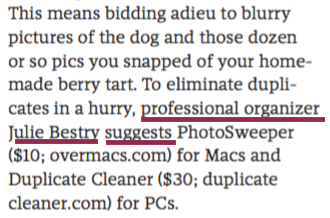
- how to eliminate fussy backgrounds or jerky ex-boyfriends with apps like Remove
or Slazzer, or the built-in background remover in Canva Pro. (Sadly, these apps only remove jerky ex-boyfriends from photos, not from your memory or personal history.)
Of course, organizing your photos only starts with these steps. Beyond the basics, you may want photo organizing and editing software, as well as a wide-variety of ever-changing photo storage options beyond your own Dropbox or local drives.
For example, while longtime free, effective June 1, 2021, Google Photos is capping free photo storage at 15 GB; after that, you’ll need a Google One account for $1.99/month for 100 GB. Other solutions include:
Apple iCloud Photo Library – Built into iOS devices, it’s 5GB for free, $0.99/month for 50GB, $3/month for 200GB, or $10/month for 2TB storage.
Forever – With a wide variety of storage options from 2GB (free) to 10GB up to 1TB, ranging from $13.30-$489.30/month. (Obviously, those mega-dollars are for professional-level storage.)
Flickr – Store one thousand photos for free, then consider $7/month or $60/year for unlimited storage.
Photobucket – Selections range from Beginner level for $6/month for 25GB, Intermediate for $8/month for 250GB, or Expert level at $13/month unlimited storage. (Note: You can only store uncompressed photos at the Expert level.)
When I work with clients, I bring my expertise on the first set of topics. We work together to gather photos (and slides – there are always slides!), plow through to eliminate most of the seventy-three shots of the front lawn of the new house the day they moved in (and yes, we eliminate some jerky boyfriend photos, too), and discuss storage options.
If clients want to digitize photos, we discuss their DIY options, but it’s not a service I provide. (You really can’t be an expert at everything.) Instead, I often send clients to my Atlanta-based colleague Jiffy Page of Pixorium, and I can tell you that her people treat my client photos with as much respect as (and often more than) families give their own old snapshots!
If clients have more complicated photo organizing needs, or they are far off from my service area and the project isn’t suitable for my virtual services, I recommend my colleagues. You can find superior photo organizers in two places:
The National Association of Professional Organizers – Use the geographic search from your zip code to find service providers who specialize in photo organizing. (After doing the zip code radius search, select “photography/memorabilia/collections” from the Residential Organizing and Productivity Categories drop-down.)
The Photo Managers (previously, the Association of Personal Photo Organizers, or APPO) – Search geographically and by a wide variety of photo-related services, including related areas, like backup solutions, data recovery, photo restoration, family history research, and more.
When I need advice on a photo organizing topic, I have my own experts to whom I turn, including:
Andi Willis of Good Life Photo Solutions in Georgia
Hazel Thornton of Organized For Life in New Mexico
Jill Yesko of Discover Organizing in Pennsylvania
Isabelle Dervaux Photo Organizer and Visual Storyteller in New York
And for those who want a grounding in photo organizing concepts for DIY projects, I recommend the book written by Cathi Nelson, the founder of The Photo Managers, Photo Organizing Made Easy: Going from Overwhelmed to Overjoyed.

Advice Among Other Professional Organizers
No man is an island, and no professional organizer operates in a vacuum, which is why you’ll often see us sharing one another’s advice and guidance.
Recently, Margarita Ibbott of Downshifting Pro published 15+ Great Professional Organizers to Follow and Read. I’m proud to have been listed among this group, and the post includes:
- 4 Canadian professional organizing bloggers
- 12 American professional organizing bloggers
- 1 Belgian professional organizing blogger
- links to the blogs of each
- links to the most popular post by each of us
And just last week, Melanie Summers of I Speak Organized published a post called Ask the Experts – Professional Organizing Trends and Industry Changes. Yep, Melanie quoted me (can you see a trend running through my post today?), and I held forth on the importance of continuing education in the professional organizing and productivity fields.
Many of the other nine veteran organizers interviewed for the piece are those you’ve seen me quote here and share on my social media, and they talked about finding your niche, the fact that Instagram-worthy spaces aren’t necessarily functionally organized spaces, and the ultimate fact that organizing needs to focus on the individual and not what’s trendy.
I encourage you to read Melanie’s post and click through all of the names linked at the bottom to read the extended interviews.
Hometown Girl Makes Good
In another media coup (well, it feels like it’s worthy of celebration), I was interviewed by Mary Fortune, Editor of the Chattanooga Times-Free Press Edge Magazine. It’s a digital magazine that focuses on business topics in my area; go ahead and click through to pages 28 and 29 to see my interview, but consider reading the other pieces, as the magazine covers a lot of ground in my 23-year adopted city.
If you’re a subscriber (hey, Chattanoogans!), then you can go directly to the interview without having to flip through the digital magazine pages; if you’re not, you may or may not get to see the entire interview. (Sometimes, it’s behind a paywall, sometimes it’s visible. The mysteries of modern media!)
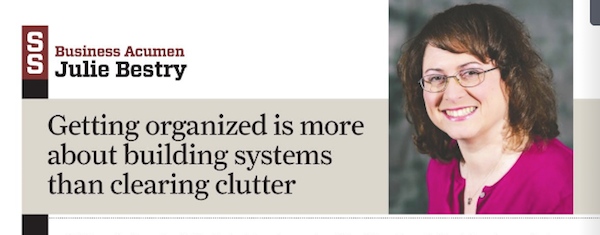
Yes, it’s a bit of a provocative headline, but I don’t think you’ll be shocked by what I have to say about the barriers to getting organized, the benefits of a more organized life, and some tips you can put into practice to be more productive right away.
An International Footprint
Recently, I was interviewed by Victor Lang, the Chief Operating Officer of gini, a global business data analysis company, for a piece called SMEs on COVID Relief. (No, I didn’t know what SME stood for, either.)
So, at 9 o’clock Chattanooga-time one evening, I was interviewed by an American gentleman in Hong Kong for gini, a company based in Australia and New Zealand! If that’s not worldly, what is?
Ostensibly, the discussion was on how business leaders of small and medium-sized enterprises felt vaccinations would impact profits. However, topics did run farther afield, including discussion of the impact of the pandemic on the mental health of business owners interviewed. As a professional organizer, I’ve learned (and taught my clients) that there’s a difference between having a positive attitude and ignoring the importance of self-care and mental health, so you know I didn’t pull any punches.
They interviewed owners of 500 small and medium businesses around the world (in English-speaking countries), and it was interesting (but not surprising) to see how the availability of a national social safety net, the relative size of the companies represented, and the actual impact (in terms of COVID cases and the economy) led to the projections made. Feel free to read the article, including my quotes. (I guarantee you, I never imagined I’d ever be interviewed in an article on the projections of global business leaders.) Or, skip my part and surf the infographic gini developed from the article:
.png) Please include attribution to https://www.gini.co/ with this graphic.
Please include attribution to https://www.gini.co/ with this graphic.
Wrapping Up
While the point of this post may seem like an opportunity to give Paper Mommy something to kvell (Yiddish for brag) about, there is a larger point. Often, organizing and productivity clients feel guilty about seeking advice or help. They think (or others in their lives think) that they should be able to handle everything on their own.
In general (at least when we’re not in a pandemic), we don’t cut our own hair. We don’t set our own broken bones or determine our own optical prescriptions. We don’t code our own websites or home-school our kids in Advanced Placement physics. We don’t build our own houses or rebuild our own carburetors, and if we’re wise, we don’t just limit our mental health care to our own self-therapy. We can watch videos or read books on how to do yoga, but getting guidance from an expert determines we won’t tweak our backs doing a pose incorrectly.
We professional organizers and productivity specialists don’t have all the right answers, but we’re comfortable formulating the right questions. It’s OK to seek help.
Who are your experts?



Follow Me