Paper Doll
Paper Doll Recaps MARCPO: A Capital Idea
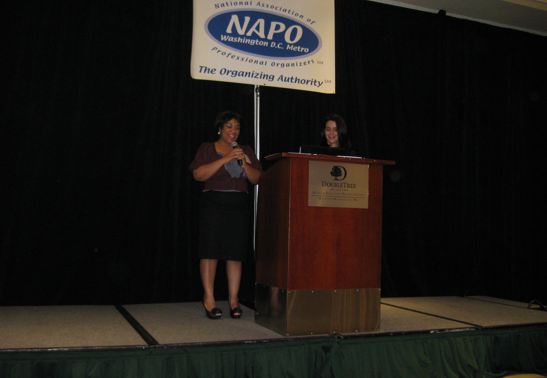
(Andrea Hancock, NAPO-WDC Treasurer and Cris Sgrott-Wheedleton, MARCPO Committee Chair)
Every once in a while, I need to amble away from Paper Doll HQ to mingle with colleagues and find out the latest and greatest in the professional organizing field. Loyal readers are familiar with my recaps of annual National Association of Professional Organizer conferences and expos.
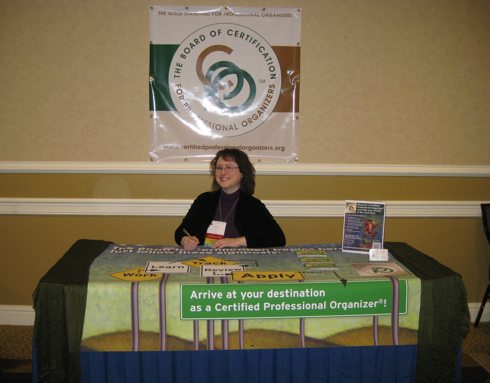
However, last week, I had the pleasure of representing the Board of Certification for Professional Organizers at a new conference. (Well, new to Paper Doll!)
The 14th annual Mid-Atlantic Regional Conference for Professional Organizers, fondly known as MARCPO, was held in Bethesda, Maryland, just a stone’s throw from our nation’s capital. I’d always wanted to attend, so representing the BCPO at the MARCPO Expo and answering questions from novice and veteran organizers about the certification program allowed me to mix business (gaining organizing education) with pleasure (socializing and dining) with more business (sharing the gospel of BCPO).
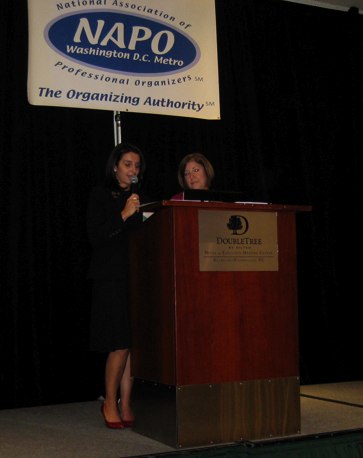
(Cris Sgrott-Wheedleton, delivering opening remarks, with NAPO-WDC Chapter President Janet Schiesl)
EDUCATION

The educational portion of the MARCPO conference started with a “mega-session” presented by psychologist and author Ari Tuckman, PsyD, MBA. Dr. Tuckman’s “The Psychology of ADHD: Organizing Around a Lifetime of Disorganization” presented some fascinating insights regarding psychological implications of (and solutions for) the neurological condition of ADHD.
I particularly enjoyed how Dr. Tuckman discussed avoidance of challenging or discomforting situations. He noted that uncomfortable feelings are inevitable; the question is, how much power will we give them? He reminded us that “comfort comes after trying something, not before.” In other words, we must be prepared to recognize that action precedes motivation!
Throughout the day, attendees chose one of two concurrent educational sessions in each of three blocks. For me, the highlight of the day was Heather Ahern‘s “Advanced Planning for Your Virtual Afterlife,” from which I hope to share highlights when we discuss the topic in greater depth a few weeks from now. From banking information to Facebook accounts to email and photos, so many of our assets and so much of our personal lives are tied to “the cloud.” But what about when we, ourselves, move to the clouds?
While tangible possessions can be willed to our beneficiaries, most of us give little thought to what might happen with our iTunes or flickr accounts, our blogs and LinkedIn profiles, once we’ve ambled off to that Wi-Fi-enabled Starbucks in the Great Beyond. Heather relayed concepts related to defining digital assets, creating a digital estate plan and even identifying a digital executor.
A substantial portion of the professional organizing experience involves going beyond the tangible to delve into issues of overwhelm and motivation. Susan Samakow presented an enlightening workshop, “Managing Overwhelm: 6 Strategies Your Clients Can Use After You’re Gone” and spoke about identifying strategies to boost confidence, get “unstuck” and move forward towards achieving goals.
Although it wasn’t about organizing, per se, I was intrigued by Sheree Lawlor‘s presentation on “Succession Planning: Do You Know Your Exit Strategy?” Paper Doll hopes to keep Best Results Organizing running in perpetuity, but it was instructive to identify the elements of succession planning, review intangible assets (like business social media accounts and customer community lists) and understand how management culture can impact ownership transition.
In addition to the three sessions I attended throughout the day, other tempting educational options included Jeanne Rossom‘s session on creating a road map for “Getting Better Customers” and Deborah Gallant‘s “What An Organizer Needs to Know to Be Successful in E-Commerce.”
If Heather Ahern’s focus on the virtual afterlife struck a chord in attendees because we all, professional organizer or disorganized soul, must someday shuffle off this mortal coil, Ketura Persellin‘s wardrobe workshop, “Organizing a Clothes Closet? First Unlock Your Client’s Personal Style,” drew attendees who were surely intrigued by more than the idea of helping their clients. We may all pass on, but first, we all hope to look fabulous!
Stephen Kissell‘s closing keynote, “Surviving Life with Laughter,” kept a room full of professional organizers laughing, occasionally groaning, and running in circles. It’s hard to explain how, or why, we ended up costuming our team leaders in newspaper, but Paper Doll must hang a head in shame. My paper 1920’s flapper dress design was soundly thrashed by Abraham Lincoln and the Statue of Liberty.
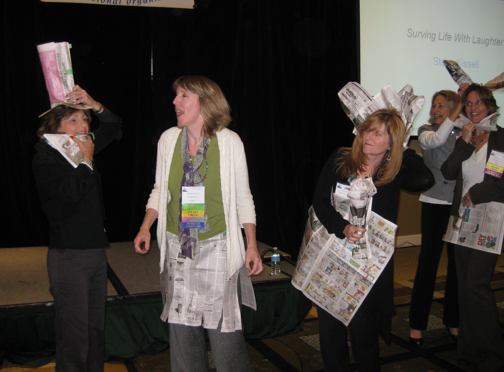
We were certainly reminded of how humor is an essential element in a professional organizer’s tool kit!
EXPO
In addition to my own table as representative of the BCPO, the MARCPO Expo was populated by a wide variety of local, regional and national exhibitors who provide products and services that augment the organizing experience.
AudioVideoData.com, in business 62 years, is a Washington, DC-based source for multimedia production services. They specialize in restoration and conversion of film, videotape, audiotape and vinyl records to CDs, DVDs and web-based applications.
Partner Estate Sales‘ booth displayed a dollhouse full of treasures (or teeny-tiny clutter, depending on one’s perspective), drawing the charmed attention of each attendee. From total liquidation of households to downsizing assistance, they help with everything from auctions and estate sales to appraisals.
ShelfGenie, a beloved NAPO associate member, custom-designs, builds and installs Glide-Out™ shelving solutions for all types of home cabinetry.
Yuck Old Paint certainly had the quirkiest business name. This eco-friendly company is the first in the Washington, DC area to offer a green service for picking up and removing old cans of paint from commercial spaces, corporate properties and private residences. They’re branching out, so watch for them in your neck of the woods (so you can clear space in your garage or basement and conveniently get rid of those toxic and messy paints).
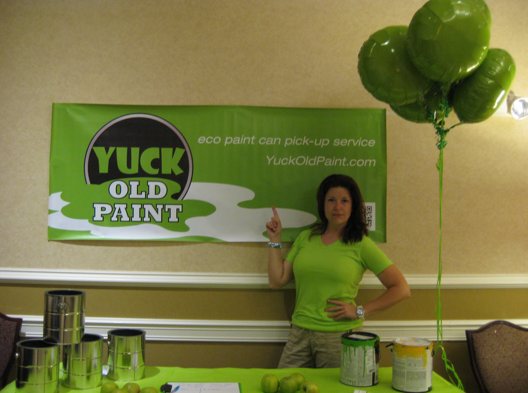
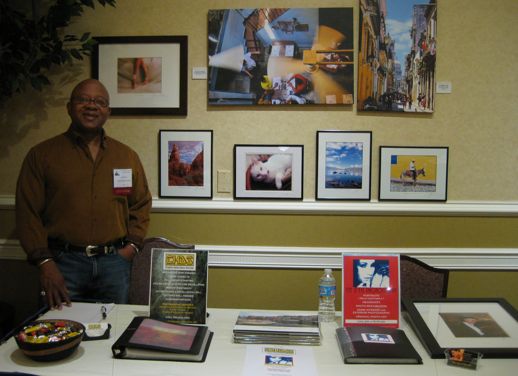
Creative Home Decor Services‘ Joe Minor and Sally Reinholt deserve a special shout-out from Paper Doll. Without Joe and Sally (and their amazing supply of super-sticky Gorilla Tape), I’d have been lost, unable to figure out how to hang grommeted banners safely in a hotel conference room. Creative Home Decor Services offers everything to make homes aesthetically-pleasing, from decorative paint finishes to installation of ceiling fans, light fixtures and closets, from handyman services to even color consultations. They also displayed some exemplary, stunning photographs from their partner company, Eye 2 Eye Photography.
Clearly Noted rocks! Paper Doll admits bias, as my colleague Jill Yesko owns and founded the company, which creates lovely greeting cards to inspire, encourage, motivate and congratulate people on their organizing efforts. (This one, of course, is my favorite!)
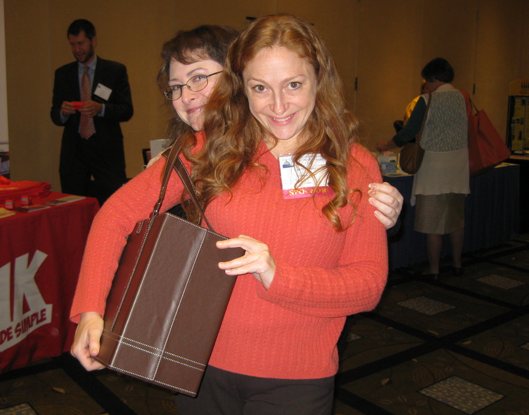
(Jill Yesko, founder of Clearly Noted (and likely inspiration for Disney-Pixar’s Brave), is seen here modeling a luscious Office Candy Jamie Raquel file tote.)
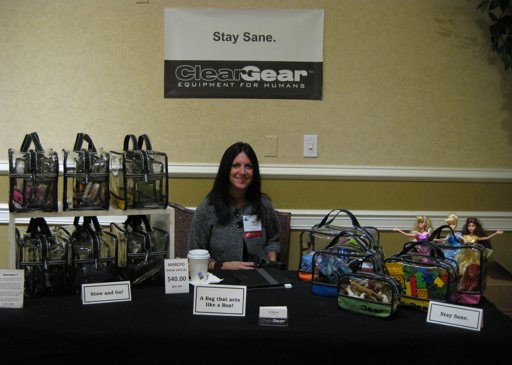
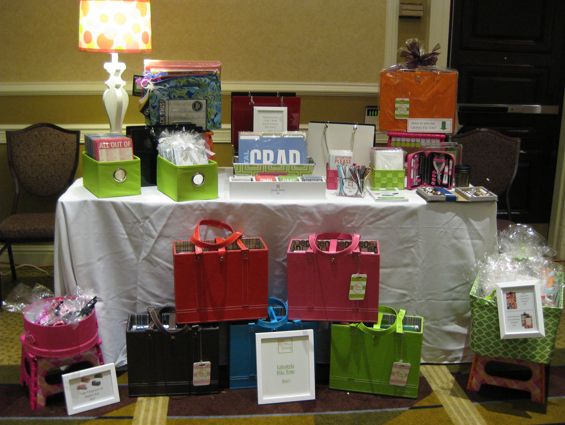
Clear Gear is new, but as an organizational tool that can provide portable, transparent storage while collecting and categorizing everything from toiletries to doll clothes to electronic paraphernalia, it has a bright future ahead of it. These sturdy, heavy-duty bags have nifty little “feet” to keep them in place, and we all agreed we expect to see Clear Gear charming everyone at a full-sized NAPO Expo in future years.
Office Candy has been profiled on these pages before. The Office Candy Gals, owner Laurie Noelle Meek and #1 U.S. Consultant Cara Brook, were on hand to show off the darn-tootin’-est, cutest and prettiest office supplies out there. As a paper-lover, I had a difficult time choosing among the gorgeous file folders, the Jonathan Adler “Note To Moi” notepads, and the Knock Knock Sticky Notes. Office Candy. Yum.
SOCIAL NETWORKING (OLD SCHOOL)
No professional organizer gathering would be complete without noshing. In addition to munching on bagels at breakfast and standing in line for tiramisu after lunch, dining collaborations started early at Guapo’s the night before MARCPO (below) and continued on in the Doubletree Bethesda wine bar, long after the conference ended.
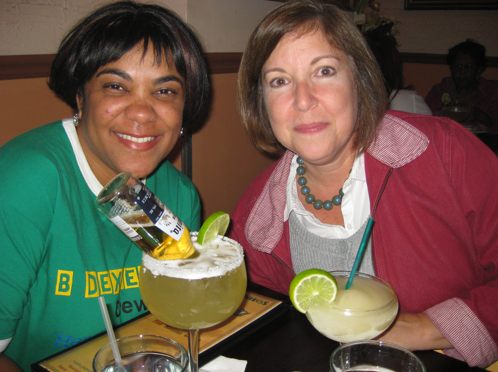
(Casual Mode: Andrea Hancock, NAPO-WDC Treasurer (with adventurous beverage) and Janet Schiesl, President)
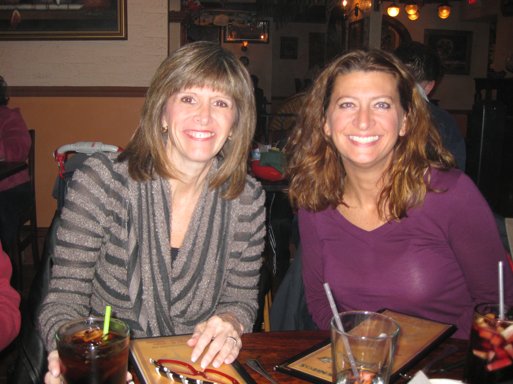
(Speaker Susan Samakow and Office Candy Gal-Pal Cara Brooke)

(Cris, again, with Janice Rasmussen, MARCPO Speaker Coordinator)
A good (and educational) time was had by all!
Paper Doll Rolls the Highlight Reel: Removable Highlighter Tape
THE HIGHLIGHT REEL
Highlighters, of course, aren’t exactly new, though they’re more modern than you may have guessed. It’s hard to imagine that prior to the mid-’60s, students lacked the ability to accent text without obscuring it (and annoy nearby students with the squeaking of the lines being drawn).
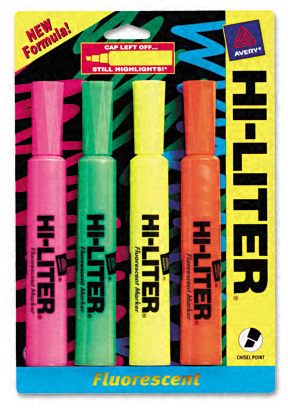
Introduced in 1963 by Carter’s Ink Company under the name Hi-Liter, the original and its descendants were generally felt-tipped pens, cut on the bias, and filled with water-based translucent ink. In the 1970s, office supply experts Avery Dennison bought out Carter, and added fluorescence. Although the most popular color has always been yellow, highlighters often come in pink, orange, green, purple and blue.
In the 1980s, the squeak was minimized, more brands expanded into the highlighter arena, and cute highlighters in various shapes and sizes were introduced to draw the attention of office supply fans and elementary school artistes. In the last decade, 3M came out with Post-it Flag Highlighters, combining two popular methods for accenting text, and highlighter barrels have been narrowed and grips improved to increase the comfort level of users.
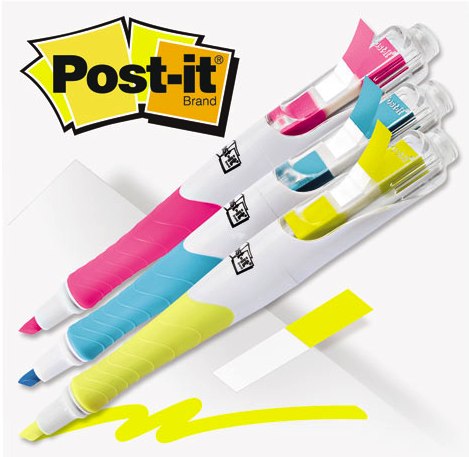
Nonetheless, highlighters hadn’t really changed in a material way in quite some time, and until recently, when I reviewed the Sharpie Gel Highlighter, there wasn’t much new to say. Nanette and I were discussing the mostly fabulous Sharpie Gel Highlighter and our relative experiences.
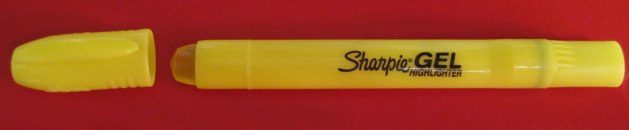
I assuaged Nanette’s concerns regarding longevity by accenting the not-quite-obvious fact that, as with a lipstick, the base can be turned to advance the gel stick forward. However, we both agreed on one remaining flaw of the Sharpie Gel Highlighter. The cap cannot be firmly stuck to the non-operational end with a satisfying “snap” to ensure the cap won’t be lost.
Still, I noted that it was nice that there was, at least, something new in the world of highlighters, when Nanette dropped the bomb on me. There’s such a thing as removable highlighter tape!
At first, I assumed she meant something akin to correction tape pens, those messy pen/tape combinations which try (but fail) to combine the functionality of Liquid Paper™ with the hands-off convenience of typewriter correction tape.
However, removable highlighter tape is more like traditional transparent Scotch™ tape — it’s translucent, with adhesive on one side, and comes in a roll or on a dispenser — but in fluorescent colors. The low-tack adhesive leaves behind no residue or marks, and you can write on the tape without defacing the item to which it’s affixed. Highlighter tape is available in a variety of widths, so you can highlight one or two lines of text or larger sections of visual focus.
THE MAJOR PLAYERS
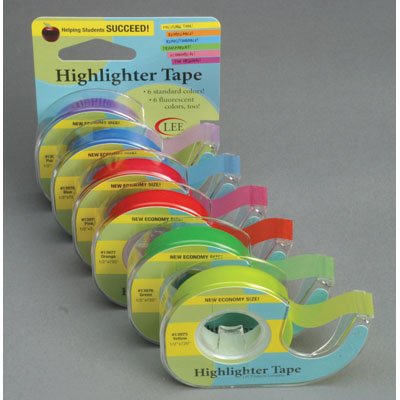
There are only a few major players in the world of highlighter tape. Eco-friendly, Minnesota-based Lee Products, in business over 60 years, makes a variety of basic highlighter tapes for office and educational use,
as well as for hobbies and crafting, like Crafter’s Easy See Tape.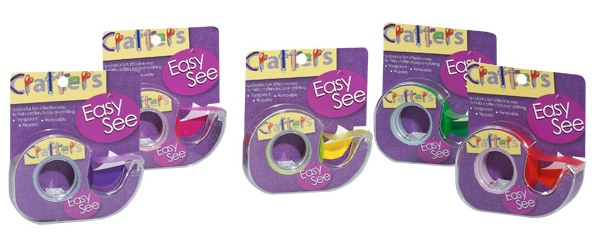
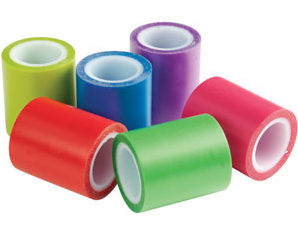
The most popular size is three-line tape, which measures 1/2″ wide, and most rolls are 393″ long. Other sizes include 1/3″ and 1/6″ widths. As with traditional adhesive tape, it’s not pre-cut, so you can use the dispenser blade to select the length you want. List price for Lee Products’ traditional highlighter tapes is $3.25/roll (though less via third-party vendors at Amazon). The Crafter’s Easy See tape runs $5.99/roll.
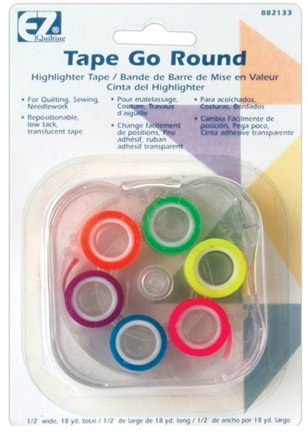
Wrights’ EZ Tape Go Round comes in 1/4″ and 1/2″ versions, with each roll measuring 3 yards long. It runs about $6-$7 for packages of six rolls. Prices vary from $6.50 to $13.
E.Z.C. Fluorescent Highlighter Tape from teacher supply company Really Good Stuff comes in 1/2″ rolls and six traditional colors. Multi-dispenser packs range from $6-$18.
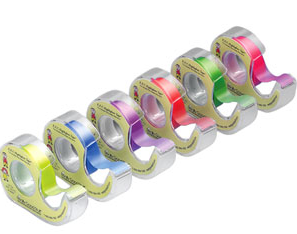
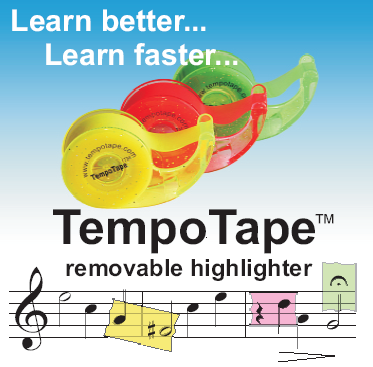
Tempo Tape, from Enterprising Rabbit, measures 12mm wide (slightly less than 1/2″) on 7.5m rolls, and comes in three colors, Sunshine Yellow, Pink Grapefruit and Green Apple. It’s about $7.25 per 3-roll package.
USES FOR HIGHLIGHTER TAPE
Educational
1) Elementary and middle school teachers find myriad uses for highlighter tape. They can highlight vocabulary words, color code to identify different parts of speech, and teach the differences between word parts (like prefixes, suffixes and roots). The bright colors increase interest and improve focus. Similarly, highlighter tape can help in the study of foreign languages, math, geography and all manner of coursework.
2) Novice readers and writers can use highlighting tape to help identify words that present obstacles. Later, they can focus on reviewing the flagged areas with parents, teachers and tutors. Young students can also use the tape to practice tracing over letters and words.
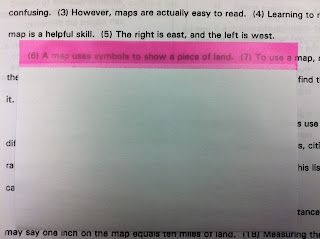
3) Students with learning challenges like dyslexia and Irlen’s (or Scotopic Sensitivity) Syndrome can use highlighter tape to create “tracker” cards and focus on specific lines without distraction. By affixing some highlighter tape to the top of an index card so that most of the highlighting portion extends beyond the card (one layer on each side, so that adhesive sides face one another), the highlighting tape can be used to “track” the sentence currently being read. Creative and insightful blogger Tammy at Confessions of a Fourth Grade Teacher illustrates the use, below:
4) Music teachers, students and musicians can mark specific areas of sheet music to highlight difficult passages or note where careful attention must be paid. Music theory students can color-code particular periods (Baroque, Classical, Romantic, etc.) to improve recall of the eras of musical pieces.
5) College students can use the removable highlighter tape in rented textbooks and in any books which they hope to sell back after the conclusion of the semester.
6) Bible students often find that traditional highlighter pens can bleed through the tissue-thin paper of some Bibles and religious-themed works. Removable highlighter tape can be more suitable for marking words or passages on delicate paper.
Crafting
No matter how creative an endeavor is, it usually requires some degree of measurement and the ability to follow a design or pattern.
7) Tailors, seamstresses and sewing hobbyists, as well as
8) Knitters can highlight sections of patterns and color-code instructions to guide themselves through intricate steps and changes in stitch types.
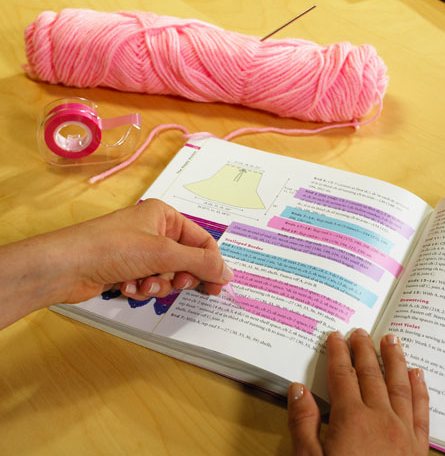
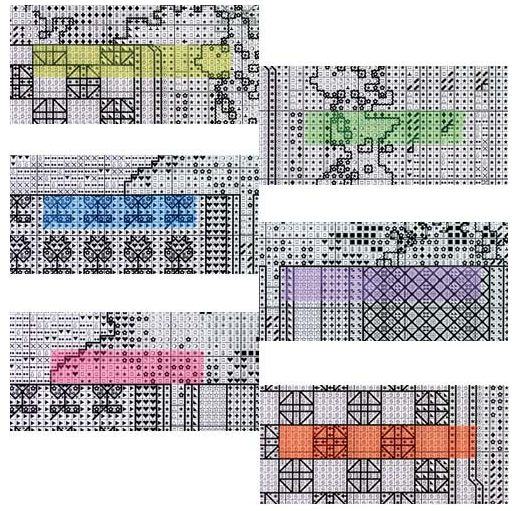
9) Needlecrafters can use highlighter tape to keep their places in needlepoint and cross-stitch charts. Highlighter tape is an improvement over flags and sticky notes because the tape won’t obscure any elements from view.
10) Woodworkers can use the brightly-colored highlighter tape to mark areas to cut, screw or nail without marking the actual wood with a pen, pencil or chalk.
Work
11) Physicians, dentists, counselors and other medical professionals can use highlighter tape to spotlight allergies, emotional triggers and other vital concerns in a patient’s chart.
12) Attorneys, paralegals and legal secretaries might employ highlighter tape to focus attention on key words or phrases for discussion in court, during depositions and in negotiations.
13) Pilots and sailors may mark their navigational charts with highlighter tape to identify key directional changes and potential obstacles.
14) Overwhelmed workers can prioritize their duties by color-coding tasks and obligations with highlighter tape. (Similarly, parents can help children prioritize tasks on their chore charts.)
Life
15) Cooks must sometimes maneuver through complex or difficult culinary instructions. Highlighter tape provides a way to brightly accent sections of cookbooks with small or hard-to-read printing. Legacy cookbooks passed down through generations tend to have delicate pages, and highlighter tape offers a useful way to both augment and preserve them without scribbling across the blank sections.
16) Visitors with low vision and children who are still learning to read may have difficulty in unfamiliar environments. Accent a mailbox number or the right apartment buzzer with highlighter tape in your visitor’s favorite color.
17) Busy parents and professionals can employ highlighter tape in their paper planners to color code events and obligations; similarly, a color scheme can be used on full-sized family calendars to note activities involving specific family members.
18) Book club members might use highlighter tape to accent passages they intend to discuss at group meetings. Use highlighter tape in books borrowed from friends or the library so you can return them in pristine condition.
In what ways might you use highlighter tape? Please highlight your areas of expertise and share in the comments section, below.
An Organized Hybrid: The Evernote Smart Notebook By Moleskine
Reese’s Peanut Butter Cups – “Two great tastes that taste great together.”
Toyota Prius – combines an internal combustion engine with an electric motor
Zedonk – a cross between a zebra and any other equine

A hybrid takes two things that exist perfectly well independently and combines them to make something altogether more fabulous. Today, we’ll look at how two great product brands have united to create something fascinating: The Evernote Smart Notebook By Moleskine.
THE CLASSIC

It was the original little black book, made of moleskin (a thick, cotton fabric with a shaved pile surface). In the 19th and 20th centuries, artists like Matisse, van Gogh and Picasso sketched and painted in them, and authors who couldn’t have been more disparate in writing style or personality, from Oscar Wilde to Ernest Hemingway, scribbled their stories in them. Back then, the notebooks were black, handmade by French bookbinders, and, while utilitarian, represented a kind of artistic chic. The notebooks were for creative geniuses on-the-go.
In the 1980s, it was reported that, “Le vrai Moleskine n’est plus” (“The real Moleskine is no more”) and bookbinders had ceased fashioning them, but in 1997 the product was reborn via a Milanese parent company under the Moleskine brand. A strong marketing campaign and a passion for the ever-expanding line of notebooks made, and makes, Moleskine cool for hipsters and soccer moms, alike.
The features are basic, but beloved: luxurious covers, high-quality acid-free paper, narrow grosgrain ribbon bookmarks and color-matching elastics to keep everything together. Moleskine has followers every bit as passionate and devoted as Apple’s fanboys (and fangirls). Bloggers show off their notebooks and creative doodlings, as at SkineArt, and share their secrets, such as Freelance Switch’s noted The Monster Collection of Moleskine Tips, Tricks and Hacks post.
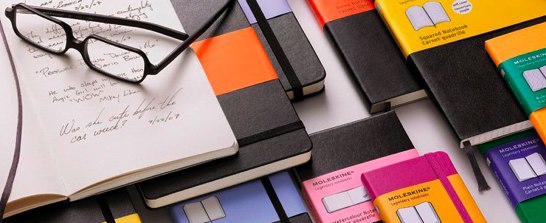
The collections include the original notebooks — ruled and unruled, with interior pockets and without, with squared or rounded edges — diary-like journals, tabbed “Passion” journals (to log one’s favorite books, films, restaurants, recipes, wines, travel locales, etc.), memo books and address books.
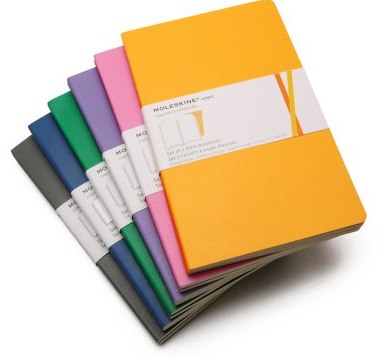
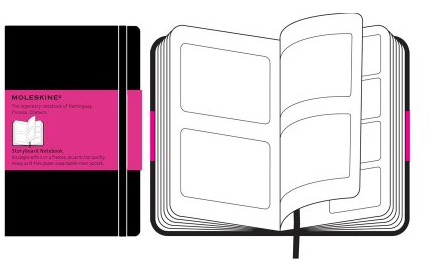
For creative types whose muses delight with other than words, there are sketchbooks, watercolor notebooks, music notebooks, and storyboard books.
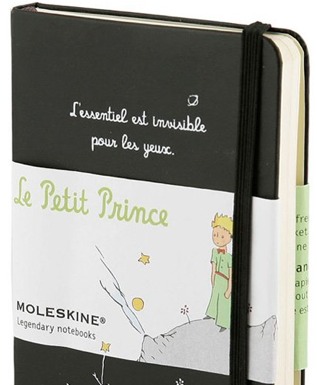
There are even limited-edition collections, with design themes including Peanuts, The Little Prince, LEGO and Star Wars.
Moleskine feeds the addiction for a sensory experience only paper can provide.
THE MODERNIST

Evernote: It’s a service. It’s an app. (It’s two mints in one!) It’s almost an independent nation of global citizens, given that it has ambassadors (including friend of Paper Doll, Brandie Kajino). You probably either use it, or you wonder, “What’s the big deal?”
For the uninitiated, at its most basic, Evernote allows you to take digital things, collect them, and organize them. Anything you save, like a Paper Doll blog post, can be a note. Notes combine into notebooks (like how you have Excel worksheets within workbooks), and all are kept safely within your account, synced across all of your computers and digital devices.
You may wonder why you need Evernote — can’t you just use a bookmark in your browser? Ah, but have you ever clicked on an old bookmark or favorite to find the link you’d preserved yields a disappointing 404 Error message, meaning the page you wanted no longer exists? Evernote doesn’t just preserve the link — it preserves the entire page or document, along with comments, tags and anything else you wish to keep.
The Basics
Install Evernote, create your account and put a little “clipper” in your browser bar — it works much like Pinterest’s “Pin” bookmarklet to speedily grab what you want and tuck it away. Any time you want to save something digital, you can just click on the clipper bookmarklet and up pops a window to walk you through your options.
For example, at some point in the not-too-distant past, I went to Evernote’s page for getting started, and clicked on the clipper, bringing up a little window, as you see below.
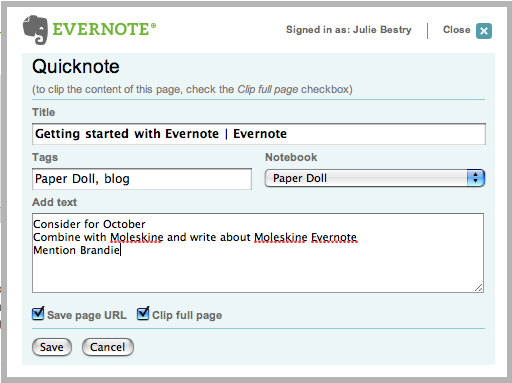
Evernote selects a default title for your note; adjust it as you see fit. Add your tags, select in which notebook (for any of your various themes or projects) you wish the note saved, and add comments or stray thoughts. You can save an entire page, or highlight just one section for faster and more accurate “clipping” of web material (to skip ads and extraneous text or photos). And, of course, you can opt to save the original URL.
Beyond Baby Steps
Evernote saves much more than web sites and text. Instead of using your clipper, log in to your Evernote account and click “New Note” from the main page or within any of your already-created notebooks.
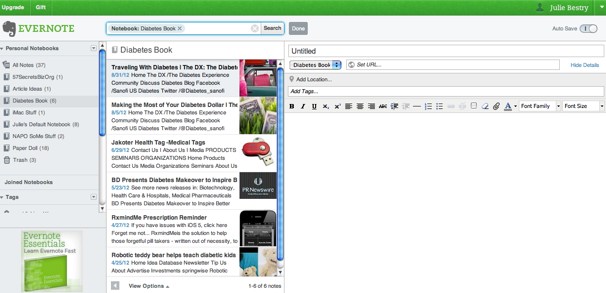
Above, the left column represents my various notebooks and tags; the center column shows previews of various clippings (i.e., notes) and the right column provides a place to create a more complex note, with formatting. Let’s say you have a brilliant idea for a blog post, or a wedding toast, or your packing list for an upcoming trip. Instead of scribbling it down on a random floozy, lock it up on Evernote.
Once in your account, you can drag-and-drop images from your desktop, files, and web pages. For convenience, you can also drag images directly onto any specific notebook (without having created a detailed note) or, for Mac users, directly onto the Evernote icon in your Dock. And it’s not just text and pictures. Record audio and move the .MP3 file to a notebook. Save videos, too. And tweets! Then combine them all in the way that works best for you.
Bing, bang, boom. Your “stuff” is saved to the cloud and synced across all of your devices. Better yet, it’s searchable, so between the native text of what you’ve saved and the keywords you create, you have your own private search engine to find what you want, when you want it, no matter how long ago you clipped or created it, accessible from anywhere in the world.
Now What?
Evernote has myriad uses. I save product reviews, news stories and articles that may be useful for Paper Doll posts and my Best Results for Busy People newsletter, as well as for current and future articles and books I’m writing. A recent discussion on the NAPO email chat found that my colleagues are using Evernote for various professional and personal solutions, including:
- Notes, statistics and ideas for presentations and workshops
- Titles of books, movies and other entertainment to check out later
- Household data, like battery sizes, light bulb wattages and air filter dimensions
- Organizing solutions for particular clients or situations
- Grocery lists (shared across devices with family members who can access them while shopping)
- Collated travel information and directions to use while on vacation or attending conferences
- Party planning and menu ideas, including recipes, organized by meal or ethnicity of cuisine
This is just a smattering of options — Evernote has a video library of tutorials and suggestions for ways to maximize its use. Evernote continues to expand its interactivity with other apps. Draw or hand-write with a stylus on your iPad or tablet in Skitch and Evernote saves it (and even translates handwriting to text). Save news and articles to read later via Pocket (formerly Read It Later) or InstaPaper. Study for exams (or your Jeopardy audition) by creating study notebooks with Peek, and record (with permission) phone calls with CallTrunk.
Evernote is free at the basic level. For $5/month or $45/year, the Premium level grants the ability to upload up to 1 GB each month (handy for photos and lots of files) and have individual files of up to 50 MB. You can also view historical versions of files, take notebooks offline for when you lack web access, collaborate across accounts, hide promotional language, and more.
THE HYBRID: PAPER + DIGITAL = EVERNOTE SMART NOTEBOOK BY MOLESKINE
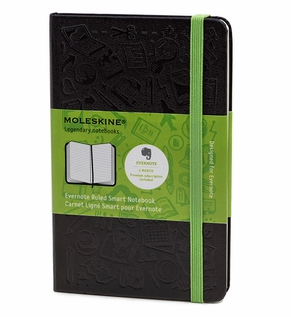
The Evernote Smart Notebook By Moleskine combines the advanced technology of Evernote with the sensory delight of a Moleskine notebook.
Paper notebooks are tangible and concrete. Digitizing provides accessibility, navigation, searchability and a different kind of permanence. What if you could combine the two? What if you could scribble down your thoughts on paper in your own quirky handwriting, then record, modify, and preserve them forever? Now, you can.
The Evernote Smart Notebook by Moleskine lets you create naturally, then use Evernote’s handwriting recognition and search capability to turn your scribbles and scratches into symbols of your brilliance. (Haven’t you always wanted a way to digitally search through piles of handwritten notes to find the paragraph or phrase you needed?)
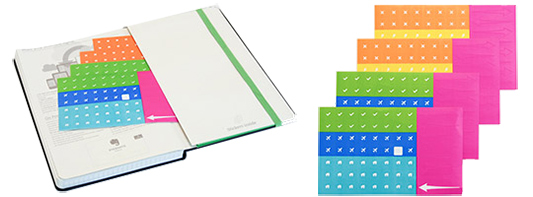
Affix Smart Stickers to automatically add digital tags to your notes — kind of like built-in QR codes, to take information from paper to the cloud.

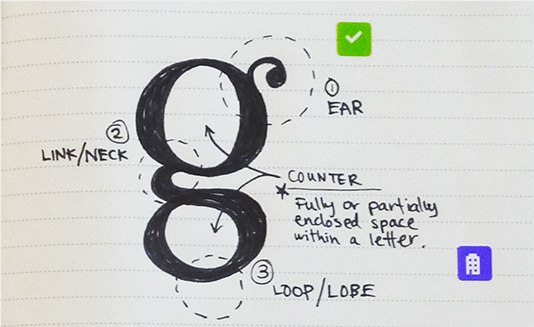
Just write in your notebook, and when you’re done, the Page Camera feature inside Evernote on iOS (on your iPhone or iPad — Android access is still-to-come) recognizes the tiny, square stickers, adds tags to the digital note, optimizes it and files it into a selected folder in your Evernote Digital memory.
Getting Started
Pick one of two sizes: the 240-page Large (5″ x 8 1/4″) notebook for $24.95 or the 195-page Pocket (3 1/2″ x 5 1/2″) notebook for $29.95. Both come with black hardcovers, green elastic bands and four sheets of Smart Stickers (tucked in the back pocket).
Then select your paper preference: a gridded pattern (like graph paper) or (dotted) ruled paper. You can use pencil or pen, though dark pens will yield the clearest digital results.
Each Evernote Smart Notebook purchase includes a complimentary subscription to Evernote Premium for three months, so your next step is to sign up for your Premium Digital account…and start creating.
This isn’t the first nifty blending of paper and technology. There’s the LiveScribe Echo and Pulse smart pens, which digitally record text written on special notepads and contemporaneous audio. But the Evernote Smart Notebook by Moleskine combines two products you either already use (or would enjoy using) in a stylish, magical and far more affordable manner. It’s prettier than a Zedonk and less expensive than a Prius.
Of course, it’s no Reese’s Peanut Butter Cup…but then, what is?
Organize Your Voting Rights: September 25 is National Voter Registration Day
It has been said that democracy is the worst form of government except all the others that have been tried.
Democracy cannot succeed unless those who express their choice are prepared to choose wisely. The real safeguard of democracy, therefore, is education.
There’s a piece of paper out there that allows you to actively participate in our democracy, but first you have to be organized and obtain it. It’s a voter registration card.
Paper Doll doesn’t mind stirring up a little controversy when it comes to organizing issues (re: the utility of sticky notes vs. floozies or the wisdom of filing bills and statements by month vs. company). However, this post is non-partisan in that it provides information regarding organizing your time and possessions so that you can maintain your right to vote.
That said, it would be disingenuous (read: a big fib) for me to say I don’t care for whom you vote, but whichever candidates you support or side(s) of the issues you take, I’d hate for disorganization to get in your way.
If you are an American citizen over the age of 18 who cares at all about any of the following national issues (couched in the most balanced terminology I could create):
- The Economy
- Healthcare
- Energy
- Foreign Policy
- Veterans’ Affairs
- The Environment
- Immigration
- Reproductive and Family Issues
but are not yet registered to vote, please take heed. There’s not a lot of time left for you to get that voter registration card!
THE BASICS
1) Know your state’s voter registration deadline!
In most states, you must be registered to vote at least 30 days prior to an election. As Election Day 2012 is Tuesday, November 6, that would normally mean registering by Monday, October 8, 2012. However, that is Columbus Day, a federal holiday. Thus, in some states (Alaska, Arkansas, Mississippi, South Carolina, Tennessee, and Washington) the deadline may be as early as Saturday, October 6, 2012.
In a number of states, deadlines differ depending on whether you register by mail or in person. And, in the District of Columbia, Idaho, Maine, Minnesota, Montana, New Hampshire, Rhode Island, Wisconsin and Wyoming, you may register to vote on Election Day at your polling place. (However, Paper Doll strongly discourages you from waiting that long).
For what it’s worth, the predominantly rural state of North Dakota abolished voter registration in 1951. (However, if you’re new to town, start making yourself known to the people at the local diner in your precinct so your right to vote won’t be challenged.)
2) Know your state’s voting eligibility requirements.
Between 1812 and 1860, property ownership qualifications to vote were progressively abolished. In 1870, non-white men gained the right to vote, and in 1920, a mere 92 years ago, American women gained suffrage. In 1924, all Native Americans were granted the right to vote, and in 1971, the minimum voting age requirement was lowered from 21 to 18. However, even with federal regulations in place, individual states have distinct and varying rules regarding voter eligibility.
In general, in order to vote in federal and state elections, you much be a citizen, of sound mind, and over the age of 18.
Most states have residency requirements. However, in 1972, the U.S. Supreme Court struck down one-year residency requirements, stating that anything in excess of 30 to 50 days violated equal protection as granted under the Fourteenth Amendment.
Additionally, as part of the 2002 Help America Vote Act, homeless persons may not be denied the right to vote based on the lack of a permanent address. In 13 states (Alaska, Connecticut, Delaware, Florida, Georgia, Idaho, Montana, New Jersey, Utah, Vermont, West Virginia, Wisconsin, and Wyoming) and Puerto Rico, no mailing address is required, and in Arizona and Nebraska, homeless citizens may use county clerks’ offices and court houses as their mailing addresses.
Most states have regulations regarding the voting eligibility of convicted felons while in prison or on parole. In Florida, Kentucky and Virginia, convicted felons lose the right to vote in perpetuity.
Assumptions are not organized — do your due diligence regarding your eligibility to make sure nobody erroneously (or intentionally) blocks your lawful right to vote.
3) Fill out the paperwork to register to vote.
Of course, in many states, no actual paper is required and you can register online. The 14 states which allow online voter registration are Alaska, Arizona, California, Colorado, Delaware, Georgia, Indiana, Kansas, Louisiana, Maryland, Nevada, Oregon, Utah, and Washington (where you can actually register via a Facebook app).
Registering to vote is generally pretty easy. Call or drop by your Board of Elections to request an application. In 1993, the Motor Voter Act made it possible to register when you apply for or renew a driver’s license.
To find your local Board of Elections or begin the registration process, visit the League of Women Voters’ “Vote 411” voter registration page. Since today is National Voter Registration Day, there are events being held all over the country to help you get registered.
Once you’ve registered, verify that your registration has been successful.
4) Check the information on your voter registration card.
In most cases, your voter registration card will inform you of your voting precinct (which determines where you vote) and districts (i.e., Congressional, State Senate, State House, school district, county/city district, etc.) for individual campaigns, referenda and ballot initiatives. In communities where county and city limits are not entirely clear, it’s important to know exactly in which districts you reside so that you can research candidates and issues appropriate to your situation.
5) Keep your voter registration card in a safe place.
You don’t need to carry your voter registration card around in your wallet; just file it with your VIP papers in your family files, and make a notation on your calendar to bring your card to the polls on Election Day (or on early voting days, if your state allows voting in the days prior to an election).
6) Bring required identification to the polls on election day.
Many states have new legislation requiring, in addition to your voter registration card, photo identification. This doesn’t mean that you can bring your workplace ID, library card or student ID. You also can’t use your Social Security Card, Medicare Card, or Department of Veteran’s Affairs card. In most cases, you will have to present a STATE-ISSUED PHOTO ID CARD on election day.
It’s key to note that different states have different regulations. For example, in Tennessee, acceptable forms of ID include a valid driver’s license or other photo ID card issued by the Tennessee Department of Safety, valid passports and military IDs, and valid photo IDs issued by any other state. By comparison, in Alabama, valid tribal ID cards and student and employee cards from any Alabama college or university, will also count. In Kansas, government-issued concealed carry handgun or weapon licenses and government-issued public assistance ID cards will be accepted as identification. In Pennsylvania, an ID from a “personal care” facility, like an assisted living facility, will also suffice.
Familiarize yourself with the new legislation to make sure you have whatever valid, current identification is required in your state to ensure that you will be able to cast your ballot. Again, do not make assumptions that the laws have not changed in your locale. The Brennan Center for Justice at New York University School of Law has released a detailed compilation of Voting Law Changes in 2012, by state.
If you have none of the appropriate categories of identification required by your state, you will need to prove your identity in order to get a state-issued photo ID card. In most cases, this will require presenting a copy of your birth certificate. If physical limitations obstruct your ability to drive, contact your state’s League of Women Voters and a representative should be able to locate alternatives for transporting you to your department of motor vehicles to get a non-driver ID card, and to the polls on election day.
OTHER ISSUES
Have other concerns? Perhaps you’re thinking:
“I don’t care about national issues.”
We professional organizers try to persuade our clients that acquiring and keeping things “just in case” merely contributes to clutter. That’s true in most situations, but there are certain things we need to obtain (and keep accessible) “just in case” to preserve our safety and security. This includes (but is not limited to):
- driver’s license or identification cards
- Social Security cards
- credit reports from all three credit reporting agencies
- health care records
- passports
- insurance policies
- emergency funds
A voter registration card is like all of the above, allowing you to preserve your hard-fought, hard-won right to have your voice count. You may truly not care (enough) about any national political issues, but you never know when you’ll care about a school board vote that impacts your kids, a pothole on your street or a neighbor’s teenage beau,  boosting Peter Gabriel’s “In Your Eyes” at maximum decibels every night. Preserve your right to have a say in how your community (school district, town, city, state and nation) will be governed. Register to vote and get your registration card…just in case!
“I don’t identify with just one party.”
Not 100% in the red or blue column? Not a problem. While many states require you to register with a particular party to vote in various primaries, you do not have to be a member of a political party to vote in general elections and in many other types of elections. Also, there are many, many other parties at the national, local and state levels, and in most states you can also choose to register as an independent, unaffiliated voter.
“I’m a U.S. citizen, but currently live outside the U.S. or am deployed in the military.”
If you are an American citizen reading Paper Doll from somewhere outside of the U.S., avail yourself of the following non-partisan sites to help you register and vote from abroad:
Federal Voting Assistance Program
Overseas Vote Foundation
Youth Vote Overseas
Election Assistance Commission
- “I’m not going to be in my political district/precinct on Election Day.”
If you will be away at college, traveling, disabled, or recovering from a medical procedure on Election Day, you can submit an absentee ballot by mail, but you must still be registered to vote by your state’s deadline. Register to vote, then contact your county’s Board of Elections or your state’s Secretary of State for an absentee ballot.
Organize your corner of society — register to vote!
Paper Doll Hears Hoofbeats, Thinks: “Zebras!” (A #Shoplet/Zebra Review)
Today’s special post is another installment of our ongoing series of reviews of products brought to us by our friends at Shoplet, operator of the nifty and prolific Shoplet blog.
As we’ve discussed before, one of the reasons we develop desk clutter can be laid squarely at the feet (if they had feet) of our writing implements. Sure, lackluster paper management leads to desk pileups, but so too does acquisition of (and failure to cull) writing implements and other desk accessories that just don’t work. As I said in a prior review:
We buy with a flourish, but we are too often disappointed when the pens and pencils, highlighters and markers fall short of their promises, or of our expectations, and then they languish as clutter in our drawers, or the bottoms of our bags, or our pen mugs, ignored until the ink dries to dust. That’s why an inside look can be so important, and hence my delight at reviewing these office supplies.
When the UPS man delivered the lovely pen portfolio case (and its nifty stripe-y guardian) from the good people of Zebra, I was a bit surprised. 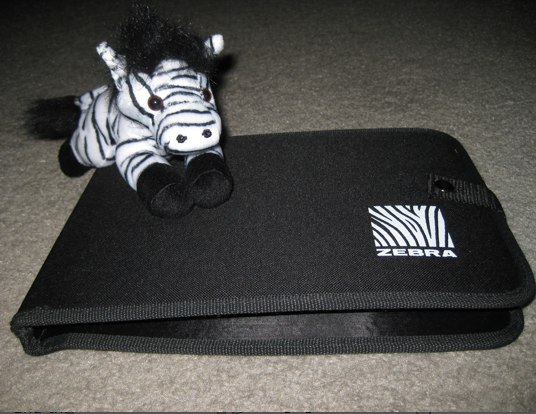
I was expecting to get two pens to examine and review. In fact, the interior held nine writing implements: pens, pencils and highlighters of various kinds.
On the left, we see the retractable Zebra F-301, also known as The Original. It has a cool-to-the-touch stainless steel barrel and a non-rubbery, yet non-slip, textured grip for writing comfort and ease. Since every classy pen has a pencil partner, Zebra included new Zebra M-301 0.7mm mechanical pencil.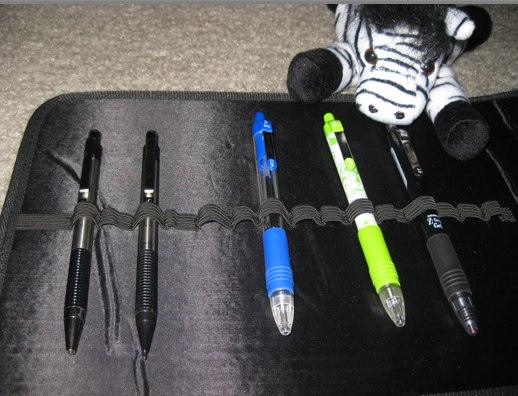
In the center, you see a blue 1.0mm (medium point) Zebra Z-Grip Ballpoint Retractable Pen, a fairly traditional-looking pen with a clear-barrel (so you can check your link supply). The standard Z-Grip also comes in Green, Violet, Orange, Teal, Fuschia, Lime and Light Green.
The Z-Grip is available in a variety of styles, too. Fans of quirky, colorful pens might enjoy the Daisies line of Z-Grips. The one above (getting the little zebra’s attention) is light green, though I must admit I’d prefer Zebra’s fuschia version. 
The Daisies also come in Teal, Orange and Violet. Z-Grip also has an Animals line, with Cheetah and Tiger prints, and the Zebra-print version you can see in the portfolio case photo below.
The non-refillable Z-Grip is a fairly standard ballpoint pen. I appreciate that it’s lightweight without feeling as though it might spring out of my fingers if too much pressure were applied, and I like that the barrel is straight, rather than curvy, and that the color-coded rubber grip has both smooth and ridged portions to accommodate people who like to grip more closely to the tip and those who like to “choke up on the bat.” While I’d be uncomfortable using the ribbed portion, I have plenty of colleagues who purchase after-market grips to create similar handling.
The writing experience is what I’d have expected from a traditional ballpoint. If I exert little pressure, I get a serviceable, if thinner, and slightly more faint, line; the harder I press, the darker and more satisfying the color’s vibrancy. (Note: the grey ink in the green Daisy line pen was so light that it could have been mistaken for an unsharpened pencil. Then again, how often do you select grey ink?) Certainly no excessive force is necessary. Pleasantly, the Z-Grip provided a smear-free, jump-free, blob-free ink delivery.
The Z-Grip is just very much like a traditional, moderate-barreled (non-stick) ballpoint. This is not to damn with faint praise — for those who like the ballpoint experience and want something quotidian, but with a little more gravitas than a “stick” pen, the Zebra provides a sturdy, smooth delivery of high-quality ink colors.
For comparision’s sake, although I was not asked to review it, Paper Doll‘s favorite in the package was the Zebra Z-Grip Gel pen. The gel in this traditional ballpoint style flowed so smoothly and felt so much more like a metal-tip roller ball than a ballpoint, that I could easily see using it when my favorite pen is not at hand.
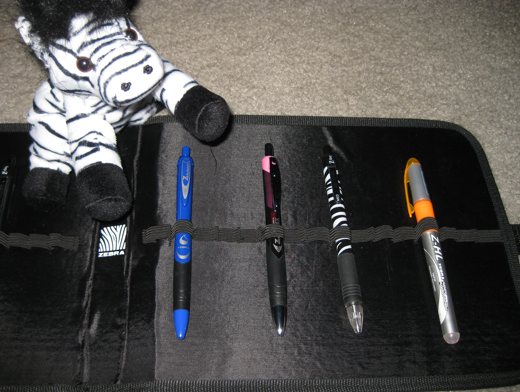
On the right panel of the portfolio, you see the Zebra Z-Mulsion ballpoint (which comes in blue, black and red) and its upscale buddy. The Zebra Z-Mulsion EX Ballpoint is a 1.0 mm medium point retractable ballpoint pen with emulsion-type ink.
The Z-Mulsion line is based on a new kind of (non-traditional and non-gel) ink that creates, according to Zebra, “a perfect balance of oil and water. It is quick-drying and smear resistant while maintaining a brilliant and bold writing line. It is the best of a ball point and gel in one!” The Z-Mulsion EX comes in eight colors: black, blue, red, green, violet, light blue, pink and orange.
The Z-Mulsion EX ballpoint has a nice weightiness to it — it’s neither too light nor too heavy, although the curvy barrel is thicker than I prefer. (My usual pen, the Pentel Energel, has a straight barrel that’s perhaps 1.5mm thinner.) The grip is smooth and blended with the (thicker) barrel to make for fairly easy handling.
The ink is, indeed, fabulous. Shoplet and Zebra must know me well, because the Z-Mulsion EX Ballpoint they sent was filled with pink ink, and a glorious, vivid pink it is! I usually eschew ballpoints because they require exerting so much more pressure than on a roller-style or metal-tip gel pen, and I prefer mental exertion to physical effort. However, the Z-Mulsion EX Ballpoint required zero effort to glide across the paper. No sticking, no blobbing, no bubbling.
As for being quick-drying and non-smearing, I found this to be mostly true, particularly with standards types of paper, like writing paper, sticky-notes and non-coated cardboard. However, on glossy paper, like that found in magazines, the ink did smear when touched, even after thirty-seconds. By comparison, my usual pen is smear-proof on glossy magazines after ten seconds. In general, however, unless you’re left-handed or trying to annotate this month’s issue of Real Simple, you should be fine.
I could certainly learn to get used to the wider barrel, but the one thing that drove me to the point of madness was the retractable “clicky” portion of the pen. It’s “loose” when the pen point is ejected and available, so if you shake the pen around as you contemplate (as Paper Doll does), there’s a maddening maraca noise. I should note that, just as I rarely use ballpoints, I also rarely use retractable pens, so I’m not sure how common an issue this is to the product category.

The remaining item in the portfolio was the Zebra Z-HL highlighter, which promises to write on fax and carbonless papers, and has a see-through, three-chambered ink system to keep it from getting dried out. Although orange is my least favorite color, the nice people of Shoplet and Zebra could not have known that. This highlighter, as well as most of the pens in the portfolio case, will make their way to attendees of my next pro-bono speaking engagement. (But not the Z-Grip Gel pen or the pink Z-Mulsion with the noisy clicker. I’m holding on to those…for more testing!)
Disclosure: I received these products for review purposes only, and was given no monetary compensation. The opinions, as always, are my own. (Who else would claim them?)



Follow Me