Archive for ‘Paper Organizing’ Category
Paper Doll Introduces 5 New and Noteworthy Books By Professional Organizers
When we think of books about organizing (and books by professional organizers), there’s a tendency to focus on the how-toaspect. “Have these problems? Follow these steps.” Done-and-dusted, as my favorite BBC shows would say. There are many, many books like that, identifying the problem and offering turnkey solutions.
None of the books I’m sharing with you today follow that kind of recipe-for-success strategy. They’re deeper, wiser, and recognize the complexities of life that prevent us from robotically following a set of numbered tasks to get from chaos to serenity. Not all of the books I’m going to share with you today will appeal to every reader, but all are written by colleagues whom I respect and admire.
Professional organizers have opinions. LOTS of opinions. And they’re generally backed by years of expertise, continuing education, and research. The authors I’m sharing with you today have dug deeply into the vast quagmires of our human brains (and of society, itself) to understand the intricacies that got us where we are, the challenges we (individually and collectively) face, and the strategies for moving forward.
NON-FICTION
Emotional Labor: Why A Woman’s Work Is Never Done by Dr. Regina F. Lark, Ph.D, CPO® and Judith Kolberg

Whatever you think this book is, based on the title, it’s not just that. You’ll be surprised when you sit down to explore the social, economic, and historical threads interwoven to understand the idea of “women’s work” and why that expression is much more than just outdated concepts of divided gender roles. If it were just that, it would be interesting, but it wouldn’t be as compelling as it is.
Let’s back up. Maybe you’re familiar with the concept of emotional labor due to the Gemma Hartley piece, Stop Calling Women Nags—How Emotional Labor is Dragging Down Gender Equality from Harper’s Bazaar several years ago (which itself served as a precursor to Hartley’s eventual book, Fed Up). Or maybe you figure you’re too busy doing labor (physical or emotional) to get anything out of this. Au contraire, my friend!
Emotional labor, as defined in the book, is “the invisible, unnoticed, unwaged, unwritten, undervalued work women do at home and in the paid workforce.” It’s all about the “internalized gender role expectations that lead women to feel hyper-responsible for tending to the “niceties of life.”” And gracious, there’s a lot of that work!
Let’s start with Lark’s introductory video for the book. (If this piques your interest, and I suspect it will, it’s worth going through the whole Emotional Labor playlist of videos.)
The book traces the sociological understanding of the concept of emotional labor (including a vast Emotional Labor Checklist, which I guarantee you will recognize from your own life). Elements include everything from planning and facilitating medical appointments for everyone in your family (your kids, sure, but also your spouse who’d gladly leave such appointments undone or up to you, and for elderly relatives), to being responsible for the (tangible) organization of your home and (temporal) management of family life.
Emotional labor isn’t just about housework, but as the book explains, it’s about “noticing” what needs to be done and adding to your mental load for keeping track — which child won’t eat dinner if the foods touch, if the ketchup need to be refilled, who needs to be picked up when (and reminded of what), and what needs to be tracked, considered, prepared, done, and evaluated — all with consideration of everyone else’s emotional needs. Emotional labor involves keeping tabs on everything, and as our modern browser metaphor goes, we’ve all got dozens (or hundreds) of open tabs.
Emotional labor involves keeping tabs on everything, and as our modern browser metaphor goes, we've all got dozens (or hundreds) of open tabs. Share on XThe book especially concentrates on “kin work” in terms of all of these activities as they relate to keeping nuclear and extended family ties strengthened. But it doesn’t ignore all of the elements of obligations that ending up resting with women in the workforce, from making sure the break room fridge doesn’t get gross to ensuring everyone receives a birthday card signed by the entire staff.
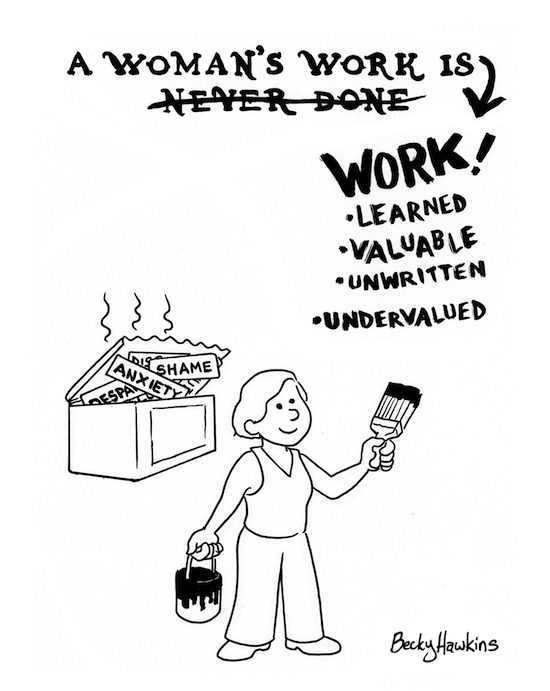
Emotional Labor provides an impressive historical perspective of socioeconomic issues over the last several hundred years. Then (as you’d expect, because it’s written by professional organizers) it delves into some key issues related to emotional labor and organizational skills, including high expectations and low self esteem, cognition and executive function, and the key skill of “anticipation.”
All of these concepts contribute to the focus of the second half of the book, disrupting the long-held narrative surrounding emotional labor throughout the lifecycle, learning how to delegate in a new, more functional way, and concepts (and solutions) for making our personal and professional worlds more equitable. Not a short order!
The book is extensively researched and ends with a robust set of end notes and resources for learning more about the various tendrils of the sprawling topic. As collaborator, Kolberg references that, for Lark, this book represents the “integration of feminist history, women and organizational challenges, and social change.” Whether you’re interested in social and economic history or just why the heck you are so overwhelmed and frustrated, this book will open your eyes and give you plenty to think about and discuss.
Lark is the author of Psychic Debris, Crowded Closets: The Relationship between the Stuff in Your Head and What’s Under your Bed. Her collaborator, Judith Kolberg, is the standard-bearer of professional organizing and author of Conquering Chronic Disorganization, ADD-Friendly Ways to Organize Your Life, and so many other books you should read (and then read again).
Emotional Labor: Why A Woman’s Work is Never Done and What to Do About It is available in paperback and Kindle.

This book was actually published at the very end of 2019, just a few months before the world got caught up in the whirling dervish of COVID. Any big, scary goals (or even small, delightful ones) that most of us had on New Year’s Day 2020 got short shrift in a matter of a couple of months. But that shouldn’t deny Organizing and Big Scary Goals its place in the sun.
You all got a preview of this book earlier in the year, when I wrote Paper Doll Recaps the NAPO2021 Virtual Conference and attended Skillen‘s session,This is Scary: Embracing Discomfort to Help You and Your Clients Succeed. Skillen’s comment about pushing through fear, “Learning to tolerate discomfort lessens its power over you,” is still echoing in my head seven months later.
Skillen’s writing makes you feel like you’ve sat down with your kindest, most truth-telling friend, and her wisdom is punctuated with warm humor that dissipates any fear that might (OK, will) arise from thinking about, well, fear. Organizing and Big Scary Goals follows various clients through their challenges and successes; each chapter starts with intriguing quotes and ends with “Scribbles,” exercises to think and write about how you can apply each chapter’s lessons (both emotional and practical) to your life.
And throughout the book, Skillen shares her own bicycle-related bogeyman to show that she is no more immune to fears than any of us; by sharing her vulnerabilities, the lessons become even more relatable.
Organizing and Big Scary Goals looks at the various types of obstacles we face, including self-criticism, perfectionism, shame, self-doubt, backsliding, and difficulty with life transitions. Skillen focuses on organizing, and how all of these elements stand between us and the homes and lives we might wish to have, but the concepts for dealing with these fears can be applied in a broader, more overarching way to any big project or change you’d like to take on.
If you’re looking to read a book in December to help you get out of a fear-based rut and into a motivational mode for 2022, snuggle up on your sofa with a hot chocolate (the marshmallow count is up to you) and let Sara share the real deal.
It’s available in paperback, on Kindle, and as of this year, as an audiobook.
Mind Body Kitchen: Transform You & Your Kitchen for a Healthier Lifestyle by Stacey Crew

First, if you’re thinking this is a diet book, let me slap that celery-and-cottage-cheese thought out of your head.
Crew is both a professional organizer and Certified Health Coach (as well as the author of The Organized Mom: Simplify Life for You & Baby One Step at a Time). So, it’s understandable that she has integrated the cognitive and emotional, the physical, and the organizational to create a positive, supportive approach to improving your health and home.
Using her health coaching skills, Crew has (thankfully) jettisoned the obsolete (and often dangerous) cycle of dieting and embraced an approach that involves understanding (from an emotional, as well as intellectual, perspective) cravings, instincts, and the mind-body connection. She guides the reader to improve mindset, better understand the basics of nutrition, make healthier eating decisions, and develop a strategy for daily physical movement without making it all a drag.
Because Crew is an organizer, she gives the reader a real-world method (and not an unattainable, glossy magazine set of buzzwords) for creating an organized kitchen that supports making simple, healthy meals. Her kitchen advice covers organizing the pantry and refrigerator, the kitchen gadgets and tools that are really worth owning, and “what to embrace & what to avoid when it comes to certain foods.”
And because we don’t just live in our kitchens (a particular truth for Paper Doll, who mainly subsists on PB&J and takeout sushi), Crew uses her organizing skills to help readers detox and declutter to “create a truly healthy home.”
Mind, Body, Kitchen is so new that it’s not officially out yet — it’s being released next week on December 1st, but you can pre-order it now and by the time you’ve polished off the last of the Thanksgiving leftovers (and given up on buttoning your jeans) you’ll be ready to dig in. You can even read the first two chapters now, online.
Most books that come out in hardcover aren’t available in paperback until months later, but you have your choice of formats: hardcover, paperback, or Kindle. It’ll be available at Amazon, Barnes & Noble, and Target.
Filled Up and Overflowing: What to Do When Life Events, Chronic Disorganization, or Hoarding Go Overboard by Diane Quintana, CPO®, CPO-CD® and Jonda Beattie, M. Ed.

Quintana and Beattie are stellar in many respects. They were already known for their individual professional organizing practices and the books they’ve published independently, as well as their collaborative writing for children, Benji’s Messy Room and Suzie’s Messy Room. They are experts in our field.
But the word that I most often hear describing both of them is compassionate. This compassion is reflected throughout their newest collaboration, which explores and guides readers through the complex realm of hoarding disorders and related challenges.
Too often, the mass media approaches organizing through one of two lenses, a practical “let’s make this pretty” approach for situational disorganization and a frenzied, exposé-oriented hunger when looking at those who struggle with hoarding disorders and related (but very different) organizational challenges. Quintana and Beattie bridge the chasm between those two approaches and bring compassion to those who are often engulfed in derision from others and shame from within.
Filled Up and Overflowing uses case studies from the authors’ own client practices (protecting identities, of course) to help individuals and their loved ones better understand and support individuals for whom excess “stuff” (even when it is to the point of endangering them) is a comfort.
The book spells out the power of words and the dangers and insensitivity of “labeling” those challenged by hoarding tendencies; it also clarifies what hoarding is and is not and explains that both environments and behaviors that look like hoarding to laymen might be chronic disorganization, situational hoarding (triggered by a life event), passive age-related decline, and various neurological and cognitive conditions. In each case, the authors vividly illustrate clients who are three-dimensional humans and not merely labels or or a collection of behaviors to be judged.
Throughout the book, the authors clarify not only why and how people’s situations come to be as they are, but what to say and how to help and support, rather than steamroll, those whose spaces have become chaotic and overwhelming. The book focuses on compassion (there’s that word again!), understanding, communicating, and assisting. The latter is illustrated through a collection of strategies for both those struggling with their possessions, as well as family, friends, social workers, mental health providers, first responders, and others to help create safer, more supportive environments.
The book also includes a variety of references and useful resources.
I should note, I have a personal interest in this book. A few years ago, the authors conducted a presentation for our NAPO chapter on several of the concepts at the heart of this book, including the differences between hoarding disorders and so many of the look-alike behaviors. I was transfixed, and fan-girled my way to the front of the room to gush, insisting that this was a book (!) in the making, and that LOTS of people (and especially our colleagues) needed this information. Yes, Paper Doll considers herself a muse!
Filled Up and Overflowing is available in paperback and for Kindle.
FICTION
Emotional labor, fear, the challenges of healthier living, and hoarding and related situations. Although the books are written in uplifting and compelling styles, that is pretty heavy content.
Perhaps you’d like something a little lighter, perhaps some fiction?
There aren’t many novels actually written about professional organizers by professional organizers (who know what they’re talking about). Until recently, only Valentina Sgro’s Patience Oaktree books (including Patience and the Porsche, Photographic Memories, A Mess of Fish and Other Tidbits, and Heart of a Hoarder) came to mind. And while I would love to see more Patience books, there is a newly published book with a professional organizer front-and-center.
Perfectly Arranged by Liana George

In full disclosure, Liana and I were co-chairs of (take a deep breath to say this whole thing) the National Association of Productivity and Organizing Professionals’ Authorship and Publishing Special Interest Group. (AKA: the NAPO A&P SIG.)
As buddies in support of professional organizers who are also writers, I got to read a very early beta version of Perfectly Arranged, the first in what’s already set to be (at least) a three-part Hopeful Hearts series, with more books coming in 2022 and 2023.
I warned Liana that I rarely read fiction anymore, and when I do, it’s mostly re-reads of Jane Austen or piles and piles of speculative fiction (think: time travel rather than space operas); and I’d definitely never read a novel in the Christian genre. Well, unless you count Christy, but that was a plucky Appalachian Anne of Green Gables/teacher kind of novel that became a series with Kellie Martin, Tyne Daly, Tess Harper, and two smokin’-hot guys (a minister and a doctor a with Scottish accent) between which Martin’s Christy was forced to choose.
That said, I was charmed by Liana’s turns of phrase and her deep research. I don’t want to spoil the story, so I’ll just give you a broad sense of the first-person narrative.
Nicki Mayfield, the protagonist is a plucky professional organizer facing a shortage of clients and funds, considering “hanging up her label maker” when she agrees to take on one (possibly final) job with a wealthy, eccentric, and prickly woman. However, the process of organizing turns up some clues to a client’s family mystery, which leads them on an adventure in China. Of course, there’s the requisite self-doubt and misunderstandings that populate contemporary fiction, especially “chick-lit.”
The early draft I read in early 2019 has been revised, of course. It’s been several years since I first got to know Nicki Mayfield and the characters who populate her life, but I remembered certain settings as though I were replaying (the surely eventual Lifetime TV) movie version in my head; I’m now reading along in the final (published) version, noting the differences but still getting to the same places.
For more about the background of George’s book, you may want to read the pieces in her Perfectly Arranged press tour. Having discussed our writing projects together, I’ve always been intrigued by the motivation for her book. When Liana George was living in China, her father called and requested she visit Shanghai and take a photo of what was at a particular address; the situation that prompted that request was the impetus for this story, and it’s fascinating to see how it all unfolds.
I was captivated by the original tale, and I’m looking forward to seeing how the book has grown and matured.
Speaking of matured, I still haven’t matured beyond sharing clips from TV shows, so here’s the opening “saga cell” from Christy. In case you were wondering about my stance in Christy’s love triange, I was TeamNeilMacNeil (the Scottish doctor).
Happy reading!
Disclosure: Some of the links above are affiliate links, and I may get a small remuneration (at no additional cost to you) if you make a purchase after clicking through to the resulting pages. The opinions, as always, are my own. (Seriously, who else would claim them?) For more information regarding how Best Results Organizing handles affiliate links, please see the affiliate section of the site’s Privacy Policy.
20+ Sites to Organize Your Holiday Dining, Shopping & More
Most of the time, when we talk about being organized and productive, we’re discussing reducing the non-essentials — whether those are duplicate or no-longer-necessary items, tasks that don’t fit our values or our goals, or habits that don’t get us where we want to end up.
But sometimes, and at the risk of seeming very much like that “You Won’t Believe How Much Time You’ll Save With These Organizing Secrets” clickbait, all we need is a little edge to make something a teeny bit easier. So, today’s post serves up a Thanksgiving smörgåsbord of web sites and apps to help you accomplish making your holiday life run more smoothly, whether you’re headed over the river and through the woods or staying put while everyone takes the I-90 or the red-eye to get to you.
And even if you’re planning to stay safely snuggled, avoiding the Thanksgiving hubbub again this year for safety, consider bookmarking these tips for future holiday seasons.
NIFTY SITES TO SAVE YOU FROM COOKING CONUNDRUMS

Still Tasty — Before you get started on holiday cooking, you’re going to need to take stock of your kitchen and check your pantry inventory against the recipes you plan to use. Sometimes you have an ingredient, but you’re just not quite sure whether it is up to snuff. Is it going to make your dessert dazzling or require a trip to the emergency room?
I don’t cook, but people who do always tell me that if an herb or spice has no scent anymore, it’s not going to deliver much to your meal. That makes sense. And obviously, anything that comes with an expiration date (as opposed to a more vague “best if used by” date) should be sent on its way. But what about everything else?
For example, I was recently on a web site where the community gives a lot of great advice, and someone posted, “I just realized I forgot to put the soy sauce back in the fridge last night. Do I have to throw it out.” Readers, I was gobsmacked. In all my <mumble mumble> years, I’ve never refrigerated soy sauce! So that sent me running to Still Tasty to find out if I’d been risking self-poisoning with every take-out sushi or Kung Pao dinner! (It turns out, I was okeydokey.)
To keep from wasting money by throwing out ingredients are still good (and maintaining the health of your family and friends), visit Still Tasty to figure out whether you should keep or toss an ingredient, ask questions about storage and expiration dates, and get the low-down on how to deal with food during or after a power outage. There are even tips on which foods you can bring through airport security (in case you’re sending folks home with leftovers) — and lots (and lots) of posts about turkey. Speaking of which…

Butterbull Turkey Talk Hotline — This year marks the 40th anniversary of the hotline at which more than fifty professionally trained turkey experts answer turkey-related questions (in English and Spanish) every holiday season, responding to 100,000+ questions for many thousands of North American households. Thaw, brine, stuff, roast, spatchcock, deep fry, grill, or carve, if you’ve got a Q, they’ve got a gobble-gobble A.
And it’s not just a phone hotline anymore. You can get answers to your turkey queries via multiple methods, including:
- Telephone — at 1-800-BUTTERBALL (1-800-288-8372)
- Text — at 844-877-3456
- Email or online chat via their contact page
- Amazon Alexa (but sadly, not Siri) — visit this page and scroll down to learn how
- And if you don’t mind other people knowing what your question is, you can ask via Facebook, Instagram, and TikTok! (Now I want a mash-up of Butterball questions and sea shanties!)
And because you know Paper Doll is all about pop culture references, I dare you to watch this classic Butterball-related clip from The West Wing and not giggle.
All these years, and I’m still not sure this wasn’t a PSA to make sure none of NBC’s viewers got salmonella.

Punchfork — Maybe your family cooks all of the same favorites year after year after year and that’s fine by you. But perhaps this is your first holiday season on your own, cooking Friendsgiving. Or maybe you and your sweetie-pie want to create new traditions that don’t include pecan pie. Sure, you could troll all the cookbooks and cooking blogs.
Or you could visit Punchfork. They gather the newest recipes from top-rated food sites and blogs and display them Pinterest-style so you can look at the mouth-watering photos and browse, seeing the finished product, the blog/site name, the community rating (based on how often it has been shared on social media), and how recently the recipe was posted.
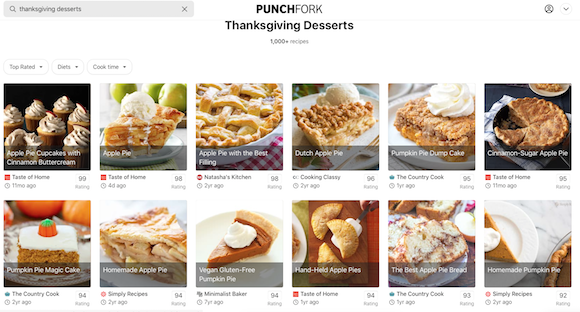
Sign up for free, and they start you off with a Favorites dashboard to which you can add recipes by clicking (again, Pinterest-style). Punchfork is available via your browser or as an iOS app.
The site is updated daily, and you can browse by ingredient name or use their natural-language search engine to find whatever you’re craving. I started researching this post late at night while craving chocolate, and was delighted to find twenty different recipes for Nanaimo bars!
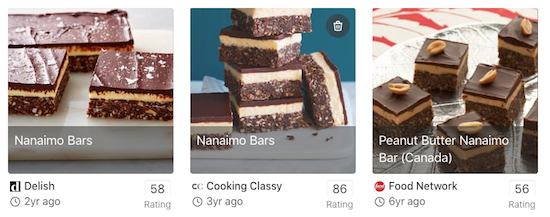
If someone’s following a particular diet (vegetarian, vegan, paleo, gluten-free, etc.), there’s a search option. You can even search by excluded ingredients, in case someone has an allergy, sensitivity, or ick factor. (For example, Paper Doll hates cauliflower and gravy.)
And once the holidays are over and you’ve hoovered up every remaining leftover, you can just randomly type the ingredients you do still have available, and it’ll find you a recipe that will work.
Next, we have a little controversy.

Just the Recipe — With Just the Recipe, you can copy and paste any URL from anywhere on the web and it’ll give you (you guessed it) just the recipe. Not the blogger’s tale of the recipe’s history, not a request to join an email list, no ads, and no pop-ups. Just the recipe (including ingredients). You don’t even have to go to the website; you can just right-click (or control-click on a Mac) to copy a link directly from Google. (Hence the controversy, as you’ll see.)
Let’s say I want the Love and Lemons blog’s “Best Stuffing Recipe.” Let’s also say I’m in a super rush and can’t be bothered to scroll down the page to read the text and look at the photos that come before the recipe. I can paste it into Just the Recipe and it will spit out a clean, organized, ready-to-print page with just the ingredient list, the instructions, a small photo of the finished result, and a link back to the original. (This last part is important.)
Just the Recipe is a free browser-based site, though they’d like you to consider a $2/month premium version (for which there’s a 14-day free trial).
So why is this controversial? Apparently, there are a lot of people are out there who feel strongly that they don’t want to read carefully crafted food writing. They don’t care about the blogger’s grandmother, who carried the secret family recipe for borscht, scribbled in her own mother’s writing and tucked into her bosom as she escaped the old country. They just want ingredients, measurements, and steps.
I’m not fussing about the people who don’t care and scroll past the lovely stories. I get it. We’re all in a hurry these days. I’m talking about the people who are ANGRY AND VOCAL that food bloggers are writing anything but the actual recipes. (How vocal? Type “I just want the recipe” into a search engine and you get lots of profanity-laden posts, articles, web sites and app,s filled with anger about having to be subjected to non-recipe paragraphs. I imagine these people snapping impatiently at Grandma when she tells a story, shouting, “Get to the point!”)
The thing is, bloggers take time and effort to craft their blogs. (I know I do.) Some of these bloggers (including food bloggers) want to recoup the cost of ingredients for testing recipes, hosting sites, and tech support, and so they run advertising on their sites. (I don’t, but I still respect bloggers who do.)
And this content, whether it’s an essay about the blogger’s family or the history of the recipe or explanations of different ethnicities’ approaches to similar types of food, all serve to improve what’s called search engine optimization. It’s the thing that makes Google tell you about that recipe on the first search page and not the 57th. It’s brings people to a page.
So, it’s understandably controversial that there are sites (like Just the Recipe, Copy Me That, and others) that take this lovingly created content and strip everything that is a) meaningful to the creator and b) gives them a chance to generate money and especially c) gives other sites a chance to make money off the originator’s content.
My opinion? Not cool, dude. And I’m not the only one.
If you’re annoyed by scrolling to get to the recipe on personal food blogs you can:
– use cookbooks
– use one of the many, many recipe websites that don’t preface their recipes with stories
– just deal with 3 seconds of annoyance for your free recipe and move on with your life— Helen Rosner (@hels) February 17, 2020
Last spring, I learned about the hubbub from an article in Eater called, This Is What Happens When Tech Bros Attempt to ‘Fix’ Online Recipes. (Short answer, the Recipeasly shut down within weeks of being announced because they also realized what they were doing wasn’t cool.)
So, I encourage you to at least respect food bloggers enough to actually go to their pages. If you don’t want to click on the ads, I feel you. If you don’t want to read the content — and are willing to risk missing cautionary tales about food prep pitfalls, as well as narrative flavor — you do you, boo! But respect the bloggers enough to go to their pages, give their sites the “hits” for their posts, and maybe don’t complain.
(Don’t worry, I know none of Paper Doll‘s loyal readers would ever be such meanies. This is for those future readers who land here from a search about only wanting recipes.)
I was hoping to find you a website that provided timers and assistance for getting all of your Thanksgiving (or other holiday meals) cooked and ready at the same time. I was certain I’d find a link that would help you figure out how to enter the prep and cooking time for each menu item and then get step-by-step instructions for what to do when.
If there is such an app, I didn’t find it. If there isn’t, and you know a good programmer, consider this idea my gift to you. I did find the following articles, though:
How to Cook Thanksgiving With (Gasp!) One Oven
When You Should Start Cooking Every Dish For Thanksgiving
Here’s Exactly When To Cook Every Dish For Thanksgiving Dinner
And remember, your cell phone will let you set oodles of timers. Set one for every single item you put in the oven and label each timer (it just takes a second) with which food and what you’re supposed to be doing, whether that’s taking it out of the oven or flipping it over, or adding a glaze.
Omnicalculator does have a bunch of online calculators to make your cooking experience easier and more organized, from a Thanksgiving calculator that tells you how much (in pounds or pieces or gallons) of holiday food/beverages you’ll need to a turkey defrosting time calculator and so much more.
SITES TO EASE YOUR HOLIDAY SHOPPING EXPERIENCE
Obviously, as a professional organizer, I want to discourage you from shopping willynilly for things neither you nor your recipients need. I urge you to stay home on Black Friday (to stay safe — we are still in a pandemic, after all) and if you must shop, do it with a list and whenever possible, online.
There are several extensions you can add to your browsers to notify you if a retailer’s site you visit has a discount available.

My favorite is Rakuten, formerly Ebates (and formerly easier to pronounce). You can go directly to their site and then click through a retailer’s links. Doing so will give you a cookie (though not the kind with chocolate chips), and not only will you get a discount, but you’ll earn cash back. But even easier is to just add the little extension to your browser, and it’ll do all the work for you.
Similar sites include Capital One Shopping (formerly WikiBuy) and Honey.

Another site I use often is Retail Me Not. Let’s say you’re shopping at Kohl’s. (OK, let’s say I am, because it’s the only non-grocery, non-Amazon place I’ve shopped for the last 18 months.) Type the name of the retailer into the search box and you’ll see a wide variety of discount codes for different types of purchases at any given retailer. (I’ve found discounts for my web site’s domain registrar, restaurants, clothing stores, and sometimes even Amazon.)

CamelCamelCamel.com — Speaking of Amazon (and I know that between Black Friday and Cyber Monday, many of you will be), this dromedary-themed site is a free Amazon price tracker. Type in keywords for a product you want, or paste the Amazon URL for something you’re thinking about buying. (There’s also a Camelizer browser extension.)
Last week, my friend bought an iRobot 240 Braava Rob Mop, a mopping cousin of a Roomba.

I copied the product link into CamelCamelCamel and it fed me a chart of the pricing history of the robot over the past five years.
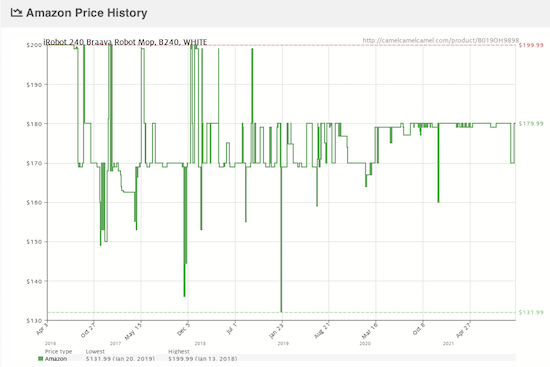
It’s a bit like predicting the stock market, but by seeing past pricing trends for products, it’s easier to make a bet on when you should buy it. If you see that a particular product always increases in price in November but goes down in February, you may postpone your purchase to get the best price.
STREAMLINE YOUR HOLIDAY TRAVEL
Obviously, Paper Doll isn’t a travel blog, but there are a few sites that should help make your holiday travel run a bit more smoothly.
Are you road tripping, either alone or with your family? If you’re at all a germaphobe like Paper Doll, the idea of using a public restroom was never high on your list of appealing activities; a global pandemic makes it all the more ick-filled. But if you’re traveling more than a few hours by car, it’s something you’ll have to consider.
According to the National Association for Continence, there are three apps suitable for helping you find the best (cleanest, safest) bathrooms while traveling:
- Bathroom Scout
- Flush
- Sit Or Squat
All three have iOS and Android versions, and the association’s site has details and links.
When you’re driving at home, you tend to know which gas stations have the lowest prices, but when you’re on the road, you can be faced with a mystery.

Gas Buddy is a public-facing database and resource that has been around for a long time, since before the days of apps. You can use it to search for gas stations by city, state, or brand, but it’s best known for it’s price maps. Type in a zip code or area, and overlaid on the map, you will see the gas prices wherever you are.
For example, I can see that prices within a few miles from my house are varying from $2.95 to $3.25. That’s huge, especially when you’re filling up a tank in multiple locations over the course of a road trip!
Check out the site and the Gas Buddy app (for once you’re on the road) for various features to save money on fuel costs.
Are you traveling by air? Are you worried about how much time to leave to get through security? You can download the My TSA app; fellow travelers post airport delays (reported in real time). However, if you’d rather limit the app clutter on your phone, there are simple web sites you can use, including TSA Wait Times and iFly (under the Getting Around tab).

iFly is a particularly useful site for travelers, with links for information on:
- parking
- ground transportation
- navigating airports, including:
- gate walk times (so you’ll know how far and fast you’ll need to schlep)
- how to get on the airport WiFi
- how to find airline lounges
- how to locate Lost & Found
- airport maps
If you’re headed between Canada or Mexico and the US, the TSA does operate an easy-peasy Border Wait Time site, no app required.
Speaking of the TSA, they’ve got a page, Turkey Trot On Your Way Through the Airport, focused on which of your leftovers you can carry on and which you must put in checked luggage. (There’s even a dancing turkey!) FYI; cranberry sauce is categorized as a liquid.
BONUS LINKS TO KEEP YOUR HOLIDAYS ORGANIZED
Do you have to get up early to catch a flight, get on the road, or spatchcock the turkey?
Setting your alarm is easy enough, but did you know there are optimal amounts of time to sleep to avoid waking up mid-sleep cycle to keep from being foggy-minded? Like, we do better sleeping in 90-minute cycles, so sometimes getting 7 1/2 hours of sleep might be better than 8.

Sleepy Time is a sleep cycle simulator that will calculate what time you should go to bed to make sure you’re alert for the drive or that you don’t doze off while stuffing the bird.
Once Thanksgiving (or the whole holiday season) is behind you, how will you plan for next year? you could write down everything you did this year that worked out and everything that made the holiday a little more problematic. But where would you put that note to yourself? In Evernote? In a “holiday planning” notebook? Tucked in one of your cookbooks?
To best prepare for next year, send yourself an email timed to arrive in early-to-mid November!
FutureMe lets you write and send a letter to your future self to be delivered one, three, or five years from now, or on any date of your choosing.
For more tips on being organized for the holidays, check out my classic ebook, Simplify the Season and Save Your Sanity.
Unpacking: Paper Doll Explores a Video Game About Organizing
[Editor’s Note: This is not a typical Paper Doll post, but it is about organizing, so don’t worry that I’ve changed the focus of the blog. Also, if you click on any of the links in the first few paragraphs and get distracted playing classic games in your browser, don’t forget to come back and read the rest of the post!]
UNPACKING
I have limited experience with video games. Which is to say, I played the tennis-like Pong at a friend’s house when it first came out around 1972 and delighted in PacMan (and Ms. Pacman) while waiting for my Pizza Hut meal to be served, during my adolescent years.
And I even plunked myself down to play Super Mario Bros. when I was in graduate school and needed something obsessive and concentration-focusing to take my mind off what the heck I was going to do with my life when graduate school was over.
But game strategy, manual dexterity, competitiveness, and the ability to bonk a cartoon plumber’s head upward onto a brick to make a mushroom appear (if I’m recalling correctly) — none of these have ever been my strong suits.
In the past three decades, my interaction with video games has been limited to helping my clients pare down their video game collections, organize what they keep, and sell or donate the remainder. I haven’t played, or had any desire to play, any games until last week, when Australian game developer Witch Beam released Unpacking. My Google News feed knows me too well, and upon last week’s release, I was inundated with articles and reviews about this intriguing game.
The company describes Unpacking as a “Zen puzzle about unpacking a life.”
The game has eight chapters or levels, each corresponding to a move to a new “home” — a childhood room, a college dorm, one’s own apartment, sharing a space with a significant other, etc. — all for an unnamed, unknown protagonist. It starts in 1997 and continues forward to today. As players, we are never explicitly told the story of this character, but through her possessions, a certain intimate bond is formed.
The game has been described as “part item Tetris, part home decoration.” You select digital cardboard boxes, open them, and through the game, put the items away. There are pre-ordained slots or shelves; the game is designed as a puzzle, and the goal isn’t to throw everything higgledy-piggledy but find the logical home.
To move to the next level, you need to generally put things where a reasonable person might think they should go. That said, as part of the accessibility features of the game, you can apply the “allow items anywhere” option to eliminate the puzzle element. With this choice, you can’t really put an item in the “wrong” place any more than you could in your own home. (Still, please don’t store extra pantry items or clothes in the bathtub; we professional organizers have seen that in the real world, and it’s just not a great option.)
So, just like at your house, you can put things in weird places. And while I haven’t seen a treadmill or Peleton in the game, I’m betting that just like in real life, you can hang your clothes on exercise equipment. As a player, you get to decide where things belong, but you have to obey the laws of physics and geometry. You can’t fit square pegs in round holes or ten pounds of whatever into a five-pound bag.
I find it appealing that there’s no competition and no timers counting down. But there are, apparently, 14,000 different audio sounds to go along with tucking items in nooks and crannies, setting a toothbrush in a water glass, arranging books on shelves and supplies in drawers, and so on. If you lift a T-shirt to a hanger placed on a rod, the shirt hangs; move it lower to a stack of shirts, and it self-folds. (If only actual unpacking, organizing, and indeed, laundry day, were so magical.)
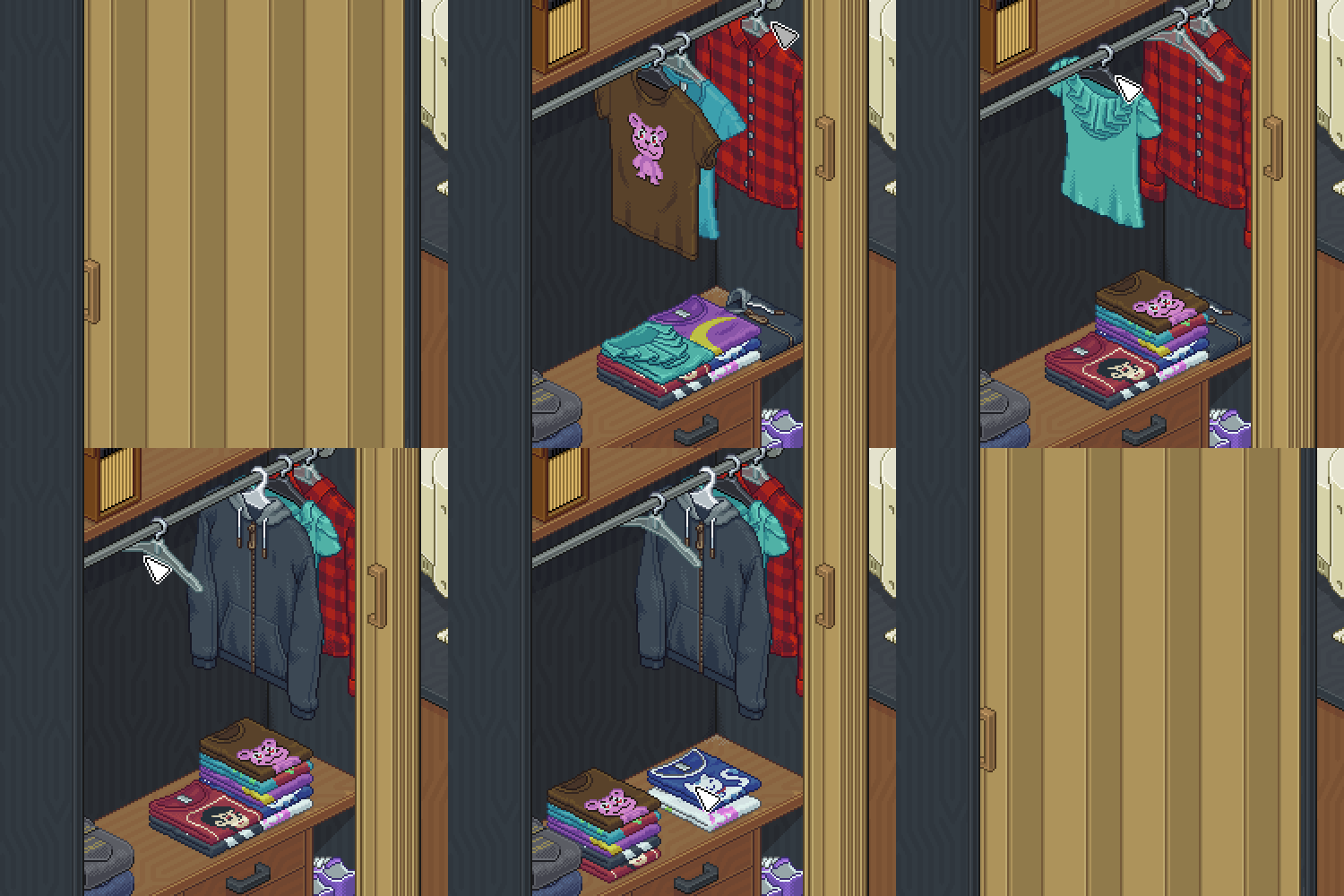
In addition to putting things away (that is, giving them homes), you can change the color signature of the room, add some on-screen stickers to decorate, take photos of a completed room, and add those photos to a scrapbook, complete with a “handwritten” description of your move-in experience.
Here’s a peek at the game’s launch trailer:
Throughout it all, there’s a soundtrack from a BAFTA (British Academy of Film and Television Arts) award-winning composer, Jeff van Dyck. If video game soundtracks are your thing (Yes, I’m looking at you, my friend Chris!), you can listen to Unpacking’s soundtrack on Spotify and purchase it in all the usual music-buying places like Amazon, Apple Music, Bandcamp, etc. (And no, Chris, I’m not listening to this in the car on any road trips.)
Warning: I should also note that, assuming you’re reading in North America, there will be some oddities in the rooms and homes in Unpacking. The refrigerators are not the full-sized ones we have, but those smaller, under-counter ones that are barely bigger than dorm fridges. The bathtubs have the glass half-walls I saw in Europe; I’ve yet to figure out how one manages not to soak the half the bathroom, but at least there’s no need to run any water in the actual game.
I’ve seen reviews calling the game calming and endearing, but also cathartic and moving. (Of which, I have more thoughts, below.) As a professional organizer, of course, I found this tweet hopeful:
Y’all, I already knew @UnpackingALife is a great game, but my daughter is cleaning her room and I was impressed with how much better it looks than normal.
She told me “Unpacking really helped.” Holy crap ? Best game ever!!!! pic.twitter.com/WQNhT3fHd7
— Dr. Ashley Godbold ????? (@ashleygodbold) November 6, 2021
And for those who wonder how much detail is available to organize exactly how and where you want things to be, this tweet gives you a sign:
We definitely didn’t expect this kind of creativity from our replay feature, but we love it so much! ??
Credits: @carellogyhttps://t.co/wZe1SQpICc pic.twitter.com/115WshTfLj
— Unpacking ? Out NOW! (@UnpackingALife) November 7, 2021
Unpacking is available for a variety of platforms, including Windows, Mac, Linux, Nintendo Switch, and Xbox One and runs $19.99.
ACCESSIBILITY
In the real world, unpacking and organizing a new home, whether a dorm room, a studio apartment, or a multi-bedroom family house, can be a massive headache. Imagine how much more difficult is must be for those with physical disabilities or distracting cognitive challenges (ranging from ADHD to traumatic brain injury). This is just one reason why many clients call in NAPO or NASMM professional organizers who specialize in relocations to work some video game-like magic in setting up a new space.
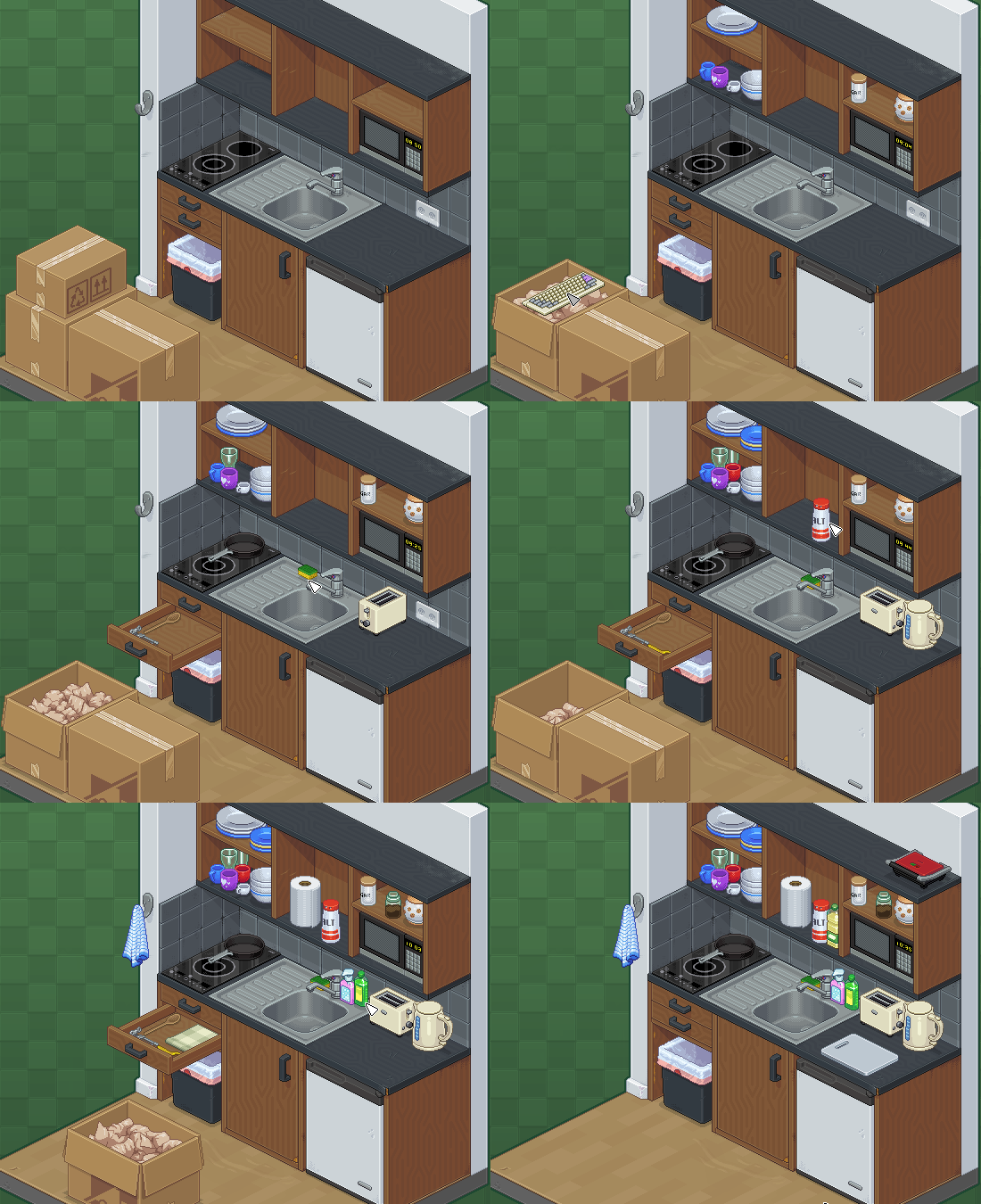
I can’t be the only person who gets flashbacks to Bewitched watching this sped-up kitchen unpacking/organizing scene play out. Seriously, compare it to Samantha Stevens working her tinka-tinka-tink:
There are no in-game professional organizers, but Unpacking‘s developers prides themselves on its accessibility features.
For those needing visual assistance, the user interface buttons can be enlarged, and you can zoom in on the screen; if you’ve made a booboo, the red “invalid” outline (remember what I said about the laws of physics?) can be changed to a different color. And you can disable the animation feature for room-swapping (in case you unpack a box of kitchen items when you’re in the living room) to avoid motion sickness.
In terms of audio assistance, the game lets you operate soundtrack music and sound effect volumes separately, and there are no audio-exclusive cues for game play, so players who can’t hear don’t miss any of the essential game features.
For cognitive accessibility, the game has no penalties; there’s minimal text, and reading skills (in English or otherwise) are not required in order to play. And, as mentioned, you can turn off the puzzle angle to be allowed to put things anywhere.
There are also a variety of mobility-related accessibility features. None of the actions require pressing more than one button at a time, clicking-and-dragging, holding down buttons. Computer versions support playing via a mouse and keyboard, a game pad, or touch (“on supported hardware,” they note) and you can play one-handed with just a mouse. The Nintendo Switch version of the game supports (and I quote, because I have no idea what this means), “gamepad, touch, and gyro in two-handed and one-handed configurations.” Controls are re-mappable when necessary to support a user’s accessibility needs.
While Paper Doll is neither a gamer nor a reviewer, I think it’s important to accent accessibility features in products, and while this does not arise often when I talk about notebooks and storage options, I intend to be more cognizant of such issues in future posts.
UNPACKING THOUGHTS ABOUT UNPACKING
Having missed three decades of video game development, I am, at best, only peripherally aware that not all games are multi-player shoot-em-ups and car-racing (and crashing) extravaganzas. Certainly I knew about The Sims, a series of simulation games where players create virtual people, build them homes (and families) and play with their careers, activities, and moods and desires.
Apparently, this approach is called a sandbox game, an open-ended type of video game where players have a freedom of movement for their creations and there are no pre-set goals. (If only we humans felt that much ease in creating our lives and risking change!) The popular Minecraft, with it’s blocky 3D people and infinitely expanding world of raw materials, tools, and create-able structures is similar.
Unpacking feels like it belongs in a world tangential to these sandbox games; there’s freedom of movement, no timers or competition, and you can’t lose your character’s life by unpacking things in the wrong order or organizing things “wrong.” But like real life, there is a very solid goal for you as the in-world character: unpack in an organized way to live your life.
In Vice‘s Unpacking Is a Lovely Game About the Power of Seemingly Mundane Objects, Moises Taveras has created a great introduction to the game beyond the broad strokes. Through it I learned some spoilers and realized that there was more depth of insight to be had beyond how many frying pans could be fit into a cabinet:
The “challenge,” a term I’ll throw around incredibly loosely, becomes finding where everything fits best. It’s a logic puzzle, so as long as you’ve been in a kitchen, a bedroom or bathroom, you’ll be able to sufficiently reproduce a functional home. … There’s a joy in getting it all right, but the greater one to me was playing a game that, in bits and pieces, understood the relationship we build with the things we collect.
But there’s more. After I learned of Unpacking, I started reading every review I could find, and what’s particularly gripping about the game is how you get to see the protagonist’s life unfold through her possessions (and those with whom she shares her space). It reminded me of Sam Gosling‘s book, Snoop: What Your Stuff Says About You.

Gosling, a professor of psychology, wrote, in an almost gumshoe detective approach, about how we intentionally and unintentionally create, define, and communicate who we are to the world through our possessions. Published in 2008, before we all defined ourselves via social media, it’s a fascinating look at how our stuff — the essentials, the practical items, the sentimental things, and the clutter — exposes who we are. It seems Unpacking is designed to do that, too.
Kotaku‘s Ari Notis posits, interestingly, in Unpacking Might Have the Worst Video Game Boyfriend of the Year, that there’s more to this game than pattern recognition and matching items with logical spaces. This was the article that really caught my attention, as Unpacking seems to reflect the more complex, nuanced aspects of organizing, the ones our clients struggle with, and the ones we professional organizers are brought in to solve.
The issue isn’t that the home is too small, but that the boyfriend’s items are fixed in place, leaving our protagonist limited in her options for her own things, including as to where she can put her framed diploma. (The review notes it only fits under the bed, but a commenter posits that one can, at least temporarily, place it on the wall above the toilet? Um, yeah. No.) The Kotaku review continues:
September 2010 is the first level in which Unpacking feels truly cramped. Your things—your dolls, video games, and battered kitchen supplies—won’t fit within the confines of the level’s default setup. Instead, you also have to move the dude’s existing stuff around to make room. (There’s also the sense that you’re invading someone else’s space, given the mishmash in aesthetic tastes.) You eventually fit everything, but you do the entire task all alone. It is off-putting, to put it charitably, that this dude who was fully planning on moving in with someone didn’t even bother to make an inch for his incoming partner.
As a professional organizer, I’ve worked with clients whose homes had more than adequate space, but (very) adult children had left behind all the possessions of their childhoods, dorm rooms, and even early apartments, limiting the space available for their parents to use. (This is why I tell clients, “Don’t become the curator of the museum of other people’s things.”)
For years, I've warned my clients: Don't become the curator of the museum of other people's things. Share on XAnd I’ve had clients who felt like (sometimes unwelcome) visitors in their own homes, like the wife whose husband had filled every closet with his own clothes and possessions, leaving her to hang her things on doorknobs throughout the house.
This is all to say that at first glance, this game might seem like little more than a slow-moving version of the afforementioned Tetris or those square, plastic, 16-tile games where you move the jumbled tiles to create the face of a lion. From what I can tell from these reviews and the game play videos I’ve watched, I suspect that Unpacking offers a robust, intriguing opportunity to self-soothe through in-game organizing, even if one struggles with organizing in one’s own spaces, while gaining insight into a fictional character through analysis of her possessions.
Apparently, video games have come a long way from when the plumber was trying to save the princess.
Are you intrigued, but you just aren’t the video game player type? I was surprised to learn that there are actual video of video game play on YouTube. If you don’t mind commercials, you can watch someone else play the game. This version runs two and a half hours (and the player has turned off the music soundtrack):
WHAT’S MISSING FROM UNPACKING
Granted, I’m not a video game designer, and I have zero idea what someone would find compelling in this or a similar kind of gentle, experiential video game. But I know organizing, and let’s face it, unpacking is about organizing from the ground up. Instead of rearranging the deck chairs on the Titanic, as organizing can sometimes seem when you’re overwhelmed, you’re beginning with a clean slate (but admittedly, a whole bunch of boxes of chalk).
However, as far as I can tell, Unpacking is missing a few essential elements that might make it better reflect the real world experience. Namely:
- Paper — We start when the protagonist is a little kid, so I really wouldn’t expect much more than the putting away of books and maybe tucking some homework into a backpack or drawer. And perhaps it’s because I’m a professional organizer who specializes in paper, but I’d want to see how the character develops some method for unpacking and organizing the paper in her life to help make sense of it. Yes, she’s got that aforementioned diploma, but throughout her life, upon each move, she’d have leases and bills, perhaps a marriage license, and a mortgage or title. (Again, Unpacking is Australian. Maybe they have much simpler paper lives? Though I doubt it.)
- Donations — Every possession that’s unpacked seems to be kept the goal is to find someplace for it; anything jettisoned seems to disappear in the unseen transitions between levels. Though it appears there might be a trash can in some rooms (and emptied cardboard boxes and packing paper magically go *poof* when tapped), but there’s seemingly no box into which to put castoff clothes, toys that are no longer age appropriate, or any of the items that no longer fit her life once she (and you) move to the next level.
On the plus side, one feature I’d feared missing seems to have been considered: continuity. When I began researching this post, I was going to note that from when the character sets up her childhood bedroom in 1997 to when she moves in with her boyfriend in 2010 to the end of the game, there are unrealistically few items that carry through. But perhaps my experience as a professional organizer, working with people who often have difficulty letting go of possessions, has skewed my idea of how much carryover from move-to-move is realistic. (Or maybe I haven’t grasped that the level of detail I see in people’s homes can’t be emulated in a video game?!)
According to Fanbyte‘s Natalie Flores in Unpacking Is a Zen Puzzle Game about the Joys of Moving in and Moving On, each of the levels of the game shows both an upleveling of the character’s possessions and a through-line of much-loved items:
As the protagonist experiences the many changes that life brings, I was glad to see certain items from her childhood — like her stuffed animals and game consoles — still show up in boxes I emptied years later in her life. I felt similarly as I saw her upgrade her small cassette player to a boombox, and her art supplies evolve in variety and sophistication.
I was also sad when the game indicated a portrait that was previously on display — and which I had assumed was still meant to be that way — now belonged inside the kind of cabinet destined to rarely be opened. I felt similarly, too, as I realized certain items she once undoubtedly cherished (and that I had unknowingly grown attached to) no longer accompanied her on the journey. Unpacking truly embodies the act of unpacking in the sense that you’re often surprised by what you take out of any given box. As well as what you don’t. That surprise is heartbreaking as often as it is pleasant.
Finally, perfectionists beware. Moving for a stranger can be as overwhelming as doing so for yourself. Tom Orry of VG247 wrote, in Game Pass Gem: Unpacking is the kind of game you wish you’d thought of, that he’d had no interest in unpacking or organizing before playing the game, but “I can’t believe I’m enjoying placing dishes as much as I am.” However, he quickly got caught up:
I’ve seen a fair few people talking about how Unpacking is a nice relaxing game, but I’ve found it anything but. For one, I want the rooms to look perfect. Books must be placed in order of size, shoes must be neatly placed together, jeans folded, buttoned shirts hung, socks all in one place. And that mark of the wall must be covered by a poster or a picture frame.
And good lord, please let me put all the tea and coffee making things together. I simply won’t abide having the sugar in a different cupboard to the coffee. And why do I have to choose which of my childhood toys get to go on a shelf and others hidden away? I’m thinking about one mistake I made as I write this. I think subconsciously I’ve become the person whose belongings I’ve been dealing with. Are they sad that I put the pig soft toy away? I think they probably are. I’m sorry. There just wasn’t room.
Before you consider playing, consider this a warning.
OTHER REAL-LIFE ORGANIZING AND LIFE MANAGEMENT GAMES WE NEED
Finally, I’ve been thinking about the kinds of “adulting” and life skills games people (like professional organizing clients) could use in addition to this kind of unpacking and organizing effort. Different areas of organizing one’s life take different cognitive and executive function skills, and I’d love to see game developed for these needs.
Financial Management — Years ago, Urban Ministries of Durham put up an interactive, in-browser game called Spent.
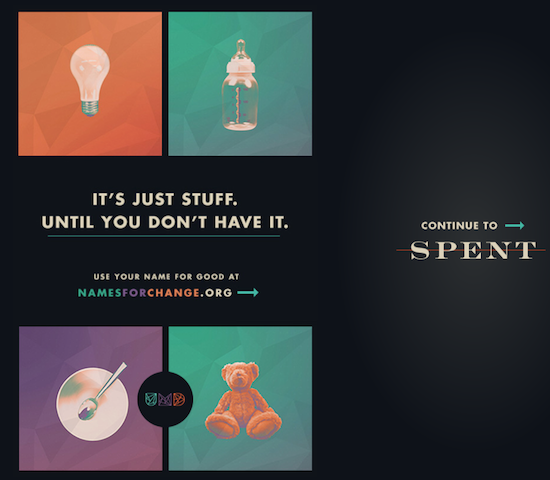
The point of the game is to challenge those who go whole hog on the concept of “You should pull yourself up by your bootstraps” to get a sense of the daily reality for some people. In this game, you must get a job and an apartment and deal with the unexpected challenges of illness (and hospital bills) and car repairs (and breakdowns). I have played Spent many times, and have almost always lost. The text-only game, with somewhat ominous music, induces stress. I think a money management “game” where you can’t lose, but can learn better options, would be a great opportunity for high schoolers (and grownups).
Time Management — The same kind of intriguing artistry and thought put into Unpacking could be used to create space in one’s schedule for work (or school), adulting skills (like laundry and grocery shopping), exercise, and relationships.
Paper Management — Come on. I’m Paper Doll, what did you expect?
Hey, video game developers, if you’d like some outside advisors, I know some great professional organizers to offer you advice!
Let me know what you think of the idea of Unpacking. Would you find it soothing to unpack and organize these spaces, or would you get overwhelmed? What other life skills games do you think are needed? Please share in the comments!
Organize Your Writing: NaNoWriMo 2021
Photo of Typewriter by Patrick Fore on Unsplash
It’s November, and that means it’s time for NaNoWriMo.
Not familiar with National Novel Writing Month? You will be, by the time you finish this post. Not a writer? That’s OK, because many of the resources and concepts are applicable to your goals of getting organized at school, at work and in your life.
THE BASICS OF NANOWRIMO
Every November, NaNoWriMo participants commit to writing a 50,000-word novel between the first and 30th of the month. You’re encouraged to start planning and outlining in October, but all that matters is that starting after midnight (in your local time) on November 1st, you start writing a new novel (or a fresh rewrite of an old one), and aim to finish before the end of the month. Each day, you can update your progress and get cute little badges (if that’s your style).
There are plotters (people who create detailed outlines) and pantsers (those who prefer to write by the seat of their pants. (Not sure whether you’re a plotter or pantser? SkillShare Blog has some guidance.) And there are rebels, who aren’t writing novels at all, but screenplays, non-fiction, comic books (though, I suppose a graphic novel is nonethless a novel).
If you’re enough of a rebel to pick a different format, but not so much of a rebel that you’d independently write without thousands of others doing the same thing you’re doing, it’s OK. The NaNoWriMo police won’t strip you of a win if your creation looks less like a novel and more like an epic poem, Iliad & Odyssey-style.

Once you have hit the 50,000-word benchmark, you can upload your novel and the NaNoWriMo website will verify your word count. If you hit that 50K, you’re a “winner!” (Whoohoo!) That means you’ll get a certificates and a banner you can display on social media and your website, and you can purchase a T-shirt in the site’s store. And you’ll have the righteous satisfaction of knowing you can write a book, even if you don’t choose to publish or even share it with anyone.
During the course of the month, you can benefit from a variety of writing and productivity assistance and accountability support:
- Discussion Forums
- Writing Groups
- Regional Support
- Writing Buddies
- Pep Talks from Professional Writers (including past talks from lots of writers you probably already read!)
Of course, as a Paper Doll reader, you already know the importance of accountability, but as a reminder, you may want to peek back at:
Count On Accountability: 5 Productivity Support Solutions
Flow and Faux (Accountability): Productivity, Focus, and Alex Trebek
What really excites many NaNoWriMo peeps are the various special offers available to participants and to “winners” (i.e., those who hit their 50K goal). From discounts on writing software like super-platform Scrivener, to book-planning Plottr, to grammar-checker/style editor ProWritingAid, participation has its privileges.
A BOUNTY OF RESOURCES
In 2015, I wrote Organizing Your Writing for NaNoWriMo and More. I talked about creating a road map and preparing to write, setting a schedule, creating a theme song to psych you up for writing, conquering writer’s block, and staying motivated. I anticipated it would be a one-time kind of post, because organizing writing seemed like a narrow focus. Readers thought otherwise, and I kept getting request for most posts on the topic.
So, in 2017, I revisited the concepts of organizing your writing for a month-long series of NaNoWriMo posts. There’s a bounty of information and resources in these posts from the vault, and I’ve added some bonus information below; I’ve checked (and where necessary, replaced) the links and removed (or warned about) anything that’s no longer valid.
[Note: because the posts were originally from 2017, various software and services have increased in prices, and because we live in a world where capitalism abounds, those rates will surely go up again, so rather than chasing down price changes for each, I encourage you to check rates before purchasing anything.]
Of course, I’m not just going to tell you what I wrote about in years-ago posts. Halloween may be over, but there are treats below!
(I think this was my first attempt at create a graphic in Canva. A writer, I am. A designer, I am not.)
Paper Doll’s How To Organize Yourself to Write for NaNoWriMo 2017
This post covered how to:
Identify your goals — this is key to any project. You’ve heard of SMART goals, where it’s essential to create goals that are specific, measurable, attainable, relevant, and time-based? Well, with my organizing clients, I always make sure that the reason we’re working is based on SMARTY goals — that Y assures that your “why” is based on YOUR goals. Just as it’s hopeless to get organized to solely to please your mother-in-law or to lose weight so your significant other will pay more attention to you than the TV, your goals for why you want to write are as unique as you are, and the post lays out four possible ways to reach your Y/why.
Organize your inspiration — Some of us are motivated by the carrot, others by the stick. (Of which, more later.) Some of us, like my writer-pal Dava Stewart of Smiling Tree Writing, get motivated by embracing nature. Paper Doll, on the other hand, needs an air-conditioned, bug-free environment without the sound of crickets or frogs.
Organizing your writing time — I teach my clients, “Don’t put things down, put them away.” The word away ensures that something has a home, where it lives. Just as with tangible items, tasks and projects require homes in your schedule if you hope to accomplish them. Remember, someday is not a day on the calendar!
Don't put things down, put them away. AWAY ensures that something has a home. Just as with tangible items, tasks require homes in your schedule. Remember, SOMEDAY is not a day on the calendar! Share on XThat post also offered some suggestions for seeking expert advice. If any of these issues resonate with you, that first NaNoWriMo post from 2017 is worth a visit.
Paper Doll’s NaNoWriMoMoMo (Novel Writing Month Monday Motivation)…Even for Non-Writers
This post was a compendium of advice about motivation. Everyone’s motivation has suffered over the course of the pandemic, and inspiration has been hard to come by. This post pulled from different resources to help amp up motivation to get started and keep going. Plus, who else but Paper Doll would offer up a post with Confucius, Kermit the Frog, and Hugh Jackman?
If your spirit is willing but your flesh is weak, sleepy, and full of Halloween candy, the above post should give you a motivational boost. (You could also send all your leftover Reese’s Peanut Butter Cups my way; sharing is caring, and what better way to be motivated than to share your bounty?)
Paper Doll’s NaNoWriMoMo(nday): Organize Your Writing Platforms for Maximum Focus
Sure, you can write the Great American Novel in Microsoft Word, but the truth is, most writers need a little more support from their writing platforms. This post covered the beloved Scrivener, which is probably the best-known and most beloved, as well as the most sworn-at writer’s software around. It has so many bells and whistles for organizing your writing and research and giving you the equivalent of surround-sound (surround-vision) of bulletin boards, note cards, and success-tracking that it can be overwhelming.
I also guided you toward the amazing resource of Joseph Michael, founder of Learn Scrivener Fast. Watch his Twitter account for announcements of his free webinars to get a taste of how much of a wealth of experience he has to offer to provide clarity about Scrivener. Today, I add the advice to get to know Anne Rainbow of Scrivener Virgin. She’s another tremendous resource for learning the best ways to organize your writing and research.
The post also reviewed a number of minimalist platforms designed to help narrow your focus and keep your eyes on the writing ball. These included IAWriter, Ulysses, Ilys (which literally keeps you focused by only letting you see one letter at a time, preventing you from editing and getting lost in writerly analysis paralysis), Zen Pen, and The Most Dangerous Writing App In the World. In terms of carrot and stick approaches to focus, the latter is the ultimate stick; you set the time frame (5 seconds? a minute?) but if you stop writing for longer than the amount of time you’ve allowed, everything you’ve written gets deleted. Permanently. (Prefer a carrot to a stick? Keep reading!)
Paper Doll’s NaNoWriMoMo(nday): 10 Tools to Organize Your Writing, Editing, and Proofreading
Writing comes from the heart, but creating good writing that people are willing to read means that you need to address the technical aspects. Ernest Hemingway said, “Write drunk. Edit sober.” And many of the solutions I offered were more for the post-NaNoWrimo editing stage of the writing experience.
I wax eloquent and gushed about my beloved Jumpcut, a (free) Mac menu-bar doohickey that lets you do the “and paste” part of cut-and-paste or copy-and-paste, even if you cut something six cuts ago and forgot to paste it. Jumpcut remembers. Unfortunately, it looks like the PC clipboard manager I suggested has gone to the website graveyard, other free solutions exist. If you tend to copy but forget to paste, or realize too late that you want a snippet you’ve written back again, Softclick has compiled a list of clipboard managers for Windows.
The post also covered proofreading and editing tools like Grammarly and Hemingway, to which I’d now add ProWritingAid for those wanting business-class editing support (and are willing to pony up $20/month or $79/year for a 67% discount, or $399 for a lifetime subscription). I also looked at online dictionaries and text expanders for automating your snippets of repeatable brilliance.
Paper Doll’s NaNoWriMoMo(nday): Writing Challenges, Dictation Tools, & Organized Writing Advice
This series-ender was a bit of a mish-mash. It looked at the concept of other kinds of writing challenges as well as writing support software and services for dictation, and rounded out the month with a stack of NaNoWriMo advice. (Stick around for more of that good stuff!)
But you didn’t think I was just going to update you on a four-year-old blog series, did you?
CARROT VS. STICK
In the original post, Organize Your Writing Platforms for Maximum Focus, one of the platforms (The Most Dangerous Writing App in the World) took the stick approach. That might work for getting your juices flowing writing what Julia Cameron, author of The Artist’s Way, calls morning pages. But if the first decent draft of chapter 3 went up in a puff a smoke because you stopped too long to admire it, I suspect you wouldn’t be very inspired to keep writing. The stick may motivated, or it might beat you into submission!
For some people, avoiding pain is the best way to spur them along. But others prefer the carrot — the reward. For them, consider:
Are you having trouble getting going on something you need to write? Maybe a novel, but maybe a report for work, a long-overdue note of gratitude? Just plunk down with The Official Written Kitten in your browser.
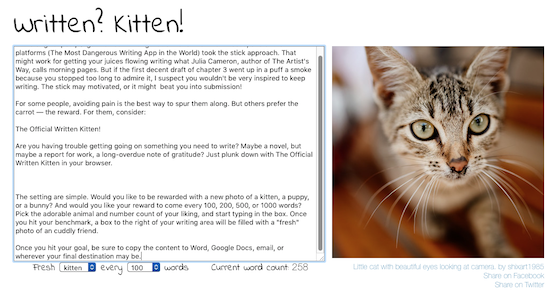
The setting are simple. Would you like to be rewarded with a new photo of a kitten, a puppy, or a bunny? And would you like your reward to come every 100, 200, 500, or 1000 words? Pick the adorable animal and number count of your liking, and start typing in the box. Once you hit your benchmark, a box to the right of your writing area will be filled with a “fresh” photo of an cuddly friend, such as Little cat with beautiful eyes looking at camera by shixart1985.
Once you hit your goal, be sure to copy the content to Word, Google Docs, email, or wherever your final destination may be to save your creation. If you click the share buttons under the photos, that pop up, your Twitter or Facebook followers will see the adorable animals (selected from Flickr), but not what you’ve written.
MAKING GOALS, BREAKING THEM DOWN
50,000 words sounds like a lot, even over a month’s time. Divide that equally by 1667 words sounds a bit more manageable. (For a hint, that’s about half the length of a typical Paper Doll post.) And certainly, you could aim for 1667 words per day. But realistically, not everyone’s life rolls steadily along with an equal number of pockets of time available for writing.
Certainly, time blocking is one solution. And for that, harken back to last February’s Playing With Blocks: Success Strategies for Time Blocking Productivity for a deep dive in how blocking your time will help make sure nothing falls through the cracks in your busy, busy life.
Pacemaker is one interesting resource for trying to organize your writing slots. It’s designed as a simple, flexible goal planner for writers and students to help making writing projects seem less overwhelming. Whether you’re NaNoWriMo-ing or trying to finish your thesis, Pacemaker can help you sort out the possible writing pathway. Pacemaker notes you can try one of multiple methods to do work in a set block of time (month, quarter, year, etc.):
- Steady — With this pattern, you aim to write the same amount (whether that’s number of words or number of pages) each day.
- Rising to the Challenge — Think of this as akin to how you build up your number of reps at the gym. While the number of words written starts out small, if you increase your word count quota each day, you’ll build up that writing muscle.
- Biting the Bullet — For some people, baby steps don’t work; instead of rising slowly to the challenge, this method encourages tackling large chunks of your writing goal at the beginning of your schedule so that the pressure is off as the days taper down. Given that NaNoWriMo takes place in November, with Thanksgiving travel (in non-pandemic years, at least) and holiday prep taking up lots of the end of the month, this might be ideal for those with big end-of-the-month plans.
- Mountain Hike — Too freaked out to bite the bullet, too busy near the end of the month to rise to the challenge? This strategy puts the bulk of your effort at the center of your period.
- Valley — This effort is the reverse of the mountain hike. Work hard at the start and the end, but give yourself some leeway in the middle.
- Oscillating — This strategy mixes heavier and lighter loads, but in a regulated way.
- Random — Some people function better when their obligations are a surprise. Paper Doll generally avoids surprises; I like to have everything neatly planned out. Surprises give me hives. But if not knowing what to expect revs your engine, perhaps being asked to write 500 words on Tuesday but only 27 words on Wednesday might be right up your alley. And Pacemaker notes that there are 20 million googol different ways to write 50,000 words in 30 days so if you pick the randomized route, you’ll never get bored!
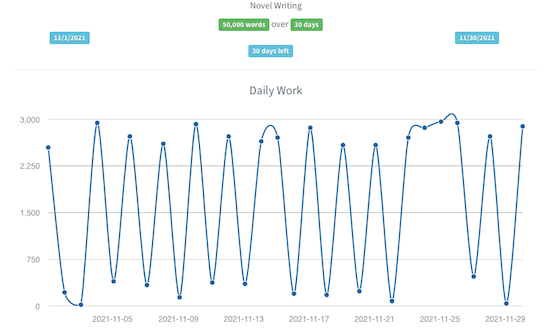
(This is the random method; if you were looking at the actual graph instead of a screen shot, you could hover your cursor over any dot to see how many words you should write.)
Pacemaker lets you customize further by deciding if you want to do more, less, or nothing on the weekends. You can also select an intensity of work, on scale from gentle to hard core, and even reserve some number of free days at the end!
So, with Pacemaker, you set up a plan by naming your project and determining what you’re trying to accomplish. (While Pacemaker is writing-friendly, you can also set it up for a variety of other related or unrelated projects, from editing and proofreading to saving, spending, running, training, and more.) If you are writing, you can pick a project type, like novel, conference paper, dissertation, speech, etc.
Next, set your goals, including length and length type. So, you can pick 50,000 words to finish a novel for NaNoWriMo, or 250 stanzas for your epic poem, or 13 verses for your song to rival Alice’s Restaurant (another November tradition). Then note your start and finish dates.
You log your efforts as you go along, and then they’re displayed for you however you prefer: as a table, graph, calendar, or bar chart (though that’s a premium feature). Below is the calendar version of a randomized Pacemaker attempt at a novel in one month.
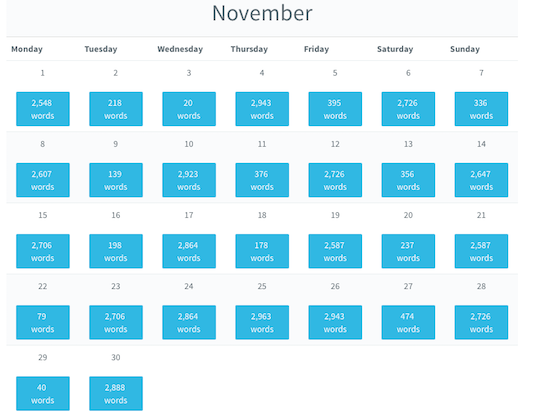
Check out their sample plans. Pacemaker is free, but there’s a premium version for $8/month or $72/year.
TRACKING YOUR SUCCESS
What we measure, we pay more attention to, and are thus more likely to improve. We tend to think of keeping score as a having a competitive purpose, but we need not compete against anyone but ourselves. Measuring the results of our efforts, and tracking them over time, gives us a reality check that helps us refine and tweak what we do.
When we’re watching our weight, tracking the numbers on the scale may help, or may demoralize us; noting whether we’re wearing the jeans that are one size up (or down) from what we wore last season may be a bit more compelling. Whether we’re tracking how much we’re saving for a big purchase (or paring down our debt), whether we’re tracking our scores on practice tests or our words written toward a goal, knowing how we did is a powerful resource!
Austin Kleon adapted a simple “Don’t Break the Chain” printable from his popular The Steal Like an Artist Journal to help make sure you keep up with NaNoWriMo (or any thirty-day challenge).
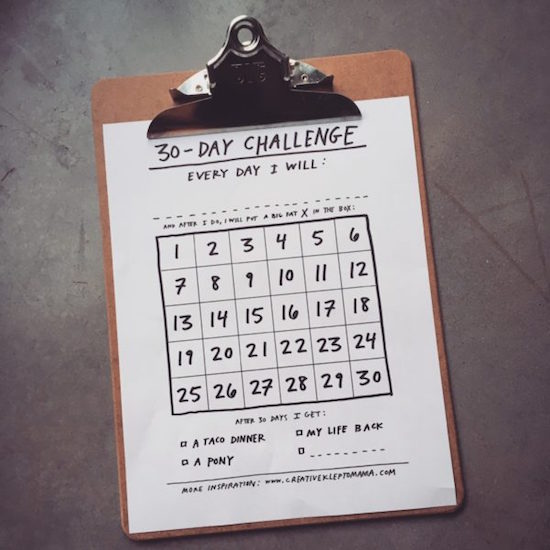
©2017 Austin Kleon
I like the fact that it doesn’t merely give you a chance to put “a big, fat X” through any day you’ve worked toward your goal, but there’s a choice of “carrots” (just like the kittens in Official Written Kitten) at the bottom to remind you how you’ll reward yourself. Kleon’s carrots are a “a taco dinner,” “a pony,” and getting your “life back” but there’s a space to put your own reward.
And once again, I want to encourage NaNoWriMo-ites (and anyone else) to investigative designer Dave Seah‘s free 2021 NaNoWriMo Word Counting Calendar.
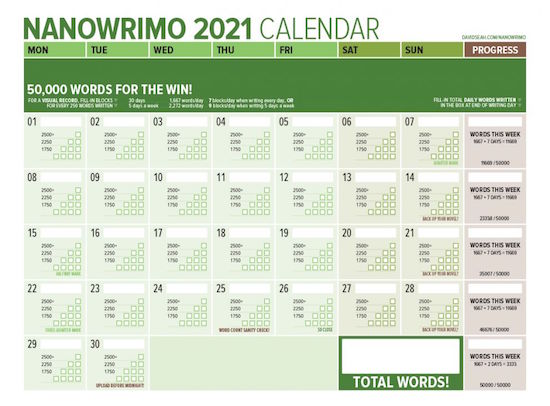
©2021 David Seah
There are six different color versions; the classic PDF version is green, but I’m partial to the pink and purple, and there’s also blue, orange, and noir-ish black & white.
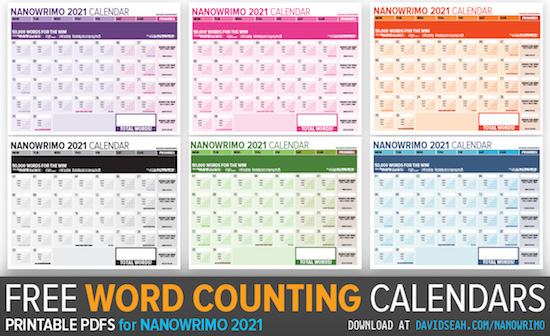
©2021 David Seah
ORGANIZE YOUR MIND FOR NANOWRIMO AND OTHER (WRITING) PROJECTS
Participating in NaNoWriMo this Year? Here’s How to Make it Through — My favorite tip is #9, to celebrate your wins and ignore your losses. However, sometimes looking at our losses gives us an opportunity to identify how we can improve on our efforts — at writing, but also at organizing, getting in shape, or handling projects — the next time. So maybe we should celebrate our wins, not take our losses personally, but let them be instructive tools.
Write a 50,000-Word Pulp Novel Before Breakfast: My easy no-outline way of writing short novels in four weeks — Even if you’re not going to write a pulp novel, there’s good writing and project management wisdom here.
The NaNoWriMo Survival Guide: Advice from Past Winners
On Writing: The Only NaNoWriMo Tips You’ll Ever Need
Your Essential Guide to Completing NaNoWriMo in Evernote
10 Steps to Get Started with Scrivener for NaNoWriMo
And, finally, in case you feel like you need more training and inspiration in writing, Open Culture has a list of free online writing (and journalism) courses. They’re all MOOCs (massive open online courses) from US and international universities. From classes on creative writing and the crafts of character, plot, and setting at Wesleyan to advanced grammar and punctuation at UC Irvine, maybe feeliing like you’re back at school will help you get into the swing of writing.
Whatever projects you work on this month, remember to make sure the goals are truly yours, that you block space in your schedule and break down the tasks into small, workable elements, and that you track your accomplishments to stay motivated.
Happy November, and happy NaNoWriMo from YoLoPaDo, your loving Paper Doll.
The Humble Index Card: Organize Your Life, Then Organize Your Cards
When was the last time you used an index card? Chances are, you don’t give a lot of respect to the humble three-by-five, but we owe so many of our systems, including almost every type of categorization and computerization, to what first got plotted out in a precursor of the little cards we know so well.
Index cards, of a sort, have been around ever since the 1760s, when Swedish botanist Carl Linnaeus, the father of modern taxonomy (the science of classification), figured out that he could name, categorize, and keep track of animals, plants, and minerals. All that Latin nomenclature, with genus and species and sub-species, needed to be written down somewhere, and Linnaeus figured out how to square it all away.
I know, it’s hard to believe someone had to invent an index card, but realize that file folders weren’t even invented until the late 1800s, filing cabinets came to market in 1898, and paper clips showed up around 1900. If you crave more about the history of office supplies — and I mean, who doesn’t? — you might like to check out:
A Place for Everything: The Curious History of Alphabetical Order by Judith Flanders (which is about so much more than just alphabetical order, and provides some eye-opening backward glances into how hard it was to organize information throughout most of recorded history).
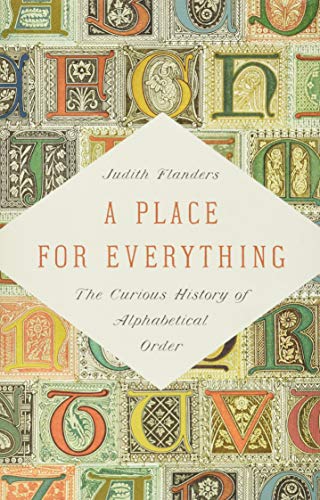
The Perfection of the Paper Clip: Curious Tales of Invention, Accidental Genius, and Stationery Obsession by James Ward, which offers intriguing narratives (with a British twist) on how all our office supplies were developed.

In the world of Evernote and OneNote, of CRMs and productivity apps, the humble index card often gets lost in the shuffle (if you’ll pardon the card pun). But there are a variety of ways to organize information and knowledge to help you lead a more orderly life — inexpensively, easily, and without internet access.
I have nothing against using the web and all the magical apps available to help you achieve your goals, but Paper Doll would be doing a disservice not to note the old-school ways you can organize your life with index cards. And of course, while I’m at it, I’ve got a deep dive on options to help you organize those index cards to keep clutter at a bare minimum.
WHAT CAN YOU DO WITH AN INDEX CARD?
Think back. What was your earliest interaction with index cards? Was it Grandma’s recipe for your favorite cookies, perhaps with an oily thumbprint in the upper corner of a card covered with her curling scrawl? Maybe you learned how to do geometry proofs with each card bisected vertically? Or perhaps you studies for the SAT vocabulary section using index cards as flash cards?
In this digital age, you can still do so much with a package of 3″ x 5″ index cards from the dollar store. Off the top of my head, you can use an index card or stack for:
- Address Collections – The problem with a print address book is that once you fill up a “popular” letter (M? S?) until all the blanks are filled, or if one of your vagabond friends has used up an entire page of one letter of addresses for her travels hither and yon, you need to acquire a new address book to make up for the oodles of scribbles and cross-outs. Sure, using the Contacts app in your phone is ideal, unless you’ve somehow failed to back your phone up to the cloud, in which case, one accidental trip through the washing machine can erase a lifetime of contacts. But index cards were a simple, inexpensive precursor to a Rolodex and continue to make an appealing alternative to digital address apps. Using one card per person/family lets you keep track of addresses, phone numbers, email addresses, the names of newly-arrived babies, and so on. When one card has enough cross-outs and re-writes, just replace it with a new index card rather than a whole new address book.
- Customer Relationship Management (CRM) — Yes, a CRM software program is the gold standard for new businesses, and I wouldn’t encourage you to start a business by keeping this kind of information on paper. But if you’re the kind of person who just doesn’t embrace technology for everything, using an index card with your client’s name, phone number, birthday/anniversary, and key preferences might be a good way to help you get started. When your customer reaches out to you, or vice versa, you can put a date on the line, with a quick note about the conversation, letting you trace the history of the relationship over time.
- Expense Logs — In the olden days, we wrote checks and then noted information about the transactions in our check registers. Paper Doll still uses a register for every transaction, but is prompted by receipts (from debit card transactions, mostly) to remind myself what to log. However, just carrying an index card in your wallet gives you an easy way to keep track of your financial activities in the moment. Write the date, the amount, and a one-line description of what you bought. If you tend to use cash, this will help you track your expenses without need of logging into your bank account; if you use your debit or credit card, mostly, this offers assistance for keeping tabs on your day-to-day spending (as using plastic doesn’t “feel” like money, and you may not realize how much outlay is going on).
- Meals and Snack Logs — Are you on any kind of eating plan? (The word “diet” is so last century!) Whether you’re keeping track of protein grams and carbs for nutritional reasons, calories for health, or exact foods to figure out a mystery allergy, index cards offer a quick solution.
- To-Do Lists — Start your day with your three most important goals on an index card. When you have only three inches by five inches of real estate, you’re going to be pithy and get to the point. (Sure, you can use a Post-it® Note, but lined index cards give you a little more formality.) I like to pick 1 big task, two medium-sized tasks, and three small tasks, but even these should fit on a “today” card.
- Wanna-Do Lists — Yes, if your friend recommends a book, movie, restaurant, or podcast, you can pull it up in your phone, but only if your phone is handy. (And then, how much more likely are you to then be distracted by your phone and ignore your friend?) Keeping a running list on a card or two in your wallet or purse lets you pull it out when the context is right — when you’re trying to find somewhere to eat on Saturday night or roaming the bookstore (or even surfing online) to find something to read.
- Flash Cards — I love my Duolingo for learning Italian, but to remember attraversiamo, già, and sempre, or to distinguish among ora vs. poi vs. allora, you can’t beat a flash card. Whether you’re learning bones and ligaments in medical school, national capitals and top exports in geography, or embracing those definitions for the SAT verbals, flash cards are inexpensive and easy to make, quick to shuffle, and require no battery charge. Plus, research shows that we remember what we hand-write, with greater context and nuance, than what we type.
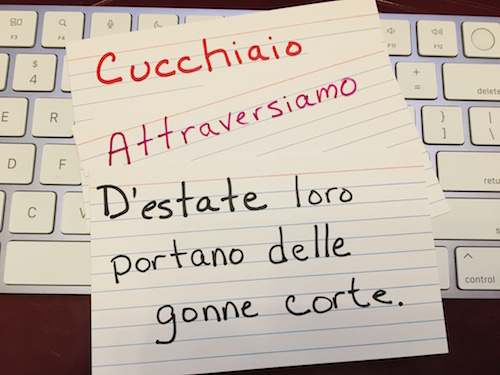
- Recipes — This one can’t surprise you. For a century, families have passed down handwritten recipes on index cards.
- Household Inventories — Sure, you’ll create the best, most complete inventory if you video your possessions and log them in software like HomeZada or Sortly, or even in a self-created database in Airtable, but if you want to do a quick-and-dirty inventory of your space, noting descriptions, model numbers, serial numbers, etc., an index card inventory is a great start.
- Research — Whether you’re writing a report for Social Studies or looking up some genealogical records, index cards provide a way of encapsulating information. You can use numbers and letters to code which things are related to what. My 7th grade English teacher taught us to create an outline (with Roman numerals and letters, breaking down each section), putting each bibliographic item on its own card with its own code, and then each fact or quote got a card, linking it to the outline and to the bibliographic source. Not only did I use this method (with small modifications) in college and graduate school, but I incorporated into research I’ve done for my ebooks and other publications. The size of the index card forces you to focus on bite-sized pieces of information.
- Maps for Creative Endeavors and Adventures — Writing a novel? Use index cards to keep track of the essential traits of each character, and then map out your plot points, and put it all up on a bulletin board. (This method is actually the model for the popular Scrivener software.) Planning a vacation and can’t decide among all the options? Make a card for each alternative, with essential information like dates and times each museum or attraction is open, then sort by location (Paris, London, Madrid? Niagara Falls, Buffalo, Rochester?) and order by priorities. Bring the stack with you on your trip, and if weather or a venue closure blocks your plans, you’ll be able to pick the next priority in the stack!
SPECIAL USE OF INDEX CARDS: THE HIPSTER PDA
Have you ever heard of the Hipster PDA?
Back in 2004, Merlin Mann, writer and founder of the productivity website 43 Folders, (somewhat) jokingly turned his back on the increasing complexity of what we used to call personal digital assistants (like those pre-iPhone Blackberry and PalmPilot devices). He put forth the idea of using a small stack of index cards and a binder clip to gather essential information and keep it at hand.
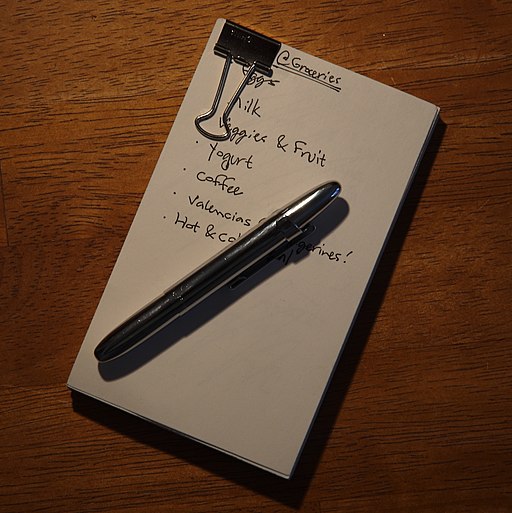
Teo, CC BY-SA 2.0, via Wikimedia Commons
While Mann may have been applying the concept with a bit of tongue-in-cheek goofiness, the followers of David Allen’s Getting Things Done: The Art of Stress-Free Productivity (GTD) approach picked up the idea of the Hipster PDA and ran with it. In GTD, one of the focuses is on keeping context lists, so that when you’re at the office, you have an Office list; when you’re at the supermarket, you have a Piggly Wiggly list, and so on.

While most people are keeping that kind of list in the reminders app of their phone, fans of the Hipster PDA have a context card for each item or task to be slotted where appropriate.
The Hipster PDA requires only index cards (used vertically or horizontally, as you prefer) and binder clips. If you want, you can use multi-color card packs to color-code different features or contexts. There are even crowdsourced templates all over the web (here’s a set at DIY Planner) and on Pinterest to help you use index cards to create the productivity approach of your dreams.
HOW CAN YOU KEEP YOUR INDEX CARDS ORGANIZED?
The answer may seem almost ridiculous. After all, a simple rubber band around a packet of index cards should be enough to keep them from spreading out across a desk drawer, a high school locker, or an office. But if you’ve ever come across an old stack of index cards, wrapped in a rubber band like that, you know that rubber bands dry out and break. That’s why the Hipster PDA uses binder clips.
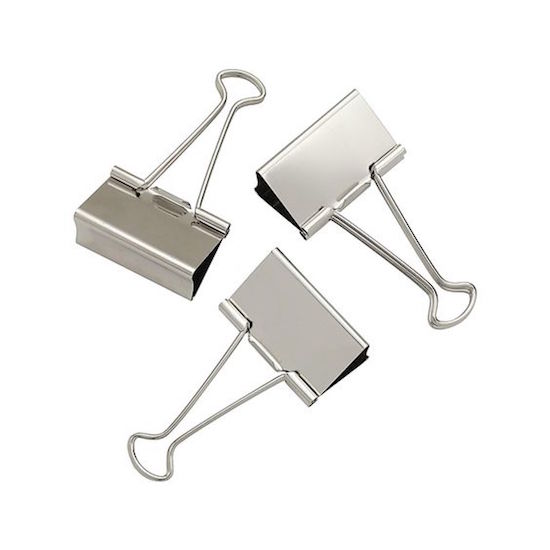
For many, the main drawback to using index cards is the potential for disorganization or card clutter. However, there are a variety of solutions you can use, whether you want your card stack to be mobile or just neatly arranged on your desk our counter. I’ve gathered alternatives for corralling 3″ x 5″ cards, as they are the most standard, but you should be able to find similar solutions for 4″ x 6″ and sometimes even 5″ x 8″ index card storage.
Note card rings — Don’t be tempted to think you can organize your cards with traditional keyrings, the kind where you have to pry the metal apart with your fingernails or a key. Use a search term like bookbinder rings or loose leaf binder rings. You want the kind that lets you push inward from both sides and then pull the sides apart to grant you access. Depending on the thickness of your card stacks, you might want to get an assortment of sizes. A few dozen rings (which you can always use for other purposes) won’t run you much more than $5 or so.
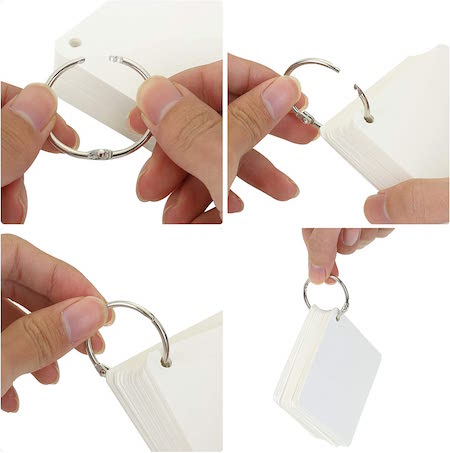
Index card binders — If you want your cards to have a little more protection, you can opt for a miniature binder, similar to the kinds of three-ring binders you’d use for loose-leaf paper. This Oxford Index Card Binder has a poly cover, two rings, and two poly dividers. It’s available in red, blue, or green for about $13.
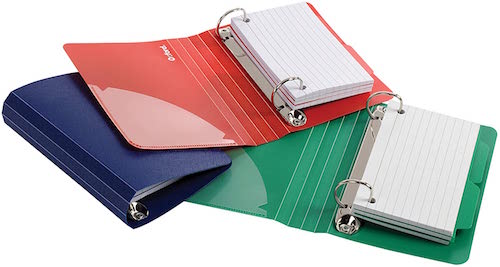
Index Card Cases/Boxes — If you have small stacks of index cards you want to keep attractively but make portable, another option would be a poly index card case or box. I really like these colorful ones from DocIt. Each poly case (available in blue, pink, grey, or green) has a snap closure, holds 100 cards, and includes five dividers with adhesive label tabs. You can buy one for about $5, or packs of four ($12.99) or 24 ($35.99).
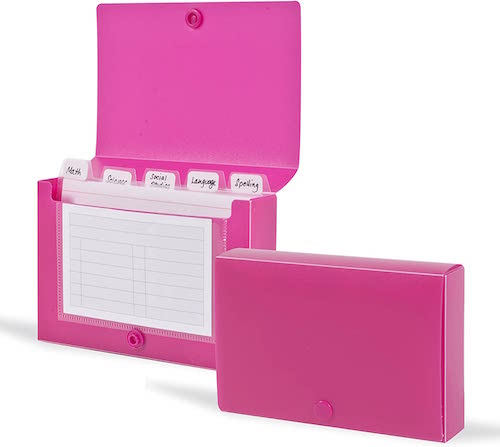
If you want a greater variety of colors for a similar price, check out these four-packs from Emraw. Note that these aren’t accordion-style; I find that accordion-style index card cases hold fewer cards, and chances are you won’t need the kind of mini-sections they enable.
Plastic Index Card File Box — This is probably what you used in school, and it’s a stalwart of the office supply arena. Plastic is water-resistant, durable, inexpensive, and won’t rust, and these kinds of card file boxes usually fit easily in a drawer or on your desktop, but are light enough (with secure enough closures) that you can pop them in your backpack. But, of course, it’s plastic, and not everyone likes petrochemical products. (Plastic = petroleum = dead dinosaurs.) You can buy a brand name version at any big-box store, or get one at your nearest dollar store for no more than $3-4 each, or try this Alfion set of four for about $16.99 from Amazon.
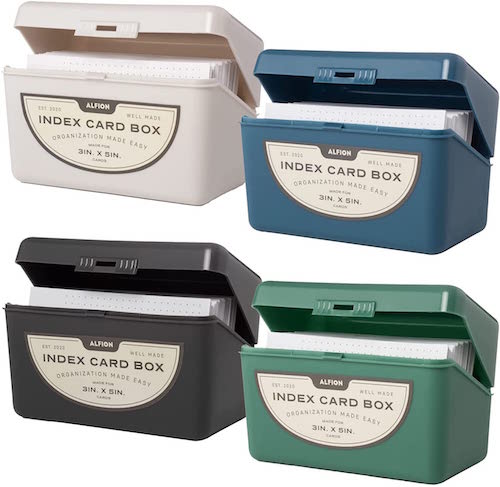
Metal Index Card File Boxes — I grew up with Paper Mommy‘s gravy-brown metal index card file box housing one set of her recipes. The metal version isn’t as lightweight as the plastic ones, and they usually lack a secure closure, making them poor options for mobile card storage. They also tend not to be very pretty. However, with a little creativity (and some paint, washi tape, or contact paper) you can make your card box match your personal style.
You used to be able to find metal card file boxes in the same size/shape as the plastic file boxes above, but in recent years, larger/deeper metal cases have become more popular. This Steelmaster card file box has a 900 card capacity and is 8 1/2″ deep; it costs $26.60 at Amazon.
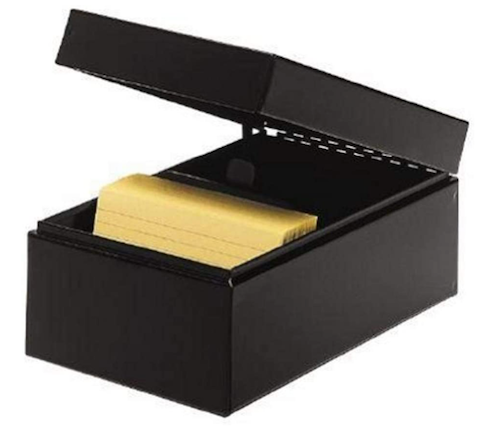
Collapsible Card File Boxes — If your need for card file storage ebbs and flows, you might want to consider a collapsible index card file box. This one from Snap-N-Store holds 1100 3″ x 5″ index cards. The box is made of sturdy fiberboard with a water-resistant laminate cover, metal snaps and steel-reinforced corners. It runs $10 at Amazon.
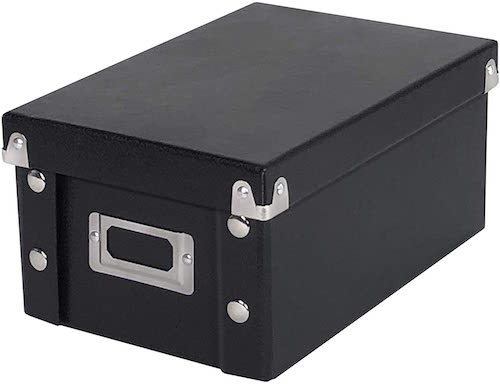
Decorative Solutions — While the above solutions are standard, you should be able to find a wide variety of “fun” options for organizing your index cards if you search beyond office supply stores.
If you want an old-fashioned wooden file box, perhaps as a gift box already filled with recipe cards, your best bet is to haunt Etsy or specialty craft shops; the search terms “wooden recipe box” should pull up something useful. I found this ArtMinds® wooden recipe box for $6 at Michael’s.
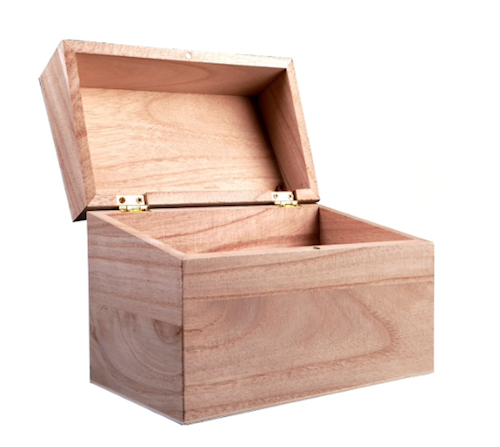
I have to say, however, that my favorite index card storage option, from an aesthetic perspective, is the Oxford at Hand Note Card Organizer. Each metal organizer has a non-skid base to keep it in place and prevent it from squeaking against your desktop or countertop. It’s designed to hold 3″ x 5″ cards and comes with 25 matching dot-grid cards, but of course you can use any card style.
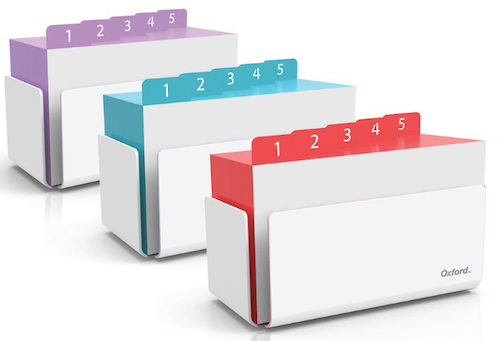
The Oxford at Hand Note Card Organizer comes in Charcoal Grey as well as three designer colors: Coral, Shoreline Blue, and Orchid Bouquet. They run $22.75/each, but must (unfortunately) be ordered in sets of 6 or 12 if you buy directly from Tops Products (Oxford’s parent company). However, you can get a single case in the Charcoal Grey and Shoreline Blue versions on Amazon for $12.99/each. (I’m still searching for a vendor selling just one in Orchid Bouquet, so please write in if you see them anywhere!)
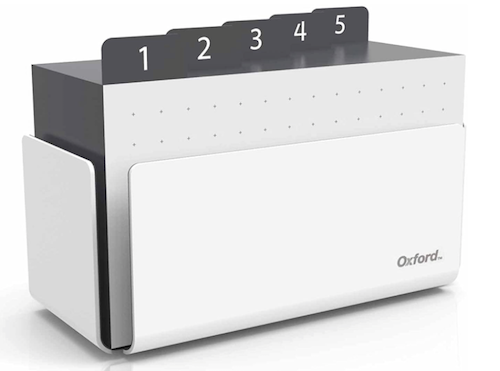
Of course, there’s so much more to be said about index cards (sizes, styles, patterns), storage, display options, and uses, but we’ll have to save that for another time. Do you have a strategy for using index cards that I didn’t mention? A favorite storage solution for cards that I didn’t include? Please share in the comments below!
Disclosure: Some of the links above are affiliate links, and I may get a small remuneration (at no additional cost to you) if you make a purchase after clicking through to the resulting pages. The opinions, as always, are my own. (Seriously, who else would claim them?) For more information regarding how Best Results Organizing handles affiliate links, please see the affiliate section of the site’s Privacy Policy.



Follow Me