Archive for ‘Paper Organizing’ Category
Paper Doll’s 10-Minute Tasks to Make Difficult Moments Easier
Lately, I’ve been considering that it’s a bit ironic that February, the shortest month of the year, is National Time Management Month. We collectively assign the month with the fewest days to figure out how to achieve goals that would solve so many frustrations.
Wouldn’t a 31-day month be better for that?
A Necessary Caveat About “Time Management”
Time management, obviously, is a misnomer. We don’t really manage time, which is fixed. Every person gets the same 60 seconds every minute, the same 60 minutes every hour, the same 24 hours every day, and of course, 525,600 minutes in a year.
(With apologies to all of you who’d rather watch the Broadway version, linked above, than Glee‘s, but YouTube is really cracking down on music videos being played anywhere but their own platform.)
Rather, we must try to manage our attention, our energy, and our labor. Though we have the same amount of time, none of us has the exact same quality of our time, nor the same obligations.
The single, healthy, unencumbered twenty-something with a salaried office job has more (financial, as well as temporal) resources than the mom of two working multiple retail jobs, or the person going to school while taking care of an elderly parent, or the individual struggling to make it through these crazy times with a chronic illness, visible or invisible.
Often, when the media has articles on time-saving tasks, they fail to acknowledge the complexities of life. If you are beyond the juggling and are full-on struggling, we professional organizers and productivity consultants see you. And we know that when the you-know-what hits the fan, you’ve got limited energy and time to deal.
So, today’s post has ten-minute tasks (or projects that can be handled as a series of ten-minute tasks) that will make things easier for you and your family when things get “ouchie.”
Check and Update Your Beneficiaries
You don’t even have to do these all at once, though if your paperwork is already organized, it should only take you a couple minutes for each. Though the time investment is small, the ease of mind it will bring (both now, and in the future) is tremendous.
And yes, you can even consider these two separate tasks (the checking and the updating) so you can make two different checkmarks on your task list.
Pull out the file folders or head to your online accounts and check to see who you previously listed as your primary and secondary beneficiaries for any of the following you may have:
- life insurance policies
- annuities
- pension accounts
- Individual Retirement Accounts (IRAs)
- 401(k)s, 403(b)s, and other retirement accounts
- profit-sharing plans
- brokerage/investment accounts
Obviously, a beneficiary is someone who gets a benefit. When we’re looking at financial documents, beneficiaries are the people (or sometimes entities) that the account holder designates as the recipient of any assets in that account when the account holder eventually shuffles off this mortal coil. (I know, nobody likes to use the world “death” or think about it, but that’s why we have life insurance policies, wills, and similar accounts and documents — to make things easier when someone has passed away.)
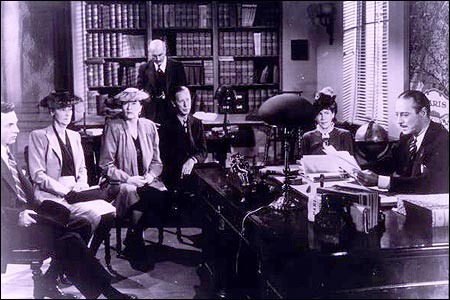
“The Reading of the Will” — central to any good murder mystery
In most cases, setting a beneficiary (and usually both a primary and secondary beneficiary) is part of the required paperwork. Some states (usually “community property states”) require you to list your spouse (if you have one) as your primary beneficiary for retirement and other accounts.
You may be wondering, if you have a will, why do you need to name beneficiaries? That’s a darned good question.
The main reason is that when a person dies, a will goes through “probate,” a legal process where the court in your jurisdiction supervises all the assets in your estate getting distributed hither and yon. Depending on the situation, it can be murky and complicated, and take a long time, which is pretty miserable if your people need those funds.
However, whenever you have a beneficiary set in your insurance policies and various financial accounts, that money can go straight to your intended recipient as soon as the insurance or financial institution gets proof that you are no longer among us. That usually just amounts to a certified copy of the death certificate and some proper ID.
If you set your beneficiaries for any of these accounts several years ago, you may have picked someone no longer appropriate — parents who are no longer living (or not able to manage their own finances), former spouses or significant others, or even friends who are not part of your active life anymore.
I went through the “check the beneficiaries” process with one client who was shocked to realize that she’d never gone back to revise the beneficiary on a small 401(k) plan she’d never bothered to roll over from a job decades earlier. (Note to readers: don’t do that. Roll over your retirement accounts so you don’t have to hope your former employers have stayed solvent and managed your funds properly.)
Imagine my client’s shock when she realized that her [expletive deleted], [expletive deleted]ing [expletive] of a [expletive deleting] ex-[expletive deleted] husband was still her beneficiary! Be assured it did not take her ten full seconds, let alone minutes, to get cracking on changing that beneficiary!
Imagine my client's shock when she realized that her *expletive deleted*, *expletive deleted*ing *expletive* of a *expletive deleted*ing ex-*expletive deleted* husband was still her beneficiary! Share on XIf you never set your beneficiaries before or your want or need to change them, you’ll need a few pieces of information, like their Social Security numbers, birth dates, and contact information (like phone numbers, email addresses, and mailing addresses).
EXTRA CREDIT: Here’s a time-saver so you don’t have to go through this entire process in the future:
- Create a spreadsheet (or even a handwritten note) with the first column listing all of your account names.
- Create a column and list all of the beneficiaries as they stand now.
- Create a column entitled “as of” and list today’s date.
- Any time you acquire a new policy, add a line to this list. Any time you revise a beneficiary, revise the spreadsheet.
This way, whenever you’re not sure whether you’ve updated your beneficiary, you’ll only have to look in one place.
EXTRA, EXTRA CREDIT: Checking your beneficiaries is easy and quick. Changing/updating them should be easy, but how quickly you can accomplish it depends on whether your insurance or financial institution will let you do this all online. But making this list is definitely easy and quick.
However, to take it a step further, fancy-up this spreadsheet with another ten-minute (or so) task.
Add columns for your account number, and the name, email address, and phone number of your insurance agents and financial brokers associated with each policy or account. Create a column to explain what kind of policy or account it is. And then make sure that someone you trust, like the person who has your Power of Attorney, has a copy or can access it when/if necessary.
Put Your Emergency Contacts On Ice

“Downtown Hospital Ambulance” by sponki25 is licensed under CC BY 2.0
In the early 2000s, first responders in the UK started suggesting that people list their “In Case of Emergency” contacts as “ICE” on their cell phones to make those contacts easy to locate. The idea quickly took hold in North America.
While first responders, themselves, generally don’t have the time (or authorization) to contact someone for you, nurses and hospital staff often do need to obtain important medical information when you are not able to provide it. That’s where your contacts come in.
As cell phones got fancier, the lock screens made accessing ICE contacts more difficult, but now, even if you are not able to respond, medical personnel may be able to use your thumb print access or facial recognition to get your emergency contact info.
But there’s something else you can quickly do to make sure your emergency contacts can, um, get contacted. Add your emergency contacts to your cell phone’s lock screen.
On an iPhone:
1) Go to the Medical ID screen. You can get there one of three ways:
- Long-press on the Health app icon. That will bring up a screen that looks like this:
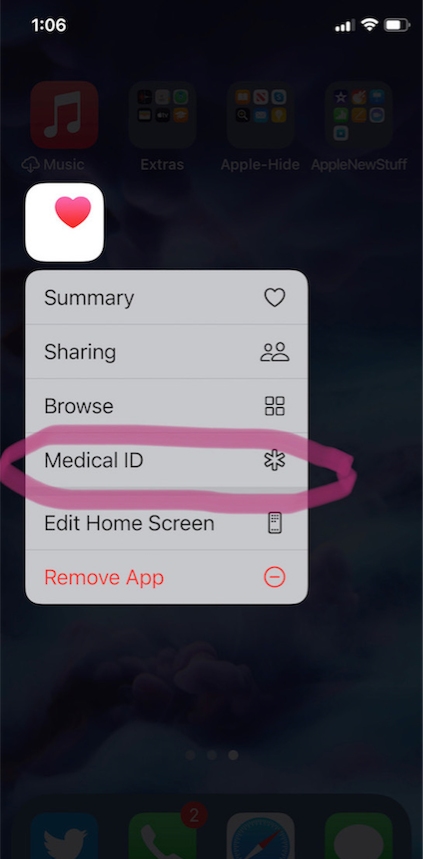
- You can also manually open the Health App by tapping on it, then on your profile image, and then selecting Medical ID.
- Or go to Settings, then Health, then Medical ID.
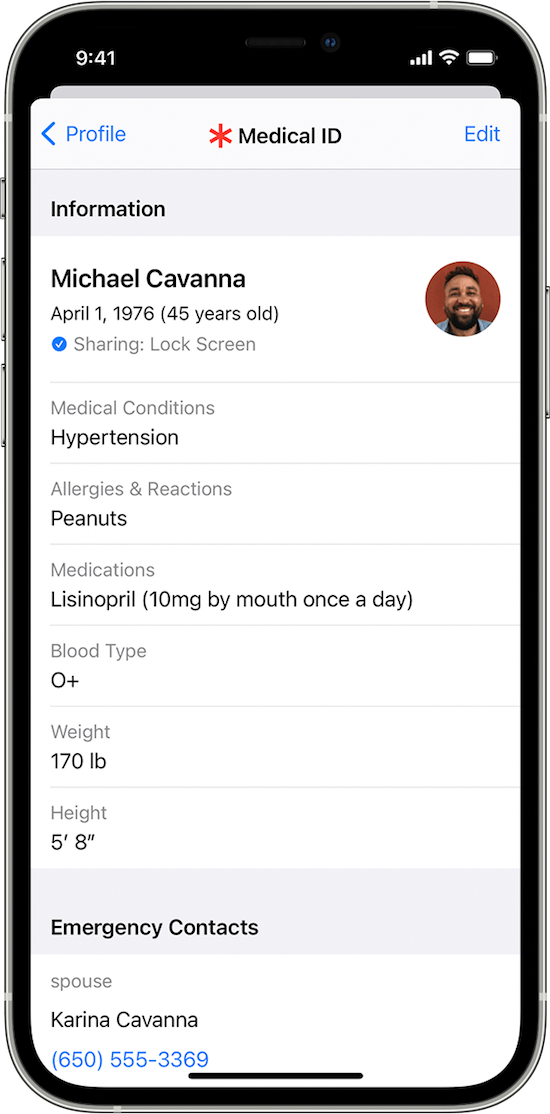
2) Tap Edit.
3) Fill in all the fields that you want, but if there’s nothing significant, it’s better to type “none” than to leave it blank (so that you’re not leaving anything open to interpretation). There are fields for medical conditions, allergies, medications, blood type, weight, height, and emergency contacts. (Bingo!)
At the top, there’s an option to put in your photo. Do that; it ensures that an emergency responder can verify this is your phone.
4) Choose a name and phone number (or two names and numbers) for your Emergency Contact(s). Be sure you select names/numbers that already exist in your contacts list.
5) Scroll down to the section for Emergency Access.
6) Enable “Show When Locked” and “Share During Emergency Call.”
7) Tap “Done” at the top right corner to save your info.
Now, go look at your lock screen. You should see the word “Emergency” in the lower left corner of your iPhone. If your phone is locked and someone taps that, they can see your emergency information but nothing else.
If you don’t see the word “Emergency” there, hold down your power button (or power and volume-down buttons) as if you were going to turn off your phone and you’ll see the Medical ID access. (I guess it all depends on which version of iOS you’re using.)
For more information about the iOS Medical ID, Apple has a detailed page of instructions and explanations.
Assuming you have a photo somewhere on your phone to add in the photo field, this can usually be completed in well under 10 minutes. (The only sticking point is if someone has many medications or allergies they have to list.)
On an Android Phone
Although Android phones do not have one default health-related app, you can easily show your emergency contacts on your lock screen in one of two ways.
Method #1
- Open your Settings app.
- Tap “User & Accounts” and then select “Emergency Information.”
- Tap “Info” and then “Edit information” to enter any medical information you want to store.
- Tap “Add Contact” to add a person from your contacts list. Note, you might have to click on “Contacts” first to be presented with the list
Method #2
Android phones will let owners put any message directly on the lock screen.
- Open your Settings app.
- Tap “Security & Location.”
- Tap “Settings” next to “Screen lock.”
- Tap “Lock screen message.”
- Type your primary emergency contact (and, if applicable, any medical conditions). You could type, “In Emergency, call Lin-Manuel Miranda” and his number. What? Can you think of someone more comforting to have around in an emergency? OK, maybe Stanley Tucci. Or Paper Mommy.
- Tap “Save.”
After you’ve set this up, your ICE information can be found by swiping upward on the lock screen and tapping EMERGENCY and then “Emergency information.”
Do An Inventory of Your Essential Documents
An emergency is the worst time to realize you have no idea where your important documents are. Do you know which of these documents you have and where you can find them?
- Birth Certificate
- Social Security card
- Marriage License and Certificate
- Divorce Degree
- Military Separation Papers
- Death Certificate
- Passport
- Durable Power of Attorney for Finances
- Healthcare Proxy or Durable Power of Attorney for Healthcare
- Living Will or Advanced Medical Directive
- Last Will and Testament
- Digital Will
- Driver’s License
- Voter Registration card
- Vaccination Record
- COVID Vaccinate Card
- Professional license(s)
- Other licenses
As with the beneficiaries section above, a great way to save time is to make a list (think of it as a treasure map) of where each of these documents are located. Use Excel or a Google spreadsheet and take note of what the document is and where it’s located (e.g., your family filing system, fireproof safe, safe deposit box, wallet, etc.).
EXTRA CREDIT: For good measure, for your passport, driver’s license, and any other licenses, take note of the expiration date.
And then for really good measure, put a reminder task in your phone to alert you one month before your any of these items expire to make sure you address renewals. (Give yourself a longer lead-time to renew your passport; also, as you’ve probably not been traveling out of the country in the last two years, you should check to make sure your passport hasn’t already expired.)
If you have a lot of documents, just do a few every day and you’ll be amazed at what a few ten-minute tasks can do to put your mind at ease.
EXTRA, EXTRA CREDIT: The Paper Doll archive has extensive information about what documents you should have and what to do if they’re missing. These posts are a great place to start.
How to Replace and Organize 7 Essential Government Documents
How to Create, Organize, and Safeguard 5 Essential Legal and Estate Documents
The Professor and Mary Ann: 8 Other Essential Documents You Need To Create
Protect and Organize Your COVID Vaccination Card
Paper Doll acknowledges that I write longer-than-typical blog posts. Feel free to consider reading each one to be a 10-minute task. But the knowledge you gain will contribute to your ability to use your time more efficiently. Because, the more you know, the better prepared you are for any eventuality.
Snap Some Photos to Take Key Information With You
Unlike the vital documents listed in the prior section, there are some pieces of information you are more likely to lack at the most inconvenient times.
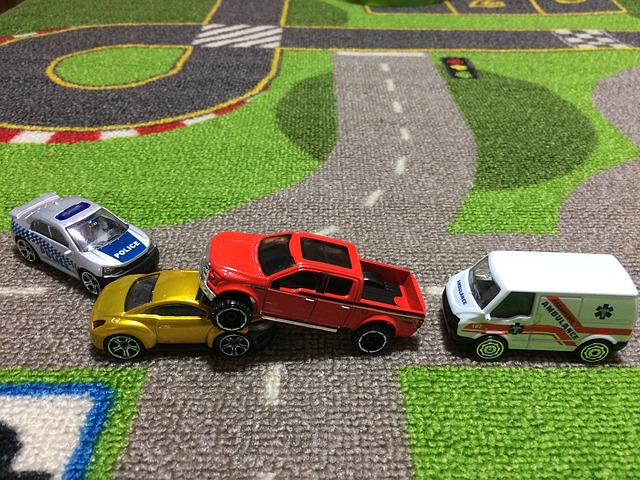
Toy car accident image by Andrea Closier on Pixabay
For example, if you have an auto accident and the police or first responders won’t let you get back into your car for safety reasons, you wouldn’t be able to get your auto registration and car insurance paperwork out of your car. Yes, you’d have it at home, but that would slow everything down.
Or perhaps you need to fill a prescription at a different pharmacy from usual, perhaps when you’re on vacation, and they don’t already have your pharmaceutical company discount card on record.
Or maybe you’re unexpectedly with your spouse or child or senior parent in the emergency room, and the physicians want to know what medications, at what dosages, prescribed by what healthcare providers, the patient is taking. If that information is pinned to the fridge at home, but you came directly to the ER from somewhere else, that’s frustrating.
This is where the magic of modern cell phones (which we usually bemoan for the time they steal from us) comes in handy. Consider any of the following:
- auto registration form
- auto insurance card
- health insurance card
- homeowner’s insurance card
- pharmaceutical company discount cards
- handwritten instructions of how to get to a room or office you visit infrequently
- a list of the size/type of batteries and light bulbs you use for which items in your home so that you never again have to unscrew a light bulb just to know what voltage and whether you want a skinny-base or a fat-base bulb)
- etc., for whatever is important in your life.
You could snap all of these as photographs and store them in a photo album in your phone’s photo section. Name it “Remember” or “Vital” or whatever will catch your eye.
If you want to go to the effort of scanning the document and sending it to your phone, that’s fine, but iOS has created an easy option using the Notes app.
- Open a new or existing note.
- Tap the cute little camera icon.
- Tap “Scan Documents.”
- Focus your document, card, medicine label or whatever within your camera’s viewing area.
- Then you have two options:
- Let the auto-capture work its magic as the item comes into the viewfinder and auto-focuses, or
- Click the shutter button (or one of the volume buttons) to capture the scan
- Drag the corners of the scan to do any necessary adjustments.
- Tap “Keep Scan.”
- Scan more fiddly stuff to keep it handy or tape Save if you’re done.
From here, you can save the scan in your Notes or Files app in your phone itself, or upload it to a synced app, like Dropbox or Evernote:
As an all-Apple user, I don’t have an Android-specific scanning suggestion; if you do, please add your voice in the comments.
The next time a new insurance card or other piece of important information comes your way, take a snapshot or scan to ensure you’ll have whatever you might need when you are out and about.
As I often say, organizing can’t prevent all catastrophes, but it can make many of them less catastrophic. I hope these various ten(ish)-minute tasks will help ease many of the ickier moments in life for you.
In Search of Lost Time: Productivity, Proust, and the Culture of Availability
Marcel Proust’s seven-volume novel, In Search of Lost Time, translated from the French À La Recherche du Temps Perdu, was first translated into English as Remembrance of Things Past and is known for its theme of involuntary memory.

It’s apt because, as I tried to decide what to write about this week, conversations and internet discoveries kept bringing me back to the concept of time: the way we accommodate our time for others, how we aspire to (and fail to) use time for tasks, and how we struggle with “managing time,” which is really an attempt to manage our thoughts, actions, and inner selves.
So, rather than a typical Paper Doll post of how-to and what-to, today’s post is a chance for you to look at my Proustian involuntary thoughts and memories. I’m going to share the thoughts that resulted; please join me in these rabbit holes of time-related thought.
IT ALL STARTED WITH SOME ROCKS
I wasn’t even searching for anything about time. But one of my superpowers is to notice headlines with words related to my work, like organizing, time management, clutter, lost, missing, etc. And a headline caught my attention.
A Billion Years of Time Are Mysteriously Missing. Scientists Think They Know Why.
I mean, I’ve had clients lose checkbooks and passports, Halloween costumes and crockpots, birthday checks and tax returns. And, as we’ll get to, I’ve heard them complain about many ways they lose (and lose track of) time.
But I can’t say that any of them have ever reported losing a BILLION YEARS!
Scientists are savvy. They can tell how old a body is by its bones. Cut down a tree and they can look at the rings to know its age.
Well, geologists can reconstruct whole chunks of our Earth’s history from the rocks, fossils, and detritus of eons under the surface. And it turns out that while we were all searching for free COVID tests and KN95 masks, playing Wordle, and seeing how Irish fisherman were putting Vladimir Putin in his place, found a big, gaping whole in our planet’s history.
Well, not a hole. Maybe a wormhole? But definitely a huge lapse in time where there’s no evidence that anything has been going on. It’s like how you eat lunch and figure you’ll just check your Twitter feed before getting back to your next project, and then next thing you know it’s 5 o’clock and there’s no evidence of what happened with your whole afternoon!

Rock/Geology Photo by Aaron Thomas on Unsplash
More than one billion years of time is missing! This period is known as the The Great Unconformity, and it’s been puzzling geologists, who have been trying to figure out why sometimes, in some places, there are 550 million-year-old rocks sitting on top of completely ancient layers of rock that apparently date back as far as 1.7 billion years ago. And there’s no sign of what happened during all those lost eras, epochs, periods, and TV seasons.
Scientists are still working on the mystery, and there are some theories you can read about at the above link. But this is what first got me thinking about lost time.
LOST TIME
Do you ever wonder where the time goes?
In the last few days, I kept hearing people say some version of, “How is January over already?”
Last week, a client was referring to something that happened “last year” when her spouse chimed in that, no, what she was thinking of was actually two years ago, in 2020.
Culture of Availability
Some of the amorphous aspect of time is because modern life just moves at a different pace, with a greater sense of immediacy baked into “instant” messaging and expectations of immediate responses. If we’re “always on,” when do we have the opportunity to recuperate and rest our engines?
If we’re always living for others’ expectations, when are we living our own lives?
If we're *always on,* when do we have the opportunity to recuperate and rest our engines? If we're always living for others' expectations, when are we living our own lives? Share on XIn ye olden days, people wrote letters. They arrived when they arrived (if at all, not unlike the current postal kerfuffles); if you needed someone’s attention sooner, you sent a telegram.
Eventually, you could place a phone call through the operator (and later, directly), but there was no guarantee you’d reach someone when they were in. (And on the flip side, much time was lost in the lives of young women who waited by the telephone, as immortalized in the plaintive prayers in Dorothy Parker’s famed A Telephone Call short story.)
At work, one might have a secretary to take messages during business hours, but it would be another half-century before “important” people (doctors, physicians, movie stars) would have answering services.
Answering machines were still uncommon enough in the 1970s that the opening sequence of The Rockford Files, with a new inbound message each week, was still novel.
(But click to hear the show’s actual theme music.)
And of course, voicemail was still even further away. And this doesn’t take into account all of the other places we can be found today — and where we are expected to reply. There’s email, texts, Facebook messages, Twitter DMs, WhatsApp, SnapChat, Slack, and who knows what else.
To that end, I direct you to I’m Not Sorry for My Delay, a recent piece in The Atlantic about our culture of availability.
The piece quotes Melissa Mazmanian, an informatics professor at UC Irvine, about the trend that started with the post-beeper, circa-1999 invention of RIM’s BlackBerry.

BlackBerry Photo by Randy Luon on Unsplash
With this magical “two-way pager” came the almost-miraculous ability of professionals to conduct business on-the-go, and it’s easy to see how, in two decades, we got to what we have now, including the ubiquity of ways we can — and are expected to — be available. The author notes that “The superpower morphed into an obligation” and Mazmanian calls it a spiral of expectations.
Yeah, it is!
Certainly, the more work we are expected to do, and the more often we are expected to be available (at the in-person meeting that could have been a Zoom, the Zoom that could have been an email, and the email that could have just not been), the less time we have for anything, and especially, anything important.
As an organizing and productivity expert, my job is to guide clients past the morass of overwhelm brought on by this spiral of expectations. The key (and I do not mean to ignore the difficulty in the simplicity) is to set and maintain boundaries. For example:
To set boundaries for yourself:
- Know how, when, where, and by whom you are often distracted.
You can’t change what you can’t identify. If you tend to get lost online, but aren’t sure where the quicksand is, try an app that tracks your time and gives you a report of where you’re spending it. RescueTime, Toggl Track, and MyHours are a few good options to consider.
And if your lost time is more vague and non-techie, try keeping a time log for a week. Set a phone alarm at frequent, regular intervals prompt you to fill in the log. A few years ago, A Life of Productivity’s Chris Bailey interviewed time management expert Laura Vanderkam about how to track time. There’s even a link to time logs you can fill in, either via excel or on a printable log.
- Make some rules regarding how you will respect your time.
You can start with a classic Paper Doll post, R-E-S-P-E-C-T: The Organizing Secret for Working At Home.
Set specific office hours. When does your work day start and end? When will you do only “work” things” and when will you do only “home/family” things and, yes, shockingly, when will you do only “personal” things? While there’s certain to be overlap in some parts of your day, having a plan for who gets to pull you or push you when is a mighty first step in controlling your day.
- Head technology off at the pass.
Your employer may dictate when you must be available and via what technology, but the rest of your time, you get to decide! Try removing all (or even all but one) social media app from your phone for a week. (You can easily download it again next Monday.) If you have an urgent need to see what’s going on at Twitter or wherever, you can always use your browser.
Turn off your app notifications. That doesn’t mean you won’t know someone tried to reach you. You’ll just only know when you decide to go find out. Read your email at the time you’ve blocked off for email review instead of having to focus while your email dings at you. Check your Twitter retweets and DMs when you decide to, rather than having your phone “whoosh” at you all day.
To set boundaries for others to respect:
- Put a message in your signature block of your emails, letting people know that you check and return emails once in the morning and twice in the afternoon (or once a day, or never). The key is to set expectations.
Maybe you’re one of those folks who prefers a call to an email. Or an email to a text. Or perhaps you want everyone to call your assistant…who happens to be on a planned leave for the next six months, or forever, so everyone better be forewarned! 😉
The point is that if you set an expectation, nobody else (except within the realm of what your employer can control) has any final say.
- Change your voicemail’s outgoing message to reflect your availability. Decades ago, I was shocked by a colleague’s outgoing message that said that “all calls would be returned by the end of the next business day.”
Really?
No getting back to her home office from a full client day and returning calls at 8 p.m. as she rushed to make dinner? No returning calls that came in on Saturday afternoon? No identifying with Superman that someone out there needed her?
And no turmoil over the idea that if she weren’t sitting by the phone to answer a prospective client’s call AND she didn’t return the call the minute she finished with one client, even though she was supposed to be at her daughter’s dance recital, the person might call another company? (Some echoes of Dorothy Parker’s story, perhaps?)
After having spent my first career in the fast-paced world of television, where a succession of general managers and master control room operators would call me at dinner time, at 3 a.m., and on holiday weekends, this was a revelation. And it’s one I teach to my clients.
Notwithstanding hiccups (a toddler’s meltdown, a canceled flight, fire, flood, blizzards, or burst pipes, you get to decide what to do with your one wild and precious life.
*Tell me, what is it you plan to do with your one wild and precious life?* —Mary Oliver, The Summer Day Share on XIf you’ve been following good time management guidelines, you’ve mapped out what you need to accomplish, grouped categories together, time-blocked your tasks, and scheduled them.
The next step is to analyze whether anything new that comes in is (truly) more urgent or (really-and-truly) more important enough to kick a pre-scheduled activity out of its slot.
And if it’s not? Well, it can go on the schedule for another day.
- Only use the messaging apps at which you want to be reached. In my stride toward giving Facebook less and less control over my time, I deleted the app from some devices and deleted the Facebook messaging app from all of them. Only my friends and clients know my cell phone number; my public-facing phone number is my office landline, and you can’t text it.
Living in a Pandemic (and Still Not a Post-Pandemic) World
Of course, not all of our lost time is due to the culture of availability. Much of it is still dictated by the vagaries and whims of living and working during COVID.
All of the benchmarks and signposts of our week (and children’s weeks) have come unglued. To gain as much control (as possible) over the flow of your time, I encourage you read some of my lovingly crafted (and only rarely unhinged) posts from the past two years (but especially the very first one):
Does Anybody Really Know What Time It Is? 5 Strategies to Cope With Pandemic Time Dilation (Seriously, kids. Read this.)
The Perfect Unfolding As We Work From Home
Rhymes With Brain: Languishing, Flow, and Building a Better Routine
Count on Accountability: 5 Productivity Support Solutions
TIME- AND TASK-RELATED PRODUCTS CALLING OUT TO ME
So, all of this has been on my mind. Massive lost geological time. Lost time due to the culture of availability. The weirdness of pandemic time. And then two products kept showing up in my analog and digital life.
Post-it® Noted Line
Post-it® has developed a whole series of Noted products only tangentially related to the regular (but beloved) Post-it® Notes we use daily.
Yes, they’re paper. And yes, they’re adhesive. But if traditional Post-it® Notes are quotidian, workaday items for the home and office, and Post-it® Extreme Notes (which I covered in Sticky to the Extreme: Organizing Information in Extreme Situations with Post-it® Extreme Notes) are Brawny Man-level solutions, Noted items seem to be up-and-coming executive who appreciates pretty things.
The Noted line, which I’ll cover in greater depth in a future post, includes notebooks, organizing tools, pens, and of course, notes. But in my forays online and off, I kept finding myself face-to-display with a few Noted products related to keeping track of your tasks and time, including:
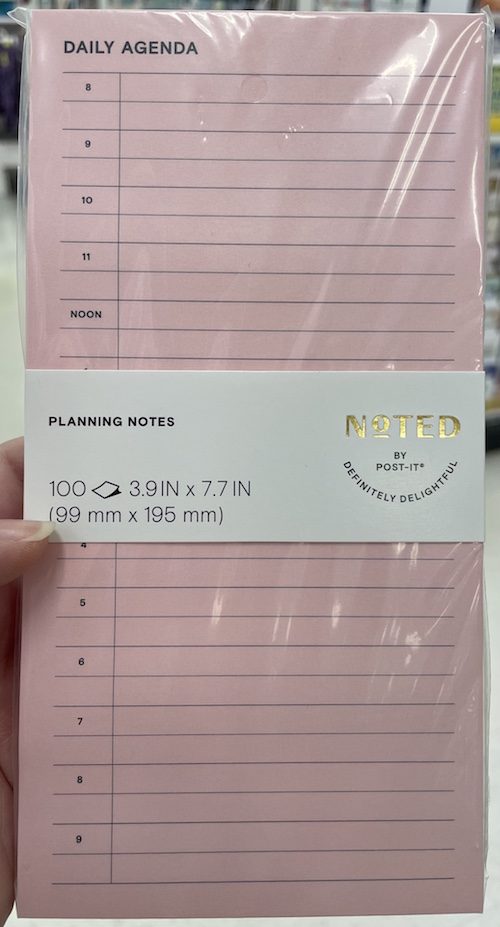
Noted by Post-it® Daily Agenda Pad — This 100-sheet pink pad measures 3.9″ x 7.7″ and is designed as a no-frills agenda pad to schedule or track your day hour-by-hour. If you generally use a digital calendar and are finding you’re missing the tactile granularity of a paper calendar, you might want to try this. You can affix a note to the front of a notebook or portfolio or stick it on your wall or the top of your desk to keep it in view.
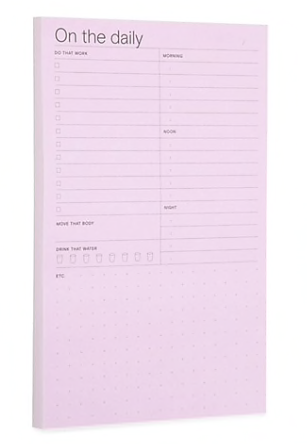
Noted by Post-it® Daily Planner Pad — Like the agenda, the planner is 100 sheets/per pad of adhesive notes with a more task (rather than appointment) oriented view. The Daily Planner Pad measures 4.9″ x 7.7″ and has section headings for:
- Do That Work (with a checkbox on every line)
- Move That Body
- Drink That Water (with little water glass illustrations you can check off)
- Morning, Noon, and Night activity spaces
- “Etc.” for free-writing and other activities
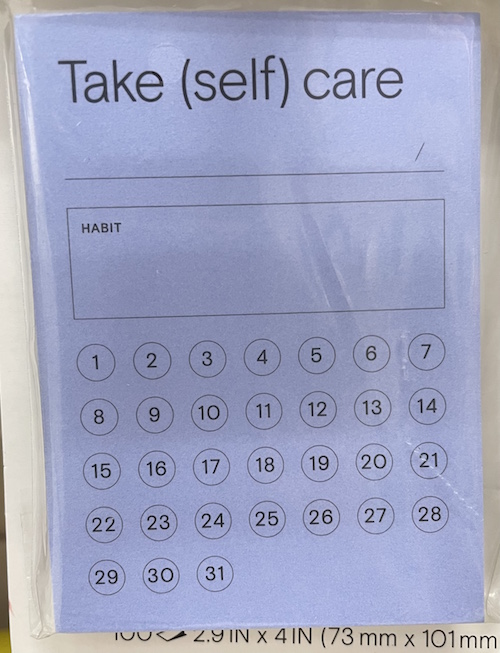
Noted by Post-it® Habit Tracker Notes — If your lost time is keeping you from hitting your goals and keeping up with your habits, these 2.9″ x 4″ habit tracker notes (also available in a mini size) give you a teeny, tiny calendar-esque view to check off your important habits. Stick it in your planner or on your desk to track whatever habits you want to acquire or eschew. (This one one has a self-care theme, but there’s a generic Habit Tracker version.)
Mover Erase Combo
The precursor of the Mover Erase Combo had been just on the periphery of my attention for the past few years as part of Bravestorming’s crowdfunded Mover Line. (Mike Vardy, the Productivityist, mentioned it once and the notion stuck somewhere in the recesses of my brain.)
But for the last week, though I’m certain I hadn’t clicked on anything to put a cookie in all of my devices, it kept showing up! If a white board and sticky notes had a baby, and the midwife were magnetic, and the baby shower were thrown by crowdfunding sources, you’d get Mover Erase Combo, a reusable (analog) system for scheduling, accomplishing tasks, and brainstorming ideas.
I’m still wrapping my head around the new iteration, but rather than losing any more time (heh) before sharing it with you, I thought I’d see what you think of the video.
Please share your thoughts in the comments, below.
Readers, I doubt anyone would imagine that Marcel Proust and I have much in common. I’m certainly more likely to hit on unanticipated memories when I scarf down a Reese’s Peanut Butter Cup than he experienced with his famed madeleine:
“No sooner had the warm liquid mixed with the crumbs touched my palate than a shudder ran through me and I stopped, intent upon the extraordinary thing that was happening to me.”
But lost time and thoughts pervaded this week, and I thank you for letting me indulge in them.
Organize To Reverse a Bad Day
Summer Tears by Mark Seton (Creative Commons License)
In a perfect world, our time and task management wouldn’t depend upon our moods. Unfortunately, we don’t live in a perfect world.
In theory, our organizational systems should be designed so that we can accomplish our goals whether we’re feeling motivated or not. That’s the whole point of a system, to give us a framework when something external or internal prevents us from feeling our usual drive to achieve.
Last September, in Rhymes With Brain: Languishing, Flow, and Building a Better Routine, I wrote:
We also depend on activation energy. Because the hardest part of what we do is the getting started, we have to incentivize ourselves to get going. There are all sorts of ways we can trick ourselves (a little bit) with rewards, like pretty desk accessories or a coffee break, but the problem is that action precedes motivation. We’re not usually psyched to get going until we have already started!
Action precedes motivation. We're not usually psyched to get going until we have already started, whether it's a runner's high or Csikszentmihalyi's flow. Share on XWe may not feel like working out, but once we’re dressed in our best approximation of Venus and Serena, or the yogi of the moment, or whichever quarterback is getting all the endorsements, and have gotten ourselves warmed up, we’re well on our way.
When we lack our usual oomph, our knowledge of the benefits of staying organized may not be enough to keep us motivated to track our expenses, pay our bills on time, file our papers, and stick with our routines, but if we nudge ourselves with giving it just a little try (“just five minutes” or a Pomodoro of 25 minutes or whatever), we may find ourselves able to get into flow.
In other words, well begun is half done.
In that post on languishing, I talked about how to get past the (likely pandemic-induced) blahs and generate flow. We looked at several rhymes-with-brain solutions:
- Abstain from the distractions that steal your focus.
- Retrain your brain by shaking up the synapses and making different connections.
- Restrain yourself from frequenting the people who eating up your time and energy.
- Constrain your work areas and minimize the space they take up to keep from spending all your energy looking for your supplies and resources instead of using them to achieve your goals.
- Contain those items in the areas you’ve constrained (above).
- Maintain your successful routines.
- Attain (and explain) knowledge to keep your brain active.
- Gain momentum and jump-start your enthusiasm.
If you haven’t read that post, skedaddle over to it first, as conquering languishing might be just what you need.
BEYOND LANGUISHING
The problem with productivity is that sometimes, we’ll be going along just fine and hit a brick wall. If languishing is the “blah,” a really bad day is the “waaaaaaaaah.”
Judith Viorst captured it best in the title Alexander and the Terrible, Horrible, No Good, Very Bad Day. Whether you remember it from childhood, babysitting days, or from parenthood, you know what she means. There are days that can go wrong and completely wreck our moods and take our whole day off course.

Maybe it starts small: you accidentally pour the orange juice into your
Perhaps you have a fight with a loved one or the person with whom you get along the least well (that’s a nice way of saying it, right?) gets a promotion or media attention or some other kind of success.
Or maybe something truly terrible (but still in the realm of “bad day”) happens, like a fender bender or news of impending layoffs at work.
When a few small bad things happen in sequence, no matter how strong your intention, the collective experience tends to upend your schedule, foul your mood, and destroy your day. If you let nature take its course, you may feel better after a delicious grilled cheese sandwich or a tearful phone call to your bestie, or your bad morning may turn into a bad day that scrolls into a bad week.
So, let’s not let nature take its course. Let’s stop that bad day in its tracks.
ORGANIZE YOUR WAY OUT OF A BAD DAY
Organizing your space, time, and thoughts can be powerful. It can even prevent catastrophes. But other times, the best it can do is make catastrophes less catastrophic. At those moments, we must accept what has happened, or what is happening, and turn inward to control our response.
Insert a Break
Anyone who has ever used a word processing program knows the command to Insert Page Break makes sure that there’s ample white space between one set of content and another. You insert a page break between chapters in a book, or between sections in a report. It keeps unrelated material from flowing together.
In your time management, when you’re having a bad day, take a pause to keep your bad morning from flowing into a bad afternoon.
Let’s say something annoying happens at 9:45 a.m. Depending on how resilient we’re feeling, we may get a fat-laden snack from the vending machine or take a walk to get some fresh air, and then regroup. If that little break is enough to reverse course on your bad day, count it as a win!
Embrace Time Blocking
But if you’re feeling resentment from multiple recent annoying things bubbling up inside of you, you may be at risk of bringing the whole day down. Here’s where your break needs to be a little more focused. This is where we can steal from the concept of time blocking.
We’ve explored time blocking often, most recently in Playing With Blocks: Success Strategies for Time Blocking Productivity. At its most basic, time blocking focuses on creating chunks of time for particular activities.
The whole notion is that an endless to-do list never sets aside fixed time for the categories of activities we claim to value. If we are constantly putting out fires and dealing with interruptions, the most important tasks never get done. With time blocking in the way we normally approach it, there are some basic tasks:
Start with a brain dump of everything you need to accomplish.
Group all your tasks into categories. At the time, I said, Work categories may not be all that different from school categories. You had math (now it’s bookkeeping or bill-paying) or English (now correspondence, marketing projects, or reading for fun). All of those activities were regulated by a fixed schedule that ensured you had ample time to focus on each subject. A bell triggered transition time. Your schedule even accounted for lunch and phys. ed. to keep your brain and body healthy.
Schedule your blocks so that you guarantee yourself set time for dealing with each important category.
I also said to “bubble-wrap” your time blocks with buffer time, so instead of trying to having Zoom meetings and major projects back-to-back, you’ll have recovery time.
Sometimes, life circumstances require you to replace a planned day with different activities. But by grouping categories of tasks into blocks, it’s easier to slide the tasks around and move them to where they’ll fit.
And this is where time blocking comes into play on a bad day. When teaching clients how to time block, I usually suggest they make use of 90-minute blocks. Just focusing on the workday, and not taking into account your early mornings and what you’re trying to deal with from dinner to bedtime, it’s easy to see we have not one big blob of a day, but multiple blocks:
- Early Morning
- Late Morning
- Early Afternoon
- Mid-Afternoon
- Late Afternoon
Let’s say you have a run-in with a co-worker or get bad news from your boss in the early morning. Or you have a fight with your spouse or a frustration with a parent in the drop-off line at school. Or, someone is wrong on the internet!
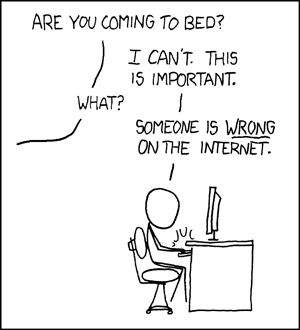
©XKCD/Randall Munroe (Creative Commons License)
It is so freakin’ easy to let an ugly mood settle into your day like a bad cough in your chest. If inserting that page break into the story of your day did work, your next option is to tell yourself that the day isn’t lost.
Take a deep breath. If you’re actually time-blocking, look at the the blocks you have on your calendar and figure out what’s the next possible block you can slide to a different day so that you can use your Bad Day Rescue Toolkit (see below) to get out of your funk.
If your day is not so carefully blocked out, mentally flip through your obligations for the next several hours until a good dividing line appears. If it’s 11:30 a.m., declare bankruptcy on your late morning block, know that lunch is a built-in daily mental health repair kit, and try to move or cancel whatever is in that first block in the afternoon.
The point isn’t to run away and join the circus, but to give yourself ample time to treat the yucky experience as a bad chunk, rather than an entire bad day. Then apply chocolate, or a soothing phone call, or an unplanned yoga class, or whatever, to the bruise forming from your crash with whatever ruined your mood. Instead:
- Acknowledge that something unpleasant happened.
- Give yourself permission not to deal with all of your emotions regarding the experience right now.
- Take responsibility for clearing the decks for the next block (or two) so you can recuperate.
- Use your Bad Day Rescue Toolkit.
- Find your path to resilience.
Create a Bad Day Rescue Toolkit
More than a decade ago, Daniel Powter had a hit with the song Bad Day.
My favorite part of the lyrics is when, after cataloguing the various travails, Powter sings, “You need a blue sky holiday.”
Every person’s Bad Day Rescue Toolkit will include different items, but use these ideas as a guidepost. The key is to organize as much of this now, when you’re having a fine or neutral day, so you’ll have it when you need it.
- Make a list of the phone numbers of your most upbeat and/or most supportive friends.
Note: these may not be the same people. Scroll through your phone and think about who you might call if you need to vent or need to be perked up. My BFF is my go-to when I need to vent, and I try to be that for her. I’m not as good at refraining from trying to fix the situation as she is. (If you just want to vent, tell the person that before you get started.)
But here’s a sneaky tip. Try to tell the whole story of whatever frustrated you only once, to just one person. Get it out — all the “grrrrr, arghh” — and then move on to the rest of the experience. If it’s the right time to start looking for support with solutions, do that. Otherwise, invite your callee to distract you. Let them tell you about an awful situation at work, something ridiculous their mother-in-law said, or what’s making them bananas these days. (Try to avoid politics. That’s giving us all bad days.)
- Keep a browser-bar folder on your computer or phone for websites that distract and amuse you — better yet, sync them for easy access. On Mac/iOS, back them up to iCloud. And here’s an article for How to Sync Browsers Between Your Phone and PC.
Similarly, start maintaining a folder (digital or paper) of jokes, funny stories, cartoons, or goofy memes. If you’re on Twitter, use the bookmark tool to save those long, ridiculous threads where people report silly family stories or embarrassing tales.
Airport cashier: “Have a safe flight.” Me: “You too!” I CAN NEVER COME HERE AGAIN.
— Jenny Lawson (@TheBloggess) November 1, 2015
This classic is one of my all-time favorite threads, and by the time I get days into the contributions, I usually end up looking like the laughing-crying emoji.
For professional humor, I particularly like comics that are gentle. My favorites are:
Liz Climo’s The Little World of Liz books and Twitter feed
Dinosaur Comics and Twitter feed
Nathan W Pyle’s Strange Planet comics, books, and Twitter feed
recently I started drawing a series called ✨Strange Planet✨
here is a thread of these comicshttps://t.co/WcqCOljAIJ pic.twitter.com/uuYnqeuCc8
— Nathan W. Pyle (@nathanwpyle) February 21, 2019
- Start saving videos that make you happy.
It’s shockingly easy. Make sure you’re logged into Google (because Google owns YouTube) and then whenever you come across a video that makes you laugh or lifts your spirits, click on the SAVE button to the lower right of the video.

This is how you create a playlist. When the little window pops up, click “Create New Playlist” and give your playlist a name, like Make Me Happy! You can also decide whether this playlist is public or private.
- Consider making YouTube playlists of other kinds of videos, like travelogues or workout routines — anything that focuses on what take you out of your head long enough to regroup.
Sometimes, you don’t even need to do the workouts (though it helps). Consider watching The Kilted Coaches. (Your mileage may vary.)
- Create a playlist of songs that reverse crankiness.
Having grown up in the era of mix-tapes, I found the late-90s/early-00’s experience of trying to make CD mixes frustrating.
Nowadays, most folks are going to make playlists directly in Spotify, so whether you want to do it on the desktop or via mobile, here are Spotify’s directions for creating playlists. (And, of course, if you prefer to watch videos along with listening to your music, you can search out your favorite songs on YouTube and follow my directions above.)
If you’re not that up on popular music, you can also search online for happiness-including playlists that other people have created. For example, The Ultimate Happy Playlist on Spotify runs almost two-and-a-half joy-inspiring hours and has more than 10,000 followers. From Katrina and the Waves’ Walking on Sunshine to Pharrell Williams’ Happy to many less obvious choices, it’s a good starter for dissipating a bad mood.
- Build up your success folders.
As we’ve discussed before, having tangible folders for papers and digital folders (generally for email) allow you to keep proof of your successes to read when you’re feeling down on yourself.
In my prior career, I had one particular manager who bore a striking resemblance to Dilbert’s evil, pointy-haired boss — I’m not sure what exactly went on during his long lunches, but depending on his mood, he’d either hunker down in his office or roam around to a pick a fight. He was once heard to scream at a hapless employee, “Everyone hates you because you use too much copy paper!”
That was the point when I first recognized how valuable and life-affirming it can be to keep written copies of positive comments.
You might have an email from a client saying that they couldn’t have accomplished their goals without you, or a handwritten thank you note that shows appreciation for something you’ve done for a friend. Or you might just get a note that says, “You’re the best!” or “You really made me laugh.”
The point is that we never know when an evil, pointy-haired boss, or a bad boyfriend, or a good person having a bad day is going to do or say something to puncture our self-confidence. You can’t organize your way out of being disappointed in a representative of the human race, but gathering up the equivalent of a positive affirmation in the form of someone else’s handwriting (or over their email signature block) can really help reverse a bad day.
Other options to develop for your Bad Day Rescue Toolkit might include:
- a happy list — Whether you keep a note on your phone or have a sprawling list at the back of your journal, keep a running list of things that please you. My own list is a heady mix of things my friend’s four-year-old has said (most recently, with a big sigh, “HOW am I ever going to find a wife?), experiences I love (like waking up, seeing I have hours before the alarm will go off, and going back to sleep), funny lines from beloved TV shows like The West Wing and Ted Lasso, and a sub-list of just completely unexpected experiences that always remind me that you never know what might happen next!
- a workout plan with moves that boost your endorphins, or a bookmarked schedule of live exercise classes (in-person or remote) for when you need some human interaction along with your running/biking/downward-dogging.
- a set of mantras to get you going again (whether it’s a serious one, like “I am not defined by one mistake” or one that makes you laugh, with expletives not deleted)
- a meditation app — Good Housekeeping has put together a list of the 15 Best Meditation Apps of 2022. Calm and Headspace get all the media buzz, there are lots of good alternatives, including quite a few that are free.
- essential oils — OK, to be fair, I really don’t know anything about essential oils. Mostly, I know that my favorite scent is a grilled cheese sandwich, but many people swear by essential oils, either in the bath or through a diffuser. And I hear lavender oil can release tension. (If you’ve tried this option, let us know in the comments.)
When It’s More Than a Bad Day
Obviously, all of these suggestions are for resources that will help you tackle a garden-variety bad mood or bad day. If you find you’re having more back-to-back bad days or weeks than simple organizing can handle, please give yourself the gift of qualified professional support.
Call your health insurance Member Services number or check their website for mental health providers in your network. If you are experiencing a mental health emergency, please know that you can call NAMI (the National Alliance of Mental Illness) hotline at 800-950-NAMI or text “NAMI” to 741741, or the National Suicide Prevention Lifeline at 800-273-TALK (8255)
A Parting (Musical) Note
I hope you’re having a good day right now and that this post has helped you prepare for the future, in case you need to turn a bad day around. Please share your own ideas for organizing your way out of a bad day in the comments section below.
Finally, when I originally created this post, YouTube would not let me share the official video for Bad Day, which you can now see up above. Over the past few years, so many people have told me through the years that it lifts their spirits, so in case YouTube makes the official video unavailable again, I wanted you to have the option to at least hear the song and read the lyrics. [Editor’s note: I’ve had to replace the video multiple times, as it keeps getting taken down, but this lyric video is by Daniel Powter himself, so it’s likely to stay available.]
While there are a variety of explanations for the neurological or psychological mechanism, but truth is that sometimes a sad song helps turn a bad day around.
Organize To Pay Your Bills On Time
Photo by Leone Venter on Unsplash
After I wrote Ask Paper Doll: Should I Organize My Space and Time with Color? last week, I got to thinking about how color relates to finance, at least in terms of expressions.
Even though black usually signifies something dire, if you’re “in the black,” it means that you’ve got a net positive income, while finances that are “in the red” are considered bleak, signifying debt greater than revenue.
When you’re “in the pink” you’re in good health, financially or otherwise. And, although it would seem to make more sense that being “in the green” would mean you were flush with money, English lacks that expression. And I’ve learned that in Italian, “Sono al verde,” which literally translates as “I am at the green” means “I’m broke.” Language is funny.
You know what’s not funny? Late payments. Fines for late payments. Increased interest rates because of late payments. Lower FICO scores because of a history of late payments!
During consultations with new organizing clients, people often express frustration over difficulty paying their bills on time. Generally, it’s not that they lack the funds, but that their bill-paying systems get out of whack and fail to fit into their already overstuffed, overburdened schedules. Today, we’re going to look at strategies to get bills paid on time.
BEYOND THE BUDGET: KNOW THE WHO, WHAT, WHEN, WHERE, AND WHY
You might expect that I’d bring up the topic of a budget. Certainly, knowing all of your financial obligations is important to a smoothly-run financial life. As Charles Dickens said,
Annual income twenty pounds, annual expenditure nineteen six, result happiness. Annual income twenty pounds, annual expenditure twenty pound ought and six, result misery.
Annual income twenty pounds, annual expenditure nineteen six, result happiness. Annual income twenty pounds, annual expenditure twenty pound ought and six, result misery. ~ Charles Dickens Share on XIn order to pay your bills on time, it’s essential to know when they are due, and (if applicable) how that relates to when your income will arrive.
Make a chart of all of your creditors and bills. It’s best to do this on a spreadsheet, like Excel or Google Sheets so you can update the chart over time.
- Note when bills are due. Usually, you have three kinds of bills:
- Bills that are due on or around the same date every month (like rent/mortgage, health insurance, utility/cable/internet bills, credit card bills, etc.)
- Bills that are due on a regular cycle but not every month. They may arrive quarterly, like water bills, auto, renter’s, or homeowner’s insurance premiums, or tuition bills, or annually, like professional dues, memberships, or auto registration renewals.
- Bills that a have no regular cycle. These may be one-off bills, like occasional department store credit card purchases or service providers who bill at their convenience, sometimes after you’ve long forgotten about the expense.
- List the amounts or ranges of your regular bills.
- Some of your bills will have the same dollar amount every month, like health insurance or your cell phone bill, because they are regulated by a contract. (These are the ones that for which it is easiest to set up automated payments.)
- Other bills will vary by month due to different usage or consumption, like electric bills or credit card statements.
- List the amounts or ranges of your regular bills.
- Learn and list the penalty of paying late! — My office landline (yes, I said land line!) payment is due on the 28th of the month, but there’s a grace period until the 8th of the following month, at which point the extra fee is about $3. No biggie. However, the average late fee for U.S. credit cards is $36, and that doesn’t take into account that late payments can trigger higher interest rates. If your credit card balance includes a 0% balance transfer, you could lose that rate if you make even one late payment. Oh, and late payments can also wreck your FICO score.
Photo credit: Simon Cunningham under Creative Commons CC By 4.0 Deed
- Make a column for each month of the year so you can mark when you’ve made a payment. This way, you’ll regularly see your progress and recognize when a payment hasn’t been made.
Yes, this sounds like homework, and you may be thinking that if you had the time to do homework in the first place, you’d be able to pay your bills on time.
However, having a sense of how many bills you have, in what amounts, due when, and with what penalty for paying late, can make all the difference in getting your finances in order.
PICK YOUR BILL-PAYING STYLE
No one bill-paying system is necessarily better than the others, but picking a method that works for you will help you stay committed to the process.
Pay Bills the Day They “Arrive”
This simple strategy requires the least amount of advanced planning and you’ll never have to worry that procrastination will lead to late fees.
If you get your bills by mail:
Bring in the mail every day, open the envelopes, toss out extraneous junk and “shiny” advertising material, and pay your bills immediately. Done! (Now log that you’ve paid it on the chart.) People rarely have more than a few bills each day, and if you get in the habit of doing this diligently, it’ll take only a few minutes out of your daily schedule.
Photo by Abstrakt Xxcellence Studios from Pexels
If you have opted out of paper bills:
Open your email every day, log in (to either your bank’s bill-pay site/app, or the account’s website), pay your bill, and log that you’ve done it. Bing, bang, boom!
Paying bills the day they arrive saves time (because it’s easy to complete quickly), eliminates anxiety regarding whether you may forget to pay, and helps you stick to your budget. If you pay for all of the things for which you have already obligated yourself, you’re less likely to spend on wants before needs.
This is the easiest system, but it’s also the least-often used.
Some people avoid this option because they lack the funds to pay each bill on the day it arrives. If our two biggest bills (for example, mortgage and insurance) arrived on the same day, it might wipe out (or even exceed) our checking account balances. So, there may be a practical reason to skip this method.
But there are far more common reasons why people don’t pay their bills as they arrive.
For some, there are psychological or philosophical obstacles to using this strategy. They may think, for example:
“I’m not going to pay this bill until right before it’s due. They don’t deserve my money one minute earlier than necessary!” [Insert your own “harrumph” as necessary.]
We see this most often when someone wants to avoid paying a credit card bill before the due date. People are fine paying for their electricity or health insurance, because they see that they’re getting the benefit already, so payment feels “fair.” But with credit cards, it’s common to forget that payment was actually due upon purchase; the cards simply shifted the time frame. People forget that a credit card bill is actually an IOU, the debt having been incurred in the past.
If you struggle with this philosophy, there’s still a way to pay bills as they arrive to prevent late payments.
If you pay bills online, log in now but schedule each payment for a day or two before it’s due. (Waiting until the day it’s due can cause holiday/weekend kerfuffles.)
If you pay by check, write out the checks, but put them in your tickler file (see below) or clip them to the calendar page of the date when you’re comfortable mailing them so only that final step remains.
“I don’t like paying my bills in dribs and drabs. I want to pay them all at once.”
This is similar to not wanting to hang up one shirt, or not wanting to file each piece of paper as you finish with it, or not wanting to wash each dish (or put it in the dishwasher) when done eating. It makes sense…until you find yourself with a backlog.
Sure, there’s something to be said for flow, doing a large project once and pushing through it to give your the satisfaction of completing a major task. However, the more we let our clothes pile up on the exercise machine, the more we let our filing pile up in the office, and the more we let the dishes pile up in the sink, the more of a behemoth the task seems, and the more likely we are to procrastinate altogether.
The downside of procrastinating on those tasks are wrinkled clothes, messy offices, and dried-on kitchen yuckiness. The downside of procrastinating on bill-paying? Late fees, increased interest rates, and lowered FICO scores.
Tickle Yourself Organized
If you don’t do something immediately, you have to do it later. Sadly, that’s just one of the laws of physics, that we can’t go back in time. (That said, if you find yourself with a time machine or TARDIS, please let Paper Doll know. I have some experiments I’d like to try.)
Later requires a system, and a system requires both geographic and behavioral changes from what you’ve been doing thus far.

Photo by Nataliya Vaitkevich from Pexels
Geographically, you need a bill-paying center with the following tools:
- Tickler file, or at least a bill-paying folder
- Letter opener (to avoid paper cuts and add pizzazz to opening envelopes)
- Calculator or calculator app
- Pencil and scrap paper (if you have an untenable relationship with calculators)
- Envelopes
- Stamps
- Return address labels
- Non-washable gel-ink pens (to deter identity theft and fraud) to write out checks OR a printer if you prefer computer-generated checks
This assumes you’re getting your bills in the mail and paying them by check. If you’re paying them digitally, you can skip the envelopes, stamps, and return address labels.
The behavioral process is similar to the pay-upon-arrival system. Show up for mail call. (Seriously, I want you to open your mail every day. But if you absolutely won’t, at least put all of your mail in one spot, near your bill-paying area, and commit to opening ALL the mail at least once per a week.)
Open the envelopes, toss out the glossy advertising inserts, and if you pay online, toss the envelopes, too. Even if you’re not going to pay right away, process each bill immediately to keep it from ending up on top of the microwave or mixed in with your third grader’s math homework.
Eyeball each statement to review the charges, note any unexplained fees, and check for new policies and/or errors. (The sooner you catch a billing error or a policy change you don’t like, the easier it is to address.)
Circle or highlight the payment due date. Then figure out how far ahead you want to pay the bill. Take a glance at the calendar to make sure there are no weekends or federal holidays that might cause delivery obstacles.
If the due date is consistently inconvenient (because of when you get paid, or when lots of other bills are due), ask the vendor to change the date to a more convenient one. Many credit cards let you change your due date from inside the account profile.
Once you’ve opened each bill and figured out when you want to pay it, arrange them in chronological order by due date with the one due soonest on top. You can stop here and just tuck the stack in a folder, but longtime readers know that I encourage you to use a tickler file.
I used to tell folks to put the bills in slots at least 7 days in advance of when they’re due, but with the change in postal service delivery speeds, I encourage mailing at least ten days in advance or paying online. Or, make it even easier on yourself and only pay bills one day per week (like Tuesdays), and then just pick a pay date that’s two Tuesdays (or whichever) prior to the due date.

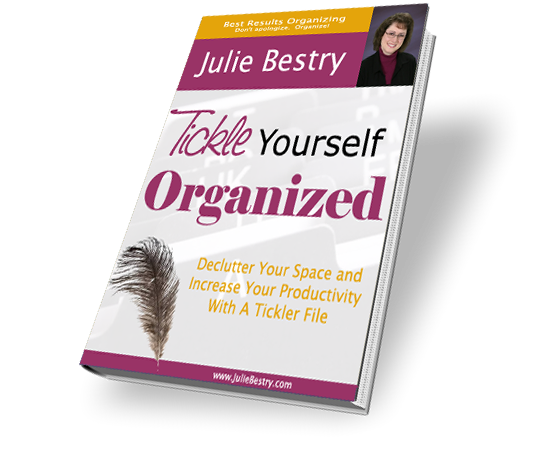
If you receive your bills digitally and pay them online, it’s easy to lose track of the email or texts. There are still ways to tickle your memory. Write the name of the bill on a piece of paper or index card and put it in a slot in your tickler file a day or two before you absolutely have to pay the bill, so you’ll see the reminder in the course using your tickler file for all your action paperwork. You don’t use a tickler file? If you read my ebook, Tickle Yourself Organized, I bet you’ll start!
But there’s still an more “alarming” way to remind yourself.
Don’t Worry, But Be Alarmed
Digital alarms and system alerts are the perfect way to ensure tasks get out of your head and conquered in the material world.
You can set a repeating alarm on your phone or computer for every “first Tuesday of the month” or the 17th of every month to remind you to pay a specific bill. Yes, it’s a bit of homework to set it up, but then you you never need to adjust it unless the bill’s due date changes.
Most credit card companies will also allow you to set email or text reminders for X number of days before a bill is due.
The only problem with alarms and alerts is that if you tend to rebel against authority, then repeated alarms might seem like pestering, even if you set the alarms yourself! So, consider making the alarms fun. Instead of creating an alert that says “Pay the electric bill,” make it say “If the electric bill doesn’t get paid, all the yummy ice cream will melt!”
Make bill reminders fun. Instead of creating an alert that says *Pay the electric bill* make it say *If the electric bill doesn't get paid, all the yummy ice cream will melt!* Share on XALTERNATIVES TO MANUAL BILL-PAYING SYSTEMS
If just the idea of sitting down to pay your bills, let alone scheduling them, makes you cringe, there are other solutions.
Set Up Automatic Payments
This is the ultimate “set it and forget it” approach. You can accomplish it in one of two ways, and if you already pay some or all of your bills online, you may only need to tweak a few settings to add the “automated” part to what you’re already doing:
- Set up recurring automated payments at each vendor’s website. Decide whether you want the bill paid in full, if you want the minimum amount paid, or if you prefer some other option. Provide your bank routing number and account number or a credit card. Some creditors (like your mortgage lender) may require you to sign a document in order to complete the process. If you ever have your credit card stolen and get a new number, or cancel your card, you’ll need to go in to each vendor account to update new payment information.
or
- Set up automated payments through your bank’s online bill-paying center. You’ll create a payee for any vendor whom you want to pay on a regular basis. Provide payee data and the day of the month your prefer ongoing payments to be made. Then set the dollar amount. For fluctuating bills, it’s a little more complicated because your bank has no way of knowing how much to pay a vendor whose charges change from month to month, so you may need to authorize payments of “paperless bills.”
Automated payments have many advantages. There’s no postage (or going to the post office), no checks, and you can’t mostly ignore the task. And you won’t have to watch the clock or the calendar with dread.
Vintage Alarm Clock (Public Domain)
However, it’s not for everyone.
If your income is unpredictable, automated bill-paying can lead to overdrafts.
If you have a strong need for control (or have ever been called a micro-manager), automation may make you nervous. (Consider starting with just one bill that has a predictable payment amount and due date, like for your cell phone, and see how you like the experience.)
Just because payments are automatic, doesn’t mean that your financial management can go completely on auto-pilot. It’s still essential for you to monitor your statements — whether paper or online — to make sure there are no computer or human errors.
Further, automated payments tend to make people less aware of their spending patterns. If you have to sit down to pay the phone or insurance company on a regular basis, you might be more inspired to check competitive rates, but if you never see your bills, you might become complacent about what vendors are charging.
Remember to cancel automatic payments if you no longer want or need a service, or if you relocate. Gyms and telecomm companies are famous for not ceasing billing when they are obligated to do so, and only your diligence can ensure that they stop billing and debiting your funds.
Outsource Bill-Paying to a Specialist
We all have things at which we excel — and things at which we don’t. Paper Doll doesn’t blink at an organizing project, is a speed demon when it comes to typing, and can decipher a muddled check register from fifty paces. I cannot, however, do any dance step invented since the premiere of the movie Desperately Seeking Susan and I’m not inclined to prepare a meal more complicated than a PB&J.
You know where you excel. If the above strategies work for you, yay! But if you are constantly overwhelmed, whether by ADHD or running a business or trying to juggle your kids and elderly relatives (your own or your partner’s), it’s OK to wave a white flag. You don’t have to do it all!
If you have a partner, even if you are iffy about the idea of giving up control over the family finances, ask if they’ll take over the task for six months and then reassess. (You can always ask for status reports.)
But what if your partner is treading water as furiously as you are? Or what if you’re a singleton? There’s still help.
You might think outsourcing bill payment is a luxury, but many people find that hiring a professional relieves them of the anxiety, dread, and annoyance related to financial tasks. The amount they pay for assistance is balanced (or even outweighed) by money saved and peace of mind earned.
You could seek a bookkeeper to keep your finances straight and ensure that bills are paid on time.

Similarly, visit the National Association of Professional Organizers (NAPO) to find professional organizers near you who specialize in financial organizing. They can help prune and organize financial records, assist with setting up online payment systems, and actually pay bills and monitor the accuracy of financial transactions, all depending on a your needs and desires.
Also, the American Association of Daily Money Managers (AADMM) is a national organization of professionals who provide personal financial and/or bookkeeping services to senior citizens, the disabled, busy professionals, and others who find keeping up with bills and other financial tasks to be onerous or inconvenient. Not surprisingly, many financial organizers are members of both NAPO and AADMM.
Just as you might work with a fitness trainer, life coach, or academic tutor, a financial organizer can help you accomplish your essential financial tasks so that you can focus on what means the most to you. Whatever bill-paying strategies you employ, know that you can control your financial destiny.
“There’s always something to be thankful for. If you can’t pay your bills, you can be thankful you’re not one of your creditors.” ~ Anonymous
There's always something to be thankful for. If you can't pay your bills, you can be thankful you're not one of your creditors. ~ Anonymous Share on XAsk Paper Doll: Should I Organize My Space and Time with Color?
This is part of a recurring series of Ask Paper Doll posts where you can get your burning organizing questions answered by Paper Doll, a 20-year veteran professional organizer and amateur goofball.
Dear Paper Doll:
It’s only January and I’m already at a loss for motivation. I’ve been thinking about using color to organize my office and maybe my calendar, but the more I look at my options, the more overwhelmed I get. How can I organize by color and not constantly be tinkering with my systems and remembering what color goes where?
Signed,
Feeling grey with a case of the blues
Grey sky, grey streets, grey mood? Even if we weren’t in the second winter of a pandemic, January is a tough month to feel sparkly. We’re still nine weeks away from Daylight Saving Time, so our late afternoons are dark and gloomy. Plus, after the ongoing glow of holidays from late November through New Year’s Day, of course you’re feeling a loss of spark.
And yes, color is a great way to pump up the mood. If color weren’t so vital, Pantone wouldn’t be known worldwide for coming up with its color of the year. By the way, Paper Doll is a huge fan of this year’s color, Very Peri.

But organizing by color and organizing with color can be very different things.
ORGANIZING BY COLOR
Some people are enthusiastic about using color to organize everything in their homes, offices, and lives. Maybe they have a signature color that serves as a personal brand; others believe in color-coding and sorting everything by hue. Paper Doll isn’t necessarily keen on that. Using color to decide where something goes and with which it is grouped depends on the situation.
Organizing clothing or shoes by color? Sure. Imagine you have all of your long-sleeved shirts hanging in the closet, in roughly ROY-G-BIV color order, or group all your black pumps together, then the blue, then the red, and so-on within your collection of heels.
This will make it easy to recognize you’ve tipped the scale toward full-on goth when you’ve got 17 black turtlenecks, or may be mistaken for Dorothy if most of your shoes are ruby red. Sorting and ordering your clothes and shoes by color makes sense, but probably as a secondary sorting characteristic within clothing/shoe types.

Organizing your calendar by color? Absolutely! Whether you grab a selection of pretty markers to fill in your paper planner (medical appointments in red, billing or tax dates in green, social events in purple) or use the settings in Outlook, Gmail, or any other digital calendar, you can color-code to your heart’s delight.
And the best thing? If you select the wrong color, you don’t need white-out or an eraser to fix it. One little click, and you’re back in business!
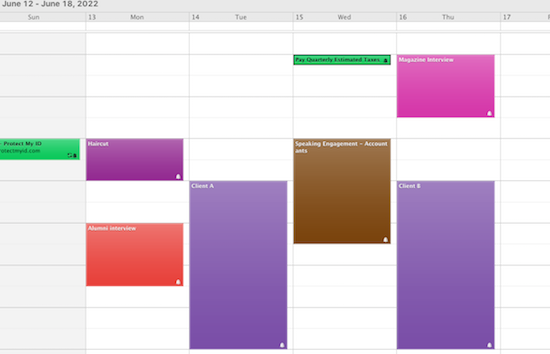
Organizing files by color? Mayyyyyyyybe. I hate to sound coy, but the effectiveness of a system based on color-coding files depends on the level of commitment of the user.
In the abstract, it can be great to organize your files (either tabbed folders or hanging folders) by color. Figure out what your overarching categories are, and assign colors to those categories, whether in your reference or action files. For example:
- Red folders — Urgent tasks or information you always need to get your hands on in a hurry
- Green folders — Financial information related to taxes, payable accounts, and investments
- Blue folders — Planning, like for vacations or work projects
- Yellow folders — Client information or class materials
- Purple folders — Creative tasks
and so on. Color (as we’ll see below) stirs emotions, creates enthusiasm and motivation, and triggers action. What could be better?
The problem isn’t with the system, per se, but with the users. If you let yourself run out of yellow folders just as you sign on a new client, what will you do? Are you likely to order new folders in that color scheme right away? If so, you’re set. If not, you may let a pile of papers related to that client languish in the corner of your desk, risking them getting mislaid or lost.
Plus, keeping many different boxes of colored tabbed folders can be expensive and get out of balance quickly. You may use three times as many purple folders as red ones and your red box may sit year after year, mostly untouched.
If you want to embrace color, there are a few other options beyond a full-on color-coding assault. You could:
- Pick your favorite color, and use those tabbed folders exclusively.
- Start with just two or three of your most used categories and pick colors to define each of those. You’ll still be using color as a sort of trigger or label, as above, but you won’t be going “whole hog,” at least not at the beginning.
- Use plain manilla tabbed folders, but pick a beloved color for hanging folders. (Because hanging folders hold tabbed folders, and can generally accommodate three-in-one, we don’t run out of them as quickly.) Traditional olive/army green hanging folders aren’t likely to cheer anyone up, and using a fun hanging folder uniformly through your filing system will brighten your mood without requiring you to keep up with a complex system.
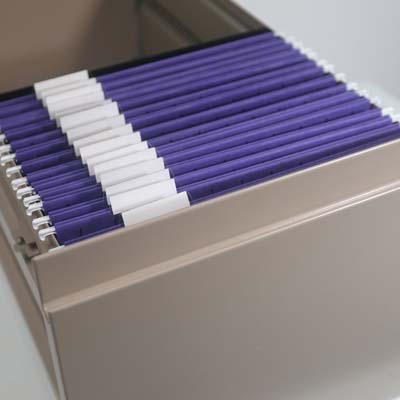
(These purple Smead hanging folders are bright and bold, and are available in most Big Box stores and at Amazon for $17.89 for a box of 25.)
Organizing your spices by color? How experienced a chef are you that you could catch yourself before you added a visibly similar (but wrong) spice to a recipe? Ground nutmeg, cloves, and cinnamon look alike; but would you want to risk grabbing the wrong one and making iced nutmeg rolls or clove-raisin coffee cake?
Are you willing to mistake similarly-red cayenne pepper for paprika? Perhaps it’s better to group spices by the categories of usage (baking tasks vs. preparing meat/vegetables, etc.). SpiceAdvice has a nice Quick Reference Spice Chart sorted by usage categories.
Organizing your books by color? Oh, gracious. This question has stirred quite a bit of controversy over the last few years. I mean, there’s this person:
I feel like coordinating books by color is one of those things you either love or are wrong about. pic.twitter.com/U6GfIZLgnQ
— Jennifer Wright (@JenAshleyWright) July 15, 2020
I’d take umbrage, but I’m too busy worried about how cold her legs must be.
And then there’s Clea Shearer and Joanna Teplin from the Netflix program Get Organized with the Home Edit. They’re known for their passion for color-coding, and they did that with a few bookshelves on their show. But they were children’s books, and let’s face it, the way tiny humans pull books off shelves, it’s not like alphabetized books are going to stay that way. (Their background, at the above link, shows a full set of bookshelves for grownups arranged by color. I’m looking around for my fainting couch.)
Magazines have been rife with headlines in favor of organizing books by color. For example, Jezebel ran with a piece called Sorry, Color-Coded Bookshelves Look Good, while Slate stood up for the design-oriented folks with Arranging Your Books By Color Is Not a Moral Failure.
Of course, in this highly competitive media market, every online magazine’s job is to stir controversy and curry clicks. Thus, I suspect these headlines recognize that those of us who read may care more about the content of our books than using them as decor and are trying to drive some righteous indignation clicks to their sites.
But Paper Doll stands firmly in the NOPE category on organizing books by hue. The color of a book’s cover is about marketing; it was almost certainly chosen by a marketing team based on the designs in fashion for that genre during that season. The color may not even have been approved by the author or seem to make sense. I mean, even early versions of Alice Walker’s The Color Purple didn’t have a purple book cover or spine!
 I’m a practical person. I believe that function should always come before form. A gorgeous outfit that doesn’t cover all your fleshy bits and gives you frostbite? Nuh-uh. A bookshelf that requires you to remember the color of the cover vs. letting you just walk over to peruse the category (fiction? organizing? recipes?) or authors? I can’t countenance that.
I’m not saying you can’t do it; I’m saying I can’t advise it.
And that’s because, as a professional organizer, my role is to help you live a more organized and productive life. Sure, I’ll leave your space looking better than it did before, but my reason for being in your space is to leave it working better than it did before.
ORGANIZING WITH COLOR
So, what’s the difference?
Organizing by color requires creating a system. With clothes or shoes, it might just be ROY-G-BIV and keeping things in order. When you put away your clothes, as you approach with a freshly-laundered shirts on hangers, you’ll be able to put away each item in the general color order. It’s your closet, so you don’t have to be too persnickety unless Vogue is coming to do a photo layout of your walk-in, in which case, good for you!
With file folders, as described above, organizing by color requires a stricter system. In effect, you’re deciding, up front, what all of your categories will be and assigning colors to those categories. You have to be willing to stop, each time you create a folder, to consider what category the contents of the folder belong to, and select that color every time. If you’re comfortable with that, then you have my blessing. I just don’t want to see you get stressed out.
You also have to be relatively sure that you’ll “feel” this association going forward (unless you’re just having fun and don’t care whether there’s a cognitive connection between your colors and your categories); if you soon realize that you hate the color orange but have assigned orange to your accounts payable, you might stop filing your paid bills or (eek!) avoid paying them altogether.
Organizing by color can be great, and I’m absolutely in favorite of it, as long as you, as an individual, feel comfortable sticking to a system. If not, that’s OK. There are still magnificent ways to organize your life with color, without adhering to strict or narrow categories.
Organizing with color lets you pick functional objects that add a pop of color but don’t require a lot of mental or physical effort to maintain.
It’s more thematic than systematic.
It’s sort of how we talked about about goals and resolutions vs. picking a word of the year. (If you haven’t read Review & Renew for 2022: Resolutions, Goals, and Words of the Year, this is a great time to help you get back on that motivation kick!) Goals — and the habits we embrace to achieve them — are like the systems for organizing by color; a word, mantra, or theme of the year, rather, provides a sense of focus, and color can do that for you.
Pantone does it with the color of the year; you can brand yourself, or your year, with color that’s meaningful to you! Think, “2022 in Royal Blue!” (Good luck rhyming a year with periwinkle or burnt sienna, though.)
Let’s get a sense of what color psychology tells us. Our friends at Quill created a nifty explanation to help explain some of the meanings of color in “Color Code Your Way to an Organized Workspace with Office Products.”
Do you have to use the specific colors that are associated with specific feelings? Of course not. I don’t particularly find the color yellow to be “associated with hope, happiness, and positivity.” I don’t even buy the original yellow Post-it® Notes because yellow just doesn’t do it for me. (I’m so into pinks and purples, as you might have guessed.)
But do experiment and take advantage of the aspects of the psychology of color to make your space your own.
A FEW FUN WAYS TO INTRODUCE COLOR INTO YOUR LIFE THIS SEASON
Our friends at Time Timer have come up with some gorgeous, new colorful timers.
First, they’ve released their original 8″ timers in Learning Center Classroom Sets (of 3) in two different color schemes. But you don’t need to be using them in a classroom to brighten up your office or workspace. There’s a primary color set:
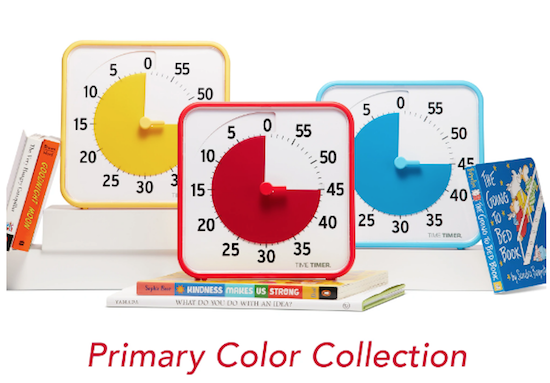
and a secondary color set:
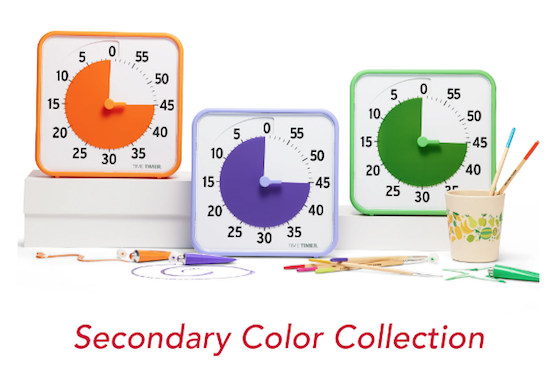
These sets are priced (for pre-order) at $104/set. Again, these are designed for learning activities, but there’s no reason why you couldn’t have one timer in your office, one in your kitchen, and one in your workout area.
Each set comes with three Original 8″ visual timers (for up to a 60-minute duration) with magnetic backs and fold-up feet, three dry erase cards for labeling the current activity (great for helping you focus during a 25-minute pomodoro task), and one free download of the Time Timer Desktop App.
They’re also selling a Time Timer MOD® – Special Edition Tie-Dye version (for pre-order) for $36.95. I’m a big fan of the little MODs, and this 3 1/2″ square MOD provides a tiny pop of color while helping you visualize time passing, and keep you motivated to accomplish your tasks.
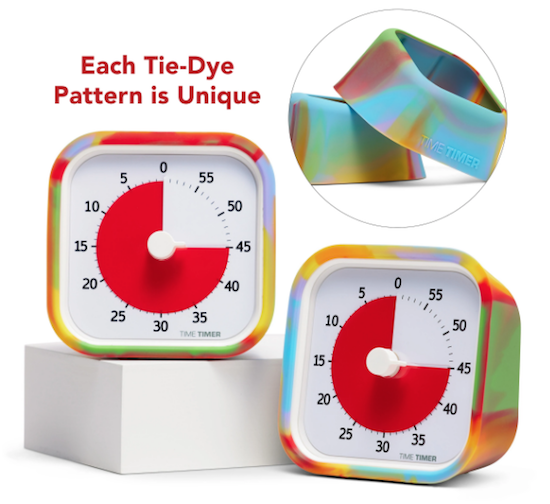
For a burst of color for office supplies, consider Poppin desk, wall, and office accessories:
You can buy their products directly from the Poppin website, or at Staples, Quill, and The Container Store. Be sure to check out Poppin’s Work From Home section for more fun, motivating bursts of color.
Do you like to wrap yourself up in color or just use it for accents?
Are you comfortable with intricate color-coding systems, or do you just want to surround yourself with your favorite hues?
And what’s your favorite color?
Meet me in the comments and tell all!
Best Results Organizing
6220 Shallowford Road, Suite #224
Chattanooga, TN 37421
Office: (423) 899-7151
 |
|
 |
Privacy Policy
All rights reserved.
Follow Me