Paper Doll
Paper Doll Rejects the Fair but Embraces the Carnival
As I write this post over Labor Day weekend, I’m reminded of summers gone by, and of the kinds of things people do during the summer (when they’re not joyously organizing their homes and offices), including going to fairs and carnivals. I’ll admit, while I think of myself as a fair person, I’m not exactly a FAIR person, if you know what I mean. Fairs just don’t get me excited. Indeed, PaperMommy used to note that, “There’s a reason they don’t call it the Erie County Wonderful. It’s fair. Eh.”

To me, a fair calls to mind contests for the largest pumpkin or most robust 4H displays or shiniest tractors painted in that inimitable John Deere green. There’s nothing wrong with that, but it’s not me. Carnivals, however? That’s a different thing altogether. There’s something intriguing about gathering together wackiness and adventure and a variety of unusual displays. While one might become overwhelmed by the the sweet stickiness of cotton candy, the internet has given us our own opportunity for humidity-free carnival delights. Paper Doll particularly loves a blog carnival.
A blog carnival pulls together links to blog posts on a (narrowly or broadly) themed topic. Sometimes, within a particular blogging community, there will be rotating hosts of blog carnivals. For example, did you know there’s a monthly Carnival of Pen, Pencil and Paper hosted by bevy of fans of mighty pens, pushed pencils and the paper upon which one uses them?

On the first Tuesday of every month since August 2009, an enthusiast or pundit on pens, pencils or paper has curated the best posts on those topics from the prior month. For example, last month’s Pen, Pencil and Paper Carnival was hosted at Peaceable Writer and included posts from a pen aficionado at Does This Pen Make me Look Fat? and a review of Pac-Man themed Moleskine notebooks at Journaling Arts. September’s carnival, which should go live by the time you read this, will be at A Penchant for Paper.
Not all carnivals are handled in a round-robin fashion. In other blog communities, there might be just one beacon of light curating posts about one particular topic. In the professional organizing community, that beacon would be Organized Assistant’s Janet Barclay, who hosts the monthly Professional Organizers Blog Carnival as part of her blog, Your Organizing Business.

Open to submissions from throughout the world of organizing, time management and productivity, the Professional Organizers Blog Carnival has recently covered topics ranging from organizing memorabilia to disorganization and stress to life balance.
Organizers who have appeared in the carnival at least ten times even get the sash and tiara of Star Blogger  status conferred upon them. (Disclaimer: To my own shock and delight, I’m a Star Blogger, too.) If you don’t have time to subscribe to and read all the organizing blogs out there, subscribing to Janet Barclay’s Professional Organizers Blog Carnival will keep you in the loop on all the best in organizing-related writing out there.
I’ve known Janet for the better part of a decade, from our early years in the burgeoning field of professional organizing. From her many years on the National Board of Directors of Professional Organizers of Canada through her current work as a virtual assistant, web designer and blogger specializing in supporting professional organizers, Janet is more than a cheerleader for the profession. She’s an educator, a leader, and one heck of a class act.
That said, and given my esteem for Janet, I have no desire to step on her organized toes. However, Paper Doll has decided to start a little organizing carnival, too. Nothing too formal, nothing scheduled in too regimented a fashion, but I’m looking forward to sharing the efforts of some of my colleagues, particularly those whose work is related, even tangentially, to organizing. I recently realized that retweeting links to my colleagues’ best posts wasn’t enough. Some of the material is too good not to be shared with the world, and whatever portion of the world I can cover by creating my own Paper Doll carnival fairgrounds should help.
And the carnival won’t just share what my colleagues have to say. There are great news stories, non-organizing blogs and media outlets that touch on issues, products and conversations that are important (or entertaining) and relate to organizing, paper, and the things that make us go “hmmmmm”. As we end the summer, we’re also starting a new school year, and Paper Doll is eager to branch out into an extra-credit independent study project.
For example, given that we’ve just entered National Emergency Preparedness Month, a Paper Doll Organizing Carnival might link to an article like Andy Ihnatko’s piece in The Chicago Sun-Times, “Post-Hurricane Irene Disaster Advice for Your Technology Preparedness”.
Also, although I’d never want to contribute to clutter in your lives, I might note some fun little products that can make organizing a little more aesthetically pleasing, such as the sparkly Swingline Color Bright staples, available in assorted colors
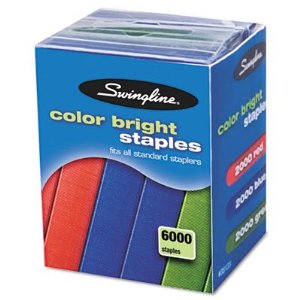
or in one-color packs of pink
 and purple
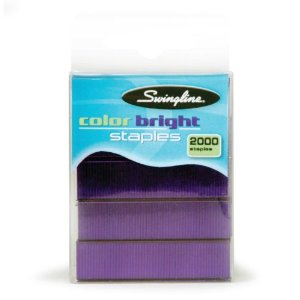 (which, come to think of it, look kind of like carnival-themed colors).
But mainly, Paper Doll will be looking to share some of the neato-keen posts and notions you might have missed from my esteemed colleagues, such as this now-viral video, Undie Folder

from the fabulous Australian professional organizer Lissanne Oliver of Sorted!, a nifty blogger in her own right.
Next post, be ready to tune in for some colorful, wise, thought-provoking and otherwise organized posts in the very first Paper Doll Organizing Carnival.
Paper Doll Gives You The Business (Files) — Part 2: Reference Papers
Longtime readers of Paper Doll know that my Family Files system fits every piece of personal reference paperwork under a simple rubric of financial, legal, medical, household and personal categories. While, as I explained last week, business files are governed by a series of regulations and obligations specific to each profession and locale, the categories of business filing still remain quite similar:
- Financial
- Legal
- Marketing
- Operational
- Personal
FAMILY FILES vs. BUSINESS FILES
Financial and legal files, whether business or personal, tend to be decidedly straightforward. The financial category is governed by broad money types — income, expenses and taxes. Legal documentation, for business or personal reasons, tends to focus on proof of ownership (of tangible assets or intellectual property) and legal interactions between parties.
The third category of business files, marketing, actually echoes the medical category in personal files. Like medical issues, the contents of marketing files tend to govern health and growth, only of a business instead of an individual. Medical files include benchmarks of growth and development and incidences of intervention to reverse or forestall a medical problem; similarly, marketing files represent stages of creative endeavors or campaigns designed to reflect and advance the health of a business and the actions taken (or emergency marketing plans created) to handle crisis management.
The fourth category of business files, operational, reflects the parallel (Family File) category of household files. Household files govern all of the practical matters related to running a home and tend to include user’s guides and instructional manuals, as well as plans for remodeling, gardening or otherwise identifying and manipulating parts of the household to a more satisfactory effect. In business files, the operational section similarly oversees all the different parts of the “house” — i.e., the business — for keeping it running smoothly.
Finally, as with the personal section of the Family Files system, which reflects each member of the household’s personal history and interests, the personal section of business files ensures that the individual, whether a solopreneur or a cog in the corporate machine, can maintain paperwork specific to himself or herself.
BUILDING YOUR BUSINESS REFERENCE FILING SYSTEM
Are you surrounded by piles of invoices, vendor catalogs, contracts and general paperwork to the point that you are overwhelmed by your office? Hewing to a simple business filing system for your reference paperwork will help keep your blood pressure down and your profits up.
If you’ve already got a filing system in place, a little rejiggering should do the trick, but if your office seems as though a whirling dervish has just spun through, start from scratch with five piles, one for each of the five main categories. Then, go through each file or piece of loose paperwork, figure out which category in which it belongs, and move it there. If there’s a pre-existing file for a subcategory, tuck loose papers within. If you find papers that don’t fit a file, determine in which category it belongs and create a new folder. Easy-peasy!
Every profession is different, as is every professional. However, the following suggestions will help you get started brainstorming those business reference file sub- categories:
FINANCIAL
–Client payment records
–Invoices
–Expenses
–Employee/Contractor Payment Records
–Financial Documents
–Tax Filings
Tax notes: Create hanging folders or sections for different types of tax filings, as you may want to refer back to old documents to help you fill in new forms. Divide tax sections at the federal, state, city and county levels. Within each category, you may have specialized filings, such as for corporate tax, sales tax, FUTA (federal unemployment tax) and personalty tax. (No, not personality tax! One might wonder whether we’d be taxed for having too much, or too little, personality. Personalty tax, which exists only in some states, is a tax on the tangible property you own.)
Even if your office is 100% digital, I encourage you to periodically print out essential documents, like like balance sheets and financial statements. And, before you re-invent the wheel, check out free online business form templates, such as those offered by Office Depot and SCORE.
LEGAL
If your business is very new or very small, your legal section might be sparse. Be sure to leave room in your filing system for this section to grow as your business grows. Documents and files might include:
Contracts — Contracts govern your rights and responsibilities with regard to your fiduciary and other relationships with individuals and businesses. These might include:
–Employees
–Independent Contractors
–Third Party Service Providers
–Vendors
–Distributors
–Titles — Create a file for each major piece of equipment, property, vehicle or other valuable item for which you might have to prove ownership.
–Leases — If you’ve chosen to lease or rent, rather than purchase, your business space, vehicles, software or equipment, be sure to create a file for each so that the contracts and specifications can be found and reviewed at a glance.
As you set up your files, make sure the contract documents are valid and up-to-date. Remember to make a cheat sheet so you can consult the deal points (costs, schedules/delivery dates, contact numbers, etc.) at a glance, as we discussed under Red Hot Reference last week.
Insurance — Not all businesses need all of the following policies. Consult with a trusted insurance advisor to make sure you have all (and only) the policies you need. Create separate files for each policy you hold instead of lumping all policies in one file. For example, you might have:
- General Liability Insurance
- Professional Liability Insurance — One common type is Errors and Omissions insurance.
- Product Liability Insurance — Make sure you’re covered in case a product you sell causes injury or harm.
- Commercial Property Insurance
- Home-Based Business Insurance — Did you know that homeowner’s insurance usually won’t cover business-related losses?
Some policy types relate not to the business, per se, but those involved in running it:
- Health Insurance
- Disability Insurance
- Key Man Insurance — Also called Key Person Insurance, this type of policy is usually taken out by a company to hedge against potential financial losses in case of a key individual’s “extended incapacity” or death.
MARKETING
Create space in your marketing files for your vision of the future. Include your:
Business Plan — Consult it often!
Marketing Plan — Do you have a marketing calendar? An editorial calendar?
Both of the above should be living documents — block time in your schedule to consult them frequently. They’re your reference materials, so refer to them!
Marketing Contacts — Your TV, radio, print and online PR contacts may be kept digitally, but having a frequently-updated print file can be a saving grace in an emergency.
Marketing Event Records — For each entity that gives you a chance for a speaking gig, workshop, media interview, etc., keep a separate file. Record not only your contacts, but keep a running list of driving directions, the bullet points or general topics previously presented, and other notes to which you can refer the next time you are contacted (or decide to contact them).
Marketing Materials — Be sure to keep a series of files with all of the essential elements of your print and digital marketing efforts, including:
General text copy
CDs/DVDs of audio/video elements
Brainstorming Notes — Capture concepts for blog posts, articles, videos, books, etc.
OPERATIONAL
Administrivia — Maintain information on how things work at your company. Keep detailed records regarding:
–Your staff, if you have one
–Human resource policies
–Procedural handbooks or charts
–Benefits policies, such as for profit-sharing, 401(k)s and health insurance
Clients/Customers — This is where you keep the detailed information regarding the people you serve…so that you can serve them even better.
Prospects — Note details so that upcoming conversations will be nuanced and textured. Once again, a CRM system is great, but paper notes are easier to read when you’re pacing-while-chatting.
Technical Documentation — Carefully weed and maintain the technical records that keep your business humming, including:
–Computer and equipment manuals — If your prime filing real estate is limited, use a small bookshelf and bookends to categories manuals by equipment type.
–Logins and Passwords — How long have those password-bearing Post-Its been affixed to your monitor for all to see? File them away.
Vendors and Service Providers — Only keep the most current copies of brochures, catalogs and price lists. If you can bookmark them online, do it, but maintain notes on personal contacts with vendors.
Ancillary Activities — If your business does just one thing, serving one type of client, this category won’t be necessary. However, if you have secondary activities or products in addition to your primary services or lines, develop careful files now. For example, if you spend 95% of your work time as a freelance writer, but occasionally revise resumes, keep samples resumes, lists of actions verbs, and notes on prior clients in their own administrative section. If that part of the business grows, you’ll have the basics in place.
PERSONAL
Truly personal reference papers belong in a Family Filing system. However, if you work for someone else, be sure to maintain a tidy set of files for keeping track of the oxymoronic “personal work” paperwork like:
–Blank and completed time sheets
–Vacation request forms
–Evaluation forms
–Expense report sheets
–Purchase orders
ARCHIVAL REFERENCE
Different paperwork has different levels of access priority. Action files and Red Hot Reference need to be close at hand — you should only have to swivel in your seat. General reference papers might require rolling your chair with a one-foot pushoff, but you’ll still be able to reach them with ease.
Archival paperwork is that which legal, tax or operational reasoning requires it be maintained…but nobody said it had to be maintained right where you’d like to be stretching your legs. As long as it’s kept in a reasonably accessible, moisture-proof, temperature controlled environment, your archival reference paperwork — that which you must keep but need not obtain more than a few times a year — can easily be exiled from your royal real estate.
Paper Doll Gives You the Business (Files) — Part 1
As a professional organizer, I work with clients in all areas of their homes and offices. While any given day might find me organizing kitchens or supply closets, my heart belongs to paper. Indeed, after a first session, I often email clients links to the Family Files blog posts so they can get (almost) as excited I am about organizing their papers:
Family Filing—As easy as (eating) pie
Financial Filing—Scrapbooking snapshots of your money’s life
Mom, why is there a receipt stuffed in the turkey?
I Fought the Law…and the Paperwork Won!
Patient: “Doctor, it hurts when I do this.” Doctor: “Then don’t do that!”
Paper Dolls Live In Paper Households
I Hope Nobody Ever Writes a Nasty Tell-All Called “Paper Doll Dearest”!
Surprisingly, until very recently, nobody ever asked for blog posts on how to organize paper in the work environment. Then, a few weeks ago, one of my clients requested a primer on basic office filing categories, a system to parallel the categories of the Family Files system.
This gave me pause. It’s not that I don’t organize office filing systems (and even create them from scratch), but business files lack the kind of uniformity that make family and personal files fall so easily under the Financial/Legal/Medical/Household/Personal filing rubric.
WHAT MAKES BUSINESS FILING DIFFERENT
With families and individuals, personal files are maintained either 1) according to generally-accepted document retention guidelines for legal or financial purposes or 2) according to the personal needs and desires of the individuals. Further, personal files are maintained for the convenience of the user(s) who are also generally the owners of the paperwork. Businesses are very different.
First, business filing systems may exist for the satisfaction of a hierarchical system of personnel. If you are not the sole proprietor of a one-person company, then the filing system available to you might include items personal to you (like copies of your vacation requests) as well as items specific to projects in which you are involved, documents related to your department, copies of company-wide documentation, etc. Depending on your business situation, your files may not be your files, per se.
Second, different professions and industries have different regulations regarding what must be documented and for how long. Physicians, attorneys, and CPAs, for example, have stringent professional requirements for the type and manner of documentation they must maintain, as well as very specific requirements regarding file maintenance and destruction schedules. The American Medical Association, for example, periodically updates its guidelines for retention of medical records, as does the American Bar Association for client paperwork.
Third, all businesses (like individuals) are required to maintain records in support of their obligations for legal and tax purposes. Small businesses are not burdened by the federal corporate requirements of the Sarbanes-Oxley Act, but do not have a Get-Out-Of-Jail-Free card when it comes to record-keeping.
Business are far more likely than individuals to have to track and maintain information according to rules set by different states or municipalities. All dentists may have to maintain similar types of patient or staff records, but a dentist in Iowa may have to maintain employee medical records for a different period of time than one in Maine.
GETTING STARTED
Given the above differences, it’s harder to create specific rules for the types of files needed for business. However, we can outline specific filing needs for the simplest situation: the one-person business owner. From there, each individual can modify and extrapolate to fit his or her own filling needs.
DIFFERENTIATE BETWEEN ACTION AND REFERENCE
One of the biggest problems I see in business settings, whether in small home-based offices, cubical farms or executive offices, is a wacky mixture of action and reference files. The paperwork in your business life can actually be divided into four categories:
- Action
- Red-Hot Reference
- General Reference
- Archival Reference
Action paperwork is relatively straightforward — it’s the paperwork related to “the stuff you gotta do”. Any piece of paper representing a task that requires activity on your part falls into this category.
Store action paperwork separately from all the different types of reference paperwork. Your action-oriented papers and files will be best maintained in a tickler file or a file riser.
If you tend to have loose, unrelated pieces of paper or more “orphaned” tasks than projects, a tickler file will probably be your best bet.
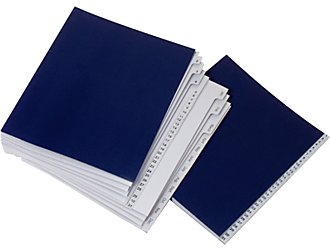
However, if your work mainly requires a small set of follow-up activities — filling out forms, making phone calls, entering data, etc. — using a file riser with a file for each task type may suffice.

Time may also be a deciding factor. If your work is time sensitive, such that you need to meet outside deadlines for completing your tasks, a tickler file is a superior action paper management system. Conversely, if your tasks are not at all deadline-driven, a file riser provides a more relaxed approached to task-oriented paperwork.
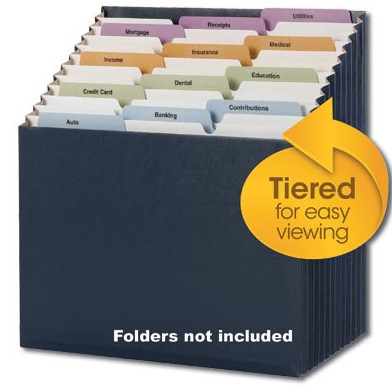
Lastly, Smead’s tiered Stadium File, which we reviewed previously, can provide a hybrid system for dealing with action papers.
‘FILE’ DOESN’T HAVE TO MEAN A FILE FOLDER
In general, when Paper Doll talks about files, you’re probably thinking of 1/3-cut manila folders for individual accounts, persons, vendors, etc., grouped with like items and housed in hanging folders. And that’s usually what I mean. However, not all papers have to be placed in file folders.
One particular category of business papers is well-suited to storage in three-ring binders or notebooks instead of file folders:
Red-Hot Reference — Red Hot Reference is the term I use with clients to differentiate between super-important reference materials and run-of-the-mill general reference information. These are the documents that need to have prime real estate on or near your desk so that data can be gleaned with minimal effort and maximum speed.
Red Hot Reference includes:
- Vital Contacts — Even if you have a computer database or a pre-programmed phone, there are going to be phone numbers, extensions, hot lines, email addresses and shipping information for customers, vendors, and support team members that you’ll need to grab quickly. As I referenced in last week’s post on creating a Business Bible, there are situations when the internet, your company’s intranet system or even plain old electricity may fail you. In those moments, having vital contacts at your fingertips will save time, effort and sanity.
Many of my clients formulate their Red Hot Reference contact lists by regularly inputting or updating information in their contact management systems and then using the built-in “print” functions to create booklets. Although not all digital systems have this function, it’s a good place to start.
However, there’s a difference between having information somewhere and having it at your fingertips. After all, telephone books (remember them?) have practically every number one might need, but nobody leaves the telephone book for the baby sitter. Instead, wise parents create an essential list of emergency numbers — parents’ cells, grandparents, pediatrician, Poison Control, etc. For your business, only you know which numbers (major vendors, labs, clients/customers, etc.) that you need to reach on a frequent or emergency basis. Those are the numbers that should go on your Red Hot Reference emergency contact list.
If your vital contacts fit on just a few pages, skip the three-ring binder and slot two sheets back-to-back in a plastic sheet protector. Slide it under your keyboard or post it on the bulletin board or the side of your filing cabinet. Ease of access is the key!
- Deal Points — When I worked as a television program director, it was necessary to know each programming contract’s basic “deal points” — the essential terms of each contract. Whatever your business, having a cheat sheet of contractual obligations — of your rights and responsibilities — can save you time and money, not only during telephone and in-person negotiations, but during daily operations.
Create a spreadsheet with all of the common terms of your contracts (start and end dates, payments due, extra fees, etc.). Once you’ve created a column for each deal point, enter the contract name in the first column and then fill in the appropriate information. Being able to check this information at a glance will help you keep everyone on their toes!
- Emergency Procedures –Depending on your business operations, putting emergency procedures into place may be as simple as changing the outgoing message on the voicemail or as complicated as involving HAZMAT, SWAT and the FBI. The important thing is that in a time of emergency, whether large or small, you don’t have to depend on your memory to know what to do.
Think about the stresses you’ve had in your business, or the emergencies you’ve heard your colleagues report, and start brainstorming instructions for the Emergency Procedures notebook. Think in terms of:
Financial Operations — If your bank’s main website login page is down, is there an alternate method for you to access your funds and make transfers?
Legal Operations — Depending on the type of business you operate, your legal emergency procedures might include step-by-step instructions for what to do if your business vehicle is involved in an accident or how to act if you find you’ve been a victim of online plagiarism. Having written “first response” procedures in place protects you (and those acting on your behalf) from going off half-cocked.
Physical Operations — Do you know how to flip the breakers or turn off the plumbing/water flow for your office in case of electrical or weather emergencies?
Marketing — Would you know who to contact if an emergency required you to pull your radio, TV or print advertising? If your Facebook account were hacked, do you have alternative administrators in place to oversee your Facebook business page?
Technical — Have you written down the procedures regarding what to do when common (and not so common) technical problems arise? Do you know the steps for resetting your wireless router?
Action and Red Hot Reference files are just the first two aspects of assuring your business files are at the ready. Next week, we’ll examine the different categories of reference files to keep your records (and your operations) kosher. Just as personal and family files have five main categories: financial, legal, medical, household and personal, all business files can fall under a five-part rubric:
–Financial
–Legal
–Marketing
–Operational
–Personal
Until next week, Paper Doll urges you to start separating your action files from your reference files and to start identifying and/or creating your Red Hot Reference paperwork.
Paper Doll Shares the Gospel: Creating A Business Bible
Here at Paper Doll Central, we tend to fixate on personal paperwork — the documents that keep us financially and legally on the straight and narrow, medically protected and personally safe and fulfilled. We also focus on the papers keeping our homes and possessions well-tended. Sometimes, the business side of things gets short shrift.
Over the next few posts, we’re going to delve into some topics to help professionals cover their paper bases. Today, we start with emergency preparedness.
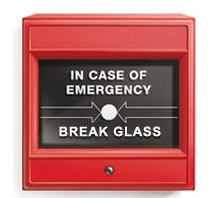
Years ago, when dinosaurs roamed the earth, Paper Doll was a television program director. TV can be a loud, wacky, disorganized place to work, but my office was a sea of calm. Shining like a beacon on one dedicated shelf, there was a three-ring notebook emblazoned with the title: If I Get Hit By a Bus.
This magic wand of a notebook detailed locations of vital items (blank satellite schedules, contract templates, updated film fault inventories, etc.) and whom to contact (and how) in case of certain types of emergencies. Most importantly, the book contained a painstakingly comprehensive series of bulleted procedures for daily, weekly, monthly, quarterly and annual tasks, from filing quarterly FCC reports to manipulating satellite schedules.
Thankfully, I never got hit by a bus, but I was once grounded on a tarmac at a large mid-western airport, in the days before cell phones. Using the notebook, my assistant was able to switch out the week’s satellite feeds, reschedule appointments, and generally, keep things moving forward until I could take flight.
It’s scary to think about what kinds of unexpected situations may face us as professionals or small business owners. Rented buildings may be unexpectedly closed for extermination or repairs of structural, plumbing or electrical damage. Floods, forest fires and severe, inclement weather can keep us from getting to our offices and power outages may render that inaccessibility a moot point. And, as much as we hope and pray otherwise, we are not immune to illnesses and accidents ranging from the merely annoying to the life-threatening.
EMERGENCY VERSIONS OF YOURSELF
For years, I talked about the use of a Business Bible in the abstract and helped clients create their own. But in recent years, I’ve been able to refine my suggestions based on personal experience.
In 2009, I was hospitalized several times, mostly unexpectedly. And earlier this year, in the aftermath of a series of tornadoes, I had no electricity, telephone or internet service for the better part of a week. In the first case, my business was there, but I was unavailable. In the second, I was available, but all business operations, including communications, had ceased. In both situations, I needed someone to be me and represent my business when I was unable to do so.
In a corporate structure, there are supervisory, supporting and lateral positions delineated to cover when an individual is unavailable. The solopreneur has no such luck. If you have an employee, a spouse or an adult child, you have built-in solutions; if you’re on your own, make time now, before an emergency, to think through your alternatives. For example, you could authorize:
— A trusted friend or relative (outside your immediate geographic area) to pick up the pieces. You would need to brief this individual, in advance of any emergency, on your general procedures and he or she would need adequate business savvy and strong communication skills to act on your behalf.
Can the person you select handle complex tasks for extended periods? How would you cope with an error made by a loved one volunteering to help? Are you comfortable giving someone access to all your passwords and trusting that bills will be paid and funds transferred properly?
— A virtual assistant whom you would pay to accomplish essential tasks. This is a relationship you would want to put in place prior to any emergency so that you could trigger assistance quickly and easily.
Depending on the nature of a crisis, Emergency You may need to take hours, days or weeks to accomplish what must be done. No matter how loved or trusted, can your best-friend-since-college or sibling-in-law carry this load without struggling to tend to his or her own obligations? Does a fiduciary relationship, where you’d be paying a VA, absolve you of any stress or guilt you might feel in foisting the load onto a loved one?
The question may be, “Can I afford a virtual assistant?” or it may be “Can I afford not to involve a virtual assistant?” Avoiding the decision is no solution.
Creating a Business Bible is a way of securing all the information that is absolutely essential for you to keep your business afloat in the face of disaster. Let’s look at the essential elements.
In the event of a crisis, identify multiple methods (office numbers, cell numbers, email addresses, mailing addresses, etc.) for contacting:
–Employees
–Independent contractors/Outside sales personnel
–Clients/Customers/Patients
–Hot or warm prospects
–Vendors
–Support team:
- Corporate banker and/or branch manager
- Attorney
- CPA
- Bookkeeper
- Web designer
- Professional organizer
- Delivery service
- Off-site storage service
- Payroll processing company
2) Financial Essentials:
In an emergency where you are unable to get to your office, would you be able to access all of the following data?
- Bank account numbers and bank contact information
- Insurance account numbers, agent contacts and the toll-free claims number
- Payroll records (if processed on-site)
- Past three months of balance sheets
Current aging on accounts receivable - Current status of accounts payable
- An inventory of all assets, including location(s) — Itemize assets kept off-site, such as in storage, at a warehouse, in a safe deposit box or at an attorney’s or CPA’s office.
- IDs and passwords
These days, all but the most Luddite among us keep many of these records digitally. However, if all records are kept solely in one location (on one computer or on a server without outside access) rather than being backed up on flash drives, external hard drives or in highly secure cloud storage, physical destruction of the workplace or inability to reach the workplace yield the same problem: no access to vital data.
Also, I wouldn’t be Paper Doll if I didn’t mention that, in addition to automated or diligently-scheduled digital backups, I still believe in a carefully curated emergency 3-ring binder. Update it weekly or monthly with major changes and make sure it travels home with you nightly. (Eliminate passwords from the printed Business Bible to decrease exposure between your home and office. Just keep an updated copy in your home safe.)
3) Planning Documents:
Calendar with appointment schedule or bookings, including locations for sessions not on-site — Site-based locations like beauty salons or dental offices need contact information to cancel appointments when the office shuts down. Conversely, professional organizers or real estate agents may be able to get to clients, but not know how to get there if internet service or cell phones satellite positioning is out.
Chart of major customer, financial or legal deadlines — These documents need to be updated either weekly, or upon scheduling of deadlines.
List of big upcoming projects and goals — In the aftermath of a crisis, this will allow you to think about important issues rather than just trying to think of them.If your office solely tracks this kind of information on paper calendars or white boards, take clear digital photos or scan calendars and upload the information throughout the week to a cloud-based system that can be accessed from anywhere.
4) Templates and Checklists:
If an emergency causes a business interruption, you’ll want to get up and running as quickly as possible. However, physical and emotional stress can have a powerful and negative impact on cognitive abilities. You might have asked the same questions the same ways, day-in and day-out for decades, but surviving a crisis (or struggling while in the middle of one) may turn your memory into Swiss cheese. Combat cognitive cheesiness with documents (in digital or paper form) that remember the important issues for you. For example:
Procedural/Task Checklists — Identify your daily, weekly, monthly, quarterly and annual tasks as they relate to marketing, finances and administrative work. You may think you’ll remember to enter information into your CRM program on a daily basis or transfer money to cover payroll every Thursday, but sometimes you won’t remember that today is Thursday. These kinds of checklists will ensure that you can delegate tasks, not only in emergency situations, but when you decide that life is enough back to normal that you can even take a vacation.
Client consultation questions — If you don’t already have a customer questionnaire you use, but generally ask the same series of questions, committing these to writing has two advantages. Not only does it provide you with the equivalent of a memory bank during or after an emergency, but it’s a solid beginning in case you ever want to create training documents for growing your company.
Reply Templates — Do you get new prospect inquiries, invitations for media interviews, employment applications or requests for donations of services/products?
Every inquiry you get today can probably be answered with an almost identical reply to one you gave yesterday. Look at one of your typical reply emails, then treat each paragraph as a module (greeting, questions answered, information about your philosophy and company, links to further information and a closing). From this, create a standard reply document.
Next, review some responses you’ve given multiple times in less common situations and create templates for those occasions. For example, I tend to get inquiries regarding general organizing services, requests to buy gift certificates, questions about hoarding and inquiries about how to become a professional organizer. By having general language written in advance, I’m able to customize responses when situations have small variances from the norm, but can still reply quickly. During and after emergencies, having access to these templates will save time, effort and money.
Documents — Develop templates for anything that requires providing information to others or for them to return information to you, including:
- Information Requests (e.g., biographical data, insurance information, tastes and preferences, etc.)
- Invoices and financial statements
- Client session recaps/reviews
- Performance surveys
- Testimonial
LAST THOUGHTS

Obviously, having a Business Bible is only one step in organizing your company to protect it from disasters. To familiarize yourself with the U.S. Government’s advice for businesses, please check out the business division of Ready.gov.
Finally, Paper Doll wants you to consider your answers to the following questions:
Who have you designated to act on your behalf in case of emergency? Have you actually put your delegation plan in place?
When was the last time you backed up your entire computer (including operating system and preferences and not just individual documents)?
When was the last time you tested your backup to make sure it was complete?
Passport Day In the USA
Here at Paper Doll Central, we may surround ourselves with solutions to paper clutter, but we dream about traveling around the world, particularly to England, Ireland, Scotland and Wales. (Yes, I do intend to travel alphabetically. Doesn’t everyone?)
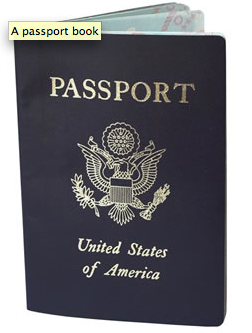
One of the travel-related VIP (Very Important Paper) topics we’ve covered involves passports. For example, we’ve discussed them in:
“May We See Your Papers?”: Passport Cards and Trusted Travelers
“May We See Your Papers?” Redux: Enhanced Driver’s Licenses
We’ve also talked about passports in light of specific topics, like,
A Rose By Any Other Name: Paper Doll Straightens Out Name Change Paperwork, designed to help those who have married, divorced or otherwise had reason to change their names, properly update their passports.
Perhaps you’ve never acquired a passport? You’re not alone. According to the office of Travel and Tourism Industries, only 30% of Americans hold passports compared to 60% of Canadians, 60% of Europeans and 75% of those in the United Kingdom. This percentage is actually up from prior years, as entrance into Canada, Mexico and other countries, which prior to 2009 did not require passports, now does. As I’ve written previously, back when Paper Doll was a girl, going back and forth between Canada and the U.S. was barely more difficult than crossing the threshold of a house; since the Western Hemisphere Travel Initiative, a passport is now required.
I’ve noticed that many of my clients procrastinate when it comes to applying for passports. It’s not that they don’t want to spend the money — although rates have risen recently. They understand that amortized over the course of the ten years one holds a passport, the cost is pretty minimal. And it’s not that they can’t find the essential documentation they’ll need to provide (because, of course, we’ve gotten them so organized that these documents are at their fingertips).
No, the biggest complication seems to be finding time to get everything accomplished, from getting passport photos taken to selecting, photocopying and submitting first-time documentation. During the week, most workers are stuck at work, or at least can’t take the time to get to a passport office. In addition, minors under 16 must now apply in person with both of their parents (barring specific exceptions — see below), requiring not only that individuals carve out time, but that family members find coordinated time to visit passport offices.
Next month, however, provides the perfect opportunity for families to simultaneously catch up with one another and conquer their passport tasks…on a Saturday, when offices are usually closed. That’s because next month, for the third year in a row, there will be:

Passport Day in the USA on Saturday, September 17, 2011.
On this date only, passport applicants can visit any of the 24 regional passport agency offices on a Saturday and without an appointment. In addition to the regional passport agency offices being opened on a day they’d normally be closed, many of the 8,000 Passport Acceptance Facilities will be open and/or have expanded hours, and will also not require appointments.
On Passport Day, applicants will be able to apply for either of two passport processing methods:
1) Standard passport processing, which is currently taking approximately 4-6 weeks to complete, requires no extra processing fees in excess of the standard application fees associated with applying for a new passport book for an adult or child, a passport card, or a combination passport book and card for an adult or minor.
2) Expedited processing takes just 2-3 weeks, but there’s an additional $60 processing fee tacked on. (Why do you think Paper Doll is always encouraging you to schedule important tasks well in advance?)
Passport Day in the USA isn’t just an appointment-free day to stand in line for passports that probably should have applied for eons ago. If it were, it would at least be more convenient to accomplish on a Saturday. But, to make things a little more pleasant for adults and kids, the regional passport agencies and many of the passport acceptance facilities (like your local post office) will be sponsoring fun events to coincide with Passport Day. Activities at prior Passport Day events have varied by location, but have included catered snacks, entertainment for children and other diversions. As Saturday, September 17, 2011 gets closer, check back with the official Passport Day site to find events and locations in your area.
Of course, not everyone has to apply in person. If you’re just renewing a passport that was issued within the last 15 years (and when you were at least 16 years of age) and your old one is in fairly decent shape, you can renew by mail. However, if any of the following apply to you:
- You’re applying for a U.S. passport for the first time
- You changed your name since your last passport was submitted, but are unable to legally document the name change
- You’re under age 16
- You previously had a passport but:
- it was lost, stolen or damaged
- it was issued more than 15 years ago
- you were under age 16 when it was issued
then you’ll need to apply for a passport in person. For adults, that means you’ll need to:
1) Fill out a Form DS-11, but don’t sign it until instructed to do so.
2) Submit Form DS-11 in person at a Regional Passport Agency or Passport Acceptance Facility. (If you’re not attending Passport Day, be sure to make to make an appointment if one is required at your preferred location.)
3) Submit evidence of citizenship. (Your documents will be returned to you with your shiny new passport.) Be prepared to present one of the following to prove you really are an American:
–Previously issued, undamaged passport
–Certified birth certificate (i.e., bearing a registrar’s raised, embossed, impressed or multicolored seal, the registrar’s signature, and the date the certificate was filed with the registrar’s office, which must be within 1 year of birth)
—Consular Report of Birth Abroad
–Naturalization certificate
–Certificate of Citizenship
If you can’t provide any primary evidence of U.S. citizenship — let’s say your parents (Christopher Walken and Sissy Spacek) decided to move underground during the Cuban Missile Crisis before you were born and your birth wasn’t exactly documented — you can submit secondary evidence of your citizenship.

(Just make sure to apply more than six weeks before you and your bride, Alicia Silverstone, plan to leave on your honeymoon.)
4) Present identification (e.g., any one of the following to prove you are who you claim to be):
–Previously issued undamaged passport
–Naturalization certificate
–Valid driver’s license*
–Current (city, state or federal) Government ID
–Current U.S. military ID
*If you submit your application and evidence at a Passport Acceptance Facility like a post office (instead of at a regional passport agency) and your proof of identification is an out-of-state driver’s license, you’ll need to provide a second form of identification bearing your photo, full name, date of birth and the document’s date of issuance.
5) Submit a photocopy of whatever identification you presented in step #4. (Just to be clear, you’ll give the representative your actual proof of citizenship, which will be returned later; however, you’ll just show your actual proof of identification and then provide a photocopy, which will not be returned.)
6) Pay the fee(s) associated with your application.
7) Provide two identical passport photos, in accordance with photo requirements, but do not attach them to the DS-11.
Speaking of which, peek at some early 20th century passport photos to see why you might want to avail yourself of some good advice regarding how to look great in yours. After all, you don’t want to end up looking like the Unsinkable Molly Brown (a sturdy traveler, but one with less than stellar luck at traveling).
For those under 16, steps #1-3 are identical to those above. However, as noted previously, the minor and both parents (or guardians) must appear when submitting documentation. In addition, you must:
Submit evidence of the relationship between parents/guardians and the minor, which can be:
–Minor’s certified U.S. birth certificate with both parents’ names*
–Minor’s certified Foreign Birth Certificate with both parents’ names*
–Minor’s Report of Birth Abroad with both parents’ names*
–Adoption Decree listing adoptive parents’ names
–Court order establishing custody or guardianship of the minor
*As of April 1, 2011, there’s a new requirement for first-time applicants. The full names of both parents of an applicant must be listed on the certified U.S. birth certificate. For most people, this is not a problem, but in the cases of single mothers who did not list fathers on their children’s birth certificates or adoptees whose birth parents wished to remain anonymous, there are a few more hoops through which parents must jump.
A State Department representative notes that in such situations a passport applicant may submit a certified copy of a birth certificate listing the complete name of the registering parent and that two adoptive parents can amend their child’s birth certificate to reflect both of their complete names. In the latter situation, a certified copy of a child’s original birth certificate will be accepted as long as it’s submitted with a certified copy of the adoption decree indicating the name of the child and the adoptive parents.
Present identification of the parents/guardians, as if they were the ones applying for a passport.
Submit a photocopy of the identification of the parents/guardians.
Provide parental consent. Although both parents must, in general, be present to provide consent, the State Department has outlined possible scenarios in which only one parent may be present while providing the other parent’s signed, notarized Statement of Consent (Form DS 3053).
Whether you take advantage of Passport Day in the USA 2011, apply by appointment during the week, renew your passport by mail or already have your flying-south-for-the-
winter ducks in a row, may you travel often, safely and well. Bon voyage!



Follow Me