Archive for ‘Paper Organizing’ Category
NAPO 2014 Conference Recap: The Preview
This past week, Paper Doll was extra jet-lagged and suffering withdrawal symptoms from sensory overload, but I’m thrilled to start sharing my excitement over having attended NAPO 2014 Annual Conference & Organizing Expo in Phoenix-Scottsdale.
I got to the beautiful Westin-Kierland Resort and Spa a day early to participate in the Board of Certification (BCPO®) for Professional Organizer’s board meeting. To a layman, discussing the intricacies of upholding the validity of an industry-wide certification program from 7:45 a.m. (yes, really) until dinner time might seem dry, but aside from the actual morning aspect of it, the experience was enlightening.
The BCPO® program, for which I serve as the Director of Program Development, recognizes and raises industry standards, practices and ethics, and lets clients know that CPOs are committed and serious about the work being done. Speaking of serious, how serious am I about certification?

So serious that I was a presenter at the conference. So serious that my colleague, BCPO® president Helene Segura and I got up and presented Why and How to Get Certified, at a similarly o’dark-thirty, on Friday morning.
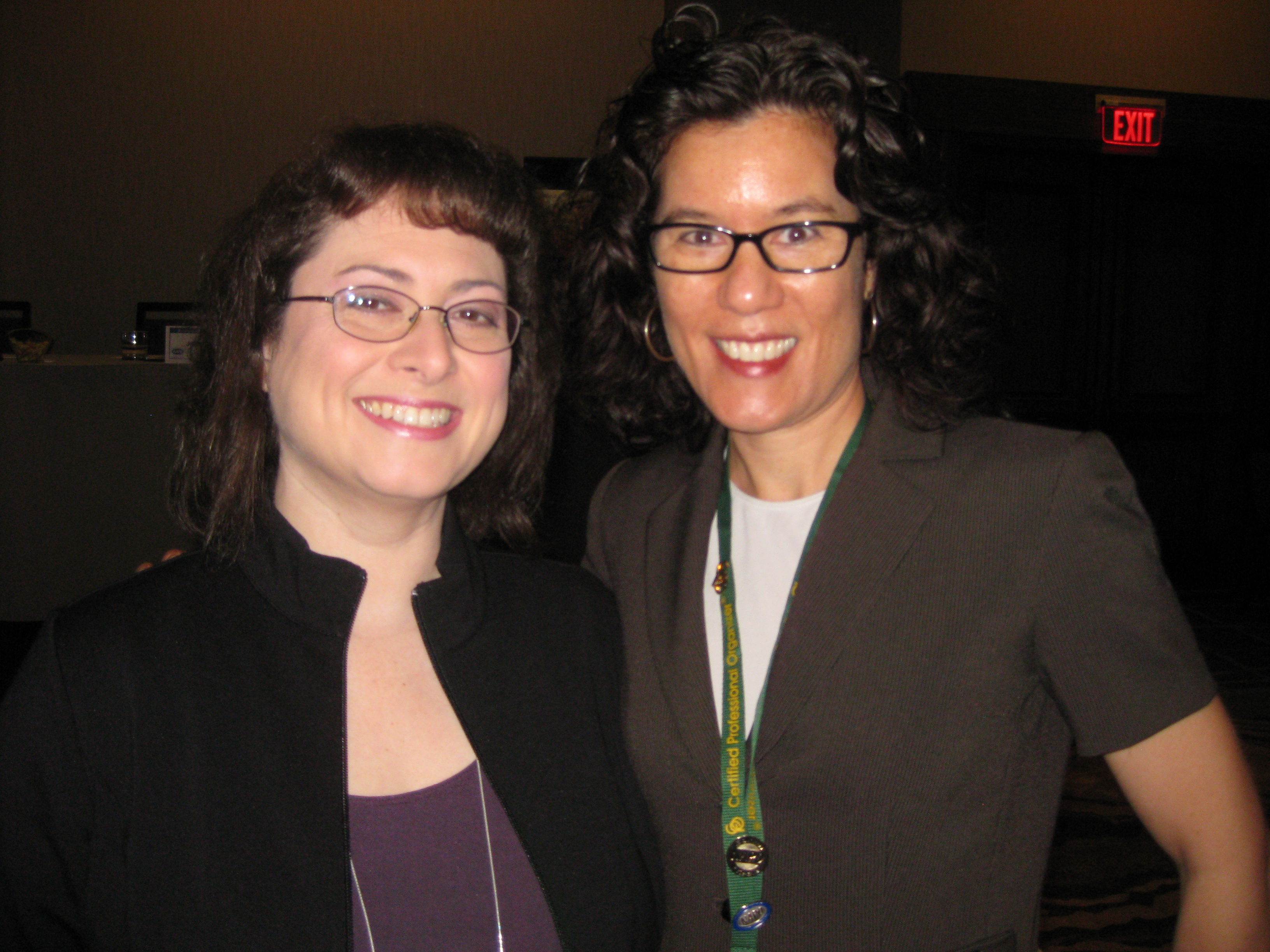
If that doesn’t show commitment, I don’t know what does!
NAPO2014, and indeed every NAPO annual Conference and Expo, means different things to different people. As I try to do every year, I want to share just a few of the highlights of the conference itself, and over the next series of posts, we’ll be looking at the Expo side of things, with all the neato-keen goodies.
EDUCATION
NAPO conference attendees get to pick from among five concurrent educational sessions in each of six session blocks, over three days. Yes, that means selecting what floats your boat (or, y’know, meets your educational objectives) from among thirty different sessions.
In addition to the opportunity to select among a variety of half-day and full-day pre-conference sessions, my colleagues and I attended courses in five educational tracks, including classes designed for infusing our professional practices with growing expertise to serve our clients:
Organizing and Productivity: “Are You Listening? Really? Key Coaching Skills for the Experienced Organizer or Productivity Expert,” “Test Your Technique,” “If Only I Could Draw,” “Going Paperless to Boost Productivity,” and “Clearing Mental Clutter Makes Organizing Easier.”
Special Needs Clients: “Finding Flow: Understanding Your Client’s Style Preferences,” “Is It Hot or Is It Just Me?: Mid-LIfe Transitions and ADHD,” “Decisions, Indecision, and Clutter in Hoarding Situations,” “Exceptional Organizing: Strategies for Special Needs Clients and Their Families,” “Distracted & Obsessed: Helping ADHD and/or OCD Clients,” “Success Under Stress,” “Creating Home and Business Inventories” and “Student Organizing Tools, Apps and More.”
Technology sessions mixed subject matter that serves our clients: “Finding Digital Sanity,” “Evernote for Work: Advanced Implementation Strategies,” and “Virtual Planning for Your Digital Afterlife” with those which help us grow our businesses: “How to Write Blog Posts That Get Results,” and “Boost Your Brand By Podcasting.”
Other sessions in Business Growth, Marketing and Running Your Business focused on topics as varied as “Marketing to Therapists and Psychiatrists,” “Staying in Business a Decade & Beyond,” “Taking Business from ‘I’ to ‘We’ with Employees,” “Niche Markets for Organizers,” “Master the Sales Process,” “6-Figure Marketing on a $2 Budget,” “Do’s and Don’t’s of Successful Book Promotion,” “LinkedIn Means Business,” “How to Create Effective Policies and Procedures,” “How to Be a Kick-Ass Boss” and “List Building: The Secret Sauce of Online Marketing,“ the latter having been taught by NAPO perennial favorite, marketing expert and Spider-Man fan, Rich Brooks:

Whew! And this doesn’t even count our opening and closing keynote speakers on leadership and getting out of your own way, two Ask the Organizer panels, and a smattering of exhibitor How-To sessions!
COMMITTEES AND SPECIAL INTEREST GROUPS
In addition to formal educational programs, the annual conference is an opportunity for NAPO’s many groups to meet to conduct important business. From the Education Committee, to the NAPO Ambassador program, to the philanthropic Quantum Leap program, to a wide variety of Special Interest Groups (SIGs), including those for technology, student organizing, public speaking, coaching, eco-awareness, moving and relocation, and small and multi-person businesses, the halls of the Westin-Kierland were humming.
EXPO
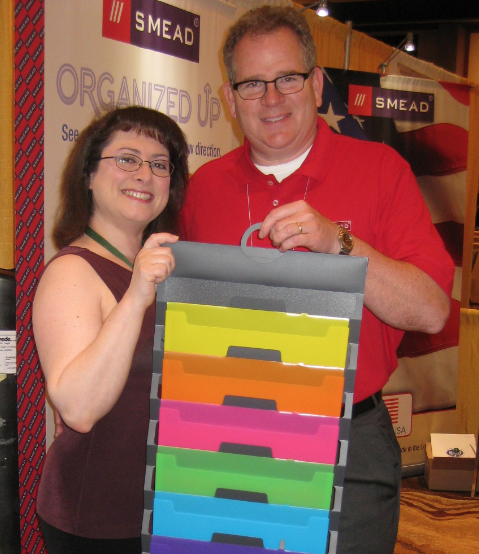
NAPO’s Corporate Associate Members and other exhibitors came from as near as Los Angeles and as far away as Israel to share their products and services with professionals ready to learn and evaluate. You’ll be hearing more about the Expo vendors — including the various winners of the Organizers’ Choice Awards — over the course of the next series of posts. But Paper Doll would be remiss to not include two of this blog’s longtime favorite companies and their representatives, Smead‘s Jim Riesterer
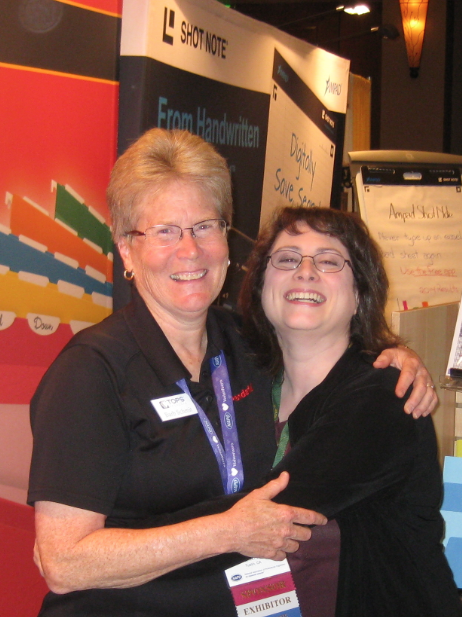
and Pendaflex/TOPS‘ Barb Schmit.
NETWORKING AND SOCIALIZING AND DINING (OH, MY!)
Is it any wonder that with all of these members, educators, exhibitors and random organizing celebrities (of whom, more later), NAPO people took time to socialize? There were formal receptions daily in the EXPO, orientations for a first-time and international attendees, a Golden Circle luncheon (for 5-year+ organizing veterans), a CPO® celebration/reception,
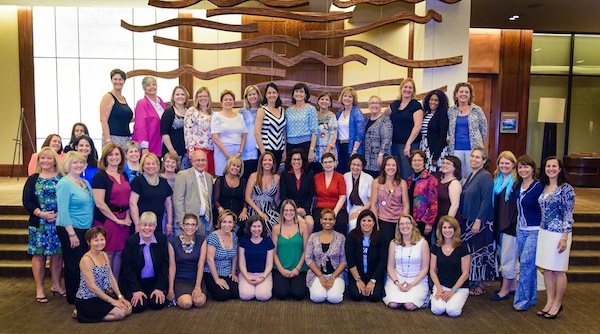
and more continental breakfasts that you could shake a stick at and organize into neat columns and rows.
But be assured, informal socializing was the rule of thumb for day and night. Groups of three, four and upwards of a dozen huddled on comfy couches in the lobby, in quiet corners in the pubs, near poolside chairs and on the back expanse of patio overlooking rolling hills and a golf course.

Paper Doll with former NAPO President Stephanie Denton, current Institute for Challenging Disorganization President Valentina Sgro and Australian superstar and AAPO founding member, Lissanne Oliver. (We didn’t think about it at the time, but this photo represents just a sampling of NAPO authors, including Stephanie’s The Organized Life, my 57 Secrets for Organizing Your Small Business, Val’s whole series of Patience Oaktree books, and Lissanne’s Sorted!)
And, of course, it wouldn’t be a NAPO event without many days and nights of dining!

LeighAnn Hensel, Hazel Thornton, Miriam Ortiz Y Pino, Paper Doll, Janet Barclay and non-organizer BCPO® Public Director Sharon Fanning at Deseo
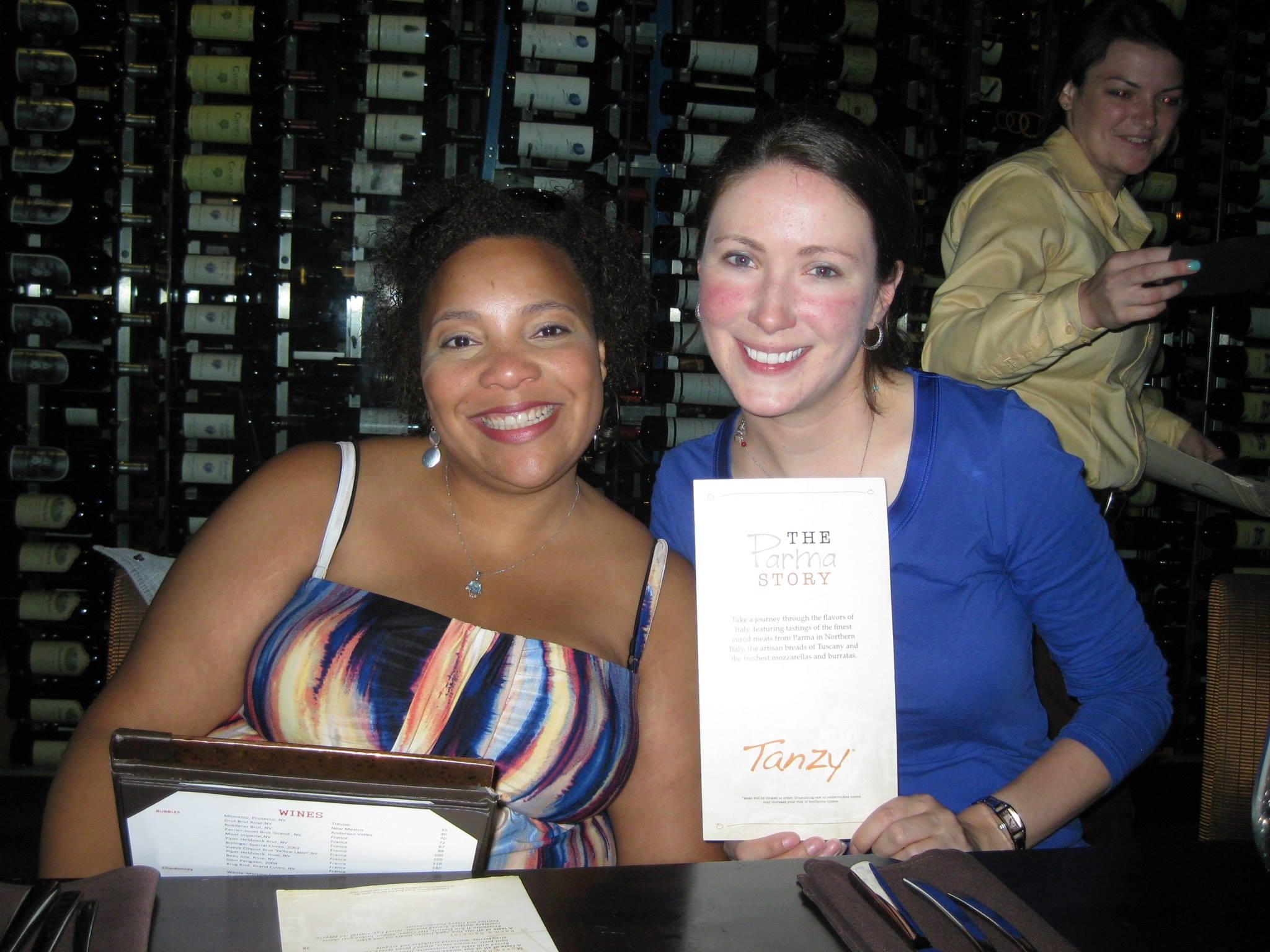
NAPO-Georgia friends Danielle Carney and Tiffany Poole at Tanzy
INTERNATIONAL ATTENDEES AND OTHER EXOTIC FOLKS
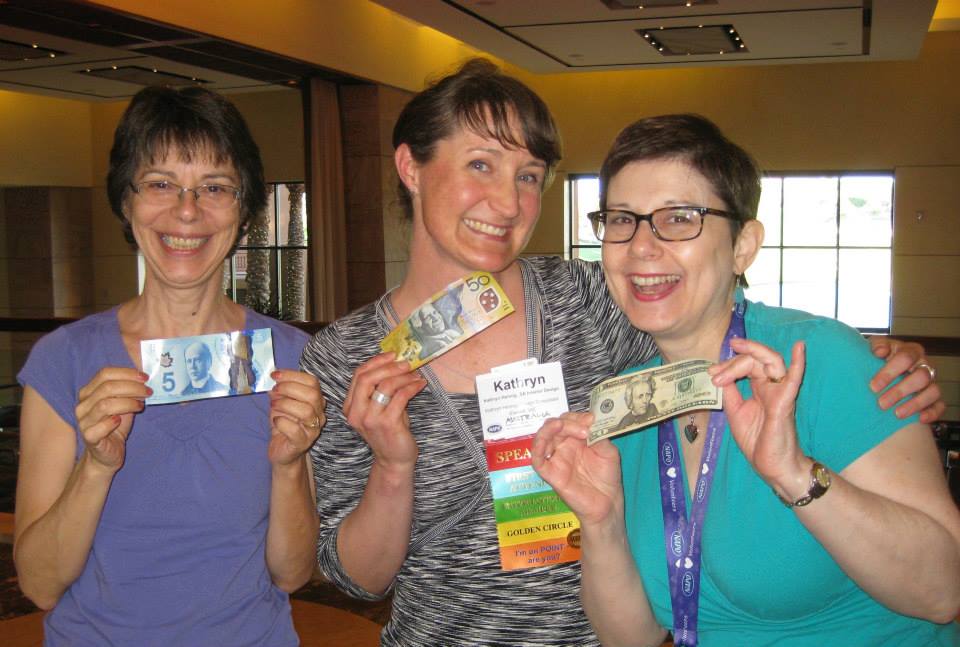
Every year, we’re lucky to have a number of international visitors to our conference from about a dozen nations as far away as Colombia, Brazil and Nigeria. Even a language barrier couldn’t stop these intrepid organizers, who had translators and moxie, speaking the common languages of clutter destruction and productivity. They marveled at their commonalities and discussed their differences, as evidenced by this picture of Canada’s Janet Barclay, Australia’s Kathryn Hennig and New York City’s Sharon Lowenheim (comparing our U.S. paper/linen money with their shinier, more plastic cash).
I never thought I’d be on anybody’s bucket list, but as Janet Barclay of Your Organizing Business writes in her post, My First NAPO Conference, I made it. And not only did I get to rub elbows with current Professional Organizers of Canada President Stephanie Deakin,

but she continued a long-standing tradition of POC members bringing me my beloved Coffee Crisp, the best candy bar in the world, from above the 49th Parallel.

And while men aren’t generally considered as exotic as international visitors, this year’s NAPO conference boasted an unusually large number of male attendees and presenters, including the aforementioned Rich Brooks, newly re-branded Scott Roewer, Evernote whiz Joshua Zerkel, tech-and-stuff organizer Deron Bos, paperless (gasp!) guru (and Canadian!) Brooks Duncan, NAPO-Connecticut President Rick Woods, and ADHD specialists Dr. Ari Tuckman and Harvard Medical School’s Dr. Roberto Olivardia.
In coming posts, we’ll be talking about new organizing “stuff” for paper and the other areas of your life. Until then, be assured that a good time was had by all. If you’re an organizing client, or plan to be one some day, I hope this has given you confidence in both the educational curriculum of professional organizers and the idea that professional organizers aren’t stuff. And if you’re a professional organizer who missed conference this year, here’s your motivation to start planning for #NAPO2015!
To that end, and to what I’m sure will be my eventual downfall, I share with you this year’s “It seemed like a good idea at the time” greeting, the boob bump.

What can I say, dear readers? It was 107° every day. Even the good judgment of organizing professionals can be melted by the Arizona heat.
Sign Up for the “De-clutter Your Life” Teleseminar Series
Paper Doll Central has moved west this week, to Phoenix/Scottsdale, for the National Association of Professional Organizers 2014 Annual Conference and Expo. I’ll have a lot of stories to tell you about the educational sessions I attend and the nifty products on display, but I’m just too excited to wait until I get home to share one piece of news.
My colleague, professional organizer Moreen Torpy of De-Clutter Coach in Ontario, Canada, has gathered a group of international professionals from various specialties to speak about their expertise as it relates to de-cluttering and organizing.

There will be a total of eight teleseminars over a two-week period. No surprise, I’ll be speaking on paper organizing in a fun hour entitled Paper Doll’s Success Secrets for Outwitting Paper Management Overwhelm. Other experts will share their knowledge on topics ranging from household clutter management to eliminating emotional clutter, from activity overload to managing time to get organized to feng shui. You’re not going to want to miss this series.
The teleseminar series starts June 9, 2014, but don’t wait for me to remind you again. Register today to claim your FREE ACCESS PASS. You’ll connect with others interested in becoming organized and learn from experts excited to share their organizing tips.
Join us for the De-clutter Your Life Teleseminar Series by registering for your Free Access Pass at: http://DeclutterYourLifeTelesummit.com.
This teleseminar series costs nothing, but I know Moreen and I (and all the other speakers) would appreciate you spreading the word, so please use the magic social media buttons below this post to help me organize the distribution of the message.
See you all next week!
Surveying the Landscape: Around the World with Horizontal Office Supplies
Have you ever noticed how looking at something from a different angle can make all the difference? Being organized means having the right tools for the job, and sometimes, with paper, fiddling with the wrong size or orientation can cause frustration and procrastination. Finding the right resources can be tricky, but is definitely worth the effort.
Last week, I mentioned my delight at finding the Officemate OIC Recycled Landscape Plastic Clipboard. A number of my colleagues and other readers jumped in to mention their surprise regarding the novelty of landscape clipboards. Although landscape-formatted clipboards are definitely as much a rarity as portrait (vertical) file folders, we’ve found even more options for those of you who seek a little more elbow room.
Landscape Clipboards
In addition to last week’s recycled Officemate clipboard, there’s also the Officemate OIC Klip N File Landscape Filing Clipboard. It’s a little different from what we’ve seen before, and while it is a clipboard, it’s not only a clipboard.
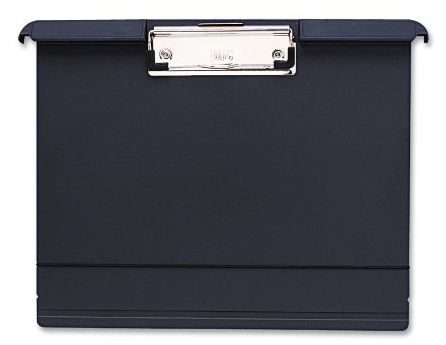
At 12 1/2″ x 9 1/2″ and .8″ thick, this landscape clipboard is made of charcoal molded plastic and has a low-profile metal clip. As with the clipboard we reviewed last week, the clip has rubber-coated corners to allow it to hold papers firmly without ripping, tearing or squeaking, and a metal lift-up tab in case you wish to hang the clipboard vertically, from a nail or hook. (Unlike last week’s clipboard, the Klip N File is not made of any recycled materials.)
The Klip N File has two additional features of interest. First, an elastic band, similar to (though narrower than) the kind attached to Moleskine notebooks, helps keep papers in place, rather than flapping in the wind.
Perhaps more intriguingly, this landscape clipboard is designed so that it can be used like a traditional clipboard (on display or while mobile) or integrated into a filing system. It has built-in hangers, like you see with hanging folders, for storage in a file cabinet or desktop file box. Along the top edge of the clipboard, the hangers are elevated at an angle, allowing them to bear adhesive labels (included) for filing with traditional folders.
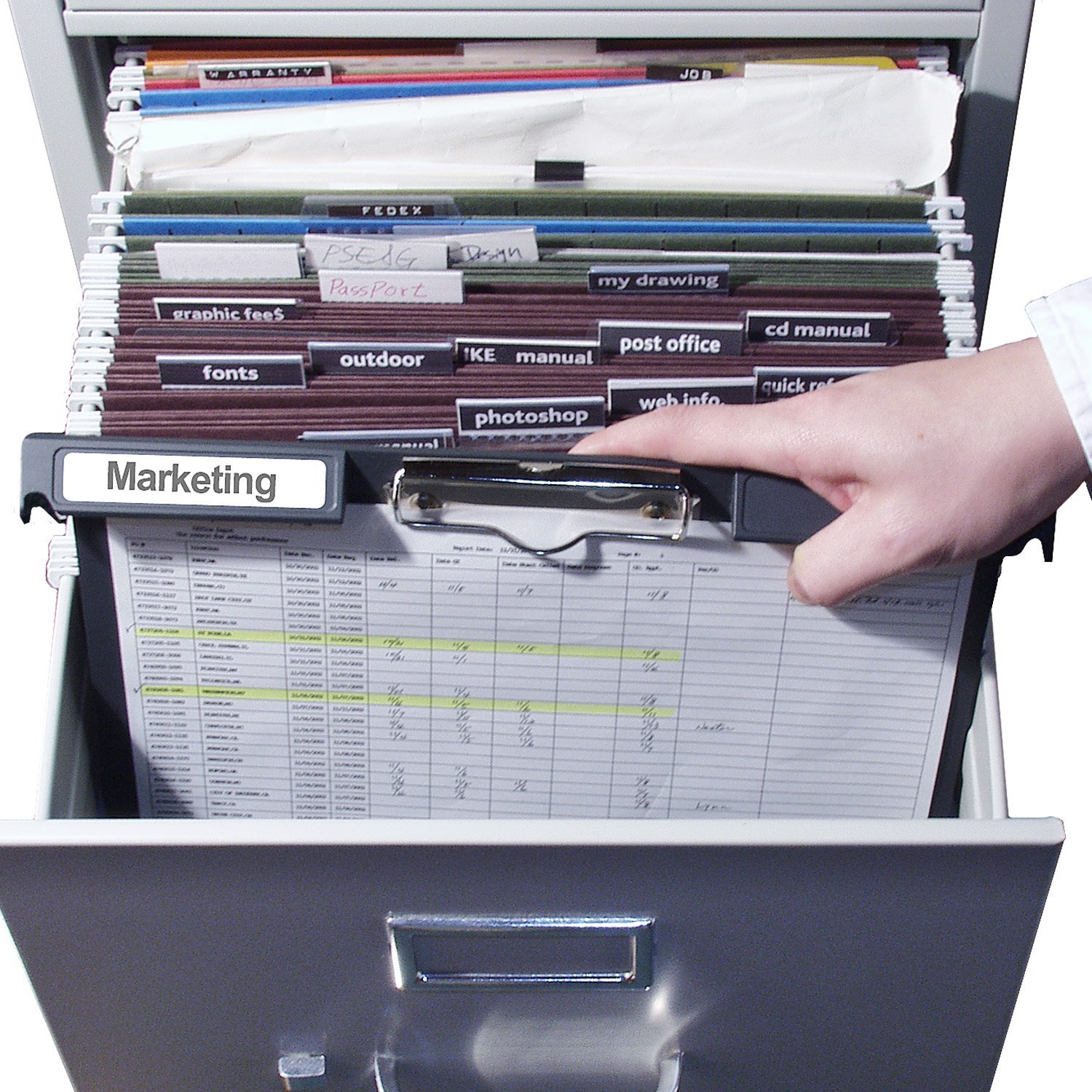
The Klip N File ranges widely in price, from $8.58 at Shoplet to $13.59 at Amazon.
Officemate isn’t the only game in town for landscape clipboards, but it does seem that the horizontal formatting is more popular everywhere else in the world. (Officemate manufactures theirs in China.) For example, the 220-year-old Lion Office Products, a Japanese company, has two landscape alternatives.
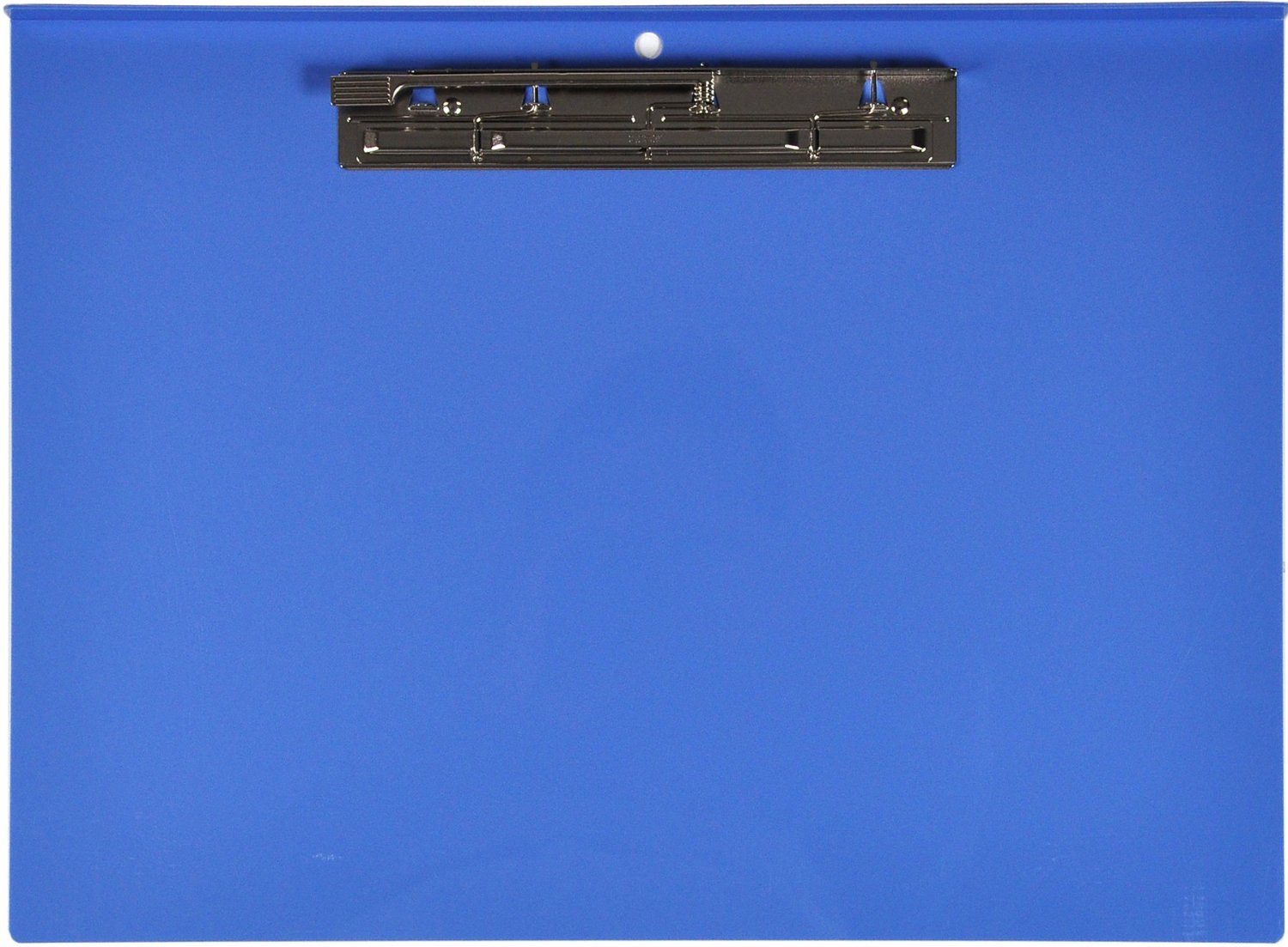 Lion’s Landscape Post-Consumer Recycled Plastic Clipboard comes in blue plastic in either of two sizes, 11″ x 14 7/8″ and 11″ x 17″ for extended paper sizes. It’s only .6″ thick.
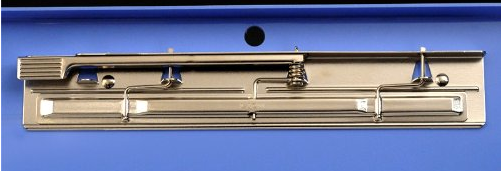
The low-profile one-touch steel lever clamp holds up to approximately 180 sheets of paper, and you can hang the clipboard on a hole drilled into the plastic above the clip. Lion’s clipboards are made of 96.8% post-consumer recycled plastic PET bottles. The larger version is available from Amazon for about $24.
German company Veloflex offers an A3 Landscape Clipboard measuring, 18.3″ x 12.4″. It’s very similar to last week’s Officemate model, only instead of plastic, it’s made of a black (bumpy) linen-styled material. The metal clip has black plastic-coated corners and will hold 100 sheets, and the clip’s backing hides a pull-up hanging tab.
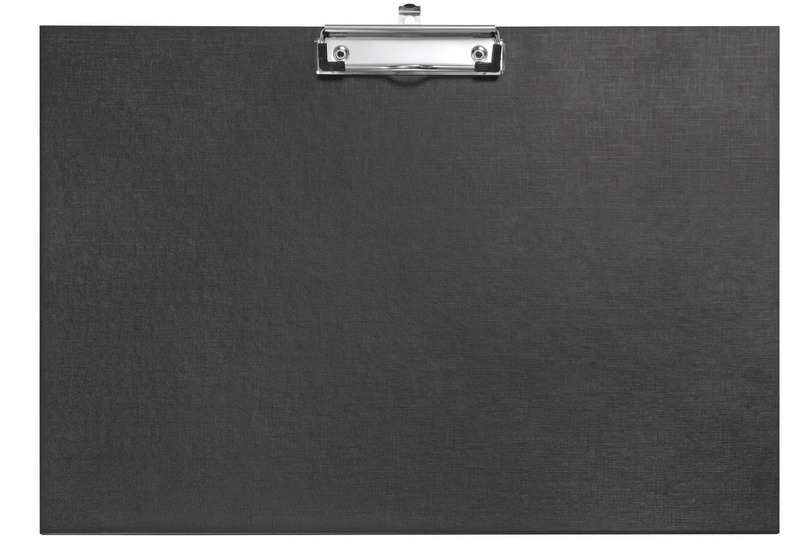
The Veloflex clipboard is available from Amazon.co.UK for $26.
For someone seeking a super-stylish landscape clipboard, Detectables Online, a UK company specializing in food industry products carries a kitchen/catering aluminum option:
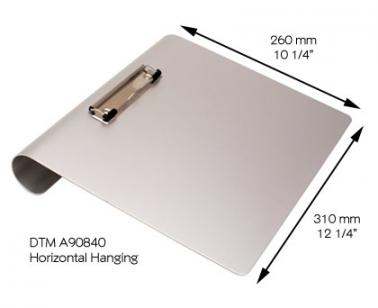 At 12 1/4″ x 10 1/4″, this snazzy clipboard is only 1.5mm thick and bears a low-profile clip with rubber-coated corners. The clipboard is designed to lay tilted on flat surfaces or can be hung from the curved 1 5/8″ backing. It sells for about $18 from the Detectables site.
The most interesting alternative landscape clipboard I found was at the Waterproof Clipboard Store, which specializes in hooded clipboards for use in inclement weather. (We covered a similar need in Paper Doll Writes Between the Raindrops: Waterproof Notebooks a few years ago.) For example, you might want a covered clipboard for outdoor professions from land surveying to archeology, to mobile tasks like keeping outdoor delivery or maintenance records, to hobbies like sports scorekeeping, coaching/playbook review and nature surveying.
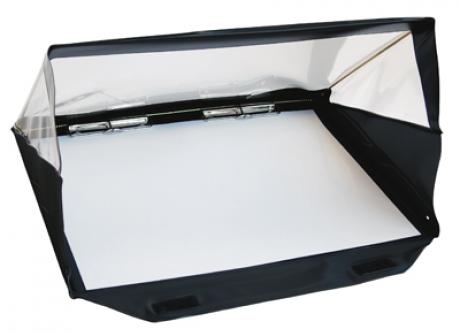
The A3 Landscape RainWriter is a waterproof clipboard for use in the yuckiest weather circumstances and is especially suited for working with larger papers such as home or landscape (no pun intended) plans. The RainWriter has a spring-loaded plastic cover for use in the rain or in other high-moisture environments. The cover can be folded flat and there are two clips on the reverse side to enable use as a standard clipboard in dry weather. There are two pen holders on the inside of the cover.
The RainWriter is designed for use with UK paper formats. (A3, for example, is 420mm x 297mm, or close to 16.5″ x 11.7″.) The A3 Landscape RainWriter runs $47; there’s also an A4 Landscape RainWriter for $40.
So, landscape clipboards are great when you’ve got spreadsheets, blueprints or other horizontally-arrayed documents. But what about when you just want to take notes on a wider canvas?
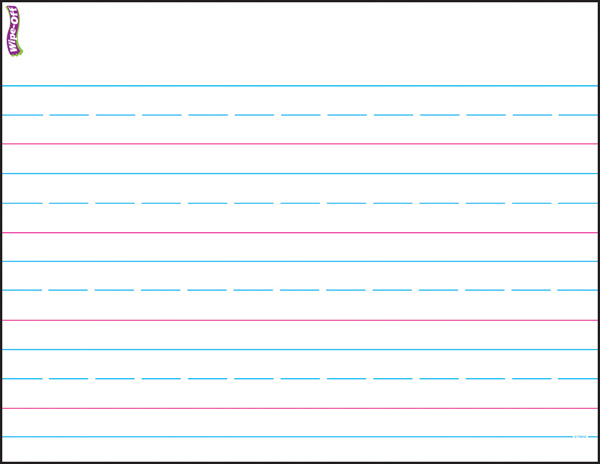
Aside from the penmanship paper elementary school kids used for learning cursive (you know, the kind with chunks of twigs sticking out from them), landscape paper options have been fairly hard to come by.
Landscape Writing Pads
A conversation about landscape clipboards with colleagues Nanette Duffy and Lauren Halagarda led to this:
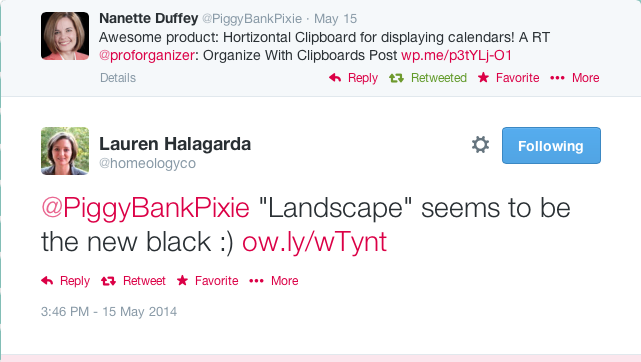
Indeed! It’s also the new pastel! For a writing pad fan like Paper Doll,, what could be cooler than Running Spring’s line of WIDE LandscapePads?
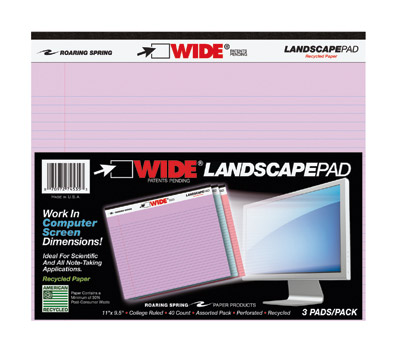
The college-ruled, perforated, 11“ x 9 1/2“ pads have 40 sheets to a pad and come individually or in three-pad packs of white, canary yellow, or pink/orchid/blue assortments. There’s also a “5×5” graph paper version, in the same size and sheet numbers, and a “junior size” WIDE pad assortment pack in 8″ x 6″. All fit well on landscape-orientation clipboards, but thanks to the standard chipboard backing, work equally well board-free. (Roaring Spring only sells by the case, so check them out at Amazon, Office Max and other office supply stores for individual pricing options.)
Spend a lot of time writing on airplanes? You know that the lip of airline trays make it hard to keep your writing pad surface from being “lumpy” — but that’s not a problem with these wide pads. Roaring Spring notes the WIDE pads are “ideal for standard and scientific notetaking” and since the pads match computer screen dimensions, it’s suitable for IT/coding when you can’t get to the computer. And honestly, sometimes horizontal is just better suited for the writing/planning task.
What do you think of these landscape clipboards and pads? Do you know of any other fabulous but atypical landscape-orientation office supplies? How might you use these differently from traditional clipboards and writing pads?
Organize With Clipboards & Desktop Caddies: A Shoplet Review Post
We have two new entries in our periodic Paper Doll series of reviews of items provided by online office supply purveyor Shoplet.
The Clipboard
Recently, I had the opportunity to try out the Officemate Recycled Plastic Landscape Clipboard. In all my years as an organizer (and many, many years as a school supply aficionado and office supply addict), I’d seen a wide variety of colors and materials (plastic, metal, wood, pressboard, etc.) used in making attractive clipboards.
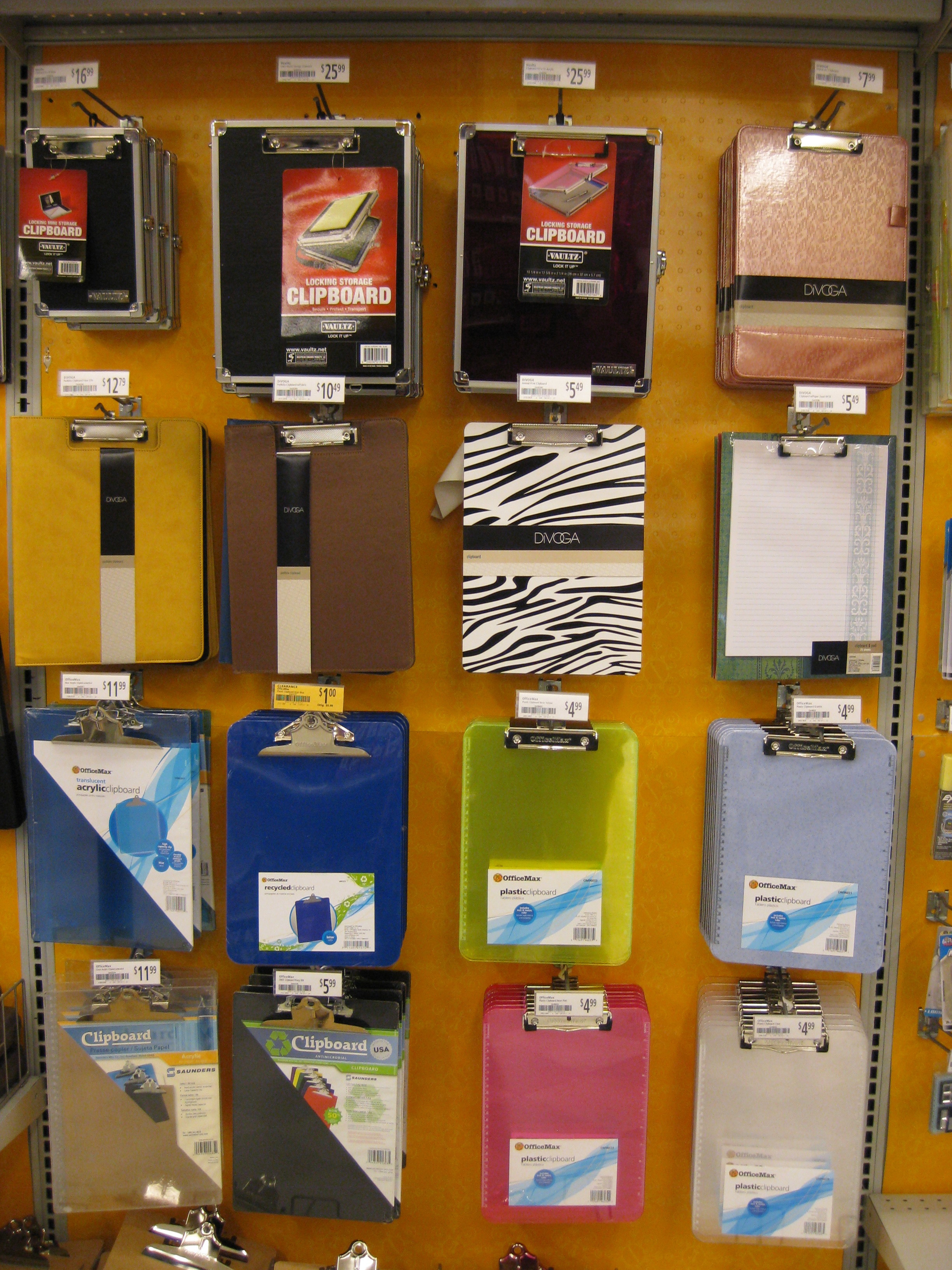
But the one constant was that clipboards were always arrayed vertically. Portrait (or uppy-downy), clipboards have always been standard, so I was happy to explore the idea of a landscape (side-to-side) clipboard.
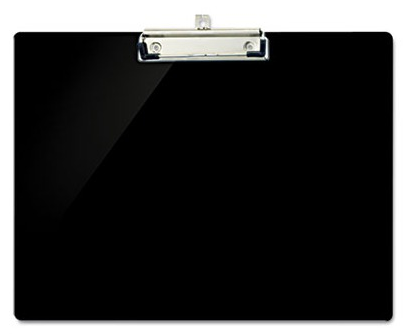
The Officemate Recycled Landscape Clipboard is designed to hold and display horizontal documents, like calendars, spreadsheets and storyboards. The clipboard itself is 12″ wide by 9″ high and designed to hold standard 8″ x 11″ paper (but horizontally).
The board is made of a smooth, recycled plastic (consisting of 60% post-consumer recycled materials). The metal clip includes a metal backing riveted to the board; the lift-up clip has plastic-coated corners to keep papers in place without tugging, tearing, or making that awful metal-on-metal squeaking sound.
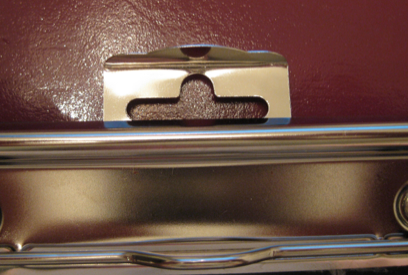
A small metal tab lifts up from between the metal backing and the board to serve as a hanger; the top of the tab is bent at 90° so it lays flat against the top of the board when unused.
The clip capacity is marketed as approximately 1/2″ of paper, but I was able to safely clip a 3/4″ thick phone directory without difficulty.
At Shoplet, the Officemate Recycled Landscape Clipboard is $6.54/each, or $6.21/each for four or more (or $3.46 in bulk, for 72 clipboards or more).
In addition to using the landscape clipboard for general paperwork and projects, it seems like it would be an ideal solution for children’s artwork. Kids tend to draw their pictures in landscape orientation, so packing the clipboard, some paper and crayons in a bag means little artists can set up their studios wherever you go. Once you get home, lift the metal tab at the top of the clipboard to display the artwork from any nail or hook. (Of course, if you manage to find a small, desktop-style easel, the clipboard makes a perfect backing for the pint-sized canvas.)
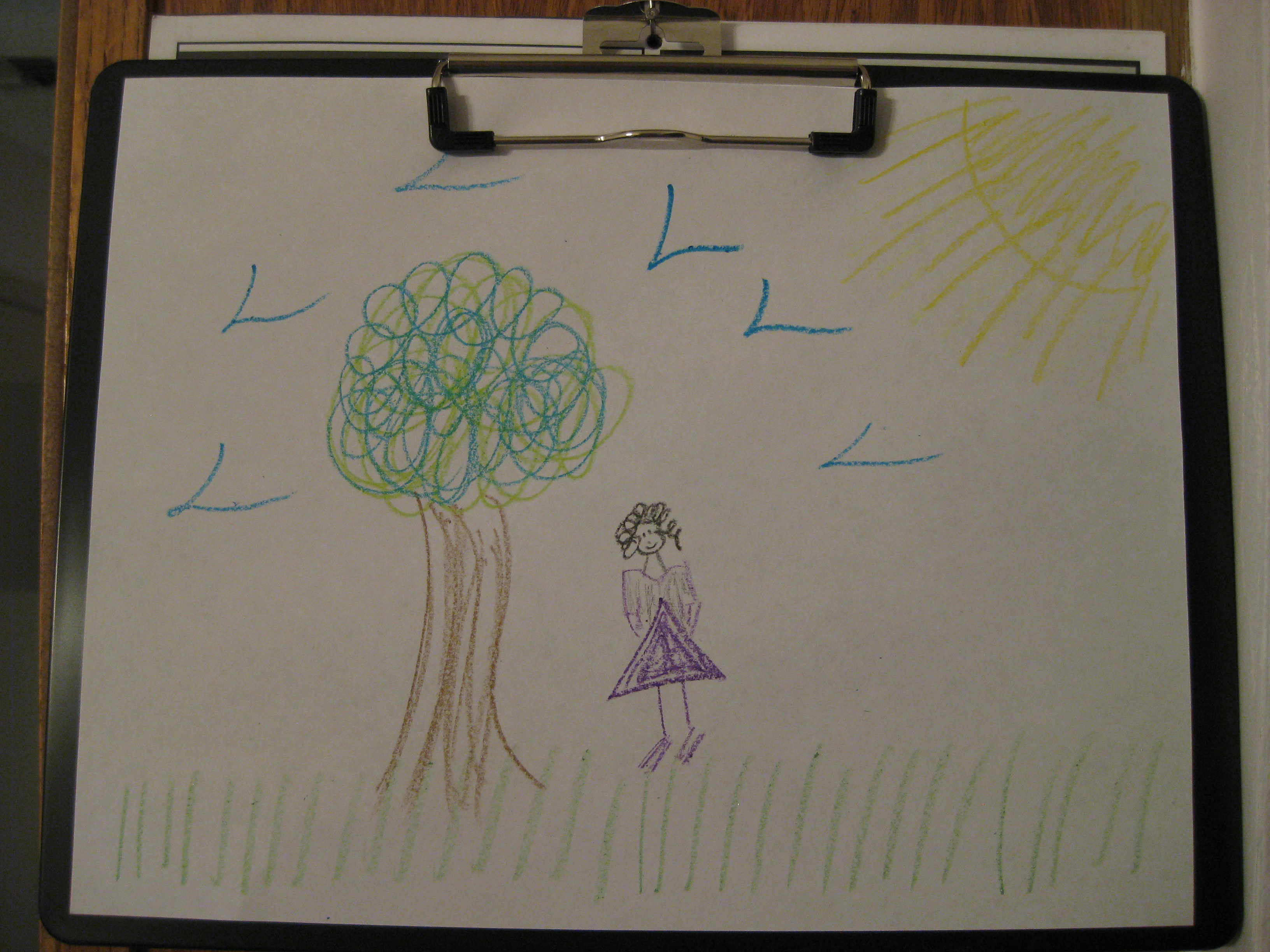
My favorite aspect of the clipboard, besides the novelty and utility of the landscape design, was the low-profile metal clip. The biggest annoyance I find with clipboards is that most metal clips are high-profile, meaning they stick out and do not lay flat. This makes it hard to put the clipboard in a backpack or to stack other clipboards or files on top without risking lumpiness or sliding. With the Officemate clipboard, you could easily carry a stack without worrying about sliding or lumpy, damaged papers.
The main thing I didn’t like about the clipboard was the packaging. The cellophane appears to have been wrapped around the board before the clip portion was riveted on, so when I went to tear off the wrapping, bits of it still stuck out from between the clip and the board, both at the front and the rear. I also found the metal hanger tab to be a bit rattle-y when I was carrying the clipboard around. (Caveat: I talk with my hands, even when they’re full.)
While the utilitarian style (or lack thereof) of the clipboard didn’t bother me, I know some of you prefer snazzier office supplies. Paper Doll isn’t the crafty type, and wouldn’t know what to do with Modge Podge, decoupage or scrapbooking flair, and I’ve happily used the same clipboard (with a squeaky metal clip and solid pressboard backing) for a million years. But to gain a little motivation and some fun ideas for decorating clipboards, check out:
- Tip Junkie’s 25 Ways To Organize It With a Clipboard
- The Crafty Quilter’s Decorating & Organizing with Clipboards Tutorial
- Decorative Clipboards on Pinterest
Clipboards are a great way to help keep yourself organized when notebooks, folders and loose papers just won’t do. A few useful ways to organize with clipboards include:
1) Running errands — When you want to keep a running to-do list along with the items you’ll need at each location (dry cleaning ticket, receipts for items to be returned, discount postcards for oil changes, forms to turn in to your accountant, etc.), it’s often easier to clip everything to a clipboard in the order in which you’ll arrive at the locations to use them.
2) Big picture projects — Whiteboards and chalkboard-painted walls are good vertical solutions for keeping track of projects and tasks, but they’re not very mobile. Post a row of clipboards just above eye-level, and use label maker tape to put the project title along the metal clip. You’ll see at a glance which project clipboard you need. Grab and go!
3) Shopping lists (for groceries, holidays, etc.) — While lots of shoppers prefer to keep digital lists in their phones, some people like the tactile aspect of keeping track of lists and writing notes (about prices, brands, sizes, etc.) as they go along. The problem is that it’s hard to write neatly on a loose piece of paper. Clipping a full-size set of lists to a clipboard means you have a built-in hard surface for taking notes and checking off items as you find them. Hang your clipboard in the kitchen or pantry, add items to your shopping list, and then take the whole board with you.
4) Task and Chore Charts — Assign chores to your kids (and any grownups who act like kids) by having a clipboard for each member of the house. Write tasks on large index cards and clip them to the appropriate family member’s board so they can grab and go, taking the tasks and instructions with them.
5) A Week of Calendars — Some families have so much activity going on that a big, monthly wall calendar can’t show the level of detail that’s needed. Try hanging a row of clipboards (even mini-clipboards) in the mud room or entry way listing all the major events of the day. Everyone can see at a glance what’s on the schedule (who’s driving carpool, whether it’s soccer practice or play rehearsal, and whether Grandma’s coming for dinner) so Mom and Dad don’t have to field the same questions over and over.
What other tasks can you tackle in a more organized way by using clipboards? And what do you think of the landscape clipboard?
The Desk Organizer
It’s my belief that there’s no perfect desktop organizer caddy. Often, the ones that are gorgeous or adorable are imbalanced or impractical. Personally, Paper Doll likes to keep her office supplies in a desk drawer, categorized and separated by dividers, but mainly hidden away. When I do set up an office with a desktop organizer, practicality trumps fashion. The essential question is, does it work without annoying the user?
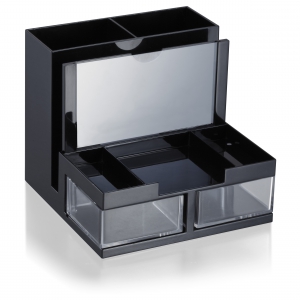
Even if it didn’t have any other positive attributes (and it does), the Officemate OIC Versa Plus Functional Desk Organizer would have to win an award for having the longest darned name of any office supply I’ve seen!
This black, plastic organizer is 5 1/2″ high, 6.2″ wide and 6.3″ deep. (Unlike the clipboard above, the plastic is not recycled.) It has three levels and nine zones, including a few surprises:
- At the rear, two compartments for writing implements, scissors, rulers and any other “tall” office supplies. One compartment runs the full height of the caddy, the other is about 2/3 the height of the taller one (to keep shorter pens and pencils from going missing).
- Moving forward, there’s a vertical paper slot, about 1/2″ thick, perfect for mini-legal pads, documents, pending mail, or envelopes.
- At the front of the vertical slot, facing outward, is a removable clear plastic panel to use as a picture frame. Slide it out, put in a 3″ x 5″ photo (or an index card of your favorite motivational quote) and replace the clear plastic.
- There are three shallow tray compartments in the front; the center one measures 3″ x 3″, perfect for your favorite stack of sticky notes, while the two flanking trays are suitable for tape flags and other tiny items.
- On the lowest level, there are two squat, clear, plastic compartments that swing outward, to the sides (rather than pulling out like drawers).
Here it is, in full-color action:
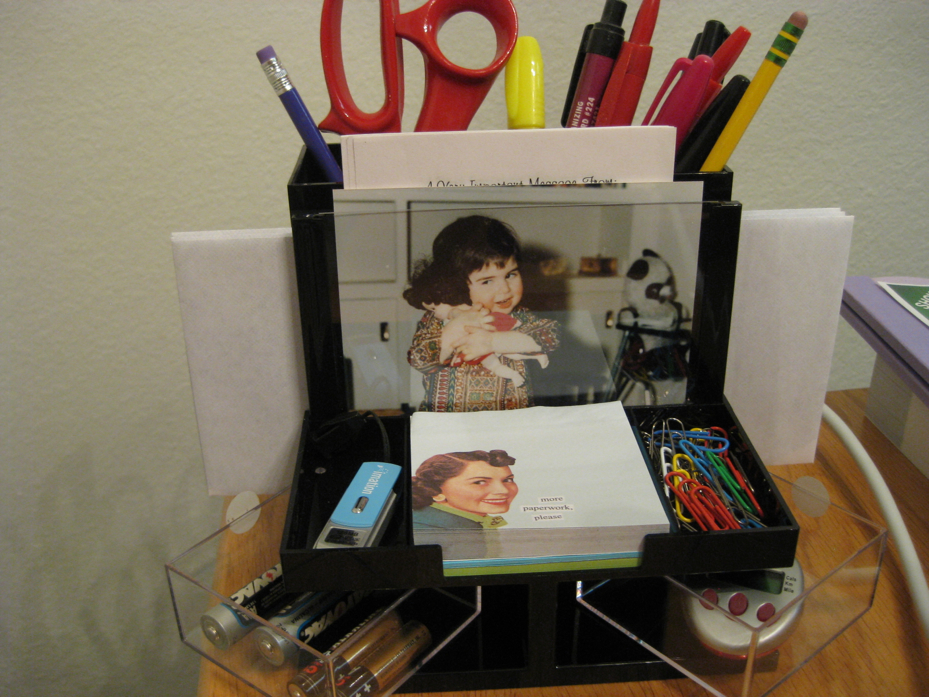
This organizer is sturdier than I’d have expected from photos. I loaded it down with lots of pens, markers and scissors, but the wide base didn’t jiggle and there was no sign of tipping. I really liked the photo frame (though I’d prefer one with a 4″ x 6″ option, and the swing-out compartments were nifty (and since they’re clear, you don’t risk forgetting what’s inside). I also appreciate that it’s got a small footprint, but manages to pack a lot into that tiny bit of office supply real estate.
I’m not a huge fan of plastic, in general, and while the swing-out doors don’t squeak, the organizer does make a tell-tale “plasticky” sound when moved around on the desktop. I’d have liked to have seen some rubber matting on the base to make it slip- and squeak-proof.
The Officemate OIC Versa Plus Functional Desk Organizer runs $16.46, or $15.64 if you buy four or more.
[Note, for those who care about the provenance of their purchases, both of today’s items are made in China.]
The Officemate Recycled Plastic Landscape Clipboard and Desk Organizer are available directly from Shoplet, which also maintains a colorful and often-goofy blog about office supplies. Shoplet is also a source for business promotional products, including promotional shirts. In addition to selling office supplies in North America, Shoplet is a purveyor of office stationery in the UK.
Disclosure: I received these products for review purposes only, and was given no monetary compensation. The opinions, as always, are my own. (Who else would claim them?) The clipboard and desk organizer will be donated to a Chattanooga-area non-profit and/or used for pro-bono organizing projects.
Declutter Your Life with Uncle Bob’s “Address Your Mess” Contest
Editor’s note: Check the highlighted portion below for an exciting prize update and a chance to win $100!
As a professional organizer, and especially as one who specializes in paper, you don’t see me writing too often about using self-storage. After all, one of the goals of getting organized is to take an honest look at what you have — and how much of it you have — and reduce your number of possessions to reasonably match the space you have.
Opting for self-storage definitely adds to your available space, but can be like increasing your credit limit. The more space (or credit) to which you have access, the more you might potentially use. That’s why it’s essential to know why you’re acquiring off-site storage, estimate how long you’ll be needing it, and make sure your selection fits your needs.
So, a bad reason to book self-storage is because you have too much stuff and can’t be bothered to look at it critically and winnow it down. Have every bill you’ve ever received? Every letter? Every magazine? Booking storage space so you can keep it all, in perpetuity, is just like plopping more purchases on an already-strained credit card. Not good.
That said, there are definitely excellent reasons to use self-storage. For example, self-storage works great when:
- You’ve inherited possessions and have neither the space nor immediate time to review and process them. (Plus, you can review the items with an estate sale agent or meet buyers without opening your home, and all involved parties, including other inheritors, can meet in a neutral space.)
- You’re in temporary housing while between homes (due to relocation to a new city, separation/divorce, graduation or other life-change circumstances).
- You’re going to be giving up your home and traveling (domestically or abroad) for an extended period and are too old (ahem, mature) to fill your parents’ home with your belongings.
- You’ve experienced a catastrophe (fire, flood, tornado, etc.) and need a safe, secure location for your possessions.
- You’re remodeling at your home or office and need a place to keep large, unwieldy, delicate or valuable items out of the way of the workers.
- Your current residence lacks a safe place to park a vehicle, motorcycle, boat, RV or similar item.
- Your business is transitioning between locations and you need a secure location, with temperature and humidity control, to keep equipment, work product, client/customer files, etc.
Again, Paper Doll doesn’t normally talk about off-site storage, but I received an update from our friends at Uncle Bob’s Self-Storage. (They’re based in Buffalo, New York — the home of Paper Mommy and from where I hail.)
 You may know that Uncle Bob’s blog, Get Stor-ganized, did a fun interview with me a few months back entitled They Have To Want It, about the organizing process and working with professional organizers.
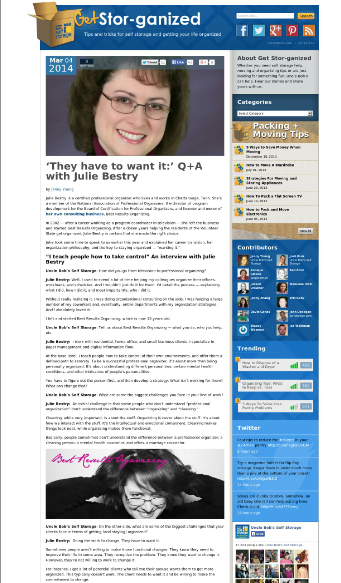
Today, Uncle Bob’s Self Storage launched the Address Your Mess contest, giving entrants an opportunity to win a three-day spa stay and a chance to get control of their clutter.
What’s involved? Contestants should submit a digital photo or short video of a messy room — in your house, apartment, or dorm room — to www.unclebobs.com/mess.
Visitors to the contest site will then be able to vote for the photo or video depicting the messiest, most cluttered room – the space most desperately in need of organizing assistance. (Yes, you can encourage your relatives, friends and social media pals to vote for you — just share links to your entry photo or video.)
Remember, readers, this is for putting forth your own rooms, spaces that fail to give you the serenity you want. Don’t submit photos of loved ones’ spaces in hopes of guilting them into organizing the way you’d like to see it done. (It’s not only bad manners — it’s against the contest rules!)
You’ve got eight weeks to enter the contest. Entrants whose photo or video earns the most weekly votes will receive an Uncle Bob’s prize package, including jackets, t-shirts, and other fun merchandise. I’ve just been notified that, as of this moment (6/11/14), and for the remaining weeks of the contest, the entry with the most votes each week also wins a $100 Amazon gift card! After the eight weekly winners are selected, Uncle Bob’s will then choose one of these finalists as the grand prize winner on Monday, June 30, 2014.
The grand prize includes round-trip airfare for two to Miami, Florida, a three-day/two-night stay at the Mandarin Oriental with one deluxe Bay View room for two, and two half-day Relaxation Program spa treatments. (Yes, I’d say a three-day spa vacation in Miami would be a good way to declutter one’s mind.)
And, while a vacation is lovely, Paper Doll considers the other part of the grand prize to be the true win. The grand prize winner will also receive one free session with a professional organizer (of his or her choosing) to declutter and organize the living space depicted in the entry. (In other words, the point isn’t merely to escape your clutter, but to embrace the organizing process and eliminate the clutter!)
Photo and video entries will be accepted through Sunday, June 29, 2014. One entry is allowed per contestant. No purchase is necessary. Got questions? There’s a contest FAQ page.
This is not a Paper Doll contest. The people at Uncle Bob’s just really seem to get that organizing is about more than just moving stuff from your house to your storage unit, and have interviewed many of my colleagues to help share organizing tips. (For example, they’ve recently chatted with the superb Diane Quintana, Ellen Palestine, and Anna Sicalides.)
If you decide to enter the contest and Address Your Mess, good luck!



Follow Me