Archive for ‘Paper Organizing’ Category
Paper Doll’s How To Organize Yourself to Write for NaNoWriMo 2017

November is National Novel Writing Month, and for people in the know, that’s NaNoWriMo. Starting November 1, 2017, the 19th annual celebration of the creative power of words begins. Participants will work toward the goal of writing a 50,000-word novel by 11:59 PM on November 30. As the website puts it, “Valuing enthusiasm, determination, and a deadline, NaNoWriMo is for anyone who has ever thought about writing a novel.”
If you’ve ever wanted to write something big, but you’ve been challenged by time management or productivity issues, NaNoWriMo is your chance to commit to something big(ger than yourself) and get started. Yes, 50,000 words won’t yield a complete novel, but the point is to get started creating. Write, don’t edit. Write, don’t format. Just write.
If you’re like Paper Doll and prefer Shonda Rhimes to create your fictional world, there’s no reason you non-fiction writers can’t play along. There’s Nina Amir’s National Non-Fiction Writing Month 2017 (NaNonFiWriMo? Seriously?), which lacks NaNoWriMo’s infrastructure, but gives you permission to get your non-fiction freak flag flying. More officially, NaNoWriMo rebels exist, participants who are writing something other than novels, from non-fiction to scripts to comic books.
Based on prior years, NaNoWriMo anticipates that 400,000 people will participate this year. What more could you need to feel like you’re part of a movement? Oh, OK, here’s a cool badge!

Getting started is simple:
Fill out your profile, “create” your novel (just name it) in the system, and select your region of the world so you can be notified of events in your area. (It’s a worldwide extravaganza!) Starting November 1st, begin writing, and log your word count. As you go along, award yourself participation, writing, and achievement badges. (If you promise not to acquire too much clutter – I am a professional organizer, after all – shop for some NaNoWriMo inspirational clothing and tchotchkes.)
Anytime from November 20th through the end of the month, paste your completed work in NaNoWriMo’s word count validator and you “win!” What do you win? The right to say you completed NaNoWriMo 2017!
It’s only been a few years since I wrote Organizing Your Writing for NaNoWriMo and More, where I provided the low-down on the program and offered advice for organizing yourself and your work. Start there to get caught up, but there’s plenty more to come!
IDENTIFY YOUR GOAL
When I work with my organizing and productivity clients, I always start with the end in mind. Why do you want to be organized? For most people, organizing is a means to an end. People want to feel at ease when friends pop by unannounced. They want to feel confident when clients or managers visit their workspaces. They want to stop wasting time and money so they can spend their days doing things they value and spend their money on experiences that reflect their priorities.
So, take a moment to think about it. Why do you want to write?
For meaning – In Man’s Search for Meaning, Viktor Frankl wrote, “Life is never made unbearable by circumstances, but only by lack of meaning and purpose.” Sometimes the only way to make sense of the world is to create a world out of words. Find your meaning in writing.
For the joy of language – If you spend your days with toddlers, or grumbly, jargon-spewing, cubicle-dwelling grownups who act like toddlers, you may not get to use your SAT vocabulary or create “palaces of paragraphs” (to borrow a phrase from Lin-Manuel Miranda). Write for the joy of the words.
For fame and fortune – The writing life rarely brings financial fortune, but that doesn’t mean it is without rewards. If being a big fish writer in a small pond of readers is enough for you, that may be reason enough.
For the opportunity to create a legacy – We get about 100 years, give or take. Outside of the legacy of our DNA in future generations, it can be difficult to find a way to make our mark on this big, blue marble. Whether it’s one sentence or a whole book series, your words can only be eternal if they make it out of your head.

ORGANIZE YOUR INSPIRATION
So, you’re generally inspired to write, but not necessarily to write for NaNoWriMo?
- If you write in November, you’ll have something exciting to talk about at Thanksgiving and over the holidays when people ask you what you’ve been up to this year.
- When you’re thinking about what you want to accomplish in 2018, you’ll have your NaNoWriMo writing as the raw materials for your year. You can edit it and learn the steps for self-publishing or try for the path of traditional publishing. If you choose to write non-fiction, in addition to publishing, consider turning your book into a profitable video course or workshop series to support your own business or even a “side hustle.”
- Having a thirty-day challenge is a superior way to strengthen not only your writing muscles, but your discipline muscles. I participated in a fun thirty-day planking challenge with friends and fellow professional organizers this summer. Colleague Janine Adams wrote Recap of My 30-Day Challenges and talked a bit about mutual accountability and setting realistic goals. While I didn’t get six-pack abs from planking, I felt stronger and healthier, and have recognized that I was much more disciplined and rigorous in other areas of my life as a result.
- Kickstart those half-attempted writing projects that haunt you. You know the ones.
- NaNoWriMo offers stellar writing resources to help you grow as a writer, including pep talks from popular writers like John Green, Roxane Gay, Dean Koontz, and Neil Gaiman.
- Participants get discounts for all sorts of sponsor products and services. (Saving money organizes your finances!) Prepare to be impressed with the author-oriented discounts (and some prizes), including:
- 20% off a license for the amazing writing and project management suite Scrivener
- 15% off the professional writing tool Ulysses
- One month free trial of The Great Courses and two months at 50% off
- A free upload of your book to Ingram Spark, a major self-publishing platform
ORGANIZE YOUR WRITING TIME
Chances are, you have to work. You have to eat. You probably should sleep and exercise. It will be hard to make it to the end of November, healthy and solvent, otherwise. So when will you write?
Someday is not a day on the calendar. Later is not a spot on the clock. If you’re going to write, write right now. Write tomorrow. And the next day. But you need to find some sacrosanct portion of your day when your work or your other responsibilities won’t seep in and take “just one minute” of your time. How can you carve time in your day? Brainstorm a list of options:
- Get up an hour earlier. (This wouldn’t write for Paper Doll. I don’t do mornings.)
- Stay up an hour later.
- Shorten your workout (but don’t give it up altogether) or trade going to the gym for an at-home workout to reduce your commute time. (Seriously, don’t stop working out. Your brain will percolate with story ideas while you’re running, riding, kickboxing, and yes, even when you’re doing downward-facing dog.)
- Skip some TV time. Not prime-time – that’s just crazy talk, and we’re in November Sweeps! But DVR those shows that you only watch because you’re waiting for the show you really like.
- Trade child-watching time this month for hours next month. There are parents who will really need free time before the holidays; let them have your kids for an hour a day in November!
- Write at your desk for an hour after work, once everyone else leaves. If you have trouble getting yourself to sit down to write, why not write while you’re already sitting? You’ll avoid rush-hour traffic and can enjoy the evening knowing you’ve already written.
Once you know when you’re going to write, you need to know what you’re going to write about when you put your tush in the chair (assuming you won’t be using a standing desk). Start the month with an outline of your book using these tips from K.M Weiland. Remember, you don’t have to write the story in order – you can even write the end before the beginning. Just have a written roadmap so you know which route you’re going to take or which landmarks you’re going to hit on any given day. (For more on creating a roadmap, once again, I direct you to my 2015 post on NaNoWriMo.)
ELIMINATE THE DISTRACTIONS
What #NaNoWriMo prep looks like: Uninstalling all the dumb games and distractions from your phone and deep-cleaning your apartment.
— Stephanie Gildart (@seliza_gildart) October 29, 2017
Don’t turn eliminating distractions into a distraction. Too many clear-the-decks tasks turn into busy work that allows you to procrastinate on your actual writing. It’s fine if you want to sharpen your pencils, clean and organize your desk, or install all of your software upgrades, but the key is to separate your preparation time (whether that’s pre-November, or just pre-“The Time I Said I’d Sit Down To Write” Time) from your writing time.
CHART YOUR PROGRESS
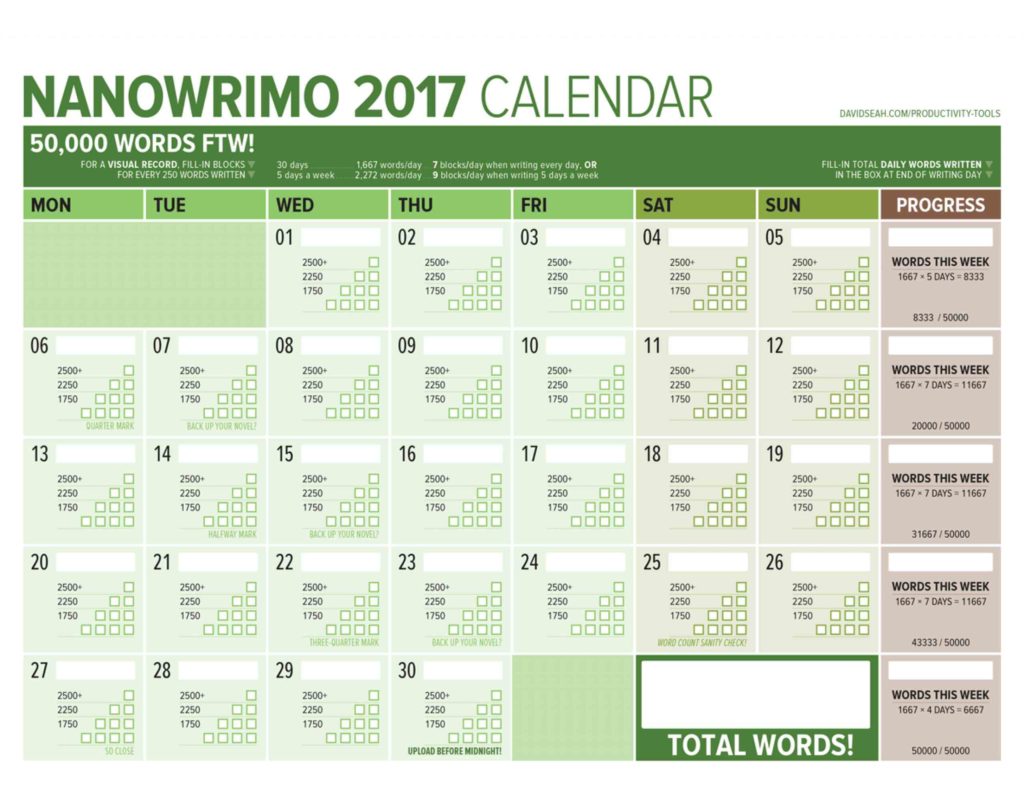
It helps to have the “Big Picture” literally within view so you can see your progress. The brilliant Dave Seah has been creating a NaNoWriMo Word-Counting Calendar since 2012. In Seah’s words:
The theory is pretty simple: To maintain a good pace, you need to write 1667 words a day to meet your 50,000-word count. Every day, write-in the number of words you wrote in the word count box for each day, and then fill-in the pyramid of 10 boxes, each corresponding to 250 words.
As the days go by, the amount of filled-in boxes will show you at-a-glance where your GREAT days were, and also the less-great days where you had to do something important like cook Thanksgiving dinner. Annotate the calendar as necessary! It’s designed to help you feel good about the progress you do make.
Seah’s calendar includes periodic reminders to back up your work, and a progress column for totaling your weekly words and comparing them against the benchmarks for that 50,000-word goal.
©2017 Dave Seah, Investigative Designer
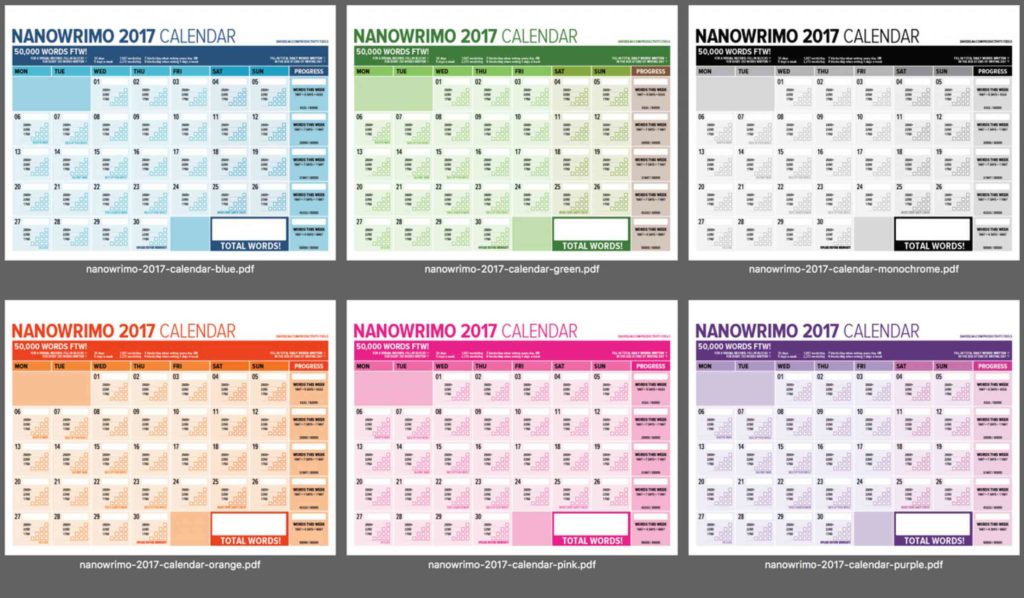
Read more about his 2017 calendar, download and print the standard version, or if you want something truly glorious, head to Seah’s Patreon page for options to purchase a variety of colorful versions (now including purple). For a small monthly patronage of even $1, you get access to the word counting calendar in all of the colors, a 5,000-word version for anyone taking part in NaNoWriMo’s Young Writer’s Program, and Seah’s other great digital creations, like the 365-day version of his deservedly-beloved Emergent Task Planner.
©2017 Dave Seah, Investigative Designer
SEEK HELP WHEN YOU FEEL OVERWHELMED
It’s practically impossible to stay organized when you’re overwhelmed, and overwhelm usually comes from too many sensory inputs at once. In professional organizing, we have a saying, “When everything’s important, then nothing is.” You have to prioritize.
In November, your priority is writing. NaNoWriMo’s participant forums offer assistance on everything from naming your characters to spelling and grammar to doctoring plots. There are “genre lounges” for whatever you write about, whether it’s adventure or literary fiction or young adult. And NaNoWriMo has dozens of other forums for finding your tribe.
During writing time, focus on your writing. But in those quiet moments when you begin to doubt your creativity, find a cheerleader. Todd Brison, author of the forthcoming The Unstoppable Creative, has a YouTube broadcast called Friday Finish. Here’s one of his recent episodes, where he talked about one of my favorite topics, how to beat procrastination.
If your dreams are bigger than writing just one month a year, perhaps the whole writing/publishing/ marketing process overwhelms you. That’s where a really good coach comes in – to help you organize all of the facts, prioritize the tasks, and guide you through the process. I’d recommend Alexa Bigwarfe, an expert in print layout and e-book conversion, author coaching, and book launch marketing. I originally “met” Alexa when I watched her presentation for the stellar Indie Author Fringe Conference, where she was talking about accountability coaching for authors:
Next, I took Alexa’s Just Write It! 30 Day Challenge, an email course for writing accountability. (You might want to try it concurrently with NaNoWriMo, for an extra boost!)
I’m just finishing Alexa’s three-month coaching and accountability program for writers. What I really appreciated was that Alexa skipped the fluff and focused on practical advice (about writing, marketing, and publishing), and provided a bounty of resources. Alexa is launching Write.Publish.Sell Academy, a membership program with monthly training, education, encouragement, and accountability for authors. (Frugal gal that I am, I’m impressed with the low cost and no-contract approach). Check it out.
NANOWRIMOMO
I’m an organizer and a writer, but I’m not a writing coach. I’m planning on using November to work on my own writing, and I know my accountability gets strengthened when I want to be there for others. So, for the next month, in addition to the regular Paper Doll posts, I’ll be publishing NaNoWriMo Monday posts, or NaNoWriMoMo for short. OK, it’s not that short. But the posts will be shorter than usual, with just a few motivational links, technological tools for keeping writers organized, and articles and advice I’ll be curating just for you. Happy November!
Paper Doll’s Manual Override – Part 3: Create & Organize A Digital Owner’s Manual Library
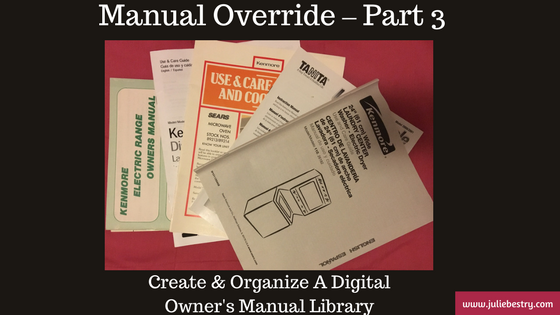
In our last two posts in this Manual Override series, Declutter and Organize Owner’s Manuals and Twelve Resources To Find An Owner’s Manual, we looked at how to get your paper manuals in order and access digital versions of them, whether yours are missing or you just prefer to go electronic for convenience or for environmental reasons.
Keeping all (or even most) of your owner’s manuals, installation instructions, and repair guides in digital form can also give you flexibility. Since we’re never very far from our computers and phones, we can access information about our possessions even when we’re nowhere near them.
Let’s say you and your siblings got your golf-loving grandfather a Bushnell Pro X-series Rangefinder to find the distance to a point on the green.
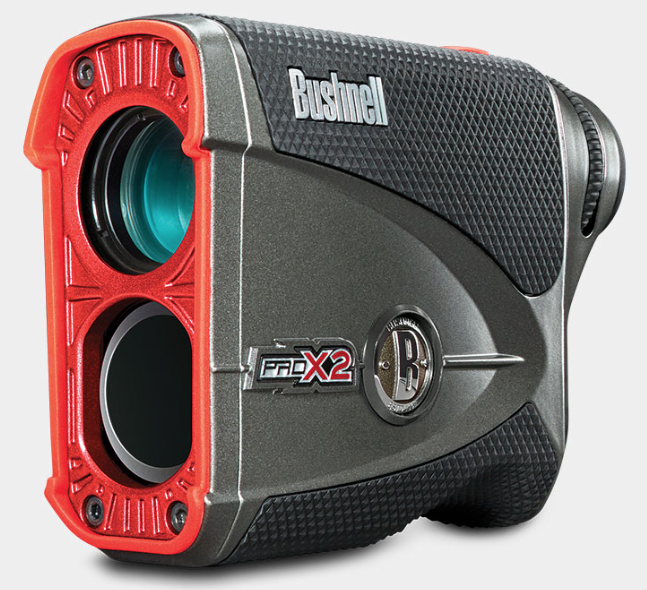
He’s hoping he’ll be using it soon for the first time, eager to show off his fancy-schmancy gadget to his buddies, but he can’t figure out the slope function. The manual is sitting on his kitchen table (much to Grandma’s chagrin) where he unboxed everything this morning. If he’s tech-savvy and has data on his phone, he might step into the clubhouse, Google the product, find the web page, navigate to the online manual, download it, and find what he needs in due time. Is Gramps techie? Well, if he is, be sure to share this three-part series with him. If not, read on.
With one call to you, you can access the manual, walk him through the instructions, and get him back out on the links. You’re now his favorite grandchild, and you can get back to work. But chances are this isn’t a one-time thing. What if you made sure that you had quick digital access to all of your manuals plus those for which your loved ones are likely to need tech support?
If your first thought was, “Great! That’ll save time!” but your second was, “Man, where am I going to keep all of these digital manuals?” then Paper Doll has you covered.
CREATE YOUR OWN DIGITAL MANUAL LIBRARY
Download a manual (in PDF form) as soon as you acquire a new appliance or gadget. Waiting until you need the manual to go spelunking the web will waste time at the very point you’re likely to be stressed and cranky. If you’re the main tech support for your kids, or your elderly parents or grandparents, download manuals sooner rather than later.
Some manuals will only require you to click on a “download” button, while others will display the manual as a web page. That’s fine if you want to bookmark the page and have all your devices’ browser bookmarks synced, but it’s a fairly unwieldy proposition. To download a manual from a web page as a PDF:
- Use File> Export to PDF or Print> Save as PDF (Mac)
- Use File> Print> Microsoft Print to PDF (Windows)
- Review this article for conversions to PDF (for iOS, Android, and Chrome OS)
Revise the file names for easy retrieval. Your operating system will likely default to naming the Rangefinder something like 201740_ProX2_GolfLRF_5LIM_EU_rev071217_web. I suspect Bushnell Rangefinder is going to be much easier to search the next time Gramps needs you.
Don’t print out entire manuals. Most people don’t read manuals from cover to cover. They fiddle around with what they know how to do, and when they run into obstacles, they seek out the section they need. So, if your instinct is to print pages for easier reading, at least save some of the trees. Chances are good that your problems involve very specific issues, like needing to know how to install a minuscule battery or set a timer, so printing out a 100-page manual is excessive. Print the page or two that you need and store that page with other print manuals, if you must.
Create a folder on your hard drive for storing manuals. If you already have a digital home maintenance folder on your hard drive, just create a sub-folder for the manuals. I encourage my clients to set download preferences so all downloads go directly to the desktop. It’s only messy for a moment, and it will be much easier to drag files, en masse, to the right folder than to try to move things from a Downloads folder.
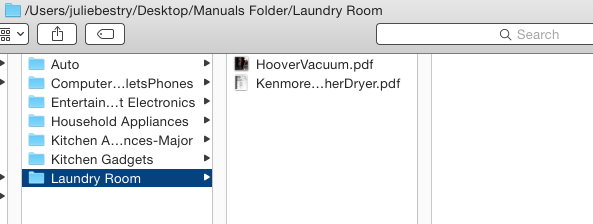
Make subfolders for the different categories of manuals. Remember from our first post in the series, how we talked about having separate folders for manuals for kitchen appliances or household appliances? It works the same way digitally.
BACK UP YOUR MANUALS
- Back up your hard drive. For maximum safety, use the belt-and-suspenders approach, backing up to both a local drive (an external drive in your home) and to a cloud-based backup service, like my sanity-preserving Backblaze. (You know you should be backing up, but if this is something you never quite get around to doing, check out the guest post I wrote for Write.Publish.Sell on the topic, 9 Ways To Keep Your Writing Safe.)
- Make a flash drive for your manuals. In the era of the cloud, flash drives may seem pretty Old School to some of you (while others are wondering if that’s the same thing is as a “thumb drive,” and yes, it is, and I’m proud of you for asking). While flash drives may be less than flashy, they have their advantages. If your computer isn’t working, having the manual solely on your hard drive doesn’t help much. Keeping a back-up on a flash drive lets you borrow a laptop, run to the public library, or otherwise find a quick alternative. Flash drives take up little space and are ideal for when you’re visiting The Land That Time Forgot (homes with no Wi-Fi or cell signal).
Move your manuals folder to the cloud. Chances are good that if you’re reading an article about organizing a digital owner’s manual library, you’re not too afraid of the cloud. You probably have one or more cloud solutions you use for storing documents, and you love how keeping something in the cloud means that it will sync content across your devices. A few major cloud solutions are:
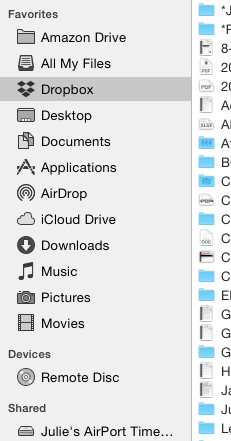
- Dropbox – Dropbox is my favorite cloud storage solution. I have it installed on my computer, iPad, and phone, and it’s where I keep any documents or photos I might need if I’m going to be away from my desktop. A basic account is free for 2 GB of storage (ample for just starting out); $9.99/month for 2 terabytes for a Plus account; and $16.58/month for 3 terabytes of storage. (There are also business accounts, so check all pricing options.) I mostly like that it’s intuitive and couldn’t be easier to use. Dropbox acts just like any other space on your computer, so you just drag any downloaded PDF into the folder you create for your manuals. Access anything in Dropbox via the app on your mobile devices or in your preferred web browser.
- Google Drive – If you already live and work in Gmail and Google Docs, Google Drive may be for you. A free account provides 15 GB of storage; the expanded Google One plans include $1.99/month for 100 GB, $2.99 for 200 GB, and $9.99/month gets you a terabyte. In case you heard that Google Drive went away, be assured that the service stayed put; it’s only the app that was discontinued in favor of a new version called Backup and Sync. (Google likes to confuse us.)
- OneDrive – If you use Microsoft 365, you probably already have (and use) OneDrive. Accounts range from free for 5GB of storage to $1.99/month for 50GB to a whopping 1 terabyte for $6.99/month. (There’s even a family plan for $9.99/month for up to 1 TB per person, per month, for up to six family members.) While Paper Doll finds OneDrive less intuitive than other options, Microsoft does offer a variety of support documents (hey, manuals!) for organizing your files.
- Evernote – Certainly Evernote is too robust to be considered a mere cloud storage service, whether you’re using a free,
Plus,Premium or Business subscription. I’ve spoken of the magic powers of Evernote on many occasions, since long before I became an Evernote Certified Consultant. But sure, drag and drop (or upload) a PDF from your desktop and you can access any manual from anywhere. (Read on for a special Evernote feature!)
INDEXING YOUR DIGITAL DOCUMENTS
Having digital manuals is only as good as your ability to find what you have. To that end (and to make it easier to know what manuals to toss when you recycle or donate an appliance), you need an index or inventory.
Basic Spreadsheet – If you have a small manual library, sorting your manuals by category or room and listing them in an Excel or Google spreadsheet is fairly easy. With Dropbox, for example, log into the web version, click “Share” for that document, and click “Create a link.” Enter the Dropbox URL for your PDF in the spreadsheet field that corresponds to that product’s manual.
Combined Manual Library and Inventory – Airtable is a secret weapon. If you could cross a spreadsheet with a robust database, add pretty pictures, and make it all easy, you’d be inventing Airtable. (And yes, writing a whole post about Airtable is definitely on Paper Doll‘s ToDo list.)
Using Airtable, you can build a sortable database in spreadsheet form, only instead of just putting in text, you can add photos, PDFs, links, and more, all with the click of a button. I created the following in under two minutes – adding labels, uploading some PDFs, and inputting starting information. I could have made it prettier, but the video above gives you a preview of those options.
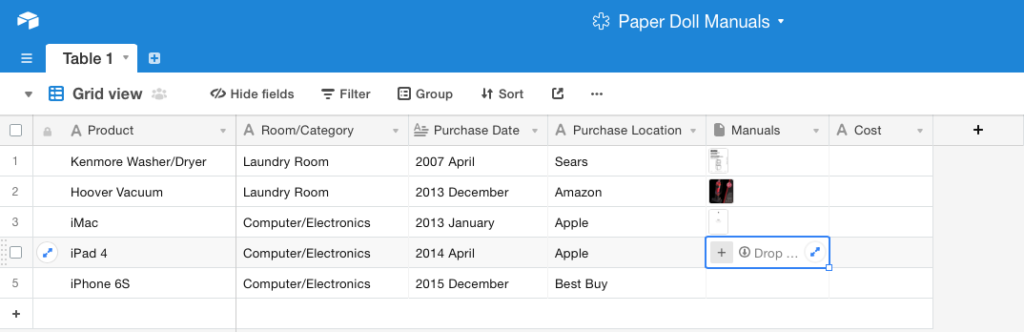 I created fields for the product, the room/category, each item’s date of purchase, the PDF manual (see the photo preview?), and the purchase price, all of which is overkill for a manual database, but helpful for creating a household inventory for insurance purposes. Add one column for serial numbers, another for photos of the item in your home, and one for a snapshot of the receipt.
See the outlined field in the Manuals column, above? To add a document, photo, or any attachment, just click the plus sign to reveal the following menu.
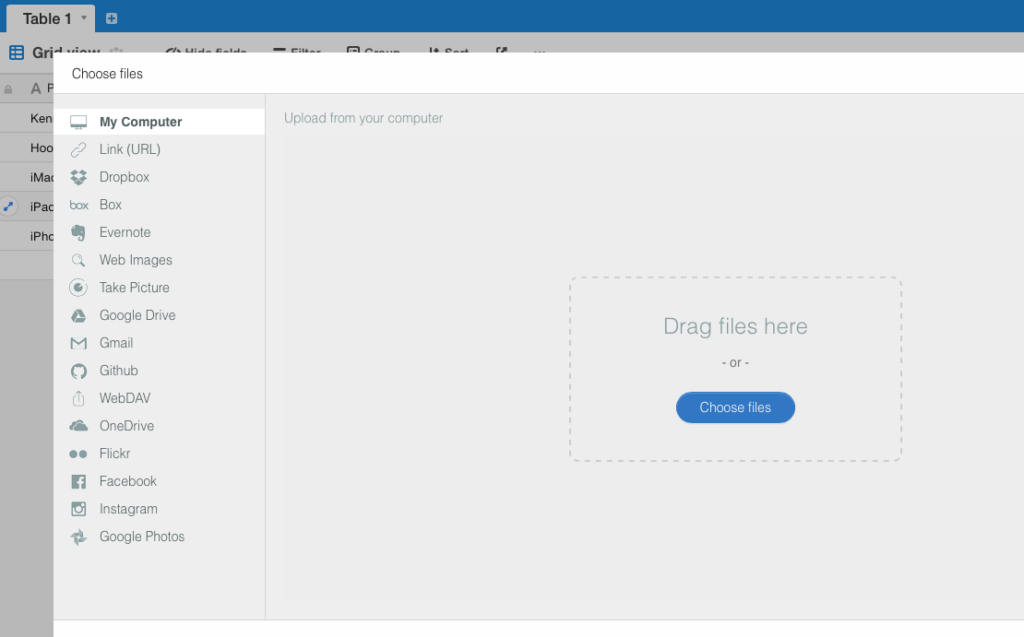 Drag any file from your desktop, or click the sidebar to navigate to a file on your computer, any URL, or a file in any of your cloud accounts, from Dropbox, Box, Evernote, Google Drive, OneDrive, or GitHub. You can also click to take a photo, upload a photo from Flickr, Facebook, Instagram, or Google Photos; you can even pull an email from your Gmail account.
Use Evernote to store your manuals in the cloud and create a table of contents. Store your scanned or downloaded PDF manuals in an Evernote notebook called “Manuals” (or whatever you prefer). Tag each note appropriately: #manual #laundryroom #washer (for example).
An Evernote Table of Contents is just a note that contains a list of links to other notes; basically, an index to make it easier to find and click through to related notes, all from one place.
- Select multiple notes while holding down Cmd+click (Mac) or Ctrl+click (Windows).
- Select Create Table of Contents Note from the resulting menu. This automatically generates a new note with a list of individual links for each of the selected notes. Done!
- Alternatively, manually create a table of contents by copying the note links for individual notes and pasting them into a new or existing note. Add links to an already-created table of contents this way, too.
I hope this Manual Override series has given you the guidance you need to keep your manuals streamlined, organized, and accessible. For understanding the manuals, though, you’re on your own!
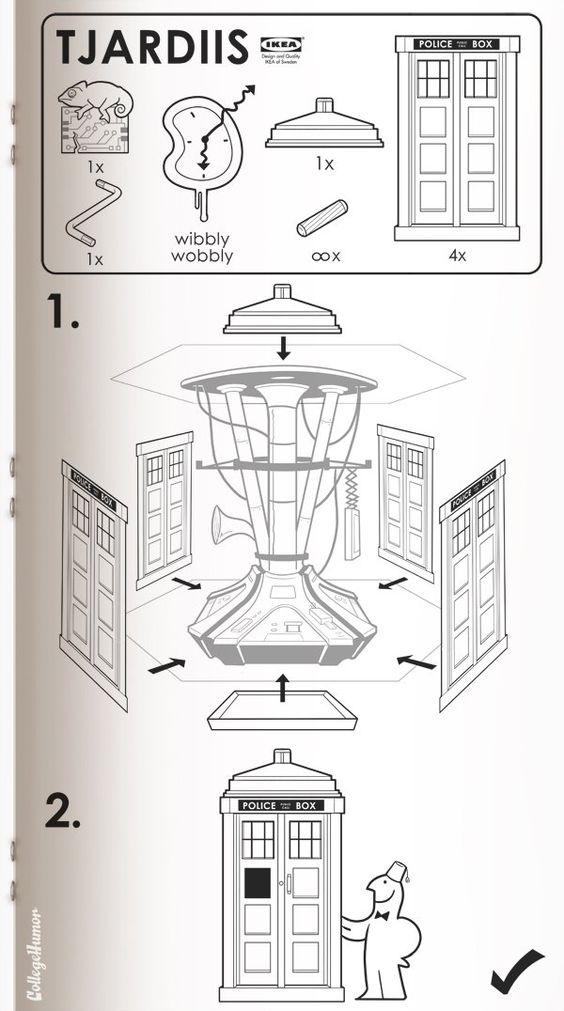 SciFi Ikea Manuals – CollegeHumor © 2011 Caldwell Tanner & Susanna Wolff
Paper Doll’s Manual Override – Part 2: Twelve Resources To Find An Owner’s Manual
 Got instruction manuals? Organize them! Have too many paper manuals? Can’t find the manuals you need at all? Go digital!
As I detailed in the first post of this series, Manual Override – Part 1: Declutter and Organize Your Owner’s Manuals, if you’re missing a manual, your best bet is always to start with the manufacturer of your product. However, if your item is old, or the company no longer exists, hope is not lost. Any of a variety of online manual databases can come to your rescue.
GENERAL MANUALS
Some of these databases link directly to manufacturers’ sites, while others depend on members of an online community for scanning and uploading household, electronic, and other device manuals. You may be wondering about copyright – after all, don’t most manuals have copyright notices on them? That’s true, but manufacturers generally make manuals available at no charge to their consumers. In many nations outside of North America, it’s even a legally protected consumer right to have access to such manuals. So, with the exception of automobile repair manuals (a for-profit industry), most manufacturers allow the free uploading, downloading, and sharing of manuals for personal use. The next time you need help with an appliance, gadget, or doodad, check out these databases.

ManualsOnline provides free access to more than 700,000 product manuals in more than two dozen categories (only some of which are displayed below).
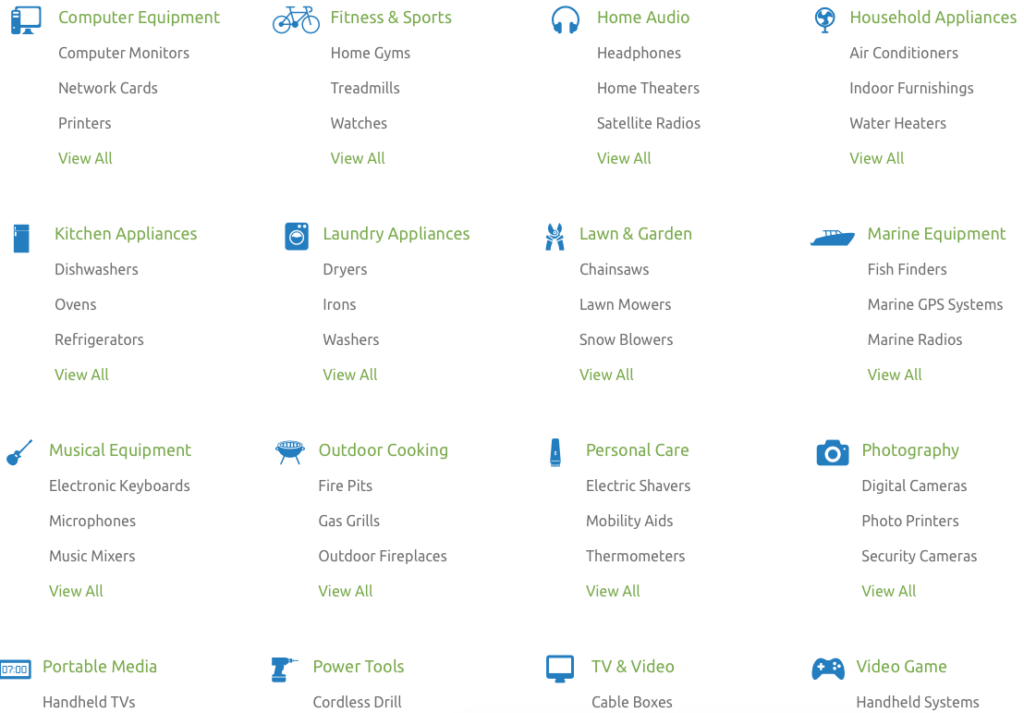
Click through individual categories or use the search box to find your specific product manual, and then print or open it as a PDF, and save to your hard drive or personal cloud. Seek troubleshooting and product support from the ManualsOnline community or browse previous answers to figure out why your thingamajig is doing that weird thing. It’s free to join and share your own expertise – you can sign in with your Facebook account or create your own login with your email address and a password. Share any manual directly from the site via email, Facebook, Twitter, or (yes, sigh) Google Plus, with one click.
ManualsOnline is ad-supported, so you will see sponsored listings to the right of, and below, your search areas.

ManualsLib.com has a collection of more than 2.7 million PDF-formatted manuals for 1.8 million products in 2000+ categories. Enter keywords in the search field to find your product, and the search results yield the manual name, description, size, and the number of pages. Opt to read the manual online, print one page or any/all of them, download it to your computer or save it to Dropbox or a similar cloud option. Share on social networks directly from a manual’s page, or add a comment for other readers to see.
ManualsLib is free to use, and there’s no registration required unless you want to bookmark a manual to your account. Just search, find, and download. And the site makes an interesting suggestion – in addition to accessing the installation, service, and owner’s manuals for the products you have, compare the manuals of similar products to help you decide which you want to purchase!
ManualsLib has targeted advertising, and rather than cluttering the web page, ads are embedded as a pre-cover page of each manual.
The Archive.Org’s Manual Library is yet another genius project from The Internet Archive, an international non-profit that seeks to digitize and provide “universal access to all knowledge.” If you’ve ever bookmarked a website only to find it no longer exists, you’ll appreciate how the Archive’s Wayback Machine has preserved more than 150 billion web pages. One of their lesser-known projects is the Manual Library, “a collection of manuals, instructions, walkthroughs and datasheets for a massive spectrum of items. Manuals covering electronic and mechanical products, instructions on mixing or blending items, and instruction sets for software and computer items are all included.”
Use the search box to find any of more than 90,000 manuals, or get lost for the better part of an afternoon in the sortable displays of 17,000+ hardware and software manuals, 500+ vending machine manuals, guides to making that John Deere tractor purr, and more. The true delight of the Archive.Org’s Manual Library, however, isn’t the useful manual options for what you own, but the quirky and unexpected manual collections, ranging from beekeeper supplies to Howitzer light tanks.


ManualsMania.com has a selection of more than 200,000 manuals. Start with a brand (from Acer to Krups, Apple to Sunbeam, and many in between) and then narrow your selection, or use the search box to enter keywords about your product.
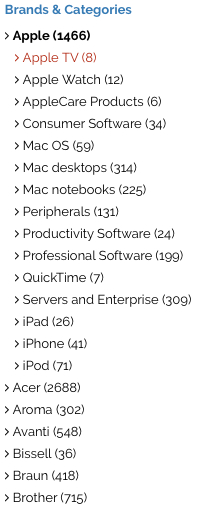 There are on-screen previews for most products to keep you from clicking through to a similar, but inexact, description match.
 Once you have the manual you want, click through and select the language option you prefer. For some products, you may find up to a dozen language versions, giving you the chance to practice your Czech while you learn about your new binkie’s features.
The database is free, requires no registration, and you can upload your own manuals to help further the pro-environmental cause of going digital. ManualsMania also has ads and a little less of a professional feel.

SafeManuals.com is a collaborative site. Access any of the PDF manuals in the database by typing keywords or model numbers into the search box. View any page of a given manual, or download the entire manual with a click. The file sizes are sometimes wonky – I was quoted 0 MB for a 196-page iPhone 6S manual, but the pages are all visible. You can also participate by uploading and sharing PDFs of any manuals you possess.
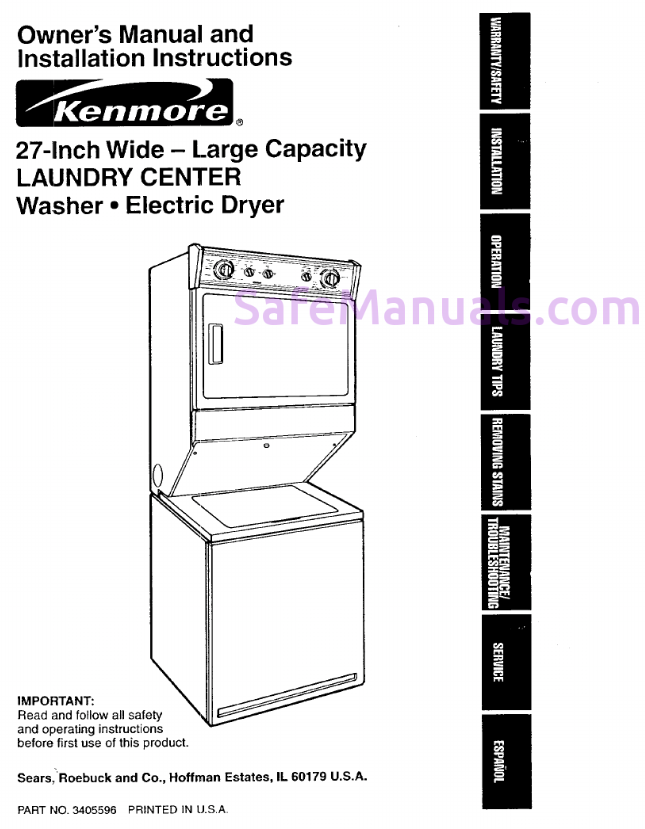 Strangely, manual pages are watermarked with the site’s URL, and ads sometimes appear on the bottom of the online version of the manuals, but not on the downloaded PDFs.
SafeManuals is an Estonian company accessible in English, Chinese, Dutch, French, German, Italian, Portuguese, Russian, and Spanish. The ads are run through the AdChoices network, so you’re more likely to see ads for sites you’ve visited recently (due to your computer’s cookies) than related products.

Retrevo is a shopping and review portal with a searchable database of more than a million product manuals. You can search by product category, like for cameras, video recorders, computers and peripherals, mobile phones, televisions, and a huge variety of consumer electronics and appliances.
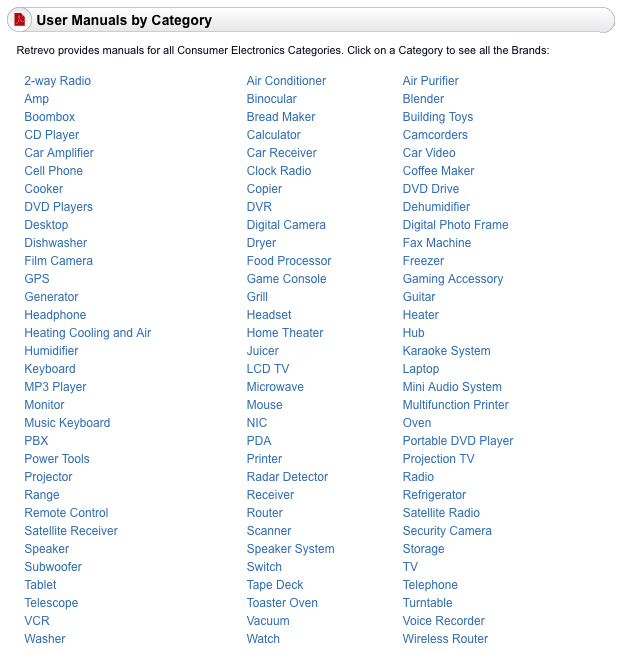
Although most major brands, including Sony, Panasonic, Canon, General Electric, Dell, LG, Maytag, KitchenAid, and Nikon are represented, there are some glaringly absent brands, like Apple. However, there are some equally fun surprises, like manuals for LEGO.
Once you locate the product you want, the download buttons for manuals are embedded in the product sales and review pages, which are full of ads, making the aesthetics of the site somewhat to be desired, and you have to enter a CAPTCHA to access the download. Still, it’s a good stop if you’ve exhausted other sites and are still seeking the right manual.

The UsersManualGuide.com has a real bare-bones approach to finding the manuals you need. There’s no membership, no forum, and no personalized home page. There’s no easy way to even find out more about who put the site together, but there’s a charm to the gruff simplicity. (The site is available in English, French, German, and Romanian, an unusual combination of options.)
The list of manufacturers ranges from AEG to Zanussi (with plenty from Panasonic, Motorola, Samsung, Kenwood, Sharp, Casio, Yamaha, Philips, and Sanyo). However, once you click through, you will need to know your model number to search directly. Otherwise, you get a Not-Ready-for-Prime-Time search box and there are no product photo previews to help you along.
UsersManualGuide.com has a bounty of on-screen ads, and the products available can be hit-or-miss. I couldn’t locate a manual for my ancient Sony Dream Machine (even knowing it was model ICF-C5W).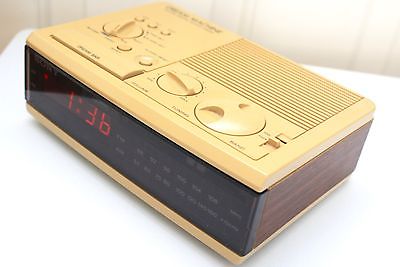
GAMING MANUALS

ReplacementDocs bills itself as “the original web archive of game manuals” but looks more like a circa-1996 web forum. If you’ve decided to dust off that Atari 5250 you haven’t used in eons, or you’ve found a mint condition Apple ][ game collection at a garage sale but can’t figure out the settings sans manual, this site has what you need. (Don’t worry, there’s plenty of Nintendo manuals of all varieties, plus Wii, XBox and more.) Staff editors hand-edit all uploaded submissions to ensure quality. There’s a teeny bit of advertising, but it doesn’t interfere with readability or search functions.

Vimm’s Lair’s Manual Project offers a collection of more than 400 NES and SNES game manuals, as well as guides for other games, all available for viewing online or downloading in .vml or PDF format.

The Video Game Archaeologist also has a large collection of classic and newer video game manuals, designed to be viewable in your browser (rather than downloaded).
CAR MANUALS
There are two types of automobile manuals. First, there are the owner’s manuals you find in your glove compartment when you buy a new car (or hope to find there when you purchase a used car). Manufacturers provide these for guidance so you will take good care of your car and be a satisfied owner.
The second type of automobile manual is more extensive and filled with in-depth maintenance and repair advice. The companies that produce these guides hire mechanical experts and technical writers to create robust, high-quality manuals, covering everything from standard maintenance to popular repairs to in-depth servicing. Understandably, such companies charge for those products. Consequently, you will not find these manuals available for free, online or elsewhere.
If you’re planning to do any kind of DIY car repair beyond replacing your windshield wipers, consult manuals from two of the best-known companies: Haynes and Chilton. You’ll find that these manuals, once available only in print, are now also available for purchase in digital form. (Bear that in mind when you get to our next post in this series, so you can keep track of all the major manuals for your household’s automobiles.)
But, back to the first type of manual. If you’ve spilled coffee on your owner’s manual, your toddler crushed wet Cheerios into the binding, or your new-to-you vehicle arrived without a manual, go to the ultimate car source.

Edmund’s.com, best known for helping consumers identify the right used or new car for their needs, has a nifty chart with links to each auto manufacturer’s site for downloading digital car manuals. Although the page hasn’t been updated in a few years, the links to individual automobile company sites yield the pages you’ll need to find the official manual for your car. In most cases, the digital versions of the manuals are free; acquiring a paper copy will generally cost $25-$45.

The Manuals.co Project is a collaborative site run by car enthusiasts seeking to overcome the challenges related to the “difficulty, stress and complications we encountered when looking for documentation relating to our vehicles.” The team seeks to collect and make available “workshop manuals” for a wide variety of cars. From Alfa Romeo to Vauxhall, they have an impressive variety of manuals, though none for my 20-year-old (let’s say vintage) Saturn SL1. Select the make and model of the car you’re seeking, then click to find the PDF for the year of your vehicle. View or download it for free. No registration is necessary, and you can also upload manuals you’ve scanned to help expand the database.
DEALING WITH THE CLUTTER OF MANUAL PDFs
The big question is, what do you do with all of these digital manuals you acquire? Sure, sometimes it’s good enough to look up a manual online, read how to reset your whatchamacallit, and move on. But if you’d prefer to have a neatly organized digital archive, Paper Doll has you covered. Watch this space for the final post in this Manual Override series to final post in this Manual Override series to learn how to create your own organized digital manual library with an easily searchable database.
Paper Doll’s Manual Override – Part 1: Declutter and Organize Owner’s Manuals
A manual override is a mechanism where control is taken from an automated system and given to the user. Our new three-post Manual Override series takes control from the entropy (which seems like an automated system) that develops from mountains of disorganized owner’s manuals and gives that power back to you in the guise of organized, streamlined systems.
I recently helped a client re-organize her kitchen. She and her husband have a gorgeous, newly renovated kitchen with many modern conveniences, like roll-out shelving, but they also had a lot of excess mugs, plasticware, and far more frying pans than burners. As we moved from cabinet-to-cabinet and drawer-to-drawer, we identified what didn’t belong in the kitchen, reduced the duplicates and triplicates, and relocated most items to be closer to where they are used or to the items with which they are used. But one drawer – one I find in most kitchens (but some dens, offices, bedrooms, and occasionally bathrooms) – was filled to the brim with paper. Not recipes. Not mail. But manuals!
In almost every home, there’s a drawer or cabinet or bin filled with installation instructions, operational manuals, repair manuals, and similar booklets – they pile up but are rarely addressed. Too often, the piles are populated with manuals for items that clients have long-since discarded, donated, lost or sold. But the manuals, they live on, like ghosts of prior purchase decisions.
If you want to reduce the manual clutter, you have three main options: keep and organize the paper manuals you have, use online manuals, or develop your own personalized digital system. Today, we’re going to cover how to organize your traditional paper manuals.
MAINTAINING THE PAPER MANUALS
Gather all of the manuals in your home. Go room-to-room, checking under, behind, and on top of appliances, and in drawers and cabinets. If you’ve previously had a drawer, bag, or filing cabinet where manuals were supposed to go, you still may find that members of your household have borrowed manuals and then left them near where they were used, far from their “homes.”
Identify the manuals for appliances, electronics, and other items you are selling, donating, or no longer own. If the manuals are leaving your home, consider scanning and uploading them to the digital manual archives we’ll be discussing in Part 2 of this series.
Match useful manuals to whatever items you are selling or donating to make things easier for the new owners.
Recycle the manuals for items you no longer own or for anything you already know how to use. If you need written instructions for your toaster or hair dryer, you’re either buying products that are far too fancy for your busy lifestyle or you’ve got bigger problems than organizing.
(And seriously, no mention of PopTarts? Toaster Strudel? Paper Doll does not approve.)
Recycle the manuals in languages you don’t read. If you’ve got a collection of foreign language manuals from items you purchased abroad, consider asking your local middle school or high school language department staff if they’d like the manuals for translation projects.
Sort manuals by category or location. For example:
- major kitchen appliances (refrigerator, oven, stove, dishwasher, microwaves)
- small kitchen appliances and gadgets (food processors, blenders, crockpots)
- laundry room/mud room appliances (washers, dryers, steamers, vacuums)
- major household appliances (furnace, air conditioning, water heater, air cleaner)
- entertainment electronics (TV, home audio system, DVR, streaming devices)
- computer/electronics (computers, peripherals, tablets, phones)
- Internet of Things (IoT)/Smart Home devices
- automotive
Create a physical system. There are multiple methods for filing user’s and owner’s manuals, installation instructions, and similar materials. The key factor is developing a system for quick, easy retrieval of a manual when something has gone kablooie! (Please note, this is the technical term for household malfunctions.)
1) Traditional Files
Most of my clients prefer incorporating their manuals into the “household” section of their Family Filing System. You might want to check out two classic posts, Family Filing – As Easy As Pie and Paper Dolls Live in Paper Households for insight, but in general, this means using traditional left/middle/right-tabbed folders and grouping them together, by category, within hanging folders.
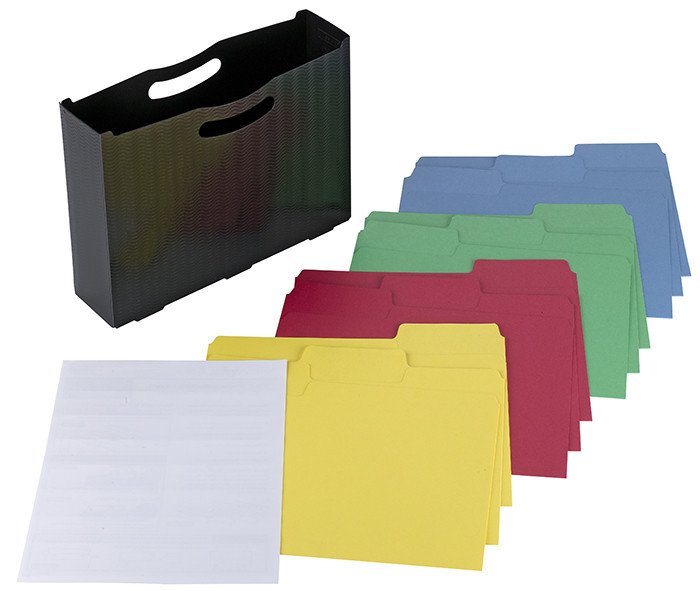
Filing drawers, milk crate-style filing boxes and desktop file boxes, just as you’d use for the rest of your household files, all work well.
The main advantage of the file folder system is that you can flip through a relatively small set of manuals in the narrowed, categorized file folders to find what you need. You can color code categories to add some pizzazz but still maintain your files in a way that matches the rest of your filing system. The main disadvantage is that other household members may tend to grab the entire electronics folder, plop down in the living room to fiddle with the audio system, and leave the whole folder, with piles of papers, splayed across the floor or nearest horizontal surfaces. It’s a tidy system until someone chooses to make it less tidy. Maintenance is key.
2) Three-Ring Binders
Some clients prefer to create (multiple) three-ring binders and insert their manuals in plastic sheet protectors. To use this system, you’ll want:
- multiple 2″ or 3″ three-ring binders, preferably with D-rings, with sturdy (rather than flexible) covers
- 8 1/2″ x 11″ standard top-loading sheet protectors with three-hole punched left margins (Consider heavy-duty or extra-capacity protectors if you’ve got manuals that are particularly hefty.)
- Binder dividers to label sub-sections and/or create a table of contents (This is optional.)
The advantage of the three-ring binder is that you can store all manuals upright on any bookshelf and return the binder to its place with ease. You have to bear in mind that some manuals (such as those for computers) are going to be so thick as to take up most of the space in the binder. It’s also slightly less convenient to remove (and later replace) a manual from a sheet protector vs. a file folder.
3) Magazine Files
Some households need or want a less structured system for maintaining manuals. For these clients, I recommend some attractive magazine files, locating them close to the items the manuals address rather than in a centralized location. So, one magazine file for the kitchen, perhaps bookending cookbooks or on the kitchen desk or in a cabinet; one magazine file for the laundry room; one for the major HV/AC appliances stored on a basement bookshelf, and so on.
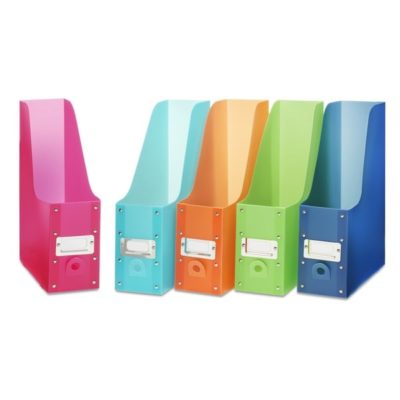
The physical aspect of the system you choose is less important than picking one method and committing to it so everyone in the household knows where to find a manual when the water heater is whistling, the DVR is blinking, or Siri and Alexa join forces to lock you out of your house.
The water heater is whistling! The DVR is blinking! Siri and Alexa joined forces to lock you out of the house. Find the manual! Share on XCreate a behavioral system so that at least once a year, you go through your folders, binders or files and let out-of-date manuals go. (Consider adding it as a task reminder in your phone for the cold, boring days of January.) Alternatively, develop a habit so that every time you acquire a new item, put the manual in place and review the folder/binder/file into which that manual goes.
Having a system for your operational, owner, and repair manuals means that you (and anyone else in your home) can find a manual easily. However, the more manuals you have, the more overburdened you may feel by having so many paper documents. Also, there may be items you’ve owned so long that the manuals have gotten lost, or you might be the second (or third) owner and the manual never made its way to you. If either having too many manuals or lacking the manuals you need sounds a bit familiar, there are some great alternatives.
WHAT ABOUT MISSING MANUALS?
It’s not unusual for manuals to go missing. They might have been accidentally thrown out with the packing materials, tucked away with the board games, or tossed in the trash. If you were re-gifted an item or bought it second-hand, the manual may never have made it to you in the first place. You could just call the manufacturer, get put on hold until you’ve memorized The Girl from Ipanema, and find out that the company has no more tangible manuals. That’s OK. That’s where digital manuals come in.
Digital manuals, accessible online, provide two huge advantages:
- You can decrease or eliminate household storage given over to owner and repair manuals.
- You can access a manual for an item from anywhere. This means that if your grandma calls you to complain that her soap opera is suddenly in Spanish (she probably hit the remote’s SAP button, by the way), you can look up the manual for her on your computer from work, your iPad from vacation, and seriously, your phone from anywhere.
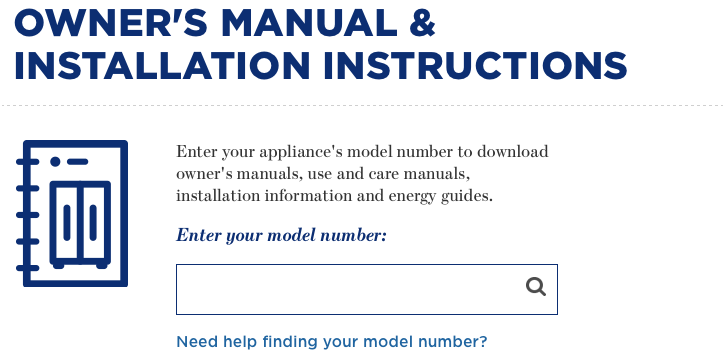
But first, you have to find the manuals you want. You would think that this far into the 21st Century, it would be as easy as finding the manufacturer and entering your product’s name or model number. This is certainly the case with some of the big guys. For example, with GE Appliances, you just type in your model number to get your installation instructions and owner’s manual.
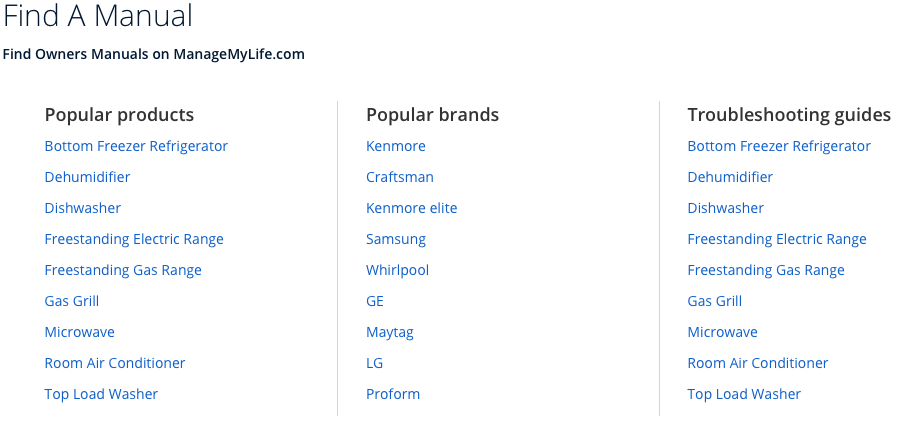
Similarly, Sears has a Find A Manual page where categories of popular products and brands can be searched to find manuals listed at their associated Shop Your Way site, as well as a series of clickable troubleshooting guides linking to Sears Parts Direct.
Sadly, many manufacturers do not make finding their manuals that easy to locate. In a perfect world, upon Googling your product, manufacturer, and model number, you’d be directed to the appropriate place on an official site. And, in many cases, it is that easy. But not always.
To find manuals you are missing, or to access digital versions of manuals so that you can replace the paper versions, there are a variety of online sources. Watch this space for the second part of this series and find a robust offering of online manual resources.
Back-to-School Organizing News You Can Use: 3 Solutions to Save Time, Money, and Serenity

Wait, it was just Independence Day! Why are we talking about back-to-school organizing? In ye olden days, when I grew up in Buffalo, New York, where kids still don’t go back to school until after Labor Day, talking about back-to-school so soon after the 4th of July would be like stores putting up Christmas decorations right after Halloween. (Oh…right.)
But there’s a method to the madness. In many parts of the country, students go back to school in the middle of the summer. In my county in Tennessee, the public schools start on August 3rd, and mere miles from me in Georgia, students go back on the first of August. But even for kids going back to school in September, that’s only about eight weeks from now. Instead of rushing to get everything done, here’s a roundup of ways to organize your approach to the back-to-school season.
ORGANIZE YOUR ADHD STUDENT – FREE WEBINAR
Paper Doll‘s colleagues (and longtime friends), Michelle Cooper and Michelle Grey of Student Organizers of Atlanta will be presenting a free, live webinar entitled Practical Organization and Time Management Strategies for Middle and High Schoolers with ADHD on July 20, 2017, at 1 p.m. ET.

Presented as part of ADDitude Magazine‘s ongoing webinar series, the webinar will provide strategies for:
- Managing the day-to-day organizational challenges facing students both inside and outside of the classroom
- Understanding your child’s “thinking style” and finding organizing methods and tools that fit his or her style
- Using organizational systems that will improve his or her chances of academic success
- Collaborating with your child and the teachers to support his or her efforts at organization
- Using products, books, and websites to ease the process of organization for your student
Register for the webinar and take it live, or you can use the replay link to watch (or rewatch) the webinar for free, any time up through next January 20, 2018.
Learn more about ADDitude and check out the other webinars in the series. If your child is heading to college, both of you might want to watch the webinar on July 11, 2017, entitled The College Transition Guide for Teens with ADHD.
ORGANIZE YOUR FINANCES – TAX-FREE HOLIDAYS
Over the four weekends from July 21 through August 13, sixteen states will be having tax-free holiday weekends. In general, these states allow retailers to sell clothing and footwear, school supplies, computers, and sometimes backpacks, books, and other “tangible personal property” without charging sales tax. In my state, that’s a savings of 9.25%. Combine that with various 10%-25%-off sales, and that’s a great opportunity to stock up on necessities.
Note: Some states, such as Georgia, have discontinued their tax-free holidays, so be sure to check out states adjacent to yours.
Click on the name of your nearest state to be directed to that state’s official tax-free holiday page.
Alabama (July 21-23, 2017)
Tax-free: Clothing (up to $100), Computers (up to $750), School supplies (up to $50), Books (up to $30)
Arkansas (August 5-6, 2017)
Tax-free: Clothing and footwear (up to $100), Clothing accessories and equipment (up to $50), School and academic art supplies (no dollar limit)
Connecticut (August 20-26, 2017)
Tax-free: Clothing and footwear (up to $100)
Florida (August 4-6, 2017)
Tax-free: Clothing, footwear, wallets, and bags (up to $60), School supplies (up to $15/item), Computers (up to $750)
Iowa (August 4-5, 2017)
Tax-free: Clothing and footwear (up to $100)
Louisiana (August 4-5, 2017)
Tax-free: Tangible Personal Property (3% tax rate up to $2,500; a 2% state sales tax exemption applies, so qualified purchases are subject to only 3% state sales tax)
Maryland (August 13-19, 2017)
Tax-free: Clothing & footwear (up to $100)
Mississippi (July 28-29, 2017)
Tax-free: Clothing & footwear (up to $100)
Missouri (August 4-6, 2017)
Tax-free: Clothing (up to $100), Computers/peripherals (up to $1,500), Software (up to $350), Graphing calculators (up to $150), School supplies (up to $50)
New Mexico (August 4-6, 2017)
Tax-free: Clothing and footwear (up to $100), Computers, tablets, and e-readers (up to $1,000), Computer equipment (up to $500), Book bags and backpacks (up to $100 per item), maps and globes (up to $100 per item), Calculators (up to $200), School supplies (up to $30)
Ohio (August 4-6, 2017)
Tax-free: Clothing (up to $75), School supplies (up to $20)
Oklahoma (August 4-6, 2017)
Tax-free: Clothing and footwear (up to $100)
South Carolina (August 4-6, 2017)
Tax-free: Clothing (no limit) School supplies (no limit), Computers, printers, peripherals, and software (no limit)
Tennessee (July 28-30, 2017)
Tax-free: Clothing (up to $100), School and art supplies (up to $100), Computers (up to $1,500)
Texas (August 11-13, 2017)
Tax-free: Clothing, backpacks and school supplies (up to $100)
Virginia (August 4-6, 2017)
Tax-free: Clothing (up to $100), School supplies (up to $20), Energy Star products (up to $2,500) and a variety of hurricane-preparedness items.
Tax-free holiday tips:
- The price limits generally refer to the price-per-item cost, not your entire purchase. However, if a store is placing limits on entire purchases and you have a large family, you might want to have your older, more responsible children stand in line and pay with cash.
- Make a list of what each child needs before you get to the store. (Check with your school to see if a grade-appropriate list has been posted online.) It’s tempting to buy anything that seems like a bargain, but acquiring what you don’t need just because it’s a “deal” is the fast track to clutter.
- Set a budget for each shopping category.
- Shopping with smaller children will stress you (and your kids) out, so consider trading shopping and babysitting time with a friend or split babysitter costs while you and your friend hunt for bargains together. Let older children participate – use it as an opportunity to practice math skills (“How much is this shirt if it’s marked as 15% off?”) and encourage them in finding good deals on high-quality products. The more responsible they are, consider rewarding them with the amount by which they came in under budget to apply toward something fun.
- Remember to keep your receipts in case you find that you need to return something; note each retailer’s return policy.
ORGANIZE YOUR STUDENT’S SCHEDULE – A NEW KIND OF PLANNER
As mentioned a few weeks back when I was talking about Time Timer, many people, especially students, can have trouble mastering the concept of the passing of time, which makes it difficult to properly plan academic and life tasks. When I was in middle and high school, almost nobody used a planner or a calendar. These were the days when Trapper Keepers were the height of organizational technology and pocket-sized assignment notebooks yielded the best option for academic time management. Somewhere during the <mumble mumble> intervening decades, schools started providing and/or requiring student planners to help keep up with homework assignments, projects, and tests.
These planners give students the opportunity to mark down what they must do. It’s not clear, however, that students get the time management skills and system-training they need to master the intricacies of juggling academics, extracurriculars, part-time jobs, and familial obligations, or learn when to complete it all. That’s where Leslie Josel comes in.
Professional organizer Leslie Josel of Order Out of Chaos, is not just a colleague and friend; she’s also a fellow Cornell University alum, so when I first heard about her product line for students, I paid particular attention.

Paper Doll with Leslie Josel, © 2017 Best Results Organizing
At first, Leslie’s organizing practice concentrated on working with chronically disorganized clients, people with ADHD, students with learning challenges, and clients with hoarding behaviors. Eventually, (like Michelle and Michelle, above), she expanded her offerings to include coaching services for both students and parents. In 2016, Leslie expanded her company’s product division and officially launched Products Designed With Students in Mind.
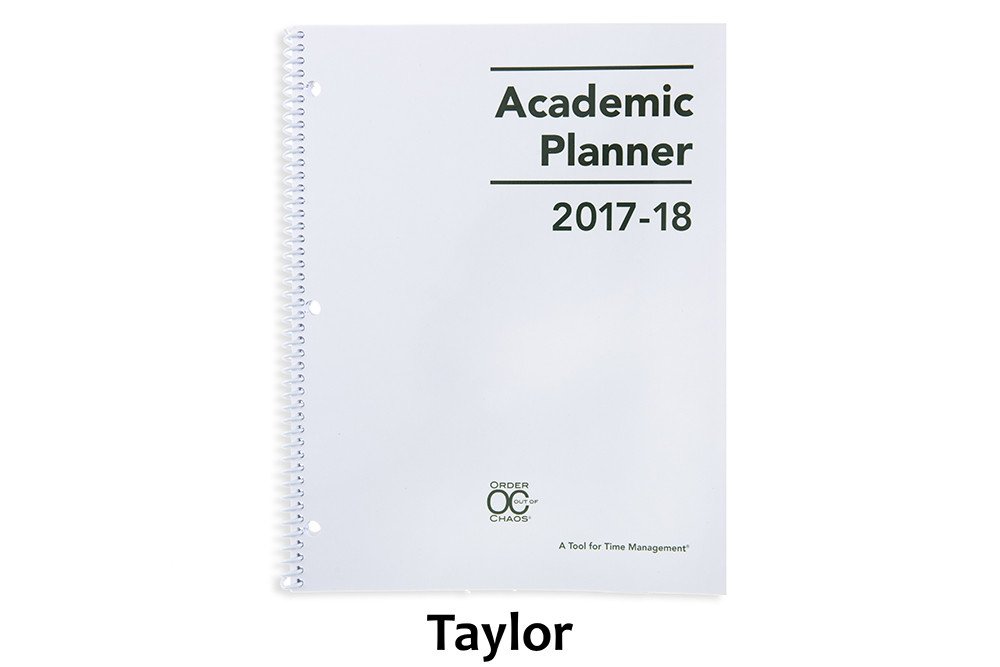
Leslie’s big idea was the Academic Planner: A Tool for Time Management®. The 2017-2018 Academic Planner comes in two sizes: letter-sized (8 1/2″ x 11″) and personal-sized (8 1/4″ x 8 1/2″), both for $18.99. Based on an academic year calendar, the planners run July through June. They’re spiral bound, but also three-hole punched to allow students to pop them right into their binders.


Each size is available in four styles of planners: Jamie (black), Riley (orange/blue), Taylor (white) and Paper Doll‘s personal favorite, Violet (pink/purple). The interior pages measure 7” x 11”, offering up more than the typical space for writing down assignments and activities.

Introductory Pages
The front pages, measuring the same size as the front and rear cover of the planner, include:
- a contact information section so a lost planner can be easily returned
- a class schedule (subject, period, instructor, room #, days) to quickly acclimate students for the new year (and give a fellow student, armed with the contact info, an easy way to find the owner at the right classroom and return a lost planner)
- a Welcome Letter from Leslie to parents
- a detailed set of Planner Pointers, providing excellent guiding tips for making smart use of the planner. (My favorite? Writing “No Homework” if none was assigned so the student never has to wonder if he or she just forgot to write something down.)
- a two-page Planner Use Guide, showing the planner in action — noting assignments, reminders (“Get permission slips signed!”), after-school activities and previews for the next week
- Homework Helpers, tips that could only come from a professional organizer experienced with helping students gain control of their work.
- a sample Project Planning Guide to help plan long-term assignments (Students can download more guides for future projects.)
- a two-page School Year at a Glance
Planner Pages
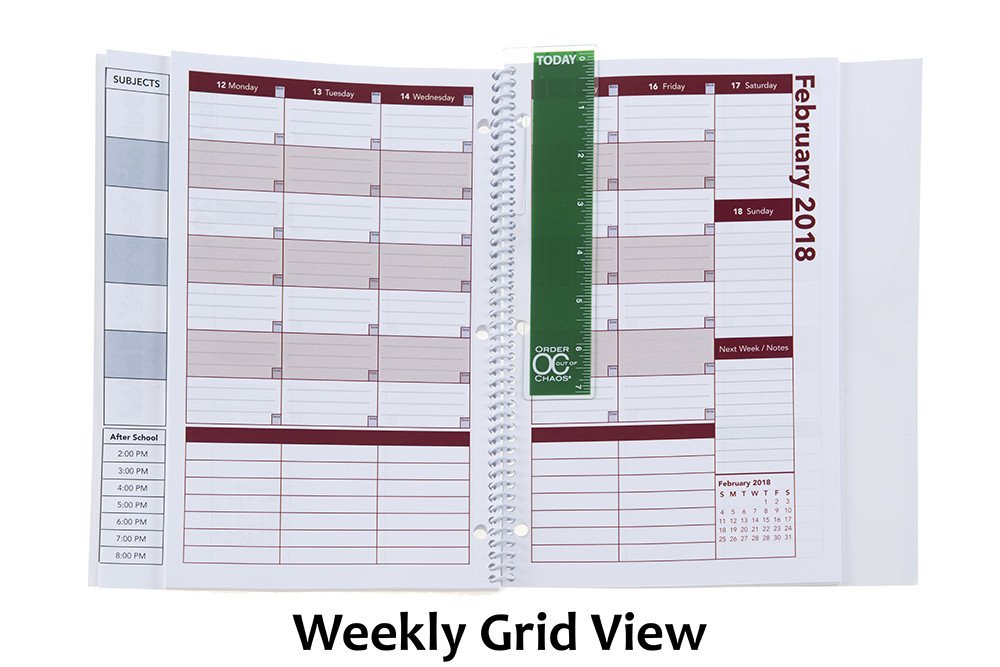
On the last (extra-sturdy) full-sized front page, the Academic Planner has a vertical index page that peeks out from behind (and to the left) of the actual planner pages. This index page means that students record their class subjects (in up to 7 subject boxes) only once. Then everything on the upper calendar sections of the planner pages lines up with the appropriate class subjects, course by course, horizontally (with days of the week arrayed, vertically) across a two-page layout. (You can download a sample planner page.)
The next row (in the personal-sized planner, only) is for To Do items.
Below that, there’s an hour-by-hour schedule from 8 a.m. until 8 p.m. Typical student planners only cover the academic day and don’t take into account post-school activities, like doctor’s appointments, tutoring, clubs, rehearsals, sports, and jobs. This planner provides oodles of space for all of those activities and recognizing conflicts (just like in the best calendar planners for adults). This really helps students see the forest and the trees of weekly time management.
Other Features
- At the start of each month, there’s a left-side full-page monthly calendar with space to note major events, holidays, and vacations, and adequately plan longer-term projects.
- The right-side Notes page facing the calendar offers up ample room for planning, notes, and the kinds of serious thoughts only people between 12 and 18 can understand.
- There’s a clear poly pocket at the rear of the planner for safely keeping notes, permission slips, and other documents too small for a student’s binder.
- A bonus Academic Planner Accessories Pack (sold separately, for $8.97) includes a plastic page marker that clips into the spiral binding, so it’s easy to find the current week in the planner, a set of monthly tabs, and a really bright, sunny set of useful stickers.
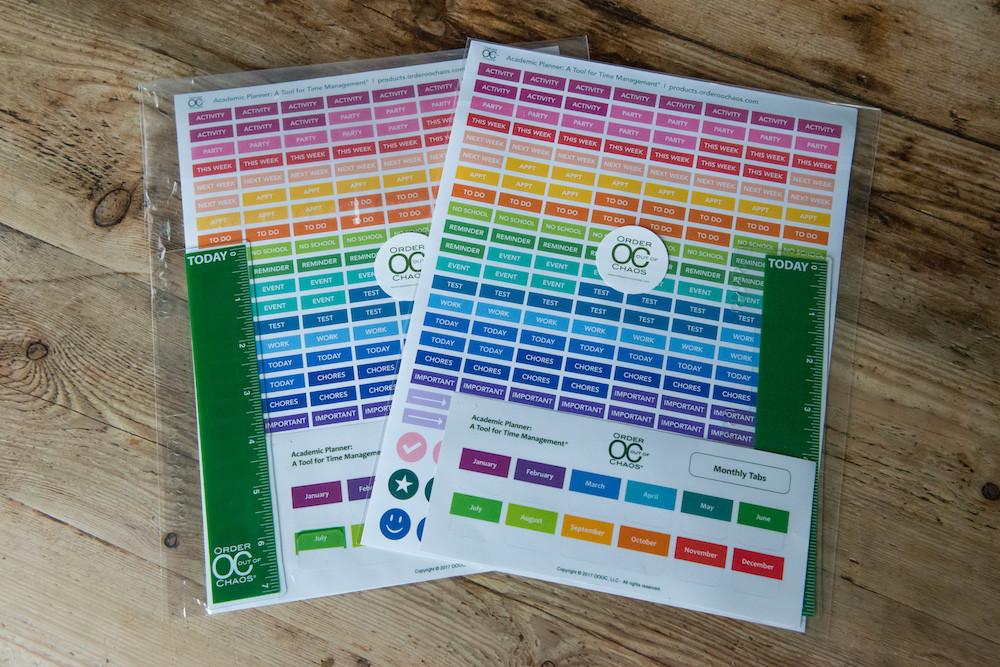
But of course, measurements, styles, and features don’t give credit to what the 2017-2018 Academic Planner: A Tool for Time Management® can actually do to help students. For that, let’s go to the video!
Enjoy your summer, but remember that a little organizing now can make back-to-school the most wonderful time of the year!
Disclosure: Some of the links above are affiliate links, and I may get a small remuneration (at no additional cost to you) if you make a purchase after clicking through to the resulting pages. The opinions, as always, are my own. (Seriously, who else would claim them?)



Follow Me