Archive for ‘Paper Organizing’ Category
Use the Zeigarnik Effect to Finish Off Your Unfinished Tasks
Nothing is so fatiguing as the eternal hanging on of an uncompleted task.
~ William James
Yes, I know I’ve used this quote here before, but it’s an important one, especially at this time of the year.
As I type this post, there’s barely more than a week left in 2024. As we look toward 2025, I can’t help thinking about what I didn’t quite finish this year. (Yes, even professional organizers fall short of our sometimes-lofty goals.)
THE ZEIGARNIK EFFECT: WAITERS AND THE CUSTOMERS WHO HAVEN’T PAID
Tasks left un-done scratch at the brain. There’s even a name for it — the Zeigarnik Effect.
As the theory of this phenomenon goes, people remember tasks that are unfinished or interrupted better than the ones they complete. Initially, psychologist Kurt Lewin recognized that waiters had clearer recollections of the orders of patrons who hadn’t yet paid for their orders. Once everyone paid, the waiters basically wiped their brains and couldn’t recall the details of the orders anymore.
This is why I am always so dubious of Law & Order episodes when the police track down a suspect by credit card order to pump the bartender or waiter for details. Invariably, although paid (and ostensibly tipped), servers seem to still remember all the details. Yet somehow these Manhattan waiters remember not only the patrons’ orders but what their dates looked like and the basics of the conversations they were having? Is the world of Dick Wolf a Zeigarnik-free zone?
But I digress.
The central concept of the Zeigarnik Effect is that once you start a task, there’s a “task-specific tension” created in the brain which keeps the task active. Basically, when you start something but don’t finish it, it’s like it’s still on the burner on the stove, and (assuming you’re not distracted by other things you’ve started), that tension pushes you to work on the task. Get interrupted again? The tension persists.
Once you actually do finish the work, the tension is relieved. Keeping that continuous tension up — having the task pop to the top of your To-Do list, putting a sticky note on your steering wheel, etc. — keeps the essentials of the task accessible to the part of your brain that says, “Damn, I really have to work on that!”
(Usually, men get the credit for women’s work, but in a striking rarity, the effect is named not for Lewin, but for Lithuanian-Soviet psychologist Bluma Zeigarnik, who continued the line of research of her friend and mentor, Lewin.)
The Zeigarnik Effect keeps unfinished tasks sticky in the brain and work in several ways to get you across the finish line. Unfinished tasks can prompt you to finish them by acting on your brain in the following capacities. They:
- Serve as Mental Reminders — You naturally keep remembering things you started but haven’t finished doing. The unfinished tasks stay top-of-mind, prompting your brain to say, “Hey, you got interrupted (or got bored and wandered away) but this thing is still here! Don’t forget about it!”
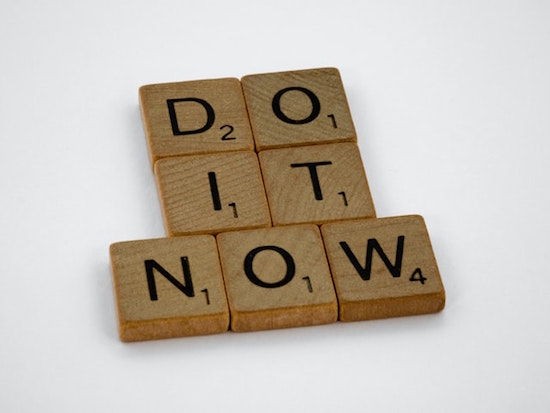
Wooden Brown Scrabble Tiles Photo by Brett Jordan on Pexels
- Boost Motivation — The next time you curse your brain for reminding you of an unfinished tasks, give yourself a little slack. This mental tension can increase your drive and magnify your focus to resolve those icky, lingering tasks. Sometimes, that motivation may just be, “Dang, I don’t want to be reminded of this again!” but that’s motivation in its own right.
- Build Momentum — My clients hear me say this all the time, but “Small victories breed success.” Even — and sometimes especially — when you take action on the tiniest of unfinished tasks, it can create a domino effect. Have you ever noticed that when you knock something off your list, particularly something that’s been hanging out there a little too long, it gives you the push to tackle more and larger tasks?
- Give You the Satisfaction of Closure — That “whoohoo!” you get from finishing something? It can make you feel like a bit of a superhero. It can work magic. That relief you get when something is no longer hanging over you frees up mental energy so you can set (and tackle) new goals.
Sidebar on the Zeigarnik Effect and ADHD
Of course, the Zeigarnik Effect is just a typical psychological phenomenon and may not hold up under all circumstances. For example, if you’re undergoing a lot of stress, whether at work, or due to illness, or an upheaval in your relationship, an unfinished task that has nothing tangible or digital bringing your attention back to it may just, in effect, escape your brain and fall out of your ears.
When I started to write this post, I wondered whether anyone had researched the relationship between the Zeigarnik Effect and the experiences of individuals with ADHD. They have, but it turns out some of my initial instincts were wrong.
Since the Zeigarnik Effect says that that people remember incomplete tasks better than completed ones, I figured that people with ADHD might have so many simultaneous thoughts and unfinished tasks that newer unfinished tasks would push older ones off the burner. Nope. Or at least, not always.
Actually, the research shows that there’s sometimes a heightened sense of unfinished task recall in individuals with ADHD. Even with all my professional work with organizing clients who have ADHD, I still figured they’d forget more of their unfinished tasks. In actuality, the research shows that the brains of people with ADHD often keep unfinished tasks active, which has just as problematic an effect as forgetting — it increases mental clutter.
So, it’s a good news/bad news situation. The Zeigarnik Effect isn’t making people with ADHD forget their not-yet-completed tasks; it’s just filling their brains with a lot of blinking lights about those tasks. And that “mental tension” that’s supposed to be good for remembering creates real, human tension (that is, stress), that hurts productivity. Ouch.
Luckily, research also indicates that planning is a particularly effective mitigation strategy for reducing the stressful aspects of the “mental tension” of the Zeigarnik Effect. According to Harnessing Two Horsemen of Productivity Havoc, the kind of detailed planning we talk about here at Paper Doll HQ all the time really helps.
Florida State University researchers found that when people with ADHD were allowed to create their own super-specific plans for completing their unfinished projects, the distracting Zeigarnik-esque thoughts went poof! As we talk about here all the time, planning is powerful; it frees up your mental resources and quiets all those Zeigarnik beeps and boops in your brain reminding you of what needs to get done.
But there’s a hitch. I suspect it works for people for ADHD much like it works for those of us without ADHD (especially when we’re overwhelmed), which goes back to why we’ve got unfinished business at the end of the year.
The Zeigarnik Effect has our brains full of stuff we have yet to finish. So we look at when the thing has to be completed, and think, “Aha, I’ll make a plan to attack it.” The problem is that, too often, we either see no deadline (so we don’t feel any pressure to complete a task) or we see a deadline far on the horizon — perhaps several weeks out — and our brain convinces us that it’s easy-peasy-lemon-squeezy, we have plenty of time, and we procrastinate. Oops.
So, be sure to embrace the advice in Paper Doll On Understanding and Conquering Procrastination when planning your attack on whatever is incomplete.
For what it’s worth, I wasn’t entirely wrong about ADHD and forgetting. In one study on the impact on prospective memory — that is, the ability to remember to perform an intended action in the future — researchers looked at activity-based prospective memory in people with ADHD found that the Zeigarnik Effect can influence how unfinished tasks or “intentions” remain active in memory.
Their findings suggests that the ADHD brain sometimes puts uncompleted tasks in a state of “suspended activation,” which can adversely impact task recall and completion upon waking up. (This points to the idea that if your unfinished task is going to remain unfinished overnight, you’re going to need more support than if you just have to remember to take the pot off the stove in the next five minutes.)
For what it’s worth, whether you have ADHD or not, research shows that intentionally starting a task, even for the briefest bit of time, can increase the likelihood of returning to the task again and completing it.
ZEIGARNIK YOURSELF INTO FINISHING THE LINGERING TASKS
We can’t finish everything.
 Finish Line Photo by RUN 4 FFWPU
I know, that’s a shocking comment on someone who comes here each week to tell you how to organize and be productive, but it’s the truth. It’s why I don’t believe in Inbox: Zero, or Laundry Basket: Zero, or any other Task:Zero mentality.
Seriously, the email, like the laundry, keeps coming. Unless your family members are all about to become nudists, the laundry will always be piling up, and while you can try to keep up with it, like all those inbound emails, when it comes down to it, email and laundry aren’t why you are here on this planet.
Finish what you can, and what you must, and get on living your life. The goal is to have more time to focus on what matters most to you, not to have the emptiest in-boxes.
As we head into the final week of the year, I encourage you to finish up as many of the small, hanging-on tasks you can, just so you can go into the new year unencumbered and more revved up for the tasks and projects about which you feel passionate.
- Make a list — Santa isn’t the only one who is busy making lists and checking them twice. Grab a pad of paper or your phone (because you’ll want to be mobile) and walk around your house (and if applicable, your office) and make a list of all of your unfinished tasks and projects. The Zeigarnik Effect means that a bunch of these tasks are in your brain already, or at the periphery of your focused thought, but some tasks may have edged others off the front burners. Write them all down.
- Delete what doesn’t matter anymore — I know, this feels like failure. But it’s not. Before you can really prioritize what matters, you have to let go of the things that really don’t matter anymore. It doesn’t mean those things never mattered (though they might not have), just that dragging them around with you is doing yourself a disservice.
If it’s been three months since your friend’s birthday, give up the belief that you’re going to time-travel back and send her the perfect card. Forgive yourself (as she’d forgive you) and send her a New Year’s card with all the good gossip about why your life has you so frazzled. You remembered her birthday is September 20th. You just forgot that September 20th was September 20th when September 20th came around.
If there was a grant you were going to apply for, but the deadline has passed, or a work opportunity that you never quite got things together to pursue, forgive yourself and move on. The universe will present new opportunities. Not all unfinished tasks have to be finished. Focus on the ones that shine a light on what fits your values and goals in your life and at work.
- Break down the list into smaller component pieces. — You’ve heard this before: projects are not tasks. You can’t DO a project. Divide every item on your list into small, actionable tasks. This will reduce your sense of overwhelm, making it easier to start…and then to finish.
- Identify your priorities — Let’s face it, some lingering tasks are more vital than others, and the amount of time they take to accomplish isn’t always the key factor.
There are big things you may not have finished. There are small ones, too. Spend one 25-minute Pomodoro to see how they rank. It’s OK to revise your priorities. You don’t have to create a list of 72 ranked items, but get a highlighter and pick out what will give you the most bang for your buck.
If you started it and still value it, see the next bullet. If you didn’t tackle it at all but want to keep it on your list, dig a little deeper and define what the obstacles have been so you can tackle the tasks with awareness.
What are the most important ones to start so you can finish? Do those first!
- Commit to a time and place for taking action — Someday is not a day on the calendar. If you don’t schedule when you’re going to work on a task, you’re not going to start working on that task.
This is where time blocking comes in handy. You don’t have to schedule working on that 2024 bookkeeping task for 3:15 p.m. this Thursday. But if you have a block for doing financial tasks every Thursday afternoon, it’ll be easy to slot that bookkeeping into a cozy spot on your schedule. Revisit my past posts on time blocking to get thinking about the kinds of blocks you need to tackle your overhanging tasks:
Playing With Blocks: Success Strategies for Time Blocking Productivity
Frogs, Tomatoes, and Bees: Time Techniques to Get Things Done
Paper Doll Shares Secrets from the Task Management & Time Blocking Summit 2022
Highlights from the 2023 Task Management & Time Blocking Summit
I have previously written a lot about activation energy and its importance in getting you over the hump when motivation isn’t doing the trick. William James had a nifty quote about this, too:
“Action seems to follow feeling, but really action and feeling go together; and by regulating the action, which is under the more direct control of the will, we can indirectly regulate the feeling, which is not.”
We can’t wait to be inspired. Sometimes, we just have to take out the trash, replace the light bulb, or call to complain about a mistake on the bill, whether we feel like it or not. But it’s easier to do if there’s a slot on the calendar for household care or dealing with problems.
- Celebrate every win — There’s a reason why so many of us write down things we’ve already done on our task list for the day, just so we can check them off. Having done something, and particularly something that’s been hanging over us for a while, is an accomplishment.
Acknowledge each and every completed task. It will reinforce your sense of satisfaction and motivate you to keep taking action. Nobody is saying you have to shout it from the rafters (though that would be cool), but perhaps go out for a nice meal to celebrate and see if you can spot a server doing a great job remembering all the orders.
Once you have it on your schedule, give some thought to where you’ll work on this task. Find the right environment, or create a virtual one to get you in the mood. I’m already tickled to use this 12-hour Gilmore Girls-themed video so I can finish my tasks at Luke’s Diner in Stars Hollow.
You might prefer a Yule Log video like the ones that used to run on television on Christmas Day. Youtube is full of them, and there’s even a playlist of the best. But if you’d like to feel like someone is cozily keeping you company while you check items off your list, perhaps Nick Offerman’s ten-hour Yule Log might be the way to go.
FINISHING UP
In James Clear’s 3-2-1 newsletter from Thursday, November 14, 2024, I was introduced to Emily Dickinson’s poem Forever – is composed of Nows – (690), on the power of the moment.
Take advantage of the upcoming moments in the quiet lull between now and the end of the year. Use these moments to get started. You don’t have to DO THE THING, but you can plan to do the thing.
You don’t have to rebalance your financial portfolio to make your retirement more accessible. But you can call and make an appointment with your financial planner, or with a certified financial planner if you don’t already have one. (And hey, my colleagues at Eddy & Schein Group have even put together some guidance on Wrapping Up Year-End Personal Financial Affairs regarding with whom you should be speaking, and about what, in terms of your money life.)
Perhaps your hanging-on task is spending down your flexible spending account (FSA). If your employer permits it, you can carry over up to $640 of unused funds from 2024 into 2025, but why not get your goodies, now? You set aside money, pre-tax, for healthcare stuff; don’t let it go to waste because you forgot to check what you could buy. Look up how much you’ve got left in your account, and then Google your options. For example, Yahoo Tech has 35 Surprising Things You Can Buy with Your FSA Money. (Seriously, did you know you could buy an Oura ring with your FSA?)

You were supposed to pick a new dentist or doctor or schedule that mammogram but just never found the time? OK, don’t kick yourself. But look at your insurance website or app to find out who is in-network, and schedule. (Well, yes, you’ll then sit on hold for a bit before you get to sync up your nifty 2025 calendar with a provider’s schedule. But it’s not going to take as much time as learning calculus. For what it’s worth, I learned just enough to pass the class in college and then, Zeigarnik-style, let all that unnecessary knowledge fall out of my head. You will not be shocked to know that it’s all been OK.)
Go through the unanswered emails in your inbox and send replies, even if the reply just says, “The year got away from me, but I appreciate you contacting me about [whatever], and if it’s still something you want to discuss, let’s get on each other’s calendar’s for late January.” Or you can say “nope, but thanks anyway.” Whatever you do, you’ll feel like you moved forward.
Make a list, chuck the tasks that no longer really matter, pick the ones that will be most satisfying (emotionally, financially, or practically) to complete, schedule time to do them, and give yourself a resounding “HUZZAH!” And if you could use a little accountability, feel free to share in the comments section: what overhanging task might you complete in the next week?
Paper Doll Post:

Organize Your Charitable Donation Strategy
Every day last week, your email inbox was filled with Black Friday and Cyber Monday notifications. But starting today and throughout the month, you’ll probably notice an influx of requests for charitable donations.
This starts with tomorrow’s Giving Tuesday, a unified movement that:
…unleashes the Power of Radical Generosity around the world. GivingTuesday reimagines a world built upon shared humanity and generosity.
Our global network collaborates year-round to inspire generosity around the world, with a common mission to build a world where generosity is part of everyday life.
Whether it’s making someone smile, helping a neighbor or stranger out, showing up for an issue or people we care about, or giving some of what we have to those who need our help, every act of generosity counts, and everyone has something to give.
The term “radical generosity” is defined as the concept that the suffering of others should be as intolerable to us as our own suffering. This may seem like an odd topic for an organizing blog, but I believe that organizing your efforts can allow radical generosity to reinvigorate the delight of giving.
THE UNIVERSALITY OF CHARITABLE GIVING
In Judaism, the concept of tikkun olam means “to repair the world,” and refers to the notion that people have a responsibility to improve the world through acts of kindness and social justice. Judaism also has the concept of tzedakah, commonly used to mean charity, but more fully is explained by the notion of making the world a more just place.
Though I am no expert on other faiths, I do know that charity is an important tenet throughout faith practices. In Christianity, it’s reflected in 2 Corinthians 9:7, “Each one must give as he has decided in his heart, not reluctantly or under compulsion, for God loves a cheerful giver.” Islam notes that the prophet Muhammad said, “Charity does not decrease wealth” to point out the value to the benefactor as well as to those who receive kindness.
In Hinduism, “There is none other who does greater good than the one who removes the hunger of those in a difficult situation, helpless, weak and disturbed.” And Sikhs believe in the concept of sewa, which means “selfless service,” helping others without expecting any reward or personal gain.
Of course, donating money (and goods) is not a concept specific to any one religion, or indeed any religion at all. Ideas such as charity and mutual aid (where a community shares and exchanges resources and services to help one other) can be found in every nation and at every income level. People make donations in their houses of worship and to their schools, to strangers on the street and to well-known non-profits.
Donating money (as well as volunteer time and skill) is a great way to model your values to your children and to others in your community. You could limit round-robin gift exchanges at work or among your extended family and work together to donate funds or effort to non-profits or causes that reflect your highest good.
So yes, thoughtful giving is good (and good for you), but the requests for giving can be overwhelming.
Just like how the clutter of too many possessions in a household can paralyze someone and prevent them from knowing what to do next, a mailbox or inbox cluttered with charitable donation requests can be problematic, particularly during the holiday season from Thanksgiving through the New Year, when everyone is focused on gratitude and lovingkindness.
But if you woke up to seventy-three charitable requests today, you might not be feeling very grateful, loving, or kind. I get it.
THE CHALLENGES OF CHARITABLE GIVING
There are a variety of obstacles people face when inundated with charitable requests.
Stress
- Being inundated by a flood of donation appeals — Non-profits know that you’re in a giving mood (or are feeling pressured to be in a giving mood). People are accustomed to donating at the end of the year, whether for religious, social, or tax reasons, so the donation campaigns behind mailers and emails and social media requests are part of the design.
- Pressure and guilt — It’s common to feel obligated to respond to every request with a donation or gift, even when it exceeds one’s budget or doesn’t align with one’s values. Nobody wants to feel selfish, but it’s important not to give more of yourself than you can afford.
Fears about security
- Increases in frauds, hoaxes, and scams — Sometimes, “charitable” requests come from bad guys using guilt trips and names just similar enough to real charities that it’s common to worry about whether your gift will get to anyone except a thief’s pockets.
- Validity of a charity — Even if a charity is “real,” even if it’s well-known, it doesn’t necessarily mean that a sizable portion of the funds raised will get to the expected recipients. Sometimes a shocking percentage of those donation funds go toward administration, chief executives, advertising, and anywhere but where you’d hope it would go.
Financial anxieties
- Budget constraints and unrealistic goals — At this time of year, our wallets pulled in different directions, like taffy. You’re likely to want to earmark funds for holiday gifts, meals, and travel, on top of regular expenses, but it can be tough to find the Benjamins for donations. Being overly ambitious with our charitable giving leads to the same kind of anxiety as when we’re overly ambitious about gift-giving to friends and family. It feels good in December, but when our January bank and credit card statements arrive? Ouch!

- Unplanned donations — There’s a reason you hear financial advisors talking about planned giving. Planning is organized, and when you are organized, you feel in control. When unexpectedly faced with an in-person appeal for a donation, the emotion of the experience combined with social pressure (on top of financial pressure) can prompt you to spend more than you can comfortably do.
Emotional kerfuffles
- Family disagreements — You thought the political arguments at the Thanksgiving table were stressful? Imagine trying to come up with a plan for family giving when the members of the family are of two minds regarding who is “deserving” of family donations. If one person wants to give to the NRA and another to support of LGBTQ+ teens, but the funds need to come from one couple-owned or family-managed source, sparks may fly.
- Decision fatigue — The sheer volume of need can be overwhelming. Everyone wants your money, and so many charities and worthy causes requesting donations, it’s often difficult to decide which ones to support.
- Charitable burnout — People who donate regularly may feel resentful from the ever-increasing demands during the holiday season.
- Compassion fatigue — Let’s face it. We’re human. Constant reminders of those who are hungry, abused or victimized, troubled, or struggling can become wearying, especially for those who already struggle with some of the harder emotions of the holiday season. While such requests often remind us to feel grateful for what we have, it’s not unusual to feel guilty for not feeling quite so grateful about our own struggles.
OVERWHELM COMES FROM LACK OF PRIORITIZING, PLANNING, AND ORGANIZATION
Over the past 23 years I’ve worked as a professional organizer, one of the constant holiday-time struggles my clients face is what to do about all of the charitable donation requests. Several years ago, I worked with a client on her backlog of important documents and papers. We were making great progress until I arrived one day to find her agitated. She admitted that she’d been “hiding” some papers because they were so stressful for her to think about.
In a room we’d never entered, there were desks, tables, chairs, and a bed, and a variety of other horizontal surfaces covered in envelopes — most of which had never been opened — all seeking donations! There were multiple years of requests!
At first, this sweet woman had just given a few dollars to everyone who asked, but that just led to more and more requests. (I’m not saying that non-profits sell their mailing lists, but yes, some non-profits sell, or at least “rent” their mailing lists. It’s ethically questionable, so before you give, you may want to read a charity’s privacy policy regarding whether they will share donor information without prior consent.)
The client and I started by eliminating all requests from prior giving seasons, then deleted duplicates (and triplicates). Then we developed a strategy that works for most people.
START WITH YOUR BUDGET
Just as some people prefer to say they are on an “eating plan” rather than a “diet,” feel free to think of this as a giving plan, rather than a budget. The idea is to set boundaries you can live with, as it makes no sense to donate so much to end hunger that you will be eating ramen noodles every day to make up for your economic shortfall!
Consider these factors:
- How much can you reasonably afford to give? This requires first having a handle on all of your fixed and variable expenses.
- Would you like to allocate a percentage of your monthly budget for donations? Do you prefer to tithe, set aside a fixed dollar amount per month, or pick some other percentage approach?
- Do you prefer to give an annual gift or arrange monthly contributions?
- If you choose monthly donations, do you want to donate to the same charity every month, or multiple charities but during different months?
- Do you want to set aside extra money (in monthly petty cash) for unexpected, ad hoc requests by organizations or individuals? (You might choose to keep a stash of gift cards for grocery stores or restaurants to give to unhoused or struggling folks you come across, rather than giving cash, to prevent them from becoming victimized by thieves.)
- Does your company offer an annual charitable donation match? If so, taking advantage can stretch your donation dollars!
FOLLOW THE MONEY
You will want to track your donations to make it easier to file your taxes and take all possible deductions.
If you respond to mailed requests for donations, you can write a note on the donation letter, stating how much you donated, on what date, by what method (check number or which credit card). Put that in your tax prep folder for the current year. When/if you get an official letter from the charity thanking you for your donation, match it to the corresponding note and staple it.
If you tend to make donations online, be sure to print a copy of your receipt as a PDF (if you want to keep records electronically) and maintain a donation folder on your computer or in your cloud storage. (You could also print receipts on paper and put them in your tax prep folder; just don’t double-count donations that appear in digital and print form.)
Of course, you can also use financial apps, budgeting software, or spreadsheets to track your charitable contributions. The more money you donate, or the more complex and numerous your donations, the more cautious you will want to be to keep these records for tax purposes. But tracking your donations is about more than just taxes.
In the heyday of magazines, as soon as you’d renew a subscription, you’d start getting reminders to renew again. The more subscriptions, the harder it would be to realize you were being prompted so often that you were subscribing more than once every twelve months. Well, with charities it can be much the same thing. Keep a written record of when you’ve donated to make sure you’re not donating more often than you planned.
CHOOSE YOUR CHARITIES, DON’T LET THEM CHOOSE YOU
Professional organizers often talk with clients about the dangerous power of advertising and in-store displays. We can be going along, thinking we’re doing great with our spending plans and then all-of-a-sudden we are sucker-punched by an enticing commercial or a product display. We didn’t plan to buy it. We didn’t need it. But oops, we got it.
Those donation emails and envelopes may as well be shouting: “This offer is available for a limited time only. Operators are standing by!” but the truth is that non-profits are always in need of money. You may get dozens of requests for donations in December, but your contributions will be no less valuable, life-saving, or appreciated if sent three or six months down the line. Unless you have a very specific need for making a very specific dollar amount of donations before the end of the calendar year, don’t let yourself feel pressured.
Decide on your giving goals in advance. Make this a giving plan.
Prioritize Your Values First
When you try to downsize a closet on your own, you might pick up one article of clothing and ask yourself “keep or set free?” (whether “set free” means toss or consign or donate or use as a rag). A straight-up yes/no choice can be difficult. But if a professional organizer asks you to first pick your ten favorite pieces from your closet and set them aside, it will be much easier to start evaluating your less-loved pieces.
Similarly, if you’re facing a mountain of charitable giving requests, choosing yes or no may feel like you are saving or damning the recipients of each non-profit. No wonder you’re stressed!
So, start by prioritizing the causes that align most closely with your values. For example, those might be:
- education
- the arts
- health/medical
- hunger
- animals
- children
- the environment
- faith communities
- disaster relief
- international relief
- social causes
- political causes
- at-risk communities
- marginalized communities
Once you’ve identified a general cause area that matters to you, you can narrow your focus. You can determine whether you want to donate locally to keep funds in your community or donate to a national effort with a more powerful network of resources.
Research Potential Charities
You do not have to reinvent the wheel. There are some excellent resources for evaluating non-profits and explaining how they rank on transparency, impact, and mission alignment. Consider:
Charity Navigator

Charity Navigator has been around for almost 25 years, and has rated 225,000 charities. Their ratings focus on the “cost-effectiveness and overall health of a charity’s programs, including measures of stability, efficiency, and sustainability.”
GuideStar
Candid’s GuideStar focuses on non-profits in the United States. Search to verify a charity’s legitimacy, learn whether contribution will be tax deductible, view up to three years of a non-profit’s IRS Form 990, read revenue and expense data for the current fiscal year, and learn about a charity’s CEO, Board Chair, and Board of Directors.
BBB Wise Giving Alliance

Give.org, the Better Business Bureau’s Wise Giving Alliance, generates reports that address all of the issues a donor might want to consider, including governance, finances, results reporting, transparency, and appeal accuracy
Charity Watch
Charity Watch, originally founded in 1992 as the American Institute of Philanthropy (AIP) claims to be the only independent charity watchdog in the United States. Charity watch notes that they “dive deep into charity audited financial statements, tax filings, state solicitation filings, and other information so we can let you know how efficiently a charity will use your donations to fund the programs you want to support. CharityWatch exposes nonprofit abuses and advocates for your interests as a donor.”
GiveWell

Rather than focuses only on financials, GiveWell conducts “in-depth research to determine how much good a given program accomplishes (in terms of lives saved, lives improved, etc.) per dollar spent.”
If you decide you want to focus on local charities, you’ll need to do more of your own legwork. For example, if you want to support a local shelter, food bank, or other community initiative, read the website, research who sits on the board of directors, and see where local news media has covered the impact of these charities.
Concentrate on local efforts that focus on long-term community solutions and have a record of efficient use of funds and a history of measurable results.
DEVELOP A DONATION STRATEGY
Once you know which causes are meaningful to you, you can delete or discard donation requests from causes that aren’t high on your list of values.
Yes, really.
Charitable causes are important, but not all causes have to be equally important to you, just as they need not be equally important to all individuals. You get to pick what you value.
Once you identify the causes you value, you can research the specific charities in each.
Let’s say eliminating hunger is important to you. It’s possible you’ll get requests from Feeding America (a nationwide network of more than 200 food banks), the World Food Programme (an international organization within the United Nations that provides food assistance worldwide), No Kid Hungry (providing grants to schools and partners to end child hunger), Meals on Wheels (working to end hunger and loneliness among the elderly), etc.
- Collect all the requests that come in via mail or email in a “holding area” until you’re ready to research them.
- Research the charities to see which appeal to you the most.
- Decide the number of charities to which you will give.
- Pick the frequency of your donations: one time or recurring?
- Divide your giving budget by the number of donations.
- Donate in a way that works for you.
- Record and track your donations for tax purposes. (Save receipts and acknowledgment letters in your paper or digital files)
- Evaluate amounts and charities annually.
For example, might decide to give to one national charity, once per year, in an amount that feels generous to you. Conversely, you might pick four of these charities and give once per quarter.
Alternatively, you could set up a monthly payment to one (or more charities) on your credit card, but you’ll want to revisit that plan annually to make sure the charity still fits your values.
Or, this process of reviewing your values may make you turn your attention to local concerns. You could still give small donations to one or more of the charities that fits you criteria, but then you could contact a local elementary school and offer to pay all outstanding meal fees. In many school districts, children whose families are behind on their lunch fees are unable to get hot lunches and are given cold lunches that make them a target of bullying. In other districts, they simply get no lunch at all. Hungry children cannot learn.
You could pick an amount to pay toward students’ outstanding lunch debt each month, or pool resources with your colleagues or neighbors to pay off those debts once or twice per year.
This is merely one example. You can make lots of donations in December to lots of charities, and then skip the rest of the year. You can pick twelve charities and give equal amounts, one per month, all year, and revisit the charities you’ll choose each year. Or you can mix-and-match local and national donations as you see fit.
The key is to mindfully research, plan, and track your giving so that it allows you to feel generous (and lucky to be able to help) rather than overwhelmed by charitable request clutter and anxious about the entire experience.
LIMIT DONATION ANXIETY
Creating a giving plan and sticking to it (at least for one year) will allow you to eliminate the excess requests before they pile up, but there are additional things you can to do keep from feeling like a Grinch.
Limit the solicitations that come your way.
If you are getting too much donation request mail or email — which, again, is really just (earnest) advertising, it’s OK to click to unsubscribe from the email or call to opt-out of the mailing lists.
Alternatively, you can use a dedicated email address (like PaperDollDonations@gmail.com) whenever you make donations. That way, you only need to check that address when you’re looking for donation confirmations for tax purposes, or when you’re in the mood to actually look at the plethora of mail sent your way. But it never has to hit your main inbox.
Let Go of the Guilt
Just because you receive address labels does not obligate you to make a donation to a charity, just as receiving a holiday card from a distant acquaintance does not obligate you add the individual to your card list. Don’t let them turn advertising techniques into a free ticket on the Guilt Trip Express. Use your brain — then give from the heart.
Learn to say “No” gracefully. Just as you cannot keep everything you ever bought or were gifted, you cannot donate to ever cause that asks.
To increase your comfort with saying no, prepare a mental (or written) script for declining requests.
Remind yourself (and if you wish, explain to others) that you have a planned giving strategy. You have organized your giving to ensure that your efforts are mindful and value-driven. You can, if you wish, give an ad hoc donation, but you can also just say you’ll be happy (if you will be) to consider a donation in your next giving cycle in 2026.
Finally, remember that you need not always give money. Donating your possessions, time, and service to non-profits can be even more valuable than the amount of money you could afford to donate.
Speaking of volunteering, we are sometimes asked to donate our time and effort to worthy causes at the holidays when our schedules least allow us to help. (Also, many popular volunteering activities, like serving meals at shelters, are booked quickly during the holidays.) But guess what? Shelters and food kitchens need volunteers year-round! Just as money is needed just as much on July 25th as on December 25th, our support of our neighbors, in our schools, in faith communities, and in standing up for others is always needed, no matter the season.
Happy Giving Tuesday (and Giving Season). Intentional and organized giving is rewarding. Build a sustainable, organized habit of giving and you will feel more in control of your finances, less stymied by paper and digital clutter, and less likely to feel burned out.
Keep the spirit of giving alive in a way that uplifts you.
Paper Doll Post:

Whoopsie! What To Do When Your Week Doesn’t Go As Planned

This isn’t the post I planned to write today.
And last week’s post never got written. In fact, last week did not go as planned at all. It went BOOM!
VERTIGO, BUT WITHOUT JIMMY STEWART
It all started last Sunday evening. I was chatting on the phone with a friend and getting ready to start writing a post for Janet Barclay’s excellent monthly Organizing and Productivity Blog Carnival. Usually I submit a post from the Paper Doll vault, but this time I wanted to write a new post, specifically for the carnival. (We’ll get to that later.)
As my friend and I were talking, I sat on the edge of the bed and then lay down to stretch my back. Immediately, I was overcome with a powerful sense of vertigo — not mere dizziness, or as though the room were spinning, but as though I weighed tons and was going to go barreling through the Earth. While it was not the worst I’ve felt in my entire life, it would rank in the top three.

Publicity Poster from Alfred Hitchcock’s 1958 Vertigo
I’ve had benign paroxysmal positional vertigo (BPPV) twice before, and both times it was quickly dispatched by a seemingly magical series of movements called the Epley Maneuver. I’ve seen it be such a freaking miracle that I’m a typical explanatory video in this post. (Think of it as organizing for the inner ear!)
Unfortunately, this time, Epley let me down.
The next six hours seemed to pass like jump-takes in a movie. It was 6:35 p.m. and I was on the phone with Paper Mommy. The next thing I knew, it was almost an hour later. And then another hour. My insurance company has Teladoc built-in, and I’d previously registered, so I used the app to reach a physician for a video consult.
As a professional organizer, here’s how I thought it should work: I register for everything in advance (which I had). I click the button and provide my reason for seeking an appointment (which I did). And then I’d be connected with a medical professional.
Nope.
Although I registered for Teladoc when it first became available, I still had to try to type/dictate my medical history, all while lying flat on the floor and spinning. And I had to provide the address and phone number of my pharmacy…which was written on my prescription bottles…in the other room. (Crawling was agonizing. Have you ever seen someone try to do the backstroke on plush carpet? It was not pretty.)
After all that, I got a message saying someone would be with me within ten minutes. Then a message saying that {name redacted} was reading my file. Then a message saying, “Oops, sorry, we’ve canceled your video appointment. If you still need help, please try to schedule another Teladoc appointment.” Seriously?!
As I went through the entire process again, I noted the clock on my phone. I’d have sworn only minutes had passed, but almost another hour had gone by.
I’ll spare you readers the sordid medical details, but by the time I finally spoke to a Teladoc physician, I was instructed to call 911. When I asked why, the response was troubling enough that I only asked if someone could just take me to the ER.
I live upstairs. The prospects of having to go downstairs by myself to let first responders in or having them break down my door were equally unpleasant. Instead, I called my local bestie, Jen, to see if her husband could stay with her kids, and she immediately headed over to take me to the emergency room.
Moms know everything! She arrived with all sorts of Mom Emergency Paraphernalia, including an old-fashioned ice pack.

While waiting for the Teladoc appointment, I’d voice-texted to tell my Jen what was going on, and I said that the symptoms were giving me a panic attack. She said that if I could get to the freezer, to grab an ice pack and hold it against my chest. (I briefly recalled that I’d seen a TikTok explaining that if you were with someone having a panic attack, you should grab a bag of frozen vegetables from the freezer and hand it to them. The cold apparently short-circuits the symptoms of a panic attack.)
Although the panic was secondary to the rollicking vertigo and related symptoms, Paper Doll offers a full-service blog atmosphere, so may I also share this advice from Valera Health’s Mastering the Art of Panic Attack Prevention: From Panic to Peace (bolded emphasis is mine):
The keywords here are ice and sweets. If you’re able to, grab a cold washcloth, water bottle or ice cube and rub it on your face. Panic attacks can induce hot flashes so cold stimuli may help you to cool down and calm down, which in turn can shorten panic attacks and make them more bearable. Another way to try this type of sensory grounding is to quickly dunk your head or face under cold water (make sure the water isn’t too freezing first!).
Some people prefer to do the “sour candy trick” instead by sucking on a super sour candy when feeling panicked. The tart taste helps with refocusing and shifting attention away from the symptoms of a panic attack. If you’re prone to panic attacks, we recommend carrying sour candy around whenever you’re out and about so you always have them handy, just in case.
MAKING SENSE IN THE AFTERMATH OF AN EMERGENCY
Once the emergency, itself, is over, you’re left mopping up the mess. Dealing with the aftermath of a natural disaster or a medical situation is usually more problematic than coping with your schedule, but eventually, you’re going to have to turn your eyes to the smoking piles of debris that used to be your carefully planned schedule.
You may not be able to do much right away. I collapsed into bed as soon as I got home from the ER. Though the meds they’d given me had me sleepy while there, my brain was spinning almost as much as the room had been. I had SO MUCH planned for the week prior to Thanksgiving. How would I get back on track?
The following are some of the concepts I put into practice. Whether you have a family emergency or just something that keeps you down for the count, these ideas should be useful until you can see a light at the end of the tunnel.
Assess the Damage
Whether you’ve taken to your bed with the flu or a tree has toppled across your driveway (as happened to so many after this hurricane season), you can’t take action right away. But when you do have a sane, cogent moment to breathe, grab your calendar and your To Do list, and either a pad and pen or a blank Word doc or Evernote note.
Don’t be listless! Take a moment to list everything in your schedule that was disrupted (or will be disrupted).
That first morning was a Monday. Normally I would have completed the weekly Paper Doll post on Sunday night and spent the day doing marketing tasks, sharing my post and those of my organizing colleagues. Again, I hadn’t written the post, which I’d intended to submit to the blog carnival, but even if I had, dragging myself to the computer and lifting my head to the screen was a non-starter. But the world wasn’t going to end because my post hadn’t shown up in someone’s mailbox or social media feed.
Later that day, I had an appointment to get my hair cut, and had blocked time to prepare for guesting on Frank Buck’s Get Organized! podcast on Tuesday.
Tuesday’s schedule included the podcast recording, a first-time physical therapy appointment, a two-hour co-writing session, and two webinars I’d planned to attend.
As the week went on, I had client sessions, prospect consultations, and the variety of life activities (bill-paying, shopping, preparing for this week’s Thanksgiving adventures) that everyone has.
In addition, I had to figure out how (when the world was still spinning, though at a slightly less malevolent pace) to get my prescriptions filled and talk to my own physician regarding some things I suspected I’d need beyond what the ER had advised.
When I floated up into consciousness on Monday, at least I knew what was on my plate.
Prioritize Key Activities
In Use the Rule of 3 to Improve Your Productivity (which I invite you to read and embrace with all your heart and soul and calendar), I reviewed all the ways to manage your schedule and To Do list to keep life from getting in the way. But, as with my week last week, sometimes life is a giant elephant and you have no choice but to let it get in the way.
In that post (and further, near the end of Paper Doll Shares Presidential Wisdom on Productivity) I explained that when you’re overwhelmed, a great way to prioritize what you have to get done (and how and when to do it) is the Eisenhower Decision Matrix.
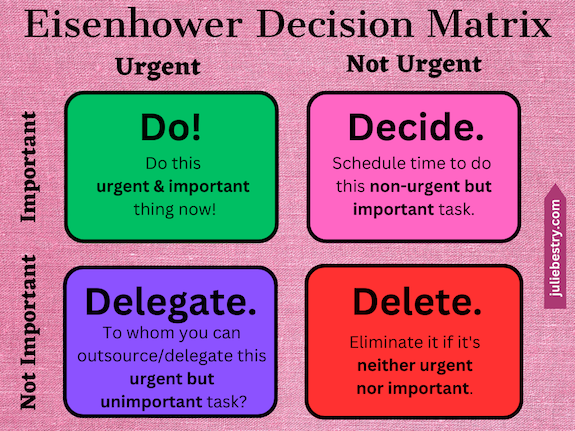
The Eisenhower Matrix gives you the opportunity to graph each task from your brain-dumped list to identify where it falls along a continuum of importance and urgency.
In a typical week of my schedule, what’s important is anything that brings in money, protects from “danger” (whether that’s a late fee or something more problematic), or directly impacts someone else. What’s urgent is anything that is time-specific in the short-term.
Identify What to Do, Decide (and Delay), Delegate, or Delete
Do
As I looked at the tasks, I realized that while my hair cut was not important, it was urgent to cancel so that my stylist would not be inconvenienced by a no-show. The podcast recording on Tuesday would have been both important (to me and to Frank) and urgent. And I had to arrange to get my prescriptions filled, as it turned out that one medication required me to be present at the pharmacy; it couldn’t be filled in absentia.
I sent two texts (to my stylist and to Frank) and arranged to get my prescriptions filled.
Decide
At this point, my wobbly brain decided that I could delay considering anything else until after more sleep. I didn’t know if I’d be able to go to my physical therapy appointment on Tuesday or my client on Wednesday, but I let that be Tuesday Julie’s responsibility. I crawled back in bed.
Delegate
I didn’t really have anything to delegate. I did, however, let my friend and colleague Hazel Thornton know what was going on in case I did not show up to our Tuesday co-writing session or a regularly scheduled Friday night Zoom.
I get it. Delegating is hard. Sometimes, it involves asking for a favor, and most of us are loathe to presume upon others or to seem as though we aren’t operating at 100%.
But delegating — whether it involves asking a friend to take you to the emergency room or trusting your spouse to take care of family responsibilities even if they won’t get done the way you would do them or giving the nod to an employee to handle something you would normally do yourself — is essential.
We can’t do everything. Even if we could, we shouldn’t. Leaning on others — respectfully — strengthens all of our human bonds.
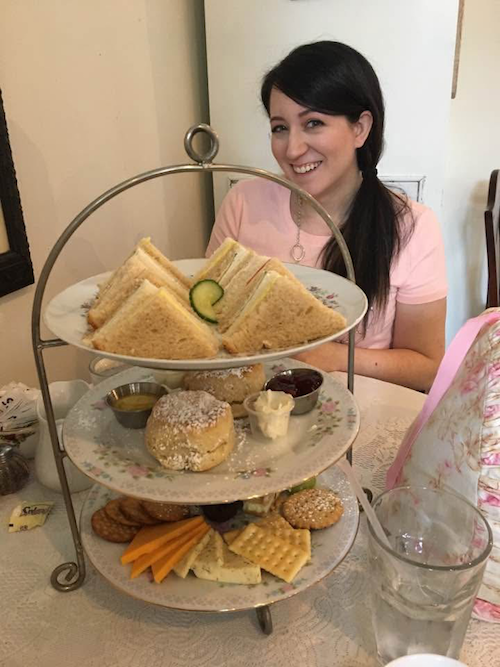
This is my friend Jen, who rescued me. We’re afternoon tea buddies.
Sometime in the mid-1970s, I had a big event happening in third grade. I think I was giving a presentation, or maybe getting an award. Parents were going to be in attendance. But when I woke up that morning, my father told me that Paper Mommy had fallen and cracked her ribs during the night and would not be coming to school. I’m not sure how she managed it in those scant daylight moments before I woke up, but Paper Mommy had already arranged for my sister (eleven years my senior and attending college locally, living in the dorms) to be my plus-one at this event.
If she could have been there, she would have. That’s how Paper Mommy rolls. But she made sure that my eight-year-old self felt loved and valued without schlepping her wounded self to a ridiculous elementary school event. My sister rocked it!
Delete
My plan had originally been to write last week’s post about children’s books on organizing and productivity, and I would have included a link to Paper Doll Interviews Melissa Gratias, Author of Seraphina Does Everything! and talked about both my favorite books in these categories, as well as a few surprises from my childhood bookshelf.
I forgave myself for not writing the post and deleted it from my sense of self-obligation. By the time I left the emergency room, I told myself I could just submit some other post I’d previously written about organizing and productivity books.
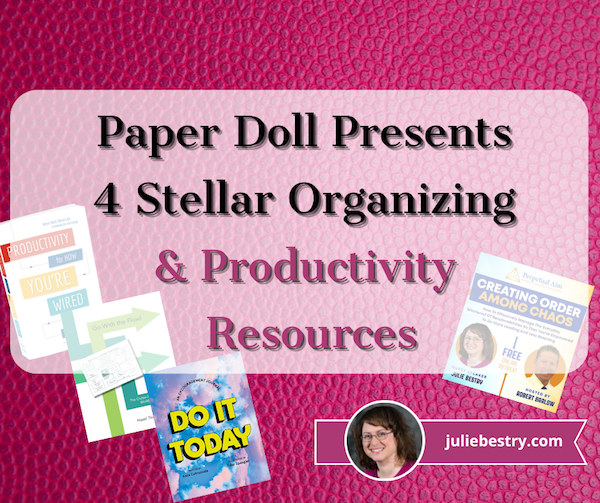
For example, I could have submitted Paper Doll Presents 4 Stellar Organizing & Productivity Resources, which referenced Hazel’s What’s a Photo Without the Story? How to Create Your Family Legacy and reviewed her Go With the Flow! The Clutter Flow Chart Workbook.
That post also reviewed Kara Cutruzzula’s Do It Today: An Encouragement Journal, and Ellen Faye‘s Productivity for How You’re Wired: Better Work. Better Life.

I could have submitted Paper Doll Introduces 5 New and Noteworthy Books By Professional Organizers, which reviewed:
- Emotional Labor: Why A Woman’s Work Is Never Done by Dr. Regina F. Lark, Ph.D, CPO® and Judith Kolberg
- Organizing and Big Scary Goals: Working with Discomfort and Doubt to Create Real Life Order by Sara S. Skillen
- Filled Up and Overflowing: What to Do When Life Events, Chronic Disorganization, or Hoarding Go Overboard by Diane Quintana, CPO®, CPO-CD® and Jonda Beattie, M. Ed.
- Mind Body Kitchen: Transform You & Your Kitchen for a Healthier Lifestyle by Stacey Crew
- Perfectly Arranged by Liana George
I could even have have bent the rules and submitted a link to the Book page at Best Results Organizing where I list my favorite organizing and productivity books.
Sigh.
But in the end, I slept through most of the ensuing days and missed the deadline to submit anything at all (likely disappointing nobody but myself). And sometimes, just as we have to tell ourselves that it’s OK to delegate, we have to accept that it’s OK to delete things from our task list.
Although I bowed out of Janet’s The Best Organizing and Productivity Books – Productivity & Organizing Blog Carnival, twelve of my colleagues had great submissions, and I hope you’ll read them. And Sabrina Quairoli wrote a post called Children’s Books About Organizing Their Lives! Although it’s different from what I would have written (or may still eventually write), knowing that topic is out there in the world made it easier to delete this from my list.
Create a Realistic Recovery Plan
Before I was a professional organizer, I was a television program director. Partially because of my Type A personality and partially because the television industry eats people and spits them out, being realistic about what you could get done in a day wasn’t actually realistic.
We were expected to be able to do everything, at any moment. After two days out with the flu, I once almost passed out in the hall and ended up just working on the cold floor where there was nowhere to fall.
That’s wackadoodle.
Nowadays, I teach clients to break down their tasks into manageable steps and schedule them across the upcoming days or weeks to avoid overwhelm.
When your week has been blown to smithereens, you absolutely have to be realistic. Sometimes (OK, often), that means being prepared to change direction more than once. When Tuesday hit, I felt worse (until my doctor called in that additional prescription). I revisited everything on my list, and applied the Eisenhower Decision Matrix again.
I decided to not do anything on Tuesday beyond rescheduling that physical therapy appointment to the end of the week and canceling client sessions. Y’know what? The nice physical therapist was glad I was taking care of myself, and rebooked me without a fee. My sweet Wednesday client was soothingly concerned and called to see if her adult daughter could bring me any groceries when she’d be in my neighborhood.
Everything that I tell my clients — that it’s OK to stop and take care of yourself, and that people will generally understand — was true.
Remember to Communicate
Once you evaluate your priorities and figure out what you have to delay, delegate, or delete, make sure you communicate the essentials to the people who can make your life easier, as long as they know what’s going on. That may be family members, friends, colleagues, or team members.
Set realistic expectations, ask for help where and when you can, and just keep them updated on delays. At some point later, you’ll want to renegotiate deadlines, but until you’re feeling clear-headed and calm, you won’t really know what will fit where on your calendar.
Be Flexible with Replacement Dates
Whatever “whoopsie” of a week you’re trying to recover from, it won’t help to triple-stack the next week. Don’t try to overcompensate and “make up for lost time” — you’ll burn out.
Just as we always discuss when talking about time blocking, set aside blocks of unscheduled time in future weeks to catch up. But don’t fill every block of time. You need buffer time and breathing space.
Reflect On What You Might Do Differently Next Time
We always learn more from our mistakes and kerfuffles than we do from our successes. If your week gets blown up by an unanticipated event, use it as a learning experience.
Block a little time on your schedule for the next week to evaluate how you handled the disruption. Consider what kinds of changes, contingency plans, emergency backup, etc., you might put in place to make next time (and there’s always some kind of “next time”) into a softer landing.
Give Yourself Grace
Julie circa 1999 would have tried to show up for work the next day, and attempting to barrel through every task, even while dizzily wobbling into colleagues and walls and copy machines.
Julie circa 2024 made sure that nobody was left in the dark, didn’t over-apologize, and got about 18 hours of sleep each day for most of a week. And everything turned out fine.
Appreciate Normal Weeks
When my sister was in college, she had a poster of the poem Normal Day by Mary Jean Irion, founder of the Writers’ Center at Chautauqua Institution. Eleven years later, I rescued it from the basement and put it up in my own dorm room. I hope it will help you appreciate the weeks where, even when nothing goes perfectly, it’s all mostly OK.

Readers, I hope you all have a safe, healthy, and happy Thanksgiving!
Paper Doll Post:

Organize Your Sleep When the Clocks Change and Beyond
Are you feeling wonky? If you live in North America, you turned your clocks back (or let all your digital ones do it themselves) over the weekend. (If you live in the UK, you did it a week ago. I don’t know what’s up with that, but you may still be feeling wonky.)
Although most of the negative effects of time change happen when we are springing forward to begin Daylight Saving Time, falling back to end it can still leave people struggling to wake up and feeling out of sorts for a few days, leading to some bumps in productivity.
So, if you’re feeling a little rough, don’t worry. Today’s post offers some gentle tips for feeling a little more at ease when the time on the clock and the time inside your head don’t feel friendly toward one another.
HELP YOUR BODY ADJUST TO THE TIME CHANGE
Whether you’re dealing with the time change in the spring or fall, the best way to adjust is always to shift your schedule gradually.
Unless you’re the kind of person who misses all the reminders about the clock change and shows up an hour late (or early) to Sunday brunch, or worse, for work on Monday, you have advanced warning. When the time change is on the horizon, adjust your bedtime and waking time by ten or fifteen minutes each night for several days prior. (Make a note on your calendar to start this at the beginning of March; Daylight Saving Time starts on March 9, 2025! I’m already counting down.)
This kind of incremental approach is supposed to give your body the time to adapt. Of course, we’ve just changed the clocks, so that option is out. Still, consider the following steps for helping your body adapt to the time shift. You’ll find that these steps are generally the same ones for attaining recuperative sleep, overall.
Be the Early Bird and Get Morning Sunlight Exposure
I’ll be the first to admit, I’m terrible at mornings. I’d happily take a flight or attend a Zoom at 3 a.m. before going to sleep, but I’d be hopeless doing the same things at 7 a.m. Early morning sunlight makes me growl. However, my science-y pals swear that natural light will help reset our internal clocks.
The research on circadian rhythms says that cycles of sunlight and nighttime darkness keep our bodies synchronized with our environment and signal our “circadian pacemakers.” This pacemaker is particularly sensitive to light in the morning and the evening, so evening light (such as we have all summer) causes a phase delay, so we don’t get tired until later and then we wake up later. Conversely, when we are exposed to bright sunlight in the morning, it causes a “phase advance,” and we start getting sleepy earlier and awaken earlier.

Sunrise Coffee Photo by Taryn Elliott
So, exposure to sunlight signals your body that it’s time to wake up; just some light permeating through your eyelids will have some kid of wakey-wakey-eggs-and-bacon-y effect. So, actually spending twenty minutes outside in the morning will help you feel less sluggish.
If the temperature allows it, take your breakfast out onto your back patio or balcony; you can enjoy your morning coffee on your front step, but if you amble out in your jammies, at least make sure you’re properly covered up as the school bus goes by.
Improve and Optimize Your Sleep Environment
We hear it all the time: it’s important to set a consistent sleep routine.
If you’ve been living the life of a college student (or a new parent) and are all out of whack (and this has been compounded by the end of Daylight Saving Time), be patient with yourself. Know that your body will need time to adjust to whatever changes you make, but sticking to a regular bedtime and wake-up schedule (sigh, even on weekends) will improve your odds of getting better quality sleep and more of it.
Research shows that your sleep experience will improve if you consistently do the following:
- Keep your bedroom dark. Close your blinds or curtains. If you have old-style horizontal Venetian blinds, you may find they let in too much light. If so, try twisting them “backward” such that the curved portion faces outward. Alternatives are the more modern, wider, vertical blinds or roller shades in darker colors.
Another great option is a blackout curtain, which is designed to eliminate as much natural light as possible. Note that the longer the curtain extends from the bottom of the window toward the floor, the less light will seep out.

If there’s a curtain gap (which always seems to happen when you’re staying in a hotel), try pinching the curtains together with clothespins or the clips of a skirt hanger.
Admittedly, if you block out all natural light, you won’t be awakened by the brightness and warmth of the sun. This increases both the importance of getting into the sunlight once you DO wake up and also necessitates a less natural method for shaking yourself out of slumber. For the latter, check out Do (Not) Be Alarmed: Paper Doll’s Wake-Up Advice for Productivity for tips on heeding that wakeup call.
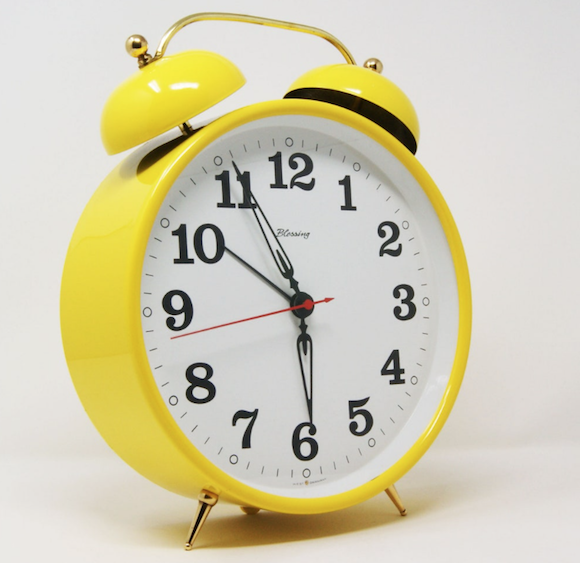
Don’t forget about tiny unnatural lights. So many digital devices blink or glow. My smoke alarm has a blinking green light. Routers and DVRs and all sorts of devices have blueish glows.
In my bedroom, I have an old-fashioned Caller ID box (connected to an old-school, weighty corded landline). It blinks. Incessantly. Every time I have a message, the red light starts blinking again. Listening to the voicemail message and deleting it has no impact; I must manually clear the Caller ID box. (Sigh. It’s a tradeoff. I love the large handset of this ancient phone, but it has no caller ID. The box serves its purpose of letting me know if the inbound call is from a delightful soul or yet another robocall about my auto warranty. But that red blinking light!)
If you’ve got bright or blinking LED lights on gadgets in your sleeping area (either at home or when traveling), consider getting a sheet of removable, adhesive blackout stickers to stem the indoor light pollution.

In addition to adjusting your lighting while you’re sleeping, train your body to sense the cycle of day and night by dimming your household lights as bedtime approaches. Experts say that lowering the lights helps signal your body that it’s time to wind down. Think about how you can gradually reduce your exposure to artificial lighting in the evening (without risking bumping into the furniture).
- Create a quiet environment. Quiet doesn’t necessarily mean silent. I prefer a combination of white noise: my central HVAC fan is turned to on (instead of auto, so I’m not constantly jarred by that thunk of it turning off) and my Rain, Rain thunderstorm app as I described in 11 Ways To Organize Your Focus With Ambient Noise. (Sometimes, what you want to focus on most is being blissfully unconscious.)

“Quiet” doesn’t only include your sleeping space, but also your mental space. Limit cognitively or emotionally intense activities before bed. Have you ever played a video game before bedtime and then found that your brain continues playing the moves in your head when you close your eyes? If you’ve spent hours reviewing a spreadsheet pre-jammy time, you might see those columns and rows and be unable to turn off your in-brain Excel.
For a few hours before bed, limit any activities that are emotionally stressful or require a high level of concentration. The goal is to avoid keeping your mind too active before bed, as that will make it harder to find your personal Sandman.
- Maintain some chill. The experts estimate that the best temperature for sleeping is between 60° and 67°F. Obviously, if you’re shivering, it’s going to keep you awake, but experiment lowering the ambient temperature combined with your preferred number of blankets. If you’re a “hot sleeper” or are at a period in your life when you’re experiencing hot flashes — let’s call them power surges — consider cooling pillows and bedding.
- Keep your bedroom organized. Yes, your eyes are closed once you’re asleep, but a cluttered room presents a few obstacles to falling asleep easily, or falling back asleep after a trip to the bathroom or to check on a tiny human.
I teach my clients that “the bedroom is for sleep, rest, and intimacy.” If your bed, nightstand, and floor are covered with children’s toys, you will be distracted from all three of those purposes, and you’re more likely to step on a piece of LEGO and wail in pain, keeping you from falling back asleep and your partner from sleeping soundly.
The bedroom is for sleep, rest, and intimacy. If your bed, nightstand, and floor are covered with children's toys or office work, you will be distracted from all three purposes. Share on XIf your computer is open next to your bed, or your work desk lives in the bedroom, or your credit card bills are piled near where you sleep, the chance of disturbed sleep is higher because those items will subconsciously cue your brain to fret over them when you’re trying to fall asleep.
Declutter your bedroom so that the floor around your bed is free of tripping hazards, and so the only things visible are those that are functional or soothing. I know, it’s easier said than done, but even taking a few moments to tidy your space (and training yourself and others not to bring non-bedroom-y things into your room in the first place) will have a positive effect.
Don’t be Blue!
As we talked about in Celebrate the Global Day of Unplugging, screens (computer, phone, tablet, or TV) and particularly the blue lights of screens from your devices, can interfere with your body’s ability to produce melatonin.
Find alternatives to screens in the bedroom, and consider different pre-sleep habits that don’t involve screens. You could journal, read a tangible book, do simple stretches while listening to soothing music, memorize a poem, or practice an uncomplicated craft. Define “uncomplicated” as you choose, but needlework that doesn’t require bright task lighting is going to be better than a craft that involves scissors, glue, and (eek!) glitter.
Don’t Do the Dew — and Limit the Moonshine, Too!
You may not think that one more fizzy beverage or cup of coffee will make a big deal, but a 12-ounce cup of Mountain Dew contains around 54 milligrams of caffeine. (An eight-ounce cup of coffee has 95 milligrams of caffeine!)
Caffeine can stay in your system for hours and have a detrimental effect on your sleep, so experts suggest avoiding it after mid-afternoon. (Yeah, I know this one is a toughie. What’s a diet Coke without the oomph of caffeine?) Remember, the goal is to relax your body so that you’ll sleep well and have natural energy for work or school the next day.
The experts similarly encourage people to limit drinking alcohol in the pre-sleep hours. One might aassume alcohol encourages relaxation, but it actually disrupts the sleep cycle, making sleep less restorative. For those who choose to imbibe, know that doing so earlier in the evening will minimize the negative impact on sleep.
Watch Out for Midnight Snacks
Experts encourage us to avoid heavy meals or snacks in the late evening. Larger meals closer to bedtime can take longer to digest and disrupt sleep.
However, if you’re hungry, that may also make it hard to fall asleep. Personally, I find that a small protein-packed snack and a tiny bit of carbs (like a handful of almonds or a few cheese and crackers stacks) helps my body find dreamland. Experiment to find what works for you.
Watch Your Daytime Habits
We tend to think of our pre-bed activities as the key to falling asleep, but getting our full eight (or more) hours requires a bevy of other self-care habits.
- Participate in an active lifestyle — This doesn’t mean you have to train for the Olympics or spend every day at the gym. But physical activity helps you sleep better.
Consider a yoga, tai chi, or qigong regimen in the evenings as shown in the following videos, or go for an early morning walk (with the bonus of getting morning sunlight).
Bedtime Yoga with Adrienne
5 Minute Tai Chi Flow for a Restful Night’s Sleep
Qigong for Sleep with Nick Loffree
If you are already active, just remember to avoid vigorous exercise close to bedtime, as it can be too stimulating, making it harder to fall sleep.
- Learn how to relax — It’s hard to conk out when our brains are focused on what’s stressing us out. However, even when we’ve cut down our mental focus on stressors, our bodies tattle on us. We hold stress in our muscles and joints.
In addition to practicing the physical relaxation techniques described in the above videos, find ways to mentally relax as you approach bedtime. Maybe you’re good at meditating — I’m not — but there are so many other options, too. Learn deep breathing exercises, journal, or take a warm bath before heading to bed. Do whatever you can, both throughout the day and as sleepy time approaches, to progressively relax your mind as well as your body.
- Hydrate throughout the day — We live in a hydration nation. Everyone seems to have a giant water bottle named Stanley. Being well-hydrated prevents fatigue, which helps maintain overall energy levels so you can avoid late-day napping, stay active, and adapt not just to the time change but to unexpected changes in your schedule.
An Occupational Health and Safety Administration (OSHA) report, The Cognitive Effects of Proper Hydration, spells out the key benefits of staying hydrated, including improved focus and short-term encoding of memories, better long-term memory recall, and improved critical thinking skills.
Additionally, research shows that “low water consumption tends to lead to worse moods, as well as headaches, confusion, and tiredness” and better hydration makes people feel calmer and in better moods. The steadier your mood, the more likely you’ll be relaxed enough to sleep well at night.
However, slow your hydration pace as you approach bedtime so you can minimize disruptions to your sleep. (If you wake up for a bathroom break, you’ll almost certainly never get back to that steamy dream with Jason Momoa.)
Don’t stop hydrating altogether, though. Our brain tissues have no way of storing water, and our waking brains need some hydration at least every two hours to function optimally. Drink water upon awakening to help you start your day.
- Watch out for naps — If you’ve had a rough night, a nap can help you recover, but keep it brief, to no more than 20 to 30 minutes.
Additionally, avoid napping late in the day (so, no pre-dinner snoozing), as it can interfere with your ability to fall and stay asleep at night. (If you’re feeling draggy, try drinking some cold water to pep you up!)
Instead, trying following one of the international approaches to early afternoon napping and recuperative resting that I outlined in Take a Break for Productivity — The International Perspective.
Additionally, the Mayo Clinic has some good advice for taking naps effectively in Napping: Do’s and Don’ts for Healthy Adults, and the book Take a Nap! Change Your Life. purports to change the reputation of naps for the better and help people improve their health through the right methods of napping. (You could always listen to the audiobook; worst case scenario, it’ll put you to sleep!)

Make Waking Up in the Morning More Appealing
For some of us, no matter how hard it is to fall asleep, we can’t bear to get out of our cozy beds. Consider organizing your resources so that whatever you have to face in the morning is desirable. Here are a few ideas:
- A pleasant alarm — that seems like an oxymoron, doesn’t it? — that gently wakes you, or one set to a radio station that will make you laugh or want to sing is a great way to nudge you from sleeping to wakefulness.
- A cozy bathrobe or dressing gown helps ease the shock of moving from your comfy bed to a house set more for cooler sleeping temperatures than warm wakey-uppies.
- A new shower head — TikTok kept tempting me and I finally gave in and bought one of those new filtered, hand-held shower heads. (It’s even got a doohickey so you can use it like a garden hose to clean the shower.) Whether you want a shower massage or a rainforest effect, upgrading your morning shower routine gives you something to look forward to. You may not jump out of bed, but perhaps you won’t grumble so much.
- A breakfast fit for Sleeping Beauty — In the ideal world, Jeeves would serve breakfast in bed. Failing that, aim for some special food or beverage treats, to make the morning meal inviting for the senses.
- Start a new morning routine — If you don’t have enough of an opportunity to read, put a good book by your breakfast setting and instead of doom-scrolling social media. Take a brisk ten-minute walk around the block instead of checking morning emails. Call your BFF (but only if she’s likely to be awake already) and develop your plans to take over the world.
Organizing your morning to do just a few things differently could yield all sorts of bonuses as the day goes on.
Organizing your morning to do just a few things differently could yield all sorts of bonuses as the day goes on. Share on XTake Your Sleep Health Seriously
If you have more than occasional trouble falling or staying asleep, don’t take things into your own hands.
- Don’t self-medicate. We already discussed how alcohol disrupts sleep patterns, but it’s common for frustrated sleepers to seek out other (problematic) ways to self-medicate via over-the-counter options.
Even the commonly suggested solution of melatonin supplements are not suitable for everyone. For example, melatonin can lower blood sugar, causing hypoglycemia in people with diabetes; it’s also contraindicated for people taking blood pressure medications, blood thinners, certain contraceptives, and anti-convulsant medications. (People who are pregnant or breastfeeding, or who have autoimmune or seizure disorders or clinical depression should also not take melatonin.)
- Talk to a medical professional. Paper Doll is a professional organizer, not a sleep doctor (and I don’t play one on television). If you consistently have trouble falling or staying asleep, confer with your healthcare provider to make sure you don’t have an underlying medical condition (like sleep apnea) contributing to your difficulties. If you do learn that you have a sleep disorder, you may also want to find a sleep specialist through one of the following
American Academy of Sleep Medicine (AASM)
American Academy of Dental Sleep Medicine (AADSM)
Your ability to be productive and organized in the daytime depends in large part of you successfully organizing your sleep at night. Sleep well!
WHEN WILL WE BE RID THIS INFERNAL CHANGING OF THE CLOCKS?
Your phone and computer likely change their own clocks. Your oven and microwave clocks likely do not. The clocks on my cordless landlines are triggered to change when receive an inbound call! I have a relatively glucometer (for testing blood sugar) and spent Sunday morning struggling with a multi-panel instruction sheet that made me feel like I was trying to fold a 1950s Rand McNally street map! There’s a reason so many people’s VCRs used to blink 12:00 all the time.
It’s not difficult. It’s just a little frustrating. We’re a quarter of the way into the 21st century. Shouldn’t we be past this by now?
If you are wondering why we still have to change the clocks, you’re not alone.
Those who would rather see the clock change go the way of the dodo cite sleep disruption and the resulting loss of productivity as well as increased risk of traffic accidents (in the spring and fall), mental health struggles (including Seasonal Affective Disorder) caused by decreased post-work/school hours of sunlight, and increased crime (because bad guys prefer their evil-doing in darkness).
The problem is that nobody can agree one whether to have permanent Standard Time (as in Hawaii and Arizona) or Permanent Daylight Saving Time. More than a dozen states have already passed legislation in support of keeping DST year-round, arguing it provides a better quality of life, with more light in the evenings. Paper Doll is generally in this camp. If you’re stuck at work all day, you probably want sunlight greeting you at the end of your workday so the winter hours don’t feel like drudgery. However, if you’ve got little kids, you probably don’t want them waiting for the school bus in the dark every morning.
Whether we go with Standard or Daylight Saving Time, there’s no way to make everyone happy, at least not until our AI overlords can update all of our clocks (and our circadian rhythms) in one fell swoop. Perhaps that’s why, although the Sunshine Protection Act of 2023 (which would have made DST permanent as of last year) received unanimous consent from the United States Senate in March 2022, the bill has languished in the House of Representatives. Sigh. How very disorganized of them.
Assuming our leaders don’t straighten this out, we’ll be changing our clocks yet again this March, so let’s at least take an opportunity to laugh about it, courtesy of the Holderness Family.
Paper Doll Post:

How to Collect, Organize, and Preserve Family Memories and History (Part 3) — AI & More

Who are you?
Certainly, you are your tastes and preferences, talents and experience. Nobody else has your abilities, quirks, and ways of delighting the world. Much of that comes from everything that’s happened to you, and everything you’ve decided to do (and to not do) since the days you careened onto this mortal coil.
But your very existence, in some ways, is due to those who came before. You enjoy the privileges or suffer the consequences of hundreds of years of decisions and experiences of your ancestors. War and famine, immigration and partner choice — other people’s lives determined, in large ways and small, your life.
Had your parents or grandparents or great-grandparents not come to the country where you were born, you would have had a completely different set of benefits and struggles, whether that’s bountiful nutrition and career opportunities or financial and educational injustices. We end up where we start as the result of our forebears.
Sometimes that means we’re always fascinated to know more about them, and sometimes it doesn’t occur to us until too late in the game to ask questions at all.
This mid-1950s photo shows Paper Mommy, sandwiched between her Bubbe (grandmother) and her mother, with her aunts flanking them. The first several times I asked about this photo, the only thing my mom shared was that she hated her haircut. Asking questions may take perseverance.
We recently did a deep dive into why we might want to know about our family histories and stories, and what questions can help satisfy our curiosity about things we might not even know to ask. Then, we looked at some of the major options for helping collect, organize, preserve, and share those family legacies. In case you missed those posts, you can pop over and read them here:
How to Collect, Organize, and Preserve Family Memories and History (Part 1) — The Questions
How to Collect, Organize, and Preserve Family Memories and History (Part 2) — The Methods
Today, we’re going a little further afield to see what other options may help you embrace those generational memories.
USE AI TO CREATE YOUR FAMILY LEGACY IN PRINT
Artificial Intelligence gets fancier every day. It also gets scarier.
I like when I ask ChatGPT to give me advice on how to make a blog post subject line more friendly for search engine optimization. I don’t like it when it makes things up out of whole cloth.
For example, in 3 Simple But Powerful Productivity Resources — Right in Your Browser Tab, I talked about Goblin.Tools, a 7-in-1 AI tool to help both neurodivergent and neurotypical users with time management as well as “tone” management. On the other hand, my colleague Hazel Thornton has written about both the good and the bad in AI in posts like The AI Gold Rush.)
In this series on collecting, organizing, and preserving family memories and legacies, I wanted to include these AI solutions as opportunities, not recommendations.
Recording audio or shooting video or turning narrated stories into written chapters is a lot of work. Grandma probably isn’t up for it. You also may not have the time for it.
AI, however, has all the time in the world. Why not give AI the chance to play the legacy-preserving version of The Jetson‘s Rosie the Robot and let it do a little of the scut work for you?
For example, if you narrate a story and the AI adds flourishes, creates chapter titles and sub-headers, and formats what you’ve spoken, you’re not wedded to it. You can always revise it. But you can’t edit a blank page, and getting something down is better than waiting until you can make it perfect.
The following are some AI-assisted options for collecting, organizing, and preserving your family stories.
Otto
Otto is an AI biographer, billing itself as a solution to create “memoirs for mere mortals.” It’s based around a simple voice interface, so you just start talking about whatever you want to share: your personal memories, family stories, life milestones, or recapped adventures.
You or your storyteller will get a prompt to answer some questions for about 10-20 minutes, making this ideal for anyone who may feel cowed by the idea of having spin a long yarn. You’re not doing an HBO stand-up special, just ten minutes of responses to weekly encouragement.
Once you’ve done your part, Otto creates transcripts of your recordings and uses artificial intelligence to develop a biography based on what has been said.
Open the app, hand the phone off to Dad, perhaps with a list of prompts (such as the ones I offered in part 1 of this series) and let Otto do the rest.
Otto creates chapters — the transcription is just the first part; the AI magic comes in almost as quickly as you can dictate. Review the chapters as Otto drafts them to ensure that everything you wanted to capture is there.
Worried AI might goof up and misunderstand something you say? The founder, Ashita Achuthan, noted that AI gave her name a few confused looks. So, Otto allows you to go into the transcripts and manually edit to ensure everything looks as it should.
The resulting biography, from what I can tell (without signing up), is digital; if you want a tangible copy, you’ll need to download the content (and perhaps combine with photos) to achieve a DIY book (such as I described in part 2 of this series).
Start with a free, 15-minute introductory trial of Otto to see how a chapter can be created with just a little chat. After that, a lifetime membership is $199, though Otto is in beta (having just launched this year), so the early bird price right now is only $99. With your lifetime membership, you get a 40-chapter biography, automatic transcripts, and access to new sessions and features.
introducing otto
it’s an app that turns your memories into memoirs
show up everyday for 10-20 min sessions
no prep needed. show up and talk
get chapters as you finish each session751 people using otto over last 6 weeks@_buildspace pic.twitter.com/lKmZtxcCC2
— ashita achuthan (@ashitaa) July 27, 2024
Ottostory
Don’t confuse Otto with Ottostory. (Gee, how could anyone confuse the two?)
Ottostory has a three-step approach for building a biography.
- Speak into the phone and Ottostory captures the experiences. It can be a long narrative, a childhood memory, or a life event.
- Select a tone. Depending on the individuals and the story being told, you may want a different tonal or writing style. You get to pick whether the tone should be “adventurous,” “romantic,” or “true to life.”
- Watch your stories become a book. Once all of the tales have been narrated and AI edits the content, the story becomes a bound hardcover book, shareable with family and friends.
Ottostory has a number of features to achieve the narrative result:
Flexible Interaction
First, Ottostory offers multiple input formats. You can integrate voice, text, and document uploads. Enrich your narrative with photographs.
As mentioned, you can select different tonal styles for the writing. You can also invite family and friends to contribute guest chapters, augmenting beloved memories with multiple perspectives.
Guided Storytelling
The process starts with Ottostory’s library of 200 prompts, developed by cognitive behavior therapists, professional authors, and publishers to “elicit meaningful and heartfelt responses.”
If you’re a writer, you may love the idea of taking all the transcriptions of Great-Grandpa’s circuitous stories and editing them into a comprehensible and comprehensive whole. If you’re not, you won’t.
Otto promises that their cutting-edge AI-powered storytelling technology will “seamlessly weave your memories into a compelling narrative” so you can take those stories, eliminate the repetition and excess, and make it make sense.
Once the individual memories are captured, Ottostory organizes the various tales along a structured timeline of key milestones or life events. Instead of a mish-mash of tales, it yields an orderly biography.
Ottostory also offers up to three hours of one-on-one coaching with professional biography writers to help craft your narrative and conquer any writing obstacles.
Customization
Users can custom-design a high-quality, premium book cover based on templates.
Once it’s all put together, you get both a bound hardcover and a digital copy of your book, enabling you to maintain a legacy copy for future generations and share your story now with loved ones wherever they are.
Timelines to complete an entire book vary, but the FAQ says that on average, an autobiography is completed over nine months. There aren’t any time limits, so your storytellers won’t be rushed and can work at their own pace. However, Ottostory helps users stay focused by providing a personalized schedule with reminders to keep going until the book is done.
Ottostory’s pricing is definitely higher than we’ve seen with the other services. It’s $499, for which you get a 7″ x 10″ hardcover book, including fifty pages for narrative storytelling and thirty pages for vivid pictures.
Memoirist
On the opposite end of the price spectrum is Memoirist, an AI-assisted biography and memoir service.
To get started, decide whose life story will be told, whether that’s you, a family member contributing their own tales, or the family genealogist.
Then, Memoirist offers prompts to entice the storyteller to relay important memories. Unlike the other platforms we’ve looked at, Memoirist then has its Interview Helper follow up on those stories with “gentle, insightful follow-up questions to deepen the narrative.”
Access Memoirist on your phone, tablet, or computer.
The AI takes it from there, turning the recorded “conversations” (between the storyteller and the AI) into a compelling story designed to “capture[s] the essence of your experiences.”
Once the story is massaged into final form, personalize the ensuing tangible book with various design options. You can customize the cover and final layout to reflect your preferences based on the kind of memories relayed.
Finally, users may order bound, high-quality print copies to be shipped and shared with family and friends.
Right now, early adopters can try Memoirist for free (discounted from $10) for an initial five chapters; it also includes use of the Interview Helper’s follow-up questions and a formatted PDF of your story.
If you like Memoirist, you can upgrade to a full version for $29 (discounted 70% from the full price of $99). In addition to the assistance of the Interview Helper, you can have up to thirty chapters (up to 200 pages) in a printed, hardcover biography. You also get “do-overs” of the five initial chapters from the trial experience.
Life Story AI
Life Story AI has three approaches. If you’re with your loved one, you can ask them the Life Story AI prompt questions; they can respond using the phone app and be recorded. (They or you can also type answers on the screen.) If you aren’t present and they’re comfy with technology, “Lisa” (the AI) can prompt them to answer directly. Alternatively, sub yourself in to answer the family history questions. There’s no obligation to answer everything.
Based on answers to the general prompts, Lisa will ask customized questions. The platform gives an example of, “As an only child, what kind of fun did you have?” From there:
- Lisa sends a new question weekly, by email. You or your storyteller can answer as many questions as desired. You can add photos to make the story more robust.
- The system records and transcribes everything, and can correct grammar and spelling.
- Edit or delete text as you like, and even add your own preferred questions or stories.
- Once they (or you) have put in 10-20 hours of material, the Life Story is ready to become a book.
- You can adjust the style from the storyteller’s tone to a more literary one.
- Customize the cover of the book — choose a title and import a cover photo.
- Add up to 40 color or black-and-white photos.
The end result is a 250-page printed, soft-cover book with high-quality paper for $99. Additional books can be ordered at $35/each (plus shipping).
AI Life Story
AI Life Story (see what I mean about similar-sounding names?) is yet another AI-assisted book biographer. Once you sign up for an account, your storyteller gets to chat with AI Life Story’s AI interviewer. The interviewer will pose various biographical and thought-provoking questions about backgrounds, interests, and opinions. The storyteller can respond by typing or voice recording.
Once the “interview” is complete, the AI will write a “compelling” story based on the responses. In turn, you can review and edit the story to your preferences. You also have the option of uploading photos and adding comments or other answers, as well as customizing the end-result by choosing from a variety of templates.
The collaboration yields a digital (not printed) book about your life.
There’s a free trial, after which there are two pricing options: monthly for $29/month (currently discounted for early adopters to $25/monthly) and an annual subscription of $228/year (currently discounted to $159/year.
USE AI TO CREATE YOUR FAMILY LEGACY IN VIDEO
And now for something completely different.
Storyfile
You know William Shatner. Whether your Shatner is Captain Kirk, TJ Hooker, or Denny Crane, as spokesperson for Storyfile, he’s got thoughts on preserving video versions yourself (as if you were a holodeck character on the Enterprise) to interact with future generations.
After setting up an account with Storyfile, you log in and select the questions you want to use as prompts. Storyfile has 1600+ questions, grouped as related topics, crafted to encourage vibrant storytelling. Categories include topics covering family traditions, events like vacations and weddings, “favorites,” holidays, children, etc.
In addition to typical biographical questions and genealogical prompts, there are extensive questions in categories we haven’t seen on other platforms, like military memories, prompts for Holocaust survivors, memories about 9/11, questions about personal and family COVID pandemic experiences, “Pride” tales of coming out and gender identity, and more.
The storyteller records their video responses (on a computer, tablet, or phone).
Now, you can share the interactive StoryFile via social media, email, or text. Visiting loved ones can then interact with the videos and find the answers within the StoryFile.
Think of it as a little bit like artificial intelligence setting up a Zoom call and blending it with time travel, yielding an almost sci-fi-like experience for family members to have face-to-[recorded]face interactions.
It’s called conversational video. StoryFile sees itself as transforming one-way video into interactive two-way conversations. Imagine recording your answers and now (or later), your great-grandkids can ask your StoryFile questions. The StoryFile AI then searches the video database of what you’ve already recorded and yields the best video response, making it (mostly) like a conversation. Again, kind of like the Holodeck.
To see it in action, watch the clip of CBS Sunday Morning from this past Memorial Day, showing how the WWII Museum is using this kind of interactive technology.
StoryFile offers a free trial, with which you get 33 free questions, unlimited conversations, the ability to share to social platforms, and one-minute video answers. (Video recordings are 720p resolution.) From there, StoryFile offers three levels:
- Pay per question — For $1 per question, you can select from any of the 1600+ questions to add to the 33 from the free level. You still get unlimited conversations, the ability to share on social media and 720p video recordings, but at this level the video answers are two minutes in duration and you get the ability to re-record your answers.
- Story Pack — For a one-time $49 fee, you can select 75 unique questions to add to the initial 33 and get everything else available at the pay-per-question level.
- Premium — For a one-time $499 fee, you get access to all 1600+ questions in 70+ curated life topics, unlimited conversations, the ability to share on social platforms and re-record your answers plus you can record five-minute video answers. (I’m sure they created this option for people like Paper Doll, for whom brevity is difficult.) Additionally, the video recording quality is 1080p (high resolution) and you get unlimited storage capacity.
USE AI TO CREATE YOUR FAMILY LEGACY IN A MIX OF MEDIA
Memory Lane
Memory Lane is a fairly new platform that seems to take AI one step beyond what we’ve seen so far.
Users — they call them “Storytellers” just as I’ve been saying throughout this series — respond to personalized prompts from Memory Lane’s AI interviewer, recording their memories. These can be stories, family recipes, private jokes, or advice on how to raise children or interact with the world.
The AI interviewer is designed to invite a conversation, not an interrogation. Trained to be “empathetic, patient, encouraging and kind,” their AI is developed by advisors — psychologists, experts in ethics, and professional biographers — to create an interactive interviewer to draw out the best from each Storyteller. In their words, they seek to prompt, “a nostalgic trip down memory lane – and at every step we’ve built our platform with deep respect for the profoundly personal, meaningful experience that is curating your legacy.”
After the interview, recorded answers are stored “forever” in Memory Lane’s private, secure database.
As each storyteller shares more personal and family stories, the AI automatically generates a professional summary and what Memory Lane calls a life story map as a record for future generations, whom they call “the Listeners.” (Again, this starts to feel like Star Trek again, only instead of “Who Watches the Watchers,” it becomes “Who Listens to the Storytellers?”)
Memory Lane offers a 7-day free-trial, after which there are two pricing options:
- a monthly subscription is $8.99/month with unlimited storytelling, 100% personalized questions, unlimited access for the entire family as “Listeners,” narrative tracking (to eliminate errors and make certain no details fall through the cracks), and one color-printed hardcover biography. (After six months of the monthly subscription, the book is free.)
- a one-time annual subscription for $99 provides a full year of access to Memory Lane, all of the features offered with the monthly subscription, and the hardcover book is free to be printed at any time.
Memory Lane is in beta, so some things may not be ready for prime time. (A few of the links are still wonky.)
OTHER LEGACY-PRESERVING OPTIONS
As I researched traditional and AI legacy-capturing options, I found that, just as with productivity and note-taking apps, or almost anything else you can find on the web, there are numerous options without lacking clarifying information. As always, buyer beware.
Of course, you could always hire a professional biographer to speak with your beloved family members. Consider starting with Biographers International Organization (BIO).
Finally, if you and your family are just getting started with pondering how to capture family history, just start asking questions.
Tales
Recently, an ad for a card deck/game appeared on my feed. (Yes, our AI overlords and their sneaky browser cookies are eavesdropping on my research.)
It’s called Tales, and its Life Story interview kit features 150 conversation starters, segmented into three life stages: early life, mid-life, an later life reflections. The arrangement is designed to yield a smooth conversational flow and spark memories and discussions.
Tales is available directly from the creator’s site, above, or on Amazon for $14.99.

Perhaps you can buy a game like this, or make up one of your own, before Thanksgiving this year or whenever your family will get together next.
Finally…
Recently, I was reading The Boomer Stuff Avalanche, an article talking about how “Millennials are about to be crushed by all the junk their parents accumulated.” That’s part of a different (and bigger) discussion. But here’s a final thought.
Your kids and grand-kids may not want your stuff. But they will want your stories. Share them while you can.
Your kids and grand-kids may not want your stuff. But they will want your stories. Share them while you can. Share on X



Follow Me