Paper Doll
Happy Bastille Day–Break Free From the Prison of Paper Clutter
For those of you who may not recall 10th grade Social Studies, Bastille Day commemorates the anniversary of the July 14, 1789 storming of the Paris Bastille, a fortress known for holding political prisoners captive. If the pertinent details of history class are crowded out of your memory by more pressing daily stress over the clutter in your home or office, you may even feel imprisoned by your paper.
Perhaps you’d like to forge your own revolution against the tyranny of paper clutter and setting yourself free?
Let’s think of today, then, as our own little Bastille Day review class for the basics of breaking free of paper clutter and keeping your papers organized. Paper Doll, herself, was little surprised to realize the wide variety of topics we’ve covered in almost two years without ever having had a review session. It may be summer vacation, but it’s time for a little Paper Doll summer school.
Pay attention–you don’t want to end up in prison…I mean, detention.
1. Get rid of the paper you don’t need.
 This isn’t simply a matter of purging out junk mail on your way inside from the mailbox, but preventing it from arriving in the first place. And, of course, you’ll want to make sure the only paper coming to you is actually meant for your household or office.
Out of the Mouths of Moms: On Paper You Don’t Want
Wait, This Mail Is For the Other Guy
2. Keep track of information flow in a systematic way, first by avoiding scribbling on all those little scraps of paper (in Paper Doll parlance, those are floozies)  (Via Seajones.com.uk) and then by considering digital alternatives.
Stay Far From Floozies: Avoiding the Loose Paper Trap
The Refrigerator is Where Lunch Lives (And Not Jeeves, Your Social Secretary)
JOTT this down: The Big To-Do About Your To Do’s When You’re On The Go-Go-Go!
Digital To Do Lists, or Mommy, Look at the Pretty Cow!
Monkeying Around: Stop Drowning Everyone Else in Paper Clutter
3. Create a system for archiving the papers you need for reference.
Family Filing—As easy as (eating) pie
Financial Filing—Scrapbooking snapshots of your money’s life
Mom, why is there a receipt stuffed in the turkey?
I Fought the Law…and the Paperwork Won!
Patient: “Doctor, it hurts when I do this.” Doctor: “Then don’t do that!”
Paper Dolls Live In Paper Households
I Hope Nobody Ever Writes a Nasty Tell-All Called “Paper Doll Dearest”!
4. Speaking of reference, don’t forget keeping track of all the manuals, recipes and guidebooks in your life.
A Recipe for Decluttering: Kitchen Paper
Boom! Crash! “Honey, where’s the user manual?”
Put Manuals On Automatic: Organizing Owner’s Manuals: Part 1 (Paper) and Part 2 (Digital)
Organizing Your Car Maintenance Records
5. If you lose an important piece of paper, waste no time in getting it replaced. Then safeguard it. 
Lost And Found: Tax Returns (and memories of 9th grade science class)
Lost And Found: Savings Bonds (and saving yourself a headache later on)
Lost And Found: A Different Kind of Stock (Certificate) Tip
Lost and Found: GONE in 6 seconds: Your Wallet!
6. Preserve your identity from those nasty identity thieves.  Remember, you are the only you you’ve got.
Will The Real Paper Doll Please Stand Up?
A Boy Named Sue May Hate His Name (but that doesn’t mean you can steal it!)
The Big OUCH!!! (Medical Identity Theft–Part 1)
Doctor, It Hurts When Total Strangers Do This! (Medical Identity Theft, part 2)
7. Small papers are important, too. Make sure your wallet is an organized filing system.  (Via LifeClever.com)
What’s In Your Wallet (That Shouldn’t Be)?
What’s In Your Wallet (That SHOULD Be)?
What’s In Your Wallet? (Part 3): A Little Insurance Policy
8. There are special ways to organize for every age, from 2 to 92.
Whistler’s Mommy Invites Grandchild Moses and Raggedy Andy Warhol For A Playdate
Back To School: Don’t Get an F in Forms!
Back to School: Pizza Days, Practice Schedules and Play Rehearsals
Senior Paperwork: Sorted and Secure for Gramps, and Take a Peek at “Nana” Technology
9. An apple a day may keep the doctor away, but a better plan is to have organized medical paperwork, in case of emergencies.
Vital Signs: Organizing For A Medical Emergency, Part 1
Vital Signs: Gathering Information During/After A Medical Emergency–Part 2
Vital Signs: Maintaining Your Family’s Medical Records–Part 1 (Paper)
Vital Signs: Maintaining Your Family’s Medical Records–Part 2 (Digital)
10. Finally, remember why you’re organizing your papers. It’s not about aesthetics or making your kitchen or desk or car look like a picture in a magazine. It’s about being able to find what you need, when you need it, so you can keep yourself out of debt, out of the hospital and out of any modern-day Bastille.
Of course, the above does include everything we’ve discussed in the past few years. This blog has looked at how to organize business cards, computer passwords, greeting cards (both the signed, received sort, as well as the blank wannabes), books, newspapers and magazines, wrapping paper and holiday paper and so much more. However, if you dutifully study the above lessons, you’ll ensure that you’ll never be imprisoned by paper clutter again.
Think of today’s post as a cheat sheet for the school of life. Because I think you know the answer to the time-honored question, “Miss Paper Doll, will this be on the test?”
Essentials for the “Paper Traveler”, A Review of the Zuca Bag
Sometimes, a model for efficiency can feel universal, like the Diaper Bag Model for daily mobile paper I discussed at the start of this series. Similarly, even those of us who don’t cook do still eat, making the Culinary Model for mobile office success accessible to all. Other types of inspiration are more…personal.
From Paper Mommy, I’ve learned the elements of a “perfect” bag. My mom has been on a quest for the ultimate purse since the Eisenhower 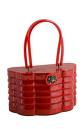
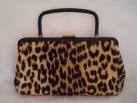
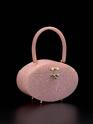 administration. Over the decades, I spent many a long day watching my maternal Inspector #9 review number of pockets, quality of zippers, length of straps and occasion-appropriateness. I’d rather watch paint dry.
But the lessons I learned at Mom’s elbow are practical and generally applicable for all of us organizing our mobile paper professionally. If your travels take you (and your paper) on planes or trains, across time zones or over hill and dale, you need to consider the following elements paper-travel elements:
- Weight–The experts say that the weight of your bag should never exceed 15% of your body weight. Anyone who has ever carried a wheel-free suitcase through a cavernous airport knows that some luggage starts off weighing more than a toddler and just get heavier as the trip goes on. If you select a business bag for carrying your papers (and other goodies), try it on after 4 p.m. on a cranky day, while you’re wearing your least comfortable clothes, and then toss in however much you’re already carrying in your bag. Then traipse around the store and stand in ridiculously long imaginary lines to emulate real-life conditions.
- Comfort–Not all of us are built like athletes. Some of us are vertically challenged, have musculature that dates back to when dinosaurs roamed the Earth or just can’t quite get a grip on, well, getting a grip. If you have a colleague with the bag you adore, see if you can model it (with your items packed within) on a day your buddy isn’t planning to leave the office. As with ridiculously overpriced shoes, the cuteness will not make discomfort any more bearable.
- Ergonomics–Unbalanced or overstuffed bags can cause agony and serious physical damage. For tips on making the best ergonomic choices, especially in backpacks, check out what the experts have to say, including Dr. Robert Evans, a Toronto Chiropractor, About.com’s consumer expert, Donna Montaldo, and Anne Kramer of ErgoWorks, ergonomic specialists.
- Neutral or appropriate styling–This is a wholly personal choice, but whatever bag you pick will become an extension of yourself. Unlike the way some women change pocketbooks daily to match their outfits, your professional paper-and-stuff shlepper will be part of your daily wardrobe. If you are a professional in a field where being taken seriously is essential and Hello, Kitty is a fashion no-no, you’ll want to take that into account when selecting the bag in which your vital papers will travel. For a world famous designer, “fabulous” is a given, but in professions where discretion is the better part of valor (and your payment), basic black wins.
- Quality of materials–Pretend you’re shopping with my mom and test the strength of the materials. Is the cloth made of high-quality abrasion- and tear-resistant Cordura or ballistic, luggage-quality materials? Are the zippers strong and well-attached to the “zippy” part? Is the stitching finely crafted?
- Multiple separate spaces with individual closures—Paper Mommy needs spaces for her tissues (because every mom has tissues to spare), her wallet, her cell phone. You, traveling with your very-important-papers, smart phone, water bottle and gadgets, need to have multiple spaces, too. As a professional organizer, in addition to carrying client files, perhaps a few catalogs, a tickler file and other papers, I also carry my label maker, which I like housed separately to prevent a stray bump from turning it on and wasting the battery. My measuring tapes and other tools need their own “departments”. What do you carry and what do you need to keep separate?
- Divisions for separate categories–In addition to having multiple discrete spaces, it’s also important to be able to divide up general spaces. Is there internal padding or divider slots to separate your laptop from your papers, or keep different categories of paper apart?
- Adequate space, but not too much space–If you’re carrying a messenger bag with just one file enclosed, the excess space and the lack of interior architecture will make your manila folder “floop”. First it’ll flop, then bend, then crease or fold, and the interior contents will “smoosh”. (These are very technical terms.)
My concern over ergonomics (and my adoration of Bradley Whitford as dreamy Josh Lyman  on The West Wing) always leads me towards backpacks vs. messenger bags, traditional briefcases or attach cases. Most (but not all) messenger or newsboy bag straps can create uneven pressure on the shoulders and back. Traditional briefcases and attachs are designed for either carrying inconveniently by hand or via the shoulder-scrunching strap.
I’ve been using my Mad About You backpack for daily and travel use, carrying my papers and professional organizing tools, since I left the TV industry and embarked on my path as a doyenne of decluttering. I wasn’t unhappy, per se, but suspected there might be something better out there. When I first read Geralin Thomas‘ post ZUCA Takes The Lug Out of Luggage, I was intrigued that my esteemed professional organizing colleague had said:
“One thing the boys are forbidden from using is my ZUCA backpack. I have never owned a better backpack. My Macbook Pro computer fits in it perfectly, and I still have lots of extra room for all necessities, such as file folders. I have retired my old laptop case! … It is without a doubt one of the very best things I own.”
Wow! Geralin’s whole review of all of ZUCA‘s products (suitcases with drawers?! a built-in seat?!) intrigued me, but until I saw it in action at this year’s National Association of Professional Organizers’ conference, I was not yet craving the backpack. As reported previously, Geralin stopped traffic in the NAPO expo as she showed off her ZUCA Business Backpack. 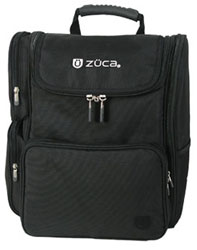 BINGO! I had to have it. So, what are the features?
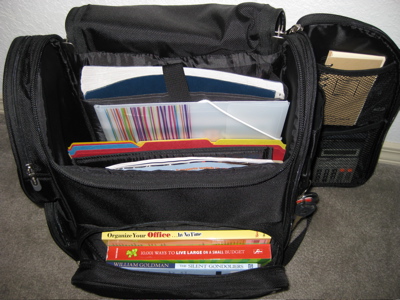
–A front zipped portion that, once unzipped, opens towards the user, like a glove compartment or an oven door. It’s suitable for small gadgets, but ideal for hardcover or paperback books you’ve selected to read on the plane or train. It’s also the perfect size and shape to stow your ticket, itinerary and other travel documents.
—Two side zipped compartments on the left (as you’re looking at at the bag–you can see the zippers in the photo above) are ideal for multiple uses. For me, the lower, square compartment is the perfect size for a sandwich, some string cheese and maybe a baby-size box of raisins. (What, I’m the only one who gets hungry during these long posts?) The upper compartment is squarish, but the upper quadrant is cut on the diagonal. This a great space for small but bulky tools, measuring tapes, electronic gadgets, etc.
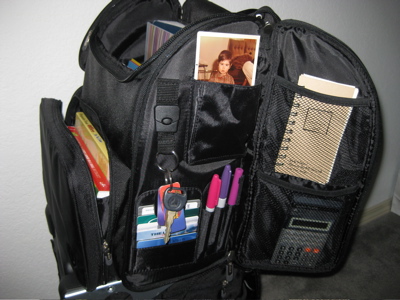
–A right side “door” panel opens revealing oodles of space. The outer side has a mesh pocket suitable for a folded/rolled newspaper or a bottle of water. The interior has two mesh compartments and is padded so you could use it for simple office essentials or for items that need a bit more TLC, like a stash of memory cards or flash drives.
–The “wall” of the backpack, exposed by the opening of the “door” (really, ZCA: create lingo for these elements) has compartments for pens as well as credit and identification cards. There’s a detachable keychain, so you need not worry about losing keys in the dark recesses of the bag, and a compartment ideal for a Smartphone, mp3 player or Kindle. (See the photo sticking up of Paper Doll as a kid? I don’t have a Kindle, so consider that your place marker!)
–The interior is cordoned off into sections. From back to front, it has:
- A padded laptop sleeve–I don’t own a laptop, but I like the fact that this section, designed for laptop space up to 10″ x 14″ x 2″, is positioned firmly along the “back” of the backpack, so you’ve got no lumps or bumps against your spine. The padded sleeve also has a Velcro closure, so even if you stand on your head (or your backpack takes a tumble), your laptop should stay securely in place.
- A zippered mesh compartment–on the front of the padded laptop sleeve, is sufficient for CDs/DVDs or small documents (passport?) you’d like hidden away.
- The middle interior portion is surprisingly wide enough to hold file folders “sideways”, as if they were within hanging folders. Until I tried it, I was sure the interior section would be too narrow and the folders would have to vertically, making it hard to see the labels, but they fit nicely without the folder edges any worse for wear.
- There are padded sections attached to the interior front wall of the pack, almost accordion-style. While the width of these sections does not accommodate files in the normal fashion, they can easily be turned upright. They are also the perfect size to securely hold catalogs, magazines, legal pads, notebooks, a tickler file and any other papers required by a mobile professional.
What I like about the ZUCA Business Backpack:
It’s light and comfortable to wear/carry. I have sensitive shoulders, so the padded straps (yes, I wear both at once) leave me unscathed by friction marks. It also has padded sections on the reverse for shoulder blade and ribcage comfort. Plus, the backpack holds up to the aforementioned qualities re: weight/comfort/ergonomic/styling/materials/etc. one needs for a good professional mobile paper carrying case.
What I love about the ZUCA Business Backpack:
It has a lean architecture and a flat bottom, so that no matter how much it’s stuffed, it won’t fall over, whether it’s in the passenger side floorboard of your car or next to you in a busy airport. Beyond that, ZUCA has designed it with special horizontal straps to perfectly fit your (ZUCA or otherwise) rolling bag’s telescoped handle.
One caveat: If your laptop is larger than 17″, it might be a tough fit. A 15″ fits snugly within the padded laptop sleeve; a 17″ just has an edge peeking out, but can be held securely with the Velcro strap and is protected by padded backpack lid. A really large laptop might require a specialized bag. But hey, this post is about finding the perfect pack for paper, right?
Since the goal of this blog isn’t just to help you organize your papers but also to help you save more little green pieces of paper, I’m excited to report that the nice people at ZUCA are offering a special bonus for Paper Doll readers. Yay!
When you go shopping at ZUCA’s website (don’t worry, you don’t have to type the umlaut in order to surf there), just enter this discount code at checkout to get 15% off any purchase:
Whatever mobile paper options you select, may you always travel in comfort and style!
P.S. I imagine not even Mamie Eisenhower  had luck finding the perfect purse all the time. Keep up the good work, Paper Mommy!
A Culinary Model for Successful Mobile Offices
Over the past few weeks, we’ve been talking about mobile paper. Today, we’re looking at the specific systems of materials and skills needed by all you road warriors in your mobile offices. And ironic as it might seem coming from someone who has blogged previously about a lack of kitchen-related skills, Paper Doll is a big believer in imitating the systems of a chef when developing an auto-office. I, Julie, may not be in the same realm as Julia  (or even Dan Aykroyd’s version of Julia), but I nonetheless propose:
A Culinary Model for Successful Mobile Offices
As professional organizers and moms are known to say, the key to organizing is to have “a place for everything and everything in its place”. Just as a chef (hopefully) won’t find the eggs in the mailbox, nor the ice cream next to the phone, nor spark plugs in the veggie crisper, it’s important to the mobile office manager that things get put where they belong, things that don’t belong get removed, and that there’s a system for acquisition, storage, and retrieval of all papers.
Any chef’s basic system is comprised of two elements: simple tools and solid, replicable procedures. An effective mobile office system echos these same elements. First, the tools:
- Deep Freeze
Whether it’s a scary freezer chest big enough to store a season’s worth of Bullwinkle 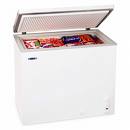 or a typical fridge-top freezer, every cook takes advantage of cold storage. Within, there are not-ready-for-prime-time items that could be called upon to make a meal, but in general, are not going to be grabbed quickly or accessed without forethought. If you’ve just popped home for a quick lunch, that fully frozen beast isn’t going to be your first choice.
Similarly, the cold storage for road warriors is paperwork that may eventually need to be retrieved, but you’re not going to expect spontaneous access. Your Deep Freeze (usually a filing cabinet) lives in your permanent office (your home office, your corporate office, etc.) and is made up of two categories: archival materials (e.g. closed client files) and deep reference (e.g., papers with historical but not immediate practical value).
Neither archival nor deep reference need to be traveling around with you, taking up valuable real estate in the passenger seat. Keep them in cold storage until needed.
- Pantry
Whether cooking for the PB&J crowd or masterfully delivering at the Iron Chef level, every cook has a pantry for all of the essentials: the standby, non-perishable (or slow-to-perish) ingredients, basic utensils and cookware.
The mobile office needs to be equipped with a pantry, too. This mobile Pantry appears most often as an open, milk-crate style file crate or sturdy lidded 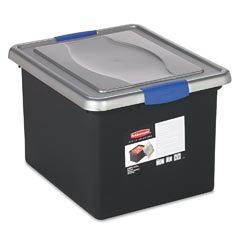 tote. Either fits well in your trunk and can be safely moved to your hotel room or event venue, as necessary. The Pantry is basically a filing system of the non-perishables of your profession: the one-sheets, the handouts, the brochures, the glossy catalog pages, blank forms and templates from which you will periodically select a small subset (see Weekly Shopping Trip and Specialty Ingredients, below) for daily/weekly use.
Unlike the Deep Freeze, because of careful upkeep and maintenance of the Pantry and its proximity to your work area (i.e., your car), you can access the contents on an unplanned basis with a quick jaunt to the trunk. (With the rest of the trunk tidy, your Pantry, alphabetically filed within appropriate categories, is for your eyes only, but you’ll need not be embarrassed if someone sees the contents.)
- Lunch Box
If the Deep Freeze is an archive, kept neatly tucked away back at headquarters, and the Pantry is a source for all your typically-needed ingredients, like the file drawers in a standard office desk, your Lunch Box is what allows you to carry your masterpieces with you. While the Deep Freeze and Pantry are solely practical, the Lunch Box can be whimsical 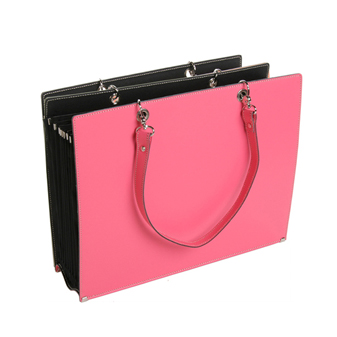 or workmanlike, depending upon your profession and/or personality. The Lunch Box allows you to take your papers into the offices and venues of your clients and prospects without seeming like you’re setting up shop. The most practical (but least fabulous) is the portable file box that really does look like a lunchbox
 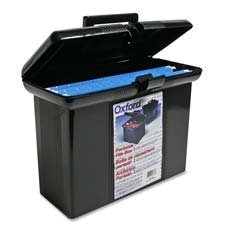 , though if your mobile paper includes hefty catalogs, you’ll probably want to put wheels on that Lunch Box and make it a littlemobile. (Think: picnic basket more than lunchbox.)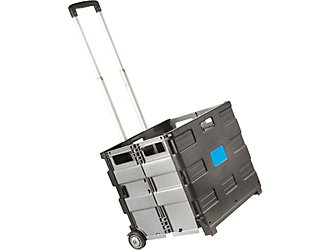
If your papers are outsized (and you’re a contractor or architect who spends a lot of time on the road), you’ll probably want one box, crate or bag for contracts and standard paperwork, plus a super-sized Lunch Box (i.e., portfolio case) for your super-sized meal (i.e., papers). Depending on your client types (fashion boutiques or banks), your portfolios may be stylish 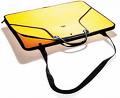 or subdued
 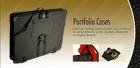 .
.
- Leftovers
Every chef has to be prepared for leftovers. In a fancy restaurant, the remains of your meal will be artfully crafted into a tin-foil swan. At home, the food that makes the second-day cut goes straight into Tupperware or Rubbermaid food storage. Well, your mobile paperwork includes leftovers, too. At the end of each visit to a client, customer or prospect, you’ll likely have anything from signed contracts to paperwork that needs to be faxed to headquarters to notes requiring some sort of follow-up action on your behalf. Sure, you’ve mastered the art of entering the tasks into your smartypants phone or logging them in your planner (right?), but what do you do with those papers that are awaiting action?
At the very least, carry a manila folder labeled “To Process”; match it to an alarm reminder on your computer or phone to prompt you to address the papers (and get them where you’ll see them at the right time). Better yet, use my beloved tickler file 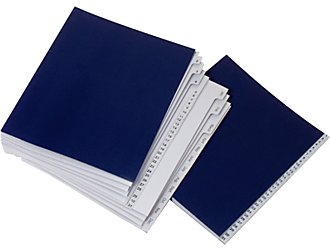 to ensure follow-up on projects (and if you’re new to tickler files, be sure to pick up a copy of Tickle Yourself Organized to gain the best benefits).
Tangible tools are an essential part of the Culinary Model for Successful Mobile Offices, but don’t forget the procedures that allow us to equate culinary delight with mobile office success:
1. Read the Whole Recipe–As anyone who has ever watched the Thanksgiving episode of Friends where Rachel makes the trifle knows (and if you don’t know, you MUST click that link), a recipe is a game plan that lets you which know ingredients and tools you need, when you’ll need them, and in what order. As Rachel proved, inexactitude breeds a distinct kind of failure.
For your mobile office to work effectively, you’ll need to schedule time every day, as well as once a week for a full-menu planning session. At the end of each business day, whether you’re back at headquarters, in your hotel room or in that little corner of your house affectionately known as “the office” (and the guest room and the craft room…), sit down to read your recipe. For the next day (or the upcoming week), determine:
- Who do you need to see?
- How will you get there (and when)? Do you have the maps/directions organized in chronological order of the visit?
- What is the end-goal of the meeting/appointment?
- Based on the goal, what papers will you need to display or distribute?
- Do you have enough copies of each piece of paper? If not, when and where will you make/acquire extras?
- What documents will you need signed or returned to you from a previous visit?
2. Make a Weekly Shopping Trip–On a weekly basis, a home chef will replenish the pantry to make sure that almost everything one might need for a planned (or spontaneous) meal will be available. The cook shops, returns home and puts away the groceries.
The road warrior’s process is similar. With recipe (planned schedule) in hand, the mobile office manager determines what items might need to be removed from the Deep Freeze for review or evaluation at any particular meeting along the route. Next, it’s necessary to “shop” in the Pantry to gather the items that will be needed in the Lunch Box for the next day (or the coming week, depending on how ambitious you are in following the plan).
3. Locate Special Ingredients–A typical weekly shopping trip doesn’t always take advantage of surprise sales or allow for the acquisition of fresh produce at the Farmers’ Market. Similarly, if you’ve got a mobile office, you know that sometimes your week is atypical. Maybe you usually present to offices and organizations on topics A and B, but this week includes a specialty presentation and will require making and distributing new Powerpoint copies or photos never used before. A careful reading of the “recipe” for the week ahead allows every mobile office manager to prepare, make copies and never be stranded.
4. Clean Up As You Go–The one thing most cooks will tell you is that keeping an organized kitchen is dependent upon simply cleaning up as you go along. If you leave the counter and sink full of sticky, dirty dishes and utensils, it creates bigger, stickier messes that require more elbow grease to get clean.
Handling papers, especially in a mobile office, works the same way. If you walk out of a client’s location, toss all of the loose papers in the back seat and head onward to your next location, by the end of the day, let alone the week, your mobile office will look like a motor vehicle accident that happened from the inside-out.
Build buffer time, even just ten extra minutes, into your mobile schedule. As soon as you return to the car, before ever belting yourself in, go through your Lunch Box and special ingredients to make sure that any papers you acquired in the meeting are either filed for reference or added to your “leftover” container (i.e., tickler file) for prompt follow-up. Just as you’d return the container to the fridge to keep milk from spoiling after adding it to a recipe, it’s essential to put your papers where they belong…on a timely basis…to make sure they won’t spoil (i.e., won’t collect coffee stains or disappear just when you need them the most).
If you aim to use your buffer time to file away your frequently used and/or newly-acquired papers, by the time you pull into your driveway (or the hotel parking lot) at the end of a long business day, you’ll feel more at ease. Taking a few moments to remove the pop cans, meal wrappers and other detritus from the car ensures you’ll get into a fresh-smelling, chaos-free mobile office the next day.
5. Taste-test and Refine the Recipe
Every chef knows that even the best recipes require tweaking. When you encounter something that doesn’t quite work, make a note of it in your planner so that you can address it during your next “recipe review” planning session. When you review your recipe for the next day, do your “shopping” in the pantry, transfer tomorrow’s essentials to your lunchbox, and then close up the kitchen (i.e., lock the car), secure in the knowledge you’ve had a good day on the road.
We’ve talked about general mobile paperwork issues, paperwork that travels with you on your daily errands and how to operate a mobile office. Next week, to round out our mobile paperwork chat, we’ll discuss what design features maximize your paper portability–what your backpack, messenger bag or briefcase needs to ensure you can get on a plane or train or just amble over hill and dale, while keeping your papers (and your mobile sanity) secure.
So, anyone else hungry?
Mobile Mavens: Keeping the Personal Paper Portable When You’re Out and About
But first, let’s recap the essentials of the Diaper Bag Model of keeping one’s mobile paper in order:
The bare minimum physical attributes you’d want in either case need would be:
- Defined spaces for each essential item
- Enough space for all essential and preferred items
- Not too much “open” space as to allow items to flop around, spill or get lost
- Secure closures
A good system is more than just the right space; it requires adherence to particular procedures. The diaper bag example, applied to paper or anything else portable, requires:
- Loading all essentials, preferably according to a checklist so nothing is missed
- Unloading all used, dirty, broken, sticky or non-essential items at the end of the day
- Reloading essentials, once again, on a timely basis, preferably upon return to base (home, office, nursery, etc.)
With personal papers as with baby accoutrements, the system is not set-it-and-forget-it: it’s necessary to evaluate, sort and purge regularly.
Another key I did not previously mention is the importance of limiting the amount of mobile paper to the absolute essentials. Just because paper is light and easily portable doesn’t mean you should be schlepping it around with you. Most of what you might carry around for completing personal (as opposed to business) tasks might be avoided altogether by using alternative measures.
Remember, mobile paper is paper you need to carry with you to perform some sort of action in the intervening time between when you leave home and when you arrive again. If you can avoid leaving home with the paper, and can complete the task some other way, you’re saving not only paper clutter, but creating a smaller (though certainly just as adorable) carbon footprint.
Consider the following papers an individual might be carrying on a typical day of errands:
- Car registration or driver’s license renewal forms–Alternative: Renew online. Check the web site of your county clerk to find your options for auto registration or search DMV.org for help with vehicle registrations, renewals, and title transfers. For driver’s licenses, USA.gov’s Renew Your Driver’s License page connects to your state’s information.
- Bills to pay and mail–Alternatives: Pay bills online and save an average of $48/year if you have ten bills per month. Put stamped mail in your mailbox to alert the postal carrier to take it away (via his/her own mobile system).
- Grocery lists and coupons–Alternative: Keep a digital shopping list in your smart phone. This lets you keep a template list to which you can add and subtract items, as necessary, and prompts you to remember items you might neglect to put on a list. Then, skip paper coupons and try a mobile coupon alternative like Cellfire
 , a free service which sends electronic coupons directly to your cell phone, or Shortcuts
  , a similar no-cost service from AOL. You may also be able to avoid carrying paper coupons if your grocery store will load discounts directly onto your loyalty card, automatically applying the appropriate discount on anything you’ve purchased once your card is swiped. Be sure to check your preferred store’s web site’s loyalty card section to see if they offer this perk.
 - Your checkbook–Alternatives: Using a debit card, but one for which you have $0 liability in case of fraud, still requires that you keep track of your checking account balance, so hold your receipts until you can record them in your register. Using credit cards (responsibly) and maintaining receipts to can track your expenses, lets you earn miles or points while ditching the weight of your checkbook and register.
- A medical history form to fill out and bring to an appointment with a new doctor–Alternative: Fill out the form at home and fax or scan/email it to the doctor’s office. This also eliminates the possibility of forgetting the form on the day of the appointment.
- Clipped magazine articles (or full magazines) to read: Semi-alternative: Once you’ve read the article, toss/recycle it; if you intend to follow up on information (make a call, check some URLs) put a reminder in your planner or PDA and carry the information instead of the excess paper.
- Children’s permission slips–Alternative: Receive them at home, sign them at home, and give your children responsibility for getting them back to school, as discussed here and here.
Once you’ve narrowed your non-professional mobile paper to the items you really need to carry with you around town, there are just a few more steps:
Start with a game plan. If possible, map your tasks: you’ll either drive to the farthest location and work your way back along a straight(ish) line, so the last task is closest to home, or work in a circular path, doing errands along the path to the farthest location, then taking a different route back, one that covers the remaining tasks.
Make your papers match your errands. Each paper represents a task, so put the papers in the order in which you intend to complete the tasks. If you’ve got a number of unrelated task-oriented papers, consider using a clipboard (and a messenger bag, if there’s inclement weather). As each task is finished, if you still need the associated paper (for proof of purchase, confirmation of task completion, etc.), move the paper to the back of the clipped items until you return home.
Block time upon returning home to handle your papers. After a day of errands, the TV or the snacks in the kitchen may be beckoning, but five minutes of prevention now creates an insurance policy against mysteries and problems down the road.
- File financial, legal and other documents in your family filing system if you’ll need them for proof later on.
- Shred papers you no longer need if they’ve got sensitive data; otherwise, toss generic papers in the recycling bin.
- For papers representing tasks that remains incomplete or are awaiting further data (Was that credit applied? Has that purchase been shipped?), tuck them your tickler file on an appropriate future date so you can be sure the follow-up doesn’t fall through the cracks.
Of course, your non-business mobile paper may not be errand-oriented. Perhaps the paperwork you need to carry hither and yon relates your roles in the community. Evaluate what types of paper you collect or distribute and how you handle it.
If you’re a scouting or youth leader, your paperwork will include group attendance rosters, copies of blank permission slips, codes of behavior, activity/event descriptions and rules, etc. You’ll need to have templates and documents ready to distribute and a way to collect and organize paper returned to you. Different types of data may be passed in different directions. Relatively little paper might be collaborative.
Similarly, if you’re the treasurer of your Homeowner’s Association, you might have copies of straightforward chronological financial documents you’ll need to distribute and explain, and you’ll collect receipts from board members. However, if you’re the board member of a volunteer or charitable organization, you’ll likely be on multiple committees and need to keep track of ongoing information you’ve collected, decisions reached by the group, “next task” items requiring follow-up, etc. The paper will represent more interactive, symbiotic work.
When your mobile paper exists because you don’t live where the information will be received, offered or shared, your system must reflect an ease of distribution and/or collection. There are two main methods for successfully transporting your portable paper: binders or folders.
 might let you get your mojo going with colorful, textured options
 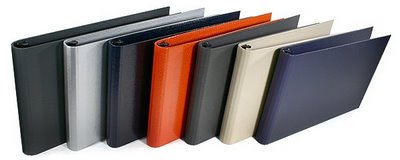 that befit your status as an escapee from The Real Housewives of “Let’s Pretend Dynasty Never Ended” . At a lesser price point but with design preferences intact, there are some lovely, attractive binders from specialty stationers like Russell & Hazel
  and See Jane Work
 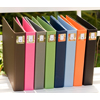 .
. The advantage of a binder is that it keeps things, well, bound. Assuming you’ve used your 3-hole punch and secured the ring to keep everything safe, tripping on the way across a windy parking lot won’t set your mobile paperwork fluttering through space. The main disadvantage of a binder is having to keep a 3-hole punch at hand; a quick alternative is maintaining a stealth supply of sheet protectors.
Manila folders are easier to maintain, and for many people (usually of the male persuasion), nondescript is a preferred modus operandi. In that case, multiple folders, neatly labeled with a Sharpie or labelmaker, by category, kept in a lunchbox-style portable file box, complete with hanging folders 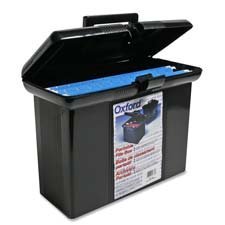 , should suit your needs, making it easy to retrieve documents, see when you are running low on templates/information sheets, and make a hasty beeline home after a meeting has gone on far too long. Another advantage is that if you turn over your position to someone else, you can easily hand off the folders for quick incorporation in your successor’s file system.
Next week, you road warriors get the VIP treatment. We’ll talk about the essential set-up of a mobile office using the Kitchen Paradigm (i.e., separating the deep freeze from the paper pantry, and following the chef’s rule for cleaning up as you go) to give you an auto office that’s absolutely delicious!
Trapper Keepers® & Diaper Bags–Keys To Organizing Mobile Paperwork (Intro)
Darling readers, do you remember the Mead Trapper Keeper? Those of us of a certain age might recall the organizational equivalent of the 9th grade Holy Grail, a system whereby all of one’s important papers could get from home to locker to class and back again without getting lost, soiled or mishandled.
For those of you unfamiliar with the organizational magnificence of the Trapper Keeper, let it suffice to say that it was no mere three-ring binder. Beneath that Velcro closure, the three-hole-punched Trappers, like traditional school folders but closed on the top, bottom and outer margins, kept papers supremely, serenely secured. The ability to carry an artistically- (ahem) themed Trapper Keeper was an additional boon to image-conscious adolescents.
(Those of you unfamiliar with the I Love The 80’s splendor of the still-going-strong Trapper Keeper, there’s a modern-day 3D demo and a nostalgic video. And yes, that is Lori Laughlin, in case you’re wondering.)
So, what’s got me thinking about how to keep my Home Ec notes and timeline of the Industrial Revolution sorted and tidy?
Recently, someone asked Paper Doll, “Where do you get the inspiration for posts?” While I’d like to say that I’m so organized that I plan a year’s worth of blogs in a tidy editorial calendar, that’s generally not the case. Often, a particular news event or happening might trigger an urgent need (like an ice cream craving) to post on a particular topic.
Sometimes, however, it seems that fate intervenes and is determined to tell me what my subject should be. First, the day before heading to the National Association of Professional Organizers’ annual conference, the fabulous Erin Doland, editor-in-chief of the must-be-read Unclutterer blog, wrote about having found her perfect laptop bag for business travel. To be honest, at first it was merely nice to know that Erin loves her Tom Bihn Checkpoint Flyer 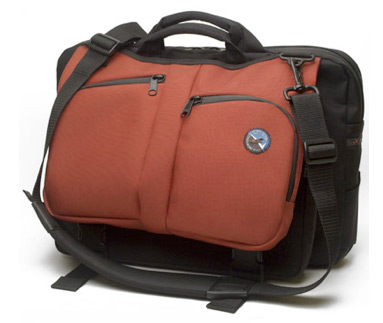 , but it wasn’t particularly useful to me, as I don’t carry a laptop. However, the necessity of keeping one’s stuff organized and portable began to germinate an idea in my head.
Within that same conference week, overwhelmed by all the research material I’d picked up at the NAPO Expo, I dropped my serviceable but seen-better-days Mad About You backpack  (leftover from Paper Doll‘s days as a television program director) on the expo floor and took time out for a stretch of my back and a quick breather.
It must have been apparent to all that I was in need of re-energizing, as I was quickly joined by a bevy of professional organizers, including Geralin Thomas (yes, the same one loyal readers will recall having led a NAPO pool-side session on Rickrolling). Our little crowd began discussing the relative merits (and demerits) of various bags and systems for carrying our portable papers, both for events like our conference and for everyday use. Geralin won the show-and-tell with her display of her Zca Business Backpack 
 (of which, I’ll have more to say in coming weeks).
The fates continued to whisper to me. A few weeks ago, as I worked with a client to help her organize her home filing and bill-paying systems, she recalled that she’d “just seen” her stamps…somewhere. She knew they were in one of the many canvas bags she uses to tote groceries, library books, newspapers, receipts, documents…and apparently, stamps. Unfortunately, narrowing down the main color (red) and theme (Southwestern) wasn’t enough to identify the right bag and quickly find the stamps.
The multiple canvas bag system is no system at all.
For the ladies reading, if you’re the type who moves from purse to purse, you know that unless you have a system in place, you’re going to end up having things you don’t need and needing things you don’t have. It’s no different with mobile paper.
For the parents among you, recall what it would have been like (or imagine) if you had half a dozen or more diaper bags, each with its own collection of necessities. Some bags might have had diapers (possibly in the right size/age group, depending on how long ago you schlepped the bag), some might have had wipes, some the “right” pacifiers and stuffed animals, the preferred (by parent and child) folding changing table covers and clean, season-specific, size-appropriate changes of clothes. But what’s the likelihood you or your spouse would have picked a “totally right” bag every time, to suit all occasions?
Wouldn’t having one diaper bag (or one per parent, at least), fully stocked with the right materials work better? Any mobile paper system must work along the same lines–after all, out-of-date paperwork for the wrong tax is year is as useless to you as newborn diapers when your little sprinkler is toddling.
The bare minimum physical attributes you’d want in either case need would be:
- Defined spaces for each essential item
- Enough space for all essential and preferred items
- Not too much “open” space as to allow items to flop around, spill or get lost
- Secure closures
A good system is more than just the right space; it requires adherence to particular procedures. The diaper bag example, applied to paper or anything else portable, requires:
- Loading all essentials, preferably according to a checklist so nothing is missed
- Unloading all used, dirty, broken, sticky or non-essential items at the end of the day
- Reloading essentials, once again, on a timely basis, preferably upon return to base (home, office, nursery, etc.)
Finally, while working with a client last week to organize her closet, she mentioned that her biggest frustration was that her “mobile office” was not sufficiently organized to constitute an office, nor did she think the fact that her papers went wherever she did categorized it as a mobile system.
As it was, items she brought from her office to her client locations, and those she acquired from her clients, sat in the passenger seat or the rear of the car…unless or until someone (a client, a coworker, a family member) had to ride along, at which point everything got moved to the trunk, where it all stayed until there was a significant trigger for retrieving it.
This is a common enough occurrence for anyone who drives, but it’s particularly devastating to the professional equilibrium of mobile professionals. We professional organizers see this all the time, and while the process itself can be problematic, it’s the end-result that causes real damage.
“The end-result? You mean, when I remember where it is and I look for it?”, clients tend to ask? Well, yes, but there are many other less satisfactory reasons why the sedimentary rock-like layers of the mobile office trunk might experience some shifting plate tectonics. From best, to worst, case scenario:
- You need a document and remember you had it in the car, so it must now be in the trunk. Unless it’s the last thing you tossed it there, it’s probably not on top.
- You can’t find a piece of paper, so you hope it’s somewhere in the trunk, and go spelunking. Lose one turn, do not collect $200.
- A colleague, client, supervisor or neighbor gives you something and stands there, next to your car, waiting and watching as you put it “away”, forcing you to toss it in the back seat or expose your trunk to potential ridicule.
- Your mobile office experiences what is technically termed a hitch in the giddyup and will go no further. This might require extrication of jumper cables to help the vehicle (and those un-filed files) to move towards an eventual goal location. This causes the files in bins and tubs and shopping bags to be moved to the left and right until the cables are located. Worse, you may need access to a spare tire, which more likely requires removal of EVERYTHING from the trunk…and often untidy relocation to the back seat of the car. If the end game is an overnight session with the mechanic, the contents of the no-longer mobile, not-quite-an-office, must be collected, retrieved, and taken home (or to the workplace). (That headache? It’s a bat signal to tell you this might be a good time to call in a professional organizer!)
For mobile office types who need to put their hands on client-specific papers as well as reference documents (either of which they might or might not have expected to need when the day started), a combination system would include:
- A portable-if-you-must filing center (for reference material, one-sheets, glossies, etc.) for back seat or trunk storage includes file crates
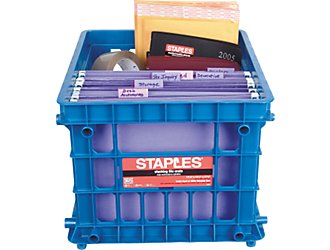 or sturdy lidded totes
 - One or more mobile file crates for when you have to repeatedly drag not only paper, but also supplies or samples, from headquarters to car and from car to various mobile destinations
- Front-seat portable file boxes , the equivalent of your non-mobile office’s desk-top file box, to keep the “next items needed” close at hand.
“Perfect” bags for each user, a diaper bag system model for reducing the number and improving the use of tote bags, or a peek inside someone’s mobile office trunk…you never know what might inspire a Paper Doll post.
Whether you’re a student or a business traveler, a busy parent or an overwhelmed mobile worker, it’s obvious that you need a system that lets you get your papers from point A to point B (and often, back again) without loss, damage or fuss. Over the next few weeks, we’ll be looking at the challenges and solutions available in a wide variety of mobile paper circumstances.
Until then, feel free to write in with your own questions, concerns, tips and worries.
Yours in mobility,
Paper Doll
P.S. For you younger readers, here’s a link to a 1990’s era Trapper Keeper commercial. There’s even a Trapper Keeper themed episode of South Park, but be forewarned that the language and content is not what Paper Doll would term family-friendly.



Follow Me