Paper Doll
Paper For Your Plastic: Organizing a Better FICO SCORE
If you’ve ever bought a car or house, you probably know all about your FICO score. If not, you might wonder what the big deal is. The bottom line is that the better your FICO score, the better interest rates you can get on loans.
Let’s say you want to take out a 30-year fixed mortgage of $250,000. Someone with the highest FICO score (760-850) could get an interest rate of 4.99%, for a monthly payment of $1341; skip down a few rungs on the FICO ladder to the 620-639 range, and the rate would be 6.58% with a monthly payment of $1594. That’s a difference of $91,080 over the course of the loan!
Oh, but you’re not going to buy a $250,000 house? What about a car–a sensible $15,000 car? Someone with a top-flight FICO score, maybe 810, will pay 6.36% on a 36-month car loan…that’s $459/month, but a lower-to-middle-tier scorer (say 620) would end up with a rate of 12.76% and pay $504/month. That $1620 difference comes out of (or stays in) your pocket, depending on your FICO score.
So what is FICO? A credit score, in general, is a number that represents creditworthiness — the statistical likelihood that someone will pay his or her debts. The score purports to predict risk, and financial institutions use it to determine how much interest they’ll charge to let you use their money. It’s kind of like how the insurance tables predict that it’s less statistically likely that a 55 year-old-grandma will be hot-rodding around town vs. a 16 year-old football star, and thus charge car insurance rates accordingly.
FICO stands for the Fair Isaac Corporation, the company that developed the fancy math behind the scoring system using data from the major credit bureaus (Experian, Equifax and TransUnion). FICO scores range from 300-850, and while there are other credit scores, including the VantageScore and the NextGen score, FICO is the most widely used by U.S. lenders.
I know some people out there will email me about the evils of credit card use. If I were a consumer reporter, I could fill up multiple weekly columns on the downside of the industry, but it’s rarely possible to live in our modern world on a cash basis. If you want to buy a home or even rent a car, you have to have a credit history. It’s impractical to purchase a house in cash (and it’s likely the IRS and FBI might show up the same day as the moving men, if you tried).
Obviously, we shouldn’t purchase what we can’t afford, but there are a variety of circumstances (ranging from medical procedures that must be pre-paid to business expenses that won’t be reimbursed for a few weeks) that encourage even the most frugal person to use credit. And of course, some people find the added consumer protection of a credit card to be an essential form of insurance against the vagaries and whims of big business.
So, let’s assume, for the sake of happy blogging, that we’re all responsible users of credit, and that we’re all doing what we can to avoid any interest charges or fees. Given that, what can you do to make your FICO as fabulous as possible?
Knowing how your FICO score is calculated is pretty much theoretical until you know your own data. Go grab all the paper on your plastic!
Pull the folder for each of your credit card accounts from the financial section of your Family Filing system. Look at the most recent statement from each card issuer and note the following:
–The percentage interest rate
–The date due
–The credit limit
Now, let’s look at the make-up of the FICO score.
35% = Payment History
Pay your bills on time. Seriously. If you do nothing else to keep your FICO score in line, do this. Plus, in 2006, the Government Accountability Office reported that credit card late payment fees were up to an average of $39. (Big surprise, those fees haven’t receded.) Pay one bill late per month, that’s $468/year!
Flip through the last half dozen statements to see when your payment date was. Is it always the same day of the month or does it vary? Credit card and loan companies seem to thrive on the idea that you’ll assume a due date will always stay the same, that you won’t read the due date (or the small print notifying you of a change of date) and that you’ll pay your card at the last possible minute. Don’t let them win. Instead:
- Show up for mail call. Open the mail the day it arrives, toss out the glossy advertising inserts, and if you pay online, toss the envelopes, too.
- Read the statement ASAP and check for new policies and/or errors.
- Circle or highlight the payment due date. Write it on your calendar. Set alarms on your computer.
- If the due date is inconvenient, ask your lender or card issuer to change the date to a more convenient one; most companies (even utilities) are willing to do so.
- Put your bills in one place, in your bill-paying center, and arrange them in chronological order, by due date. Alternatively, use a tickler file and put the bills in slots at least 7 days in advance.
- If you use online bill-pay, consider scheduling payments the day you receive your bills (no matter what date you actually choose for assigned payment). Bank of America, for example, lets you select the date you want the payee to receive the money, and guarantees the transaction. Other banks schedule by when the check or electronic payment is sent; if the payee requires a tangible check, that can lead to delays, so know how your online bill-pay system works.
- If you snail-mail your bills, note the fine print on your credit card statements. Some say payments must be received by 1 p.m., or 12 p.m. or even 9 a.m. or will be posted the next day. You’ll need to mail the checks at least seven days before they’re due, and even then, you are dependent upon the Post Office.
You already know that you should pay your bills in full. Failing that, you certainly know that if you only pay the minimum, you’ll not only never keep pace with the interest rates charged, but will be old and grey by the time you’ve paid off that Jonas Brothers MP3 download. But whatever you pay, pay on time to keep your FICO, and your finances, healthy.
30% = Credit Utilization (How much you owe vs. how much you could owe)
It’s not just a matter of how much you owe, but the ratio of how much you owe (in revolving, or credit card, debt) to your credit limit. You and the person reading this blog over your shoulder may very well each owe $500 in credit card debt. However, if your credit limit is $10,000, your utilization is only five percent; if the person over your shoulder has a credit limit of only $1000, he or she is utilizing 50%.
Financial experts vary on the utilization limits they suggest. Before the current recession started, for example, Business Week advised no higher than 50%, but experts are being more circumspect now, suggesting a utilization of no more than 30%, and preferably 20%.
So how can you be sure you’re doing that? Divide the amount you owe by the credit limit; unless you’re a math whiz, use a calculator. Then move the decimal point two spaces to the right (remember that from math class?) and that’s your percentage utilization. Higher than 30%? Start whittling it down. When you find a $10 bill in a coat pocket, or your Aunt Tillie sends you an unexpected birthday check, snowball that money towards debt, ostensibly until it’s paid off, but certainly until your utilization number comes down.
So is 0% utilization best? Sorry, nope.
First, if you’re not using it, the credit agencies have no way of gauging how well you can handle credit. It’s like dating; if your blind date is 43 and this is the first date he/she has ever been on (and there’s no monastery or convent listed as a prior address), the lack of experience is going to ring some alarm bells. Plus, many store cards close accounts if you don’t use the card in a 12-month period, and major credit cards are frequently canceling cards due to lack of use.
And what happens when cards are canceled? Your total credit limit decreases, thereby increasing your overall utilization. Then your average length of credit history (see below) is also reduced–ouch!
Paper Doll isn’t advising you to live beyond your means. However, you may want to rotate the cards you use and buy something (that you were going to buy anyway) to keep each card active. If this gives you the jitters, there’s no reason you can’t go home and immediately transfer money in the amount of your purchase to your credit card company via online bill pay. Talk about short-term debt!
15% = Length of Credit History
Obviously, you can’t always have control over all aspects of this category. If you’re 22, have had one credit card for about three minutes, and have never had a car, student or other type of bank loan, a lower score in this category is to be understood. As you age and responsibly use the credit you obtain, this area will improve, until your credit history has reached its maximum potential, usually at a 40-year credit history. So, if you got your first credit card as a college freshman, once you hit about 58 years of age, you’ll probably max.
10% = New Credit
“Do you have a NiftyStore Card? If you open an account today, you’ll get 10% off this purchase.”
Don’t do it!
Applying for and opening new lines of credit, whether to get a discounted purchase, 0% balance transfers, free miles, or a cash bonus for signing up, can ding your FICO score in a few ways. First, obtaining lots of new credit lines shortens your average length of credit history. Plus, if you apply for lots of credit in a short period of time, you may seem like a credit risk because if you have so much more available credit open to you, you might run wild. (Yes, this does seem like an opposing argument to the utilization issue of having lots of credit but using only a small amount. Isn’t FICO fun?)
Three or more credit application/inquiries in the course of a 30-60 day period is going to have a small hit on your score. It’s not huge, but it makes sense to apply for credit in a sensible way, once you’ve researched the options, and not spontaneously, to get $3 off a sparkly T-shirt.
It might be a comfort to know that credit inquiries for car or home loans over a short period do not adversely impact your FICO score the way applications for revolving credit will, so it’s OK to check different lenders to get the best mortgage rates.
10% = Types of Credit
The credit industry likes to see that you have the ability to handle many different types of “good” credit. Rather than just revolving (i.e., credit card) debt, they also like to see installment loan (like mortgages and auto loans) history. Points are often lost if you have finance company loans, not only because they tend to have significantly higher interest rates, but because finance companies are often considered last-chance lenders and because financed purchases are often leveraged against second mortgages or home equity.
See? Out of 100%, not even 1% of your FICO score is determined by how fabulous those shoes you bought on sale were.
Given all this, you can see why it’s important to keep on top of the paper representing your plastic:
Be responsible with your payments. Read statements carefully–check due dates and make sure you’re not utilizing too much of your available credit. Pay bills on time, or preferably early, and scrutinize statements to make sure all payments have been properly credited. Call to correct errors quickly.
Obtain and monitor your credit credit reports by using AnnualCreditReport.com to verify the accuracy of information and to make sure you’re not the victim of any FICO-shredding identity theft. (Avoid imitators like the “free” credit guys, the ones with the great commercial jingles and pirate hats.) One report from each reporting bureau is free, but expect to pay about $8 for your FICO score.
Pursue new lines of credit thoughtfully. Research the best interest rates available at sites like BankRate.com or Nerdwallet.com.
Organize your financial records so that you can always check your revolving credit or installment loan agreements and payment history quickly and easily.
Textbook Rentals: How To Avoid College Textbook Clutter
When was the last time you were asked to find the area under a curve?
What were the main political, social and economic causes of the American Civil War?
True or False: a mole is defined as the amount of substance of a system that contains as many “elemental entities” (atoms, molecules, etc.) as there are atoms in 12 g of carbon-12 (12C)?
Paper Doll bets you really don’t care. And yet, is it possible that although you’ve been out of college a while, you still have those old textbooks?

We hold onto college textbooks for a number of reasons, and the reasons differ depending on whether the books were recent purchases or from bygone years. In school, if a course just ended, you might have thought you’d need the information next semester to bolster more advanced studies. Senior year, you might have planned to sell back your textbooks, but when exams were followed quickly by graduation (followed immediately by dorms or landlords unceremoniously ejecting you), the best laid plans got shoved in the back of the VW microbus, between the lava lamp and bean bag chair. (Insert your own anthropologically significant vehicle and possessions; as an 80’s baby, my memories come with a looping soundtrack of A-Ha’s Take On Me.)
After college, you moved onto your first job (or the next, or the next) and found that you carted never-opened boxes of books from city to city. Perhaps you held onto your textbooks out of sentimental attachment until (or even after) someone pointed out that college ended twenty or more years ago, that the textbooks bear no relation to your current career or areas of personal interest, and the information as was known in 1987, or 1957, or even 2007 is just plain out of date.
Back when dinosaurs roamed the Earth and Paper Doll was in college, we had no internet and no Amazon.com. We could buy from the official campus store or from the one independent bookstore. When the semester ended, we could try to sell back the books (assuming we had the time, inclination, and a friend with a car to help us transport our heavy collection of required reading), for which we’d get a pittance. More likely, the books would end up in our parents’ basements or our own homes, untouched, eons later.
Today’s students have excellent alternatives: they can rent textbooks, and even if they purchase them, students have far more venues to sell the books back and recoup expenses.
Lately, I’ve been reading about some intriguing alternatives. For example, there’s  Chegg, a textbook rental service based on a simple system:
1. Find books–Type in the book’s ISBN (y’know, the thingie with the bar code), title or even the author’s name.
2. Rent books–The selections are purported to be new or “like new”, and prices quoted are designed to offer 65-85% off publishers’ list prices for textbooks. Since most textbooks are only used during one semester and then languish on a bookshelf (or propping up a lofted bed), why pay full price to use it for the same amount of time you’d have previously used it (i.e., not so long) when you can pay less and then have a nice reminder system to keep it from cluttering your life?
Chegg doesn’t charge a monthly fee; instead, each book has a specific rental fee, differentiated by data associated with the ISBN. (As paperbacks and hard covers of the same title have different ISBNs, you might want to see if there’s a soft cover copy available.)
Rental periods depend on how long you need a book. A semester’s rental is 125 days from the original order date, but if your school is on the quarter system, that rental is only 85 days, and a summer rental is 60 days. At first, I wondered if that might be the dangerous hook, that renting would end up like borrowing a fat new library book that can’t possibly be finished within 7 days. However, if you look at a standard college semester calendar, from the end of August to mid-December, you really get a few extra weeks with each rental plan, enough to accommodate shipping time and still get you through exams.
What if you get mono during the semester, have to take an incomplete and the professor is kind enough to grant a few extra weeks to finish the coursework during or after winter break? Chegg.com offers the option of 15 or 30 day extensions, with extension fees dependent on the individual book cost (based on the ISBN.) If the class is an independent study, or a second semester of a class requires the same textbook, students can rent for an additional quarter or semester at a discount off the full rental price. If your textbook is the best thing since sliced bread, you can even convert a book rental to a purchase.
Finally, there’s even a 30-day “any reason” guarantee, so if you drop Accounting after ten days because you’ve decided to become a Drama major, you’ll get your money back. Just postmark your returned book within 30 days of your order date to get back the full rental price.
3. Get books–You can select Standard shipping (7-10 days) for $3.49 for the first book and $1.49 for each additional item, or Priority shipping (4-7 days) for $3.79 for the first book and $1.79 for each additional item. If you know which courses you’ll be taking before you even get to campus, and your school lets you verify required texts via a web site (or you can contact the professor), you can arrange to have the books arrive the day before classes start.
One downside: Chegg is only available to students in the 48 contiguous U.S. states, and won’t ship to international or military addresses. If you’re attending college in lovely Hawaii, it’s not like Paper Doll is going to give you heaps of sympathy, but Alaskans, students studying abroad and military families may want to price out having the books shipped as close as possible and then sending via care package, in case a rental will still work out to be less expensive than an outright purchase.
4. Read books–Neither Chegg nor Paper Doll can help with this step. Grab some caffeine, hunker down and study!
5. Return books–When you log into your Chegg account, you’ll be able to access a UPS pre-paid shipping label to return your books. All the textbooks can be returned in one box, but pack them safely so they’ll get back to Chegg undamaged.
6. Save the Planet–Chegg partners with the American Global ReLeaf Program to plant a tree for every book rented, purchased, sold or donated through their company.
By the way, college, grad school, law and medical students can also sell the textbooks they’ve purchased on campus (or elsewhere) to Chegg. Just type in the ISBN number to get a quote, print the free label to ship the book, and then get paid.
Of course, Chegg isn’t the only company in the textbook rental realm. There’s also:

Book Renter.com operates much like Chegg. (It also has the cutest logo, and for fans of the TV show Lost, it’s heartwarming to note that their Error 404 page is actually listed on the site map as “4 8 15 16 23 42”!) Rental prices are designed to offer an approximate 75% discount off of publishers’ list prices for their predominantly new or “like-new” titles.
Search books via ISBN, author or title, then select from one of five rental periods (30, 45, 60, 90 and 125 days). Books are shipped via Next-Day or 2-Day shipping. It’s interesting to note that while Chegg starts a rental period as of the date of the order, BookRenter.com’s rental periods begin as of the date you receive your book.
If you need to keep the book longer, extensions are available for 10, 30, 45, 60 or 90 days, and there’s no limit to how many times you can extend a rental. But honestly, at some point it’ll be cheaper to admit you left the book in someone’s dorm room and since YOU ARE NOT SPEAKING TO THAT PERSON, you might want to convert your rental to a purchase. (College life can be very melodramatic!)
Returning books is simple, too. Just print the UPS label from within your account, securely package the book(s) and make sure you ship by the end of your rental period. Late returns are charged at 20% of the book’s list price (and granted an automatic extension), but books not returned after 14 days are charged at a whopping 140% of the list price (minus prior rental/shipping costs, plus a $10 slowpoke fee)!
BookRenter.com serves all 50 states and D.C., but not military (APO/FPO) addresses or Canada.

Campus Book Rentals is a relative newcomer on the textbook rental stage at only two years old, but seems eager to please, even offering monthly contests and scholarships. Search by ISBN, author or title and you’ll receive a quote for a per-book rental cost, with each book’s discounted price is based on its ISBN. Next, select your preferred rental period: Semester (130 days), Quarter (85 days), or Summer (55 days).
All rental periods come with a 15 day grace period, and 15 and 30 day extensions are also available. Like Chegg, Campus Book Rentals offers a 30 day “worry free” guarantee–be assured of a refund in case you need to drop a class. However, an even more intriguing option exists for students who need to retake a class, or who register for a class requiring a previously rented textbook. If you need to re-rent, there’s an option in the account settings to do so, and re-rentals are available at a 30% discount! And, of course, if you choose to purchase a book you’ve rented, it’s pretty easy to do; the purchase amount is the difference between what you already paid in rental fees and the value of the book.
Books are then shipped to you (as long as you’re studying in the US–no Canadian addresses allowed) –within 7-14 business days for standard shipping and 5-8 days for expedited shipping.
Returning rented textbooks to Campus Book Rentals is especially easy–they provide a pre-printed, postage paid envelope, so you can slide the textbook into the envelope, seal it and drop it in any mailbox–you don’t even have to log into your account to ensure a fully-trackable return label.

Skoobit is a bit different from the other services–it markets itself the Netflix of textbooks. Instead of charging different rates according to each individual title’s value, Skoobit charges a monthly service charge per each book currently “out”. Each monthly fee continues until the book is returned, and shipping is free, both ways. Monthly plans are defined as:
–Summer School Plan: 45 days for $24.99 per book (limit 3 books)–May-August
–Quarterly Plan: 3 months for 13.99 per month per book (unlimited number of books)
–Semester Plan: 4 months for 10.99 per month per book (unlimited number of books)
–Semester Select Plans: 4 months select plan for 59.99 a month, where you can rent up to 6 books or 79.99 a month, where you can rent up to 8 books.
Skoobit offers a 14 day free trial to new customers; just log in within the 14-day period to cancel membership. There’s also a full refund available on all rentals within 15 days of an order and a 50% refund on rentals within 30 days. If you tend to drop classes often, this is the least convenient refund of the ones I’ve reviewed.
Of course, these are only a few of the textbook rental services available. I also found Why Rent Books?, which lets students not only rent books, but rent out their own textbooks to other students.
None of the services I found rent to students with Canadian addresses. If readers know of any online Canadian textbook rental services, please share.
Finally, not all rentals come with their associated CDs/DVDs/software keys, so caveat emptor and caveat rentor. OK, I made that one up…I don’t have a Latin textbook handy. Let the buyer, and the renter, beware.
Happy studying!
Organizing Your Take-Out Menus, or How NOT To Order Like Bob Newhart
*It is a truth universally acknowledged that a student in possession of a dorm (but no kitchen), an apartment-dweller exhausted by cubically-corporate drudgery or a home-owning suburban parent wearied by carpools, must be in want of a take-out menu.
Take-out. Take-away. Delivery. Menus appear in our mailboxes, on our doorknobs, and in the case of city-dwellers and dorm-doyennes, under the doors. Recently, a blogger in Scotland complained about not knowing what to do with her “take away curry menus” on the same day a new client of mine mentioned she’d not quite gotten the knack as to where to put pizza menus and coupons. Those homeless papers were timeless (her kids always wanted pizza) and timely (those zip code-based coupons had expiration dates in indecipherably small fonts), and deserved proper homes.
If you never crave take-out and never have a yen for delivery, we’ll see you next week. The rest of us, whether we hate to cook or just need a break every once in a while, know the pain of not being able to find the phone number of the Chinese restaurant that makes the perfect Crab Rangoon (whose ownership, and therefore the name, has changed three times since the last phone book was printed), because the clutter of delivery and take-out menus was overtaken by a child-sized soda spill or a doggie-turned-goat paper-noshing disaster.

Take-out menu clutter ends here. Now. With three simple questions:
1) Do You Even Need the Actual Paper Menus? If not:
- Phone It In
If you generally order ahead (or for delivery) from the same two or three restaurants so often that they assume you’ve got them on speed dial, then put them on speed dial!
Seriously, if you usually know what you want, won’t care if the price has gone up 49 cents (OK, so not you, college dudes) and want to order ahead so you can pick your food up without a lengthy wait (or hope to beat the delivery guy by no more than five minutes), just program in the phone number for your favorite spot. While it can’t hurt to program the number into your home phone, too, just to speed up the process, having these numbers in your cell phone guarantees that you won’t have that driving home debate over whether limp celery and 400 speed film can constitute dinner. Just call your favorite dining establishment with your order, thank them for making your dinner, and drive home (or for pick-up) with your serenity intact.
- Go Digital
Pizza franchises are the most likely restaurants to have menus (with current prices) posted on their web sites, but lots of the local eat-in/carry-out places you love, even the Mom-and-Pop restaurants, have probably recognized that a web site is an essential part of the marketing arsenal. If so, bookmark your favorite restaurants in a bookmarks or favorites folder with an apt title, like TakeOutMenus, so the kids or the babysitter can pull up the menus quickly and easily.)
2) Are You a Practical Diner?
If your goal in ordering in or carrying out is merely to spend as little time as possible looking for the number, identifying the food options and finding out how long your requested order (with the special quirks), will take, you probably don’t care about the aesthetics of your menu collection. You just want to get rid of the piles decoupaging themselves to the top of the microwave. If so, there are three simple D-I-Y options:
Stick the menus on a bulletin board in the kitchen. Note, no matter how aesthetically pleasing the bulletin board is, this only works if you’re in college, grad school or law/medical school. If you’ve been out of school more than six months, you’ll have to accept that menus don’t equal wallpaper in the grown-up world.
Toss the menus in a manila folder (or clip them to a clipboard) The quickest, simplest way to deal with hiding the menu clutter is to toss it all in a folder labeled “Take-Out Menus” and keep it in the same kitchen drawer as your telephone book. It won’t be organized, per se, but it will rid your home of the piles of menu clutter. Similarly, you can clip the menus to a clipboard and slide that into a drawer, provided the “clippy” part is low-profile and won’t cause the drawer to stick.
Make a menu book. If you order take-out or delivery frequently, this is really your best option. It’s easy, and if your kids are old enough to read from the menus, they’re old enough for you to delegate pretty much all of the labor. Simply:
- Flip through the menus to discard the ones for any places you’ve never eaten (and are not seriously tempted to try) or from those which you are sure you will never order again. (Negative dining memories guide future behavior!)
- Sort by cuisine ethnicity or type: American, BBQ, Chinese, deli, Greek (Paper Doll‘s favorite), Indian, Italian, Mexican and so on.
- Slot each menu into a plastic sheet protector, and group each cuisine type together in a 3-ring binder. Use tape flags, Post-It notes or index dividers to separate individual sections.
- Clip coupons to the inside front cover of the binder with a giant paper clip or alligator clip. If traffic or work often keeps you from getting home on time, consider clipping a $20 for the babysitter or your teens so they can order and pay without delay.
- Extra credit: Create a cheat sheet by putting a few pieces of notebook paper at the front of the binder to keep track of important reminders, like needing to order extra chopsticks or avoiding ordering the large cheese sticks because the small order is more than enough.
- Extra, extra credit: Let the kids (or, for you dorm-dwellers, your pizza-bogarting friends) grab the crayons and markers to create artistic section dividers and even a cover (which can be slid into most binders’ plastic cover sheet slot, allowing for re-use of the binder for other purposes).
Tuck the binder next to the cookbooks, behind the phone, next to the microwave or in the drawer–wherever it’s convenient and can be kept clean and away from stove-top splatters, safe in the knowledge that favorite meals are just a phone call away.
This is also an excellent option if you’re the go-to gal or guy in your office for organizing lunch orders. Your colleagues will be amazed at the speed and skill with which you are able to identify which establishments offer free delivery or manage to get 30 disparate orders straight.
3) Are you a Designer Diner Diva?
If even the D-I-Y binder option is too downscale for you, you can purchase any number of decorative binders/notebooks for the purpose of corralling your take-out menus. However, Paper Doll would be remiss in her mission to help you organize (and save) little green pieces of paper if she did not mention that the money spent on “cute” could be better spent on appetizers. Some attractive options include the following:
KnockKnock’s The Takeout Menu Organizer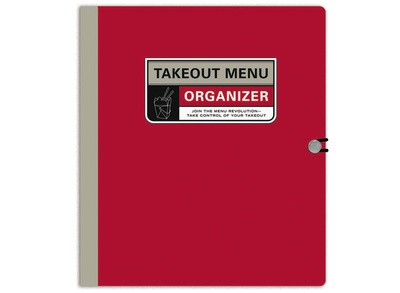
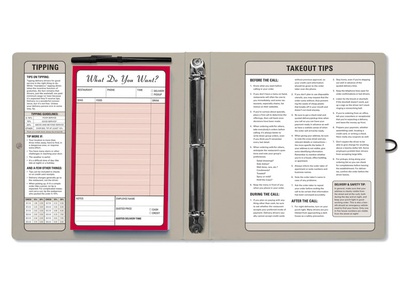 is also available at Uncommon Goods, Amazon, and Delight.com. Like the Do-It-Yourself version I suggested, it’s a three ring binder with nine tabbed category dividers. (In lieu of hygienic plastic sheet protectors, this option uses paper storage pockets.) But for those who need a little extra, it includes tips on ordering take-out, math assistance for tipping, a pen, a cheat-sheet for writing out your order before you call, and a pad for frequently-called numbers.
Another option, also called The Takeout Menu Organizer 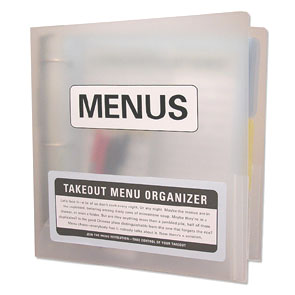 uses the same white/translucent stylings popularized by the Peter Walsh’s made-for-Office-Max [In]Place System.
This three-ring binder system includes a zippered pen/pencil pouch (in case menus aren’t the only thing you have trouble keeping organized), two ballpoint pens, and two dry erase markers for writing on the clear menu sleeves (in lieu of the sheet protectors I’ve suggested or the sturdy paper folder/pockets noted in the prior example). The system also includes an order pad, in case you’re having trouble remembering everyone’s preferences, a set of service record stickers (so you can rate each restaurant’s quality of service for future reference), six tabbed section dividers with labels, and thirty clear sleeves for menus. This version can be found at Crane & Co. (Yes, the famed and classy stationery people. Somehow, Paper Doll imagined that the people with divine stationery wardrobes never ordered take-out. Silly, classist me.)
If you aren’t a fan of three-ring binders, there are also spiral options for organizing your take-out menus, including Meadowsweet Kitchens’ variety of upscale (metallic fiberboard) 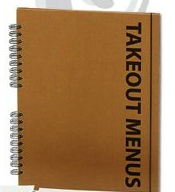 and cozy down-home
 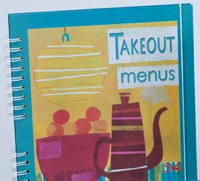 take-out menus, and
 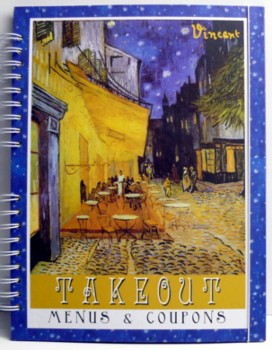 Jersey Shore Gift’s Van Gogh-themed menu notebook .


Sigh.
And then there’s Bob Newhart. While the initial inspirations for this post were the Scottish blogger and my client, both called to mind what may be the second-funniest food-related sit-com scene ever, or possibly tied for first with the Thanksgiving episode of Friends where Rachel makes the trifle, which I referenced a few weeks ago.
In this classic episode of The Bob Newhart Show, Bob is left behind at Thanksgiving when Emily flies off to a family reunion. Bob, Howard (the dithering airline pilot neighbor), Jerry (the orthodontist office mate) and Mr. Carlin (Bob’s patient) get together for a bachelor Thanksgiving and proceed first to get drunk, and then to attempt to order Chinese food without benefit of a take-out menu. (Of course, not even a menu could have saved these overserved fellows.) If you recall the episode, I’ve sure you’ve never thought of moo goo gai pan in quite the same way again.
So, imagine how crestfallen Paper Doll was to find that not only is there no YouTubeification of this hysterical scene, but that the Bob Newhart Show episodes on Hulu and Fancast only go up through season 3, and this gem, “Over the River and Through the Woods”, is episode 11 of season 4. The best I can offer my dear readers is a too-brief excerpt transcribed by Mental Floss Magazine.
While I hate that I cannot link you directly to this transcendent episode, I hope those of you with Netflix or a similar service will take a chance to order delivery of season 4, and get a taste of this masterpiece of Chinese food and humor.
Until then, good luck getting those menus in order. Hmmm, anyone else feeling a bit peckish?
*With apologies to Jane Austen, whom Paper Doll is certain would have granted forgiveness in return for being able to write in a nice take-away curry or Chicago deep dish delivered directly to Netherfield Park.
More VIPs–Very Important Papers Beyond The Top 10
You Paper Doll readers are fantastic! In addition to some comments right here at the site, last week’s post Top 10 Vital Documents–Do You Know Where Your VIPs Are? wins the award for attracting the most email of the past two years. It’s thrilling when so many of you are as excited as I am about to share your thoughts about organizing paper.
To recap, that post reviewed what I consider the Top 10 vital documents, or VIPs (Very Important Papers), that most people should (or may) have. My list included:
- Birth Certificate
- Social Security Card
- Marriage Certificate
- Divorce Decree
- Military Separation/Discharge Papers and Other Military Records
- Death Certificate
- Durable Power of Attorney for Finances
- Durable Power of Attorney for Healthcare
- Living Will or Advanced Medical Directive
- Passport
In the post, I reviewed where to safeguard these documents and how to obtain replacements, if necessary.
This was not an arbitrary list, but neither was it complete. I selected documents that every person (or in the case of #2, every American citizen) should have as a by-product of living in this modern world, as well as a few documents (#s 7-10) that I felt every adult should have or acquire. In every case except for the passport, the documents could be very inexpensively procured if a replacement were necessary, and in all cases, the documents either were supplied by a governmental agency (#s 1-6, 10) or could be created by the individual (#s 7-10) with a little help from witnesses and notaries. Paper Doll is frugal, so my Top 10 list were generally low-expense items.
The limitations on the number of characters we can use in our OnlineOrganizing.com blogs (where each letter of HTML code counts towards our limit) also dictated which items made the top 10. Easily-explained items that I anticipated everyone should (or might) have hit the big time because I didn’t have to spend precious characters with too much explanation. However, there were definitely other VIPs and documents that didn’t make the list, but deserve to be reviewed.
Where There’s a Will, There’s a Way
Blogger extraordinaire Jeri Dansky quite rightly noted the importance of a will. As a professional organizer, whenever I meet with new residential clients, especially young families, there’s a short list of must-haves I inquire about before we even proceed through the house. I ask:
- Do you have a fire extinguisher in the house? Where is it? (Does everyone in the house know how/when use it? Have you checked it recently to make sure the gauges reflect that it’s safe and ready for use?)
- Do you have an escape plan in case of fire/natural disaster and an emergency contact plan in case your family members are separated during a disaster or civil defense event?
- Do you have a will? (Does it include all of the children in the family and reasonably reflect current assets? Are the listed spouse, prospective guardians and listed beneficiaries up-to-date?))
A will is an essential document for any responsible adult to have. It was not left off the Top 10 list because of its lack of importance, but rather because it deserves a post all its own. Too often, people believe that wills are only for those with substantial assets, or they assume that any possessions or assets they have will automatically go to their spouses or children. In fact, if one dies intestate (i.e., without a will), state law can determine who gets your property (everything from your Elvis Presley record collection to actual real estate) and who will raise your children (and where, and how).
Wills can be created without the input (and therefore, expense) of an attorney, but the complexities (and possible cost) of creating a will made it much too involved to discuss as one-tenth of a blog post. Be assured that there will be an upcoming layman’s discussion of wills in a future Paper Doll post.
Trust Me!
In the financial and legal realm, any discussion of documents might raise the point that where there’s a will, there’s a living trust, designed to create a smooth transition for the estate. (And no, we’re not talking about a Dynasty-sized estate, ready for Krystal and Alexis to do battle in the koi pond, but merely all of the property and “stuff” a typical person owns.) If the average person worries that creating a will might be troublesome, it’s nothing compared to the confusion that often surrounds creating a living trust. Again, this is an important topic, and one deserving a post of its own.
For the record, the main advantage of creating a living trust, is that property left to, or sequestered in, the trust doesn’t have to go through through probate court. Basically, probate is a court-supervised process of verifying the validity of a will, paying the estate’s debts and distributing any property to the people who should inherit it. The probate process can drag on months, during which time attorney and court fees can diminish the value of an estate. Trusts can also help you reduce estate tax and set up procedures for the long-term handling of real property and assets. So, establishing a living trust saves you time and money, but it can also be confusing to establish–this is one of those times D-I-Y might not be the best option.
Oy, Vey!
Wills and trusts weren’t the only very important papers left off the list. Canadian professional organizer Jacki Hollywood Brown came up with multiple documents that might have made the list. For example, Jacki mentioned Certificates of Baptism, provision of which may be necessary in order to register to marry in certain faiths or attend certain religious schools. While Jackie’s point is excellent, it sure does open up a can of (sanctified) worms that would not have fit in that post.
Unlike government-sanctioned documents, there is no central clearinghouse or method for obtaining religious documents, nor did I wish to get into the sticky wicket of accidentally leaving out a document that might be a central article of someone’s faith. In Judaism, for example, a Ketuba is a marriage document, and a Get is a divorce decree. Then there are Islamic marriage contracts and Talaq, or divorce decrees. Let’s not forget baby naming and dedication records, certificates of Christening and First Communion, documents of Bar and Bat Mitzvahs and confirmations and so on. Even if we limited our review to religions with more than a few million practitioners, that’s a lot of VIP possibilities! (Paper Doll suddenly feels the need to hire a research intern!)
Loathe as I am to inadvertently offend any readers, I offer the following woefully inadequate advice regarding religious documentations:
- If you already possess your religious VIPs, treat them as you would any important memorabilia by maintaining them in archival-quality, acid-free, lignin-free envelopes and safeguard them in your safe deposit box or fireproof safe.
- If you need to replace a religious document has been lost or damaged, contact the office manager of the house of worship that granted the initial document. If he or she is unable to help you, your spiritual leader should be able to provide strategic guidance.
“People who live in glass houses should take out insurance.”
Other vital documents were also left off the list because their importance necessitates more detailed and textured discussion. Insurance, for example, requires the one-time or (more likely) on-going purchase of coverage from a profit-oriented organization.
Whereas all of the original Top 10 VIPs I covered could be acquired from a governmental body or created/replaced on one’s own, insurance policies are contractual documents between for-profit insurance companies and the purchaser, and there is no standardization of costs for coverage. (On the plus side, your insurance company should be able to provide you with a replacement copy of your policy at no, or at least minimal, cost, upon request.)
At the bare minimum, most Paper Doll readers will at least need to consider the importance of acquiring:
- Health Insurance
- Life Insurance
- Homeowner’s or Renter’s Insurance
- Disability Insurance
- Auto Insurance
Beyond that, we can behold a ridiculous variety of insurance policies that the experts agree are unnecessary, as well as policies specific to people in special circumstances. (Don’t own a yacht? Skip the yacht insurance!) Given that this whole category includes prices that vary, a profit motive, and person/family/circumstance-specific variables, insurance policies didn’t make the list, either.
Huddled Masses Yearning To Breath Free
Multiple readers, including Jacki, wrote in to ask about immigration and citizenship papers. Again, while the Top 10 list was designed to cover the needs of just about everyone, and a smaller subset of readers would have immigration documents vs. marriage decrees or birth certificates. However, immigration papers are just as essential to safeguard. The problem comes in trying to review replacement of all possible documents, or even the most vital.
As ironic as it is that a process for getting green cards requires so much red tape (and can make you sing the blues), immigration paperwork can be a boondoggle. For example, to replace a lost or damaged Certificate of Naturalization (i.e., citizenship), you have to fill out a Form N-565. The problem is, when you navigate the U.S. Citizenship & Immigration Services page to the link for the N-565, you eventually get an error “404 – Requested Page Not Found on Site. The page you requested…is not on our site.” After much fruitless searching on the site, a quick Googling found the N-565 form here.
Also, if you use the USCIS page’s search function to find out how to replace a Permanent Resident Card (i.e., green card), you also get an Error 404 message. Grumble, grumble. But don’t worry, we eventually found the Application To Replace A Permanent Resident Card, or I-90, here.) The number and variety of such documents needed, from initial applications through validated citizenship, are vast, and thus another category did not make the Top 10.
Everything Else…
Of course, there are also the VIPs we’ve discussed previously, including mortgage documents and titles for property and vehicles, which generally belong in your Family File system’s legal section. (Be assured, if the fact that your mortgage paperwork is legal-sized while all of your other documents, and indeed, your filing cabinet, are letter-sized, you are among a grand majority annoyed by the situation.)
The number of VIPs we could have reviewed is lengthy. Paper Doll might have discussed replacing damaged or lost documentary proof regarding Medicare cards or state-issued WIC (Women Infants and Children) supplemental nutrition Smart Cards/checks. Along with the military records, we might’ve reviewed how to get copies of Civilian governmental personnel records. And at least some of you must be curious about seeing your own FBI file.
Wow, that’s a lot of VIPs, and we’ve only touched the surface! Perhaps we need a Paper Doll television program (a mini-series, even!) to count down the Top 100 Very Important Papers? Until then, keep those cards and letters coming, and please let me know what other paper issues you’d like to see discussed.
Top 10 Vital Documents–Do You Know Where Your VIPs Are?
As a Certified Professional Organizer, I find it’s a common occurrence to be sorting through piles of papers and then find a real gem, a VIP or Very Important Paper. When this happens, the client invariably shrieks with delight (“Oh, I’ve been looking for that for months!”) or dismay (“Oh, I was looking for that for months and ended up spending lots of money to replace it.”)
Today, we’re going to review the Top 10 VIPs you should (or may) have:
1) Birth Certificate
In theory, you should already have a birth certificate–you were born. You need one to get a driver’s license, apply for Social Security, obtain a passport, to prove that yes, you really do qualify to be President of the United States. Usually, a photocopy will not suffice, as an embossed certificate, stamped by your county of birth’s ruling authority will be required.
If you have multiple embossed certificates, keep one in your safe deposit box or fireproof safe, and any other copies in the VIP folder of the Legal section of your Family Files.
Have you searched hither and yon and can’t find your birth certificate? Was it was eaten by the dog after he tired of munching on homework? Get a replacement with minimal-to-moderate effort and expense:
Do-It-Yourselfer? The state in which you were born maintains master copies. Contact your state’s Office of Vital Records in writing. To get the contact information, fee schedule (for certificate and additional copies, plus processing and postal costs), and required submission information, select your state from the Center for Disease Control & Prevention’s “Where to Write for Vital Records” page. (Canadian readers, choose your province from ServiceCanada.com’s birth certificate page.)
Be prepared to provide identifying details, including your full name at birth, date of birth, sex, county or city of birth, hospital name, your mom’s full (maiden) name and your dad’s complete name. You’ll also have to supply your signature (possibly notarized, depending on your state’s requirements), your mailing address and your phone number.
In-a-Rush? If you’re pressed for time, there are services that will obtain your birth certificate on an expedited basis, for an additional charge. You’ll be able to fax the requested information and proof of identification to them, along with your credit card authorization. The best known of these services are Vitalchek and USBirthCertificate.com.
Born Elsewhere? If you were born abroad, you can apply for a Certified Copy of a Consular Birth Abroad.
2) Social Security Card
Yes, it’s possible Social Security won’t be around by the time you retire. But until then, you need proof of your registration with the Social Security Administration in order to get a job, accrue benefits, and receive certain government services.
You should already have your Social Security card. If you don’t, complete an SS-5 application at the Social Security Administration’s website and then mail it to your local Social Security office. You’ll need to include proof of citizenship or immigration status, age and identity. Click here to determine what types of documentation you need.
Can’t find your card and you’ve looked everywhere? You can get a replacement for free, but they’re limited to three replacements per year and ten in your lifetime. Just fill out the SS-5 application, as noted above. (Questions #10-12 apply to replacing cards for pre-existing SS numbers.)
As discussed in the posts on identity theft, don’t carry your Social Security card around with you. Take it out of your wallet! Unless you’ve been informed that you’ll need to supply your actual card (i.e., if you’re meeting with Human Resources after securing a job), keep your card in a safe place and guard it as if it were a One Million Dollar bill.
3) Marriage Certificate
Every state requires that you have a marriage license and resulting certificate to qualify your marital status as legal. If you’ve just been married for 6 hours and your passport has your old name but your fianc booked your honeymoon flights in your new name, you’re going to need to convince the airlines, and possibly the TSA. If your name differs from your spouse, proving your marital right to visit in the hospital with be a toughie without documentation. Insurance companies might require a copy of the certificate to provide spousal coverage, and Big Brother might need proof of the marriage for everything from military housing to pension and benefit collection to adoption and travel abroad.
If you’re getting married, MarriageLicense.com can tell you what you need and how to proceed to get the license and certificate for your locale. If you’re already married, but you trusted your spouse to file the certificate safely away, and your spouse trusted you to do the same (great trust levels, not-so-great organizational skills?), you can use the same CDC link provided for birth certificates (above) to identify your state’s office of vital records and the requirements for requesting copies.
4) Divorce Decree
Certified copies of divorce decrees are necessary if you wish to remarry, provide proof of legally separate finances to a tax authority or creditor, and to participate on some of those ridiculous reality dating shows.
If you’ve lost your divorce decree paperwork and live in or near the county in which the divorce was granted, the speediest method will be to arrive at the county courthouse with the following information in hand: the full name of husband and wife, including the wife’s maiden name, the court case number, the date of the divorce and the city and state where the divorce took place. If you don’t have the court case number, call the attorney(s) and or mediator who handled your divorce to see if their records include the case file number. With this information, you’ll be able to fill out an official request form at the courthouse.
If you no longer live in or near the county in which the divorce occurred, follow the CDC link for the state in which the divorce took place, and follow your individual locale’s instructions.
5) Military Separation/Discharge Papers and Other Military Records
You’ll need your own military records and separation/discharge papers to obtain a job or a security clearance, get proof or copies of medals, or apply for medical or disability benefits. If a loved one who formerly served has died, you’ll need certified copies of records to arrange a military funeral and obtain certain insurance benefits.
An original signature of the veteran (or his/her next of kin) is required to fill requests for copies of Official Military Personnel Files (OMPF). To a get a free copy of your (or your relative’s) Report of Separation (DD Form 214) or other military records, start with the electronic search/request system eVetRecs, or mail (or fax) a standard form SF-180 to the National Personnel Records Center.
6) Death certificate
You’ll need multiple certified embossed copies of a loved one’s death certificate for everything from closing an estate to transferring car titles to notifying financial institutions regarding debts, transfers of ownership to beneficiaries and other legal, financial, and real estate transactions. If the death was recent, you might confer with the coroner or nursing home regarding expedited procedures. Otherwise, as with birth and marriage certificates, selecting your state from the CDC listings for your Office of Vital Records is your best bet.
7) Durable Power of Attorney for Finances
8) Durable Power of Attorney for Healthcare
- The Basics
A Power of Attorney is a written document authorizing someone to make legal and/or financial decisions on your behalf. For example, let’s say you win the lottery, buy a ticket for a trip around the world (perhaps to visit George Clooney’s Italian villa), and grant someone Power of Attorney to make sure that the remaining lottery winnings, safely invested, are being overseen if the stock market starts to do some scary things.
- Durable
Are you wondering if plain-old, non-durable Powers of Attorney wears out after too much usage? With a garden variety PoA, if something happens and you become incapacitated (let’s say you fell out of a hot air balloon while hovering over George’s villa and get a booboo in your brain), that incapacitation nullifies the PoA. Conversely, a durable PoA stays in effect even when you’re incapacitated so that you can be sure someone you trust is looking out for your best interests.
- Finances
A durable PoA for financial matters is just that–a document stating whom you’ve authorized to handle your money decisions and activities.
- Healthcare
A durable PoA for health care (also called a health-care proxy, medical proxy or a medical power of attorney) is a document stating whom you’ve authorized to make your medical decisions if you are physically and/or mentally unable to do so. Married people usually authorize their spouses, but you can authorize a sibling, parent or non-relative, too.
Authorize a Durable Power of Attorney for Finance and/or Healthcare by filling out (or copying) forms (downloadable from various sites for free or small charges), including those at Free-Legal-Documents.com or DocStoc and review these tips for drafting your own durable PoA for finances. Be sure to have your durable PoA witnessed and notarized, as required by your state.
9) Living Will or Advanced Medical Directive
A living will is a document that exists to provide guidance to physicians regarding what types of treatments you’re willing to undergo, what pain management techniques are acceptable to you, etc.
Some people wonder why, if they have a living will, they need a durable power of attorney for health care, too. Good question! Only someone authorized by a durable PoA can make decisions about if, and under what circumstances, life support might be withdrawn. The assumption is that if you’re incapacitated and have not authorized someone to make your medical decisions, then your doctor will, defacto, be in charge. However, the authority to make your health care decisions shifts from the doctor, to whomever you’ve authorized (via the durable PoA for health care document), once the doctor makes the medical determination that you’ve been incapacitated–if you’re altered, delirious, comatose, etc.
A living will or advanced medical directive can’t foresee future circumstances; the person authorized by a durable PoA for healthcare can make sure your most recent wishes are followed. Of course, you’ll want to tell the person whom you’ve authorized what your wishes are. For example, you might wish to be kept on life support no matter the circumstances. My mother calls this the “I want to be a burden to my children” option. Or, you might wish to be receive life-sustaining treatment unless a certain circumstance arises, such as a prolonged vegetative state. Or, you might wish for all life support to be withdrawn unless there’s hope for full (or vastly increased) restoration of mental and physical health.
You can pick up a blank living will or advanced health care directive at most hospitals, or download a form designated for your state at a variety of sites (Google “medical directive” or “living will”), including PublicLegal.
10) Passport
Does the thought of corralling all of these vital documents stress you out? Maybe a nice vacation would help? Well, you won’t get far from our borders without a valid passport.
To apply for a new one, pick up a passport application at your local post office or download form DS-11 and read the general instructions at the Department of State web site. If your passport is lost or stolen, fill out a DS-64 and submit it, along with a DS-11, to get a replacement.
Now, with all this straightened out, don’t you feel like a VIP?



Follow Me