Archive for ‘Paper Organizing’ Category
Paper Doll’s Tax Time 2017: Shredding Advice and Free Shredding Coupons
Americans had a few extra days to file their taxes this year. The usual April 15th deadline that so many of us dread fell on a Saturday. Normally, the deadline would be pushed to the following Monday, but because April 17th is Emancipation Day, a legal holiday in Washington, DC, tax returns were granted another reprieve, until April 18th.
But what about a reprieve from all of the paper clutter that results from preparing your taxes? Have you completed your federal and state (and perhaps local/municipal) returns only to find that you are being crowded out of your workspace by a mountainous “to shred” pile?
Tax time is the perfect opportunity to clear out your file folders, your desk drawers, your purses, wallets and pockets, and to shred all those random receipts and documents that you don’t need to support your tax returns. Why? To protect your identity!
Of course, if you don’t know what you need to keep vs. what you should shred, Paper Doll has you covered with Do I Have To Keep This Piece of Paper?
DO-IT-YOURSELF
Shredding isn’t difficult, but it’s also not much fun.
OK, it’s not much fun for most people, Weird Al aside. But it can be made convenient.
In most cases, consistent use of a medium-sized shredder for your home office or small business should suffice to keep the backlog at bay and keep your papers from piling up in between tax seasons. If you don’t yet have a shredder or are in the market for a new one, some of the basic things to consider are:
- Capacity — There are three key criteria:
1) How many sheets of paper can you feed at one time? While shredders are generally rated by the number of sheets shredded simultaneously, Paper Doll believes many manufacturers are a bit too optimistic in self-reporting. Aim for the highest capacity shredder in your budget range.
2) How much paper can you load in any session without the motor pooping out on you? This won’t generally be listed on the box, so take some time to read user reviews at Amazon and ConsumerSearch.
3) What else can you shred besides paper? While not everyone will have a need to destroy CDs/DVDs, the shredder you select should, at the very least, be able to handle stapled paper and expired credit cards.
- Ease of Use — The main concerns are an adequate-width feeder and an easy-to-empty receptacle or bin. The nicest shredders have a removable bin that slides out like a drawer or tips out like a laundry chute, but these tend to be more expensive than the budget versions, where the shredding mechanism lifts off to reveal a metal or rubber receptacle. Avoid the low-rent shredders that only provide a mechanism to set atop a trash can — these are usually ill-fitting, poorly balanced and lead to a flurry of shreds on your carpet, which furry animals and tiny humans will spread far and wide.
- Features — Any decent shredder should have an auto-start function, such that as long as your shredder is turned on, you should be able to insert documents to shred. A “forward” function keeps the motor running whether you are shredding or not. The “reverse” function is important for helping you clear paper jams quickly, especially when you feel immediate friction and realize you’re trying to shred too much paper at once.
- Aesthetics — While the design of a shredder shouldn’t be your main concern, an overly noisy or ugly shredder may be a deal breaker. Whenever possible, test a friend’s shredder or ask a sales associate to help you test a floor model. The noise a shredder makes isn’t exactly pleasant, but some have more vibration or grinding than others.
- Shred Size and Shape — You want a cross-cut or micro-cut shredder. The rare old-style strip-cut shredders offer less protection against prying eyes. Cross-cut shredders reduce your paper to squiggles. Micro-cut shredders pulverize papers even more finely, but may be overkill (in terms of both function and cost) for personal use.
- Shredder Size — There’s no polite way to say this: size matters. Clients purchase desktop mini-shredders in hopes that the small size and convenience of easier access will make them more inclined to routinely shred junk mail. However, I find most desktop shredders lack the gravitas needed to handle daily work. The feeders tend to be too small for ease of usability — usually about 5″ wide, while typical mail is 8 1/2″ wide. Even smaller paper generally has to be folded in order to fit into desktop feeders. Perhaps Paper Doll is spoiled, but the ability to shred a short stack of paper without having to fold or spindle in order to mutilate is essential. Mini-shredders are not designed for power-shredding, but even applying relaxed standards, they still tend to overheat quickly, either from lumpy paper gumming up the works or over-exhaustion. A mini-shredder is a lot like an Easy-Bake® Oven. Yes, it can do what it promises, but would you cook Thanksgiving dinner without a full-sized oven?
SHREDDING SERVICES
You know how important it is to shred the paper that you no longer need for tax, legal or proof-of-ownership purposes, because merely tossing them in the trash could make you ripe for identity theft. But you also know that once your shred pile is as tall as the youngest of your tax-deductible dependents, your personal shredder is going to wimp out before you get through everything.
Of course, you may not have the time, space, or shredding firepower to shred your own documents. If that’s the case, there are a wide variety of companies that offer document destruction services nationwide, including Shred-It, Iron Mountain, Shred Nations, and Pro-Shred. If you need help finding shredding services in your areas, you can turn to the National Association for Information Destruction. The NAID’s interactive map will locate shredding companies nearest to you. Just type in your geographic location (or keep clicking the plus sign to get a close-up of your area.)
In addition to shredding specialists, you can pay to have your paper shred retail locations like FedEx Office, the UPS Store, Staples, and Office Depot/Office Max. Prices range from 99 cents per pound, upward.
Office Depot/Office Max is offering a coupon for up to 5 pounds of free document shredding from now through April 29, 2017.
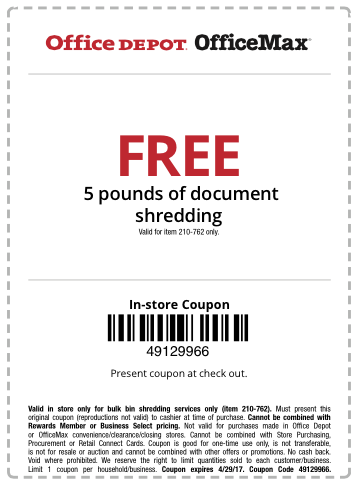
This photo is just a facsimile. So, click on the above link, print it out, clip it, gather up your shredding and get that pile of paper clutter out of your office (or off your kitchen table).
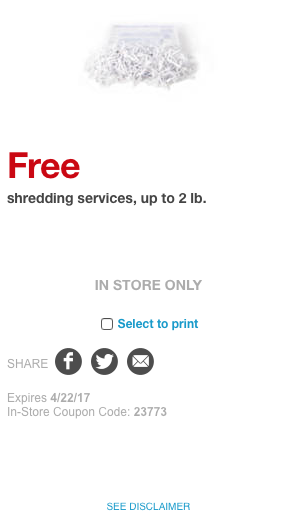
Staples also has a coupon — for 2 pounds of free shredding with code 23733. You’ll have to click the link to locate the coupon on the resulting page and print it or send it to your mobile device.. Please note that this coupon expires April 22, 2017.
FREE SHREDDING OPTIONS
Various universities, government agencies, and community groups partner with shredding companies throughout the year for events billed as shred-a-thons and shred days. Be sure to Google one of these terms and your city or town name to find events near you. Many are held in mid-to-late April, so don’t delay.
See? It doesn’t have to be so taxing, after all. Declutter, protect your identity, and save money!
5 Keys to Focus, or What Lord Chesterfield Knew About Multitasking
[Editor: This post originally appeared in March 2017 and was updated as of October 24, 2022.]
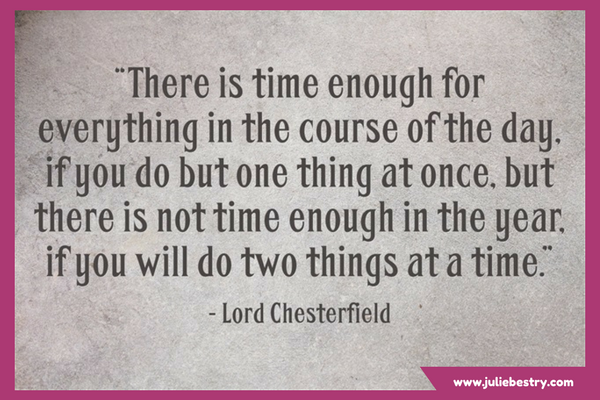
“There is time enough for everything in the course of the day, if you do but one thing at once, but there is not time enough in the year, if you will do two things at a time.”
~ Lord Chesterfield on multitasking
Philip Dormer Stanhope, the 4th Earl of Chesterfield, had lots of bright things to say about productivity:
I recommend you to take care of the minutes, for the hours will take care of themselves. (Good advice for productivity and task planning)
Choose your pleasures for yourself, and do not let them be imposed upon you. (A wise pronouncement regarding prioritizing, task planning, and joy!)
Know the true value of time; snatch, seize, and enjoy every moment of it. No idleness; no laziness; no procrastination; never put off till tomorrow what you can do today. (And to his thoughts on productivity and prioritization, Lord Chesterfield added still-revered advice on procrastination.)
The dude knew his stuff.
THE MYTH OF MULTITASKING
Do you perform data entry tasks while on conference calls or answer email while attending workshops? Worse, do you half-listen to your children or staffers or co-workers while flipping through papers? Do you text while you drive? Information and activity overload may lead you to embrace the idea of multitasking to improve efficiency. Don’t give in to the urge.
Multitasking not only fails to make you more productive; it increases all kinds of risks.
From the mid-1990s through the late 2000’s, studies published widely, from NeuroImage and the Journal of Experimental Psychology, and research at the University of Michigan, Carnegie Mellon’s Center for Cognitive Brain Imaging, and the University of California at Irvine all reported that multitasking wastes time and leads to distraction, errors, and memory lapses.
You may think you’re doing double-duty, but your brain is actually “task switching,” jumping back and forth between multiple attention orientations, doing each thing less efficiently and less effectively. Reply to a client email while listening to a teleclass, and you will miss salient details of both.
Giving up the myth of multitasking can be difficult. Intellectually, we may understand task switching, or know that checking social media is unproductive, or texting while driving is dangerous, but your senses try to convince you otherwise. It still feels like doing only one thing is wasting time. The longer you go on trying to do multiple things at once, the harder it will be to bring yourself to focus on anything, whether it’s client concerns, the document you’re writing, or the road ahead of you.
The longer you go on trying to do multiple things at once, the harder it will be to bring yourself to focus on anything. Share on XEmbrace the following tips to reduce your inclination toward multitasking:
1) Declutter Your Physical Space
Physical clutter overwhelms you even when you are not consciously aware of it. Neuroscientists at the Princeton University Neuroscience Institute found that disorder in your visual field limits your brain’s ability to process visual stimuli. If you can’t fully focus on just one thing, you’re creating your own attention deficit.
Start by eliminating anything from the “prime real estate” of your immediate work area that can’t help you with what you’re doing. File your papers away except for the folder of documents you’re working on right now. If you’re working on your computer, move your other digital devices to a counter behind you, or better yet, to another room.
2) Declutter Your Digital Workspace
Do you use multiple monitors with different content on each? Remember, the more you see, the less your brain can think about any one thing. Turn off your notifications, those CNN-like Breaking News tickers that tell you that someone has replied to your tweet or that there’s yet another political brouhaha. (The tweets and the news will all still be there when you’re done with your focused work.)
Clear your digital desktop so that instead of dozens (or hundreds) of individual files and documents on your screen, you’ve got a handful of categorized folders and sub-folders. (Or, if you’re less hierarchical and more trusting of search vs. hierarchy than Paper Doll, move everything to one searchable folder.)
Opt for a minimalist desktop. Instead of a busy photo of your last vacation, try a more calming desktop wallpaper from a site like Simple Desktops.
Gizmodo published an excellent field guide to Create a Minimalist Desktop to Be Proud Of. You don’t have to go to the ends of the minimalist desktop spectrum, as Joshua Fields Millburn of The Minimalists recently did with his desktop, but do make things easier on your eyes.
This is just a taste of what you can do to increase your digital focus. In future posts, we’ll be talking about ways to hide your browser tabs, blur the focus on any program except the one in which you’re working, and take whatever program you’re using to full-screen.
3) Shush the Distractions In Your Environment
Close your door. Post a sign telling your colleagues or family that you’re taking a page out of Cal Newport’s buzzy productivity book and that you’ll be doing Deep Work for the next 90 minutes. Leave them some pretty sticky notes and a nice Sharpie so they can plaster your door with messages.

Some of us need complete silence. Many of us need white noise. Check out the Paper Doll classic post, 11 Ways to Organize Your Focus With Ambient Noise, to find your sweet spot.
4) Shush the Distractions In Your Head
If you’re worried about your children, your job security, that bump on the back of your arm, or even the project you’re trying to complete, you won’t be able to focus. Anxiety is a shockingly bad productivity tool.
Try Box Breathing, a Navy SEAL technique for calming yourself down with simple breathing, illustrated beautifully below by QuietKit (which also has a nifty Meditation for Beginners program).
 When feeling overwhelmed, simply:
Inhale for four seconds as you watch the blue circle expand.
Pause, with your lungs full, for four seconds as the circle stays expanded.
Exhale for four seconds as you watch the circle shrink.
Pause, with your lungs full, for four seconds as the circle stays contracted.
Whether you’re searching for a web-based model, a computer program, or an app for your phone, tablet, or watch, mindfulness solutions abound, including:
- Breathe
- Calm (including its very relaxing home page)
- Headspace
- Insight Timer
- Oak Meditation
- Smiling Mind
- UCLA Mindful App
5) Schedule Time To Focus
One of the most popular time management methods, The Pomodoro Technique developed by Francesco Cirillo, helps multitaskers strengthen their focusing skills and single-tasking muscles.

The basic premise is simple: select a task and focus on it, and only it, for 25 minutes. When the timer rings, take a five-minute break before resuming work for another 25 minutes. For every two hours you work, take a longer break.
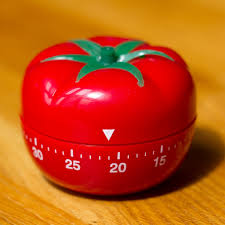
This method, named for the once-ubiquitous Italian tomato-shaped kitchen timer, encompasses other time management strategies and tools, and has practically become an industry of its own.
There’s a free official web app timer and technique sheets to help you clarify what work you’ll give your focus. There are many Pomodoro-based third-party apps and web-based applets, including Focus Booster, Focus Time, Pomo-Done, the easy-peasy Tomato Timer, and 30/30. And if you like something three-dimensional and tactile to get your focus revving, there’s nothing niftier than a Time Timer set to your 25-minute limit.
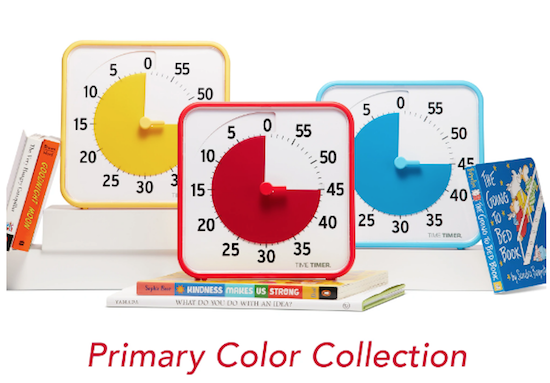
There’s nothing magical about the block of 25 minutes. It’s short enough to get past the innate tendency to procrastinate, and surely you can do anything for 25 minutes. However, for tasks requiring a greater depth and duration of attention, you need adequate time to make headway. In those situations, try a modified version of the Pomodoro Technique with just a few tweaks.
Turn off your message alerts, send incoming calls straight to voicemail, and set your timer for 45 minutes. When the alarm sounds, take a ten-minute break. Rest your eyes and hydrate after every Pomodoro, and stop for a snack and some human interaction every three hours. Refresh your mind by listening to others without the nagging urge to check email, stock prices, and message updates.
After some practice, you will likely find that your concentration has improved and your thoughts flow more freely when unencumbered by competing demands. It’s a gift to enjoy the present. I bet Lord Chesterfield knew that, too.
What do you do to keep yourself focused?
Paper Doll Organizes Boxing Day Downton Abbey-style with Give Back Box®
You’ve got boxes, right? After a weekend of giving and receiving gifts, you’re likely surrounded by boxes. Everywhere you turn, boxes. It’s practically a Day of Boxing! Well, actually…
Boxing Day, observed on December 26th, the day after Christmas (and this year, the second day of Hanukkah), is a holiday popularly celebrated in the UK and various Commonwealth nations, many of which used to be British colonies. The history of the holiday is complex and widely debated, but traditionally, servants and tradespeople were given Christmas boxes on the day after Christmas, when they were granted leave to visit their own families and did not have to work. How very Downton Abbey of them.
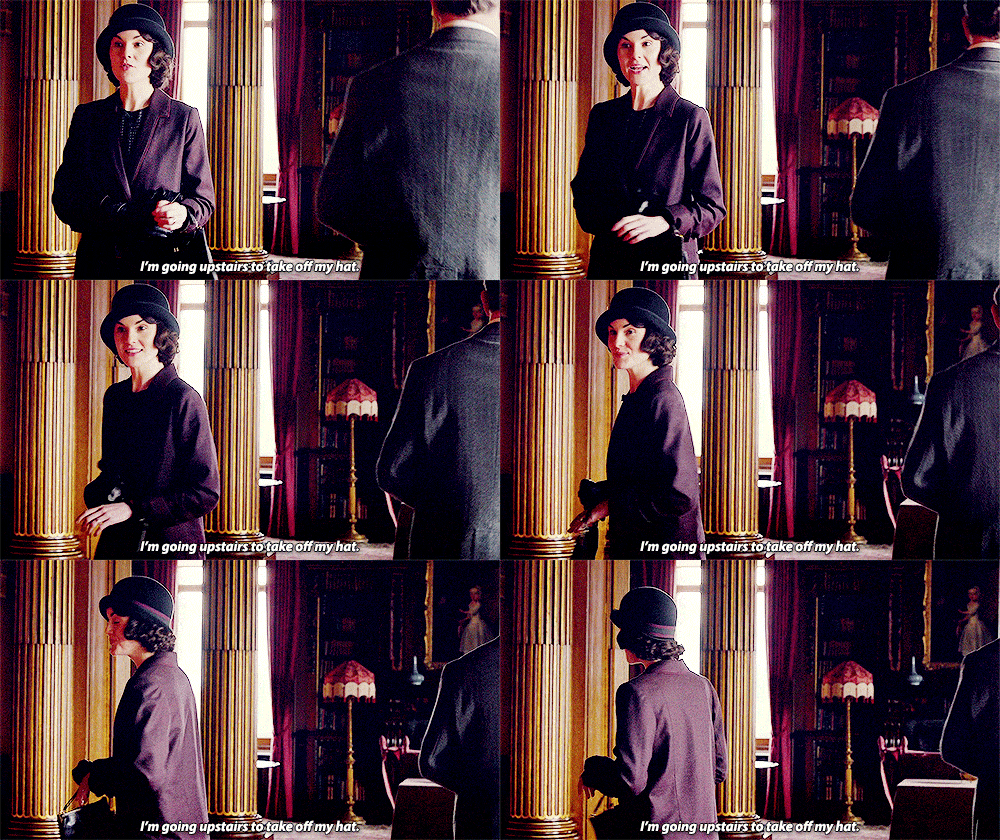
Before you move along to another post, affecting a posh accent and saying, “I’m going upstairs to take off my hat,” I’d like to suggest a much more rewarding way to observe Boxing Day.
Give Back Box®, through a partnership with Amazon, Overstock.com, Ann Taylor, REI Co-Op, and more than a dozen other retailers, has found a solution that allows you to encourage yourself to pare down your excess possessions, bless others with donations of your largesse, and get those cardboard shipping boxes out of your house, all in one fell swoop.

THE MISSION STATEMENT
The purpose of Give Back Box® is to provide an effortless and convenient method of donating your used household items. Give Back Box not only provides an easy way to be part of a truly good cause, it also allows cardboard boxes a second life by recycling them and keeping them away from landfills to help improve our environment. So this is an all-round CSR & Sustainability solution that costs you literally nothing.
THE PROCESS
- Take your Amazon (or any other retail partner’s box), and empty out the goodies you’ve received. (You can also use a plain cardboard box, if you like.)
- Fill the box with donations of clothing, shoes, and various household goods. But please, no liquids, electronics, ammunition, or fragile or hazardous things! (And do check the pockets for any train tickets that might prove you innocent of murder.) Then seal up the package.
- Print a free pre-paid shipping label from Give Back Box’s site and affix it to the box. The cost is covered by Give Back Box’s partner retailers, most of whom have special Give Back Box pages on their sites, too.
 There’s no weight limit, so you can fill the box to the brim — and print as many labels as you need.
- Now, just send the package to Goodwill via UPS or the United States Postal Service at any UPS Store or post office, all at no cost to you. You can even request a free USPS pick-up of your package at your home, if the weather outside is not so delightful and you’d rather lounge about and have your lady’s maid, Anna, serve your meals in bed.
THE BENEFITS
Give Back Box box has a variety of benefits — personal, social, economic, and environmental.
You’ll make donations more often — You know you’re busy. You know your house is full of things you don’t use, don’t wear, or don’t want. (Honestly, what was Aunt Rosamund thinking?) You want to donate more things and more often, but the truth is that every time you find something in your home that you want to donate, you set it aside and forget about it. Maybe you have a donation station in your home, with the pile getting bigger and bigger, but it practically takes an act of Congress to get the donations out of your house, into your car, and to whatever non-profit you choose.
By making it free and convenient, Give Back Box prompts you to think about what you can let go of every single time you receive a box from one of their partner retailers.
Boom! There’s your habit! Get a box of stuff? Give a box of stuff!
That’s good for you, and it’s good for all the work that Goodwill does, providing job training and putting people to work in the local community. And people who want and need what you no longer have space or time to manage reap the benefits, too!
It’s also sustainable. About 30 million tons of retailers’ cardboard box material is zooming around the earth each year. By following the principles of “reduce, reuse, and recycle,” Give Back Box and its partners are helping you clean out your house and helping us all clean up the environment.
Even the Dowager Countess would be excited!

Still have questions? Read through the Give Back Box page of frequently asked questions, and check out this little video.
Paper Doll & Smead Continue the Debate: Paper vs. Digital for Calendars & Task Lists
Last week, in Paper Doll & Smead Talk Paper vs. Digital Organizing: It’s Not Either/Or, you got to see the first part of my discussion with John Hunt of Smead about the anxieties many people face when thinking about moving their information from paper to digital. We discussed control vs. convenience, and how the learning curve with technology can be an obstacle to exploring solutions.
We also reviewed the scientific research on learning and cognition related to taking notes by hand vs. on the computer, and even explored the relative merits and drawbacks for reading paper books vs. using digital devices. We even talked about how marketing messages on paper vs. digital can have differing persuasive powers.
I made the case that there were different situations and individuals for which paper might be the right choice, and others where a digital solution could be better. And there were definitely indications that a hybrid system might be best.
Today, in a continuation of that Keeping You Organized podcast discussion, we continue that chat and explore two of the productivity tools that engender the most debate on the paper vs. digital landscape: calendars and task lists.
Calendars — We discuss the relative advantages and disadvantages of paper vs. digital calendars, and delve into portability, syncing, visualization, creativity vs. linearity, and personalization. We also got into how comprehension of the passage of time (whether via analog or digital clocks, or using paper vs. digital calendars) can impact how we live our lives.
To Do and Task Lists — With a plethora of to do and task apps out there, some people are overwhelmed by the depth and breadth of options and choose the analog paper list every time, while others live and die by the task app. John and I talk about my hybrid approach to task tracking, and why using your calendar as a task or to do list is really fraught. And because productivity is all about priorities, we had to talk about the role prioritization plays in getting things done, whether you’re jotting those priorities on a sticky note or accessing them from the cloud.
Jump right in:
Remember, you can also watch (or download the audio only, if you prefer an auditory podcast experience) right at Smead’s page for Part 2 of our chat.
And, if you like what you hear, be sure to check out the other discussions John and I have had about organizing, and listen to what my great colleagues in professional organizing and productivity have had to say. Just pop over to the stellar Keeping You Organized podcast archive page.

Podcast 041: Secrets to Organizing a Small Business
Podcast 108: Fears that Keep You from Getting Organized
Podcast 153: Paper vs. Digital Organizing: Part I
Finally, once you’ve listened to parts 1 and 2 of our Paper vs. Digital podcast discussions, share your thoughts in the comments sections of either or both posts. What are your thoughts and preferences:
- Do you have app overload, or do you enjoy exploring tech solutions for organizing?
- Ebooks or dead trees — how do you like to read?
- Notetaking — would you rather grab a pen and pad, or put your notes into something like Evernote? Does it differ whether you’re taking notes for academic work vs. meetings?
- Paper planners or digital calendars: where do your appointments live?
- Task lists: sticky note/paper pad or task app?
Paper Doll & Smead Talk Paper vs. Digital Organizing: It’s Not Either/Or
Recently, I sat down again with John Hunt for Smead‘s excellent video podcast series, Keeping You Organized. We wanted to get to the heart of that question, “Which is better, paper or digital organizing?” But as we got into it, I was able to explain my view, that it’s really a false dichotomy.
There are so many things we have to organize — our academic notes and research, our to do lists, our appointments, our thoughts — in order to keep our heads afloat. Even the fun things in our lives, like the books we read, can be overwhelming if we don’t have a way to organize the collections so we can enjoy and remember what we’ve read. And would you believe certain marketing messages — which impact our pocketbooks and those little green pieces of paper — can have a greater or lesser effect depending on whether they come on the page or the screen?
Sometimes, the decision over whether to go paper vs. digital is aesthetic — we like the feel of paper, or the glossy nature of a screen. But I’ve found that emotions play the largest role in how we choose a platform.
The problem we professional organizers often see is that people have anxiety around this whole issue of paper vs. digital. Some people feel anxious about not moving their whole lives to the cloud — digital task lists, calendars, ebooks, phone books — they’re afraid they will seem out of touch if they don’t eschew paper and embrace everything digital. Meanwhile, just as there is a backlash against modernity with hipsters and music purists preferring vinyl, there are those who will only relinquish their Moleskines when you pry them from their cold, dead hands. But it doesn’t have to be like this!
In my discussion with John, we talk about all the different situations, and the different types of learning styles and personality types, for which organizing by paper, or digitally, or through a combination of the two, might work best.
Take a look:
If you visit the source, you can watch us right at Smead’s Keeping You Organized podcast page or download the show as an audio podcast to listen while walk or work. While you’re there, peruse other episodes in the multi-year series, including some with me, your Paper Doll:
Podcast 041: Secrets to Organizing a Small Business
Podcast 108: Fears that Keep You from Getting Organized
Finally, John and I had SO MUCH to discuss (because when does Paper Doll ever run out of words?) that there’s a second whole video podcast on the way, where we continue the conversation. How’s that for organizing a holiday gift for you readers and viewers?



Follow Me