Archive for ‘Paper Organizing’ Category
Paper Doll’s NAPO 2017 Recap: A Sneak Peak at Smead’s All-in-One® Organizer Kits
Paper Doll doesn’t like to play favorites, but it’s hard not to love a company whose heart and soul is helping you keep your paper organized, so we have more than a few post’s worth of post-NAPO2017 news from our friends at Smead. Today, we’re looking at their direct-to-consumer line, myOrganized.life, designed to help you keep your personal and family documents safe, secure, accessible, and organized. But Smead’s NAPO Expo showing was bountiful, so watch upcoming posts for some nifty innovations.
###
In an emergency, could you find your will? Your Power of Attorney documents? Your life insurance policy? Approaches to general filing systems vary. Some people have very specific, well-labeled, color-coded filing systems that they maintain religiously. Others have one drawer for important documents and one hip-high “stack” earmarked for paid bills, and assuming no strong gust of wind (or a playful puppy or child) gets near, they’re satisfied. Most people, and especially most of my clients, fall somewhere in the middle of the spectrum.
DIY vs. Made-For-You Filing Systems
Often, what holds people back from developing filing systems is perfectionist procrastination. Rather than creating a wrong system, they won’t get started at all. Others, fearful that their system isn’t good enough (measured against some arbitrary benchmark or guideposts), up-end their files and folders and binders, starting from scratch every few months or years, not because their system wasn’t working, but because they’d never committed to it in the first place, and the appeal of a magical solution was more compelling than the reality of having to make decisions and apply rules.
It’s not as though there aren’t multiple ways to contain papers and documents — we have tabbed file folders, hanging folders, ringed binders, accordion-style folders — and they are all fine, depending on your resources, your space, and your willingness to maintain your system. By and large, there is no wrong system — as long as the system works for you!
Longtime readers of this blog know that Paper Doll isn’t going to drink the Koolaid and tell you that you have to buy a pre-existing filing system with pre-made categories, like FreedomFiler. I have many colleagues who love, respect, and recommend that particular pre-made, “self-purging” filing system, with the categories all laid out, and even year/odd year purging and shredding schedules. I see the value, but unless one of my clients asks for something like that during our sessions, it’s my professional experience that people with disorganized (or non-existent) filing systems learn more when, together, we create their entire filing system from scratch. This way, clients learn the why behind the what and the how. I think naming each file something that works for you (Vet: Fluffy vs. Medical: Cat, or Elantra vs. Auto vs. Car vs. Roxanne) helps inspire you to actually file your documents away.
That said, most people don’t have the opportunity (or haven’t taken the opportunity) to work with a professional organizer to get their papers in order, so if people are in a situation where “they don’t know what they don’t know” and don’t have a sense of all the documents they should be creating, collecting, and organizing, a pre-ordained system template can eliminate confusion and stress. For my clients (and readers of this blog), my Family Files approach generally works well as a starting point for getting the whole kit and caboodle in order.
- Family Filing—As easy as (eating) pie
- Financial Filing—Scrapbooking snapshots of your money’s life
- Mom, why is there a receipt stuffed in the turkey?
- I Fought the Law…and the Paperwork Won!
- Patient: “Doctor, it hurts when I do this.” Doctor: “Then don’t do that!”
- Paper Dolls Live In Paper Households
- I Hope Nobody Ever Writes a Nasty Tell-All Called “Paper Doll Dearest”!
It’s one thing to try to finesse an entire system to pay your bills, and track your daughter’s orthodontia plan, and keep your life running, but sometimes, you want to make sure that your super-essential information is available in case of an emergency. Friend-of-the-blog John Hunt, Smead’s Senior Manager of Digital Marketing and host of the Keeping You Organized video podcast, has written previously about the emotional and financial pitfalls of not having essential records available when necessary.
Life Documents Organizer
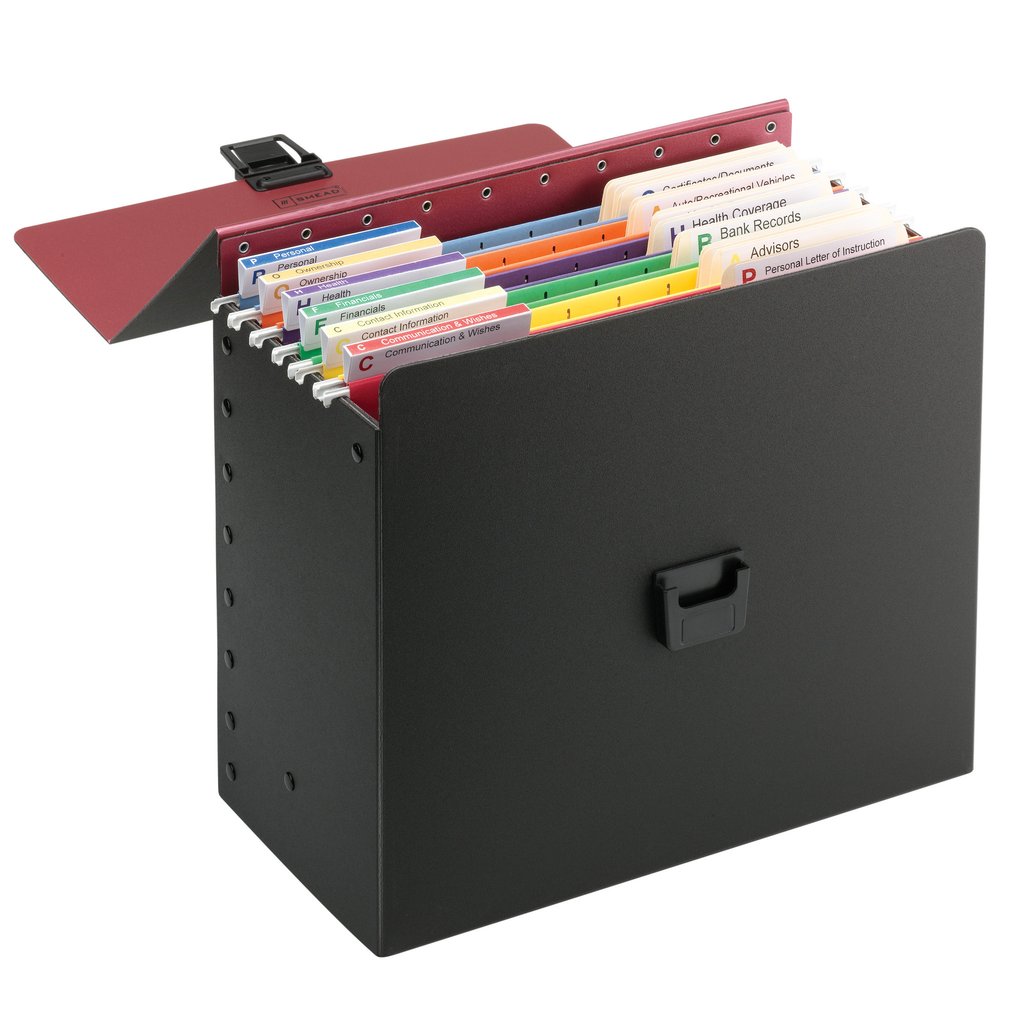
A few years ago, Smead launched its own self-contained filing system called the Life Documents Organizer to help consumers organize and store what they call “key life documents” — what Paper Doll refers to as VIPs (very important papers). These include wills, trusts, health care directives, investment documents, retirement plans, marital and adoption paperwork, and contact information.
Each Life Documents Organizer kit centers around three elements:
- The container — one black polypropylene file box
- The interior essentials — 6 colored hanging folders, 24 SuperTab® file folders, and 1 sheet of Viewables® Quick-Fold tabs, and 3 label sheets with pre-printed labels
- The philosophy — a detailed instruction sheet, based on The Wheel of Organization
Smead’s philosophy behind The Wheel of Organization, and how it’s put into use, is that the hanging folders represent each of six major, overarching “life-essential” categories, and each tabbed folder is used for a document or types of documents in those categories. The kit spells out what those documents are that you should be seeking to plop in there.
The Wheel of Organization includes categories for:
- Financial — essential account information
- Health — medical records and contacts
- Ownership — essentials documents regarding real estate holdings, valuables, insurance, etc.
- Personal — key VIP documents like birth and marriage certificates
- Communication and Wishes — key directive documents and end-of-life instructions
- Contact Information — names and contact information for key advisors
While Paper Doll‘s own Family File categories (financial, legal, medical, household, and personal) are designed to figure in every personal/family document that might be necessary, the Life Documents Organizer kit focuses on just the key documents, the ones that are most likely to be needed in a particular situation, like a healthcare emergency, catastrophic event, or other life-changing circumstance. Smead notes, “Having your key life documents organized helps to ensure that your wishes and assets are managed, retained and distributed as needed while being less stressful for you and your loved ones.”
The Life Documents Organizer Kit runs $39.95 on Amazon and in office supply stores. For more in-depth information, be sure to check out myOrganized.life’s dedicated Life Documents Organizer page.
All-in-One™ Organizing Kits
Sometimes, you want or need your documents to be quickly accessible, portable, and/or self-contained, separate from your regular files. Certainly, you could use a traditional red rope accordion folder, the type attorneys have been using for generations. However, they’re a bit drab and hard to tell one from the other without using a label maker to help identify the contents. This is where the new myOrganized.life line of kits comes in.
All-in-One™ Emergency Kit
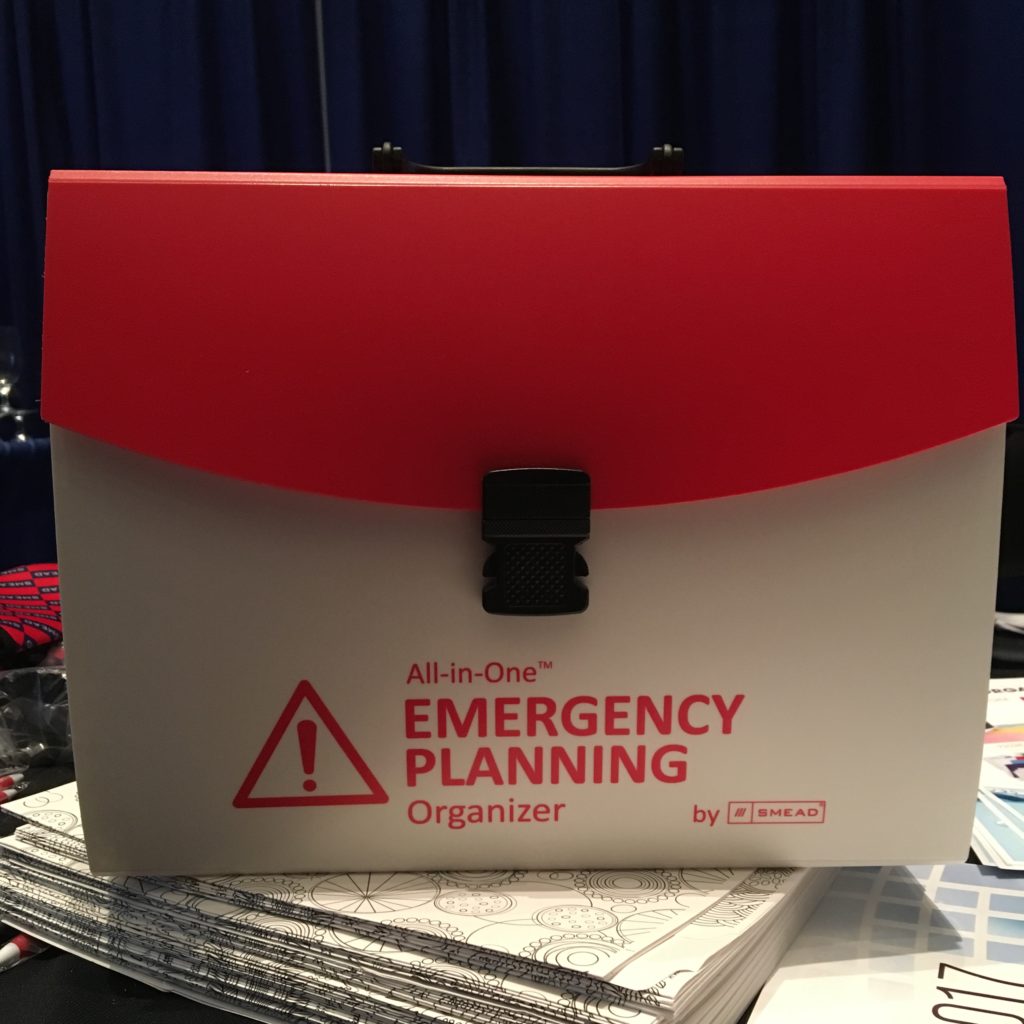
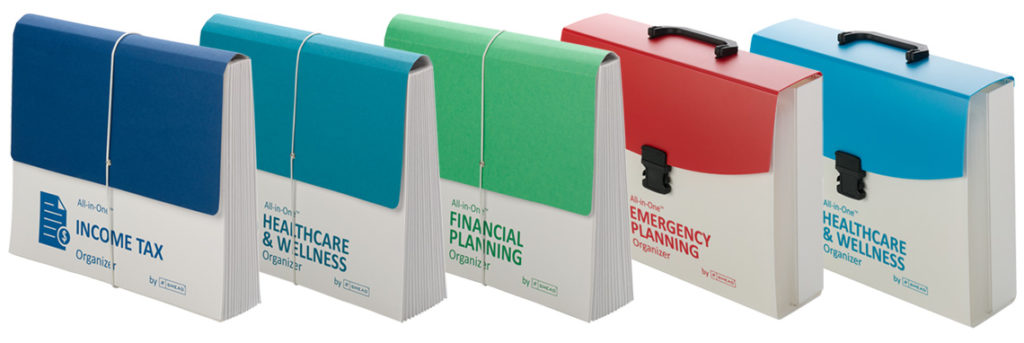
This snappy red-and-white (First Aid-themed) durable poly organizer has 12 interior pockets and includes Viewables® labels. The kit has a plastic handle for portability and a latch closure for security.
All-in-One™ Healthcare & Wellness Organizer
For healthcare, there are two versions of the kit:
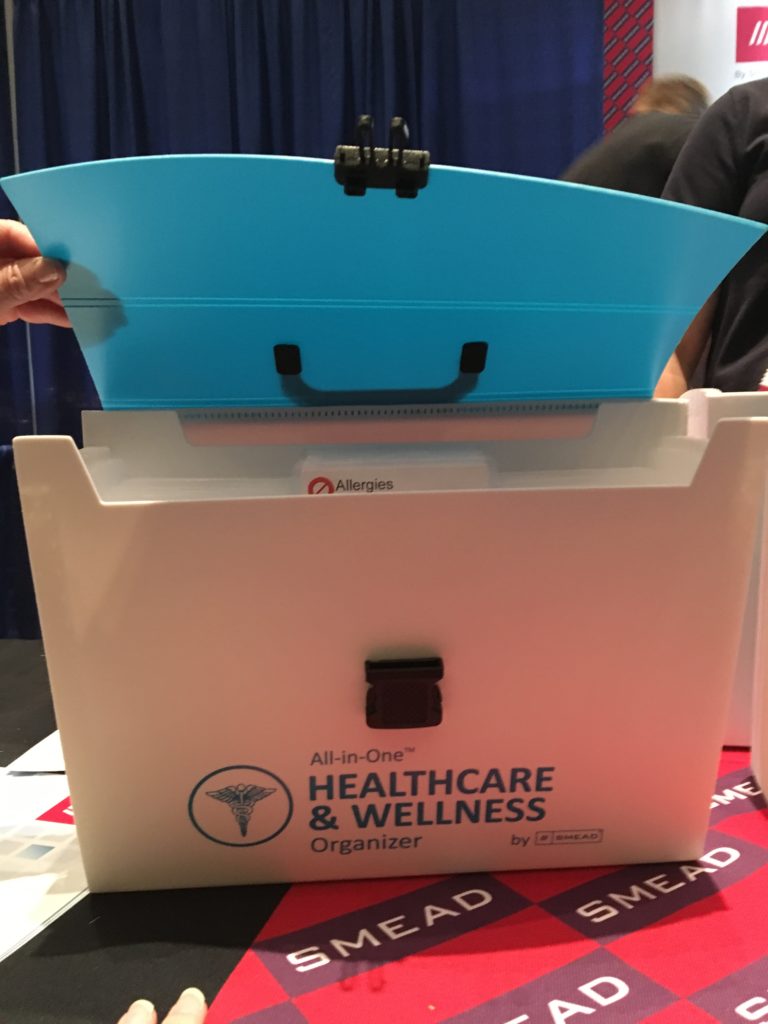
The boxier durable poly organizer is identical in design to the Emergency Organizer Kit, but with a soothing blue and white theme, and has a plastic handle and latch closure, 12 interior accordion-style pockets, and Viewables® labels.
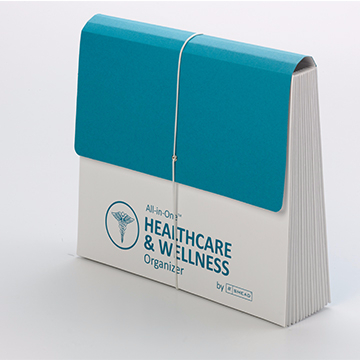
For those who prefer paper to poly, there’s a durable paper Healthcare & Wellness accordion version, with an over-the-top paper flap and elastic band closure. There are 12 expandable pockets with one large pocket in back, and it also includes Viewables® labels.
All-in-One™ Financial Planning Organizer
All-in-One™ Income Tax Organizer
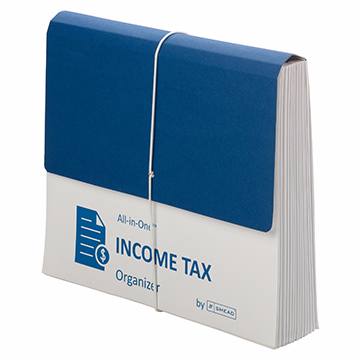
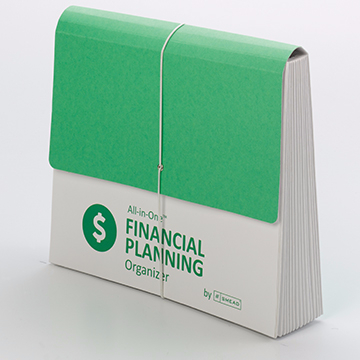
Both the green and white Financial Planning Organizer and the navy blue and white Income Tax Organizer come in the durable paper version, with an over-the-top flap and elastic band closure, 12 expandable pockets with one large pocket in back, and Viewables® labels.
The Financial and Income Tax organizers, as well as the paper Healthcare & Wellness Organizer, contain 10% recycled content and 10% post-consumer material.
The All-in-ONe™ Income Tax Organizer is currently available at Amazon and office supply stores, and runs about $18. The remainder of the All-in-One™ Organizer Kits are branded COMING SOON, so pricing information is not yet available.
Create a DIY Kit With the Smead Poly File Box
Sometimes, you have a clear idea of what you want to create, but you don’t want to have to go in search of putting all the pieces together. I wasn’t surprised to find that myOrganized.life has an option for that, too. You could start with the Smead Poly File Box (suitable for desktop or in-drawer use) and add your own hanging folders and tabbed interior folders, in whatever color schemes you prefer, using whatever labels fit your needs.
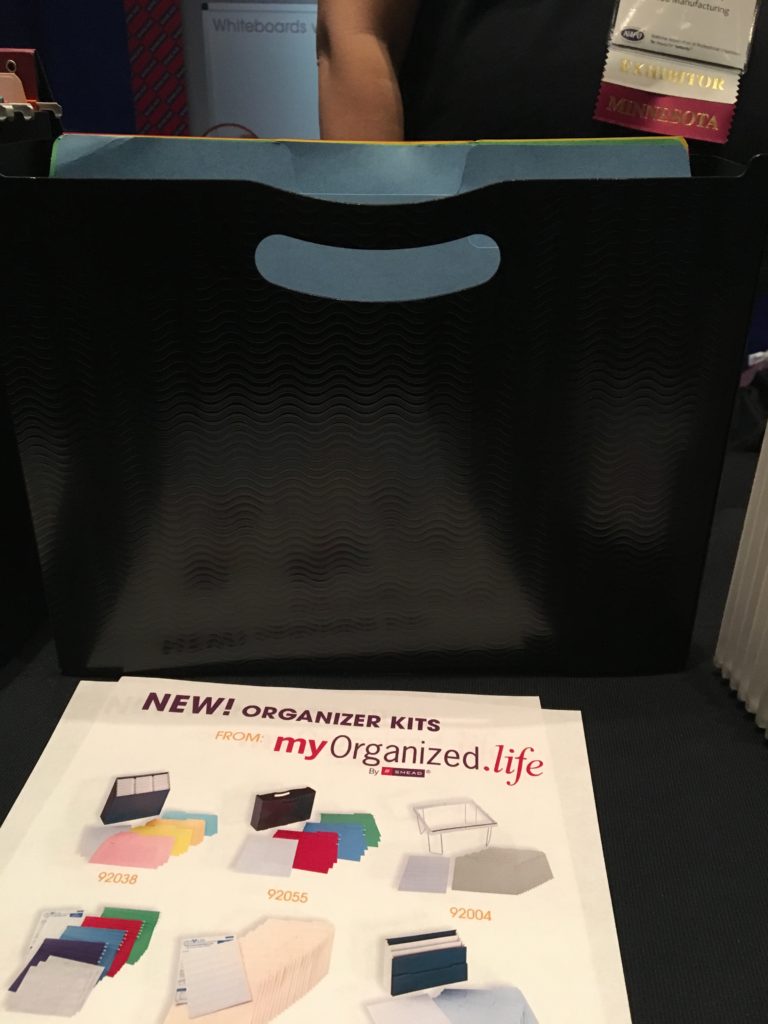
It’s a sturdy poly file box and holds up to 3″ of files, directories, or similar materials, and can be used with hanging files and interior folders, or just folders, depending on your needs and preferences. The Smead Poly File Box is harder to find in brick-and-mortar stores than online, and runs from $8.95-$10.55.
Conversely, you could opt for the Poly File Box with SuperTab® Folder and Viewables® Labels Kit.
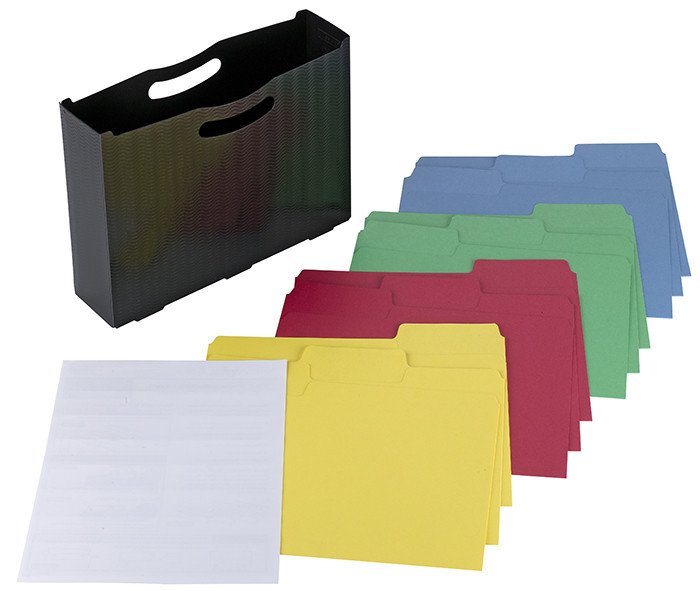
The kit comes with one black poly file box, 12 colored one-third cut SuperTab® file folders (three each of yellow, red, green, and blue) and 16 Viewables® labels. The SuperTab® folders have a 90% larger labeling area than standard folders, so you can use larger text or more lines of description. The file box is lidless, so you’ll want to make sure that if you need it to be portable, you’re holding it securely and upright. The Poly File Box with SuperTab® Folder kit runs upwards from $11.95.
And that’s the straight talk on Smead’s organizer kits. No caboodle!
Paper Doll’s NAPO 2017 Recap: Samsill Upgrades Pop N’ Store & Pleases Paper Mommy
Every year at the NAPO conference, we look forward to seeing new products and hearing about upgrades to ones we’ve seen before. This was definitely the case with Paper Doll‘s visit to the Samsill booth at NAPO 2017, and it was a delight to know that Samsill paid attention to customer and professional organizer feedback for making their products even better.
In last year’s Paper Doll‘s NAPO2016 Recap: Samsill’s Duo & Trio & Pop…Oh, My!, we took the time to get to know Samsill, previously famous mainly for its binders, and got to explore its new offerings, particularly the Pop N’ Store line of attractive storage boxes, flat-packed but ready to POP up into functional form in five seconds.
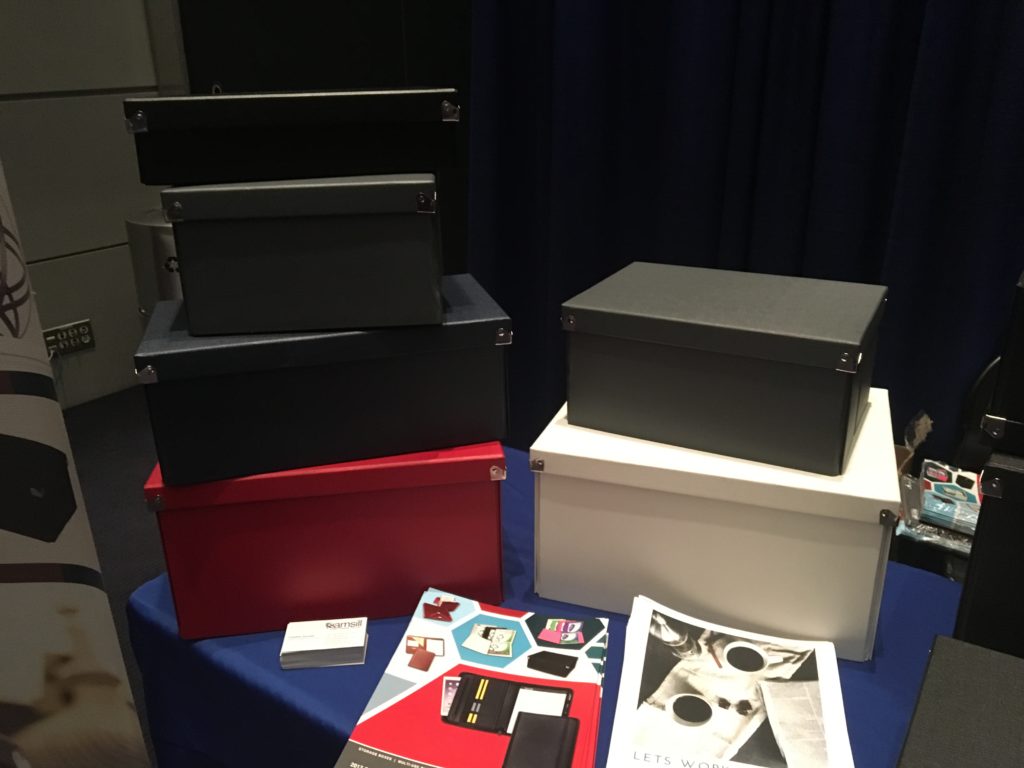
The Pop N’ Store boxes introduced last year are made of heavy-duty chipboard and are covered with Lotus Seed™ textured paper. The corners of the original Pop N’ Stores are metal-reinforced for added durability and charming aesthetics, while the box bottoms are covered in a scratch-resistant fabric designed to protect delicate surfaces, like fancy-schmancy tabletops and shelves. The boxes are made of 100% recycled material and 70% post-consumer material.
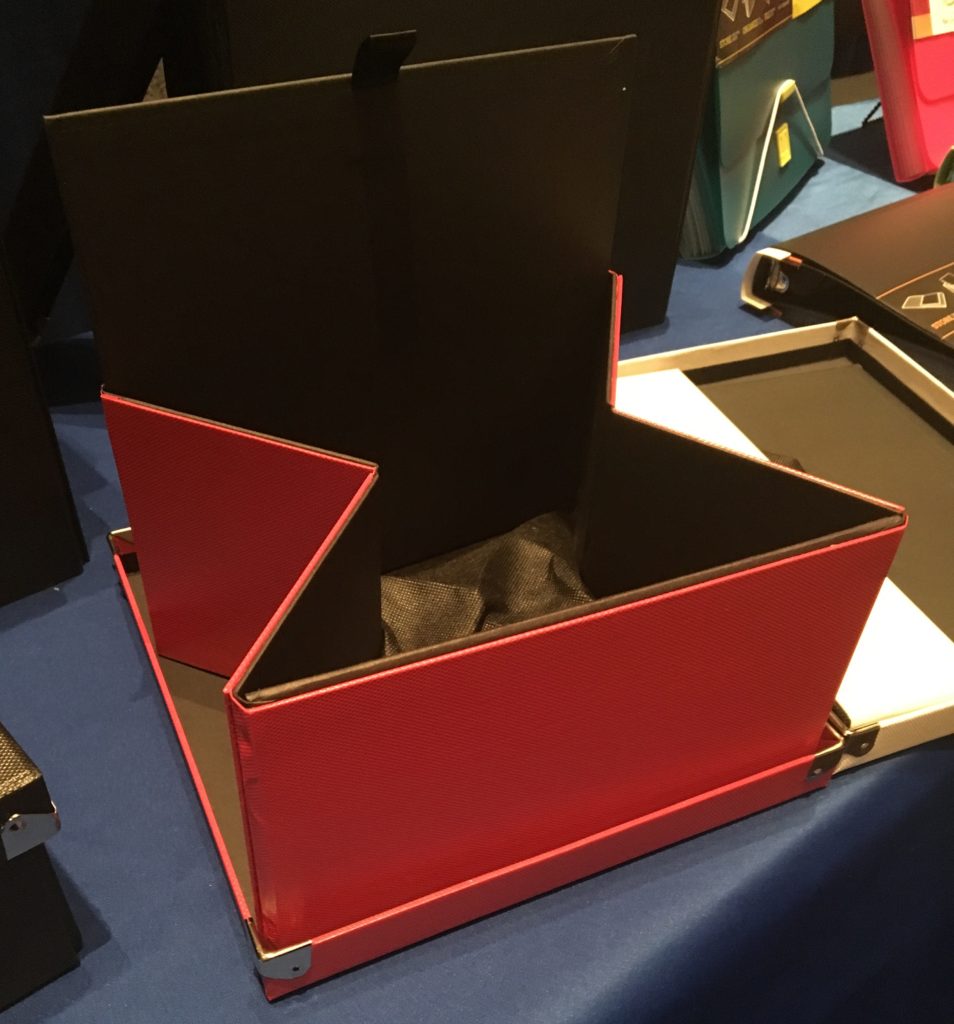
Samsill really understands the advantage of flat-packed, collapsible, stackable storage. College kids need an easy way to move into and out of their dorm rooms and apartments; office-dwellers enjoy the ability to mix-and-match supplies as needed without having excess empty boxes on display; and professional organizers love being able to bring solutions to clients without giving up breathing room in our vehicles.
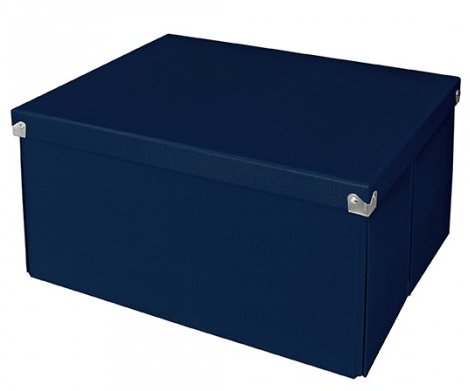
Originally, the lidded, decorative storage boxes came in six colors (black, navy, red, brown, grey and white) and five sizes with the following (internal) dimensions:
- Document Box (12″ x 8.5″ x 3″) for $11.99
- Essential Box (14.625″ x 7.5″ x 5.34″) for $12.99
- Medium Document Box (12″ x 8.625″ x 5.8″) for $14.99
- Medium Square Box (9.75″ x 9.75″ x 5.75″) for $11.99
- Mega Box (14.625″ x 11.875″ x 7.34″) for $16.99 all at Amazon
But it was this year’s newcomer to the Pop N’ Store collection that really caught my eye. First, however, some personal background. Longtime readers of the blog know that the inspiration for all things organizational is Paper Mommy of Paper Mommy Knows Best fame. Unfortunately, last December, Paper Mommy was viciously attacked by a rogue comforter while stripping her bed and had a bad fall, directly into a wall, fracturing her C2 vertebra and her wrist.

Note, even with a severely fractured wrist, Paper Mommy maintained perfectly manicured fingernails. However, it must be noted, in the final score, it was Wall: 1, Paper Mommy: 0.

It’s a testament to how loveable she is that I flew to Paper Mommy HQ in Buffalo in mid-January to help her tackle all of her financial and medical paperwork. Normally, Paper Mommy‘s files are kept in her kitchen office drawer, but accessing them while one-handed and wearing a neck brace was proving to be problematic. However affable she is in general (and that’s a lot), as a client, she was a bit persnickety, and rejected all suggestions for potential desktop file boxes. However, I believe that if we’d known about Samsill’s newest line extension, she’s have acquiesced happily!
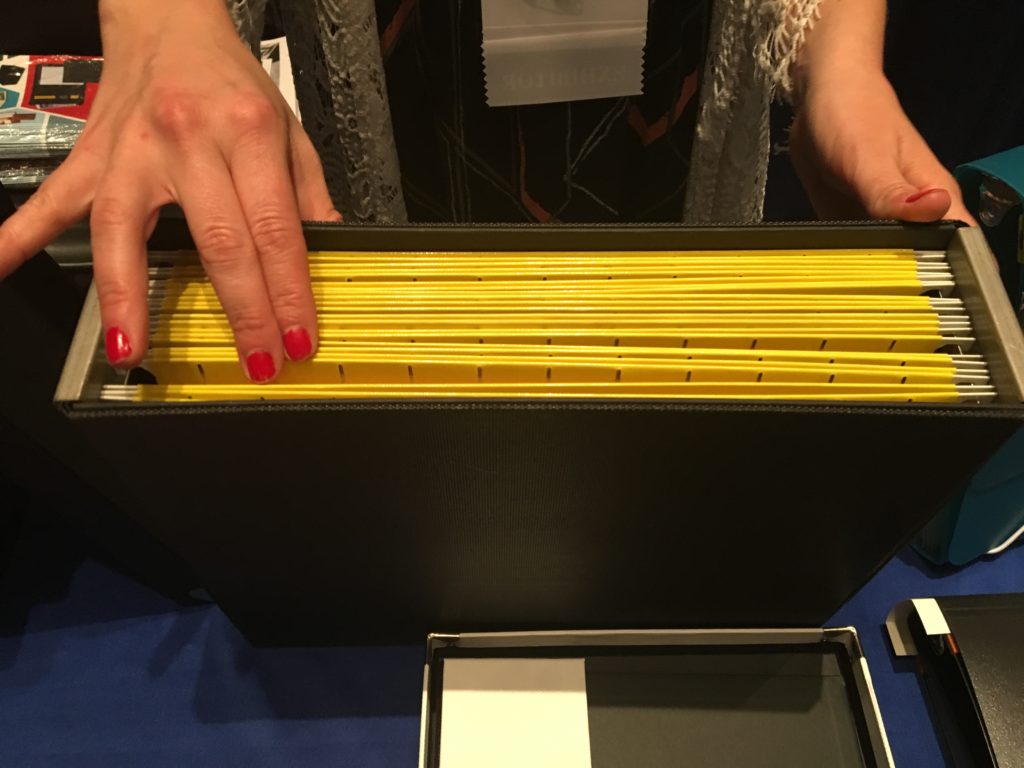
The organizing community told Samsill, “Hey, we love the Pop N’ Store boxes, but why don’t you have a filing box? Something flat-packed and pop-up-able, but with a hanging file rail?” So Samsill made one. And, “Oh, could it have a lid, too?” And Samsill said, “Make it so!”
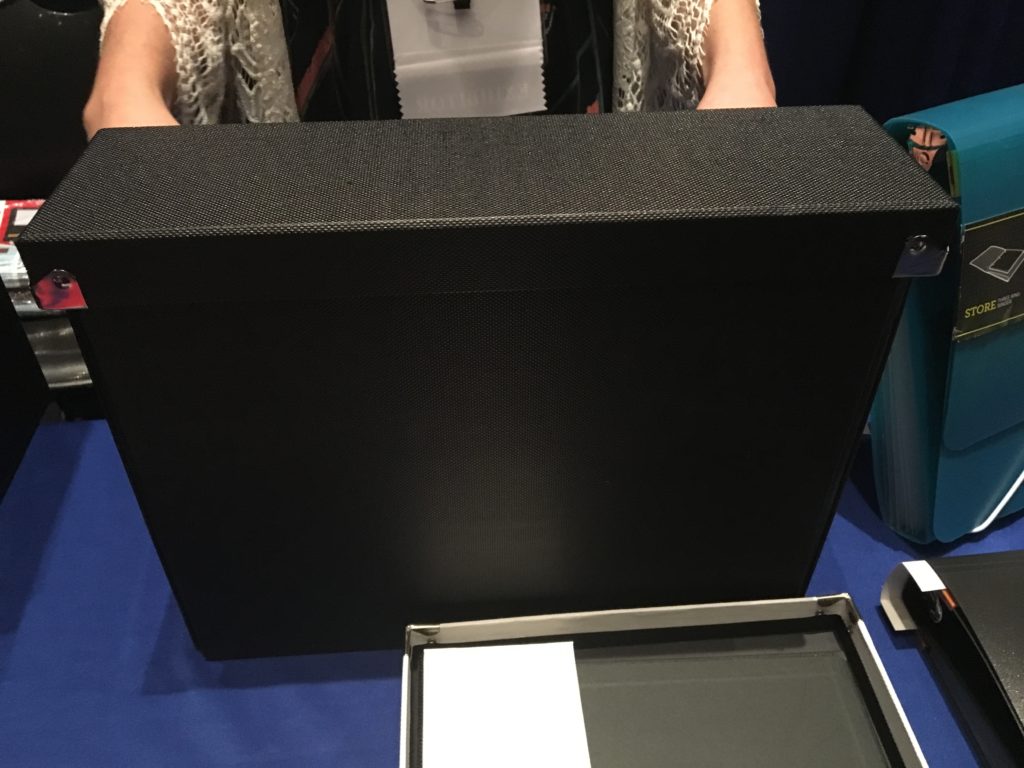
Along with the file box, there’s also a new cube-style box for fitting perfectly with those Ikea-esque cube shelves, and a new smaller box for corralling small doodads.
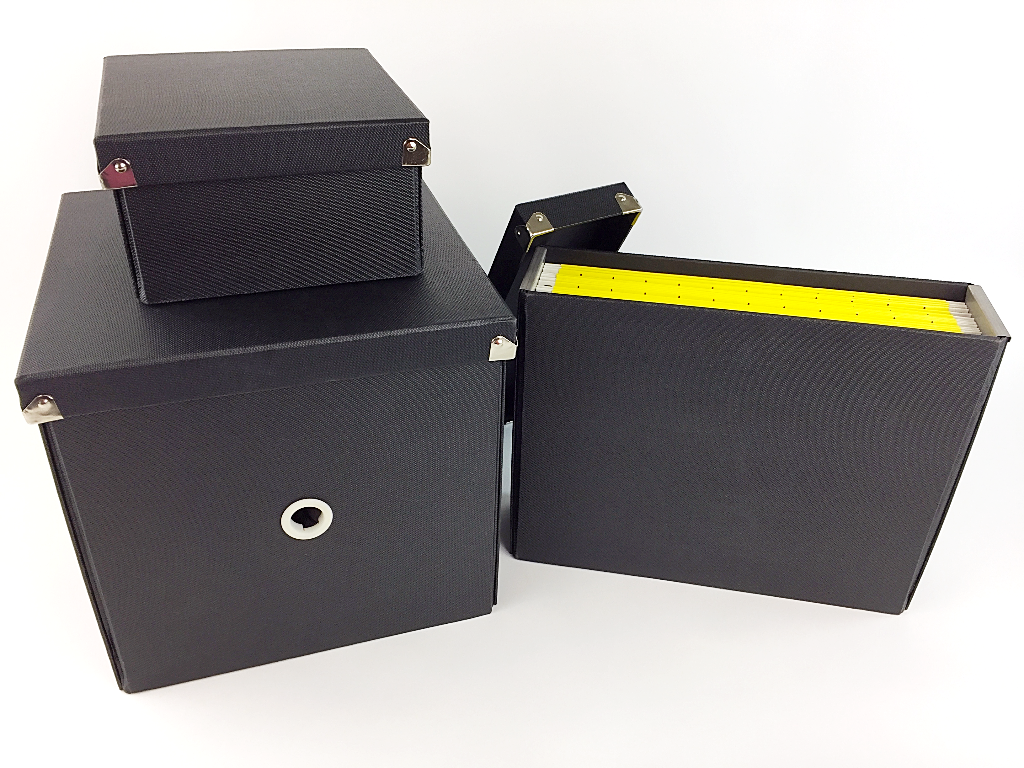
These new boxes have been designed with the same heavy-duty chipboard and Lotus Seed™ textured paper, so they’re as sturdy and elegant as the original Pop N’ Stores. For next year, I hope Samsill continues to upgrade this series by adding bright, cheery colors. (Black, navy, red, brown, grey and white are fine for oh-so-serious workplaces, but for the rest of us, let’s hope Samsill brings their usual penchant for brightness to this line, too!)
The products are so new, the measurements and pricing have not yet been announced. Follow Samsill’s accounts on Facebook and Twitter to be updated when they become available.
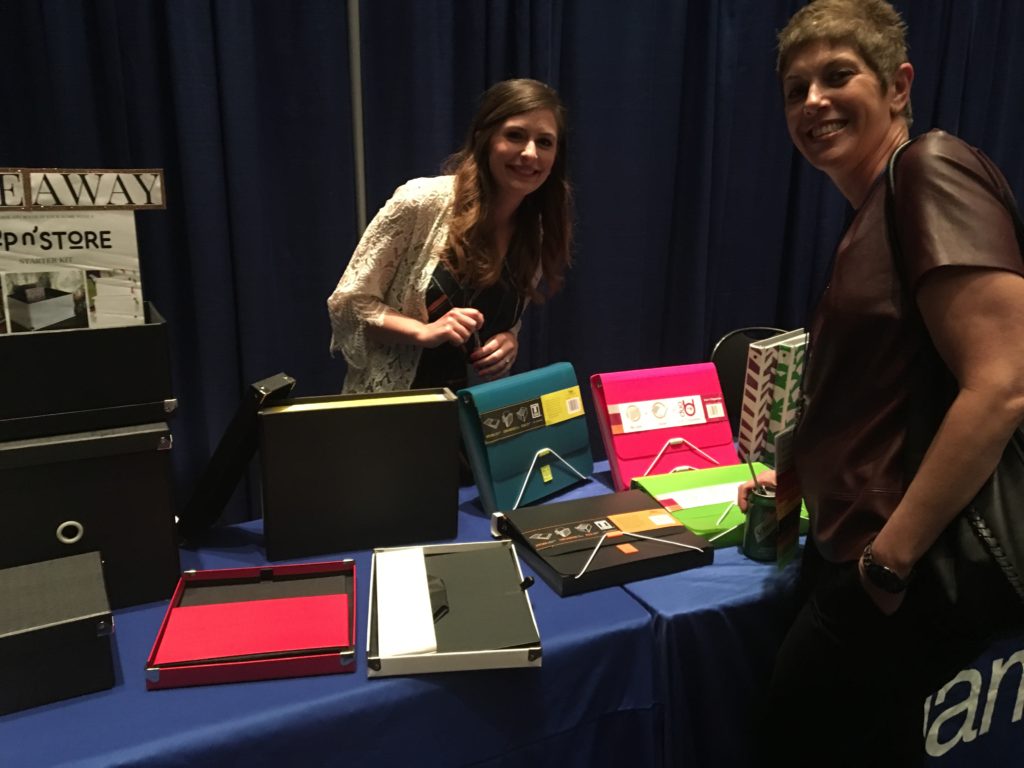
Above, I caught Samsill’s Digital Marketing Associate, Christine Hampel, chatting with New York City professional organizer Leslie Josel. In addition to being Paper Doll‘s fellow Cornell University alum (Go Big Red!), author/organizer/inventor Josel is a stellar student organizer, head honcho of Order Out of Chaos, and the mastermind behind the award-winning Academic Planner: A Tool for Time Management® (deserving of a blog post in its own right).
The Samsill DUO 2-in-1 Organizer combines a seven-pocket expanding accordion file with a 1″ three-ring binder. The file portion holds up to 225 sheets of paper, and the accordion-style expanding section includes blank write-on index tabs so you can customize your labels. The DUO weighs 14.6 ounces and measures 9.8″ x 1.5″ x 11.8″.
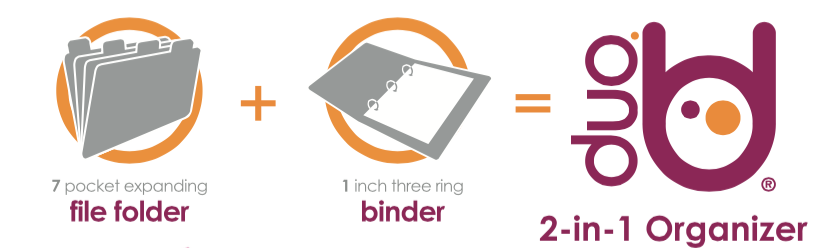
I’ve previously described the DUO as a grown-up Trapper Keeper, perfect for storing tax prep documents or financial information (budget, bills, coupons, and shopping lists), family medical files (with categories for tests, prescriptions, and dietary rules), or household plans (with sections for decorating, monthly upkeep, garden plans, etc).
The durable and water-resistant DUO is made of PVC-free, acid-free, archival-safe, environmentally flexible polypropylene and comes in hot pink, turquoise, green, burgundy, orchid, black, light blue, and coral.
The DUO (seen below, right, in hot pink and green) was originally designed with dual elastic clasp and cord closure to provide access to each portion (pockets or binder) individually while maintaining a secure closure to either or both sections.
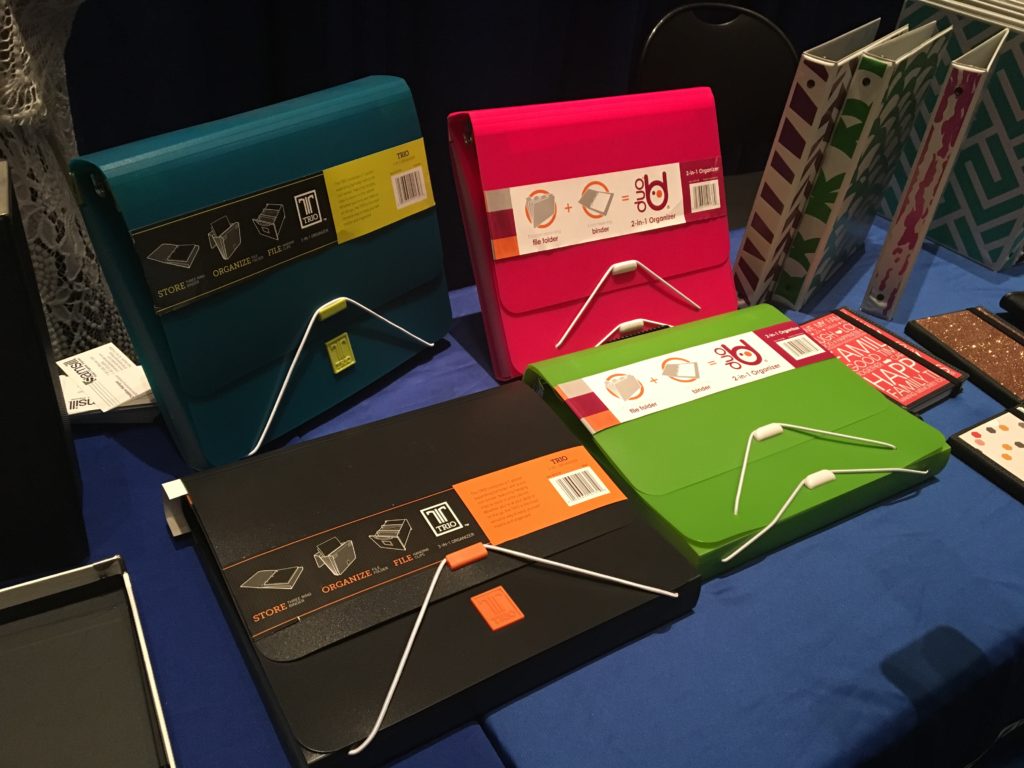
Leslie Josel’s work with students led her to provide feedback to Samsill regarding how to improve the already-nifty DUO and TRIO portfolios we’ve previously covered. For example, note the original DUO on pink on the left, with the dual elastic. Leslie found that her students were having trouble manipulating the two elastic bands and keeping the DUO open, so Samsill is modifying the design to include a Velcro closure and other rumored advances.
The TRIO, Samsill’s 3-in-1 Organizer, which also got so much attention last year (seen in black and turquoise, above, left), has all the same features as the Duo.
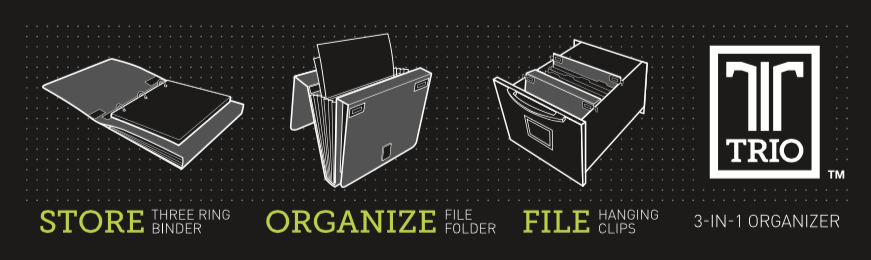
However, the TRIO also has retractable hangers, turning the entire TRIO into a combination hanging file, binder, and interior folder set. Store it in a file cabinet, filing drawer in your desk or desktop file box. Thanks to the hangers, even though the Trio is poly, you never need to worry it’ll slide to the bottom of the drawer.
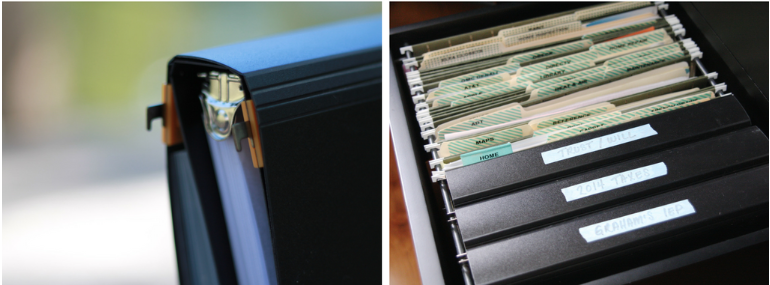
The word is that there are also design modifications on the horizon for Samsill’s TRIO, but shhhhhhh. Spoilers, Sweetie.

Watch Samsill’s blog for updates, such as the post for their new Padfolios, and find Samsill products on Amazon.
Paper Doll’s NAPO 2017 Recap: New Twists on Time Timer

The concept of time management (as opposed to its practice) is simple: identify your priorities, spell out the tasks to complete, and focus on them for a period of time. When appropriate, transition to other tasks. Done!
But what if “time” is a fuzzy concept for you? Well, you wouldn’t be the first. Not long after returning from NAPO 2017, I took one of Tara McGillicuddy’s superb ADDClasses.com webinars, ADHD and Punctuality: Even You Can Learn to Be On Time with ADHD Coach Lynne Edris. Although I have an innate sense of the passage of time, possibly from my prior career working in television (where time is, literally, money), the issue of conceptualizing time in order to work productively with it is something that plagues many who seek help with organizing and productivity.
During the webinar, Edris talked about how some of the contributing characteristics of ADHD, including distractibility, impulsiveness, and hyper focus, impact time blindness, as defined by Dr. Russell Barkley.
WHAT DOES TIME LOOK LIKE? WHAT DOES TIME FEEL LIKE?
When you have a strong sense of time, you are aware of what time it is now, how much time you have left (to perform a task, or before you have to change gears and transition to a new task or location), and generally how quickly time appears to be passing. When your sense of time is wonky, your productivity can feel cursed.
I once had a client, a successful engineer, who overestimated how much time some tasks would take (causing him to procrastinate and avoid the labor) and underestimate how long others usually lasted (leading to double-booking as meetings ran long). As a test, I once encouraged him to work for fifteen minutes on a task he’d been avoiding, while I observed him. After eight minutes, he looked up, exasperated, certain that I had lost track of time and that far more than fifteen minutes had elapsed. Nope. Again at twelve minutes, he was sure either I or my timer was off. In terms of engineering, this client was a genius, but he had the conceptual sense of time of a pre-schooler. And he’s not alone.
Of course, none of these factors are unique to those with ADHD. I think we have all experienced time dilation such that ten minutes in the final act of our favorite television show can speed along (darn you, Shonda Rhimes!) while ten minutes while waiting in the “little room” at the doctor’s office, relentlessly bored and denied the ability to people-watch, drags by.
Learning how time works — mapping the representational to the reality — can also be problematic. For example, we know that digital time is harder for children to comprehend than analog time — and this can be the case for some adults, too. Take this anecdote about the author Douglas Adams:
In the early days of personal computers, he said, people got very excited that their spreadsheet programs could finally create pie charts. This was considered a revolutionary advance, because as everyone knows, a pie chart visually represents a part-whole relationship in a way that is immediately obvious—a way that, to be more specific, mere columns of numbers did not. Well, the hands of an analog timepiece form wedges that look very much like a pie chart, and like a pie chart, they represent a sort of part-whole relationship in a way that requires a bare minimum of mental effort to comprehend. Not so digital timepieces, which for all their precision say nothing about the relationship of one time of day to another.
It’s just harder to conceptualize — visualize — the passing of time with digital clocks. They’re merely numbers separated by colons. But the analog clock provides a clear visual distinction between moments — and this is the central advantage of one of the most popular time management tools the organizing and productivity industry has ever seen: Time Timer®.
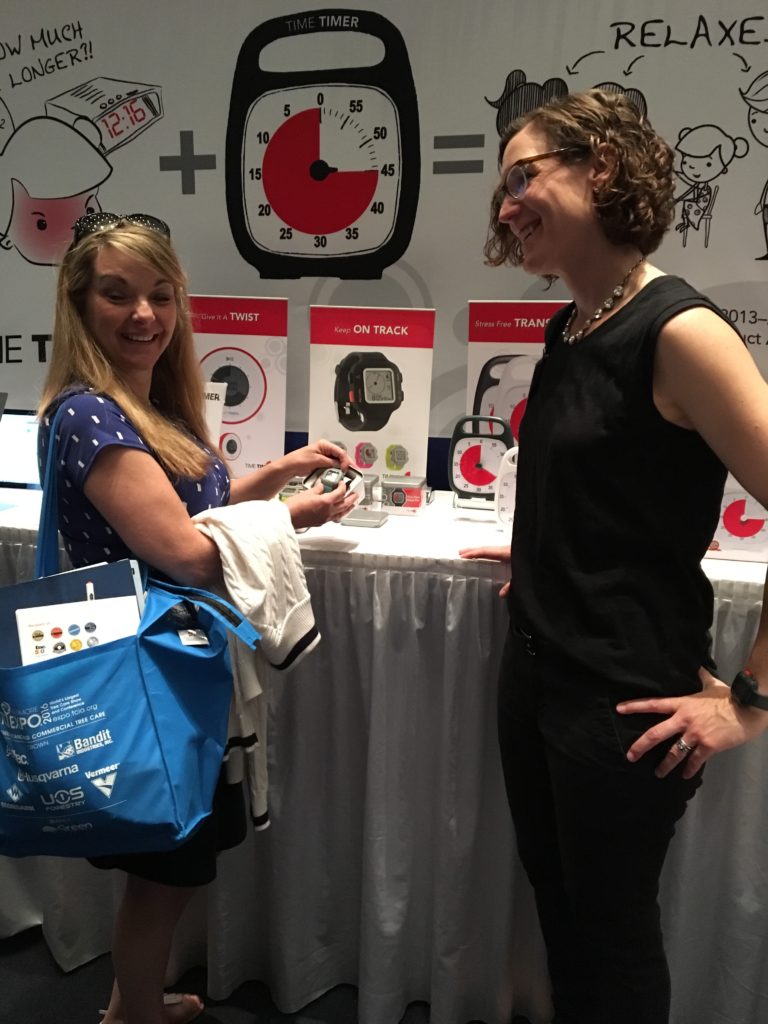
The original Time Timers were plastic, battery-operated, analog countdown clocks. Rather than a minute hand and second hand, Time Timers had red, circular cellophane-like discs that diminished in size (from a maximum of 360° coverage for an hour) until the time was up, and then the red portion disappeared (hiding behind the clock display) and a buzzer went off. Kids (and adults) using the Time Timer were able to get a sense of the “feel” of how time passed.
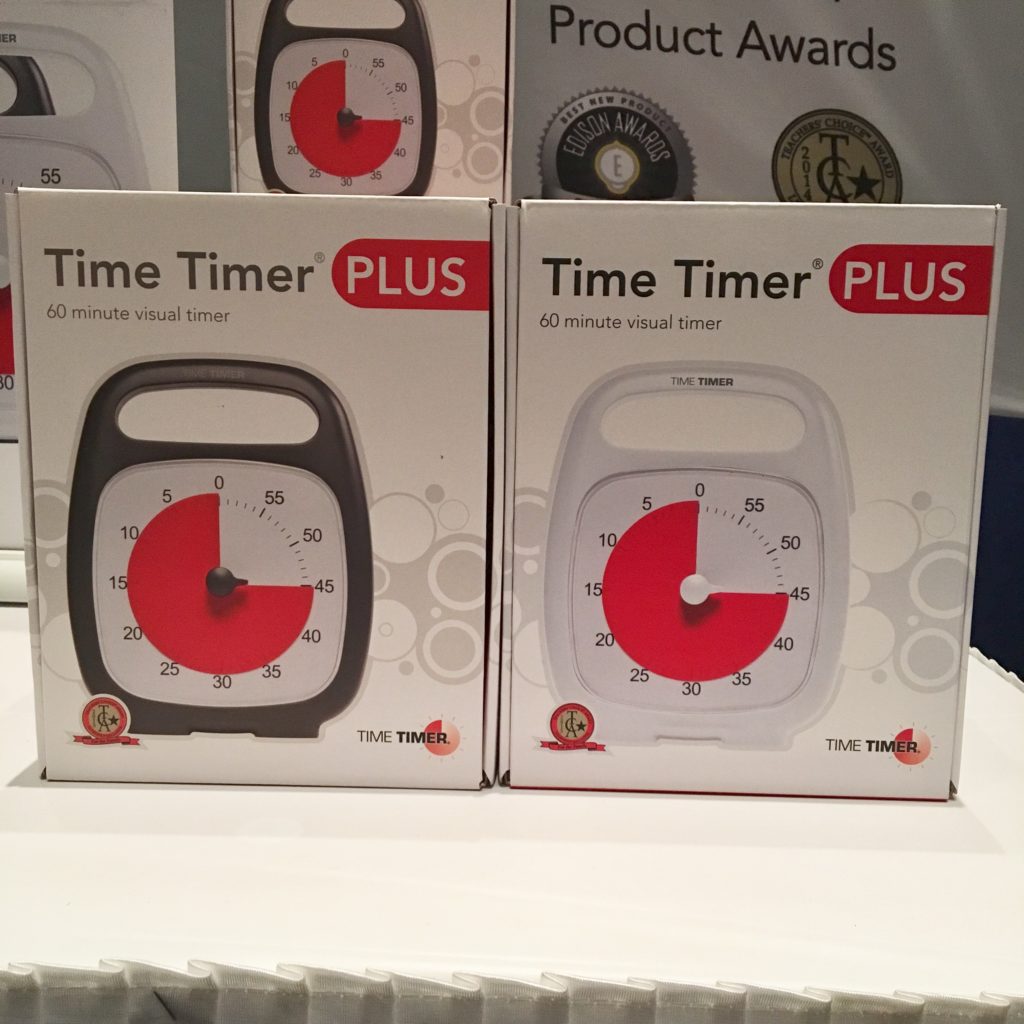
Paper Doll has covered Time Timer many times, most recently in our detailed coverage of NAPO 2016’s Organizers’ Choice Award Winners. But our friends at Time Timer know that time marches on, and so do they. Let’s look at some new developments on the time front!
NEW DURATIONS — THE LONG AND THE SHORT OF IT
Historically, all of the Time Timers (the Plus with the quick-grab handle, the 3″, 8″, and 12″ handle-free versions, and the adorable and brightly colored little Mods) have all had one thing in common: they measured durations of up to 60 minutes. For children, and for anyone who has a general difficulty with visualizing time flowing, this makes sense — the Time Timer emulates how time elapses on a clock face.
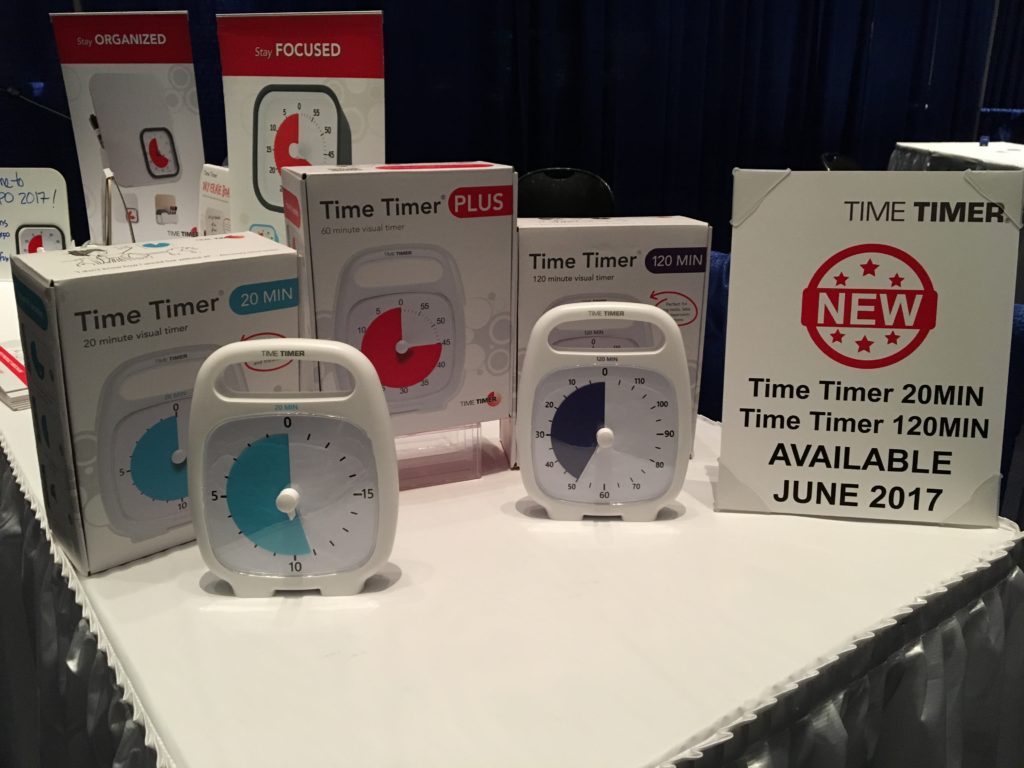
The two new versions of the Time Timer look like the traditional (white) Plus with the quick-grab handle, but have two new distinctive features. First, the new versions come in two different durations: 20 minutes and 120 minutes. Second, for the first time, instead of red, the time-elapsed disc is in new colors, robin’s egg blue for the 20-minute timer and purple for the two-hour version.
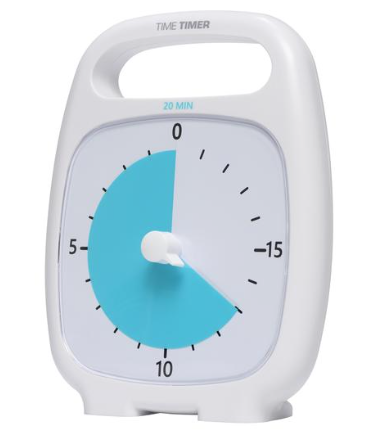
The 20-minute Time Timer is designed to offer a greater visual impact for shorter tasks like homework blocks and practicing musical instruments, as well as keeping on-task for workplace meeting agenda items. Because it doesn’t emulate the hour-long clock face, it’s definitely better suited for those who understand how time flows, but merely need visual reminders of its passage. I think it’s an attractive addition to the line, but feel Time Timer missed a chance to capitalize on the productivity industry’s love for the Pomodoro Technique and should have created a 25-minute timer.
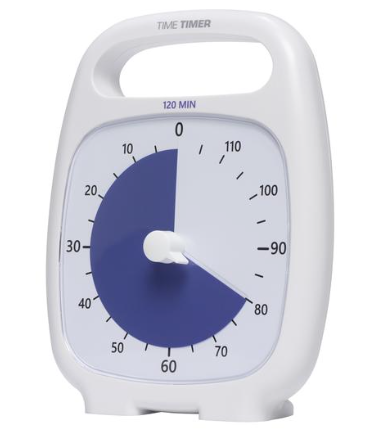
I can see the 120-minute version of the Time Timer working well for high school and college students taking timed practice tests and for keeping both adults and kids on-task for larger projects.
Both of the new versions run $38.95, use one AA battery, and have a volume control for the “done” tone. Both will be available as of June 2017.
THE BIG NEW TWIST
You know you’re at a conference for professional organizers when you hear people squeal in delight from across the room — over a new timer shape! The hubbub of the expo this year was definitely, “Have you seen the Twist?” Chubby Checker would have been impressed!
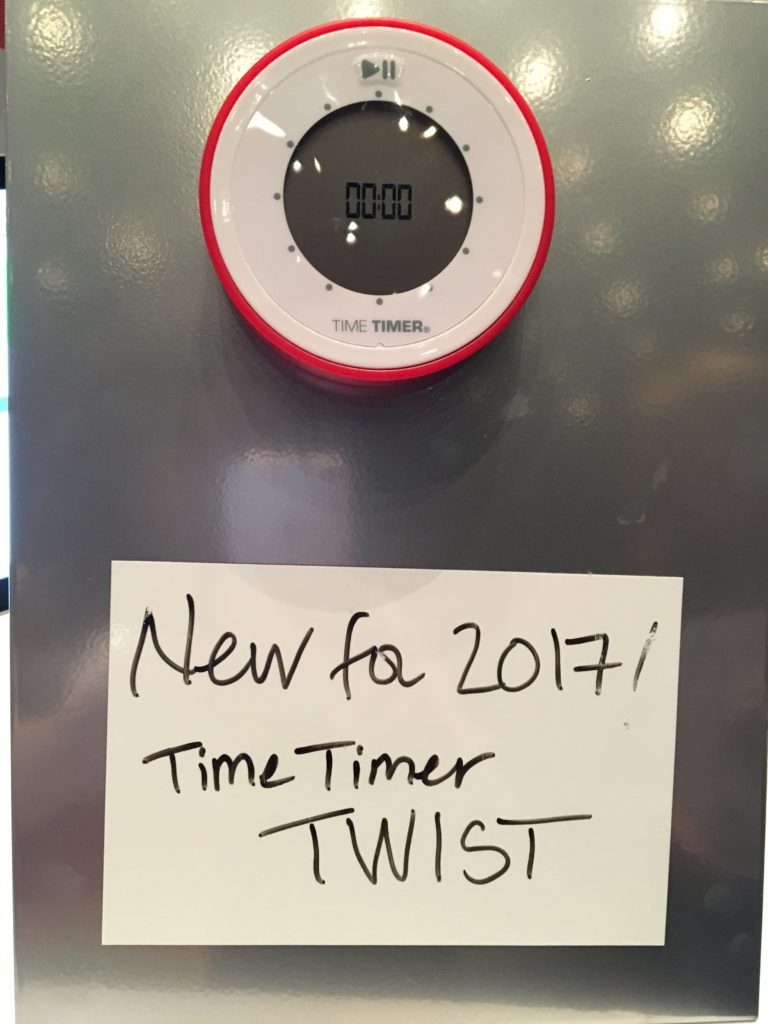
The first thing you notice is that this new Time Timer is round! As all other versions of the Time Timers could stand on their own, you might wonder how to ensure that you can see the face. Magnets, baby! The external ring is in the classic Time Timer red, while the ring around the face is white, with a grey central section for the time display.
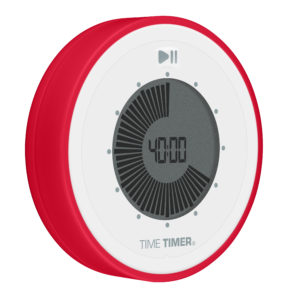
Set this unique timer for up to 90-minute durations by turning the outer ring. Verify the timer digitally, but watch it count down in an analog format — silently, of course, like all other Time Timers. Then stick it on your fridge or filing cabinet for an elegant way to visualize the passage of time.
THERE’S AN APP FOR THAT
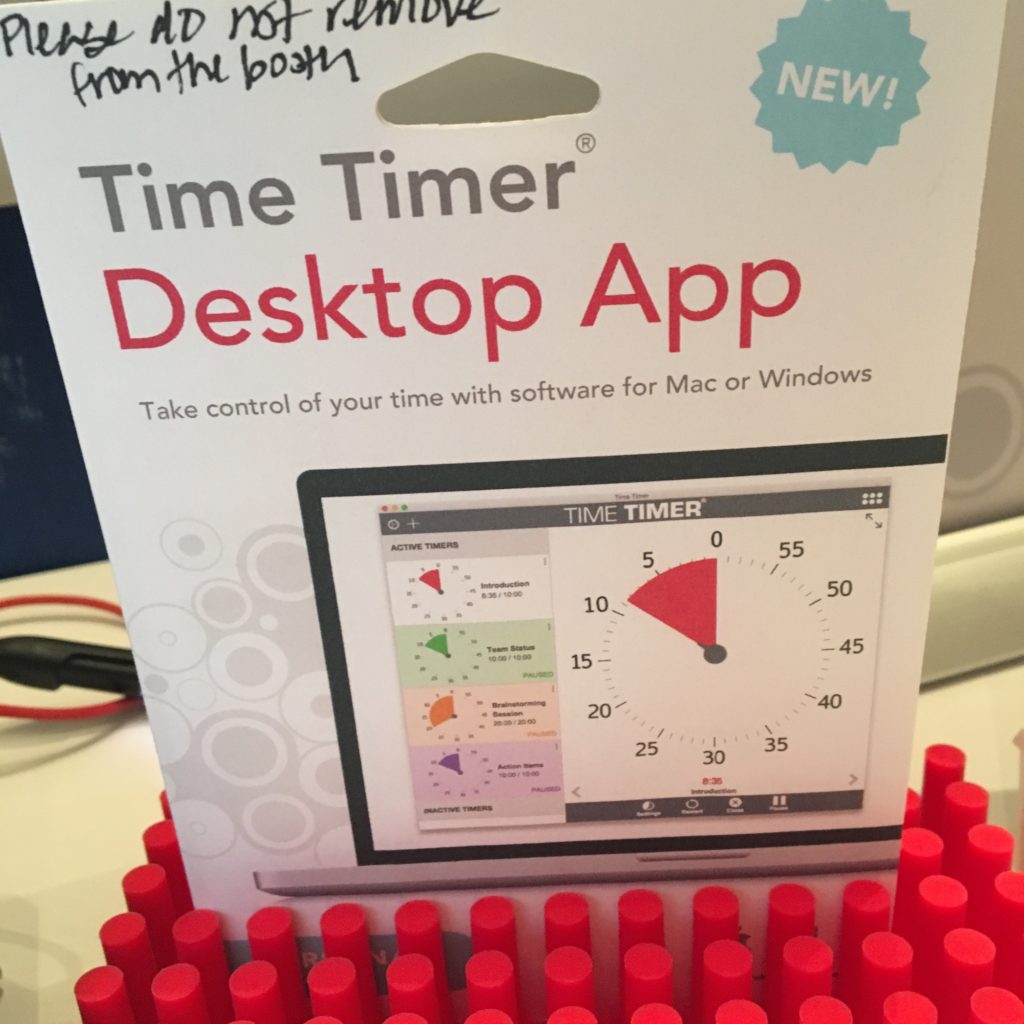
Fans of Time Timers were delighted a few years ago when the iPhone and Android apps were launched, and the multi-color Time Timer iPad app wasn’t far behind. With all three, you can customize your countdown timers, save and name them for re-use, change colors, create alert options, and more. What was missing was a desktop app — until now.
The Time Timer Desktop App comes in eight languages: English, Danish, Dutch, French, German, Japanese, Portuguese, and Spanish. It’s compatible with Mac and Windows, and sells for $19.95.
OH, WILL YOU LOOK AT THE TIME?!
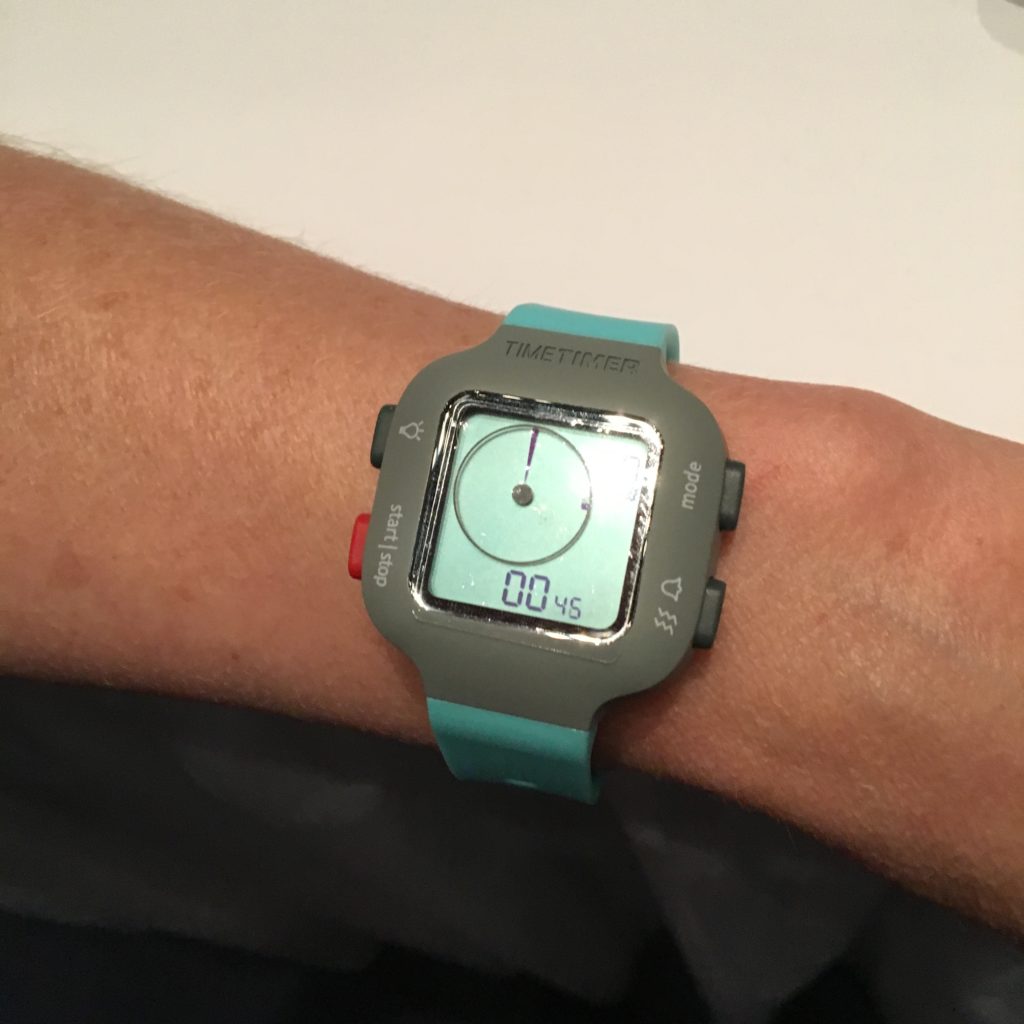
In addition to a wide variety of timers, apps, and watches loved by most organizers, there’s a special place in Paper Doll‘s heart for one particular Time Time accessory: the Time Timer Dry Erase Board.
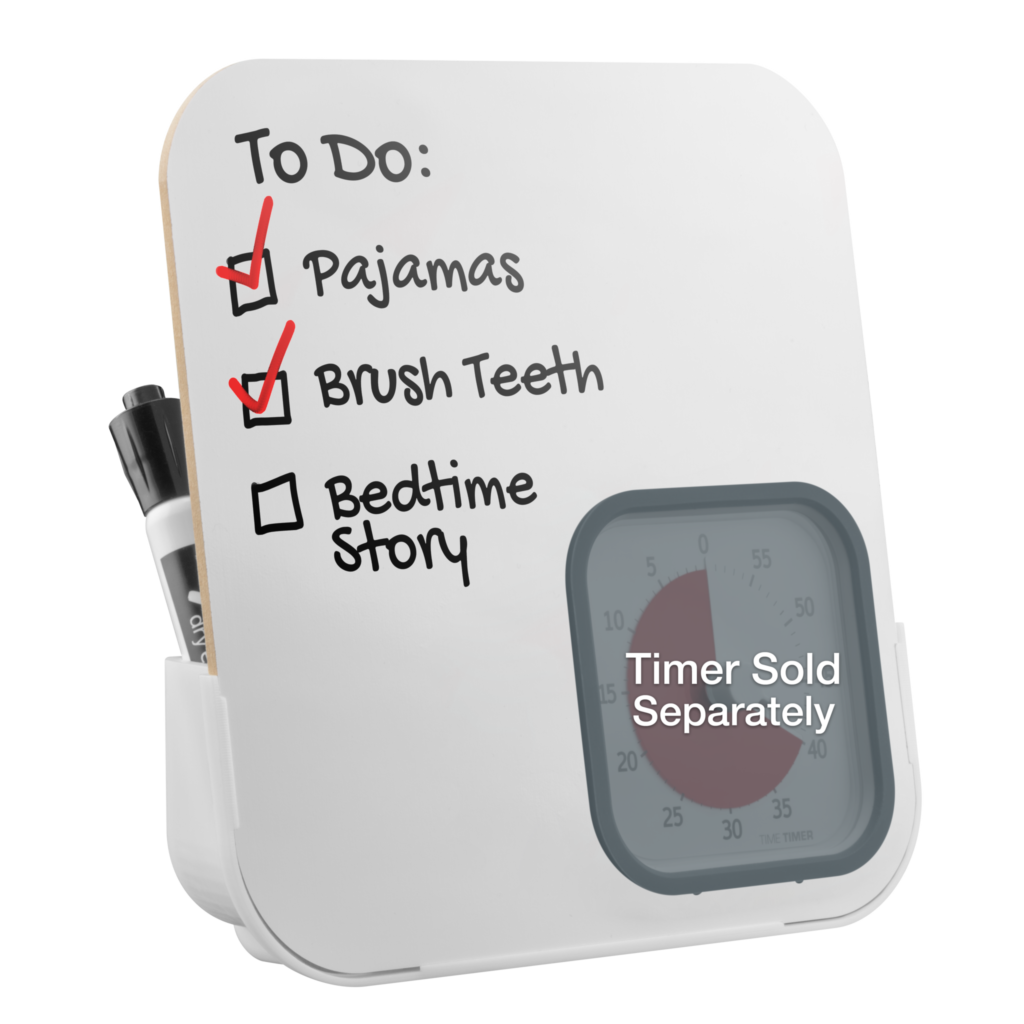
This small, desktop-suitable, dry-erase board has a cut-out space perfect for my favorite Time Timer, the Mod (with the Berry cover). Heather Rogers, Time Timer’s VP of Marketing and Operations, illustrates the advantages of the board, which runs $18.95, below.
(Now they just need a magnetic Twist/dry-erase combo!)
THE ADVANTAGES OF VISUALIZING TIME
Even people who are adept at managing time, in general, can be led astray due to excitement or adrenaline. At my NAPO-Georgia meetings, a modern Time Timer is on display to ensure that speakers maintain focus and keep to the schedule. At a recent committee meeting, we used a classic Time Timer to ensure nobody had to be the bad guy and cut off overenthusiastic participants. Time Timer’s website notes a variety of uses of their products in different realms, including:
At Work
- Maximize efficiency with LEAN manufacturing principles—time is money!
- Keep meetings on track at a glance, giving everyone equal time to participate.
- Creatives: generate ideas more quickly through timed brainstorming.
- Healthcare: keep schedules moving and effectively manage time spent with patients and clients.
- Sales: deliver succinct, impressive presentations without the “mental math” of how much time remains.
At School
- Teach the concept of time and learn to visualize time as a measurement: What does “5 minutes” really mean?
- Manage transitions in (and out of) the classroom.
- Transition “ownership,” allowing educators to be children’s ally, not the “enforcer” of the classroom schedule.
- Keep students calm, focused, and aware of time during practice and while conducting timed standardized tests to satisfy state standards.
At Home
- Ease and manage daily routines: morning, dinner, cleanup, bath & bedtime.
- Monitor turns and time for homework, computer use, instrument practice and play time.
- Manage time-outs: help children calm down and watch frustration fade as the red disk vanishes.
- Encourage punctuality: when the red disk disappears, we’ll go!
- Organize: keep track of valuable time and break large, overwhelming projects into small, manageable 10-minute activities.
Do you use a Time Timer? Is there a version you’d like them to make? Share in the comments.
Paper Doll’s Tax Time 2017: Shredding Advice and Free Shredding Coupons
Americans had a few extra days to file their taxes this year. The usual April 15th deadline that so many of us dread fell on a Saturday. Normally, the deadline would be pushed to the following Monday, but because April 17th is Emancipation Day, a legal holiday in Washington, DC, tax returns were granted another reprieve, until April 18th.
But what about a reprieve from all of the paper clutter that results from preparing your taxes? Have you completed your federal and state (and perhaps local/municipal) returns only to find that you are being crowded out of your workspace by a mountainous “to shred” pile?
Tax time is the perfect opportunity to clear out your file folders, your desk drawers, your purses, wallets and pockets, and to shred all those random receipts and documents that you don’t need to support your tax returns. Why? To protect your identity!
Of course, if you don’t know what you need to keep vs. what you should shred, Paper Doll has you covered with Do I Have To Keep This Piece of Paper?
DO-IT-YOURSELF
Shredding isn’t difficult, but it’s also not much fun.
OK, it’s not much fun for most people, Weird Al aside. But it can be made convenient.
In most cases, consistent use of a medium-sized shredder for your home office or small business should suffice to keep the backlog at bay and keep your papers from piling up in between tax seasons. If you don’t yet have a shredder or are in the market for a new one, some of the basic things to consider are:
- Capacity — There are three key criteria:
1) How many sheets of paper can you feed at one time? While shredders are generally rated by the number of sheets shredded simultaneously, Paper Doll believes many manufacturers are a bit too optimistic in self-reporting. Aim for the highest capacity shredder in your budget range.
2) How much paper can you load in any session without the motor pooping out on you? This won’t generally be listed on the box, so take some time to read user reviews at Amazon and ConsumerSearch.
3) What else can you shred besides paper? While not everyone will have a need to destroy CDs/DVDs, the shredder you select should, at the very least, be able to handle stapled paper and expired credit cards.
- Ease of Use — The main concerns are an adequate-width feeder and an easy-to-empty receptacle or bin. The nicest shredders have a removable bin that slides out like a drawer or tips out like a laundry chute, but these tend to be more expensive than the budget versions, where the shredding mechanism lifts off to reveal a metal or rubber receptacle. Avoid the low-rent shredders that only provide a mechanism to set atop a trash can — these are usually ill-fitting, poorly balanced and lead to a flurry of shreds on your carpet, which furry animals and tiny humans will spread far and wide.
- Features — Any decent shredder should have an auto-start function, such that as long as your shredder is turned on, you should be able to insert documents to shred. A “forward” function keeps the motor running whether you are shredding or not. The “reverse” function is important for helping you clear paper jams quickly, especially when you feel immediate friction and realize you’re trying to shred too much paper at once.
- Aesthetics — While the design of a shredder shouldn’t be your main concern, an overly noisy or ugly shredder may be a deal breaker. Whenever possible, test a friend’s shredder or ask a sales associate to help you test a floor model. The noise a shredder makes isn’t exactly pleasant, but some have more vibration or grinding than others.
- Shred Size and Shape — You want a cross-cut or micro-cut shredder. The rare old-style strip-cut shredders offer less protection against prying eyes. Cross-cut shredders reduce your paper to squiggles. Micro-cut shredders pulverize papers even more finely, but may be overkill (in terms of both function and cost) for personal use.
- Shredder Size — There’s no polite way to say this: size matters. Clients purchase desktop mini-shredders in hopes that the small size and convenience of easier access will make them more inclined to routinely shred junk mail. However, I find most desktop shredders lack the gravitas needed to handle daily work. The feeders tend to be too small for ease of usability — usually about 5″ wide, while typical mail is 8 1/2″ wide. Even smaller paper generally has to be folded in order to fit into desktop feeders. Perhaps Paper Doll is spoiled, but the ability to shred a short stack of paper without having to fold or spindle in order to mutilate is essential. Mini-shredders are not designed for power-shredding, but even applying relaxed standards, they still tend to overheat quickly, either from lumpy paper gumming up the works or over-exhaustion. A mini-shredder is a lot like an Easy-Bake® Oven. Yes, it can do what it promises, but would you cook Thanksgiving dinner without a full-sized oven?
SHREDDING SERVICES
You know how important it is to shred the paper that you no longer need for tax, legal or proof-of-ownership purposes, because merely tossing them in the trash could make you ripe for identity theft. But you also know that once your shred pile is as tall as the youngest of your tax-deductible dependents, your personal shredder is going to wimp out before you get through everything.
Of course, you may not have the time, space, or shredding firepower to shred your own documents. If that’s the case, there are a wide variety of companies that offer document destruction services nationwide, including Shred-It, Iron Mountain, Shred Nations, and Pro-Shred. If you need help finding shredding services in your areas, you can turn to the National Association for Information Destruction. The NAID’s interactive map will locate shredding companies nearest to you. Just type in your geographic location (or keep clicking the plus sign to get a close-up of your area.)
In addition to shredding specialists, you can pay to have your paper shred retail locations like FedEx Office, the UPS Store, Staples, and Office Depot/Office Max. Prices range from 99 cents per pound, upward.
Office Depot/Office Max is offering a coupon for up to 5 pounds of free document shredding from now through April 29, 2017.
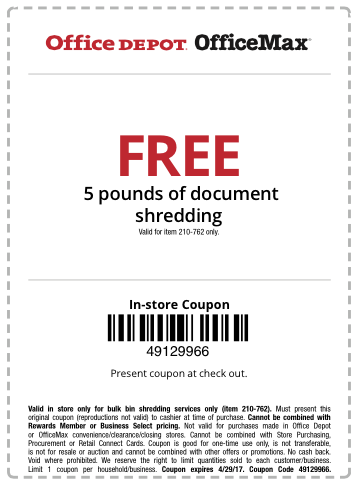
This photo is just a facsimile. So, click on the above link, print it out, clip it, gather up your shredding and get that pile of paper clutter out of your office (or off your kitchen table).
Staples also has a coupon — for 2 pounds of free shredding with code 23733. You’ll have to click the link to locate the coupon on the resulting page and print it or send it to your mobile device.. Please note that this coupon expires April 22, 2017.

FREE SHREDDING OPTIONS
Various universities, government agencies, and community groups partner with shredding companies throughout the year for events billed as shred-a-thons and shred days. Be sure to Google one of these terms and your city or town name to find events near you. Many are held in mid-to-late April, so don’t delay.
See? It doesn’t have to be so taxing, after all. Declutter, protect your identity, and save money!
5 Keys to Focus, or What Lord Chesterfield Knew About Multitasking
[Editor: This post originally appeared in March 2017 and was updated as of October 24, 2022.]
“There is time enough for everything in the course of the day, if you do but one thing at once, but there is not time enough in the year, if you will do two things at a time.”
~ Lord Chesterfield on multitasking
Philip Dormer Stanhope, the 4th Earl of Chesterfield, had lots of bright things to say about productivity:
I recommend you to take care of the minutes, for the hours will take care of themselves. (Good advice for productivity and task planning)
Choose your pleasures for yourself, and do not let them be imposed upon you. (A wise pronouncement regarding prioritizing, task planning, and joy!)
Know the true value of time; snatch, seize, and enjoy every moment of it. No idleness; no laziness; no procrastination; never put off till tomorrow what you can do today. (And to his thoughts on productivity and prioritization, Lord Chesterfield added still-revered advice on procrastination.)
The dude knew his stuff.
THE MYTH OF MULTITASKING
Do you perform data entry tasks while on conference calls or answer email while attending workshops? Worse, do you half-listen to your children or staffers or co-workers while flipping through papers? Do you text while you drive? Information and activity overload may lead you to embrace the idea of multitasking to improve efficiency. Don’t give in to the urge.
Multitasking not only fails to make you more productive; it increases all kinds of risks.
From the mid-1990s through the late 2000’s, studies published widely, from NeuroImage and the Journal of Experimental Psychology, and research at the University of Michigan, Carnegie Mellon’s Center for Cognitive Brain Imaging, and the University of California at Irvine all reported that multitasking wastes time and leads to distraction, errors, and memory lapses.
You may think you’re doing double-duty, but your brain is actually “task switching,” jumping back and forth between multiple attention orientations, doing each thing less efficiently and less effectively. Reply to a client email while listening to a teleclass, and you will miss salient details of both.
Giving up the myth of multitasking can be difficult. Intellectually, we may understand task switching, or know that checking social media is unproductive, or texting while driving is dangerous, but your senses try to convince you otherwise. It still feels like doing only one thing is wasting time. The longer you go on trying to do multiple things at once, the harder it will be to bring yourself to focus on anything, whether it’s client concerns, the document you’re writing, or the road ahead of you.
The longer you go on trying to do multiple things at once, the harder it will be to bring yourself to focus on anything. Share on XEmbrace the following tips to reduce your inclination toward multitasking:
1) Declutter Your Physical Space
Physical clutter overwhelms you even when you are not consciously aware of it. Neuroscientists at the Princeton University Neuroscience Institute found that disorder in your visual field limits your brain’s ability to process visual stimuli. If you can’t fully focus on just one thing, you’re creating your own attention deficit.
Start by eliminating anything from the “prime real estate” of your immediate work area that can’t help you with what you’re doing. File your papers away except for the folder of documents you’re working on right now. If you’re working on your computer, move your other digital devices to a counter behind you, or better yet, to another room.
2) Declutter Your Digital Workspace
Do you use multiple monitors with different content on each? Remember, the more you see, the less your brain can think about any one thing. Turn off your notifications, those CNN-like Breaking News tickers that tell you that someone has replied to your tweet or that there’s yet another political brouhaha. (The tweets and the news will all still be there when you’re done with your focused work.)
Clear your digital desktop so that instead of dozens (or hundreds) of individual files and documents on your screen, you’ve got a handful of categorized folders and sub-folders. (Or, if you’re less hierarchical and more trusting of search vs. hierarchy than Paper Doll, move everything to one searchable folder.)
Opt for a minimalist desktop. Instead of a busy photo of your last vacation, try a more calming desktop wallpaper from a site like Simple Desktops.

Gizmodo published an excellent field guide to Create a Minimalist Desktop to Be Proud Of. You don’t have to go to the ends of the minimalist desktop spectrum, as Joshua Fields Millburn of The Minimalists recently did with his desktop, but do make things easier on your eyes.
This is just a taste of what you can do to increase your digital focus. In future posts, we’ll be talking about ways to hide your browser tabs, blur the focus on any program except the one in which you’re working, and take whatever program you’re using to full-screen.
3) Shush the Distractions In Your Environment
Close your door. Post a sign telling your colleagues or family that you’re taking a page out of Cal Newport’s buzzy productivity book and that you’ll be doing Deep Work for the next 90 minutes. Leave them some pretty sticky notes and a nice Sharpie so they can plaster your door with messages.

Some of us need complete silence. Many of us need white noise. Check out the Paper Doll classic post, 11 Ways to Organize Your Focus With Ambient Noise, to find your sweet spot.
4) Shush the Distractions In Your Head
If you’re worried about your children, your job security, that bump on the back of your arm, or even the project you’re trying to complete, you won’t be able to focus. Anxiety is a shockingly bad productivity tool.
Try Box Breathing, a Navy SEAL technique for calming yourself down with simple breathing, illustrated beautifully below by QuietKit (which also has a nifty Meditation for Beginners program).
 When feeling overwhelmed, simply:
Inhale for four seconds as you watch the blue circle expand.
Pause, with your lungs full, for four seconds as the circle stays expanded.
Exhale for four seconds as you watch the circle shrink.
Pause, with your lungs full, for four seconds as the circle stays contracted.
Whether you’re searching for a web-based model, a computer program, or an app for your phone, tablet, or watch, mindfulness solutions abound, including:
- Breathe
- Calm (including its very relaxing home page)
- Headspace
- Insight Timer
- Oak Meditation
- Smiling Mind
- UCLA Mindful App
5) Schedule Time To Focus
One of the most popular time management methods, The Pomodoro Technique developed by Francesco Cirillo, helps multitaskers strengthen their focusing skills and single-tasking muscles.

The basic premise is simple: select a task and focus on it, and only it, for 25 minutes. When the timer rings, take a five-minute break before resuming work for another 25 minutes. For every two hours you work, take a longer break.
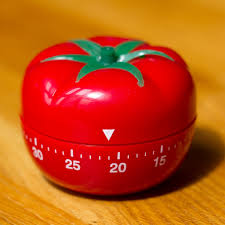
This method, named for the once-ubiquitous Italian tomato-shaped kitchen timer, encompasses other time management strategies and tools, and has practically become an industry of its own.
There’s a free official web app timer and technique sheets to help you clarify what work you’ll give your focus. There are many Pomodoro-based third-party apps and web-based applets, including Focus Booster, Focus Time, Pomo-Done, the easy-peasy Tomato Timer, and 30/30. And if you like something three-dimensional and tactile to get your focus revving, there’s nothing niftier than a Time Timer set to your 25-minute limit.
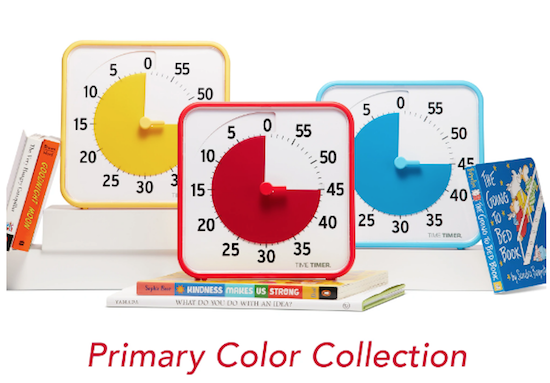
There’s nothing magical about the block of 25 minutes. It’s short enough to get past the innate tendency to procrastinate, and surely you can do anything for 25 minutes. However, for tasks requiring a greater depth and duration of attention, you need adequate time to make headway. In those situations, try a modified version of the Pomodoro Technique with just a few tweaks.
Turn off your message alerts, send incoming calls straight to voicemail, and set your timer for 45 minutes. When the alarm sounds, take a ten-minute break. Rest your eyes and hydrate after every Pomodoro, and stop for a snack and some human interaction every three hours. Refresh your mind by listening to others without the nagging urge to check email, stock prices, and message updates.
After some practice, you will likely find that your concentration has improved and your thoughts flow more freely when unencumbered by competing demands. It’s a gift to enjoy the present. I bet Lord Chesterfield knew that, too.
What do you do to keep yourself focused?



Follow Me