Whimsical Tools to Improve Your Productivity: Mochi Focus, Mom Clock, and Kiki
THE NASTY TRUTH ABOUT PRODUCTIVITY
Would you like to know a nasty little secret from the world of productivity? Sometimes, getting things done — or more often, not getting them done — is a drag.
Last month, in Paper Doll’s Cheat Sheet for Celebrating Time Management Month, we looked at all the steps for making progress on the tasks we wish to (or must) complete. We talked about memento mori and knowing what we want to achieve in the precious amount of time we have on Earth, and revisited blocking time so that we can be both effective and efficient.
We also reviewed ways to prioritize the tasks we strive to complete and then dove deeply into the strategies for getting ourselves to start, from body doubling and accountability partners to using timers to make use of activation energy. (Speaking of energy, the post also reminded everyone to manage their physical energy through sleep, rest, and rejuvenation through breaks.)
We explored methods for blocking interruptions and obstacles (whether created by others or ourselves), and tracking our time to reflect on our entire systems to figure out where to make tweaks.
Whew. If that sounds like it would be a lot of work, well, that’s part of the problem. Being productive requires work. That’s why we say we’re going to work rather than we’re going to fun.
In a perfect world, if we followed all of these steps, failure would be impossible. We would know what we had to do, figure out what steps were the most important, schedule the work, settle ourselves in, and get it done. Huzzah!
But this is not a perfect world. We told the clocks to spring ahead over the weekend, so many of us are tired and cranky. (A little of that can be eased along with the advice in Organize Your Sleep When the Clocks Change and Beyond.) Depending on where you are today, it may be cold and grey outside.
And mostly, the inability to accomplish one’s goals — even when applying all of these strategies — comes down to a single, solitary truth: I don’t wanna!
Yes, people want the end result. They want their taxes done, their closets organized, and their dreams fulfilled. But they do not want to be bored, annoyed, wearied, or tasked with labor.
Sometimes we all, even professional organizers, just don’t wanna.
When this happens, it’s usually a matter of more than managing one’s physical energy. There are seasons of life when we need serious mental health care and tenderness, such as when we are grieving, experiencing anxiety, or suffering from depression, before we can think about make headway.
When our internal obstacles are less severe, activation energy, or getting ourselves to start, sometimes needs a rousing kick in the pants. Other times, we need the 21st century to stop kicking us when we’re down. Sometimes, we just need to give ourselves a break and find a way to add a little joy to the process.
At the end last year, in 2025 Wrapped: Do An Annual Review To Design Your Best Life, I wrote that my word for 2026 was WHIMSY. What is whimsy, exactly? It’s defined as:
“a playful, quaint, or fanciful attitude and behavior that is often unpredictable, spontaneous, and charmingly eccentric. It represents a shift away from rigid, serious, or conventional thinking, favoring instead a lighthearted, imaginative approach to life.”
Today’s post looks at some tools that offer a few charmingly eccentric, lighthearted, imaginative tools to tip self-management part of time management in your favor.
MOCHI FOCUS
Do you find that you’re better getting things done when you’re modeling good time management for others?
Mochi Focus combines a playful take on a Pomodoro timer with both a gamification element and a site blocker-turned-gentle-taskmaster.
Rather than an app, Mochi Focus is a browser extension for Chrome. (Why are all the good extensions only built for Chrome? Surely Safari deserves as much love!)
When you begin, Mochi Focus starts you off with a little blob of a pet, which they call it a “mascot.” You set to work, and the longer you stay on task, the bigger the little blob grows. Basically, instead of feeding your app food, you are nourishing it with your focused attention.
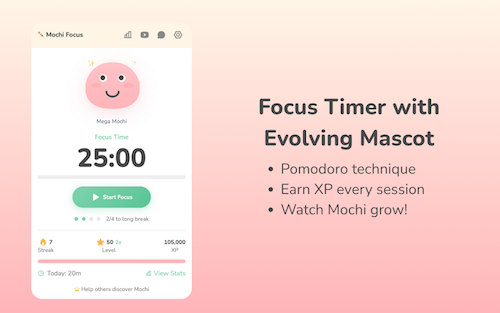
Mochi Focus Timer
A traditional “official” Pomodoro requires 25 minutes of work with a 5 minute break, and no more than four sessions without a longer break. In the abstract, the Pomodoro Technique works well to get our butts in our seats and complete many kinds of tasks.
However, not all tasks are created equal. Crafting an employee review isn’t the same as paying monthly bills, and neither one is the same as editing a chapter of your novel or cleaning out your closet.
Mochi Focus recognizes that some tasks require focus for shorter or longer periods of time. Thus, you get to customize your focus session lengths, anywhere from 1 minute (perhaps to do a plank or sun salutation) to 120 minutes (to rehearse for a presentation or make the mud room look less muddy).
You set the timer, and then Mochi Focus automatically switches between periods of intense focus and the break periods that keep your mental and physical energy from getting stale or expiring altogether. As with an “official” Pomodoro, Mochi Focus enforces a longer break after four sessions for use, but after set-up, you get to keep your hands off the timer for the duration.
The Mochi Focus Timer Mascot
Mochi incorporates gamification, because if we would do the work we have to do just because we have to do it, we wouldn’t need apps to make it fun.
Competing against ourselves is low-stakes, unlike competition with strangers. We win the “game” of getting things done to give our little pal Mochi a boost. You earn 1 XP (in the parlance of gamers, that’s experience points) for each minute you spend on focused work.
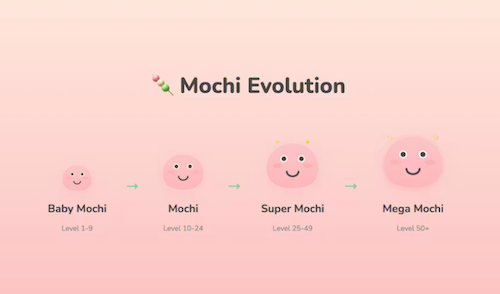
As you work, your Mochi mascot grows from baby-sized to Mega form. Depending on your level of experience (from 1 to 50), there are four stages of evolution. As you go along, you build daily streaks for bonus XP, and there are 14 achievement badges to give you positive reinforcement as you attend to your tasks.
In addition to tracking your progress through Mochi’s growth, there are also some adorable (might we say “whimsical?”) interactive features, including five interactive expressions in reaction to completed activity. The little guy expresses pride in your efforts with eye tracking, blinking, and click reactions.
Mochi Focus Website Blocker
Focus is not achieved by one’s competitive nature alone. Let’s face it, we all sometimes need a little help with boundary-setting.
The Mochi Focus website blocker feature is similar to Rescue Time, Cold Turkey, and Freedom, and allows you block yourself from accessing distracting sites during your focused work time. To get you started, Mochi Focus suggests more than 50 sites to block, and you can add your own time-wasters.
If you try to access those sites when you’re supposed to be working, you get a cheery page both reminding you that your access is blocked and encouraging you to go back to what you’ve assigned yourself to do. It’s like having the most gentle of accountability companions with a hint of Jeeves the butler.
On the up-side, when you’ve finished your pre-set focus session, Mochi Focus automatically unblocks those tempting sites so you can play during your breaks.
Pros and Cons of Mochi Focus
On the plus side, Mochi Focus has great features. It’s:
- is a simple, distraction-free interface that doesn’t require a steep learning curve.
- installs right in your browser.
- works offline, so you aren’t web-dependent.
- doesn’t require an account.
- tracks your progress through the main screen and a stats dashboard.
- stores all data locally on your device.
- is 100% free, with all of the various features unlocked. There aren’t even pesky ads or attempts to up-sell you to higher tiers.
But, more importantly, especially when it’s the mental weight that’s detracting from your motivation, Mochi Focus:
- doesn’t nag you to work, but encourages you to get back to your planned area of focus
- digitally prevents you from goofing off while also giving you a reason to care for yourself and your goals by nurturing a little blobby dude.
- offers a whimsical approach, with a blobby cartoon companion who shares your focus journey, joins in celebrating your achievements, and keeps you motivated!
Mochi Focus isn’t for everyone, though. Consider if the following might make it a bad fit for your practice focus.
- It only works with Chrome, so it’s not for you if you swear by Safari or are fixated on Firefox.
- Because it only works in the browser, if you use multiple devices (computers, tablets, phones, etc.), your stats aren’t going to reflect your entire progress. (Update: Mochi Focus was created by Boyd Guang, a solo developer from Thailand. He reports that cloud sync is coming, along with focus-oriented audio and more themes.)
- If you get anxious when competing against yourself, or this brings up memories of the Tamagatchi digital pet you let die 30 years ago, this might not be your thing.
- It’s simple, gentle, and visually sweet. If you prefer the stick to the stick (vs. carrot) approach, this may not be your jam.
To get a sense of the Mochi Focus vibe, check the Focus with Mochi YouTube channel with a variety of videos (with four+ Pomodoro sessions) backed by focus-inducing, lo-fi music.
Whether you’re a remote office worker or a student or just someone looking for more sticktoitiveness, if you’re looking for something to pep up your Pomodoro-style focus sessions, this might be fun to try. And again, it’s free, so there’s no downside to trying.
Mochi Focus works on a few different levels. It has your back by blocking your distractions and giving you a competitive approach with points and stats, but also covers your softer side by pairing you with a teammate for whom your success is their success. It’s animated accountability.
Whatever works, right?
But hey, if the gentle companion approach doesn’t work, perhaps you need something a little bossier.
Mom Clock
Sometimes, neither the gentle, companionable approach nor the competitive angle works. If that’s the case, you may have to consider seeking support from the one person who can strike fear in you by using your full name — first, middle, and last — in a tone that brooks no debate.
Sometimes, you just have to call in a mother.

The Mom Clock is an iOS app and Chrome extension that adopts a strict disciplinarian approach to stop procrastination.
This is no gentle parenting. Instead, Mom Clock uses alarms and app-blocking to force you to do what you said you intended to do.
The way Mom Clock’s creators explain it:
Mom Clock is not a productivity tool.
It doesn’t motivate you. It doesn’t encourage you. It doesn’t ask how you’re feeling.
You already know what you’re supposed to do. Mom Clock simply enforces it.
Once you set up Mom Clock with your plan for when you’re going to work, you go to work. Full stop.
You’ve got (relatively) little choice, because Mom Clock understands time blocking (as in, when you’re supposed to work) and uses the power of blocking (as in, it will block all of those distracting websites during the hours you tell it you’re supposed to be focused).
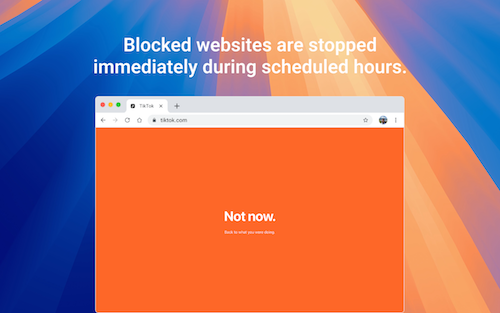
When you’re supposed to be working, you can’t do anything else with your device. When your time is up, Mom Clock starts firing alarms that tell you to stop whatever you’re doing. (Just as “she” enforces your work time, she’s serious about those breaks, too! After all, your mom always knew when you needed a nap, right?)
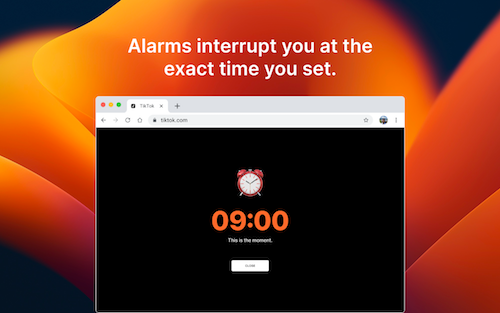
In between your start and stop, Mom Clock is working quietly in the background, just like she was when you were a kid, doing your homework. Unlike Mochi Focus’ companion style, Mom Clock calls to mind the phrase, “I’m not your friend, I’m your mother!”
Pros and Cons of Mom Clock
Depending on your style, pros and cons may be interchangeable, so you have to know your own preferences. Mom Clock is:
- Designed to be as simple as possible to reduce friction and make the activation energy easy to obtain.
- You don’t need to register for an account.
- There’s no cloud sync.
- There’s no data collection.
- Mom Clock runs in the app or locally in your browser.
- Uses no gamification — Because there are no stats, there’s nothing to keep track of and there’s no attention to what you’ve done in the past or where you’re headed in the future. Mom Clock is about what you’re doing RIGHT NOW.
- Brooks no backtalk — There’s no negotiation for snoozing “just five more minutes!” You just do what mom says! There’s not even an “or else!”
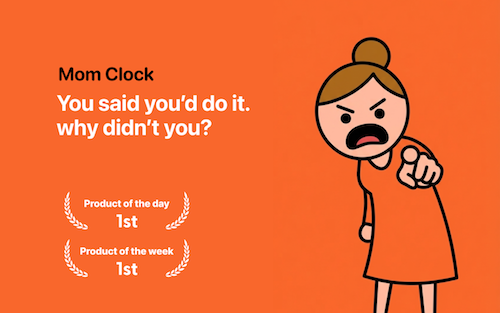
It it just me, or does she remind anyone else of the Angry Mama microwave cleaner?

Just set the rules once for when you want to work, and Mom Clock makes sure you follow them.
Your “Mom” knows your routine, only instead of innately knowing which days you have soccer practice and when you have to stay late for drama club, “she” knows (because you set) your different schedules for work, study, fitness, or sleep. Mom Clock doesn’t ask whether you “feel” like working. She’s just going to stare you down.
Your “Mom” takes away your phone privileges by blocking the tempting apps and websites that prevent you from doing what you should be doing.
As Mom Clock says:
She doesn’t remind. She insists.
No soft nudges. No ‘maybe later.’ Just action.
You don’t need more motivation
Start doing what you said you would. She shouldn’t have to ask twice.
Beyond the main features, Mom Clock has several additional elements, including:
- an online clock — Showing the exact hour, minute, and second; it is constantly updating; it also reports the date (to remind you of time ticking down on those work or school deadlines)
- a time conversion page — Whether you want to convert seconds to minutes or minutes to seconds, minutes to hours or hours to minutes, hours to days or days to hours, or even days to weeks or weeks to years, it’s all available at a click. This way, if you want to remember how many minutes are in a year, and don’t want to start singing Seasons of Love from Rent (though why wouldn’t you?), there’s an accessible feature.
- countdown timers — whether you need to count down to holidays, events, work deadlines, or personally-important dates, just set your timezone, track the countdown in real time, and share links to the countdown when and if necessary. There are a variety of pre-created countdowns for international holidays, so you’ll never forget Mother’s day or Diwali or Hanukkah. You can also select options to count down to when you have to pay your rent, will get paid, can move to your dream home, or may finally retire.
- planner tools — for doing a Pomodoro session (or several) or using time blocks. The Pomodoro timer comes with pre-sets for a traditional 25:5, a 50:10 for deep work, and 90:20 extended session. The time blocking planner has pre-sets to help you with a workday, a study day, and a balanced day for blending focused work, meetings, and recovery time.
- days since counter — whether you’re counting down from the first day you started exercising or the last day you engaged in a bad habit, Mom Clock is keeping track of your landmark dates.
But mostly, the key to Mom Clock is that it eliminates all of the discussion you have with yourself where you let yourself off the hook. There are no more promises to yourself to start “later” or “tomorrow” that you never fulfill.
Mom Clock states its mission as: To make the things you promised yourself actually happen.
Mom Clock knows that willpower is often too challenging and that you can’t always wait to get psyched up into that activation energy.
Sometimes you just need the power of your “Mom” telling you to just do it. NOW!
If Focus Mochi is for workers who embrace gentle parenting, Mom Clock is for those who are seeking an Old School parenting approach because more than motivation, they need someone to hold their feet to the fire.
It’s worth checking out the Mom Clock blog, with wise “motherly” wisdom in posts like:
KIKI
Maybe you need something not as cute as Mochi, but not as bossy as your Mom.
KiKi, created by Ian Blankensmith, is a MacOS program that calls itself “the accountability monster for people who are easily distracted.” It’s not a very monstrous monster, to be sure.
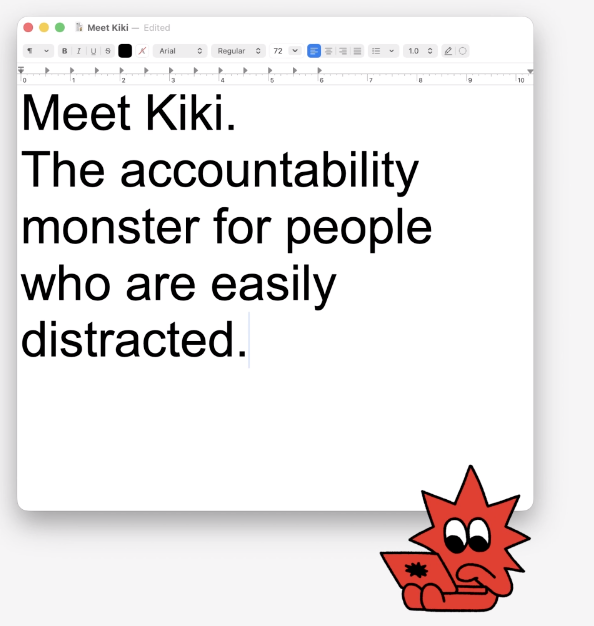
The makers of Kiki envision the program as similar in function to a Pomodoro timer, but better.
First, you identify for Kiki what you’re supposed to be working on in the most specific ways. You write down one concrete task, like:
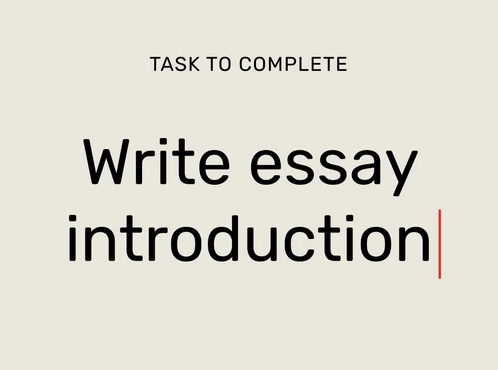
Next, instead of eliminating all the apps and websites you aren’t allowed to use, you select just what sites you will need to complete your task.
For example, if I’m writing a blog, I need WordPress and Canva, and maybe Pexels or Unsplash. (Yes, I’ll need YouTube later for pop culture videos, but to get the writing and graphics selection stage down, just these sites would be essential.) Kiki will block everything else.
Once your intention, resources, and time are set, just focus on your work. Kiki creates a distraction-free, multitask-free realm until your time is up. If you try to do something outside of the plan, Kiki throws flames onto your screen and pipes up with verbal admonishments!
Mono-focus for the productivity win!
Kiki’s Bonus Features
Kiki tracks your progress, showing how focused you were in each session and over time. For those who analyze data points (or need it to keep them honest), Kiki’s tracking feature may help you stay on course.
Kiki is the escape room you cannot escape. There’s no “safe word” and, allegedly, Kiki cannot be tricked. Once Kiki is activated, there’s literally no way to sneak off to entertain yourself while you’re on that device. (I mean, yes, you can go use your phone, but that’ll likely just guilt you out, and if it’s guilt you want, wouldn’t that be better from your (Clock) Mom than from a monster?)
Or, as Kiki says on the website, “Sometimes good work happens after you run out of ways to avoid it.”
Be forewarned about Kiki’s more “monstrous” alerts. One reviewer noted that it shouted “Get back to work!” while she was in a meeting and attempting tasks that we’re part of her scheduled activity. Eek!
Kiki has a free trial, after which it’s $4.99/month paid monthly or $2.49/month paid annually ($29.88year). While it’s designed for Mac, it only plays nicely with Chrome and Safari browsers.
So, if you want to be nagged (by my a monster rather than a Momster) but also want statistics, Kiki may be worth a look.
These are just a few of the delightful productivity-related apps and extensions I’ve found recently. There are others, with sheep and llamas, quirky gamification and silly stats, and there will be follow-up posts with other tools for this year of whimsy.
Is there an app or tool that you use to organize your time or tasks and that you’d describe as whimsical?
Paper Doll Post:




Follow Me